
ClinicalTrials.gov Scraper: Studies, Sponsors & Outcomes
Pricing
from $0.56 / 1,000 trial scrapeds
ClinicalTrials.gov Scraper: Studies, Sponsors & Outcomes
Scrape ClinicalTrials.gov v2 API: study title, phase, status, conditions, interventions, sponsors, enrolment, locations and outcome measures. Filter by condition and phase.
Pricing
from $0.56 / 1,000 trial scrapeds
Rating
0.0
(0)
Developer

Arman Hossain
Maintained by CommunityActor stats
0
Bookmarked
1
Total users
0
Monthly active users
2 months ago
Last modified
Categories
Share
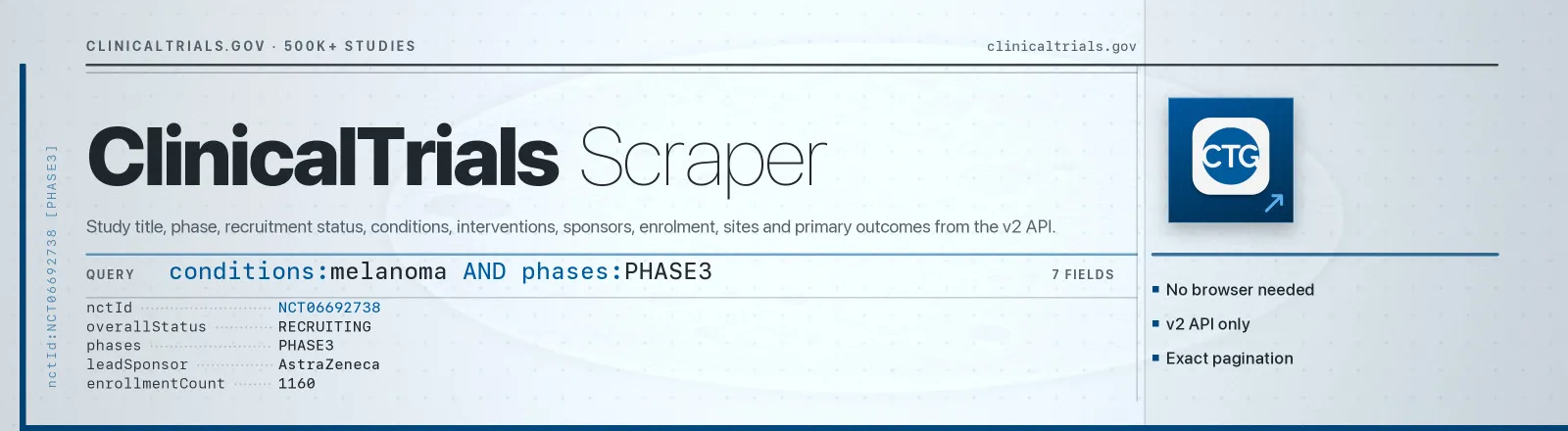
ClinicalTrials.gov Scraper pulls structured study records straight from the ClinicalTrials.gov v2 API, title, phase, recruitment status, conditions, interventions, sponsors, enrolment, trial sites and primary outcome measures.
ClinicalTrials.gov is the US National Library of Medicine's public registry of clinical studies worldwide: over 500,000 records, published as a public record and explicitly intended for reuse. This Actor reads the official v2 registry data directly, no proxy setup and no browser to configure.
Agent skill: SKILL.md
What you get
- One row per study, straight from the registry's own v2 API — no page parsing, so a site redesign cannot change what you receive.
- The fields a trial is actually judged on:
nctId, brief and official titles,overallStatus,phases,studyType, conditions, interventions typed as drug/device/procedure, lead sponsor and collaborators, enrolment count, start and completion dates. - Trial sites as structured rows — facility, city, state, country and per-site recruitment status — rather than one flattened address string.
- Primary outcome measures with their time frames, which is what tells a readout you can wait for from one you cannot.
- Filters that compose: terms within a field are OR-ed, separate fields are AND-ed, so (melanoma OR lung cancer) AND phase 3 AND recruiting is one run.
- A
RUN_SUMMARYnaming every filter applied, the studies returned per query and anything the registry rejected.
Input
Every field is optional. Terms within one field are OR-ed together; separate fields are AND-ed. So conditions: ["melanoma", "lung cancer"] with phases: ["PHASE3"] means (melanoma OR lung cancer) AND phase 3.
| Field | Type | Default | Notes |
|---|---|---|---|
conditions | array | [] | Disease or condition terms. Multi-word terms are quoted automatically so they match as a phrase, not as loose keywords. |
interventions | array | [] | Drug, device or procedure names. |
sponsors | array | [] | Lead sponsor or collaborator names. |
phases | array | [] | EARLY_PHASE1, PHASE1, PHASE2, PHASE3, PHASE4, NA. Empty = every phase. |
statuses | array | [] | RECRUITING, COMPLETED, TERMINATED, ACTIVE_NOT_RECRUITING, NOT_YET_RECRUITING, ENROLLING_BY_INVITATION, SUSPENDED, WITHDRAWN, AVAILABLE, NO_LONGER_AVAILABLE, TEMPORARILY_NOT_AVAILABLE, APPROVED_FOR_MARKETING, WITHHELD, UNKNOWN. Empty = every status. |
maxResults | integer | 1000 | Total studies saved across the whole run — every page and every search term together. 0 = no cap. A negative value, a fraction, or anything that is not a number is rejected with a named error before the run fetches anything. |
Which combinations make sense
conditionsalone is the broadest useful query, an indication landscape.conditions+phasesnarrows to the part of the pipeline you care about. Note that settingphasesexcludes observational studies entirely, since they carry no phase.sponsors+phasesprofiles one company's pipeline.interventionsalone tracks every trial touching a specific molecule, across indications.statuses: ["RECRUITING"]is what you want for anything patient-facing; leave it off for historical analysis.
Example input:
That exact input matched 276 studies and saved 250.
Output
One dataset record per study. Real record from the run above:
| Field | Meaning |
|---|---|
nctId | Registry identifier. The stable join key, https://clinicaltrials.gov/study/<nctId> is the public page. |
briefTitle, officialTitle | Short public title and the full protocol title |
overallStatus | Recruitment status at scrape time |
phases | Array, combined-phase trials really do report ["PHASE1", "PHASE2"] |
studyType | INTERVENTIONAL, OBSERVATIONAL or EXPANDED_ACCESS |
conditions | Indications as the sponsor filed them |
interventions | { type, name } per arm, DRUG, DEVICE, BIOLOGICAL, PROCEDURE, BEHAVIORAL… |
leadSponsor, collaborators | Lead sponsor name, plus every collaborating organisation |
enrollmentCount | Target or actual enrolment |
startDate, completionDate | Precision varies by filing, 2024-11-18 or 2016-07 |
locations | Every trial site: { facility, city, state, country, status } |
primaryOutcomes | { measure, description, timeFrame } per primary endpoint |
scrapedAt | Run timestamp |
RUN_SUMMARY
A RUN_SUMMARY record in the key-value store carries per-run counts, what each search term matched, any failed page, and the filters applied:
studiesMatched is the registry's own count for your filters, so comparing it against studiesSaved tells you immediately whether maxResults truncated the result.
termMatchCounts reports how many studies each individual term matches under the rest of your filters, and termsWithNoMatches lists the ones that matched none. Terms in a field are OR-ed, so a misspelt term contributes nothing and leaves no trace in the rows — without these two fields you would read the result as the answer to a search you did not actually run. Counting a term costs no dataset records.
Use cases
1. Competitive intelligence on pharma pipelines
Everything one sponsor has in mid-to-late-stage development:
Group by conditions to see where they are placing bets, and by startDate to see how fast.
2. Find trial sites for patient recruitment
Actively recruiting studies for an indication, with every site:
Explode locations and filter by country or state to build a site map.
3. Track drug development by indication
Every trial touching a molecule, across all indications and sponsors:
Run it on a schedule and diff on nctId plus overallStatus to catch new starts, phase transitions and terminations.
Limits and behaviour
- v2 only. The deprecated v1 registry API is not used. v2 returns a clean nested
protocolSectionstructure and pages with an opaque token rather than an offset. - Field selection keeps payloads small. The Actor asks for only the eight protocol modules it maps, so a full page is a fraction of the size — same output fields, less to transfer.
maxResultsis a whole-run total. It is checked against the running count on every record, not once per page and not per search term, so the number of records you are charged for can never exceed the number you asked for.- The cap cannot be read as "unlimited".
maxResults: 0means every matching study, so anything that would have to be reinterpreted to get there — a negative value, a fraction, a value that is not a number at all — is rejected outright rather than falling through to it. The error names the field and arrives before the first request. - Repeated studies are not charged twice. Records are de-duplicated on
nctIdacross pages; the count of anything dropped appears asduplicatesSkipped. - A term that matches nothing is named, not hidden. Each term is counted on its own before the search runs, and any that match zero studies are listed in
RUN_SUMMARY.termsWithNoMatches. - Failures never abort the run. A failed page is logged and recorded in
RUN_SUMMARY.failures, and everything already saved is kept. The Actor only throws if it saved nothing at all. - Transient errors are retried. 429 and 5xx get three attempts with linear backoff. A malformed filter comes back as HTTP 400 and fails fast with the registry's own error message, rather than being retried pointlessly.
- Setting
phasesexcludes observational studies, which carry no phase value. Leavephasesempty if you want them. - Dates are as-filed. ClinicalTrials.gov permits month precision, so
startDatemay be2016-07rather than a full date. The Actor passes the registry value through unchanged rather than inventing a day.
FAQ
Do I need a proxy? No. Proxy configuration is not required to run this Actor.
Do I need a ClinicalTrials.gov account or API key? No. You supply no credentials.
What happens if the source is unavailable? It is retried three times, then reported in RUN_SUMMARY.failures and the run continues with whatever it already has.
Can I schedule it? Yes, it is designed for scheduled runs. Diff on nctId plus overallStatus and completionDate to detect changes between runs.
How do I get the whole registry? Leave every filter empty and set maxResults: 0. That is 500,000+ studies, so raise the run timeout and be deliberate about the cost.
Why did I get fewer studies than studiesMatched? maxResults capped the run. Raise it, or narrow the filters.
One of my terms returned nothing — how would I know? Check RUN_SUMMARY.termsWithNoMatches. Terms in a field are OR-ed, so a term that matches nothing simply drops out of the search; the run names it instead of leaving you to infer it from the rows.
What happens if maxResults is negative, fractional, or not a number? The run stops immediately with an error naming the field, before anything is fetched or charged. It is never read as "no cap".
Is a study's public page linkable? Yes, https://clinicaltrials.gov/study/<nctId>.
Can I integrate it with something else? Yes, Apify API, client libraries, webhooks, scheduled runs, dataset exports (JSON/CSV/Excel) or MCP. Output is structured JSON.
API example
JavaScript example


