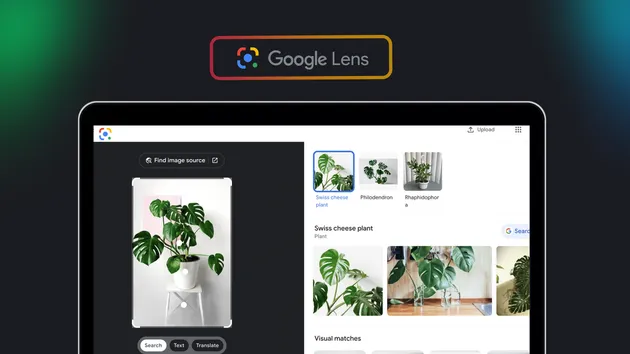
Google Lens Reverse Image Search Scraper
Pricing
from $0.52 / 1,000 match returneds
Google Lens Reverse Image Search Scraper
Reverse image search with Google Lens: visual and exact matches with page URL, title, source, thumbnail and price for each image.
Pricing
from $0.52 / 1,000 match returneds
Rating
0.0
(0)
Developer

Automation Lab
Maintained by CommunityActor stats
0
Bookmarked
1
Total users
1
Monthly active users
3 days ago
Last modified
Categories
Features
Share
Find where an image appears online and which products look like it. Give the Actor image links; it runs each one through Google Lens and returns one row per match, with the page link, title, site, thumbnail, the full-size matching image, and the price and stock text Google shows for shopping results.
What does this Actor do?
- Visual matches: pages with similar-looking images, the same results as the "Visual matches" tab in Google Lens. Shopping results include price text such as
$100*, a parsed price and currency, and stock text such asIn stock. - Exact matches: pages that contain the same image, with the image size and the date Google shows. Use them to track copies of your photos.
- Each row says whether it is a
visualorexactmatch, and gives its rank on that tab. - You pay per match returned. Images with no matches add nothing.
It does not return the text in an image (OCR). For that, use Google Lens OCR.
Who is it for?
- Ecommerce and dropshipping teams checking where a product photo is sold and at what price.
- Brand protection teams finding copies of their product photos on other stores and marketplaces.
- Photographers and media teams tracking where their images are reused.
- Researchers checking the source of an image.
Input
| Field | Description | Default |
|---|---|---|
imageUrls | Direct links to the images, up to 500 per run | required |
matchTypes | visual, exact or both | both |
maxMatchesPerImage | Most matches per image and match type, 1 to 100 | 20 |
country | Two-letter country for local results and prices | us |
language | Language of titles and the Google interface | en |
Output
One row per match:
Exact matches have matchType exact. They carry matchImageWidth, matchImageHeight and often publishedDate. Google does not show them a full-size image link or thumbnail, so matchImageUrl and thumbnailUrl are empty. price and currency are filled only when Google shows a price.
How much does it cost to run a reverse image search with Google Lens?
You pay a small fee per run plus a fee per match returned. Images with no matches add nothing.
| Event | Free | Bronze | Silver | Gold and above |
|---|---|---|---|---|
| Run started | $0.01 once per run | $0.01 | $0.01 | $0.01 |
| Match returned | $0.000648 | $0.000648 | $0.0005832 | $0.0005184 |
Searching 100 images for 10 visual matches each (1,000 matches) costs about $0.66 on the Bronze plan, and 100 matches cost about $0.075. Use Maximum matches per image to control the cost.
How to use it
- Add your image links under Image URLs.
- Choose Visual matches, Exact matches or both.
- Set Maximum matches per image, then click Start.
API
Use with MCP and AI agents
Add the Apify MCP endpoint to Claude Code:
Use the same remote-server configuration in Claude Desktop, Cursor, or VS Code:
In Claude Desktop, Cursor, and VS Code, open the application's MCP settings and add the apify server shown above.
Example prompts:
- "Find stores that sell the product in this photo and list their prices."
- "Where else on the web does this image appear?"
- "Check these 20 catalog photos for exact copies on other sites."
Tips
- Use clear product photos on a plain background for the best shopping matches.
- Set
countryto your market so prices and stores are local. - The link must return the image file itself, not a web page that shows it.
Is it legal to use this?
This Actor sends your images to Google Lens and does not log in to an account. It returns public search results. Every image you submit is sent to Google for analysis, so do not submit images you are not allowed to share. You are responsible for how you use the results, including copyright and privacy rules such as GDPR, especially for images that show people. Consult a lawyer if you are unsure.
This Actor is not affiliated with, endorsed by or sponsored by Google. Google Lens is a trademark of Google LLC and is named only to describe the data source.
Input images and results stay in your Apify storage under your account's retention settings. Failed runs send sanitized diagnostic input, exceptions, and Actor/build/run IDs to our private GlitchTip error-tracking service so we can repair problems. These reports never include images or tokens and are retained for 30 days.
FAQ
Why did an image return no rows? Google Lens found no matches for it. That image adds nothing to the price.
Why was an image skipped? Its link did not return an image file. Some hosts, such as Wikimedia, refuse unusual thumbnail sizes; use the original file link. The run's status message names the skipped image.
How many matches can I get? Google usually shows up to about 60 visual matches per image. Exact matches depend on how often the image is reused.
Why do exact matches have no thumbnail? Google does not show one on that tab. Each exact match still links to the page that contains the image.
Related Actors
- Google Lens OCR to read text in images.
- Google Images Scraper for image search by keyword.
- Google Search Scraper for regular search results.