Scraper Regression Watchdog
Pricing
Pay per event
Scraper Regression Watchdog
Scraper Regression Watchdog runs any Apify actor against your test inputs and validates output quality — checking result counts, required fields, type consistency, empty-field rates, and schema drift against a stored baseline. It tells you immediately when a scraper breaks so you can fix it...
Pricing
Pay per event
Rating
0.0
(0)
Developer

Stas Persiianenko
Actor stats
0
Bookmarked
2
Total users
1
Monthly active users
5 days ago
Last modified
Categories
Share
What does Scraper Regression Watchdog do?
Scraper Regression Watchdog runs any Apify actor against your test inputs and validates output quality — checking result counts, required fields, type consistency, empty-field rates, and schema drift against a stored baseline. It tells you immediately when a scraper breaks so you can fix it before it causes data loss.
Who is it for?
Scraper Regression Watchdog is for developers, data teams, and agencies who run Apify actors in production and need automated quality assurance. If you can't afford silent scraper failures, run actors on a schedule, or need to detect data drift before it impacts downstream systems, this watchdog is built for you.
Why use Scraper Regression Watchdog?
- Automated QA — run your scraper on a schedule and get alerts when output quality degrades
- Schema drift detection — compares current output against a stored baseline to catch disappeared fields and type changes
- Required-field validation — ensures critical fields (URL, price, title, etc.) are present and non-empty in every result
- Result count bounds — flags both zero-result failures and suspicious spikes (duplicates, pagination bugs)
- Type consistency checks — catches fields that flip between types (string vs number) across results
- Webhook alerts — POST alert payloads to Slack, Discord, or custom endpoints on failure
- Works with any actor — just provide an actor ID and test input
What data can you extract?
| Field | Example |
|---|---|
actorId | apify/web-scraper |
buildTag | latest |
verdict | healthy / degraded / broken / error |
totalResults | 25 |
runStatus | SUCCEEDED |
checks | Array of pass/warn/fail checks with messages |
baselineDrift | New fields, missing fields, type changes |
sampleResults | First 3 results from the test run |
checkedAt | 2026-02-28T12:00:00.000Z |
How much does it cost to monitor scraper quality?
Scraper Regression Watchdog uses pay-per-event pricing.
| Event | What triggers it | Price |
|---|---|---|
start | Each watchdog run | $0.025 |
actor-checked | Each actor tested and validated | $0.005 |
Real-world cost examples
| Scenario | Cost |
|---|---|
| Test 1 actor once | $0.03 |
| Daily check of 5 actors | $0.05/day = $1.50/month |
| Hourly check of 1 critical actor | $0.03/hour = $0.72/day |
Platform compute costs are billed separately. The test actor run uses its own memory allocation (default: 4 GB).
How to monitor scraper quality with Scraper Regression Watchdog
- Set the actor ID — the Apify actor you want to test.
- Provide test input — a small, deterministic input (e.g., 1–2 URLs, low limits) for fast, reproducible runs.
- Define required fields — fields that must be present in every result (e.g.,
url,title,price). - Set result bounds — minimum and maximum expected results to catch zero-output failures and duplicates.
- Run and review — the watchdog runs your actor, validates output, and reports a verdict.
Example input
Input parameters
| Parameter | Type | Default | Description |
|---|---|---|---|
actorId | string | required | Apify actor ID or full name to test. |
buildTag | string | latest | Build tag to test against. |
actorInput | object | {} | Input JSON for the test actor run. |
actorMemoryMbytes | integer | 4096 | Memory for the test run (MB). |
actorTimeoutSecs | integer | 300 | Timeout for the test run (seconds). |
requiredFields | string[] | [] | Fields that must be non-empty in every result. Supports dot notation. |
minResults | integer | 1 | Minimum expected results. |
maxResults | integer | 10000 | Maximum expected results. |
typeCheckFields | string[] | [] | Fields to check for type consistency. |
webhookUrl | string | — | URL to POST alerts on non-healthy verdicts. |
Output example
Verdicts explained
| Verdict | Meaning |
|---|---|
healthy | All checks passed. Scraper is working as expected. |
degraded | Some warnings but no failures. Data quality may be reduced. |
broken | One or more checks failed. Scraper needs immediate attention. |
error | The test run itself failed to start or crashed. |
Tips for best results
- Use small, deterministic test inputs — 1–2 URLs with low limits. This keeps test runs fast and costs low.
- Schedule daily or weekly runs — catch regressions before they cause data loss.
- Set required fields for business-critical data — URL, price, title, email, etc.
- Use type-check fields for numeric data — catches when a price field flips from number to string.
- Set tight min/max bounds — if you expect exactly 5 results, set
minResults: 5andmaxResults: 10. - Add a webhook for real-time alerts — connect to Slack or Discord to get notified immediately.
- Test specific build tags — test
betabuilds before promoting tolatest. - The baseline updates automatically — each successful run becomes the new baseline for drift detection.
Integrations
Connect Scraper Regression Watchdog with Apify integrations to build automated monitoring. Schedule the watchdog to run daily on your critical actors and alert via Slack or email when quality degrades.
API Usage with the Apify API
Node.js
Python
cURL
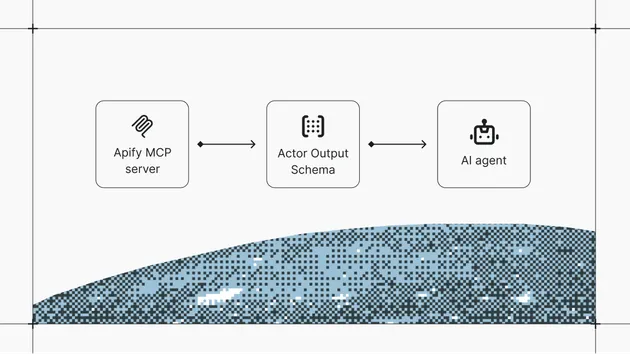
Use with AI agents via MCP
Scraper Regression Watchdog is available as a tool for AI assistants via the Model Context Protocol (MCP).
Setup for Claude Code
Setup for Claude Desktop, Cursor, or VS Code
Example prompts
- "Check if our scrapers are still working correctly"
- "Monitor these actors for output quality regressions"
Learn more in the Apify MCP documentation.
Legality
Scraping publicly available data is generally legal according to the US Court of Appeals ruling (HiQ Labs v. LinkedIn). This actor only accesses publicly available information and does not require authentication. Always review and comply with the target website's Terms of Service before scraping. For personal data, ensure compliance with GDPR, CCPA, and other applicable privacy regulations.
FAQ
What actors can I test? Any Apify actor you have permission to run. Just provide its actor ID or full name.
Does it modify the actor under test? No. The watchdog only runs the actor and reads its output. It never modifies the actor's code, settings, or data.
What is the baseline? The baseline is a snapshot of the output schema (field names and types) from the last successful run. It's stored in a named key-value store and persists across watchdog runs.
How does drift detection work? The watchdog compares current output fields and types against the stored baseline. It reports new fields (minor), missing fields (breaking), and type changes (breaking).
Can I test multiple actors in one run? Not directly — the watchdog tests one actor per run. Schedule multiple watchdog runs (one per actor) for multi-actor monitoring.
What happens if the test run fails?
The watchdog catches the error and reports a verdict of error with the failure message. No baseline update occurs.
How much does a test run cost? The watchdog PPE charge is $0.03 per test. You also pay platform compute costs for the test actor run (CU + proxy), which depends on the actor and input.
The watchdog reports "error" but my actor works fine manually — what's wrong?
Check the actorMemoryMbytes and actorTimeoutSecs settings. The watchdog runs your actor with these limits, which may be lower than what you use manually. Also verify the actorInput JSON matches what your actor expects.
My baseline keeps drifting — how do I reset it? The baseline updates automatically after each successful (healthy) run. If you changed your actor's output schema intentionally, run the watchdog once and accept the new baseline. The next run will compare against the updated schema.
Related automation tools
- Website Change Monitor — Detect content changes on any web page
- Anti-Blocking Diagnostics — Test your scraper against anti-bot protections