

Business Email Finder – Website & Domain Email Extractor
Pricing
from $3.50 / 1,000 unique e-mails
Business Email Finder – Website & Domain Email Extractor
Find the public e-mails companies publish on their own websites: give websites or domains (list, CSV / JSON, dataset), get each e-mail with its source page, free checks and company details. You pay only for the unique e-mails found. No SMTP, nothing guessed.
Pricing
from $3.50 / 1,000 unique e-mails
Rating
0.0
(0)
Developer

Badr Bouargan
Maintained by CommunityActor stats
0
Bookmarked
2
Total users
1
Monthly active users
7 hours ago
Last modified
Categories
Features
Share
Turn a list of company websites into public contact details: e-mails, phone numbers, social profiles and contact pages, each with the page where it was found. You pay only for the e-mails found.
What is Business Email Finder?
Business Email Finder reads each company's own website — home, contact, imprint, about, team and support pages — and returns the contact details the company published itself:
- Public e-mails with proof: the exact page, the page type and a short text snippet around the address.
- Phone numbers, company social profiles (LinkedIn, Facebook, Instagram, X, TikTok…), contact pages (with or without a form), company name, country, category and language.
- Free checks on every e-mail: syntax, domain, MX record, disposable domain, role address (no SMTP).
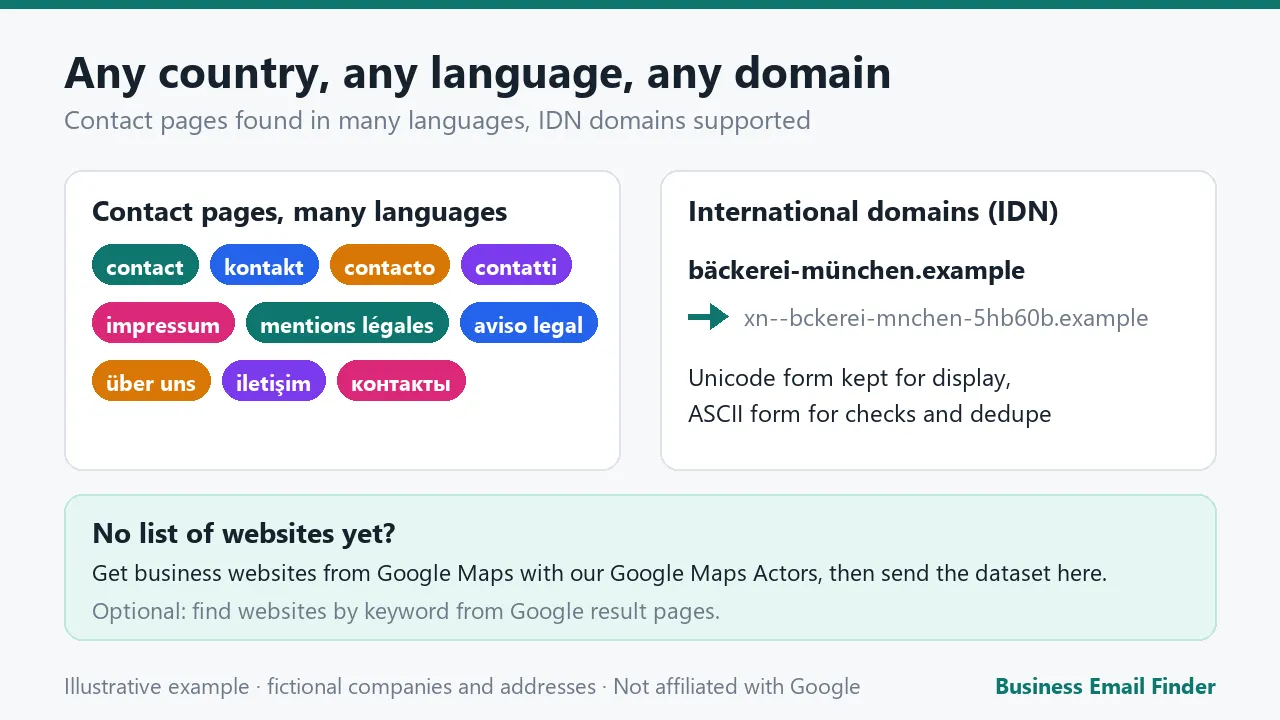
- Works worldwide: contact pages are recognised in many languages, international domains (
münchen.de) are supported. - Never guesses: no
firstname@domainpatterns, no mail-server probing, no e-mail is ever sent. - Polite and compliant: same domain only, robots.txt respected, no login, no CAPTCHA, personal-looking addresses left out by default.
- A visual report with every run, plus a list of every website with its status.
What data can you extract from a company website?
Examples from a real run of 21 November 2026 with the default input (personal addresses masked):
| Field | What it means | Example from the run |
|---|---|---|
email | Public e-mail, ready for any mail tool | hello@baltaire.com |
emailType | role (info@, contact@…), business (other address on the company domain), personal-looking, other | role |
companyName | Company name found on the site | Baltaire |
websiteDomain | Website the e-mail belongs to | baltaire.com |
phones | Public phone numbers in international format | +14242731660 |
socialProfiles | Company pages linked from the site | instagram, facebook, x |
sourcePageType / sourceUrl | Where the e-mail was published | contact / https://www.baltaire.com/contact |
context | Text around the address on that page | "General inquiries: hello@baltaire.com | (424) 273-1660" |
confidence | high / medium / low, from the evidence only | high |
freeCheckStatus | ok, noMx, invalidSyntax, disposable, unknown | ok |
country / countrySource | Country when reliable, and how it was found | US / jsonldAddress |
contactPages | Contact pages with hasContactForm and the form fields | home: form with name, email |
Also in every row: emailUnicode, emailOriginal, domain, sameDomainAsWebsite, sourceMethod, syntaxValid, domainExists, mxFound, disposableDomain, roleAddress, freeMailProvider, verificationStatus, category, language, alsoFoundOn, duplicateInRun, collectedAt.
How to find contact details with Business Email Finder
- Click Try for free: the default input reads 3 example websites in about 5 seconds.
- Paste websites or domains in Websites or domains, one per line (
example.com,https://www.example.com/contact) — or give a CSV / JSON file URL, or the dataset of another Actor (for example a Google Maps Scraper run, fieldwebsite). - Keep the defaults (5 pages per website, up to 3 e-mails per website, personal-looking e-mails left out) or adjust the limits.
- Click Start. Open the Overview table or the visual report in the Output tab, or export CSV, Excel or JSON.
How long it takes (default settings, 10 websites in parallel, pages at least 1 second apart on the same site):
| Websites | Time |
|---|---|
| 3 (default input) | about 5 seconds |
| 100 | about 1–3 minutes |
| 1,000 | about 8–25 minutes |
| 10,000 | about 1.5–4 hours (raise the run timeout) |
How much does it cost to find business e-mails?
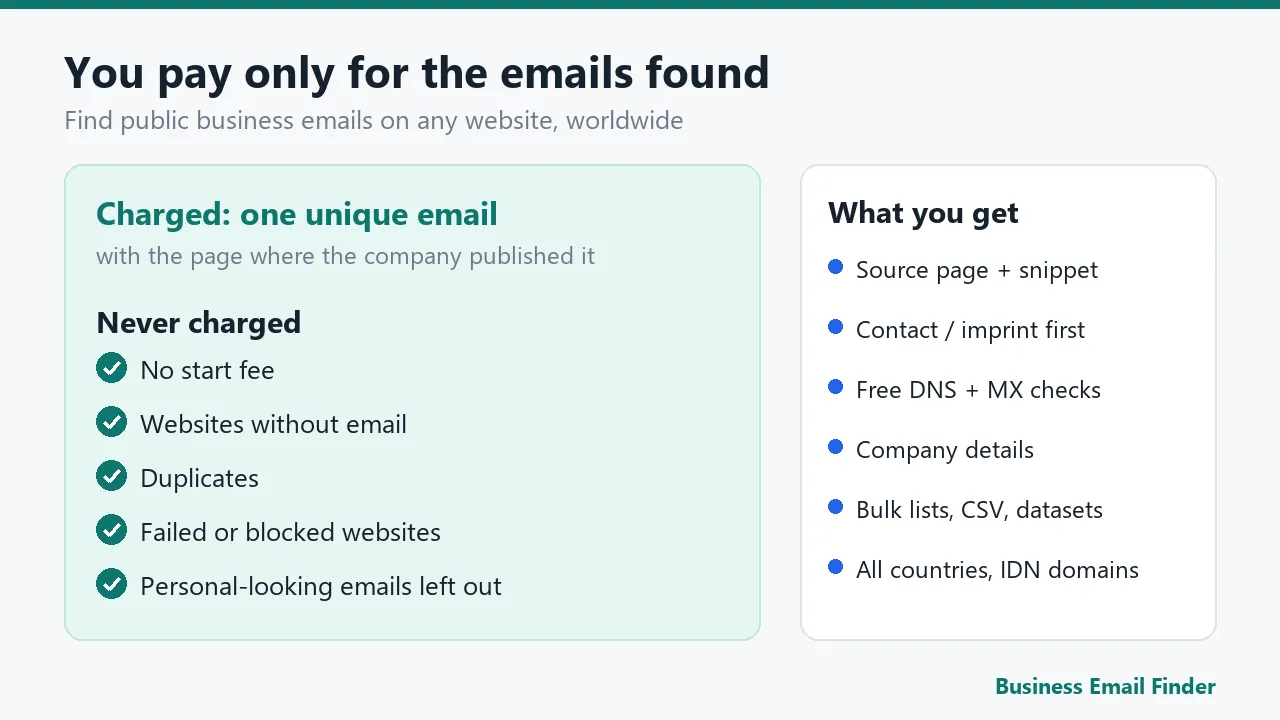
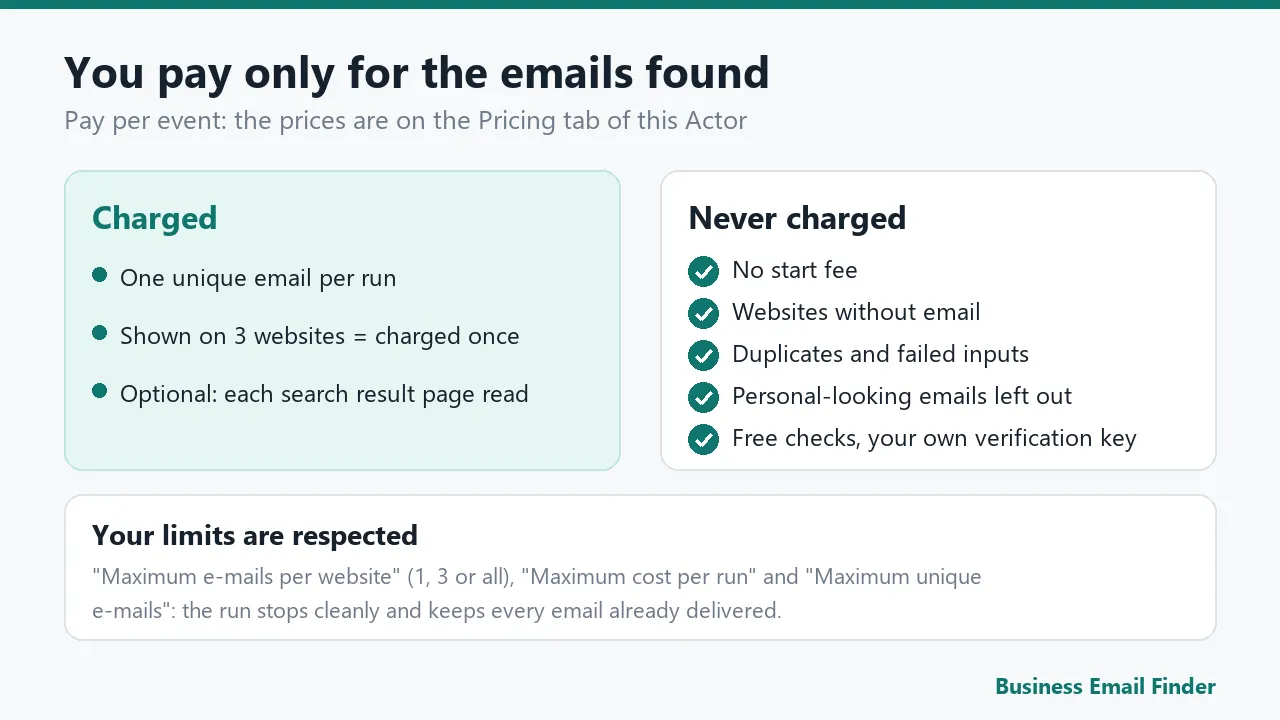
You pay only for the e-mails found. One Unique e-mail event per e-mail delivered with its source page; the same e-mail shown on several websites is charged once. No start fee.
| Apify plan | Price per unique e-mail | Per 1,000 e-mails |
|---|---|---|
| Free | $0.005 | $5.00 |
| Starter | $0.0045 | $4.50 |
| Scale | $0.004 | $4.00 |
| Business and above | $0.0035 | $3.50 |
Examples on the Free plan:
- The default run (3 websites, 5 e-mails) costs $0.025.
- 1,000 websites where 500 publish 1.5 e-mails on average = 750 unique e-mails → $3.75; nothing for the 500 websites without an e-mail.
Never charged: websites without an e-mail, duplicates, failed or blocked websites, invalid inputs, personal-looking or disposable e-mails left out, the free checks, verification with your own key, and the run files.
Control your spend: Maximum e-mails per website (1 = only the best one, 3 by default, 0 = all — the best come first: on the website's domain, role addresses, found on a contact or imprint page), Maximum unique e-mails, and Maximum cost per run in the run options. The run stops cleanly and keeps everything already delivered.
⬇️ Input
| Input | What it does |
|---|---|
websites / websitesFile / datasetId | A list, a public CSV / JSON file, or another Actor's dataset (column website, domain or url found automatically) |
maxWebsites, maxPagesPerWebsite, pageTypes | How many websites and which pages to read (default 1,000 websites, 5 pages each) |
maxEmails, maxEmailsPerWebsite | Spending limits on e-mails |
excludePersonalLookingEmails, onlyEmailsOnWebsiteDomain | GDPR-friendly filters (the first is on by default) |
freeChecks, excludeDisposable, excludeNoMx | Free DNS checks and filters |
verificationProvider + your own key | Optional mailbox verification with Hunter or Reoon (billed by them to your key) |
includeWebsitesWithoutEmail, stopAfterWebsitesWithoutEmail, maxConcurrency | Run behaviour |
⬆️ Output: what you get when you run it
Real run on 21/11/2026 with the default input: 5 public e-mails from 3 websites in 5 s. Price for a Free-plan user: $0.025. (Run kvqvsrRLkgUYEdVRw, 5 Unique e-mail events.)
In the run's Output tab you get, in this order: the visual report, the Overview table, All data, the Run summary and the Inputs that failed (never charged) — plus the E-mails, Checks, Company details and Websites views.
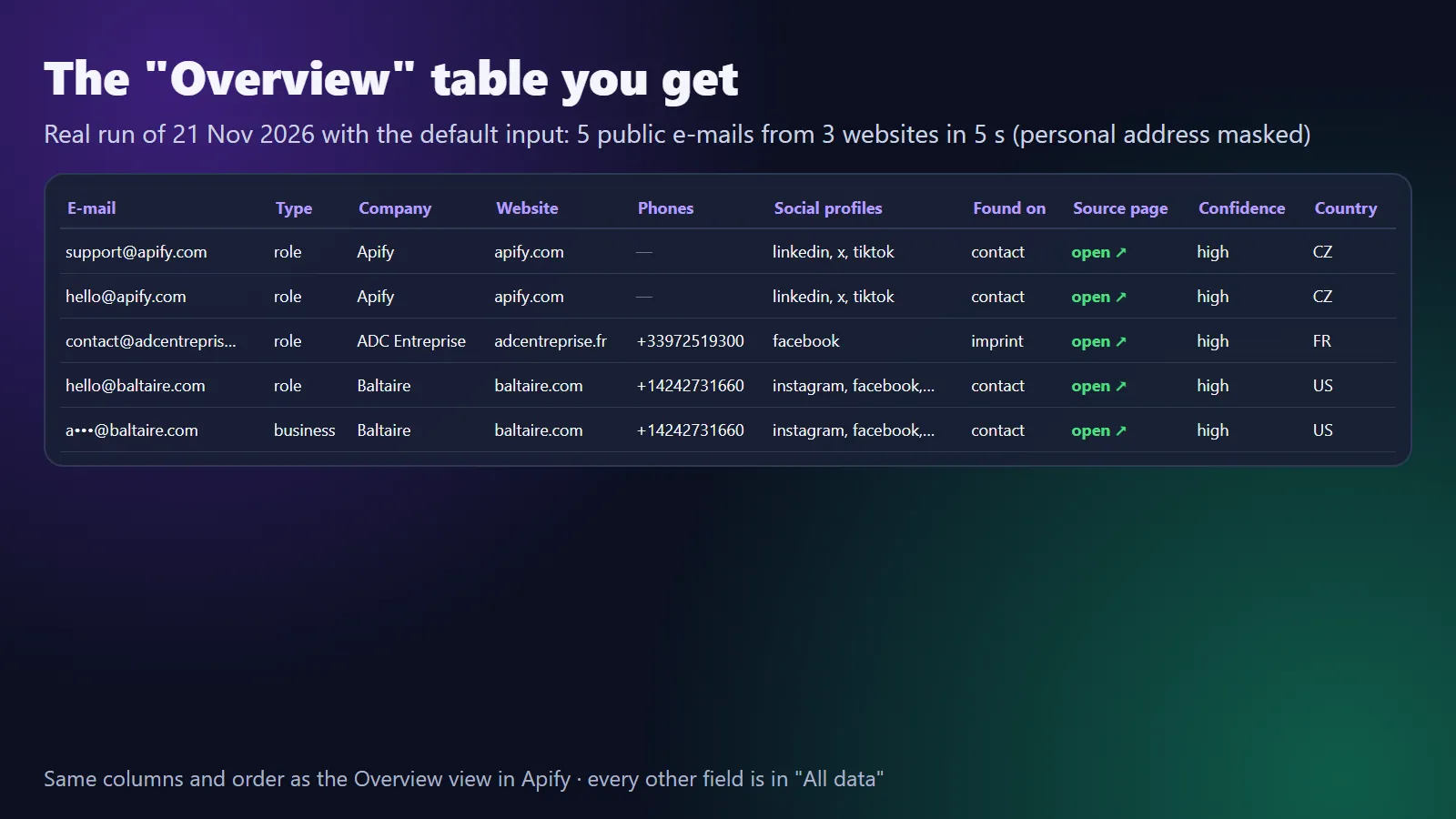
One real row of that run (shortened):
The other 4 e-mails of the run were support@apify.com, hello@apify.com, contact@adcentreprise.fr (found on the imprint page, with the phone +33 9 72 51 93 00) and one named address at baltaire.com, masked here as a•••@baltaire.com.
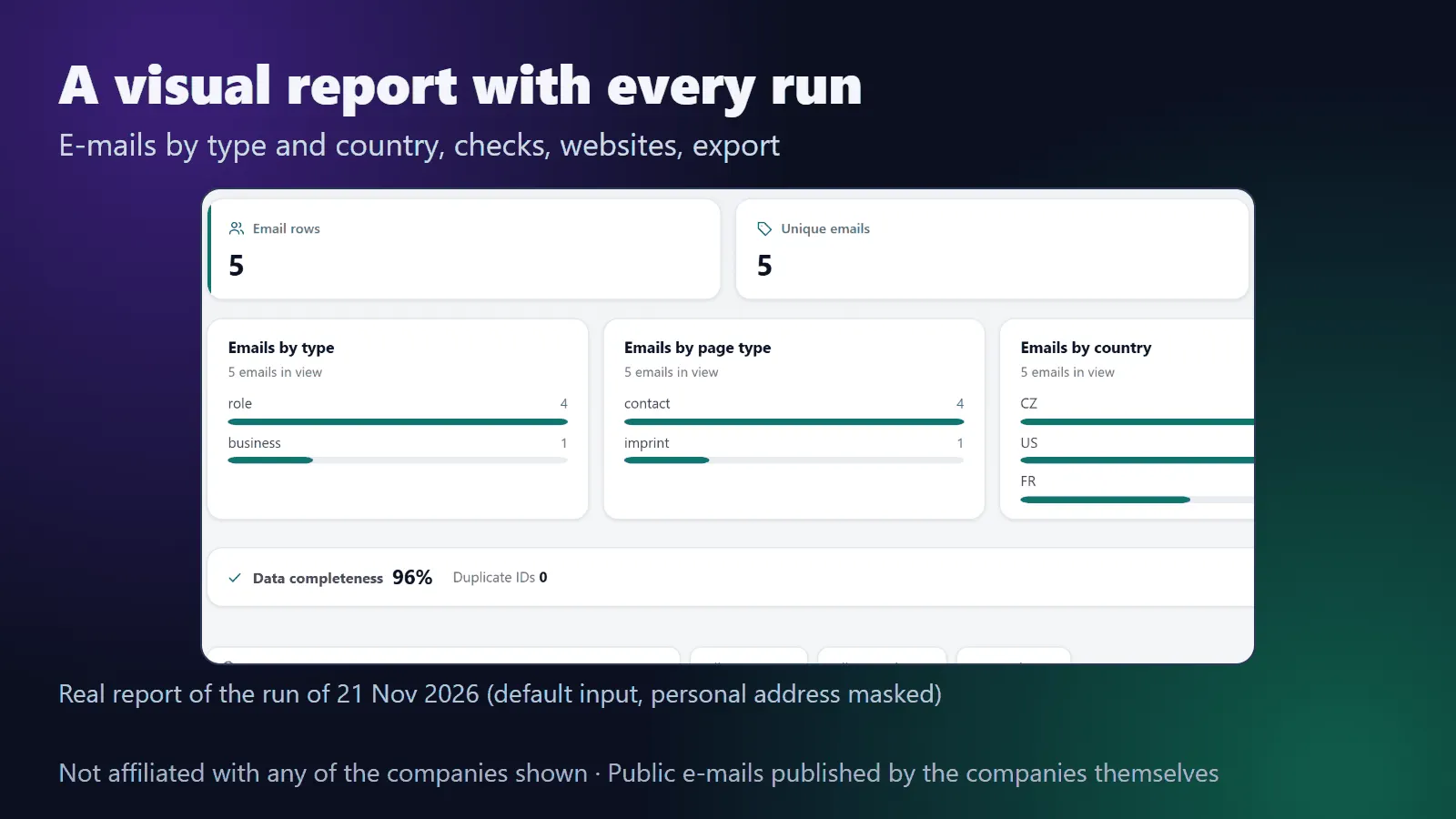
Run files (key-value store): REPORT (visual report), RUN_SUMMARY (websites read, success rate, unique e-mails, exclusions by reason, stop reason), SITES (one line per website, no e-mail), FAILED_INPUTS (each with a stable code such as DNS_NOT_FOUND, ROBOTS_DISALLOWED, BLOCKED, TIMEOUT, PARKED_DOMAIN).
Free checks and optional verification
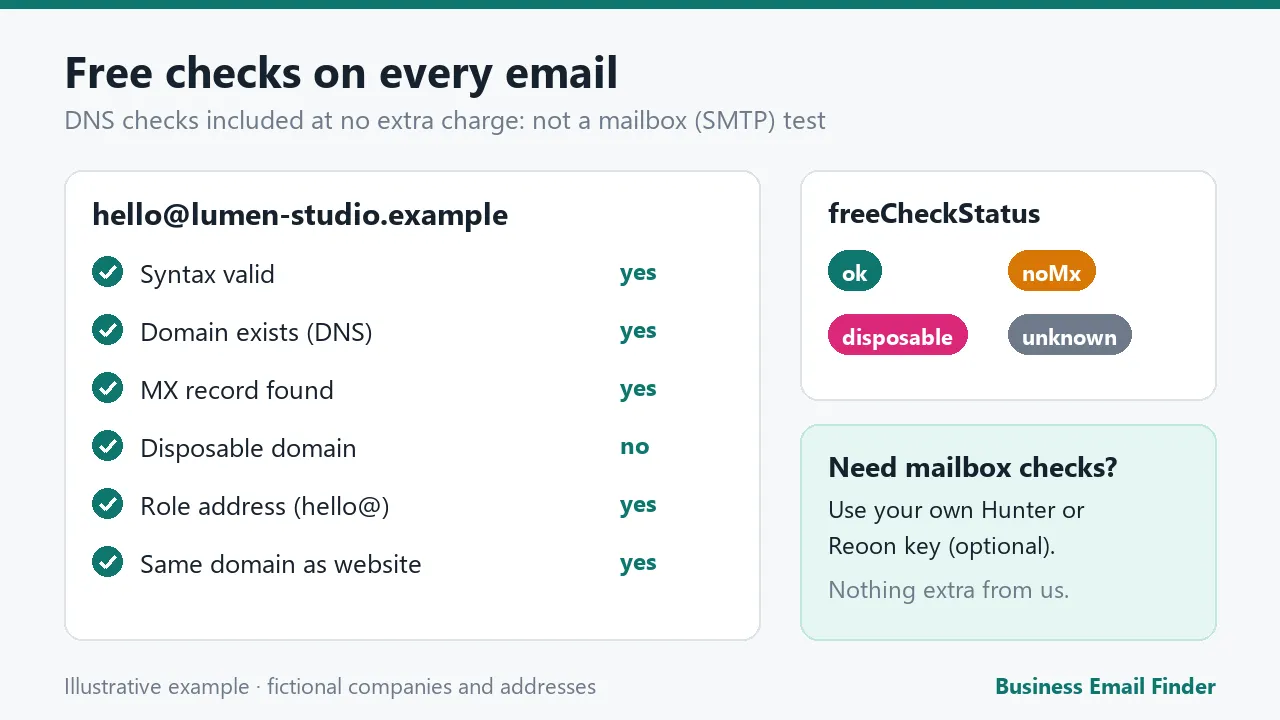
The free checks run on every delivered e-mail: syntax, domain exists (A / AAAA / MX), MX record, disposable domain (public list of more than 10,000 domains), role address, free webmail provider, same domain as the website. They tell you whether a domain can receive mail; they do not prove that a mailbox exists.
For mailbox-level verification, choose Hunter or Reoon and paste your own API key in its secret field. The provider bills its credits to your key; this Actor charges nothing extra. The key is stored encrypted and never written to the log or the dataset. If the key is refused or its quota is used up, verification stops for the rest of the run and e-mails are still delivered (verificationStatus: unknown).
Use cases
- Lead enrichment: add public contact details to a list of company domains from a CRM or a trade-show export.
- Local prospecting: turn a Google Maps Scraper result into business e-mails, phones and social pages.
- Hiring signals: contact the companies that are hiring, found with ATS Jobs Scraper.
- Partnerships, PR and suppliers: find the right public inbox (sales@, press@, support@).
- Data hygiene: check which leads publish a contact form instead of an e-mail.
Integrations and API
Python (pip install apify-client):
JavaScript (npm install apify-client):
cURL (runs the Actor and returns the rows in one call):
- No-code: send the rows to Google Sheets, HubSpot, Make, Zapier, n8n or a webhook from the run's Integrations tab.
- Chain Actors: run Google Maps Scraper first, then pass its dataset ID in
datasetId. - AI agents (MCP): add
https://mcp.apify.com/?actors=badr_xba/business-email-finderto Claude, ChatGPT or Cursor ("find the public contact e-mails of these 50 websites").
Other B2B signal scrapers
- ATS Jobs Scraper — open jobs of the companies you follow (Greenhouse, Lever, Ashby): a hiring signal.
- Google Maps Scraper — local businesses with websites, phones and ratings to feed into this Actor.
- Google Maps Scraper Pro — the same at scale, with more details per place.
- Google Maps Business Leads — local business leads with contacts and social profiles.
- Phone Number Validator & WhatsApp Checker — validate the phone numbers of the same companies.
❓ FAQ
Is it legal to scrape business e-mails from websites?
Only e-mails that a company publishes on its own website are collected; robots.txt is respected, no login, CAPTCHA or paywall is bypassed, no form is submitted and no e-mail is sent. A named business e-mail is still personal data under the GDPR, so personal-looking addresses are left out by default and no person's name is extracted. You are the controller of the data you collect: use it lawfully (typically B2B prospecting on a documented legitimate interest), say where the data came from, honour objections at once, and do not send unsolicited bulk e-mail (ePrivacy, PECR and CAN-SPAM rules may apply). This is a summary, not legal advice.
Why no SMTP check?
Connecting to mail servers to test mailboxes is slow, often blocked and can harm the sender's IP reputation. The free DNS checks are included; for mailbox verification use your own Hunter or Reoon key.
Why was an e-mail left out?
The run summary counts every exclusion by reason: personalLooking (firstname.lastname@ or private webmail), disposable, noMx (only with excludeNoMx), otherDomain (only with onlyEmailsOnWebsiteDomain), invalidSyntax. Example and template addresses (example@, your@email, .test domains…) are never delivered. Left-out e-mails are never charged.
What happens if a website blocks the Actor?
A website that refuses a direct visit (HTTP 401/403) is read once more through the Apify datacenter proxy, with the same robots.txt rules; if it still refuses, it is skipped and listed in FAILED_INPUTS (free). No CAPTCHA is solved. In our test on 200 small-business websites, 85 % were read directly.
Is the same e-mail charged twice?
No. An e-mail is charged once per run, even when several websites show it (the other rows have duplicateInRun: true and are free).
Can I search Google for websites by keyword?
No longer: Google's robots.txt does not allow automated reading of its result pages, so keyword discovery was removed on 20 November 2026. Give websites directly, or use the dataset of a Google Maps Scraper run.
What are the limits?
Websites built entirely with JavaScript may show their e-mail only after scripts run: they are read as plain HTML, so such e-mails can be missed. Some companies publish only a contact form: you get the contact page with hasContactForm: true, not an e-mail. Social-network pages are never opened (only the company links are listed). Pages disallowed by robots.txt, and websites whose robots.txt keeps failing, are skipped (free).
Something does not work?
Open an Issue on the Actor page with the run ID. If the Actor helps you, a short review on the Store helps other users find it.


