

🔥 Trip.com Hotels Scraper — Prices & Reviews
Pricing
Pay per usage
🔥 Trip.com Hotels Scraper — Prices & Reviews
🚀 Scrape Trip.com hotels by city name or search URL: prices, star ratings, guest scores, reviews, rooms, facilities, photos, addresses. Deep pagination — ask for 1,000, get 1,000. 🤖 LLM- and agent-optimized: one uniform JSON row per hotel, priced per hotel, ready for RAG and MCP pipelines.
Pricing
Pay per usage
Rating
0.0
(0)
Developer

Bebity
Maintained by CommunityActor stats
4
Bookmarked
93
Total users
5
Monthly active users
5.9 days
Issues response
25 days ago
Last modified
Categories
Share
Trip.com Hotels Scraper
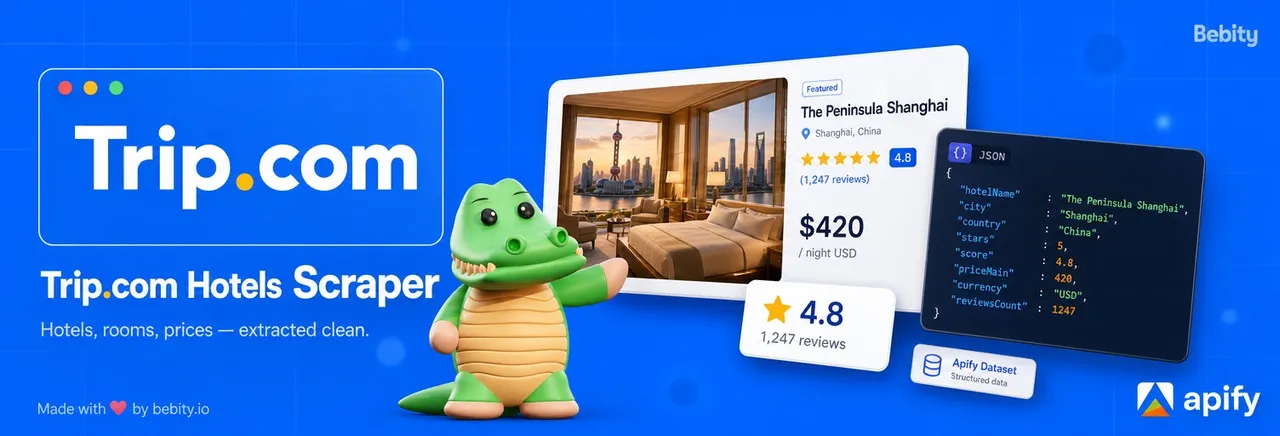
Extract hotel names, prices, star ratings, guest review scores, photos, rooms, facilities and nearby landmarks from trip.com — no login, no scraping code to write. Paste a Trip.com search URL, or just type a city name and let the scraper build the search for you. Results arrive as clean JSON, one row per hotel, downloadable as JSON, CSV, Excel, HTML or XML.
🤔 What does Trip.com Hotels Scraper do?
This actor turns any Trip.com hotel search into a structured dataset. You give it any combination of Trip.com search-result URLs, hotel detail URLs, bare hotel IDs, or a destination name plus filters — and it returns hotel names, star ratings, guest scores, review counts, nightly and total prices, photos, and location data.
Turn on Scrape detail pages and each hotel gets a second fetch that enriches the row with room types and rates, facilities, amenities, the full photo gallery, the hotel's own FAQ, and nearby points of interest.
What makes it different:
- Deep pagination that actually reaches your limit. Trip.com's "load more" is gated, and most scrapers stop at the first page because of it. This one doesn't. Ask for 100 hotels and you get 100.
- HTTP-fast for small runs. Below 20 items the browser never starts — a lightweight HTTP client with browser-grade TLS fingerprinting handles the whole run in seconds. Detail pages always use this path, whatever the size.
- No duplicate rows. Results are de-duplicated by
hotelIdacross every source, so overlapping searches never spend your item budget twice on the same hotel. - Nothing fails silently. Every timeout, block, unresolved city or parse error becomes a visible
failed: truerow with a machine-readablereason— never a crashed run and never a silently short dataset. - You only pay for what parses. Failed rows are never billed.
📦 What data can you extract from Trip.com?
| Data point | Example | Available in |
|---|---|---|
| Hotel name + Trip.com hotel ID | Radisson Collection Hyland Shanghai · 375477 | Both modes |
| Star rating | 5 | Both modes |
| Guest score, label and review count | 8.7 · Excellent · 1842 reviews | Both modes |
| Nightly price + total stay price + currency | 179 / 537 USD | Both modes |
| Primary listing photo | image URL | Both modes |
| City and country | Shanghai, China | Both modes |
| Landmarks and amenity tags on the card | The Bund (0.6 km), Free WiFi | Both modes |
| Trip.com award label | Trip.com Choice Award 2025 | Both modes |
| Long-form hotel description | full marketing copy | Detail pages |
| Structured address | street, region, postal code | Detail pages |
| Room types | name, occupancy, photo, in-room features (Wi-Fi, view, bathtub) — no nightly rates, Trip.com only prices rooms in the browser | Detail pages |
| Coordinates, property type, review sub-scores | 48.869112, 2.300782 · Hotel / Apartment · Cleanliness 9.2 | Both modes |
| Cheapest room, bed type, taxes, price before discount, free cancellation | Superior Room · 1 queen bed · $32.11 · $289 → $176 | Both modes |
| Check-in/out times, breakfast, pets, deposit and child policies | After 14:00 · Buffet, Western, Chinese | Detail pages |
| Neighbourhood, transit access, opening year, chain | People's Square Area · 650 ft from metro · 2009 | Detail pages |
| Facilities and amenities | Outdoor pool, Spa, Air conditioning, Minibar | Detail pages |
| Full photo gallery | every gallery image URL | Detail pages |
| Nearby points of interest | The Bund — 0.6 km, Metro — 0.2 km | Detail pages |
| Hotel FAQ | question / answer pairs | Detail pages |
Every row uses the same shape in both modes — fields that need a detail page are simply absent in lite mode. Your downstream code never has to branch on which mode produced the row.
👤 Who is this Trip.com scraper for?
- Travel aggregators comparing Trip.com inventory against Booking.com, Agoda or Expedia to find gaps and pricing discrepancies.
- Hotel rate analysts who need a scheduled snapshot of prices, scores and availability for a destination.
- Revenue managers benchmarking their property against local competitors on price and guest score.
- ML and data engineers building structured hotel-attribute datasets from real listings.
- Lead-gen teams selling to hospitality discovering properties newly added to a city.
- Travel content publishers who need descriptions, photos and FAQ copy to seed review pages or a CMS.
🚀 How to scrape Trip.com hotels
- Open Trip.com Hotels Scraper on Apify Store and click Try for free.
- Either type a city into Destination (for example
Shanghai), or switch to Search by URL and paste a Trip.com search URL straight from your browser. - Optionally set your dates, guests and filters — or leave everything at its default.
- Set Max items low (say
10) for your first run to confirm the results look right. - Click Save & Start.
- When the run finishes, open the Dataset tab and export as JSON, CSV, Excel, HTML or XML — or pull it straight from the Apify API.
Minimal input to get 10 hotels in Shanghai:
Expected output: 10 hotel rows in roughly 5 seconds, each with hotelId, name, stars, score, priceMain and detailUrl.
📥 Example input
A filter-based search — 4- and 5-star hotels in Bangkok for 2 adults, 3 nights, cheapest first:
📤 Example output
Successful lite row (search results only, scrapeDetails: false):
Successful rich row (scrapeDetails: true, selected fields shown):
Failed row (destination could not be resolved):
⚙️ Input parameters
Every field below is also documented in the Input tab, with tooltips. Click any ? icon there for format details and examples.
Top-level (always relevant)
| Field | Type | Default | Description |
|---|---|---|---|
searchMode | "byFilters" | "byUrls" | "byFilters" | Choose how the actor finds hotels. byFilters — pick a destination + filters and the actor builds the Trip.com search URL for you. byUrls — paste Trip.com URLs you've already crafted in your browser. |
urls | string[] | [] | Used only when searchMode = byUrls. Any combination of: SEO landing URLs (us.trip.com/hotels/{slug}-hotels-list-{cityId}/), interactive SERPs with filters (www.trip.com/hotels/list?cityId=N&...&listFilters=...), hotel detail URLs, or bare hotel IDs. |
scrapeDetails | boolean | false | Fetch each hotel's detail page and enrich the row with rooms, facilities, amenities, photos, FAQ, surroundings. Also unlocks deep pagination — see the Limitations section. About 2.3× the lite price per hotel. |
maxItems | integer | 100 | Stop after this many hotels are scraped. Set low (e.g. 5) for a first test run. |
🎯 Where & when (used when searchMode = byFilters)
| Field | Type | Default | Description |
|---|---|---|---|
destination | string | — | City name (Paris), numeric Trip.com city ID (192), or a Trip.com SERP URL. Ambiguous names produce a destination-unresolved failed row. |
checkIn | string | — | Check-in date (YYYY-MM-DD). Must be today or later. |
checkOut | string | — | Check-out date (YYYY-MM-DD). Must be at least 1 day after checkIn. |
adults | integer | 2 | Number of adult guests (1–30). |
children | integer | 0 | Number of child guests. If > 0, fill childrenAges too. |
childrenAges | integer[] | [] | One age per child (0–17). Required when children > 0. |
rooms | integer | 1 | Number of rooms (1–30). |
🔍 Filters (used when searchMode = byFilters, applied server-side)
| Field | Type | Default | Description |
|---|---|---|---|
sortBy | "recommended" | "topReviewed" | "priceAsc" | "priceDesc" | "starsDesc" | "recommended" | Sort order. Maps to Trip.com's "Trip.com recommended", "Top reviewed", "Lowest price (incl. tax)", "Highest price", "Star rating (high to low)". |
stars | integer[] | [] | Multi-select hotel stars (1–5). Empty = no star filter. |
priceMin | integer | — | Minimum price per room per night (in selected currency, excl. taxes & fees). |
priceMax | integer | — | Maximum price per room per night (in selected currency, excl. taxes & fees). |
minScore | "6" | "7" | "8" | — | Minimum guest review score, picked from a dropdown. Trip.com exposes 3 thresholds: Pleasant 6+, Good 7+, Very Good 8+. Numbers are accepted too if you call the API directly. |
propertyType | ("Hotels" | "HomesAndApts" | "Hostels")[] | [] | Property type buckets. Hotels includes resorts; HomesAndApts includes apartments and villas; Hostels includes inns. |
mealPlan | "any" | "breakfast" | "dinner" | "breakfastDinner" | "any" | Meal plan included in the rate. |
freeCancellation | boolean | false | Restrict to properties offering free cancellation. |
paymentOption | "any" | "prepayOnline" | "payLater" | "payAtHotel" | "any" | Restrict to properties offering the chosen payment terms. |
🌍 Localization
| Field | Type | Default | Description |
|---|---|---|---|
currency | string | USD | Currency for price fields. One of: USD, EUR, GBP, JPY, AUD, CAD, NZD, CHF, CNY, HKD, SGD, THB, KRW, MYR, INR, BRL, MXN. |
locale | string | en-US | Locale for content language. One of: en-US, en-GB, fr-FR, de-DE, es-ES, it-IT, pt-PT, ja-JP, ko-KR, zh-CN, zh-HK, th-TH, vi-VN. |
📋 Output schema
Every successful row is a HotelRow. Every failure is a FailedRow. Download either as JSON, CSV, Excel, HTML or XML from the Dataset tab, or fetch them through the API.
The dataset ships with two built-in views: overview (successful hotels) and failed_items (everything that failed, with its reason). One click switches between them.
HotelRow fields
| Field | Type | Availability | Description |
|---|---|---|---|
hotelId | number | Always | Trip.com's numeric hotel identifier. |
name | string | Always | Hotel display name as shown on Trip.com. |
detailUrl | string | Always | Canonical Trip.com hotel detail URL (tracking params stripped). |
city | string | Always | City the hotel is located in. |
country | string | Always | Country the hotel is located in. |
scrapedAt | string (ISO 8601) | Always | UTC timestamp of when the row was scraped. |
stars | 1|2|3|4|5 | SERP | Official star rating. |
score | number | SERP | Guest review score (0–10 scale). |
scoreLabel | string | SERP | Human label for the score (e.g. Excellent, Good, Very good). |
reviewCount | number | SERP | Total number of guest reviews. |
primaryPhotoUrl | string | SERP | URL of the hotel's primary listing photo. |
priceMain | string | SERP | Per-night price as displayed on the SERP. |
priceTotal | string | SERP | Total price for the stay duration as displayed on the SERP. |
currency | string | SERP | Currency code for price fields (e.g. USD). |
landmarks | string[] | SERP | Landmark names and distances shown on the card (e.g. "The Bund (0.6 km)"). |
tags | string[] | SERP | Amenity tags shown on the listing card (e.g. "Free WiFi", "Pool"). |
awardRank | string | SERP | Trip.com award label if present (e.g. "No. 7 of Premium Hotels in Paris"). |
latitude, longitude | number | SERP | WGS84 coordinates. Detail pages fill them for hotels reached by URL. |
propertyType | string | SERP | Hotel, Apartment, Hostel… as Trip.com categorises the property. |
subScores | { category, score }[] | SERP | Guest sub-scores (Cleanliness, Amenities, Location, Service), 0–10. |
reviewSummary | string | SERP | Trip.com's one-line summary of guest reviews. |
reviewHighlights | string[] | SERP | Short review tags ("Great service", "Easy to get around"). |
roomName, bedType | string | SERP | The cheapest room the price refers to, and its beds ("1 queen bed"). |
priceBeforeDiscount | string | SERP | Struck-through price when the rate is discounted. Absent otherwise. |
taxesAndFees | string | SERP | Taxes and fees included in priceTotal, as displayed ("$32.11"). |
payAtHotelCharges | string | SERP | Extra charges due at the property, when Trip.com lists any. |
freeCancellation | true | SERP | Present only when the cheapest rate is flagged free-cancellation. Never false — the list does not say "no". |
sponsored | true | SERP | Present only for paid placements in the results. |
checkIn, checkOut, adults | string, number | SERP | The stay the price was quoted for (YYYY-MM-DD). |
videoUrl | string | SERP | Hotel video when the listing has one. |
description | string | Detail only | Long-form hotel description from the detail page. |
fullAddress | object | Detail only | Structured address: { street?, region?, postalCode? }. Postal code is omitted when Trip.com has none. |
aggregateRating | object | Detail only | Structured rating: { ratingValue: number, bestRating: number }. |
priceRange | string | Detail only | Price tier indicator (e.g. $$$). |
faq | { question, answer }[] | Detail only | Hotel FAQ items as extracted from the detail page. |
rooms | object[] | Detail only | Room types offered. Each: { name, occupancy?, photoUrl?, features? }. Nightly rates, breakfast and cancellation terms are not included — Trip.com loads those separately, per set of dates. |
facilities | string[] | Detail only | Hotel-level facilities (e.g. "Outdoor pool", "Spa", "Fitness centre"). |
amenities | { category, items[] }[] | Detail only | Amenities grouped by category (e.g. { category: "Room", items: ["Air conditioning", ...] }). |
photos | string[] | Detail only | All hotel photo URLs from the gallery. |
surroundings | { type, name, distance? }[] | Detail only | Nearby points of interest: transport, landmarks, restaurants, etc. |
policies | object | Detail only | { checkInTime?, checkOutTime?, breakfast?, pets?, deposit?, children? } — each list is plain lines as Trip.com prints them. |
zone, transit | string | Detail only | Neighbourhood name and the nearest transit line ("650 ft from metro station (East Nanjing Road)"). |
openYear, brand | number, string | Detail only | Opening year; chain or group name. brand is absent for independent hotels. |
reviewSnippets, recommendRate | string[], string | Detail only | Short positive review excerpts and Trip.com's "89% Recommended" figure. |
FailedRow fields
| Field | Type | Description |
|---|---|---|
failed | true | Always true — identifies this as a failed row. Filter your dataset by this field to see all errors at a glance. |
reason | string | Error classification. One of: parse-error, destination-unresolved, timeout, rate-limited, waf-blocked, not-found. |
inputUrl | string | The URL or identifier that triggered the failure. |
error | string | Human-readable error summary (≤200 chars, sanitised — no credentials or tokens). |
scrapedAt | string (ISO 8601) | UTC timestamp. |
Failure reasons explained:
| Reason | Cause |
|---|---|
parse-error | Trip.com returned a 200 OK but the response had no extractable hotel data (empty SSR shell, layout change). |
destination-unresolved | The autocomplete API returned 0 or multiple ambiguous candidates for the city name provided. |
timeout | The request exceeded the network timeout. Usually a proxy issue — retry typically succeeds. |
rate-limited | HTTP 429 received. The actor will retry automatically; a persistent rate-limited row means all retries were exhausted. |
waf-blocked | The response matched a WAF/CAPTCHA challenge fingerprint. Rare on residential proxies. |
not-found | HTTP 404 — the hotel ID or URL is no longer valid on Trip.com. |
💰 How much does it cost to scrape Trip.com?
This actor uses pay-per-event (PPE) pricing, billed per hotel you receive — not per page, not per run. Failed rows are never charged, and neither are internal steps like resolving a city name.
| Event | Cost per event | When billed |
|---|---|---|
hotel | $0.0015 | Once per hotel delivered to your dataset. |
hotel-detail | $0.002 | Add-on, charged on top of hotel when the detail page returns rooms, facilities, amenities, photos, FAQ, surroundings. |
apify-actor-start | $0.00005 | Once per run, per GB of memory (4 GB → $0.0002 a run). |
So a hotel costs $0.0015 in lite mode and $0.0035 with full details — details are roughly 2.3× the lite price, not an order of magnitude.
Prices above are the standard rate. Higher Apify plans get tiered discounts down to $0.0008 per hotel, shown on the actor's Store page.
Worked examples (standard rate, incl. the $0.0002 actor start):
| Scenario | Calculation | Total |
|---|---|---|
| First test run — 5 hotels, lite mode | 5 × $0.0015 | ~$0.01 |
Filter search, lite mode, maxItems: 100 | 100 × $0.0015 | $0.15 |
| Filter search, rich mode, 100 hotels | 100 × $0.0035 | $0.35 |
| Deep run, rich mode, 400 hotels in a large city | 400 × $0.0035 | $1.40 |
| Bulk pull, lite mode, 1,000 hotels | 1,000 × $0.0015 | $1.50 |
| A destination that can't be resolved | nothing delivered | $0.00 |
Rule of thumb: $1 buys around 660 hotels in lite mode, or 285 fully-enriched ones — and you can predict the bill exactly from maxItems before you press Start.
Tip: always run with
scrapeDetails: falseand a smallmaxItemsfirst, to confirm your destination and filters produce the hotels you expect. Then re-run with details enabled.
🎯 Search modes
The actor offers two search modes, selected by the top-level searchMode field:
| Mode | When to use | Required field |
|---|---|---|
byFilters | Describe a destination + optional filters and let the actor build the Trip.com search URL. Best for scheduled monitoring runs. | destination |
byUrls | Paste Trip.com URLs you already crafted in your browser — search results, hotel details, or hotel IDs. Most deterministic option. | urls (≥1) |
In byFilters mode, you pick a city, dates, and any of the 9 supported filters (sortBy, stars, priceMin/Max, minScore, propertyType, mealPlan, freeCancellation, paymentOption). The actor resolves the city ID, encodes your filters into the Trip.com search URL, and — for larger maxItems — automatically fans the search out across Trip.com's geo domains to widen coverage.
In byUrls mode, paste any combination of:
- Search-results URLs —
/hotels/{slug}-hotels-list-{cityId}/or/hotels/list?cityId=N&...&listFilters=... - Hotel detail URLs —
/hotels/{slug}-hotel-detail-{hotelId}/or/hotels/detail/?hotelId=N&... - Bare hotel IDs —
375477(promoted to a detail URL automatically)
Power users with niche filter combinations prefer byUrls mode: open Trip.com, fill in the filter sidebar in your browser, and copy the resulting URL into the urls field. Whatever filters Trip.com supports, the actor fetches as-is.
⚡ Runs on the Apify platform
The scraper is only half of what you get. Because it runs on Apify, you also get:
- Scheduling — run it nightly or hourly and build a price history without touching a cron server. Save your input as a Task and reuse it.
- A full REST API — start runs and pull datasets from your own code. See the API tab on the actor page.
- Integrations — push results straight to Google Sheets, Slack, Zapier, Make, Airtable, AWS S3 or a webhook.
- Residential proxy rotation — included and configured. No proxy list to buy or maintain.
- Monitoring and alerts — get notified when a run fails or returns fewer results than usual.
- Storage and history — every run's dataset is kept, versioned and exportable.
⚠️ Limitations
How many hotels you get depends on the mode. Measured on real runs, July 2026:
| Setup | Typical yield |
|---|---|
byFilters (destination + filters), maxItems above 20 | Your maxItems — 100 requested → 100 returned |
byFilters with maxItems of 20 or less | ~19 hotels, collected over HTTP in a few seconds |
byUrls, one search URL, lite mode | ~9–12 hotels (the page's own cards) |
byUrls, one search URL, rich mode (scrapeDetails) | ~70 unique hotels for a large city |
Why byFilters goes deeper. Trip.com gates its infinite scroll, so above the 20-item threshold a destination search uses the deep collection path and returns the full result set. Below that threshold the deep path costs more time than the extra hotels are worth, so the run takes the fast path instead — which tops out around 19 unique hotels per search. A run that cannot reach your maxItems says so in the log rather than leaving you to count rows.
byUrls never starts the browser. Pasted URLs are fetched over HTTP. In rich mode the actor still expands coverage by following the extra hotel IDs each landing page references and walking district pages breadth-first — that is where the ~70 comes from.
No guest reviews. Review text is not extracted. A separate reviews actor is planned — see Other scrapers by Bebity below.
No per-date price calendar. The actor captures the price shown for the dates you specify. Sweeping a 60-day price curve isn't supported; schedule daily runs instead to build the history yourself.
Locale is applied via URL parameters and headers, not geo domains. Currency and locale are set with ?curr= and ?locale= plus an Accept-Language header. Content reflects the locale you set rather than your IP's local edition.
Prices are indicative. Trip.com search-page prices can differ from final checkout prices because of taxes, fees and live availability. Verify on Trip.com before acting on them.
💡 Tips
Enable scrapeDetails when you want volume, not just depth. It's the switch that turns on deep pagination — the difference between ~10 hotels and several hundred.
Validate before enriching. Run with scrapeDetails: false and maxItems: 10. Confirm the hotels match your destination and filters, then re-run with details enabled and your real maxItems. This avoids paying for detail pages on a misconfigured run.
Paste several URLs to widen a lite-mode search. Apply different filter combinations in your browser (star rating, price band, district) and drop each resulting URL into urls. The actor de-duplicates by hotelId, so overlapping searches never produce duplicate rows.
Use Tasks for repeatable monitoring. Save your input as a named Task in Apify Console, then schedule it. Nightly price snapshots with no reconfiguration.
Always check the failed_items view. Switch the dataset view after each run to see what failed and why. Most failures are transient (timeouts, empty SSR shells) and clear on a re-run.
Bare hotel IDs make great watchlists. Once you've identified a shortlist of properties, paste their numeric hotelId values straight into urls. Bare integers are treated as detail-page requests and return rich data even with scrapeDetails: false.
⚖️ Is it legal to scrape Trip.com?
Scraping publicly available data is legal in many jurisdictions, and this actor only collects what Trip.com shows to any anonymous visitor: hotel names, prices, ratings, photos and descriptions. It does not extract private user data, guest names, contact details or anything behind a login.
That said, your results may still contain data that is regulated — and how you use them is your responsibility. Personal data is protected by the GDPR in the European Union and by comparable laws elsewhere. You should not scrape or store personal data without a legitimate reason, and you remain responsible for complying with Trip.com's terms of service, applicable law, and your own data governance policies. If you're unsure whether your use case qualifies, consult your lawyers. Apify's blog post on the legality of web scraping is a good starting point.
🧰 Other scrapers by Bebity
Browse everything we publish on the Bebity profile.
| Actor | What it does | Status |
|---|---|---|
| Trip.com Hotels Scraper | This actor — hotel listings, prices, rooms, facilities and photos. | Available |
| Trip.com Reviews Scraper | Guest review text, ratings and reviewer metadata per hotel. | Planned — tell us if you need it |
Need a different travel site, or a customised version of this one? Open an issue on the actor's Issues tab and describe what you're after.
❓ FAQ
How many hotels can I get from one Trip.com search?
With byFilters (a destination plus filters) and maxItems above 20, you get your maxItems — a 100-hotel request returns 100. Below that threshold the run stays on the fast HTTP path and tops out near 19. Pasting a single search URL in byUrls mode gives ~9–12 hotels in lite mode, or ~70 for a large city in rich mode. The Limitations section has the full breakdown and explains why the modes differ.
How do I filter by district, hotel chain, or proximity to a landmark?
These aren't exposed in byFilters mode because Trip.com encodes them as city-specific tag IDs that change between destinations and deploys. Use byUrls mode instead: open Trip.com, apply the district / chain / landmark filter in the sidebar, copy the resulting URL (it looks like /hotels/list?cityId=...&listFilters=...), and paste it into urls. The actor fetches it as-is and Trip.com applies the filters server-side.
Can I scrape multiple cities in one run?
Yes — put one search URL per city in the urls array. Each row carries its own city and country, so you can split them downstream. For large jobs, one scheduled Task per city keeps the datasets separate and easier to monitor.
When will guest reviews be available?
Reviews are planned as a separate actor. No date is locked — it's driven by demand, so open an issue if you need it and we'll prioritise accordingly.
Why does my run show failed: true rows?
By design: the actor never swallows an error. Every failure becomes a visible row with a reason instead of crashing the run or silently shortening your dataset. The common ones:
destination-unresolved— the city name was ambiguous (for example "Springfield"). Use a more specific name or a numeric city ID.parse-error— Trip.com returned an empty page shell. Usually transient; retry.timeout— a slow proxy connection. Retry usually clears it.
What currencies are supported?
USD, EUR, GBP, JPY, AUD, CAD, NZD, CHF, CNY, HKD, SGD, THB, KRW, MYR, INR, BRL and MXN. Set currency in the Localization section.
Does Trip.com have an official API?
Trip.com offers partner APIs, but they require a commercial agreement and are not open to the public. This actor is a practical stand-in for reading publicly displayed hotel data at scale, with no onboarding and no contract.
How often does Trip.com change its layout?
Trip.com runs Next.js with React Server Components streaming. The actor anchors extraction on stable backend tracking attributes rather than CSS class names, so cosmetic redeploys don't break it. A significant redesign still can — if you see a spike in parse-error rows, check the changelog and the Issues tab. We push fixes promptly.
Can I get the data into Google Sheets / a database / my app?
Yes. Export from the Dataset tab (JSON, CSV, Excel, HTML, XML), pull it via the Apify API, or wire up an integration — Google Sheets, Slack, Zapier, Make, Airtable, S3 and generic webhooks are all supported from the actor's Integrations tab.
🆘 Support and feedback
Found a bug, hit an unexpected failed reason, or need a field the actor doesn't extract yet? Open a ticket on the Issues tab — it's monitored, and it's the fastest way to get a fix or a feature.
Feature requests genuinely shape the roadmap: reviews scraping, calendar pricing and deeper pagination are all prioritised by what people ask for.
📜 Changelog
Current version: 1.6.2.
The full version history lives in ./CHANGELOG.md, which is also what renders on the Changelog tab of this actor's Apify Store page.
Built by Bebity.


