

Breezy HR Jobs Monitor & Scraper
Pricing
from $1.80 / 1,000 current job saveds
Breezy HR Jobs Monitor & Scraper
Read public Breezy HR job boards with descriptions, salary and apply links. Track new, changed and removed jobs across complete scans. Export JSON or CSV.
Pricing
from $1.80 / 1,000 current job saveds
Rating
0.0
(0)
Developer

Cliqto Media
Maintained by CommunityActor stats
0
Bookmarked
2
Total users
1
Monthly active users
15 days ago
Last modified
Categories
Share
Read public Breezy HR jobs from company career boards. Get descriptions, salary data and job links in JSON or CSV. Turn on monitoring to see new, changed and removed jobs after a full scan. Pay $0.0018 per saved current job, plus $0.06 per run.
Add a careerUrls list. The default saves up to 10 current jobs. A limit or a source error gives an explicit status in Board status. Check this status before using the data.
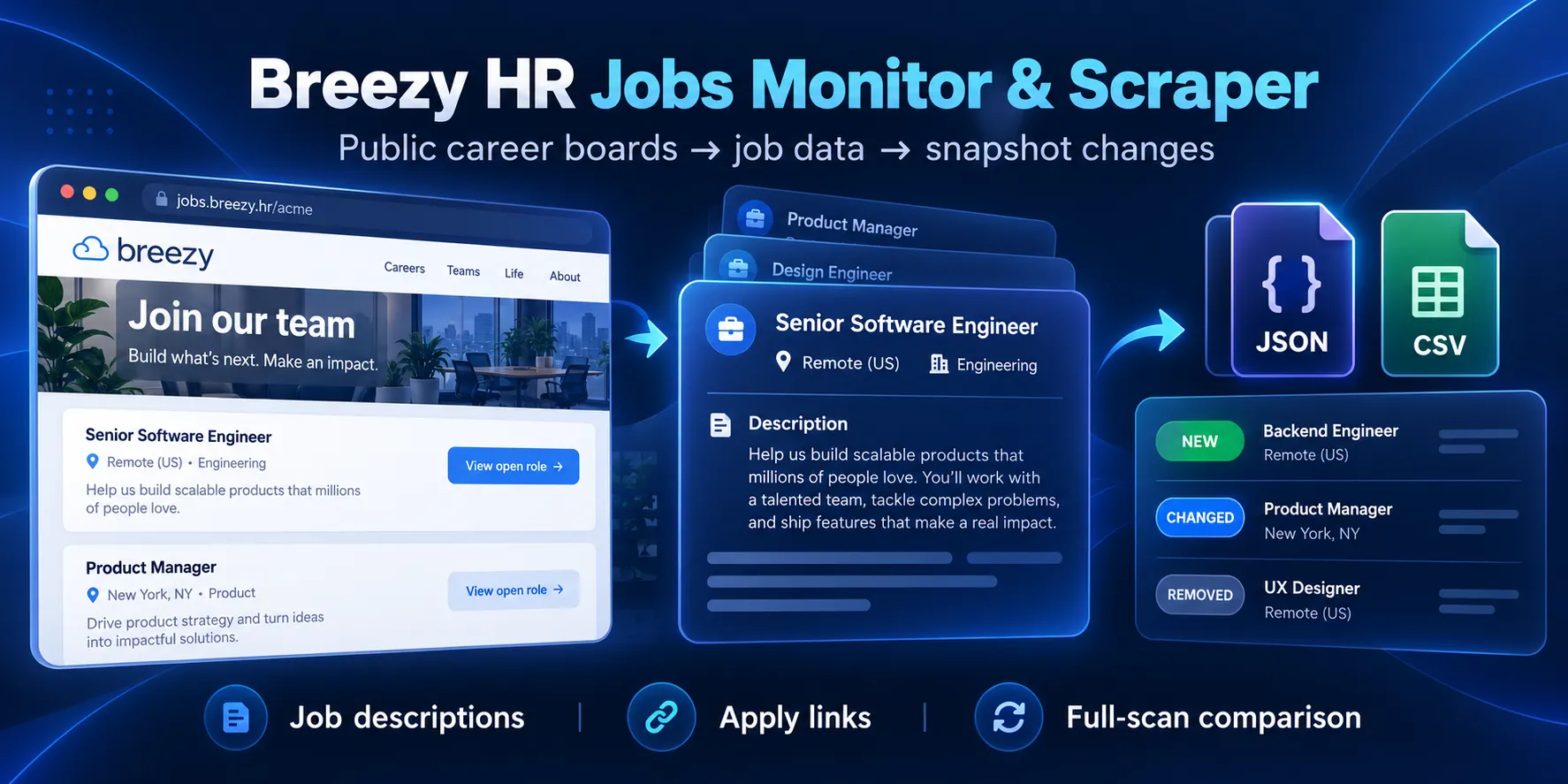
Table of contents
- What it does
- Data
- Quick start
- Input
- Input examples
- Output example
- Output fields
- Pricing
- Use cases
- Monitoring
- API and integrations
- Limits and partial results
- Troubleshooting
- FAQ
- Related Actors
- Support
What it does
The Actor reads known public Breezy boards at https://company.breezy.hr/. It gets the public job feed and reads structured job data on detail pages. If a page has no structured block, it reads the visible job description and feed metadata. You can add up to 4 board URLs in one run.
It returns current jobs with one fixed set of fields. Monitoring compares successful full scans. Custom career domains and a search across all Breezy companies are not supported. Use the company's Breezy URL.
Data
Each row has a job ID, title, company, locations, employment types, date, clean description and public job URL. Salary is included when the employer provides structured salary data. salary_text keeps the feed's original salary text.
Missing employer data stays null. A public remote marker may also appear on hybrid roles. Check workplace and the description before treating a job as fully remote.
Quick start
- Open Input.
- Add
https://the-san-francisco-standard.breezy.hr/tocareerUrls. - Keep
maxResults: 10andincludeDescription: true. - Click Start.
- Open Current jobs. Check
job_id,titleandsalary. - Open Board status. A full scan has
status: "complete".
The board had 6 jobs when tested. Jobs may be added or closed later.
Input
careerUrls is required. Other fields are optional. Unknown fields, wrong types and values outside these limits fail before source requests. Duplicate boards are read once. A public /p/... job URL selects its whole board.
| Key | Type | Default | Range / example | Effect and advice |
|---|---|---|---|---|
careerUrls | string array | Required; UI suggests Standard | 1–4 HTTPS Breezy roots | Add known boards. No credentials, custom domains or nonstandard ports. |
query | string | "" | Up to 200 characters; "Python" | All words must occur in title, company, full description, type or location. Leave empty for all jobs. |
location | string | "" | Up to 200 characters; "US" | Case-insensitive part of structured location. Leave empty for all places. |
remoteOnly | boolean | false | true / false | Require the employer's TELECOMMUTE marker. This may include hybrid work. |
includeDescription | boolean | true | true / false | Return plain description text. Detail pages are still read for other fields and filters. |
maxResults | integer | 10 | 1–50 | Total saved current jobs across boards. Raise it for a full monitoring scan. |
monitor | boolean | false | true / false | Compare with the last complete scan of the same stream and settings. |
monitorKey | string | "default" | 1–64 letters, digits, _ or - | Give each workflow its own name, such as "weekly-tech". |
Filters work together: a job must pass every filter. query uses the full description even when includeDescription is false. No matching jobs is a valid complete empty result when every source read succeeds. Detail errors with active filters make the run partial; unknown values are not treated as confident filter results.
Input examples
Several companies
This collects current jobs from both boards. Order follows the feed, which can differ from the order shown on the career page.
Remote matching jobs
A complete first run sets the baseline. Later complete runs compare the same filtered set.
Output example
This is a trimmed real row from the Quick start board. The omitted fields are described below.
Output fields
All listed top-level fields are present in every saved row. null means the source did not provide the value, description was turned off, or detail data could not be read. Arrays may be empty.
| Field | Type / null | Example | Meaning |
|---|---|---|---|
job_id | string | 48d4a6862c5d | Feed job ID. Use board + ID across companies. |
title | string | AI & Work Reporter, Charter | Detail title, or feed title on a partial row. |
company | string / null | The San Francisco Standard | Employer name. |
company_url | string / null | https://the-san-francisco-standard.breezy.hr | Public employer URL from detail, or board root. |
company_logo | string / null | null | Public logo URL. |
description | string / null | AI & Work Reporter ... | HTML converted to clean text. |
employment_types | string array | ["FULL_TIME"] | Values from structured job data. |
date_posted | string / null | 2026-06-02 | Detail posting date. |
valid_through | string / null | null | Employer's closing date, if provided. |
locations | object array | [{"city":"San Francisco",...}] | Structured locations; see fields below. |
applicant_locations | string array | ["US"] | Published applicant country requirements. |
location_text | string | San Francisco, CA, US | Joined city, region and country values. May be empty. |
remote | boolean | true | Detail has TELECOMMUTE, or HTML fallback uses the feed remote flag. Not a guarantee of fully remote work. |
salary | object / null | {"currency":"USD",...} | Structured salary; see fields below. |
url | string | https://...breezy.hr/p/... | Public job and application page. |
source | string | breezyhr | Source label. |
career_site_url | string | https://...breezy.hr/ | Board root used for this row. |
scraped_at | string | 2026-10-03T00:00:00Z | Scan start time in UTC. |
department | string / null | null | Feed department. |
salary_text | string / null | $90,000 – $130,000 / year | Original feed salary text. No guessed numeric parsing. |
feed_published_at | string / null | 2026-07-06T15:54:14.718Z | Feed date; it can differ from detail date. |
feed_remote | boolean | true | Feed's remote flag. |
workplace | string / null | hybrid | Feed's work model label value. |
detail_source | string | jsonld / public_html / unavailable | Source of detail data. HTML fallback keeps missing structured dates and salary null. |
row_status | string | complete / partial | Whether detail data was read. A partial row may have missing detail fields. |
change_type | string | new | untracked, new, changed or unchanged. |
first_seen_at | string / null | 2026-10-03T00:00:00Z | First full monitored scan that saw the job; null without monitoring. |
Each locations item has six string-or-null fields: name (place name, e.g. null), street (street address, e.g. null), city (e.g. San Francisco), region (e.g. CA), postal_code (e.g. null) and country (e.g. US).
A non-null salary has currency (string/null, e.g. USD), unit (string/null, e.g. YEAR), min (number/null, e.g. 90000), max (number/null, e.g. 130000) and value (number/null, e.g. null). Values keep the published currency and period.
Other output surfaces
| Surface | Shape | What to check |
|---|---|---|
| Dataset | One row per unique matching current job | Export or read jobs. Removed jobs are not Dataset rows. |
KVS OUTPUT | Object: status, rows, boards, changes, error, sourceCommit, schema_version | Check completeness before updating your job board. |
KVS RUN_SUMMARY | OUTPUT plus requests, retries, durationMs, startedAt | Check work and timing counters. |
KVS CHANGES | new, changed, removed, snapshot_updated | new/changed are ID arrays; removed is an array of {job_id,url}. |
Each board report has board, status, available, matched, emitted, detail_errors and reason. Status is complete, partial, not_found or error. reason is a stable code or null. Overall status is complete, partial or error. Counters are integers. error is null or a stable failure code. snapshot_updated is boolean. sourceCommit identifies the code version. schema_version is 1.
Pricing
The price is $0.0018 per saved current job, plus $0.06 per run at the supported 256–512 MB memory range. The price is the same on all Apify plans. New, changed and unchanged saved jobs use the same result price. Removed jobs in CHANGES have no extra charge. The $0.06 start charge also applies to empty, filtered and failed runs. A full filtered scan still reads job pages even when it saves no jobs.
| Saved jobs | Runs within the 50-row limit | Price |
|---|---|---|
| 10 | 1 | $0.07800 |
| 50 | 1 | $0.15000 |
| 100 | At least 2 separate runs | $0.30000 |
| 1,000 | At least 20 separate runs | $3.00000 |
The last two rows are price calculations for separate input sets, not a claim that one run can save 100 or 1,000 jobs. Source errors, empty runs and different batch sizes change the number of starts. Do not repeat the same set to obtain extra unique jobs.
Set Apify's maximum cost per run to at least $0.06 to cover the start event. Use $0.15 for up to 50 saved jobs, or $0.20 with room to spare. A $0.06360 cap allows the start and at most two rows. Use maxResults and the price cap together. A price cap can stop a scan before it is complete. Check OUTPUT.status and snapshot_updated. The 50-row acceptance run took about 53 seconds at 256 MB; source speed can change.
Use cases
- Build a job board from known companies. Use
job_idandcareer_site_urlto update records. - Follow hiring changes at target accounts. Read
CHANGESafter each complete monitored run. - Collect research data. Export titles, dates, locations and disclosed salary values.
Monitoring
Set monitor: true and a monitorKey. Use enough maxResults for every matching job. The first full scan marks jobs new. Later scans mark each current job changed or unchanged. Changes compare content, including salary and description, but ignore scrape time.
The Actor stores a snapshot in the account's named key-value store breezy-jobs-monitor-state. Changing boards, filters or includeDescription starts a separate baseline. The stream name alone does not connect different configurations. Deleting this storage loses history.
Only a complete scan replaces the baseline or reports removed jobs. Capped, failed and cancelled scans cannot prove removals. Their new and changed lists describe only the rows seen; do not use them as a full snapshot. Run each stream sequentially. Overlapping runs of the same stream are not supported.
To repeat scans, you can create an Apify schedule yourself. No schedule is created by the Actor.
API and integrations
Start with the same JSON input through the Apify API. Read the returned default Dataset and KVS IDs. The output links in Console show Current jobs, Board status, Run summary and Job changes.
Export Dataset rows as JSON, CSV or Excel. In n8n, Make or your own code, use career_site_url + job_id as the record key. Read OUTPUT.status before replacing records. An AI agent using Apify MCP can pass the same input and read the same results. These are platform integration paths; no external integration is configured by this Actor.
Limits and partial results
- Up to 4 input boards and 50 saved current jobs per run. The feed itself may contain more jobs.
- Supported Cloud memory: 256 or 512 MB. The recommended timeout is 210 seconds; the 300-second Store test and larger finite positive timeouts are supported. Unsupported memory or an unlimited timeout is rejected before source work. Each request has a 15-second timeout. The Actor stops source work after 180 seconds or before its Cloud timeout.
- At most 200 source HTTP attempts, including retries. Feed body limit: 5 MiB. Detail body limit: 2 MiB. Total received source body data is limited to 16 MiB, including unsuccessful responses and retries. SOURCE_BYTE_LIMIT stops further reads; the scan cannot update its monitoring baseline.
- Only public HTTPS Breezy subdomains are allowed. Private network addresses and redirects are rejected.
- A blocked feed, invalid JSON or changed source format is an error, not an empty board.
- A valid empty feed or no filter matches is
completewith zero rows. - A missing board is
not_found. If all boards fail or are missing, the platform run fails. Mixed results arepartial. - A detail error can save a partial metadata row without active filters. With active filters, an unreadable detail is skipped and the scan stays partial.
- No private applicant records, employer login, global company discovery or custom domain support.
- Dataset writes and monitoring snapshots are separate operations. A storage failure stops the scan. A restarted or resurrected run with an existing Dataset stops with
RESUME_NOT_SUPPORTED. Start a new run to avoid mixing data from different scans. Do not overlap monitoring runs.
Troubleshooting
No rows: Open Board status. complete can mean an empty board or no filter matches. Remove filters and check the public board.
not_found: Check the Breezy subdomain. An employer may have moved to another platform.
partial: Check the board's reason. RESULT_LIMIT means you need a larger result limit, up to 50. A source or detail error may need a later retry.
No removed jobs: Check snapshot_updated. The scan must be complete. Check that monitorKey, boards and filters are unchanged.
Input error: Use the exact keys above and an HTTPS Breezy root. Do not paste employer dashboard links.
FAQ
Do I need a Breezy account?
No. The Actor reads public employer pages. It is an independent scraper, not a Breezy product.
Why are some values null?
The employer may not publish them. Check row_status for a detail read failure. The Actor does not estimate salary or dates.
Are all remote jobs fully remote?
No. The public marker can also appear on hybrid roles. Check workplace, applicant locations and the description.
Can this replace another Breezy scraper?
The core field names follow a public career-site scraper. Description spacing, location text and result order can differ. This Actor adds status and monitoring fields. Check your mapping before switching.
Related Actors
- Greenhouse Jobs Monitor & Scraper — collect known Greenhouse boards.
- Lever Jobs Scraper — collect known Lever boards.
Support
Open an issue on the Actor page. Include the run ID, public Breezy board URL and the error code. Keep tokens and private data out of your message.


