

Lever Job Scraper
Pricing
from $0.30 / 1,000 unique job results
Lever Job Scraper
Export current jobs from public Lever boards. Get stable IDs, locations, HTML and plain descriptions, filters and a clear run report.
Pricing
from $0.30 / 1,000 unique job results
Rating
0.0
(0)
Developer

Cliqto Media
Maintained by CommunityActor stats
0
Bookmarked
2
Total users
1
Monthly active users
9 days ago
Last modified
Categories
Share
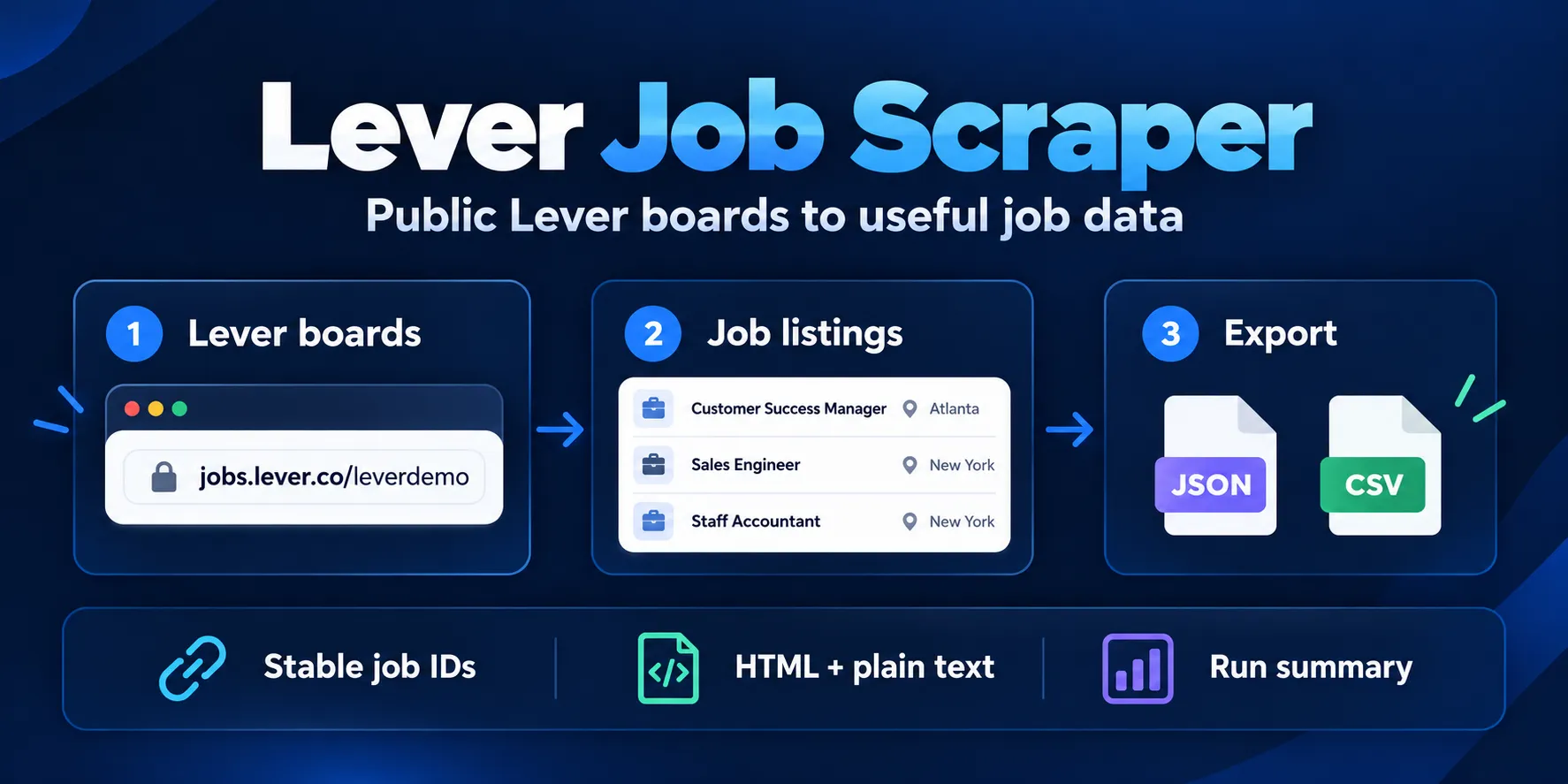
Lever job scraper for current published jobs from the public Lever boards you provide. Add a board slug, board URL, or one exact job URL. Get one row per unique job, ready for recruiting market research or job listings export.
Start with targets: ["leverdemo"]. The new Input form has this small example filled in. Pricing is $0.002 per start + $0.30 per 1,000 useful job rows at the default 512 MB memory. Check RUN_SUMMARY when a board is empty, a filter removes jobs, or a source request fails.
Contents
- What it does
- Quick start
- Use cases
- Input
- Output
- Pricing and limits
- API and export
- Troubleshooting
- FAQ
- Related Actors
- Support
What it does
Read public published postings from known Lever boards. Global and EU boards are supported. A bare slug uses the global service. An exact posting URL reads that job. The Actor uses the public Lever Postings API with direct HTTPS requests. No Lever account or API key is needed.
Get titles, locations, departments, teams, commitments, workplace types and public links. Keep HTML and plain descriptions, list sections and published salary fields when includeContent is true. The Actor gives each job a stable ID and records outcomes for all input targets.
Good fit: a snapshot of known company boards, recruiting market research, or a job feed built from exported rows. This product does not discover companies, search all Lever jobs, read private/internal or closed postings, submit applications, or keep monitoring state. Other ATS platforms need a separate Actor.
Quick start
- Open the Input tab.
- Keep the filled
targetsexample,leverdemo, or enter your public Lever board URL. - Keep Include descriptions and lists on for the full content.
- Click Start.
- Open the default Dataset. Check
sourceJobId,title,hostedUrlanddescriptionTextin the first row. - Open Key-value store → RUN_SUMMARY to check the target status and counts.
The demo board had 10 published jobs when checked on 9 October 2026. Live jobs may change. API calls must supply targets; an empty API input does not select the demo.
Use cases
| Task | Input | Useful fields | Next step |
|---|---|---|---|
| Export company job listings | Board slugs in targets | sourceJobId, title, hostedUrl, applyUrl | Export Dataset as JSON or CSV |
| Study hiring by team or place | filters.teams, filters.locationIncludes | team, department, locations, commitment | Group rows in your own sheet |
| Save public job content | includeContent: true | descriptionHtml, descriptionText, lists | Use the content in your own pipeline |
| Recheck a known posting | Exact job URL in targets | Stable id, observedAt, source fields | Compare snapshots in your own system |
Input
targets is required. It must have 1–50 strings. Duplicate normalized targets are fetched once. Invalid targets get INVALID_INPUT entries and are not fetched. A missing/empty target array or invalid option shape fails validation.
Fields
| Field | Type | Required | Runtime default / UI prefill | Allowed values and effect |
|---|---|---|---|---|
targets | array | yes | No runtime default. UI prefill and schema default: ["leverdemo"]. | Use a board slug such as leverdemo, a public Lever board URL, or one exact public job URL. Bare slugs use the global Lever service. |
includeContent | boolean | no | Runtime default: true. No UI prefill. | Keep the public HTML/plain job content and list sections in each result. |
filters | object | no | No filters. No UI prefill. | All filled filter groups must match. Values within one group use OR logic. |
maxJobsPerTarget | integer | no | Runtime default: 0. No UI prefill. | Stop each board after this many useful results. Use 0 for no per-board cap. Range 0–5000. |
maxTotalJobs | integer | no | Runtime default: 5000. No UI prefill. | Maximum number of unique job rows saved in one run. Range 1–5000. |
pageSize | integer | no | Runtime default: 0. No UI prefill. | Use the complete board response when 0. A positive value uses Lever skip/limit pages. Range 0–1000. |
continueOnError | boolean | no | Runtime default: true. No UI prefill. | Process independent targets after a technical failure and report a partial run. |
Nested filters
All filled groups must match (AND). Values within one group match any value (OR). Text matches ignore case and trim outer spaces. Empty arrays do not filter. Filters run after fetching source rows; a small result cap does not cap the source response size.
| Field | Type / limit | Default | Match rule |
|---|---|---|---|
filters.titleIncludes | array; up to 20 values | No restriction | Keep jobs whose title contains at least one of these values. Case-insensitive substring. |
filters.locationIncludes | array; up to 20 values | No restriction | Keep jobs whose source location contains at least one of these values. Case-insensitive substring. Checks all locations. |
filters.departments | array; up to 20 values | No restriction | Keep jobs whose source department equals one of these values. Case-insensitive exact value. |
filters.teams | array; up to 20 values | No restriction | Keep jobs whose source team equals one of these values. Case-insensitive exact value. |
filters.commitments | array; up to 20 values | No restriction | Keep jobs whose source commitment equals one of these values. Case-insensitive exact value. |
filters.workplaceTypes | array; up to 4 values | No restriction | Keep jobs with one of these source workplace types. |
filters.countries | array; up to 20 values | No restriction | Keep jobs whose source country is one of these ISO-2 values. Case-insensitive exact value. |
filters.createdAfter | string; UTC ISO date-time, e.g. 2026-10-01T00:00:00Z | No restriction | Only jobs created on or after this ISO date-time. Jobs with no source creation time do not match. |
Filter strings have a maximum length of 200 characters; country values use two letters. workplaceTypes accepts remote, hybrid, on-site, unspecified.
Setting interactions
| Settings | Result |
|---|---|
maxJobsPerTarget: 0 + maxTotalJobs: 5000 | No per-board cap; stop at 5,000 unique useful rows across the run |
| Positive per-target and total caps | Apply both caps after filtering and dedupe; a per-target cap still allows later boards |
pageSize: 0 | Read one complete board response, subject to the 25 MiB response limit |
Positive pageSize | Use Lever skip/limit pages; stop at a short/empty page, cap or repeated-page error |
includeContent: false | Omit content and salary fields; lists is []; identity/category/link fields remain |
continueOnError: true | Continue independent targets after a source failure and show a partial summary |
Examples
Small demo, also used for the output example below:
Two boards with a title filter and a per-board cap:
This saves up to 20 matching jobs from each board and 40 in total. A filter may return no matches. EU input uses https://jobs.eu.lever.co/<board>. Public api.lever.co/v0/postings/<board> and EU API URLs are also accepted. HTTPS is required. Arbitrary hosts, userinfo, custom ports, fragments and traversal paths are rejected. Tracking query parameters are discarded.
Output
Dataset fields
Each row is one unique published job. The stable ID is lever:{region}:{boardSlug}:{encodedSourceJobId}. The same title can occur on distinct jobs; IDs control dedupe. observedAt is this Actor's observation time. createdAt comes from the source, converted to an ISO timestamp; it is not an update time.
| Field | Type | Meaning / empty behavior |
|---|---|---|
id | string | Stable ID: lever:{region}:{board}:{postingId}. |
source | string | The public source name. |
idRuleVersion | string | Version of the stable identifier rule. |
region | string | Global or EU public Lever instance. |
boardSlug | string | Normalized public Lever site slug. |
boardUrl | string | Canonical public hosted board URL. |
sourceJobId | string | Upstream Lever posting ID. |
title | string | Published job title. |
location | string / null | Primary source location, when present. |
locations | array | Source location values. |
department | string / null | Source department, when present. |
team | string / null | Source team, when present. |
commitment | string / null | Source commitment, when present. |
country | string / null | Source ISO-2 country, when present. |
workplaceType | string | Source workplace type or unspecified. |
openingHtml | string / null | Source opening HTML when content is included. |
openingText | string / null | Plain opening text when content is included. |
descriptionHtml | string / null | Source combined description HTML. |
descriptionText | string / null | Plain combined description. |
descriptionBodyHtml | string / null | Source body HTML. |
descriptionBodyText | string / null | Plain body text. |
lists | array | Source list sections with title, HTML and text. |
additionalHtml | string / null | Source additional HTML. |
additionalText | string / null | Plain additional text. |
salaryRange | object / null | Source salary range when provided. |
salaryDescriptionHtml | string / null | Source salary note HTML. |
salaryDescriptionText | string / null | Plain salary note. |
hostedUrl | string | Canonical public job page. |
applyUrl | string / null | Source application URL; never submitted by the Actor. |
createdAt | string / null | Source creation time in ISO format. |
observedAt | string | Time this Actor observed the row. |
lists[] has title (section label), html (section body), and text (plain body), all strings. salaryRange is null or an object with min/max (number or null), currency/interval (string or null). No salary or location is guessed. workplaceType falls back to unspecified.
Missing source scalar values become null. Arrays can be empty. With includeContent: false, HTML/text and salary fields are omitted rather than set to null. HTML is source content; sanitize it before displaying it in your own web app. Plain text uses source plain fields when supplied, or HTML conversion. List body text is converted from list HTML. Some uncommon named HTML entities can remain encoded.
Example row
This trimmed row is from the leverdemo input above. Full descriptions and the remaining fields are in the Dataset.
Reports and outcomes
The Output tab links to dataset and runSummary. They are links, not a second copy of the rows. The Actor writes RUN_SUMMARY in the default key-value store; it does not write a separate OUTPUT record.
RUN_SUMMARY includes schemaVersion, status, received/valid/duplicate/processed/unprocessed target counts, results, duplicateJobs, emptyBoards, filteredEmpty, notFound, technicalFailures, retries, rate-limit counts, invalid/filtered source row counts, limitReached, chargeLimitStop, charge events/mode, transport, timings, requests, bytes, failed target references, and targets[].
Each target entry has inputIndex, canonicalTarget, mode, region, status, source/emitted row counts, retries and errorCode; bytes/requests and duplicate references are present when relevant.
| Outcome | Dataset / report | What to do |
|---|---|---|
OK | Useful job rows | Export or use rows |
EMPTY_BOARD | No jobs returned by a valid source board | Check later if needed |
FILTERED_EMPTY | Source had jobs, filters matched none | Review filters |
NOT_FOUND | Board or exact posting returned HTTP 404 | Check the URL; posting may be closed |
INVALID_INPUT, DUPLICATE_TARGET | No result row for that target | Correct invalid input; duplicates need no retry |
LIMIT_REACHED | Saved rows retained; more jobs may exist | Review per-target/total/platform charge caps |
| Technical error | TIMEOUT, RATE_LIMITED, UPSTREAM_5XX, UPSTREAM_4XX, NETWORK_ERROR, BAD_CONTENT_TYPE, MALFORMED_JSON, SCHEMA_DRIFT, RESPONSE_TOO_LARGE, REDIRECT_ERROR, STORAGE_ERROR, ABORTED or UNPROCESSED | Read RUN_SUMMARY; fix input or retry later |
Run-summary status is SUCCEEDED, PARTIAL, FAILED or LIMIT_REACHED. Apify run status and summary status are separate: a partial run can finish on the platform and still have failed targets. A full technical source failure fails the platform run. Empty/missing targets do not prove that a company has no jobs elsewhere.
Pricing and limits
The applied price is $0.002 per Actor start + $0.00030 per useful unique job row ($0.30 per 1,000 rows). Apify charges the standard apify-actor-start event automatically: one event per GB of memory, with a minimum of one event. At the default 512 MB, each run has one start event. More than 1 GB increases the start-event count.
Empty, fully filtered, duplicate, invalid and missing targets create no job-result event, but the run still has a start charge. A partial run pays the start plus accepted useful rows. These are event fees. The standard PPE tariff has no separate customer platform-usage surcharge. Owner test runs pay platform usage rather than their own event fees. Check the run billing and your plan.
| Saved rows | Actor event charge at 512 MB | Notes |
|---|---|---|
| 0 | $0.002 | Start charge; no result event |
| 10 | $0.005 | One start + 10 useful jobs |
| 100 | $0.032 | One start + matching unique rows |
| 1,000 | $0.302 | One start + 1,000 rows, source content included |
| 5,000 | $1.502 | One start + the current maximum per run |
maxTotalJobs caps rows, not a bill in dollars. Use Apify's maximum total charge option (maxTotalChargeUsd in API calls) to limit total Actor event charges, including the start. At 512 MB, allow at least $0.00230 for one start and one useful job. That is an example spending allowance, not a new required input. This option does not limit all platform costs. Stop reasons appear in the summary.
RUN_SUMMARY.chargeEvents counts job-result events only. The automatic start appears in the Apify run billing, not in that row counter. The summary is not a customer invoice.
Up to 50 targets and 5,000 saved jobs per run. Requests are paced one at a time with a 1-second host gap, up to 3 attempts, 20 seconds per request including body reading, up to 2 safe redirects, 25 MiB per response, and 1,000 pages per board. Large boards or repeated retries may exceed your platform timeout. Completeness means the public source response observed for your supplied boards, subject to these limits. Jobs may change during pagination.
API and export
Use the Apify Actor run API with the same input JSON. Read the default Dataset after the run. Dataset export supports JSON and CSV, plus other Apify formats. Nested lists are best kept in JSON.
You can use Apify scheduling with the same input if you choose to create a schedule. Each run has a start charge and is a new snapshot; this Actor has no new/changed/removed-job state. Use stable id in your system to compare exports. This description does not create schedules or webhooks.
Troubleshooting
- URL rejected: use a supported HTTPS Lever host and one board or posting path. Do not paste a company's general careers URL.
- No rows: open
RUN_SUMMARY. CheckEMPTY_BOARD,FILTERED_EMPTY,NOT_FOUNDand technical errors separately. - Fewer rows: check caps,
chargeLimitStop, filters and per-target status. An early stop does not prove a complete board. - Timeout, block or rate limit: retry later with fewer targets. No login, browser or proxy bypass is provided.
- Missing salary or dates: the source may not publish them. They are not inferred.
FAQ
Do I need a Lever account?
No. Only public published postings are read. See Lever Postings API documentation.
Can I get every job on Lever?
You must supply known boards. There is no company discovery or cross-company global search.
Can I get EU jobs or one job URL?
Yes. Use an EU hosted board/job URL for EU mode. An exact posting URL returns that job if it remains public.
Does a repeat run return only new jobs?
No. It returns a fresh snapshot. Duplicate jobs are removed within a run, not across runs.
Is no output free?
No. A zero-row run still has the $0.002 start charge at default 512 MB; there is no job-result event. Higher memory can increase the start count. Owner tests have platform costs rather than paying their own event fees. Check your run's billing.
Can descriptions or locations be missing?
Yes. The source controls those fields. Check nulls, empty arrays and includeContent; do not treat missing fields as guessed values.
Related Actors
Our Ashby Jobs Scraper reads known public Ashby boards when your company uses Ashby instead of Lever.
Support
Open an issue in this Actor's Apify Issues tab. Include the run ID, public input mode and the relevant RUN_SUMMARY target status. Do not share tokens, cookies, private URLs or sensitive payloads.
Lever identifies the source format. This product is not affiliated with or endorsed by Lever.


