

Greenhouse Jobs Scraper & Monitor: Job Board Export
Pricing
from $0.98 / 1,000 greenhouse job results
Greenhouse Jobs Scraper & Monitor: Job Board Export
Export live jobs from known public Greenhouse boards. Get job details or compare snapshots for new, updated and verified removed posts, with coverage reports.
Pricing
from $0.98 / 1,000 greenhouse job results
Rating
0.0
(0)
Developer

Cliqto Media
Maintained by CommunityActor stats
0
Bookmarked
2
Total users
1
Monthly active users
10 days ago
Last modified
Categories
Security
Limited permissionsShare
Export live jobs from public Greenhouse job boards (boards.greenhouse.io and job-boards.greenhouse.io, US and EU) to track hiring at companies you follow, feed your own job board, or get alerts about new, updated and removed jobs. Add a board token or board URL, or exact job IDs. The Actor uses the public Greenhouse Job Board API: no login, browser or proxy.
Start with boards: ["proton"]; the Input form has this small example filled in. Pricing is $0.0014 per start + $1.40 per 1,000 saved job rows on the Free plan (down to $0.98 on Gold and above) at the default 512 MB memory. Check RUN_SUMMARY when a board is empty, a filter removes jobs, or a source request fails.
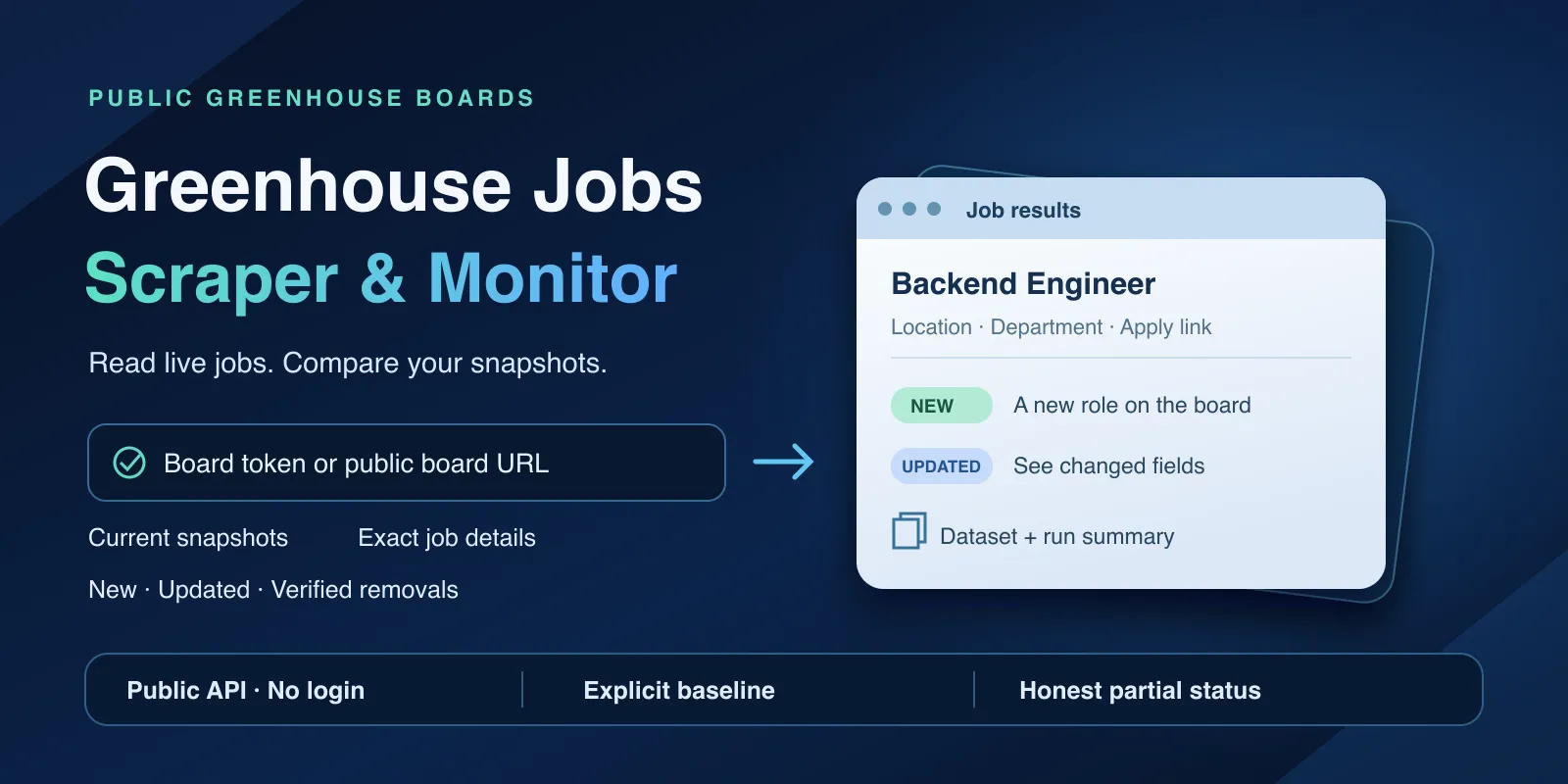
Table of contents
- What it does
- How it works
- Quick start
- Use cases
- Input
- Output
- Pricing
- Limits
- API, export and integrations
- Troubleshooting
- FAQ
- Related Actors
- Support
What it does
The Actor has three modes:
- Snapshot: all current jobs of one or more known Greenhouse boards, with optional filters by title, description, location, department, office and date.
- Details: exact jobs by board and job ID, with public application questions and published pay ranges when you need them.
- Monitor: compare a board with a snapshot from an earlier run and get only new, updated and verified removed jobs.
Every job has a stable ID (board:jobId), title, location, departments, offices, dates and links. The job description is optional. A separate RUN_SUMMARY report shows, for each board or job, whether it was read in full, empty, not found or failed.
Good fit
- Export the open jobs of companies that use Greenhouse.
- Feed your own job board or job alert with current roles and stable IDs.
- Hiring research: which teams, offices and locations a company is hiring for.
- Change tracking: new and removed jobs between two runs, with proof that both runs read the full board.
Not a fit: finding all companies that use Greenhouse, a global job search, private or internal jobs, closed-job history, submitting applications, contact enrichment, or other ATS platforms. A removed job means "seen missing", not an employer-confirmed closing date.
How it works
- You give board tokens, board URLs or exact jobs. Each one is checked and normalized; duplicates are read once.
- The Actor reads each board from the public Greenhouse Job Board API (US or EU) in one request, plus one detail request per job only when you ask for questions or pay. It does not use a browser, login or proxy.
- Your filters and row caps are applied. In monitor mode the full board is compared with your earlier snapshot.
- It saves one Dataset row per job (or per change), a
RUN_SUMMARYreport and, in snapshot and monitor modes, aSNAPSHOTfor your next monitor run.
Quick start
-
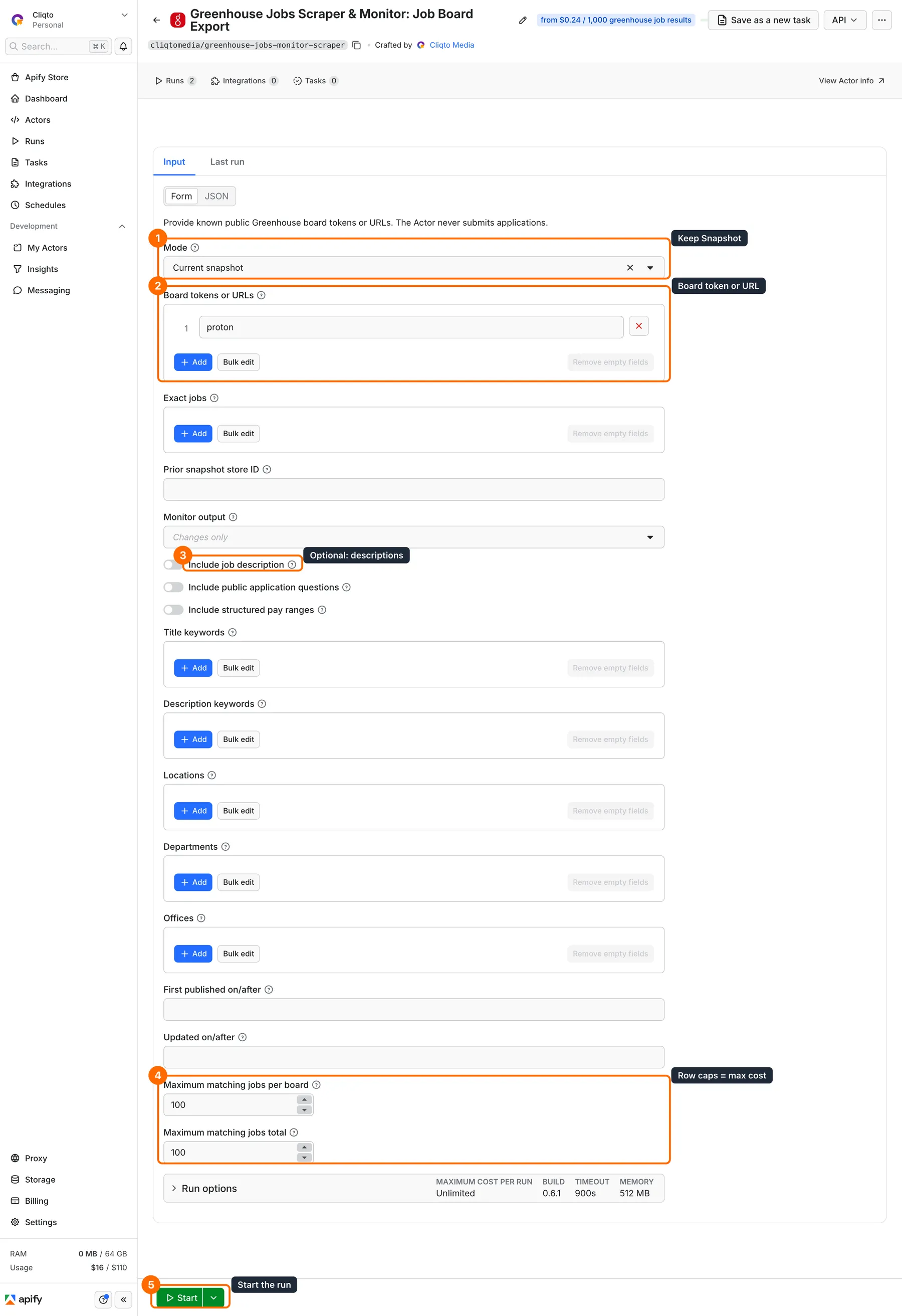
Open the Input tab. Keep Mode on Current snapshot (box 1 in the picture).
-
Keep the filled board
proton, or paste your board token or URL such ashttps://job-boards.greenhouse.io/figma(box 2). Click + Add for more companies in one run. -
Optional: turn on Include job description for the full text (box 3).
-
Keep the caps at
100for a first test (box 4). -
Click Start (box 5).
-
Open the Output tab. Each row is one job; check
titleandlocation(box 6) and the job linkabsoluteUrl. Open Storage → Key-value store → RUN_SUMMARY for each board's status and counts.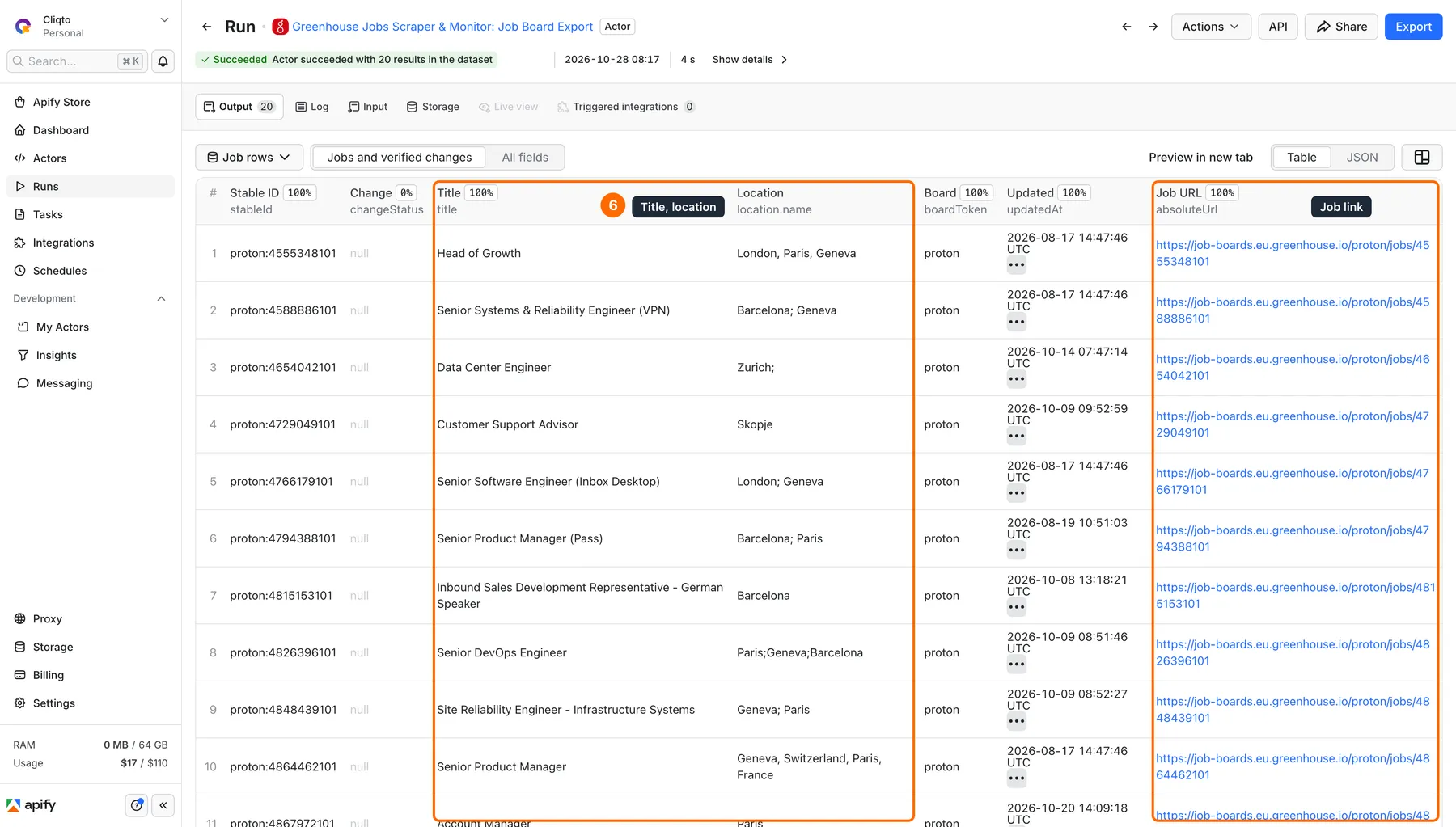
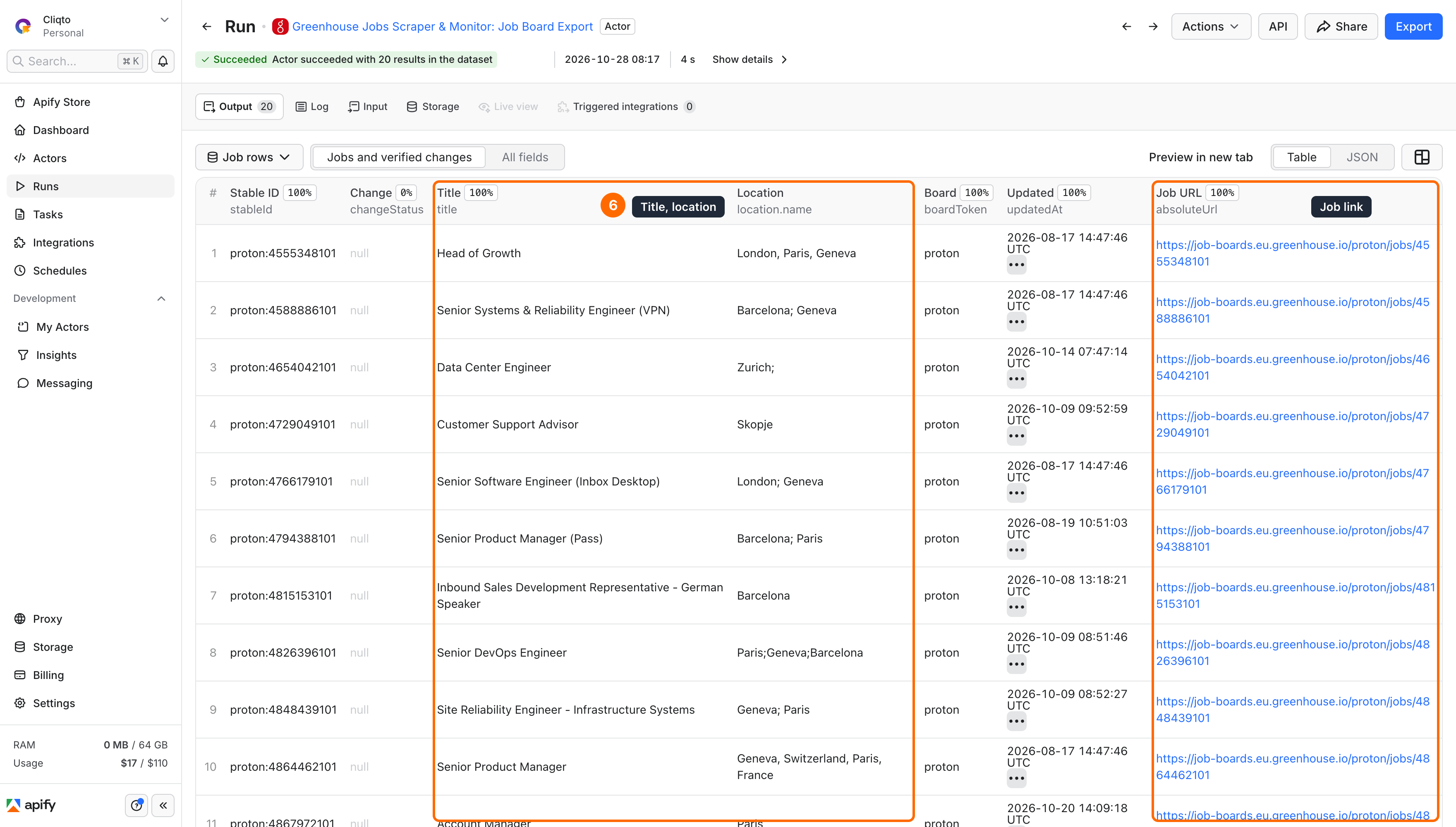
Expected result: one row per current Proton job. The board had 20 jobs when checked on 28 October 2026; live jobs change. An API call without boards reads the figma board, so always send your own boards.
Use cases
| Your task | Settings | Useful fields |
|---|---|---|
| Export the jobs of a company | mode: snapshot, boards | stableId, title, location, absoluteUrl |
| Job board or job feed | includeContent: true | contentText, departments, firstPublishedAt |
| Engineering roles in Europe only | titleKeywords, locations | title, location, offices |
| Application questions or salary of a job | mode: details, jobs, detail options | questions, payRanges |
| Alert on new and removed jobs | mode: monitor, baselineStoreId | changeStatus, changedFields, observedRemovedAt |
Input
Input fields
All fields are top-level. Array items are strings. Null values, empty target arrays, empty filter arrays and unknown fields are rejected; remove an optional filter to turn it off.
| Field | Type / allowed values | Default when omitted | Form example / notes |
|---|---|---|---|
mode | snapshot, details, monitor | snapshot | snapshot |
boards | 1–100 board tokens or board URLs | ["figma"] in snapshot and monitor | ["proton"]; not used in details mode |
jobs | 1–500 exact jobs, token/jobId or job URL | none; required in details mode | for example proton/4555348101 |
baselineStoreId | store ID, 5–80 letters, digits, _ or - | none | monitor only; the store is read, never changed |
monitorOutput | changes_only or all | changes_only | all also returns unchanged jobs |
includeContent | boolean | false | job description as HTML and plain text |
includeQuestions | boolean | false | public application questions, no answers |
includePayTransparency | boolean | false | pay ranges the employer publishes |
titleKeywords | up to 20 strings, ≤200 characters each | no filter | title contains any keyword |
contentKeywords | same | no filter | description contains any keyword; needs includeContent: true |
locations | same | no filter | location.name contains any value |
departments | same | no filter | department name contains any value |
offices | same | no filter | office name contains any value |
firstPublishedAfter | ISO date or time | no filter | first published on or after |
updatedAfter | ISO date or time | no filter | updated on or after |
maxJobsPerBoard | 1–5,000 | 5,000 | 100; row cap per board |
maxJobsTotal | 1–10,000 | 10,000 | 100; row cap per run, monitor changes included |
baselineStoreId was called baselineKeyValueStoreId before version 0.6. The old name still works in API input; if you send both, they must have the same value.
Interacting settings
- Board URLs. Accepted hosts:
boards.greenhouse.io,job-boards.greenhouse.io,boards.eu.greenhouse.ioandjob-boards.eu.greenhouse.io, HTTPS only. A board URL is/{token}, a job URL is/{token}/jobs/{id}; legacy/embed/job_app?for={token}works for boards. Company career pages on other domains are rejected. - Filters. Case-insensitive text matches, not regular expressions. Values inside one filter use OR; different filters use AND. A date-only value means midnight UTC. Jobs without a date never pass a date filter.
- Description filter.
contentKeywordsneedsincludeContent: true; without it there is no text to match. - Questions and pay. Each needs one extra request per job; both options share it. On large boards this makes runs slower.
- Caps. The full board is always read and checked first; caps limit saved rows, not the source response. A capped board is reported as partial.
- Monitor. Keep boards, content and detail options the same between the earlier and the new run; otherwise the snapshots are not comparable.
Input examples
Several boards, engineering roles with descriptions:
One job with questions and pay:
This job was live when checked; use a current job ID.
Monitoring, first run (creates the baseline, every job has changeStatus: baseline):
Next run: pass RUN_SUMMARY.currentSnapshotStoreId from the first run:
Each run writes its own new snapshot store and never changes the earlier one, so several runs can compare against the same baseline. A schedule does not pass the store ID for you: your caller keeps the latest currentSnapshotStoreId and sends it next time. Keep (name) a store you need longer than your Apify data retention.
Output
Output fields
Each Dataset row is one current job or one verified removed job. All fields are always present; null means not available, not requested or not used in this mode.
| Field | Type | Meaning |
|---|---|---|
schemaVersion | integer | 1 |
recordType | string | job |
stableId | string | {board}:{jobId}, lowercase board; use it to join runs |
boardToken | string | board token |
boardRegion | string | us, eu or unknown |
jobId | string | Greenhouse job post ID |
internalJobId | string/null | employer internal job ID |
requisitionId | string/null | employer requisition ID |
title | string | job title, up to 2,000 characters |
location | object/null | {name} as published; not geocoded |
departments | array | department objects (id, name, parent_id, child_ids); may be empty |
offices | array | office objects, may include location; may be empty |
metadata | array/null | employer custom fields (id, name, value, value_type) |
language | string/null | language of the job post |
absoluteUrl | string | job and apply page on the employer site |
greenhouseUrl | string | job page on Greenhouse |
firstPublishedAt | string/null | first published, UTC ISO |
updatedAt | string/null | last updated at the source, UTC ISO |
contentHtml | string/null | description HTML, with includeContent |
contentText | string/null | description as plain text, with includeContent |
questions | object/null | public questions, location, compliance and demographic questions, with includeQuestions |
payRanges | array/null | published pay ranges with the employer's keys (min, max, currency, title), with includePayTransparency |
retrievedAt | string | when the Actor read the job, UTC ISO |
changeStatus | string/null | monitor: baseline, new, updated, unchanged, removed |
matchTransition | string/null | monitor: entered, left, none (job started or stopped matching your filters) |
changedFields | array | monitor: names of changed fields; empty if none |
previousHash | string/null | monitor: content hash in the earlier snapshot |
currentHash | string/null | content hash now; null for removed jobs |
observedRemovedAt | string/null | monitor: when the job was seen missing |
sourceEvidence | object | API host and request kind used for this row |
A removed row keeps the job's last known fields and previousHash, with currentHash: null. A job that stops matching your filters is matchTransition: left, not a removal.
Output entities and surfaces
| Surface | What it holds |
|---|---|
| Dataset, view Jobs and verified changes | current jobs and verified removals |
RUN_SUMMARY (Key-value store) | status and counts per board or job, limits, baseline status, saved and charged rows, runComplete, runFailed, limitedByUserLimits, currentSnapshotStoreId |
SNAPSHOT (Key-value store) | all jobs of each board before filters, with hashes; the baseline for your next monitor run; not written in details mode |
Per board or job, RUN_SUMMARY.inputs[].state is one of: COMPLETE (read in full), EMPTY (board has no jobs), NOT_FOUND, PARTIAL (cap or detail failure), DRIFTED (unexpected source format), FAILED or UNPROCESSED. A SUCCEEDED run alone does not mean every board was read in full: a run stopped only by your maxJobsPerBoard, maxJobsTotal or maximum total charge ends SUCCEEDED with runComplete: false and limitedByUserLimits: true. A run ends FAILED (runFailed: true) when a board is FAILED, DRIFTED, UNPROCESSED, PARTIAL because of a source error, or the dataset write fails. After 8 Greenhouse timeouts, network or server errors in a row, the run stops calling the source and marks the boards it did not read UNPROCESSED with errorCode: SOURCE_UNAVAILABLE; run it again later.
Output example
A trimmed row from the Proton example:
Use case → fields
| Use case | Fields to use |
|---|---|
| Job feed | stableId, title, location.name, departments[].name, absoluteUrl, contentText |
| Hiring research | boardToken, departments, offices, firstPublishedAt |
| Salary research | payRanges, title, location |
| Change alerts | changeStatus, changedFields, matchTransition, observedRemovedAt |
Pricing
Pricing unit
Pay per event. Apify charges the standard apify-actor-start event automatically: $0.0014 per GB of run memory, at least one event. At the default 512 MB (and up to 1 GB) that is $0.0014 per run; at 2 GB it is $0.0028. Then one job-result event per saved job row or verified change:
| Plan | Per saved row | Per 1,000 rows |
|---|---|---|
| Free | $0.0014 | $1.40 |
| Bronze | $0.00126 | $1.26 |
| Silver | $0.00112 | $1.12 |
| Gold, Platinum, Diamond | $0.00098 | $0.98 |
Descriptions, questions, pay, RUN_SUMMARY and SNAPSHOT have no separate fee. Skipped and filtered jobs, unchanged jobs in changes-only monitoring and summary records are not charged. Invalid input pays only the start.
Cost examples
| Run at 512 MB, Free plan | Actor event charge |
|---|---|
| Empty, fully filtered or unchanged run, 0 rows | $0.0014 |
| 10 rows | $0.0154 |
| The Proton example, 20 rows | $0.0294 |
| 1,000 rows | $1.4014 |
| 10,000 rows (maximum per run) | $14.0014 |
There is no separate platform-usage fee for buyers on this pricing. To cap a run's cost, set Apify's maximum total charge (maxTotalChargeUsd in the API); allow at least the start amount plus one row ($0.0028 at 512 MB). The run stops cleanly at the cap, ends SUCCEEDED and reports the result as incomplete (limitedByUserLimits: true). maxJobsPerBoard and maxJobsTotal cap rows, not dollars.
Limits
- Up to 100 boards or 500 exact jobs per run; up to 5,000 saved rows per board and 10,000 per run.
- Four boards are read at a time and at most eight detail requests at once. A request is tried up to three times for network errors, 408, 429 and 5xx; redirects are not followed. Board responses are capped at 64 MiB and detail responses at 2 MiB.
- The Actor works for at most 900 seconds. With a shorter run timeout it keeps 15 seconds to save results. Memory 256–2,048 MB, default 512 MB.
- A board counts as complete only when its job count matches the source and the format is as expected. Removals are reported only when both snapshots of that board are complete and comparable.
- Only public jobs of boards you supply. Descriptions, pay and questions are only what the employer publishes; nothing is guessed.
API, export and integrations
- API: start
cliqtomedia/greenhouse-jobs-monitor-scraperwith the same input JSON through the Apify API or an Apify client, then read the default Dataset and theRUN_SUMMARYrecord of the default Key-value store. - Export: download the Dataset as JSON, CSV or Excel. For CSV pick flat fields such as
stableId,title,location.name,boardToken,absoluteUrl,changeStatus; keep JSON for questions and metadata. - Scheduling: snapshot mode works on any schedule. For monitor mode, your caller must pass the latest
currentSnapshotStoreIdasbaselineStoreIdon each run.
Source documentation: Greenhouse Job Board API.
Use with AI agents (MCP)
- MCP server with only this Actor:
https://mcp.apify.com?tools=cliqtomedia/greenhouse-jobs-monitor-scraper. - Smallest useful input:
{"mode": "snapshot", "boards": ["proton"]}. - Key output fields:
stableId(stable job ID),title,location.name,absoluteUrl(job page),changeStatus(monitor);RUN_SUMMARY.inputs[].statetells why a board gave no rows. - The Proton board returns about 20 rows in about 3 seconds for $0.0294 at 512 MB on the Free plan. Supply known board tokens; the Actor does not search Greenhouse.
Troubleshooting
- URL rejected: use one of the four Greenhouse board hosts and a board or job path. A company careers page on its own domain does not work; find the board token in its Greenhouse links.
- No rows: open
RUN_SUMMARY.EMPTYis a board with no jobs; a complete board with zero matches means your filters removed everything;NOT_FOUNDmeans the token or job does not exist. - Fewer rows than expected: check caps,
PARTIALboards,limitedByUserLimitsand filters. - Monitor run has no rows: with
changes_only, unchanged jobs are only counted inRUN_SUMMARY. UsemonitorOutput: allto see them. - Baseline error: the store ID must come from an earlier run with the same boards and options. A missing, damaged or different baseline stops the comparison; no new baseline is created silently.
- Timeout or rate limit: retry later with fewer boards or without questions and pay. Do not retry invalid URLs or 404s.
FAQ
Do I need a Greenhouse account?
No. Only public job boards are read through the public Greenhouse Job Board API.
Can I get every job on Greenhouse?
No. You supply the boards. There is no company discovery or global search.
Does a repeat run return only new jobs?
Only in monitor mode with baselineStoreId. Snapshot mode returns all current jobs every time.
Is an empty run free?
No. It has the $0.0014 start charge at 512 MB and no row charges.
Do pay ranges and questions always exist?
No. They appear only when the employer publishes them. The Actor never estimates salary and never reads applicant data.
Is a removed job closed?
It was seen missing from a complete board compared with a complete earlier snapshot. The employer's closing date or reason is not known.
Related Actors
- Lever Jobs Scraper — the same job rows from companies that use Lever boards.
- Ashby Jobs Scraper — public Ashby job boards, popular with startups.
- Workable Jobs Scraper & Monitor — Workable career pages, with job changes between runs.
- SmartRecruiters Jobs Scraper — SmartRecruiters boards, often used by large employers.
- Recruitee Jobs Scraper & Monitor — Recruitee career sites, with new and removed jobs.
Support
Open an issue in this Actor's Apify Issues tab. Include the run ID, mode, input without private data and the relevant RUN_SUMMARY entry. Never share tokens, cookies or applicant answers.
Greenhouse is a trademark of its owner. This Actor is not affiliated with or endorsed by Greenhouse Software, Inc. You are responsible for how you use and keep public job content.


