

Google Images Scraper - Image URLs, Sizes & Source Pages
Pricing
from $1.40 / 1,000 images
Google Images Scraper - Image URLs, Sizes & Source Pages
Scrape Google Images by keyword: full-size image URLs, width and height, thumbnails, titles, source pages and domains in Google's order. Country, language, size, type and color filters. Up to 300 images per query. No login or API key.
Pricing
from $1.40 / 1,000 images
Rating
0.0
(0)
Developer

Cliqto Media
Maintained by CommunityActor stats
0
Bookmarked
2
Total users
1
Monthly active users
2 days ago
Last modified
Share
Type a search phrase and get the Google Images results as a table: direct image URL, width and height, thumbnail, title, source page and domain, in Google's order. No login and no API key. A run with the prefilled query red bicycle and 20 images takes about a minute and costs about $0.06 on the Free plan.
Use it to collect image links for ML datasets, to check which sites rank in Google Images for a keyword, or to find visual references. The Actor saves links only: it does not download the images.
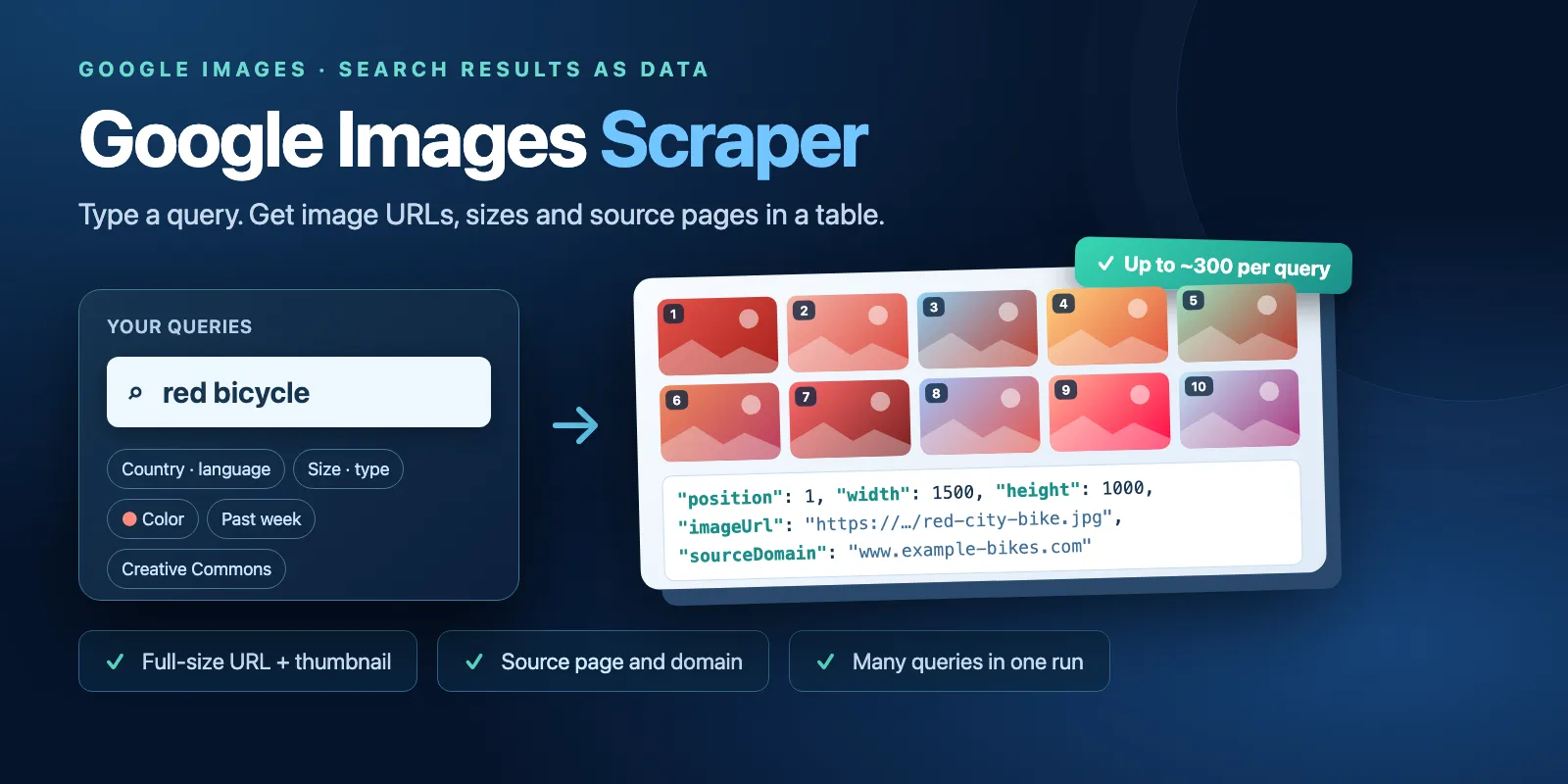
Table of contents
- What it does
- Quick start
- Input
- Output
- Pricing and limits
- Use cases
- API, export and integrations
- Troubleshooting
- FAQ
- Support
What it does
- Searches Google Images for each phrase in
queries, in the country and language you choose. - Applies the Google filters you set: SafeSearch, size, type, color, time period and usage rights.
- Reads up to 3 Google result pages per phrase. One page has about 100 images, so Google gives about 300 images per phrase at most.
- Removes repeated images (the same image URL) inside one phrase and numbers the rest 1, 2, 3… in Google's order.
- Saves one Dataset row per image and stops a phrase when it has
maxImagesimages or when Google has no more.
What data you get
For every image: the search phrase, position, page title, full-size image URL, width and height in pixels, Google thumbnail URL and size, source page URL, domain and site name, file size, main color, the country and language used, and the time Google's page was loaded.
Good fit
- Build an image dataset for machine learning: many phrases, up to about 300 image links each, with sizes to filter small images.
- SEO: see which pages and domains show up in Google Images for your keywords, and at which position.
- Design and e-commerce: collect visual references, or check where your product photos appear.
Not a fit / limits
- It does not download or store images. You get links; the image files stay on the source sites and can disappear.
- It does not give image licences. The
usageRightsfilter is Google's label, not a licence. Check the rights on the source page before you use an image. - About 300 images per phrase at most, because Google shows no more. For more images, use more phrases (for example
red bicycle vintage,red bicycle kids). - No reverse image search (search by picture) and no Google Lens.
- Google results change over time and between runs. Two runs of the same phrase can differ by about 10% of images.
Quick start
- Open the Input tab.
- Keep the prefilled phrase
red bicyclein Search queries (queries), or type your own, one per line. - Keep Images per query (
maxImages) at 20, or choose 1–300. - Click Start.
- Open the Output tab and look at the Images view: a preview, the title, the image URL, the size and the source page for each image.
Expected result: 20 rows for red bicycle in about a minute, positions 1 to 20.
Input
Input fields
Only queries is required. Every other field has a default.
| Field | Plain name | Type | Required | Default / prefill | Allowed values | Effect | Recommendation |
|---|---|---|---|---|---|---|---|
queries | Search queries | array of strings | yes | prefill ["red bicycle"] | 1–100 phrases, up to 500 characters each | One Google Images search per phrase | Empty lines are ignored; repeated phrases (case-insensitive) run once. Google operators such as site: and quotes work. |
maxImages | Images per query | integer | no | default 20, prefill 20 | 1–300 | How many images to save for each phrase | Up to 100 needs one Google page per phrase; 101–300 needs up to 3. |
countryCode | Country | string | no | us | two-letter code from the list, e.g. us, gb, de, fr, jp | Google ranks results for searchers in this country | Use your target market. |
languageCode | Language | string | no | en | code from the list, e.g. en, de, fr, ja, pt-BR | Google interface language; changes ranking and the language of titles | Match the language of your phrases. |
safeSearch | SafeSearch | boolean | no | true | true, false | true hides explicit images | Keep true unless you need unfiltered results. |
size | Image size | string | no | any | any, large, medium, icon | Google's size filter | large for datasets that need big images. |
type | Image type | string | no | any | any, photo, clipart, lineart, animated, face | Google's type filter | photo removes most drawings and logos. |
color | Color | string | no | any | any, color, gray, transparent, red, orange, yellow, green, teal, blue, purple, pink, white, black, brown | Google's color filter | transparent for PNG cut-outs. |
timePeriod | Time period | string | no | any | any, day, week, month, year | Only images Google indexed in this period | Use for fresh images on a news topic. |
usageRights | Usage rights | string | no | any | any, creativeCommons, commercial | Google's usage-rights filter | It is a Google label, not a licence. |
If queries is missing or has only empty lines, the run fails at once with Invalid input; only the run start ($0.005) is charged.
Interacting settings
| When | Input A | Input B | Effective behavior | Cost/result effect |
|---|---|---|---|---|
| Many phrases | queries | maxImages | maxImages is per phrase, not per run | 10 phrases × 20 images = up to 200 rows |
| Strict filters | size, type, color, timePeriod, usageRights | maxImages | All filters are combined; Google can have fewer images than maxImages | The phrase ends as exhausted or not_found; you pay for pages read |
| Phrase in another language | queries | countryCode, languageCode | Google uses all three | Titles come in the language Google picks for that page |
Input examples
Prefill: one phrase, 20 images
Expected behavior: one Google page is read, 20 images are saved.
Expected output: 20 rows with position 1–20, imageUrl, width, height, sourceDomain.
Cost note: 1 start + 1 page + 20 images.
Dataset: several phrases, large photos, Germany
Expected behavior: up to 3 Google pages per phrase, about 280–300 images per phrase. Expected output: up to 900 rows; each phrase has its own positions from 1. Cost note: 1 start + up to 9 pages + one charge per saved image.
Output
One Dataset row = one image. The Images view shows a short table with a preview; the All fields view shows every field. A run summary is saved as RUN_SUMMARY in the key-value store.
Output fields
| Field | Meaning | Type | Can be empty? | Example |
|---|---|---|---|---|
query | The search phrase | string | no | red bicycle |
position | Position in Google Images for this phrase, from 1, after repeated images are removed | integer | no | 1 |
title | Title of the page the image comes from | string | yes | 24 in. Red 21-Speed … Mountain Bike … - The Home Depot |
imageUrl | Direct URL of the full-size image on the source site | string | no | https://images.thdstatic.com/…_600.jpg |
width | Full-size image width, px | integer | yes | 600 |
height | Full-size image height, px | integer | yes | 600 |
thumbnailUrl | Google thumbnail URL (encrypted-tbn*.gstatic.com) | string | yes | https://encrypted-tbn0.gstatic.com/images?q=tbn:… |
thumbnailWidth | Thumbnail width, px | integer | yes | 554 |
thumbnailHeight | Thumbnail height, px | integer | yes | 554 |
sourcePageUrl | Page that shows the image | string | yes | https://www.homedepot.com/p/…/325010151 |
sourceDomain | Domain of the source page | string | yes | www.homedepot.com |
sourceName | Site name as Google shows it | string | yes | The Home Depot |
fileSize | File size as Google shows it (text, not a number) | string | yes | 39KB |
dominantColor | Main color of the image | string | yes | rgb(216,66,69) |
countryCode | Google country used | string | no | us |
languageCode | Google language used | string | no | en |
fetchedAt | When the Google page was loaded (ISO 8601, UTC) | string | no | 2026-10-15T04:51:03.022Z |
null means Google did not show this value for the image. It is never replaced with 0 or an empty string.
Output example
One real row from the prefill run (red bicycle, 20 images), with long URLs shortened:
Run summary and statuses
RUN_SUMMARY has the run status, a message, and one entry per phrase with its own status, the number of images and pages.
| Phrase status | Meaning | Rows in Dataset |
|---|---|---|
complete | Got maxImages images | maxImages |
exhausted | Google had fewer images than maxImages | all Google had |
not_found | Google has no images for this phrase | none |
error | Google could not be read after 3 tries | rows saved before the error |
stopped | The run reached your spending limit or timeout while this phrase was running | rows saved before the stop |
skipped | The run stopped before this phrase started | none |
| Run status | When | Run result |
|---|---|---|
complete | Every phrase is complete, exhausted or not_found | Succeeded |
partial | Spending limit, timeout or abort stopped the run; or some phrases had error | Succeeded at a limit; Failed when a phrase had error (saved rows stay) |
error | Google could not be read for any phrase | Failed |
invalid_input | Input is wrong | Failed, only the run start is charged |
Pricing and limits
Pricing unit
The Actor uses pay-per-event pricing. You pay only for these events; platform usage is included.
| Event | When it is charged | Free plan | Bronze | Silver | Gold+ |
|---|---|---|---|---|---|
apify-actor-start | once per run | $0.005 | $0.005 | $0.005 | $0.005 |
search-page | per Google result page read (about 100 images), also when Google shows no images | $0.01 | $0.01 | $0.01 | $0.01 |
image | per saved image row | $0.002 | $0.0018 | $0.0016 | $0.0014 |
A phrase that Google has no images for costs one search-page and saves no rows. A Google page that could not be read after 3 tries is not charged. Invalid input costs only the run start ($0.005). If your spending limit is reached, the run stops as partial and keeps only the rows you paid for.
Cost examples
Free-plan prices:
| Scenario | Input scope | Events | Charge | Stop/cap behavior |
|---|---|---|---|---|
| Prefill | 1 phrase × 20 | 1 start + 1 page + 20 images | $0.055 | stops at 20 |
| 10 images | 1 phrase × 10 | 1 start + 1 page + 10 images | $0.035 | stops at 10 |
| 100 images | 1 phrase × 100 | 1 start + 1–2 pages + 100 images | $0.215–0.225 | stops at 100 |
| Full phrase | 1 phrase × 300 | 1 start + 3 pages + about 290 images | about $0.62 | Google gives no more |
| 1,000 images | 10 phrases × 100 | 1 start + 10–20 pages + 1,000 images | $2.11–2.21 | stops at 100 per phrase |
| No images | 1 phrase that Google does not know | 1 start + 1 page | $0.015 | phrase not_found |
Limits
- 1–100 search phrases per run, 1–300 images per phrase. Google shows about 280–295 unique images per phrase, so a phrase can end with fewer than you asked for (status
exhausted). - Measured on the cloud (256 MB): 20 images ≈ 45–70 s; 10 phrases × 100 images ≈ 2–3 min; 30 phrases × 300 ≈ 11 min; 100 phrases × 300 (28,568 images) ≈ 34 min.
- The default timeout is 1 hour, which fits the largest input. Memory is fixed at 256 MB; peak use was about 80 MB.
- Each Google page gets up to 3 attempts and up to 120 seconds. A phrase whose pages keep failing gets status
error; you are not charged for failed pages. - If Google cannot be read on the first phrase, the run stops there and does not start the other phrases (status
skipped). Later in a run, 3 failed pages in a row also stop new phrases. - The Actor saves image links, not image files.
Use cases
| Buyer job | Input path | Output entity | Key fields | Next integration |
|---|---|---|---|---|
| ML image dataset | many queries, maxImages 300, size large | image row | imageUrl, width, height, query | download the URLs with your own tool, export CSV/JSON |
| SEO in Google Images | your keywords, countryCode | image row | position, sourceDomain, sourcePageUrl | schedule weekly, compare positions in a sheet |
| Visual references | a few phrases, type, color | image row | thumbnailUrl, imageUrl, sourcePageUrl | open the Images view, export to Google Sheets |
Scheduling and monitoring
Create a schedule in Apify Console (for example weekly) with the same input. Each run is a full new snapshot; the Actor does not compare runs. To see changes, compare position and sourceDomain between two Datasets.
API, export and integrations
- API: start the run with
POST https://api.apify.com/v2/acts/cliqtomedia~google-images-scraper/runsand the input JSON; read rows from the run's default Dataset. See the Apify API reference. - Export: JSON, CSV, Excel, XML or HTML from the Output tab or the Dataset API.
- Scheduling: Apify schedules with the same input.
- Webhooks / no-code: Apify integrations, Make, Zapier or n8n run the Actor and read the Dataset rows.
Use with AI agents (MCP)
- MCP server URL with only this Actor:
https://mcp.apify.com?tools=cliqtomedia/google-images-scraper(Apify MCP server docs). - Smallest useful input:
{"queries": ["red bicycle"], "maxImages": 20}. - Key output fields:
imageUrl(full-size image link),widthandheight(pixels),sourcePageUrl(page with the image),position(rank in Google Images),title(page title). - A run with 1 phrase and 20 images takes about a minute and costs $0.055 on the Free plan. Up to 100 phrases and 300 images per phrase in one run. One Google page takes 20–70 seconds, so keep
maxImagessmall when you need a fast answer.
Troubleshooting
Fewer images than maxImages
Symptom: a phrase has fewer rows than you asked for, status exhausted.
Likely reason: Google shows only about 300 images per phrase, fewer with strict filters or rare phrases.
Action: remove a filter, or add more phrases with different words.
A phrase has no rows
Symptom: the phrase is not_found in RUN_SUMMARY.
Likely reason: Google Images has no results for this phrase with these filters. Quotes and operators like site: make results narrower.
Action: check the same phrase in Google Images in a browser, remove quotes or filters.
The run failed with "Google could not be read"
Symptom: run status error or partial with SOURCE_ERROR, phrases with error.
Likely reason: Google did not answer after 3 tries. Rows saved before the error stay in the Dataset and are charged; failed pages are not charged.
Action: run the failed phrases again later.
The run stopped as partial
Symptom: message "stopped at your spending limit" or "stopped at the run timeout". Action: raise the maximum cost per run, or the timeout, or split phrases into several runs.
FAQ
Do I need a Google account or an API key?
No. The Actor reads public Google Images results. No login and no key.
Are the images free to use?
Not always. The Actor gives links and does not give a licence. The usageRights filter is Google's label. Check the rights on the source page.
Why do two runs give different images?
Google changes results over time and between requests. In our tests the same phrase had about 10% different images between runs. Titles can also change with the language Google picks.
Can I get more than 300 images for one phrase?
No, Google does not show more. Use several similar phrases; repeated images are removed only inside one phrase, so check imageUrl across phrases yourself.
Support
For a bug, question or feature request, use the Issues tab of this Actor. Include the run ID, your input and the message from the run. Never send tokens or passwords.


