
Google Images Scraper - Image URLs, Sizes, Sources & Filters
Pricing
from $0.22 / 1,000 images
Google Images Scraper - Image URLs, Sizes, Sources & Filters
Scrape Google Images by search term or link: full-size image URL, width and height, thumbnail, title, source page, site, file size, dominant colour, product and licence data. Every Google filter, size and aspect checks, related searches, monitor mode. No login.

What does Google Images Scraper do?
Google Images Scraper searches Google Images for your search terms (or pasted Google Images links) and returns one row per image result. Each row has the full-size image URL with width and height, Google's thumbnail, the title and source page, the site name and domain, file size, dominant colour, Google's image id and position, and product or licence data where Google shows it. Built for dataset builders, SEO and brand teams, e-commerce and AI pipelines that need image results as structured data.
- 🖼️ Image URLs and sizes: the image file Google links to, its width and height, plus Google's thumbnail and its size.
- 🔗 Where each image lives: source page URL, page title, site name and domain, Google's image id and a Google viewer link.
- 🎯 Every Google filter: size (incl. "larger than" and exact size), colour, type, file type, time, custom date range, usage rights, SafeSearch, site, country and language.
- ✂️ Checks Google skips: aspect ratio, exact size, minimum width/height and crawler-only links are checked on every image before it is delivered.
- 🛍️ Shopping and licence data: product name, seller, price, currency, rating and Shopping link on product images; licence provider, terms, credit and "get this image" link on licensable images.
- 🔁 Monitor mode: scheduled runs deliver only images earlier runs did not deliver.
- 🔌 No login, no API key, no cookies. Export to JSON, CSV or Excel, or use the API and MCP.
Also searched as: Google image search scraper, Google Images API, Google image downloader (links), image SERP scraper.
What data can you get from Google Images?
🖼️ Full-size image URL imageUrl | 📐 Width and height imageWidth, imageHeight | 🔍 Thumbnail URL and size |
📰 Page title title | 🔗 Source page link | 🏷️ Site name source |
🌐 Domain domain | 🆔 Google image id imageId | 🔢 Position and page |
💾 File size fileSize | 🎨 Dominant colour dominantColor | 🗂️ Format (from the URL) format |
| ℹ️ "About this image" link | 👁️ Google viewer link googleUrl | 🚫 Crawler-only flag |
| 🛍️ Product title, seller, description | 💲 Product price and currency | ⭐ Product rating |
| 🛒 Google Shopping link | 📜 Licence provider and terms link | ✍️ Licence credit, creators, copyright |
| ✅ Image link check (add-on) | 🧾 Content type and bytes (add-on) | 🗓️ Search, country, language, filters |
How to scrape Google Images with Google Images Scraper
- Create a free Apify account — $5 of monthly credit, no card needed.
- Open Google Images Scraper and click Try for free.
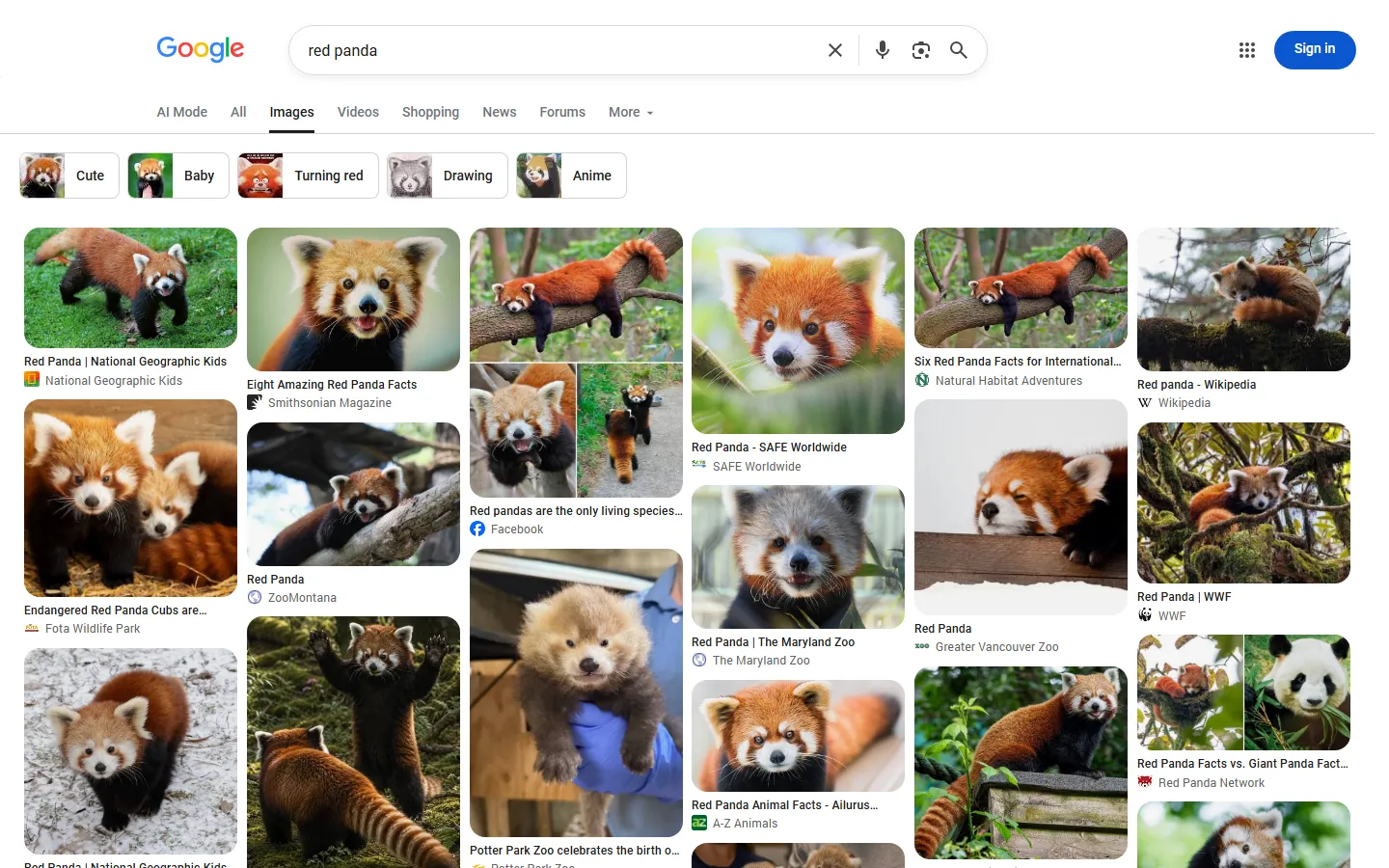
- Type your searches into Search terms, one per line (e.g.
red panda,modern kitchen), or paste Google Images links. - Pick filters if you need them (size, colour, usage rights, country…) and set Max images per search.
- Click Start and watch the images arrive in the dataset.
- Export as JSON, CSV, Excel or HTML, or read the dataset through the API.
⬇️ Input
| Parameter | Type | Description |
|---|---|---|
| 🔍 What to scrape | ||
queries | list of strings | Searches, one per line. A Google Images link also works here. Empty = the sample search red panda. |
searchUrls | list of strings | Pasted Google Images links; each keeps its own term, tbs filters, country, language and SafeSearch. |
| 🎯 Google filters | ||
country | select, default us | Google domain, gl and proxy country — 51 countries. |
language | select, default en | Interface and result language (hl). |
imageSize | select, default any | Large, medium, icon, "larger than" 400×300 … 70 MP, or exact size. |
exactWidth, exactHeight | integer | Pixels for Size = Exactly. |
imageColor | select | Full colour, black and white, transparent, or one of 12 colours. |
imageType | select | Photo, face, clip art, line drawing, GIF / animated. |
fileType | select | JPG, PNG, GIF, BMP, SVG, WEBP, ICO, RAW. |
timeRange | select | Past hour, 24 hours, week, month, year. |
dateFrom, dateTo | date | Custom date range (wins over timeRange). |
usageRights | select | Creative Commons, or commercial & other licenses. |
safeSearch | select, default off | Off, Google default, or filter explicit results. |
site | string | Only images from one website, e.g. wikipedia.org. |
| ✂️ Refine results | ||
aspectRatio | select | Tall, square, wide, panoramic — checked on each image's size. |
minWidth, minHeight | integer, default 0 | Drop smaller images. |
skipCrawlerOnlyImages | boolean | Drop Facebook/Instagram crawler-only image links. |
removeDuplicatesAcrossQueries | boolean | Deliver each image once per run. |
| ➕ Extra data | ||
checkImages | boolean | Check each image link (paid add-on, see pricing). |
expandWithRelatedSearches | boolean | Also search Google's related-search chips when a search runs out. |
maxRelatedSearches | integer, default 5 | Related searches per search (1-30). |
relatedSearchesExclude | list | Skip related searches containing these words. |
includeRelatedQueries | boolean | One free row per search with Google's related searches. |
| 🔁 Monitoring | ||
monitorMode | boolean | Deliver only images earlier runs did not deliver (first results page per search). |
monitorStoreName | string | Named store that remembers delivered images. |
| 📦 Output | ||
maxResultsPerQuery | integer, default 100 | Images per search (1-1,000). |
maxResults | integer, default 0 | Cap for the whole run; 0 = none. |
compact | boolean | Core fields only, for AI / MCP pipelines. |
| ⚙️ Advanced | ||
maxConcurrency | integer, default 4 | Google requests in flight. |
tbs | string | Extra Google tbs codes, e.g. isz:l,ic:trans. |
No field is required. Other Google Images actors' input names are accepted too (query, q, keywords, maxImagesPerQuery, gl, hl, color, timePeriod, startUrls, onlyNew, monitorName).
Input JSON
Put one search per line
Each line is one Google Images search, like typing it into images.google.com. red panda, snow leopard is one search for both words together; put red panda and snow leopard on separate lines to get two result sets.
Paste a link to keep Google's own filters
If you already filtered results in Google Images, copy the address bar and paste it into Google Images links. The term, tbs filters, country (gl or the Google domain), language and SafeSearch of that link are used as they are.
Some filters are checked here, not by Google
Google ignores its aspect-ratio filter (measured: the same 94 of 100 images with and without it) and applies exact size loosely (54% exact on a 1920×1080 test). So aspect ratio, exact size, "larger than" sizes and the minimum width/height are checked on each image's own width and height. Images that fail are not delivered and not charged.
⬆️ Output
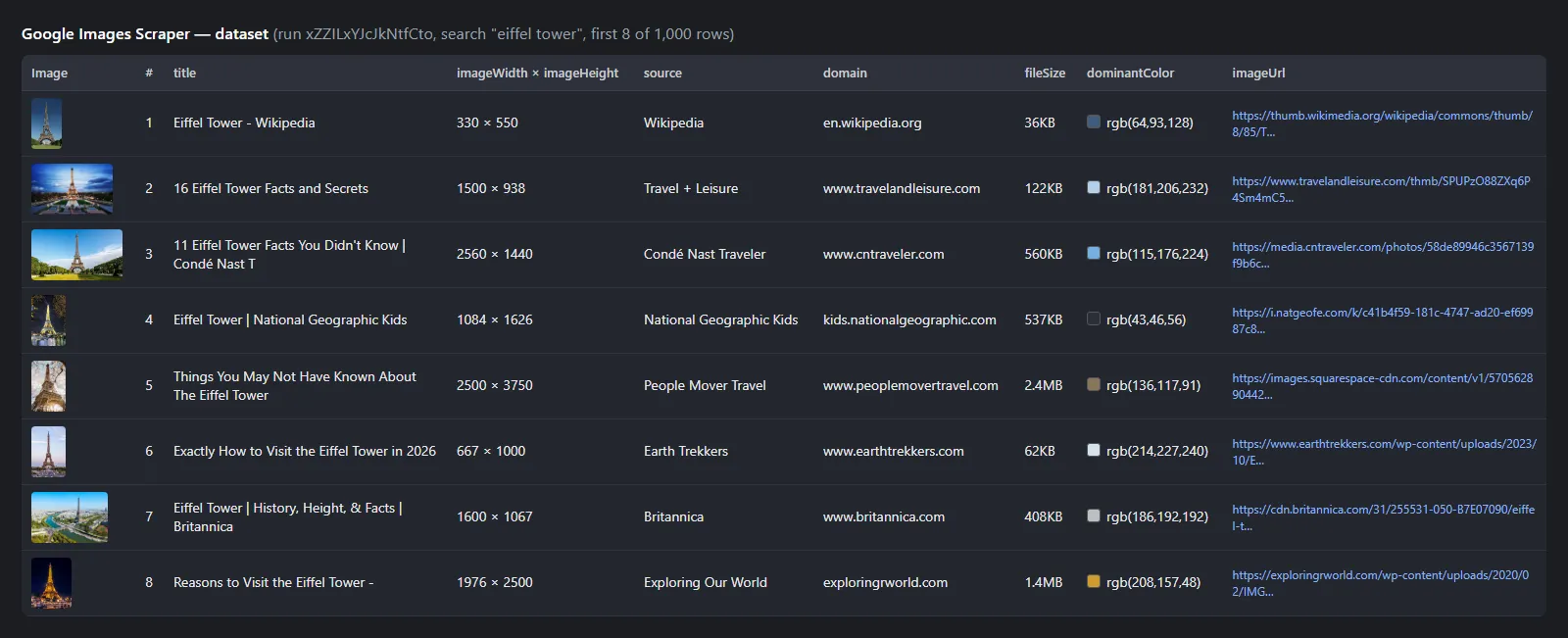
A real row (run xZZILxYJcJkNtfCto, search "eiffel tower"; product and licence fields are null on this image):
On a licensable stock image the licence fields read, for example, "licenseName": "iStock", "licenseCredit": "©iStock, credit: K_Thalhofer", "licenseCopyright": "©iStock", "licenseUrl": "https://www.istockphoto.com/legal/license-agreement". On a product image: "productTitle": "Cute Golden Retriever Puppy", "productSeller": "Posterlounge", "productPrice": 7.95, "productCurrency": "EUR".
Fields
Fill measured on run xZZILxYJcJkNtfCto (10 searches, 1,000 images, 604 different domains).
| Field | Type | Meaning | Filled |
|---|---|---|---|
imageUrl, imageWidth, imageHeight | string, int | The image file Google links to and its size (median width 1,100 px) | 100% |
thumbnailUrl, thumbnailWidth, thumbnailHeight | string, int | Google's thumbnail | 100% |
title, link | string | Source page title and URL | 100% |
source, domain | string | Site name and domain | 100% |
imageId, googleUrl, position, page | string, int | Google's image id (stable across days), viewer link, rank, results page | 100% |
fileSize, dominantColor | string | Google's size label ("36KB") and colour ("rgb(64,93,128)") | 100% |
aboutThisImageUrl | string | Google's "About this image" page | 100% |
format | string | From the URL's extension (null when the URL has none) | 91% |
imageUrlCrawlerOnly | boolean | Facebook/Instagram crawler-only link | 100% (true on 1.5%) |
isProduct + productTitle, productSeller, productDescription, productPrice, productCurrency, productRating, productId, googleShoppingUrl | mixed | Shopping data, only on product images | 3% of these searches; 12 of 100 on "nike air max 90" |
isLicensable + licenseName, licenseUrl, licenseAcquireUrl, licenseCreators, licenseCreatorsText, licenseCredit, licenseCopyright | mixed | Licence data, only on licensable images | 8.5% of these searches; 99 of 100 on a stock-photo search |
imageAvailable, imageHttpStatus, imageContentType, imageBytes | mixed | Image link check (add-on only) | 34 of 40 links served an image |
query, sourceQuery, country, language, filters, safeSearch, searchUrl, scrapedAt | string | The search the row came from | 100% |
Product prices are in the seller's own currency (a US search mixes USD and EUR sellers).
How can I use Google Images data?
- 🤖 AI and ML datasets: collect image URLs with sizes, titles and licences to build training or evaluation sets.
- 🔎 Image SEO: track which pages rank for your keywords in Google Images, at which position, with what file size.
- 🏷️ Brand and product monitoring: schedule monitor mode on your brand or product names and get new images as they appear.
- 🛍️ E-commerce research: see which sellers and prices Google shows on product images for a search.
- ⚖️ Licensing and rights research: find licensable stock images with their provider, credit and licence link, or filter to Creative Commons.
- 🎨 Design and content research: filter by colour, size, type and aspect ratio to shortlist visuals with their source pages.
How much does it cost to scrape Google Images?
Google Images Scraper uses pay per event, with no start fee and no per-search fee:
| Event | Charged when | Price |
|---|---|---|
image | once per image delivered to your dataset | $0.00022 ($0.22 per 1,000) |
image-check | once per image whose link was checked and served an image (only with Check image links) | $0.001 |
| Run | Images (events) | Cost |
|---|---|---|
| 1 search × 50 images | 50 image | $0.011 |
| 10 searches × 100 images | 1,000 image | $0.22 |
| 1 search × 300 images | ~280-300 image (Google's own depth for the search) | ~$0.06-0.066 |
| 1 search × 40 images + image check | 40 image + up to 40 image-check | up to $0.049 |
Images that fail your filters, images an earlier monitor run already delivered, duplicates, related-search rows and searches that return nothing are not charged. Apify's free plan includes $5 of monthly credit.
Integrations, API, scheduling & MCP
- Schedules: run daily or hourly from Schedules in Apify Console; with Monitor mode each run returns only new images.
- Webhooks: call your endpoint when a run finishes.
- No-code: Make, Zapier, n8n, Google Sheets, Airtable and Slack via Apify integrations.
- API: start runs and read datasets from Node.js or Python with
apify-client— code on the API tab. - MCP / AI agents: connect Claude, Cursor or any MCP client through the MCP tab.
More search and media scrapers
| 🔎 Bing Search Scraper — Bing web, news, images and videos | 🏨 Google Hotels Scraper — prices and booking sites | ⭐ Google Maps Reviews Scraper |
| 📍 Google Geocoding Scraper | 📸 Instagram Scraper — posts and reels | 🎵 TikTok Scraper |
| 🌐 Website Content Crawler — page text for RAG | 🗺️ Apple Maps Scraper | 👤 All TopApi Actors |
Limits & empty runs
- Images per search: a Google results page holds 50-100 images (usually 100). Google's own depth was 278-371 images per search in our runs;
expandWithRelatedSearchesgoes further (450 from one term, 43% of them through related searches). - Speed: one Google request answers in 4-40 s. 10 searches × 100 images took 86 s; a 300-image search 81-183 s. Now and then Google's proxy does not answer; that request is retried once.
- Results change: Google re-orders and swaps images between requests (5 of 100 first-page images changed within minutes in our monitor test), and by country and language.
- Monitor mode reads the first results page (up to 100 images) of each search.
- Empty runs: a search Google has no images for, or one where every image fails your filters, delivers nothing and charges nothing. RUN_SUMMARY lists every search with pages read, duplicates, filtered counts and why it stopped.
- If Apify's Google proxy refuses requests (for example a used-up monthly quota on the account), the run stops cleanly with a status message; searches not run are not charged.
- Images belong to their owners. The Actor returns links and the information Google publishes about them, not the image files. Google and Google Images are trademarks of Google LLC; this Actor is not affiliated with Google.
❓ FAQ
How many images can Google Images Scraper get per search?
Up to 100 per results page and usually 280-370 per search before Google runs out of new images. Turn on Expand with related searches to keep going through Google's related searches, up to 1,000 per search.
How much does Google Images Scraper cost?
You pay per delivered image (image event) and, only when you turn it on, per checked image link (image-check). There is no start fee and no per-search fee. The current prices are on the Pricing tab.
Can I run Google Images Scraper on a schedule and get only new images?
Yes. Turn on Monitor mode, give it a Monitor store name, and schedule the task. Each run reads the first results page of each search and delivers only images that earlier runs with the same store did not deliver.
Can I use Google Images Scraper with the Apify API?
Yes. Start runs and read results from any language over the REST API, or with apify-client for Node.js and Python. Examples are on the API tab.
Can I use Google Images Scraper through an MCP server?
Yes. Add the Actor to Claude, Cursor or another MCP client from the MCP tab. Use Compact output to keep rows short for AI agents.
Do I need a Google account, API key or cookies for Google Images Scraper?
No. Google Images Scraper reads the public results pages; nothing is needed from you except the searches.
Does Google Images Scraper download the image files?
No. It returns the image URL, its size and Google's thumbnail. Check image links asks each host for the first bytes of the file to confirm the link still serves an image, its content type and its size in bytes.
Can Google Images Scraper filter by licence or Creative Commons?
Yes. Set Usage rights to Creative Commons or commercial & other licenses. Licensable images also carry licenseName, licenseUrl, licenseAcquireUrl and licenseCredit.
Can Google Images Scraper search other countries and languages?
Yes. Pick one of 51 countries (Google domain and gl) and a language (hl), or paste a Google Images link from that country.
Why did my Google Images Scraper run return no images?
Google may have no images for the search, or your filters removed them all (see filtered in RUN_SUMMARY), or in monitor mode nothing new appeared since the last run. None of these is charged.
Your feedback
Found a bug or need a field? Open an issue on the Issues tab with the run ID and we will look at it.


