Google Scholar Search Scraper - Citations & PDFs, No Login
Pricing
from $0.49 / 1,000 articles
Google Scholar Search Scraper - Citations & PDFs, No Login
Scrape Google Scholar search results: title, authors, venue, year, snippet, cited-by count, versions and PDF link. Filter by year, skip citations, sort by date. Up to 100 articles per query. No login.
Pricing
from $0.49 / 1,000 articles
Rating
0.0
(0)
Developer

Cliqto Media
Maintained by CommunityActor stats
1
Bookmarked
2
Total users
1
Monthly active users
9 days ago
Last modified
Security
Limited permissionsShare
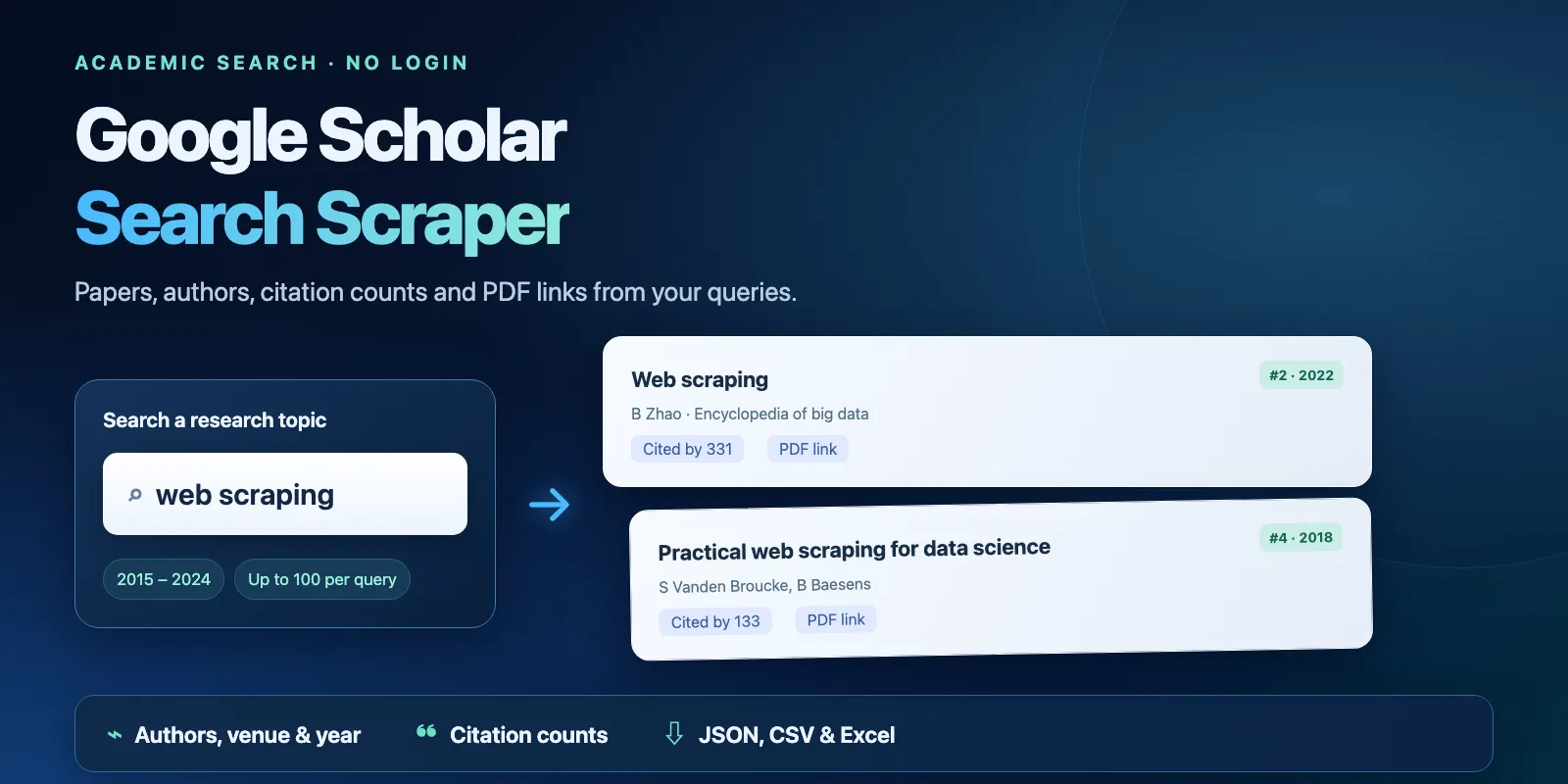
Search Google Scholar with your own queries and get one Dataset row per article: title, link, authors, venue, year, snippet, cited-by count and a direct PDF or HTML link when Scholar shows one. Add a year range, skip [CITATION] entries or sort by date. No Google login, account or API key is needed. The prefilled example returns 10 articles in under 15 seconds and costs $0.010 on the FREE tier.
What it does · Quick start · Use cases · Input · Output · Pricing · Limits · API and AI agents · Troubleshooting · FAQ · Related Actors · Support
What it does
The Actor opens the public Google Scholar results pages for each query, page by page (10 articles per page), and reads every result. It returns up to 100 articles per query in Scholar's order, with positions that continue across pages. Your year range, citation and sort settings are passed to Scholar as filters. Duplicate articles inside one query are removed by Scholar's own result id (resultId).
Good fit
- Literature review: the top articles on a topic, with authors, venue, year and citation counts in one spreadsheet.
- Finding open full texts:
pdfUrlgives the direct [PDF] or [HTML] link from the right column of Scholar. - Comparing topics or periods: several queries in one run, each with the same year range.
- Feeding papers to an AI agent or a RAG pipeline: titles, snippets and links as clean JSON.
Not a fit / limits
- More than 100 articles per query. Scholar cuts deeper pages for automated traffic; split a big topic into narrower queries or year ranges.
- Author profile pages, "Cited by" lists, BibTeX/citation export or full abstracts. The Actor returns the snippet Scholar shows, not the abstract.
- Downloading PDFs. The Actor returns links; it does not fetch or store files.
- Pages behind a CAPTCHA. The Actor never solves CAPTCHAs. When Scholar blocks every proxy IP, the query gets an
errorrow and is not charged.
Quick start
- Open the Input tab. The form is prefilled with the query
web scrapingand Max results per query = 10. - Click Start.
- Open the Results view in the Dataset. Check
title,authors,year,citedByandpdfUrl. - Open the
RUN_SUMMARYrecord in the Key-value store to see the run status and counts.
Expected result: 10 rows with status complete, positions 1–10, from the first Scholar results page for "web scraping".
Use cases
| Buyer job | Input path | Output entity | Key fields | Next step |
|---|---|---|---|---|
| Top papers on a topic | queries + maxResults | Article | title, authors, year, citedBy | Export CSV or Excel |
| Papers from a fixed period | yearFrom + yearTo | Article | year, venue, url | Screening spreadsheet |
| Open full texts | includeCitations: false | Article | pdfUrl, fullTextType, source | Download with your own tool |
| Newest papers | sortByDate: true | Article | addedAgo, title, url | Read via API |
| Papers by one author or journal | queries with author: or source: | Article | authorProfiles, venue, citedBy | Join on resultId |
Input
| Field | Type | Required | Default / prefill | Allowed values | Effect |
|---|---|---|---|---|---|
queries | array of strings | yes | prefill ["web scraping"] | 1–200 queries | One Scholar search for each line. Scholar operators work, e.g. author:"J Smith", source:Nature, "exact phrase". Empty lines and duplicates are removed. |
maxResults | integer | no | default 10, prefill 10 | 1–100 | Articles per query. The Actor stops earlier when Scholar has no more results. |
yearFrom | integer | no | none | 1000–2100 | Only articles from this year or later. |
yearTo | integer | no | none | 1000–2100 | Only articles from this year or earlier. Must not be lower than yearFrom. |
includeCitations | boolean | no | true | true, false | false drops [CITATION] entries: works Scholar knows only from reference lists, usually without a link. |
sortByDate | boolean | no | false | true, false | true sorts newest first, like Scholar's "Sort by date". Scholar then shows only articles added in the last year. |
proxyConfiguration | object | no | Apify Proxy (datacenter) | Apify proxy groups or your own proxy URLs | See below. |
A run with an empty queries list, maxResults above 100 or yearFrom > yearTo is rejected before any request to Scholar.
Proxy. With the default setting the Actor starts on Apify datacenter IPs. When Scholar refuses or shortens a page there, the Actor retries it through Apify residential proxy (US) and keeps that IP for the next page of the same query. If you choose a proxy group or your own proxy URLs, only your proxy is used. Apify Proxy traffic is included in the price; you pay no extra for it.
Input example
Expected behavior: two Scholar searches limited to 2020–2023, without [CITATION] entries, three pages each. Expected output: up to 50 article rows with year between 2020 and 2023 where Scholar shows a year. Cost on FREE: $0.001 + 2 × $0.002 + 50 × $0.0007 = $0.040.
Output
Each Dataset row is one article (status: "complete"), or one status row for a query that found nothing (not_found, charged only as a query) or failed (error, free). The Results view shows the main columns; the JSON, CSV and Excel exports contain every field.
| Field | Meaning | Type | Can be empty? |
|---|---|---|---|
query | Your query | string | no |
position | Place among the articles returned for this query; page 2 normally starts at 11 (repeats from earlier pages are skipped) | integer | null on status rows |
page | Scholar results page (1 = first) | integer | |
resultId | Scholar's own id of the result; stable across runs | string | null on status rows |
type | article, pdf, html, book or citation, from Scholar's label | string | null on status rows |
title | Article title | string | null on status rows |
url | Link of the title (publisher page or repository) | string | null for [CITATION] entries without a link |
authors | Author names as Scholar prints them (initials and surname) | array | can be [] |
authorsTruncated | true when Scholar cut the author list with "…" | boolean | |
authorProfiles | Authors with a Scholar profile: name, profileId, profileUrl | array | can be [] |
venue | Journal, conference or book; Scholar may shorten it with "…" | string | null when Scholar shows none |
year | Publication year | integer | null when Scholar shows no year |
source | Domain or publisher at the end of the result line, e.g. nature.com | string | yes |
snippet | Text excerpt under the title | string | yes |
addedAgo | With sortByDate only: how long ago Scholar added the article | string | null otherwise |
citedBy | Number from "Cited by N" | integer | see below |
citedByUrl | Scholar page with the citing articles | string | yes |
versions | Number from "All N versions" | integer | see below |
versionsUrl, relatedUrl | Scholar "All versions" and "Related articles" pages | string | yes |
pdfUrl | Direct full-text link from the right column | string | null when Scholar shows none |
fullTextType | Label Scholar shows for that link: usually PDF or HTML, sometimes another type such as PS | string | null without pdfUrl |
searchUrl | Scholar results page this row came from | string | no |
status | complete, not_found or error | string | no |
statusReason, errorCode | Why a row is not_found or error; code such as SOURCE_BLOCKED | string | null on article rows |
fetchedAt | When the page was fetched (ISO 8601, UTC) | string | no |
null is not 0. citedBy: 0 means Scholar shows the link bar of the result but no "Cited by" link. citedBy: null means the link bar is missing, so the count is unknown. year: null means Scholar shows no year; it is never written as 0.
Output example
One row from the prefilled run, shortened (relatedUrl, versionsUrl and citedByUrl removed):
Scholar results change over time, so the same query can return a different order or citation count tomorrow.
Status rows and run summary
| Situation | What you see | What to do |
|---|---|---|
| Articles found | complete rows | Use them |
| Scholar found nothing for the query and filters | One not_found row with statusReason | Check spelling, operators or the year range |
| A page failed after some articles | The articles, then one error row: "Stopped after N result(s)" | Run the query again or narrow it |
| Scholar blocked the query on every IP | One error row with errorCode SOURCE_BLOCKED | Try again later |
| Scholar answered no new article on 16 new IPs in a row | The run stops early; open queries get error rows with SOURCE_BLOCKED | Try again later; you paid only for articles already saved |
The Key-value store record RUN_SUMMARY has the run status (COMPLETE, PARTIAL, CAPPED, NO_RESULTS, ERROR or INVALID_INPUT), the stop reason, counts (including repeatsSkipped: articles Scholar repeated from earlier pages, which are not saved again) and one line per query with its result count and Scholar's "About N results" total. A "did not match" answer is checked once more on a new IP before the query is reported as not_found.
Pricing
Pay-per-event. You pay for three things:
| Event | When | FREE | BRONZE | SILVER | GOLD and above |
|---|---|---|---|---|---|
| Actor start | Once per run | $0.001 | $0.001 | $0.001 | $0.001 |
| Query | Once per query that Scholar answered (articles or not_found) | $0.002 | $0.002 | $0.002 | $0.002 |
| Result | Each complete article row | $0.0007 | $0.00063 | $0.00056 | $0.00049 |
error rows are free, and a query that fails before Scholar answers is not charged. Platform usage (compute, proxy, storage) is included.
| Scenario | Input | Charged events | FREE | GOLD |
|---|---|---|---|---|
| Prefill | 1 query × 10 | start + 1 query + 10 results | $0.010 | $0.008 |
| One deep query | 1 query × 100 | start + 1 query + 100 results | $0.073 | $0.052 |
| 1,000 articles | 10 queries × 100 (needs a longer timeout) | start + 10 queries + 1,000 results | $0.721 | $0.511 |
| Query with no articles | 1 query, not_found | start + 1 query | $0.003 | $0.003 |
Your maximum cost per run stops the run early when the next article or query would go over it: the run then ends SUCCEEDED with status CAPPED and reason CHARGE_LIMIT, keeping the rows that fit. Apify controls actual billing; see the Pricing tab for your tier.
Limits
- Up to 200 queries per run and 100 articles per query. In our tests 200 queries × 1 article took about 9 minutes with a 600-second timeout, so raise the timeout for big lists.
- Speed: a 10-article run usually takes under 10 seconds. In our tests 3 queries × 50 articles took about 30 seconds, and 5 queries × 100 articles took 2–3 minutes at 256 MB.
- Deep pages: Scholar often repeats or empties pages after about 70 articles of one query. In our tests 1–2 of 5 queries × 100 ended with a free
errorrow after 72–92 articles; the other queries reached 100. - The default run timeout is 300 seconds. The Actor stops source work 15 seconds before the timeout and keeps what it has: the run ends SUCCEEDED with status
CAPPEDand reasonDEADLINE. For many queries, raise the timeout in the run options. - Default memory is 256 MB; more memory does not add results.
- Results are in English Scholar (
hl=en) with Scholar's default search scope (articles, no patents).
This Actor is independent of Google. It reads public Google Scholar results pages, the same pages you see in a browser without login. Articles belong to their authors and publishers; check their terms before you reuse texts or PDFs.
API and AI agents
Run the Actor with the same JSON input through the Apify API. Keep your Apify token private. Read the default Dataset items and the RUN_SUMMARY record from the finished run. Apify exports JSON, CSV and Excel and can run the Actor on your own schedule.
Use with AI agents (MCP)
- MCP server with only this Actor:
https://mcp.apify.com?tools=cliqtomedia/google-scholar-scraper(authenticate with Apify). - Smallest useful input:
{"queries": ["web scraping"], "maxResults": 10}. - Key output fields:
title(paper title),authors(names),year(publication year or null),citedBy(citation count or null),pdfUrl(direct full text or null). - A 10-article call usually finishes in under 15 seconds and costs $0.010 on FREE. Limits: 100 articles per query, 200 queries per run.
Troubleshooting
A query returns a not_found row, but Scholar in my browser shows articles
Likely reason: a different spelling, operator or year range, or a filter such as includeCitations: false. Check the searchUrl of the row in a browser. Action: fix the query or remove a filter.
The last row of a query is an error row
Likely reason: Scholar refused or cut a deeper page on every proxy IP. The articles before it are kept and paid; the error row is free. Action: run the query again, or ask for fewer articles per query.
The run ends with CAPPED and DEADLINE
Likely reason: many queries for the run timeout. Action: raise the timeout in the run options, or split the queries into several runs.
FAQ
Do I need a Google account or a SerpApi key?
No. The Actor reads public Scholar pages through Apify Proxy. You only need an Apify account.
Why is citedBy or year empty for some rows?
Scholar does not show them for every result. null means "not shown", not zero. [CITATION] entries often have no year and no link.
Can I get every article on a topic?
No. Scholar shows at most about 1,000 results for one search, and it cuts deep pages for automated traffic; this Actor returns up to 100 per query. Use narrower queries or year ranges to cover more.
Are the results the same as in my browser?
Not always. Scholar answers different IPs and sessions differently: when we ran the same query several times, the order and some of the articles changed between runs. position is Scholar's order at the time of the run, so compare by title or url, not by position.
Related Actors
- DOI Metadata & Bibliography Enrichment — turn the papers you found into full bibliographic records by DOI.
- Google Patent Details Scraper — the same research step for patents.
Support
Use the Actor's Issues tab on Apify. Include the run ID, the expected result and a non-sensitive input example. Never share tokens or cookies.