

Statuspage Incidents Monitor — Vendor Status & Changes
Pricing
from $1.26 / 1,000 successfully checked services
Statuspage Incidents Monitor — Vendor Status & Changes
Read vendor Statuspage APIs for status, components, recent incidents and maintenance. Compare your snapshot and export new or changed services.
Pricing
from $1.26 / 1,000 successfully checked services
Rating
0.0
(0)
Developer

Cliqto Media
Maintained by CommunityActor stats
0
Bookmarked
2
Total users
1
Monthly active users
5 days ago
Last modified
Categories
Features
Share
Read vendor Statuspage APIs and get service status, components, incidents and planned maintenance in JSON. Compare your previous snapshot to find changed services.
For SRE, IT and support teams. Start with the five sample pages or add one vendor URL. Each successful service check has one fee, including checks with no changes. Incidents have no extra fee.
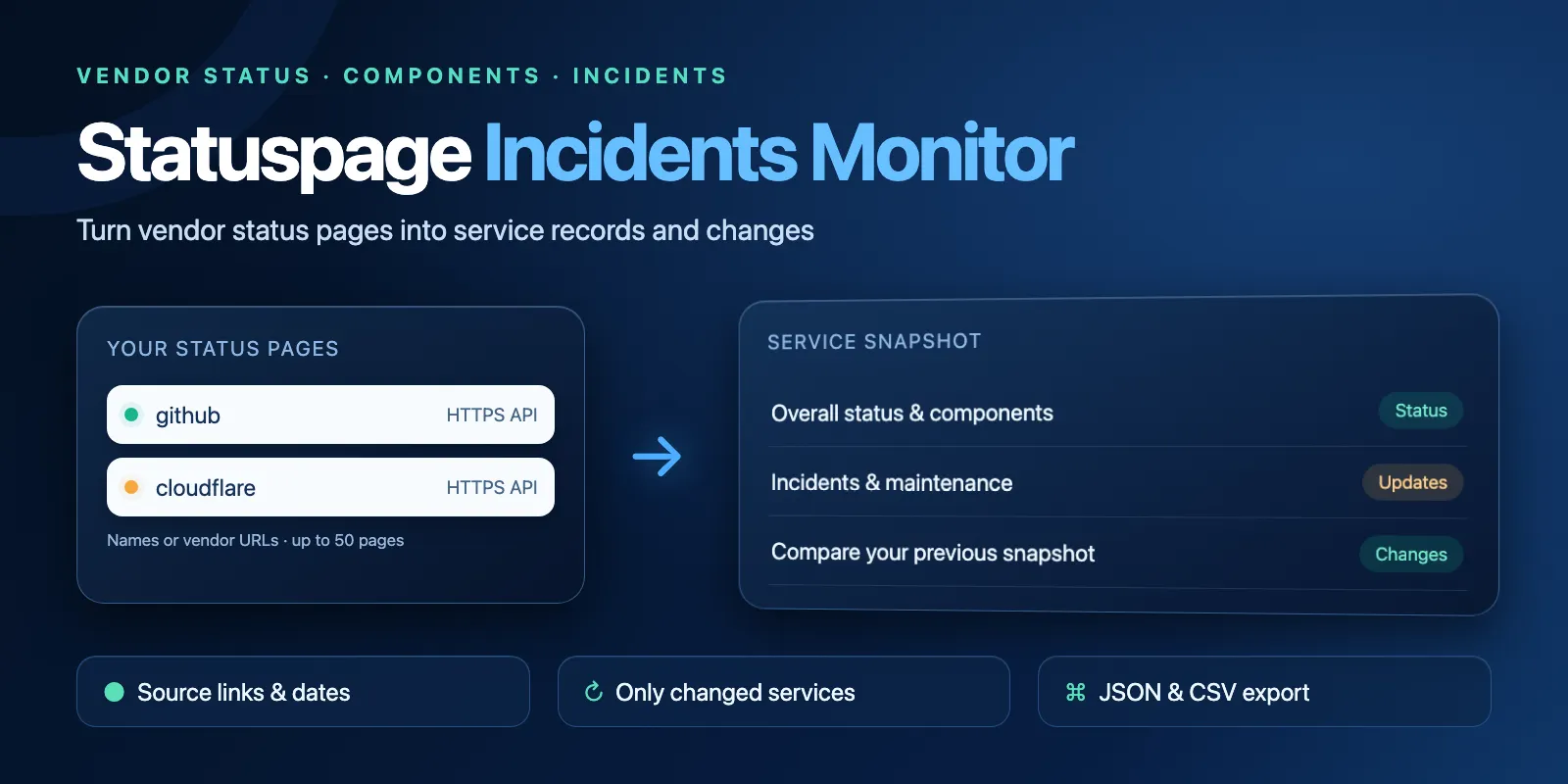
Table of contents
- What it does
- Data you get
- Quick start
- Input
- Output
- Pricing
- Use cases
- Monitoring
- API and AI agents
- Limits and partial results
- Troubleshooting
- FAQ
- Related Actors
- Support
What it does
The Actor reads /api/v2/summary.json and /api/v2/incidents.json from public vendor pages. It returns one service record with its status, components, recent incidents and upcoming or active maintenance.
The sample input uses GitHub, Atlassian, Cloudflare, DigitalOcean and Discord. The built-in names are github, atlassian, cloudflare, digitalocean, discord and reddit. Reddit is opt-in: its status API sometimes timed out from Apify Cloud in our tests, so it is not in the sample input. You can also use a vendor's HTTPS status URL. Use pages run by the vendor. Pages with another API format are not supported.
This reports what the vendor posts. A green page does not prove uptime. This Actor is independent and is not endorsed by Atlassian or the listed vendors.
Data you get
- Page name, ID, URL and overall indicator.
- Component IDs, names, statuses and update dates.
- Incident IDs, names, status, impact, dates, short links and last update text.
- Upcoming and active maintenance from the summary API.
- Source links and dates, plus
new,changedorunchangedfor each service. - A portable
SNAPSHOTrecord for your next run.
The incident list is the vendor's latest feed, often 50 incidents, plus unresolved incidents from the summary. It is not the full archive. A missing incident in the next feed does not prove it was removed or resolved.
Quick start
- Open Input. Keep the five sample names in
statusPages. - Keep
includeComponents: trueandonlyChanges: false. - Click Start.
- Open the Services dataset view. Check
serviceandoverallIndicator. - Open Status details for the nested lists. Export JSON for full nested data, or CSV for the service table.
- Open the output links for
RUN_SUMMARYandSNAPSHOT.
A normal first run returns five service records, even when there are no open incidents.
Input
| Field | Type / required | Default / prefill | Allowed values and effect | Example / advice |
|---|---|---|---|---|
statusPages | string[]; required in the form | Five sample names in the form and runtime | 1–50 entries; built-in names or HTTPS root URLs. Exact duplicate pages are checked once. Summary/incidents API URLs also work. | ["github", "https://www.cloudflarestatus.com"]. Use vendor-operated pages only. |
includeComponents | boolean; optional | true | Include components in both output and comparison. false returns an empty component list. | Turn off if you only need incidents and page status. |
incidentsSince | string; optional | No date filter | YYYY-MM-DD in UTC, or ISO timestamp with a zone. Resolved/postmortem incidents must have been updated on or after the date. All unresolved incidents stay in the result. | "2026-10-01". Blank or null means no filter. This does not scan older archive pages. |
previousSnapshot | object; optional | No baseline | Paste the full SNAPSHOT from a prior run. Version 1; up to 1 MB, 50 stored pages and 1,000 incident/maintenance fingerprints per page. | Keep the same component and date settings. A changed scope fails with SNAPSHOT_SCOPE. |
onlyChanges | boolean; optional | false | Save only new or changed services. Without a baseline every service is new. | Use true after saving a snapshot. Unchanged checks still have the service-check fee. |
API input {} uses the five runtime defaults. An empty list is invalid. URL credentials, query strings, fragments, private addresses and HTTP URLs are rejected. No vendor key is needed.
Input examples
Check two services:
Filter recent resolved incidents while keeping all unresolved incidents:
For change checks, download SNAPSHOT, put its full JSON object in previousSnapshot, and set onlyChanges to true. Do not use {} as a snapshot. Use the same date and component settings. You may use fewer pages; the snapshot keeps previously seen pages. The union of old and requested pages must stay at or below 50.
Output
One real GitHub record is shown below. The component and incident lists are shortened to one item.
Service fields
| Field | Type / null | Meaning / example |
|---|---|---|
service | string | Vendor page name, such as GitHub. |
pageUrl | string | Normalized HTTPS page you requested. |
pageId | string | Source page ID; use it to check source identity. |
overallIndicator | string | Vendor token, usually none, minor, major or critical. |
overallDescription | string | Vendor description, such as All Systems Operational. |
components | object[] | Component id, name, status and updatedAt (string or null). Empty if disabled or the source has none. |
incidents | object[] | Recent incidents and unresolved incidents. May be empty. See the incident fields below. |
scheduledMaintenances | object[] | Upcoming or active planned work. Same fields as incidents; may be empty. |
provider | string | atlassian-statuspage-v2, the API format. This is not an endorsement. |
sourceUrl | string | Summary API URL. History also comes from the same page's incidents.json. |
sourceUpdatedAt | string or null | Page update time from the vendor. |
fetchedAt | string | UTC time when this service record was made. |
dataLicence | null | The API does not state a data licence. Check the source terms for your use. |
historyCoverage | string | latest_incidents_feed_and_all_unresolved; no full archive claim. |
changeType | string | new, changed or unchanged, compared with your snapshot. |
status | string | complete for a successfully read service within the stated feed coverage. Run status is in the summary. |
Incident and maintenance fields
| Field | Type / null | Meaning |
|---|---|---|
id | string | Vendor incident or maintenance ID. |
name | string | Vendor title. |
status | string | Raw state such as investigating, monitoring, resolved, scheduled or in_progress. |
impact | string | Raw impact such as none, minor, major or critical. |
createdAt | string or null | Source creation time. |
updatedAt | string or null | Source update time; used for the date filter. |
resolvedAt | string or null | Source resolution time. Null means it is not supplied. |
shortlink | string or null | Vendor link to the incident. The Actor does not fetch it. |
lastUpdateText | string or null | Text of the latest update by its display/creation date. Treat it as text, not executable HTML. |
lastUpdateAt | string or null | Latest update display time, or creation time when display time is absent. |
scheduledFor | string or null | Planned start; normally null for incidents. |
scheduledUntil | string or null | Planned end; normally null for incidents. |
Output links and run summary
Services shows page status and change fields. Status details shows components, incidents and maintenance. The output also links to:
RUN_SUMMARY:status,reason,provider,dataLicence,pagesRequested,pagesChecked,rowsSaved,checksCharged,unchangedPages,requests,bytes,retries,errors,fetchedAtandhistoryCoverage.OUTPUT: the same counters plusdatasetId,summaryKeyandsnapshotKey.SNAPSHOT: version, settings scope hash and per-page fingerprints. It stores no incident bodies. Copy the whole object for the next run.
Each error has pageUrl (null for invalid input) and a stable code. checksCharged counts useful service checks; it includes unchanged services. It is not the number of saved rows. rowsSaved is the dataset count. partial means some work was not completed; read reason before using the result as an all-clear.
Pricing
Pay per event, with platform usage included during the run. Every successfully checked service is charged once, including unchanged services in onlyChanges mode. There is no extra incident or maintenance fee.
| Event | FREE | BRONZE | SILVER | GOLD / PLATINUM / DIAMOND |
|---|---|---|---|---|
| Automatic run start | $0.008 | $0.008 | $0.008 | $0.008 |
| Successfully checked service | $0.0018 | $0.0017 | $0.0016 | $0.0015 |
| Example | FREE total | Lowest tier total |
|---|---|---|
| 1 service, one run | $0.0098 | $0.0095 |
| 5 services, one run | $0.0170 | $0.0155 |
| 10 services, one run | $0.0260 | $0.0230 |
| 50 services, one run | $0.0980 | $0.0830 |
| 100 checks in two 50-service runs | $0.1960 | $0.1660 |
| 1,000 checks in twenty 50-service runs | $1.9600 | $1.6600 |
The last two examples are totals across separate runs, not a larger per-run limit. A check with no incidents or no changes has the same service fee. Failed or unread services are not charged a service event; the start and prior successful checks are still charged. Live prices are on the Pricing tab.
Use the maximum total charge setting to limit spending. A limit can stop the run before all pages are read. The start event is automatic and is charged once at the fixed 256 MB memory setting. Private owner runs do not prove a customer's invoice. Extra storage use after a run follows Apify's storage pricing.
Use cases
| Job | Settings | Result |
|---|---|---|
| Refresh a vendor status dashboard | onlyChanges: false | One current record per checked service. |
| Check for updates before sending an alert | Prior snapshot and onlyChanges: true | Only services with new or changed observations. |
| Review recent incident updates | incidentsSince | Recently updated resolved incidents plus all unresolved incidents in the available feed. |
| Track planned work | Any normal run | Upcoming or active maintenance in each service record. |
Monitoring
- Run once with
onlyChanges: false. - Download the full
SNAPSHOTrecord. - Send it in
previousSnapshoton the next run, withonlyChanges: true. - Save the new
SNAPSHOTfor the following run.
The Actor does not create schedules, webhooks or a shared state store. Use your own automation to pass the snapshot and send alerts. Changing fetch time alone does not cause an alert. Status, component names/statuses, observed incident fields and maintenance fields do.
Previously seen incident IDs remain in the snapshot even when they leave the recent feed or date window. Absence does not create a removed event. The snapshot is written at the end of the run. An abrupt container kill before that write can make a later run repeat an already delivered change. Read the run status and saved rows before retrying.
API and AI agents
Start a run with the Apify API. Send JSON input to /v2/acts/cliqtomedia~statuspage-incidents-monitor/runs. Keep your Apify token in a secret variable or authorization header. Download the dataset and summary from the returned run IDs.
Use with AI agents (MCP)
Add this Actor through Apify MCP with the server URL https://mcp.apify.com?tools=cliqtomedia/statuspage-incidents-monitor. Ask: “Check the vendor status pages for GitHub, Cloudflare and DigitalOcean. Show the indicators and open incidents with source links.”
Example MCP client config:
Minimal input: {"statusPages":["github","cloudflare"]}. Key output fields: service, overallIndicator, incidents, changeType, sourceUrl. A five-page check took about 10 seconds in our test and costs one start plus five service checks (see Pricing).
The Actor uses limited permissions. Agents can read structured service records and the run summary. An empty change dataset is not a source failure: check status, reason, pagesChecked and unchangedPages. n8n or Make can use the same API input, then read the dataset and pass the snapshot to the next run.
Limits and partial results
- Up to 50 URL entries, checked once per distinct page. Custom URLs must be vendor-operated pages with the compatible JSON API.
- Latest incident feed only. Some vendors have fewer incidents or more components. Maintenance is only the upcoming/active list in the summary.
- Two source requests per page, with up to two redirects and two attempts per request. Request cap: 200; body cap: 2 MB; total body cap: 16 MB.
- Source work stops after 150 seconds, even with a larger platform timeout. Default timeout is 300 seconds. Memory is fixed at 256 MB; other memory levels are rejected with
RESOURCE_ERROR. - No key, login, CAPTCHA bypass, proxy or independent uptime probe.
- Data may change between the summary and history requests. Vendor publishing delays also affect freshness.
- No open data licence is supplied. Source text belongs to its provider. Follow the vendor's terms. See the GitHub API and Atlassian terms.
CHARGE_LIMIT gives a successful run with partial and preserves delivered results. A source error, bad response, deadline or graceful cancellation gives a failed run with an error or partial summary. Earlier saved rows remain. The Actor stops at the first source failure. It does not invent a green record for unread pages. A valid service with no incidents still returns its status record.
Troubleshooting
| Symptom / reason | Check and action |
|---|---|
INVALID_URL or INPUT_PAGES | Use 1–50 HTTPS vendor root URLs or the six built-in names. Remove credentials, query strings and fragments. |
NOT_FOUND, HTTP_ERROR, INVALID_JSON or SOURCE_SCHEMA | Open the vendor's public summary API. A custom or changed API format is unsupported. Check the URL or contact support. |
UNSAFE_ADDRESS or UNSAFE_REDIRECT | Private/internal addresses and unsafe redirects are blocked. Use a public vendor page. |
RATE_LIMIT, REQUEST_TIMEOUT or SOURCE_ERROR | The vendor limited or failed the request. Retry later with fewer pages. Earlier rows may still be available. |
SNAPSHOT_SCOPE | Use the same includeComponents and incidentsSince as the old snapshot, or start a fresh baseline. |
SNAPSHOT_LIMIT | Keep the union at 50 pages and snapshot under 1 MB. Start a fresh baseline before it exceeds the fingerprint limit. |
| Empty dataset in change mode | Check unchangedPages. It is normal when all checked services are unchanged. Service checks are still charged. |
CHARGE_LIMIT | Raise your charge limit or use fewer pages. Only delivered results update the snapshot. |
BYTE_LIMIT or DEADLINE | Use fewer pages. The run keeps earlier results and reports partial failure. |
FAQ
Does a green indicator mean there was no outage? It only shows the vendor's published status. It is not a measured uptime guarantee.
Can I get the full incident archive? No. The Actor reads the latest incidents feed and all unresolved incidents in the summary.
Can I use another status provider? Only if its page has the same public JSON structure. RSS, Instatus and custom HTML are not supported.
Why did an old incident pass the date filter? Unresolved incidents stay visible even when their last update is older. Resolved incidents use their update date, not only the creation date.
Will a quiet check cost money? Yes. Every successfully checked service has one fee, plus the run start. It has no incident fee.
How do I keep monitoring state? Pass the full previous SNAPSHOT in the next input. The Actor does not create a shared store or a schedule for you.
Can I export a CSV? Yes. Use the Services view for page fields. Use JSON when you need full nested incidents and components.
Related Actors
See CliqtoMedia's Actors for other public tools.
Support
Open an issue on this Actor's Store page. Include a public vendor URL, the error code and your run ID. Do not post tokens or a private snapshot.


