

Workable Jobs Scraper & Monitor: Career Pages & Search
Pricing
from $0.90 / 1,000 job rows
Workable Jobs Scraper & Monitor: Career Pages & Search
Scrape public jobs from Workable company career pages and jobs.workable.com search: descriptions, locations, departments and optional salary. Monitor mode returns only new, changed and removed jobs.
Pricing
from $0.90 / 1,000 job rows
Rating
0.0
(0)
Developer

Cliqto Media
Maintained by CommunityActor stats
0
Bookmarked
2
Total users
1
Monthly active users
11 days ago
Last modified
Categories
Security
Limited permissionsShare
Workable Jobs Monitor & Scraper collects public jobs from company career pages on Workable (apply.workable.com/<company>) and from the Workable job search (jobs.workable.com). It returns one clean row per job, and on a schedule it can return only new, changed and removed jobs.
Use it to track hiring at companies you care about, to build a job feed, or to find job leads by keyword and location. The smallest run is one company name, for example costello-medical.
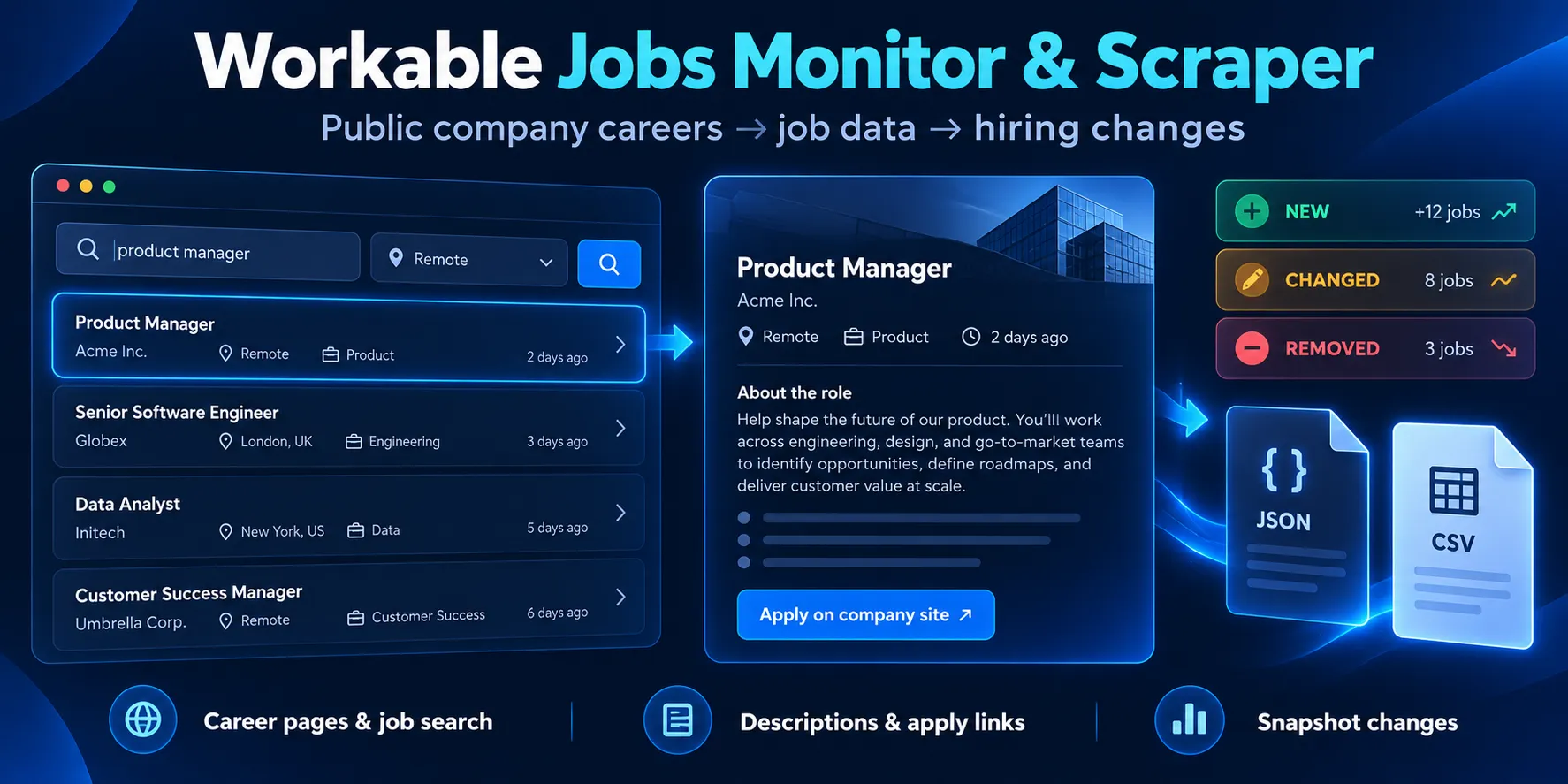
Table of contents
- What it does
- Quick start
- Use cases
- Input
- Output
- Monitoring: only new, changed and removed jobs
- Pricing and limits
- API, export and integrations
- Troubleshooting
- FAQ
- Related Actors
- Support
What it does
The Actor reads two public Workable sources. No login, cookie or Workable API key is needed.
- Company career pages. Add a company name or its career page URL. The Actor returns every published job of that company with title, locations, department, employment type, experience, industry, posting date, links and the full job description split into description, requirements and benefits. This uses 2 requests per company, even for companies with hundreds of jobs.
- Workable job search. Add keywords and/or a location. The Actor goes through the search results page by page (20 jobs per page) and returns each job with company, location, workplace type and description.
Every run also saves a short status report: for each company and search you see complete, partial, not_found, error or skipped, with the reason. A company that does not exist or a blocked request never looks like a successful empty result.
Good fit
- Watch the career pages of competitors, clients or target accounts and get new jobs every day.
- Build a job board or a job alert from Workable companies and keywords.
- Collect hiring signals (department, location, seniority) for sales or market research.
Not a fit / limits
- Only public, published jobs. No applicant data, no private postings.
- Companies with their own career site and no
apply.workable.com/<company>page are not supported. - Salary is published by only some employers. You get it only with Add salary and exact workplace type on, and only for company pages. The search does not return salary.
- Workable limits how many requests one IP address can make per day. Large runs can stop early with a clear
partialstatus (see Pricing and limits). - Up to 5,000 jobs per run.
Quick start
- Open the Input tab.
- In Companies on Workable (
companies) keep the prefilledcostello-medicalor add your own company name or URL. - Keep the other settings as they are. By default the Actor returns all current jobs (
mode:all). - Click Start.
- Open the Output tab. The table shows one row per job with title, company, location and job URL.
Expected result: about 20–30 rows for costello-medical (the number changes when the company hires), and status complete in the run summary.
Use cases
| Buyer job | Input path | Output entity | Key fields | Next step |
|---|---|---|---|---|
| Track hiring at known companies | companies + mode: changes on a schedule | new / changed / removed job | change_type, title, location, url | Send new rows to Slack, email or a sheet |
| Find jobs by keyword and place | searchKeywords + searchLocation | job | title, company_title, workplace_type, date_posted | Job board, alert, CRM |
| Hiring signals for sales | companies | job | department, experience, function, locations | Lead scoring |
| Salary research (where published) | companies + includeDetails: true | job | salary_min, salary_max, salary_currency, salary_period | Spreadsheet |
Input
Input fields
| Field | Plain name | Type | Required | Default / prefill | Allowed values | Effect | Example | Recommendation |
|---|---|---|---|---|---|---|---|---|
companies | Companies on Workable | array of strings | one of companies, searchKeywords, searchLocation | prefill ["costello-medical"] | up to 200; company name, https://apply.workable.com/<company>/, a job URL of that company, or https://<company>.workable.com | Reads each company career page | ["treatwell", "https://apply.workable.com/skroutz/"] | Use the name from the career page URL |
searchKeywords | Search keywords | array of strings | see above | empty | up to 20, each up to 100 characters | One Workable search per keyword | ["data analyst"] | Short role names work best |
searchLocation | Search location | string | see above | empty | up to 100 characters | Location for every keyword search; can be used alone | "United Kingdom" | Use a country or city name |
postedWithin | Posted within | string | no | any | any, 24h, 7d, 30d | Keeps only recent jobs (search and companies) | "7d" | Use 24h or 7d for daily alerts |
workplaceTypes | Workplace type | array | no | empty (all) | remote, hybrid, on_site | Keeps only these workplace types | ["remote"] | For companies, hybrid/on-site need includeDetails |
titleKeywords | Job title must contain | array of strings | no | empty | up to 50 | Keeps jobs whose title contains any word | ["engineer"] | Matching is "contains", not case-sensitive |
excludeTitleKeywords | Job title must not contain | array of strings | no | empty | up to 50 | Drops jobs whose title contains any word | ["intern"] | "intern" also drops "International" |
locationKeywords | Location must contain | array of strings | no | empty | up to 50 | Keeps jobs with a matching location | ["germany"] | Checks all locations of a job |
departmentKeywords | Department must contain | array of strings | no | empty | up to 50 | Keeps jobs with a matching department | ["sales"] | Many jobs have no department |
includeDetails | Add salary and exact workplace type (companies) | boolean | no | false | true, false | +1 request per company job: adds salary and hybrid/on-site | true | Use for small runs only; Workable limits these requests per day |
mode | Mode | string | no | all | all, changes | changes returns only new, changed and removed jobs since the last run | "changes" | Use changes on a schedule |
monitorStateKey | Monitor name | string | no | built from your sources and filters | letters, digits, -, _; 1–60 | Runs with the same name share memory | "competitors-daily" | Set it if you plan to edit the input later |
includeUnchanged | Also return unchanged jobs | boolean | no | false | true, false | In changes mode also returns unchanged jobs | true | Use when you want the full list plus labels |
maxJobsPerSource | Max jobs per company or search | integer | no | 1000 | 1–5000 | Stops one company or search; it becomes partial | 200 | Lower it for quick tests |
maxJobsTotal | Max jobs per run | integer | no | 5000 | 1–5000 | Stops the whole run | 500 | Split bigger work into several runs |
Empty input: the run fails at once with a clear message and makes no requests. Duplicate companies (for example a name and the same company URL) are read once. Duplicate jobs inside one search are returned once.
Interacting settings
| When | Input A | Input B | Effective behavior | Cost/result effect |
|---|---|---|---|---|
| Keywords and location | searchKeywords | searchLocation | Each keyword is searched in that location | One search per keyword |
| Only a location | searchLocation | no keywords | One search for all jobs in that location | Big locations reach the limits fast |
| Workplace filter on companies | workplaceTypes | includeDetails: false | Only remote jobs are recognized; hybrid and on-site are unknown | Turn on includeDetails to filter hybrid/on-site |
| Limits | maxJobsPerSource | maxJobsTotal | The smaller limit wins; later sources become skipped | You pay only for returned rows |
| Monitoring and limits | mode: changes | a source is partial | No removed rows for that source in that run | Prevents false "removed" jobs |
Input examples
All jobs of two companies
Expected behavior: 4 requests, one row per job.
Expected output: title, company_title, locations, department, description_text.
Limit or cost note: no salary in this mode.
Search with filters
Expected behavior: up to 5 search pages; the search is partial if more jobs exist.
Expected output: title, company_title, location, workplace_type, url.
Daily monitoring
Expected behavior: the first run returns all current jobs as new. Next runs return only new, changed and removed jobs.
Output
Each Dataset row is one job (or one change in changes mode). Every row has all fields below. A field is null when Workable does not publish the value or when it does not apply to that source.
Output fields
| Field | Meaning | Type | Can be empty? | Example / enum | Notes |
|---|---|---|---|---|---|
id | Stable job ID | string | no | 266B371E9C | Company: Workable shortcode. Search: Workable job ID |
source_type | Where the row comes from | string | no | company, search | |
source_input | Company name or search text | string | no | costello-medical, software engineer @ United States | |
title | Job title | string | no | Accounts Assistant | |
state | Publication state | string | yes | published | null on removed rows |
language | Job language | string | yes | en | Search, or companies with includeDetails |
date_posted | Posting date (ISO 8601) | string | yes | 2026-09-23T00:00:00.000Z | Company pages publish the date only |
date_updated | Last update (ISO 8601) | string | yes | 2026-04-03T07:23:15.597Z | Search only |
url | Job page | string | no | https://apply.workable.com/costello-medical/j/266B371E9C/ | |
application_url | Apply page | string | yes | …/j/266B371E9C/apply/ | Companies only |
shortcode | Workable job shortcode | string | yes | 266B371E9C | Companies only |
company_slug | Company name in the URL | string | yes | costello-medical | Companies only |
company_id | Workable company ID | string | yes | UUID | |
company_title | Company name | string | yes | Costello Medical | |
company_website | Company website | string | yes | URL | |
company_url | Company page on Workable | string | yes | https://apply.workable.com/costello-medical/ | |
company_image | Company logo URL | string | yes | URL | |
location | Main location | string | yes | Boston, Massachusetts, United States | |
location_city | City | string | yes | Boston | |
location_subregion | State or region | string | yes | Massachusetts | |
location_country | Country | string | yes | United States | |
location_country_code | Country code | string | yes | US | Companies only |
locations | All locations | array of strings | no (can be []) | ["Boston, Massachusetts, United States"] | Search may include TELECOMMUTE |
workplace_type | Workplace | string | yes | remote, hybrid, on_site | Companies without includeDetails: only remote or null |
employment_type | Employment type | string | yes | Full-time, Contract | |
department | Department | string | yes | Operations | |
experience | Seniority | string | yes | Entry level | Companies only |
industry | Industry | string | yes | Pharmaceuticals | Companies only |
function | Job function | string | yes | Finance | Companies only |
education | Education | string | yes | Unspecified | Companies only |
salary_min | Salary from | number | yes | 33250 | Companies + includeDetails, when published |
salary_max | Salary to | number | yes | 43450 | as above |
salary_currency | Currency | string | yes | EUR | as above |
salary_period | Salary period | string | yes | year | as above |
is_featured | Featured in search | boolean | yes | false | Search only |
social_sharing_description | Short summary | string | yes | text | Search only |
description_html | Main description (HTML) | string | yes | HTML | |
description_text | Main description (plain text) | string | yes | text | |
requirements | Requirements (plain text) | string | yes | text | |
requirements_html | Requirements (HTML) | string | yes | HTML | |
benefits | Benefits (plain text) | string | yes | text | |
benefits_html | Benefits (HTML) | string | yes | HTML | |
details_error | Why salary/workplace are missing | string | yes | DAILY_LIMIT, HTTP_ERROR | Only with includeDetails |
source_query_keyword | Search keyword | string | yes | software engineer | Search only |
source_query_location | Search location | string | yes | United States | Search only |
change_type | Change since last run | string | yes | new, changed, unchanged, removed | null in mode: all |
first_seen_at | First time this monitor saw the job | string | yes | ISO 8601 | changes mode only |
content_hash | Fingerprint of the job content | string | no | 64 hex characters | Used to detect changes |
scraped_at | When the row was made | string | no | ISO 8601 |
When an employer writes everything in one text, requirements and benefits stay null and the full text is in description_html.
Output surfaces
| Situation | Where | Shape | What to do |
|---|---|---|---|
| Normal job | Dataset (Output tab) | one row per job | Open, filter or export |
| Company has no open jobs | Dataset + OUTPUT | no rows; source complete, jobs_found: 0 | Nothing to fix |
| Company name does not exist | OUTPUT | source not_found | Check the company name |
| Limit reached or Workable daily limit | Dataset + OUTPUT | rows found so far; source partial with reason | Raise the limit or run the rest later |
| Every source failed | run status Failed + OUTPUT | status: failed with reason | Read the message and retry later |
The key-value store record OUTPUT has the run result and one entry per company/search: status, reason, jobs_found, jobs_matched, jobs_emitted, new, changed, removed. RUN_SUMMARY adds timing, request counts, filters and the monitor name.
Output example
Input: {"companies": ["costello-medical"]}. One real row, long texts shortened:
Monitoring: only new, changed and removed jobs
Set mode to changes and run the same input on a schedule.
- First run: there is no memory yet, so every current job is returned as
new. - Next runs: you get only
newjobs,changedjobs (title, locations, workplace, department, salary, description or apply link changed) andremovedjobs (no longer published). If nothing changed, the Dataset is empty andOUTPUTshows0 new, 0 changed, 0 removed. - Removed jobs are reported only when the company or search was read completely in that run. If a source is
partialor failed, its old jobs are kept and checked again next time, so a temporary problem does not create falseremovedrows. - Memory is kept in your account in the key-value store
workable-jobs-monitor-state, one record per monitor name. If you change companies, searches or filters, a new monitor name is made automatically and the first run is a new baseline. SetmonitorStateKeyto keep the same memory. - For searches with
postedWithin, jobs that only got older than the window are not reported as removed.
Pricing and limits
Pricing unit
This Actor uses pay per event:
- $0.002 per run start (Apify run start event, one per GB of memory; the default 512 MB counts as one).
- $0.0009 per job row saved to the Dataset. In
changesmode you pay only for returned rows (new,changed,removed, andunchangedonly if you ask for them).
The OUTPUT and RUN_SUMMARY records are free. Companies or searches that return nothing do not add row charges. Use Max charge per run in the run options to cap the cost; the Actor stops saving rows when the cap is reached and marks the run partial.
Cost examples
| Scenario | Input scope | Rows | Price |
|---|---|---|---|
| One small company | costello-medical | ~26 | ~$0.025 |
| 100 jobs | search with maxJobsPerSource: 100 | 100 | $0.092 |
| 1,000 jobs | several companies | 1,000 | $0.902 |
| Run maximum | maxJobsTotal: 5000 | 5,000 | $4.502 |
| Daily monitor, no changes | mode: changes | 0 | $0.002 |
Limits
- 5,000 jobs per run (
maxJobsTotal). A tested run returned 5,000 rows in about 6.5 minutes. - Workable daily request limits. Workable limits how many search pages and job-detail requests one IP address can make per day. When the limit is reached, Workable asks to wait about 24 hours. The Actor then stops asking for that kind of data, saves everything found so far and marks the source
partialwith the reason. In a test run this happened after about 400 search pages (about 8,000 search jobs). Company pages withoutincludeDetailsuse only 2 requests per company and are rarely affected. - Default memory 512 MB and timeout 30 minutes are enough for 5,000 rows.
API, export and integrations
- Export: in the Output tab use Export to download JSON, CSV, Excel, XML or HTML.
- API: start the Actor with the Apify API and read the Dataset items endpoint. Read
OUTPUTfrom the run's default key-value store to see the status of each company and search. - Scheduling: create an Apify schedule with
mode: changesto get only new, changed and removed jobs. - Webhooks / no-code: use Apify integrations (Make, Zapier, Slack, Google Sheets, webhooks) to send new rows when a run finishes.
- AI agents / MCP: the Actor can be called from the Apify MCP server like any other Actor.
Troubleshooting
A company returns not_found
Symptom: OUTPUT shows not_found for a company.
Likely reason: the name is not a Workable company name, or the company left Workable.
Check: open https://apply.workable.com/<name>/ in a browser.
Action: copy the name exactly from the career page URL.
A source is partial with "daily request limit"
Symptom: fewer jobs than expected; the reason mentions Workable's daily limit.
Likely reason: Workable limited requests from the IP address used by the run.
Check: the rows already saved are valid and paid only once.
Action: run the remaining companies or searches later or in smaller runs; turn off includeDetails if you do not need salary.
No hybrid or on-site jobs with the workplace filter
Symptom: workplaceTypes: ["hybrid"] returns no company jobs.
Likely reason: without includeDetails, company pages show only whether a job is remote.
Action: turn on includeDetails for small runs, or leave workplaceTypes empty and check workplace_type later.
The run failed at once
Symptom: run status Failed with "INVALID_INPUT".
Likely reason: no company and no search, or a URL that is not a Workable company page.
Action: read the message; it lists each wrong value.
FAQ
Do I need a Workable account or API key?
No. The Actor reads public career pages and the public job search only.
Why is salary empty?
Salary needs includeDetails and is filled only when the employer publishes it on the company page. The search never returns salary.
How fresh is the data?
Each run reads Workable at run time. scraped_at shows when each row was made.
Can I get all jobs from Workable?
No. One run returns up to 5,000 jobs, and Workable limits requests per day. Use companies, keywords, locations and postedWithin to focus on the jobs you need.
Are duplicates removed?
Yes. A company added twice is read once, and a job that appears on two search pages is returned once. The same job found by two different keywords appears once per search.
What does partial mean?
Some jobs of that company or search are missing because a limit was reached or Workable refused more requests. The reason is in OUTPUT. Rows that were saved are correct.
Related Actors
- Greenhouse Jobs Scraper & Monitor — the same job for companies that hire on Greenhouse.
- Lever Job Scraper — jobs from Lever career pages.
- Ashby Jobs Scraper — jobs from Ashby career pages.
- Wellfound Jobs Scraper — startup jobs from Wellfound.
Support
For a bug, question or feature request, open the Issues tab of this Actor. Include the run ID, the input mode and the error text from OUTPUT. Never send API tokens or private data.
This Actor is not affiliated with or endorsed by Workable.


