
Google Shopping Scraper - Prices, Deals & Product Data
Pricing
from $5.00 / 1,000 results
Google Shopping Scraper - Prices, Deals & Product Data
Scrapes Google Shopping (google.com/shopping) product listings for any search query and country: title, current and previous price, discount, merchant, star rating, review count, shipping and product link as JSON, CSV or Excel.
Pricing
from $5.00 / 1,000 results
Rating
0.0
(0)
Developer

ActorFlow
Maintained by CommunityActor stats
0
Bookmarked
2
Total users
1
Monthly active users
15 days ago
Last modified
Categories
Features
Share
Scrape product listings, prices and deals from Google Shopping (google.com/shopping) for any search query and any country. This Google Shopping scraper returns the product title, current price and previous price, discount badge, merchant, star rating, review count, shipping terms and a shareable product link for every result — exported as JSON, CSV or Excel, or called directly as an API. Type a search term, press Start, and the results arrive in under a minute.
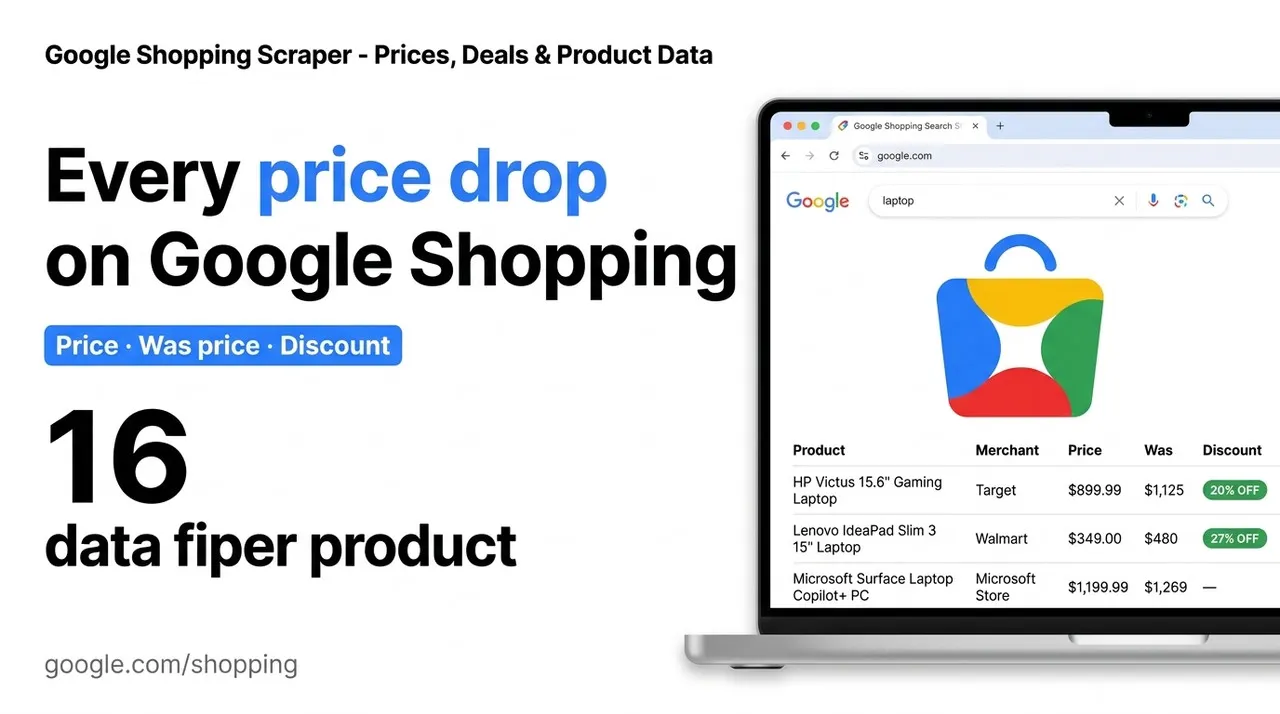
Target website: google.com/shopping
✨ Features of this Google Shopping products scraper
- Product listing extraction — title, price, currency, previous price, discount, merchant, rating, review count, shipping and product link for every search result
- Price-drop detection — products Google shows as reduced carry both the current and the previous price, plus the discount badge, so you can find deals without comparing runs
- Multi-query support — pass any number of search terms in one run; each is scraped independently with its own item limit
- Country and language targeting — prices, merchants and availability all change by market, so choose the one you actually sell into
- Price range filtering — restrict results to a minimum and/or maximum price
- Pagination support — the scraper walks to the next page of results until your item limit is reached
- Cross-run caching — name a cache project and repeat runs return only products you have not already collected
- Proxy support — uses the Apify Google SERP proxy, which is what makes Google Shopping reachable at all
- No browser required — runs on plain HTTP requests, so runs are fast and cost a fraction of a browser-based scraper
🚀 How to scrape Google Shopping products in 5 steps
- Sign up for a free Apify account — includes $5 monthly credit.
- Open the actor page and click Try for free.
- Enter one or more search queries and pick your country.
- Click Start and wait for the run to complete.
- Download results from the Output tab in JSON, CSV, or Excel format.
You can also run this actor via the Apify API or integrate it directly into your workflows using Zapier, Make, or n8n.
💰 Pricing for the Google Shopping scraper
This actor uses pay-per-result billing based on the compute units a run consumes.
- New Apify accounts include $5 of free monthly credit.
- It sends plain HTTP requests rather than driving a headless browser, so it costs significantly less to run than browser-based scrapers.
- The Google SERP proxy is required and is billed as part of your Apify proxy usage. Setting a realistic Max products per query is the single biggest lever on run cost.
🔧 Google Shopping scraper input configuration
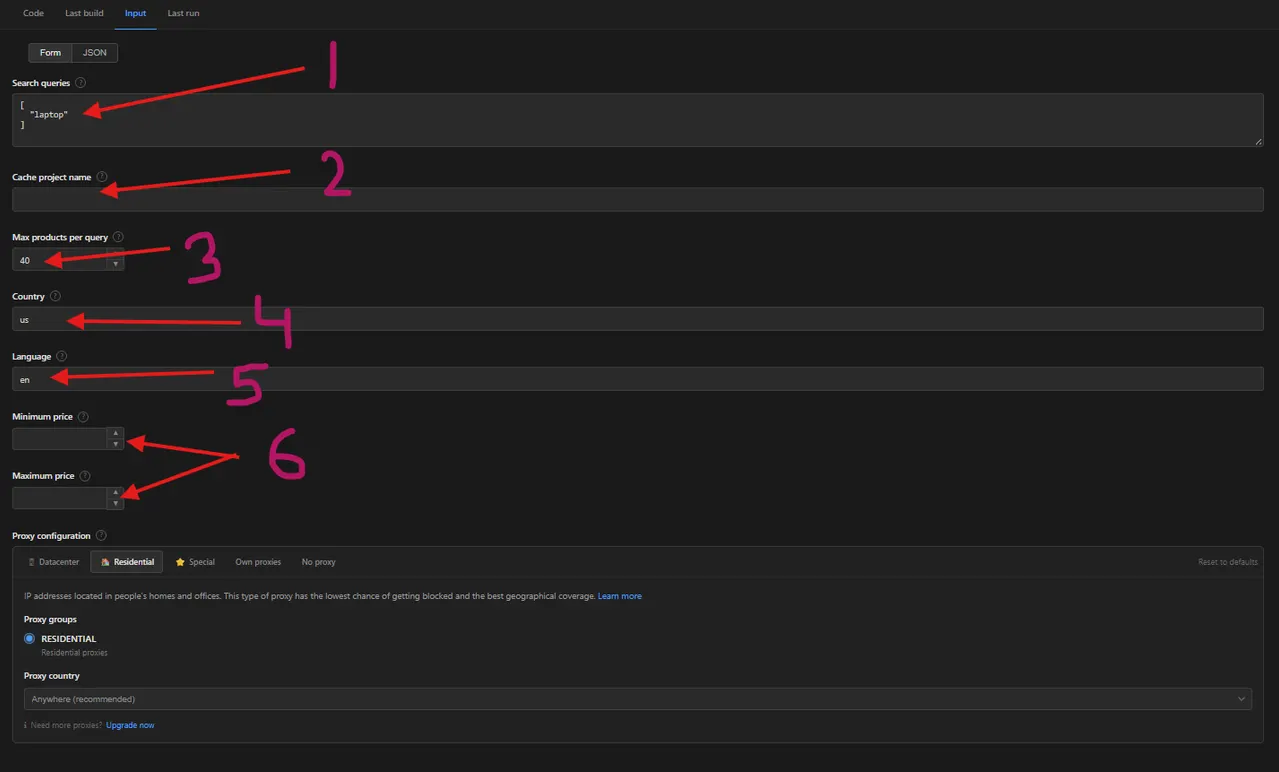
- Search queries — one product search per entry
- Cache project name — return only products you have not collected before
- Max products per query — product limit for each search query
- Country — the Google Shopping market, such as
us,gborde - Language — the result language, such as
en,deorfr - Minimum price and Maximum price — keep only products inside this price range
The proxy configuration sits below the part shown in the screenshot.
| Field | Type | Required | Default | Description |
|---|---|---|---|---|
queries | array | ✅ | ["laptop"] | Product searches to run, one per entry. Each query is scraped independently and the item limit applies to each separately. |
maxItems | integer | — | 40 | Maximum products to scrape per search query. Set to 0 for as many as Google returns. |
country | string | — | us | Two-letter country code for the Google Shopping market, e.g. us, gb, de. Prices, merchants and availability all vary by country. |
language | string | — | en | Two-letter language code for the results, e.g. en, de, fr. |
minPrice | integer | — | — | Only return products at or above this price, in the market's currency. |
maxPrice | integer | — | — | Only return products at or below this price, in the market's currency. |
cacheProjectName | string | — | — | Name a project to remember which products were already scraped across runs, so repeat runs return only new listings. |
proxyConfiguration | object | — | Apify Proxy, GOOGLE_SERP group | Required for Google Shopping. Google does not serve results to ordinary requests. |
A note on the proxy: unlike most scrapers, this one will not work with proxies switched off. Google answers an unproxied request with a "JavaScript required" shell or an "unusual traffic" check, both of which contain no products. The actor detects both and tells you in the log rather than finishing green with an empty dataset. Leave proxyConfiguration on its default unless you know what you are changing it to.
📦 Google Shopping scraper output data (JSON, CSV, Excel)
Each row is one product, with the keys: title, price, currency, priceText, wasPrice, discount, merchant, rating, reviewCount, shipping, productUrl, image, productId, query, searchUrl and position.
The dataset has three views. Overview is a compact table of title, price, previous price, discount, merchant, rating and link. Full product details shows every scraped field including shipping, review count and the originating search. Discounted products filters down to the price-reduced items, with the previous price next to the current one.
Sample output:
🐍 How to scrape Google Shopping with Python, JavaScript or the API
Run the actor programmatically with the official Apify clients. Replace <YOUR_API_TOKEN> with the token from your Apify Console.
Python (pip install apify-client):
JavaScript (npm install apify-client):
cURL — start a run and wait for the dataset:
💡 What you can use Google Shopping product data for
- Competitor price monitoring — track what every merchant charges for the same product across a market, on a schedule
- Price-drop and deal tracking — the previous price and discount badge identify genuine reductions rather than permanent "sale" pricing
- Merchant and assortment research — see which retailers appear for a category and how deep their catalogue runs
- Market entry and localisation checks — run the same query across
us,gbanddeto compare pricing and availability by country - Product catalogue enrichment — attach live ratings, review counts and market prices to your own product records
E-commerce and retail teams use this data for repricing and margin decisions; brand and market research analysts use it to watch category pricing; affiliate and comparison sites use it to keep listings current.
⚠️ Limitations of the Google Shopping scraper
- Proxy is mandatory — Google Shopping will not return products without the Apify Google SERP proxy. This is the one input you should not turn off.
- Product images are often empty — Google lazy-loads thumbnails and publishes only some of their URLs in the page itself; the rest arrive in a later request that an HTTP scraper never makes. Top-of-page products are consistently among the missing, so
imageis frequentlynull. Every other field is unaffected. - Merchant, rating and shipping can be empty — Google does not show them on every product card, so a few rows can have
merchant,rating,reviewCountorshippingset tonull. - Results are personalised and volatile — Google Shopping varies results by location, time and session. Two runs minutes apart can return different products, prices and ordering. Compare by
productId, not byposition. - Previous price —
wasPricecomes from Google's "Was" and "Usually" prices, so only products Google marks as reduced have it, anddiscountappears only when Google shows a percentage badge. - Roughly 50–70 products per query page — one search page carries this many results; a larger item limit triggers pagination automatically.
❓ Google Shopping scraper FAQ
Can I scrape Google Shopping legally?
This actor only collects data that is already publicly visible on Google Shopping search results — no login, no paywall and no private content is accessed. Scraping publicly available data is generally considered lawful, with hiQ Labs v. LinkedIn the usual precedent cited. You remain responsible for complying with Google's Terms of Service and with any applicable laws in your jurisdiction.
Why are product images empty in my results?
Google lazy-loads product thumbnails and only publishes some of their URLs in the search page itself; the rest are fetched by a second, browser-driven request. This scraper uses plain HTTP for speed and cost, so it captures only the thumbnails Google includes up front — often none of the top results. Every other field is complete.
How many products can I scrape from one search query?
One Google Shopping results page carries roughly 50 to 70 products. Set Max products per query higher than that and the scraper paginates automatically until the limit is met or Google runs out of results. The limit applies per query, so three queries at 40 each returns up to 120 products.
Do I need a proxy to scrape google.com/shopping?
Yes, and this is the exception to the usual advice. Google refuses shopping results to ordinary requests, answering with a JavaScript shell or an "unusual traffic" check instead. The actor defaults to the Apify Google SERP proxy group and will report the problem in the log if it is switched off.
How do I scrape Google Shopping with Python?
Install apify-client, then call the actor with your search queries and read the dataset back. The How to scrape Google Shopping with Python, JavaScript or the API section above has a complete, copy-pasteable example.
Can I run this Google Shopping scraper on a schedule?
Yes — use Apify Schedules to run it hourly, daily or weekly. Set Cache project name to have each scheduled run return only products it has not already collected, which is what makes daily price monitoring cheap.
What output formats are supported?
JSON, CSV, Excel, XML and RSS, either from the Output tab or through the Apify API.
🔗 Relevant actors for Google Shopping and product price data
| Scraper | Description |
|---|---|
| 🛒 AliExpress Products Scraper | AliExpress search results and product pages: title, price, discount and ratings. |
| 🏭 Alibaba.com Products Scraper | Wholesale products from Alibaba.com by product, search or category. |
| 🛍️ Carousell Products Scraper | Carousell.sg product listings with prices, seller ratings and deal methods. |
| 🗾 Mercari Japan Scraper | Mercari Japan listings with price in JPY, sold status, condition and category. |
| 🥦 Woolworths Products Scraper | Woolworths Australia grocery products: name, brand, price and unit price. |
🔗 Other actors you may find useful
| Scraper | Description |
|---|---|
| 📈 Kalshi Markets Scraper | Prediction market prices, implied probability, spread and volume. |
| 🥾 AllTrails Scraper | Hiking, biking and running trails by park, city, state or coordinates. |
| 🍷 Vivino Wine Scraper | Wine name, winery, vintage, region, country and ratings from Vivino. |
| 🏠 Rightmove Property Scraper | UK sale and rent listings from Rightmove with price, address and coordinates. |
| 📰 Google News AI Scraper | Google News search with optional article text and AI summaries. |
💬 Support & contact
If you encounter any issues or have questions, please open an issue.
You can also find more of our actors on the Actor Flow page.


