

StatMuse Sports Stats Scraper (NBA, NFL, MLB, NHL & More)
Pricing
from $0.40 / 1,000 results
StatMuse Sports Stats Scraper (NBA, NFL, MLB, NHL & More)
Scrapes StatMuse (statmuse.com) answers to natural-language sports questions plus player game logs and team pages for NBA, NFL, MLB, NHL, WNBA, college football, soccer and golf. Returns the answer sentence and stat tables as flat rows. Optional cache skips past-season queries.
Pricing
from $0.40 / 1,000 results
Rating
0.0
(0)
Developer

ActorFlow
Maintained by CommunityActor stats
0
Bookmarked
2
Total users
1
Monthly active users
a day ago
Last modified
Categories
Share
StatMuse Sports Stats Scraper (statmuse.com) - NBA, NFL, MLB, NHL & More
Scrape sports stats from StatMuse (statmuse.com) by asking plain-English questions or pasting a StatMuse page URL. Get the one-sentence answer and the full stat table as flat rows: player game logs, leaderboards, team records, head-to-heads and betting stats such as against-the-spread records for the NBA, NFL, MLB, NHL, WNBA, college football, soccer and PGA golf. Export the sports data as JSON, CSV or Excel, or call the scraper as a StatMuse API.
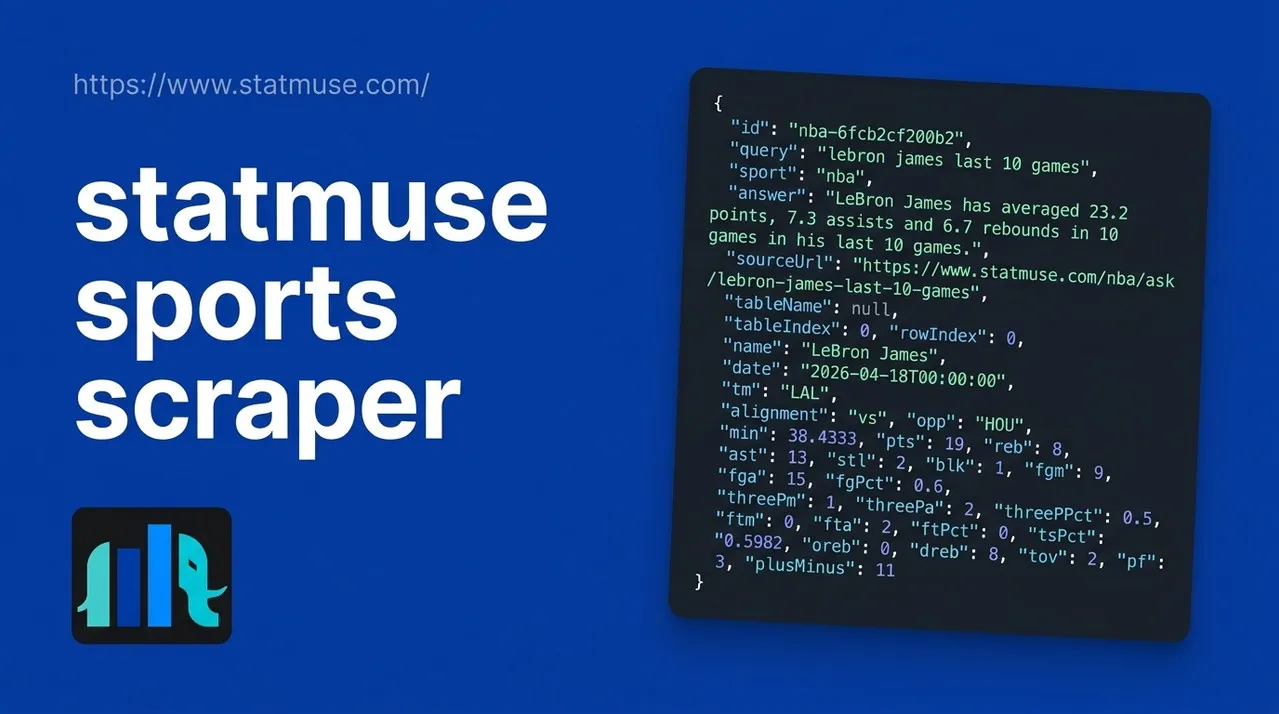
Target website: statmuse.com
Terms of service caution: StatMuse's Terms of Service prohibit automated data mining and scraping and license the site for non-commercial use only. This actor reads only public pages that need no login, but you are responsible for checking the StatMuse terms and getting any permission you need before you scrape, store or reuse its data, especially commercially. StatMuse also sells official data access.
✨ Features of this StatMuse sports stats scraper
- Natural-language query scraping — ask "Celtics against the spread record" or "most points in a game 2024-25" and get the answer sentence plus the result table
- Player game logs and team pages — paste a player game log (any season) or a team season page URL
- Eight sports — NBA, NFL, MLB, NHL, WNBA, college football, soccer (FC) and PGA golf
- Flat rows or whole tables — one record per table row with every stat as its own column, or one record per table with nested columns and rows
- Entity ids — player, game and team-season ids from StatMuse on every row, to join with other data
- Only new history (cache) — a cache project name skips queries and pages about finished past seasons you already have
- Proxy support — optional Apify Proxy configuration
- No browser required — plain HTTP requests make runs fast and cheap
🚀 How to scrape StatMuse stats in 5 steps
- Sign up for a free Apify account — includes $5 monthly credit.
- Open the actor page and click Try for free.
- Keep the prefilled StatMuse URL, or type your questions in the search section and pick the sport.
- Click Start and wait for the run to complete.
- Download results from the Output tab in JSON, CSV, or Excel format.
You can also run this actor via the Apify API or integrate it directly into your workflows using Zapier, Make, or n8n.
💰 StatMuse scraper pricing
This actor uses pay-per-result billing: you pay for each record saved to the dataset.
- New Apify accounts include $5 of free monthly credit.
- It works with plain HTTP requests instead of a headless browser, so it costs significantly less to run than browser-based scrapers.
- Proxies are off by default, which keeps runs as cheap as possible.
- Max items is counted per question or URL and defaults to 5. A result table holds up to 50 rows, so set it to what you need.
- Set a Cache project name on scheduled runs: past-season history you already scraped is skipped and not charged.
🔧 StatMuse scraper input configuration
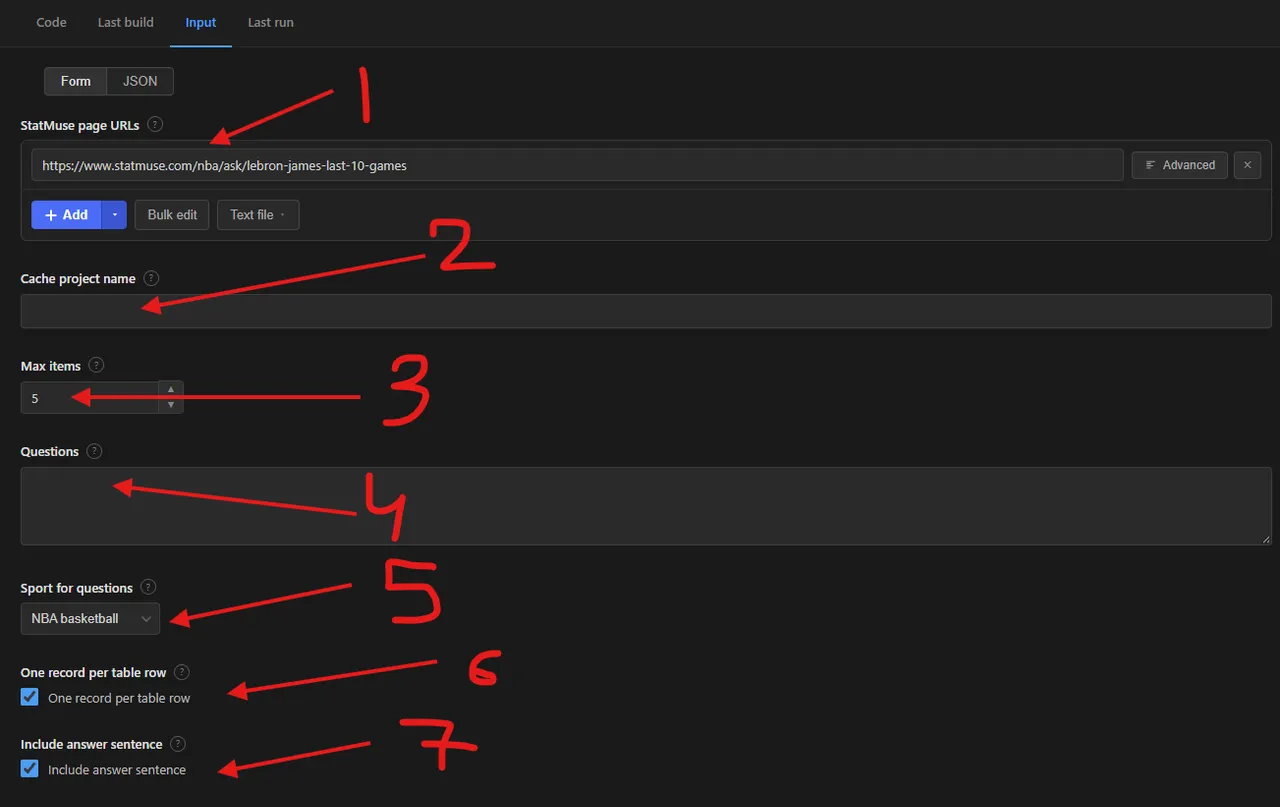
The numbers in the screenshot mark the fields of the input form:
- StatMuse page URLs (
startUrls): question, player game log or team page URLs. - Cache project name (
cacheProjectName): reuse the same name on scheduled runs to skip past-season queries already scraped. - Max items (
maxItems): maximum records per question or start URL. - Questions (
queries): plain-English sports questions, one per line. - Sport for questions (
sport): the StatMuse section the questions are asked in, such as NBA, NFL or soccer. - One record per table row (
flattenTable): on gives flat rows, off gives one record per table. - Include answer sentence (
includeAnswerText): adds StatMuse's one-sentence answer to each record.
| Field | Type | Required | Default | Description |
|---|---|---|---|---|
startUrls | array | — | [] (prefilled with LeBron James last 10 games) | StatMuse question, player game log or team pages. |
cacheProjectName | string | — | — | Same name on each run = skip past-season queries and pages already scraped. Never applies to "this season", last N games or leaderboards. Records get changeType: new. |
maxItems | integer | — | 5 | Maximum records per question or start URL (a table row, or a whole table in whole table mode). |
queries | array | — | [] | Plain-English questions, for example Celtics against the spread record. |
sport | string | — | nba | Sport section the questions are asked in: nba, nfl, mlb, nhl, wnba, cfb, fc (soccer), pga. |
flattenTable | boolean | — | true | One record per table row. Off = one record per table with nested columns and rows. |
includeAnswerText | boolean | — | true | Add StatMuse's answer sentence to each record. |
proxyConfiguration | object | — | {"useApifyProxy": false} | Optional Apify Proxy settings. |
Supported URL types:
- Questions:
https://www.statmuse.com/nba/ask/lebron-james-last-10-games,https://www.statmuse.com/nba/ask?q=celtics+against+the+spread+record,https://www.statmuse.com/fc/ask/messi-goals-2022 - Player game logs:
https://www.statmuse.com/nba/player/lebron-james-1780/game-log?seasonYear=2024(a plain player page is read as its current game log) - Team pages:
https://www.statmuse.com/nba/team/los-angeles-lakers-15/2025
The questions, sport, table mode and answer text fields sit in the collapsible Search by questions and filters section and are never applied to start URLs. The proxy setting is in its own Proxy section.
📦 StatMuse scraper output data
Each record is a flat JSON object with id, query, sport, answer, sourceUrl, tableName, tableIndex, rowIndex, the stat columns of that table as camelCase fields (for example name, date, tm, opp, pts, reb, ast, fgPct, threePm), entities (type, id, display name and StatMuse path for players, games and teams) and scrapedAt, plus changeType when caching. In whole table mode records have id, query, sport, answer, sourceUrl, tableName, tableIndex, rowCount, columns, rows and scrapedAt. The column set follows how StatMuse interprets each question, so it differs between queries. Missing values are null. The dataset has 1 view, Overview, a table of the answer and the first columns of each row.
Output at a glance:
| Date | Team | Opp. | Min | Pts | Reb | Ast |
|---|---|---|---|---|---|---|
| 2026-04-18 | LAL | HOU | 38 | 19 | 8 | 13 |
| 2026-04-21 | LAL | HOU | 39 | 28 | 8 | 7 |
| 2026-04-24 | LAL | HOU | 45 | 29 | 13 | 6 |
| 2026-04-26 | LAL | HOU | 33 | 10 | 4 | 9 |
| 2026-04-29 | LAL | HOU | 39 | 25 | 3 | 7 |
Sample output (raw JSON):
🐍 How to scrape StatMuse with Python, JavaScript or the API
Run the actor programmatically with the official Apify clients. Replace <YOUR_API_TOKEN> with the token from your Apify Console.
Python (pip install apify-client):
JavaScript (npm install apify-client):
cURL — start a run and wait for the dataset:
💡 What you can use StatMuse sports stats data for
- Player and team research datasets: game logs, last-N splits, season totals and head-to-heads in one table
- Betting research on against-the-spread and over/under records per team and game
- Fantasy sports and DFS models that need historical stat lines by player and season
- Sports newsletters, bots and dashboards that answer questions with a sentence and a table
- Analytics notebooks that join StatMuse player, game and team ids with other sports data
Analysts, bettors, fantasy players, journalists and sports-data teams typically use this data, subject to the StatMuse terms noted above.
⚠️ StatMuse scraper limitations
- Terms of service — StatMuse prohibits scraping and limits use to non-commercial purposes. Read its terms before using this actor or the data; the responsibility is yours.
- 50 rows per query — a result table holds at most 50 rows and the site has no pagination. Split a question by season or by last N games to get more.
- Columns vary — StatMuse picks its own interpretation of each question, so tables and columns differ between questions. A question it cannot understand returns no records and a warning in the log.
- Offseason "this season" — StatMuse answers "this season" with last season when the new one has not started.
- No live odds — only betting statistics such as against-the-spread and over/under results, not current sportsbook lines.
- Unsupported pages — single game pages, scores and standings are not read; use questions or game logs instead.
- Fresh data — answers are cached by the site for about a minute; past-season history never changes, so use the cache project name for it.
❓ StatMuse scraper FAQ
Can I scrape StatMuse legally?
The actor only collects data that StatMuse shows to logged-out visitors, with no login or paywalled content. Scraping publicly available data is generally considered lawful (see hiQ Labs v. LinkedIn), but the StatMuse Terms of Service explicitly prohibit automated scraping and commercial use, so review them and your local laws before using the data.
What data does the StatMuse scraper return?
The answer sentence, the question as StatMuse understood it, and every row of the result tables: for example player, date, team, opponent, points, rebounds, assists and shooting splits for a game log, plus StatMuse ids for players, games and team seasons.
How many rows can I scrape from one StatMuse question?
Max items applies per question or start URL and defaults to 5. A single result table holds up to 50 rows, and game log pages are split into one table per month or phase of the season.
Do I need a proxy to scrape statmuse.com?
No. The proxy setting defaults to off and the site answers normal requests, from datacenter proxies too. Turn on Apify Proxy only if you get blocked.
How do I scrape StatMuse with Python?
Use the Python example above with apify-client, then iterate over the dataset items and read the stat fields of each row.
Can I run this StatMuse scraper on a schedule?
Yes, use Apify Schedules. Set the same Cache project name on every run so questions and pages about finished past seasons are not fetched or charged again. Current-season questions, last-N games and leaderboards are always fetched fresh.
What output formats are supported?
JSON, CSV, Excel, XML and RSS, either from the Output tab or through the Apify API.
Why did my question return no records?
StatMuse answers HTTP 422 "I didn't understand your question" for questions it cannot parse, or for a player asked in the wrong sport. Rephrase the question in StatMuse style, check the Sport for questions field, and look at the run log for the warning.
🔗 Other actors you may find useful for sports and betting data
| Scraper | Description |
|---|---|
| 🏈 Action Network Odds & Public Betting Scraper | Sportsbook odds, public betting splits, opening lines and line movement. |
| 📈 Kalshi Markets Scraper | Prediction market prices, implied probability, spread and volume. |
| 🎟️ Gametime Events Website Scraper | Event, venue and ticket offer data from Gametime. |
| 📅 Facebook Events Scraper | Public Facebook events by keyword, location and date, without login. |
| 📰 Google News AI Scraper | Google News search with optional article text and AI summaries. |
💬 Support & contact
If you encounter any issues or have questions, please open an issue.
You can also find more of our actors on the Actor Flow page.


