
TikTok User Search Scraper
Pricing
from $1.80 / 1,000 user results
TikTok User Search Scraper
Search TikTok users by keyword, niche, name or brand. Export matching accounts with usernames, profile URLs, follower counts, verification, bios and search rank. Filter by follower range and verified accounts. No login or cookies.
Pricing
from $1.80 / 1,000 user results
Rating
0.0
(0)
Developer

Delowar Munna
Maintained by CommunityActor stats
0
Bookmarked
8
Total users
4
Monthly active users
13 days ago
Last modified
Categories
Share
TikTok User Search Scraper — Creators, Accounts, Followers, Bios & Search Rank
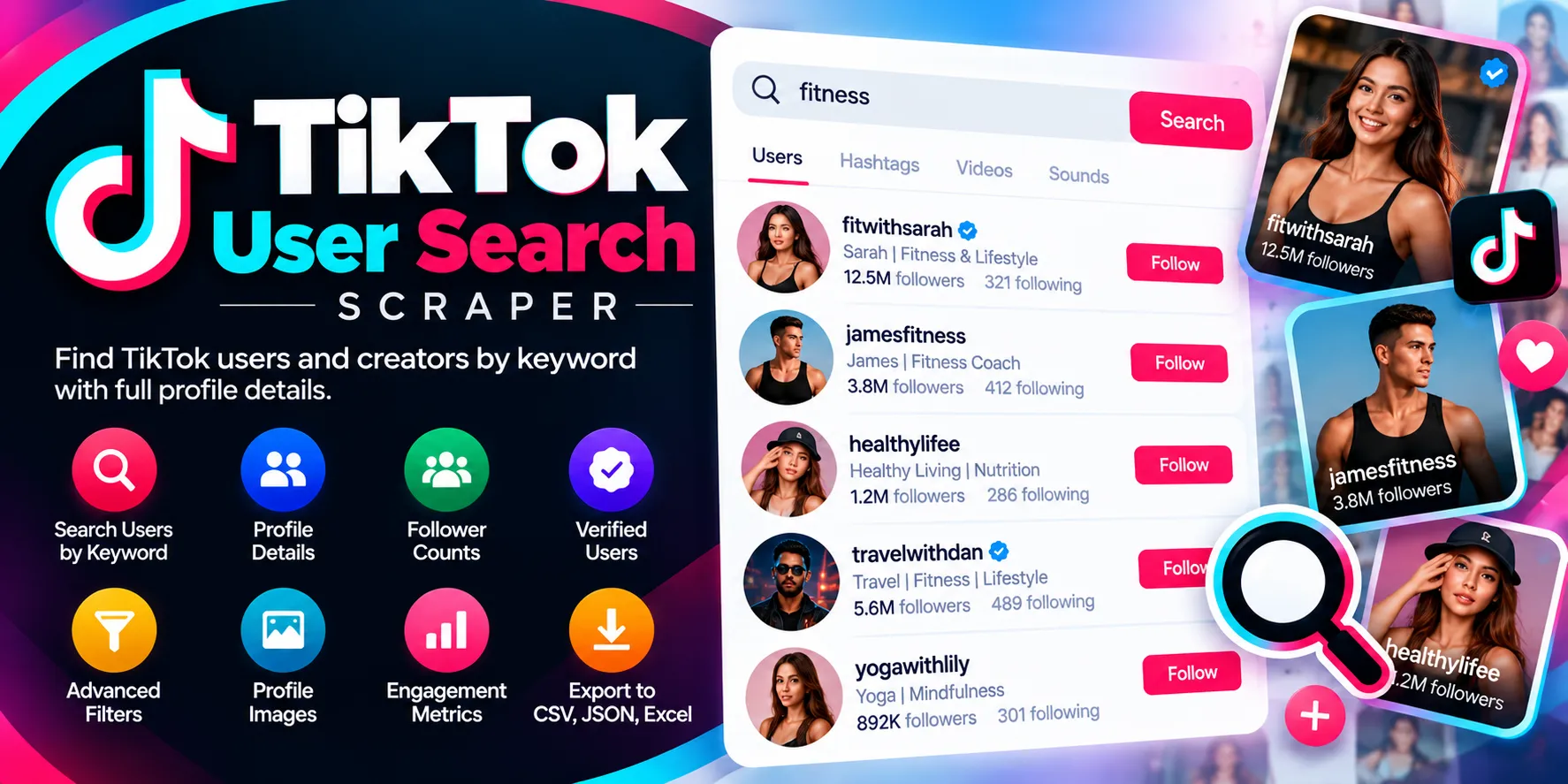
Search TikTok users and accounts by keyword, niche, name or brand. For every query you get the accounts TikTok returns, in TikTok's own search order, with usernames, profile URLs, follower, following, like and video counts, verification and search rank, plus optional bios and bio links. Process many queries in one run and export clean JSON, CSV or Excel.
- 🔎 Search accounts, not videos.
fitness coach→ the creators TikTok ranks for it. - 🏷️ Query attribution + search rank on every row.
- 🎯 Exact follower filters (min/max), TikTok's follower-range filter, and verified-only.
- 🔗 Optional full profile details: bio and bio link for every account.
- 🔐 No TikTok login or cookies — you never provide any credentials.
- 💸 No duplicate billing: duplicates, filtered-out accounts and failed queries are free.
What can I search for?
Anything you would type into TikTok's account search:
| Use case | Example queries |
|---|---|
| Creator discovery | fitness coach, beauty creator, food blogger, AI educator |
| Local creators & businesses | Sydney realtor, Canberra photographer, Melbourne cafe reviewer |
| Brands & companies | Nike, Canva, HubSpot |
| Exact names / usernames | MrBeast, charlidamelio |
| Non-English niches | recetas fáciles, Bangladesh food blogger |
Does this search users or videos?
Users/accounts only. One dataset row = one matched account for one query. Looking for videos? Use the TikTok Keyword Search Scraper.
Input
| Field | Default | What it does |
|---|---|---|
searchQueries | ["fitness coach"] | One or more queries (up to 100 per run). Whitespace is tidied and duplicates removed. |
maxProfilesPerQuery | 100 | Accounts to return per query, after filters (1–1,000). |
followerRange | ANY | TikTok's own follower filter: 0–1K, 1K–10K, 10K–100K, 100K+. |
minFollowers / maxFollowers | none | Exact follower limits, checked against each account's real count. |
verifiedOnly | false | Only verified accounts. |
includePrivateAccounts | true | Untick to drop accounts known to be private. |
includeProfileDetails | false | Adds the bio link and bio, and fills in any counts search didn't return (one extra lookup per account, billed separately). |
providerRoute | AUTO | Advanced. Leave on Auto. |
Example inputs
Minimal
Multi-query
Follower filter (mid-tier creators, public only)
Two niches, 100 accounts each (the run behind the samples below)
Verified brands with full profile details
Output
One row per matched account per query. Results are grouped into four dataset views (tabs):
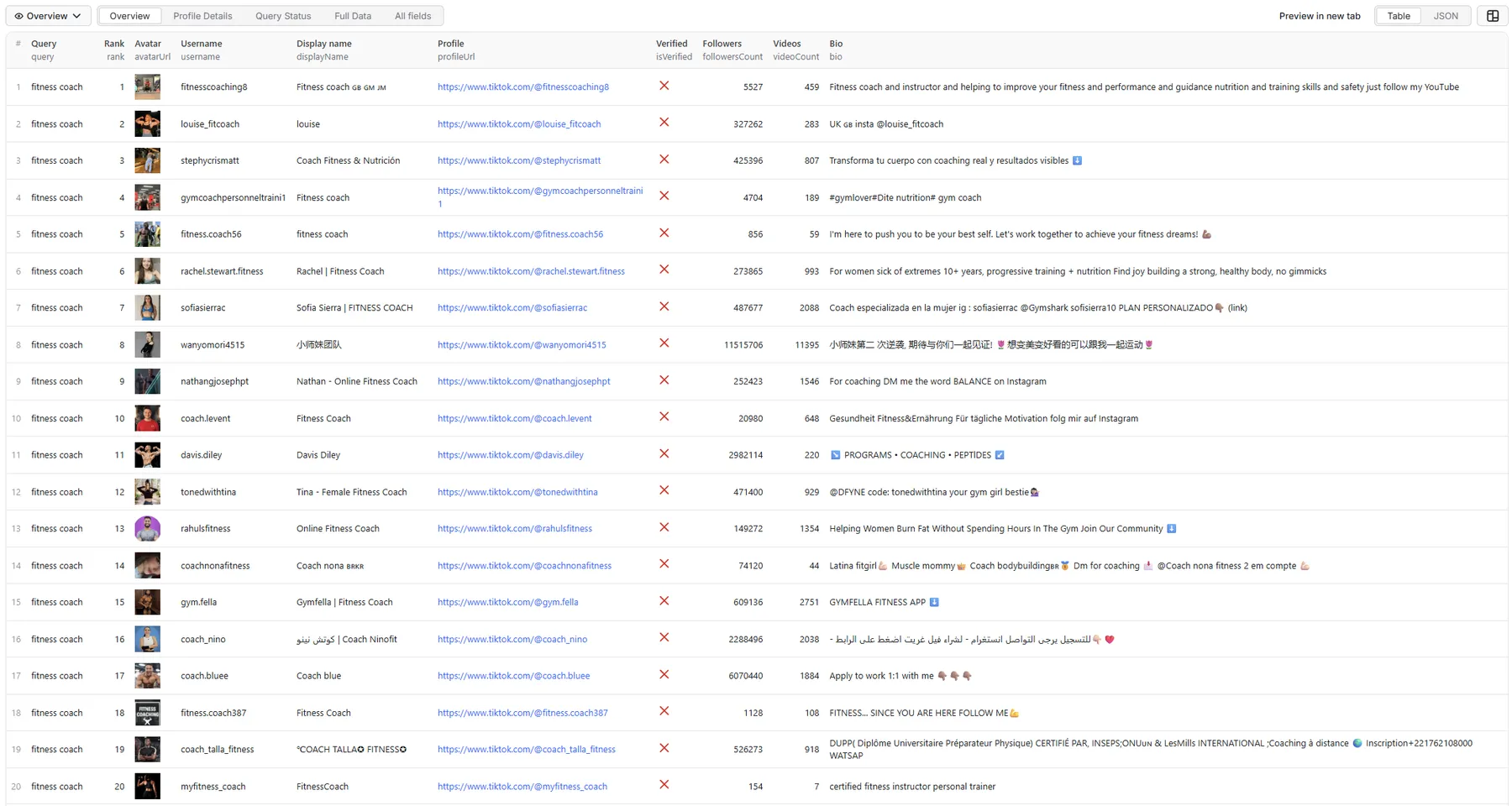
The samples below come from a real run of the Two niches, 100 accounts each input above. Avatar URLs are shortened here.
Overview
Query, rank, avatar, username, followers, verified and bio: the quick scan.
Profile Details
Bio, bio link, following, likes, videos and private status, plus the IDs for follow-up scraping.
bio and bioLink are null here because this run didn't turn on Include full profile details (see below).
Query Status
Queries that return nothing, are rejected by TikTok, or fail get a free status row instead of silently disappearing. Every query in the sample run succeeded, so this example shows the row shape for a query whose filters matched nothing:
Possible status values: NO_RESULTS, INVALID_QUERY, QUERY_REJECTED_BY_TIKTOK, RATE_LIMITED, PROVIDER_ERROR, PARTIAL_RESULT, TEMPORARY_TIKTOK_ERROR.
Full Data
Every field:
Counts are real numbers (327246, not "327K"). isVerified reflects TikTok's verified badge (in this run, 16 of 200 accounts). When TikTok doesn't provide a value, the field is null, never guessed.
Which fields need full profile details?
| Included from search | Needs Include full profile details |
|---|---|
userId, secUid, username, displayName, profileUrl, avatarUrl, isVerified, followersCount, followingCount, likesCount, videoCount, isPrivate, query and rank | bio and bioLink |
TikTok's account search doesn't return bios or bio links, so they come from a profile lookup. Turn on full profile details if you need them; it also fills in any count that search occasionally leaves out.
The key-value store also holds RUN_SUMMARY (per-query status, counts, duplicates skipped, filtered counts) and, when some queries failed temporarily, RETRY_INPUT, a ready-to-run input containing just those queries.
FAQ
Do I need a TikTok login or cookies? No. You never provide credentials, cookies or session tokens.
How many accounts per query?
Up to 1,000 per query. TikTok's search depth varies by query, and niche or local queries often have fewer matches. Filters narrow this further: combining verifiedOnly with a follower range can return only a handful of accounts (for example, 2 for "fitness coach", verified, 10K–100K followers). The run stops as soon as TikTok has no more matches. That's not an error.
Are results ranked like TikTok search?
Yes. rank is TikTok's own result order, starting at 1. If filters remove some accounts, the remaining ones keep their original rank, so you might see 1, 2, 5, 9…. Search order can change over time.
Are follower counts included? Yes, as exact numbers, on every row.
Can I filter by follower count?
Yes. minFollowers/maxFollowers are exact. followerRange uses TikTok's own buckets. When your min/max fall inside one bucket, the Actor also uses TikTok's filter behind the scenes to fetch matches faster.
Can I search verified accounts only? Yes, with verifiedOnly: true. The Actor uses TikTok's own verified-accounts search filter, so every result is an account TikTok returns as verified, and isVerified is true on every row.
Are bios and bio links included? Profile URLs and display names always are. Bios and bio links need Include full profile details (see the table above). External websites are never crawled.
Can the same account appear for multiple queries? Yes, once per query it matches, so each row keeps its query and rank. Within a single query, an account is never returned or charged twice.
Why did a query return no results?
Either TikTok has no matching accounts, your filters excluded them all, or TikTok refused the keyword (common for sensitive or restricted terms). That query is marked QUERY_REJECTED_BY_TIKTOK, and the rest of the run carries on. When strict filters keep failing to match, the Actor stops paging that query early, so it doesn't spin on pages with no hits.
How does pricing work? Pay per result:
user-result: per unique account delivered for a query.profile-details: per account enriched with full profile details. Opt-in, and charged only for accounts that were actually enriched.
Duplicates, filtered-out accounts, failed or rejected queries, status rows and the run summary are free. There is no start fee, so an empty run costs nothing. See the Pricing tab for current rates (this README deliberately doesn't quote figures). Your Apify spending limit is respected: the run stops cleanly when it's reached.
Can I schedule runs? Yes. Use Apify Schedules to track how accounts rank for your niches over time.
Can I use the API or MCP? Yes. Run the Actor through the Apify API, the JS/Python clients, or the Apify MCP server from AI agents:
How do I enrich results further?
Pass username or profileUrl on to:
- TikTok Profile Scraper for richer profile and video data
- TikTok Contact Extractor for public contact details
Limitations
- TikTok's search results and order change over time and can vary between runs.
- Follower, like and video counts are a snapshot at scrape time.
- Some keywords are restricted by TikTok and return no results.
- Very deep result sets (hundreds of accounts per query) depend on how far TikTok lets the search page.
Legal & privacy
This is an unofficial tool, not affiliated with or endorsed by TikTok. It collects public account information only, with no private-data access, messaging, following or account automation, and it does not infer sensitive attributes. You are responsible for processing the data lawfully, including under GDPR/CCPA where applicable.


