

YouTube Comments Sentiment & Audience Analyzer
Pricing
from $0.80 / 1,000 comment analyzeds
YouTube Comments Sentiment & Audience Analyzer
Turn YouTube comments into evidence-backed audience intelligence: sentiment, questions, complaints, praise, content requests, purchase intent, competitor mentions, themes and timestamp moments. Analyze an existing comment dataset or paste video URLs. No AI or YouTube API key needed.
Pricing
from $0.80 / 1,000 comment analyzeds
Rating
0.0
(0)
Developer

Delowar Munna
Maintained by CommunityActor stats
0
Bookmarked
2
Total users
1
Monthly active users
8 days ago
Last modified
Categories
Features
Share
YouTube Comment Sentiment & Audience Intelligence
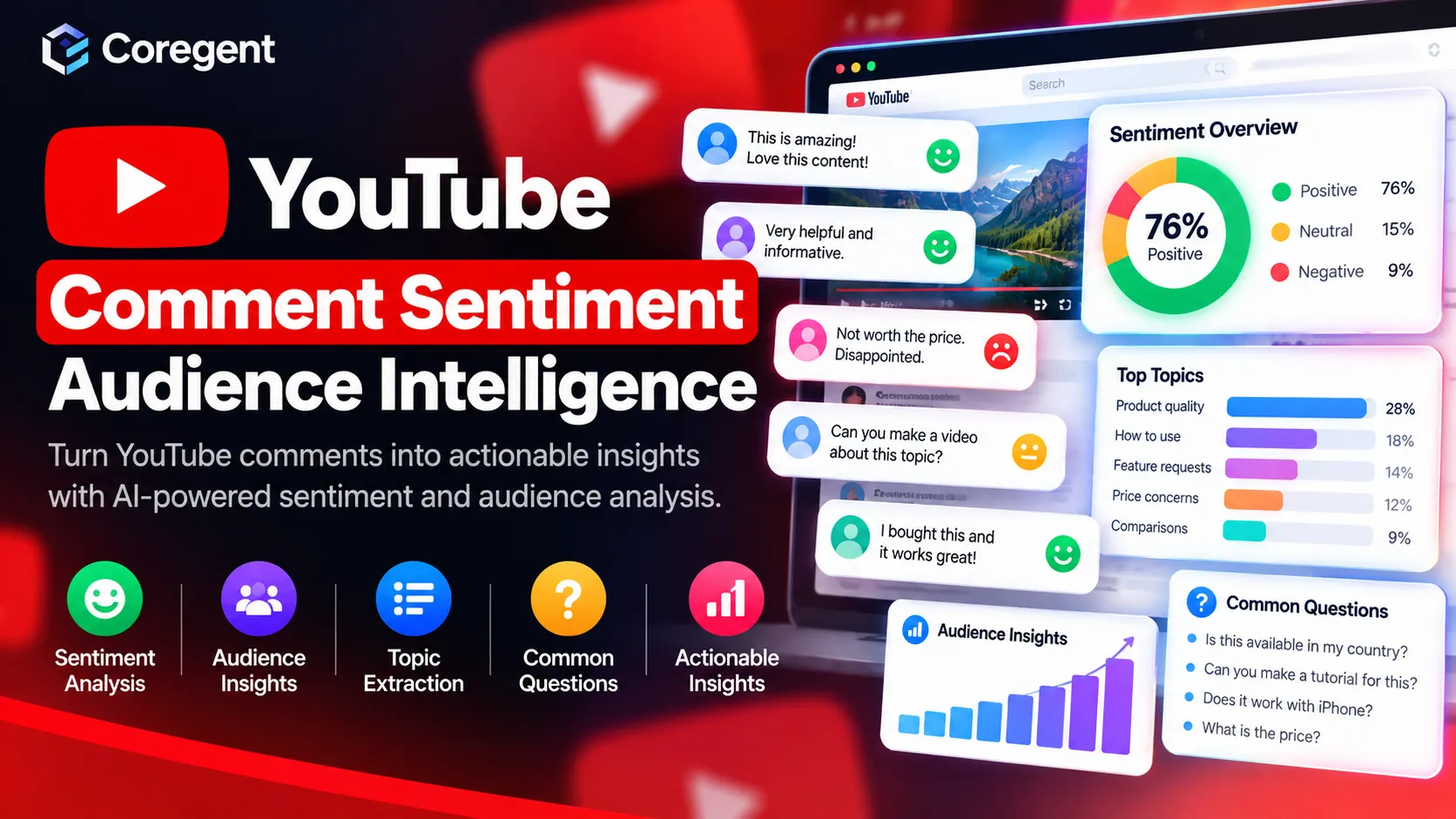
Turn YouTube comments into evidence-backed audience intelligence.
Turn YouTube comments into structured audience intelligence. Analyze an existing comment dataset or paste video URLs to uncover sentiment, recurring questions, complaints, praise, content requests, purchase intent, competitor mentions and the moments viewers discuss most. Compare videos and rank insights by engagement while keeping every conclusion linked to real source comments — no AI account or YouTube API key required.
What this Actor does
- One analyzed row per comment — sentiment (label, score, confidence), language, multi-label intents, topics, tracked brand/competitor/product mentions, video timestamps and a spam-like flag.
- An audience report — audience mood (unweighted and engagement-weighted), what viewers love and dislike, a normalized FAQ, content and feature requests, buying signals, competitor mentions, the most discussed moments, creator-response coverage and a side-by-side video comparison.
- Evidence for every insight — each theme, question and request carries its comment count, likes, video IDs and exact quotes with links to the source comments.
- Code counts, AI classifies — the AI labels each comment and merges near-identical phrases. Every count, share, weight and ranking is computed by code from the analyzed rows. Quotes are copied from real comments and checked character-for-character before they are saved.
Comment analysis vs comment scraping
This Actor is an analysis layer. If you already collected comments — with YouTube Comment Scraper PRO or any other tool — point this Actor at that dataset and nothing is scraped again. If you only have video URLs, the Actor runs YouTube Comment Scraper PRO for you first.
Quick start from a dataset
Datasets from coregent/youtube-comment-scraper-pro need no mapping. Other datasets work when they use common field names: text / comment / commentText, commentId / id, likeCount / likes, videoId / videoUrl, isReply / parentId / parentCommentId.
Quick start from video URLs
Run it with the defaults and the Actor collects and analyzes 20 comments from one video — enough to see every output column and a small report. Raise Max comments to analyze for real research.
Product research example
Example: a real run
This input analyzes the 20 newest comments on a Figma course video, tracks Figma and four competing design tools, and counts three course topics:
It returned 20 rows: 18 analyzed comments (11 positive, 3 negative, 2 mixed, 2 neutral) and 2 creator comments that were saved but not analyzed or charged. Below is the All comments tab from a run on the same video:
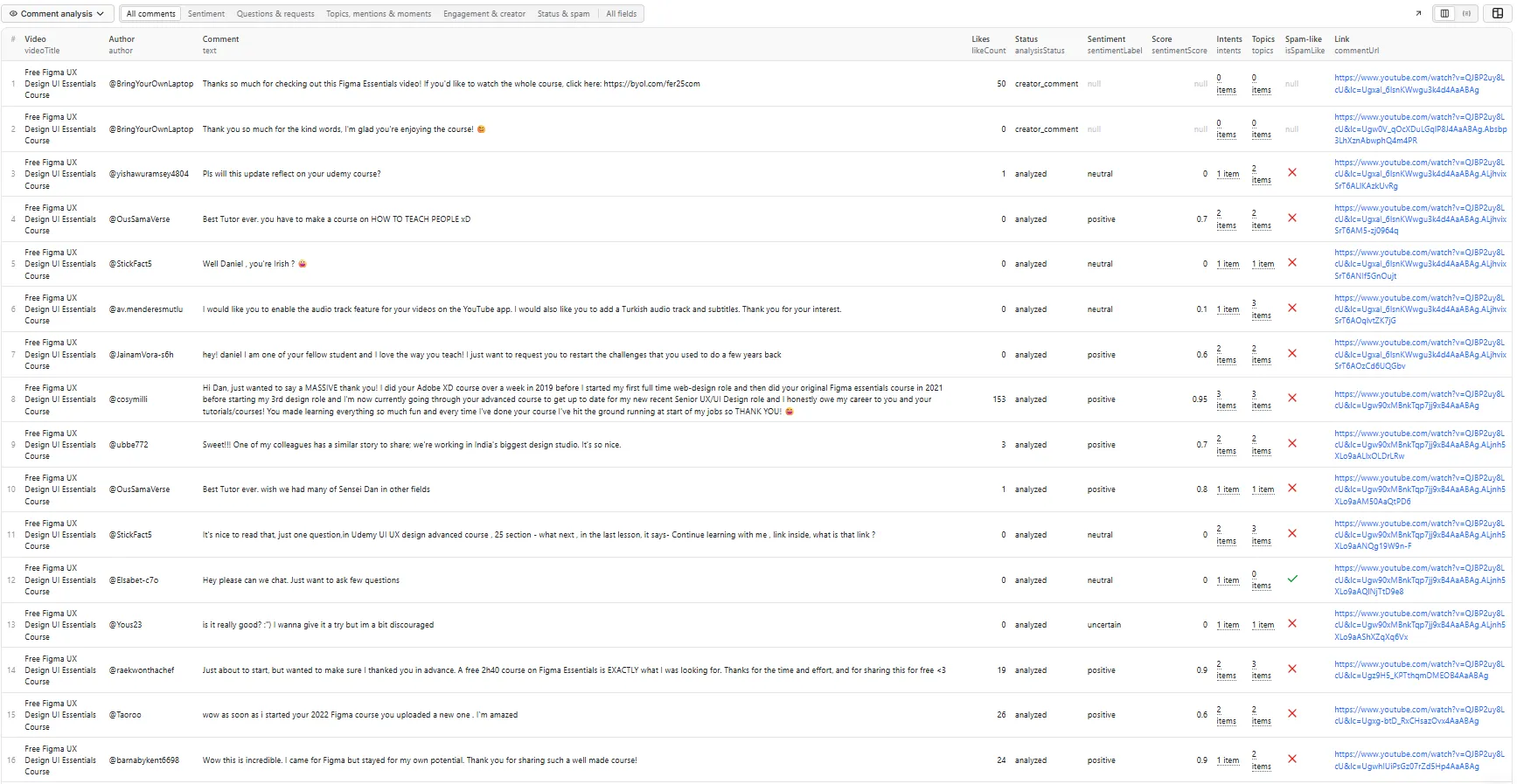
A comment from that run with a question, a complaint and a tracked product mention:
And one that asks for new content, as shown in the Questions & requests tab:
Sentiment and engagement weighting
Each comment gets positive, neutral, negative, mixed or uncertain, a score from −1 to +1 and a confidence. The label describes the tone of the comment text toward the video or product, never the person who wrote it.
The report shows sentiment two ways: every comment counted once, and weighted by likes. The default weighting is 1 + ln(1 + likes), capped at 10, so one viral comment can't dominate. Engagement weighting describes visible agreement and attention on comments. It is not a representative survey of all viewers.
A descriptive polarization indicator (one_sided_positive, one_sided_negative, mixed, divided) is always shown with the positive and negative shares behind it.
Questions, requests and complaints
Intents are multi-label: question, content_request, feature_request, complaint, praise, purchase_intent, price_question, where_to_buy, already_purchased, alternative_request, competitor_mention, product_problem, confusion, support_request, experience_report, recommendation, spam_or_promotion.
Questions are rewritten as short FAQ entries, and equivalent ones are merged — "What camera is this?" and "Which camera did you use?" become one FAQ item with the combined count. The Actor never invents an answer.
Audience themes
Topics are not limited to a fixed list. Each comment gets short topic descriptors, and near-identical ones ("battery duration", "battery life") are merged into one theme across all videos in the run, so comparisons line up. Your own Tracked topics are counted separately from the discovered themes.
Buying and competitor signals
Purchase intent, price questions, where-to-buy requests and "already bought it" comments are counted and quoted. The Actor reports what the text says and never predicts whether anyone will buy.
Brands, competitors and products are tracked only when you list them. Each mention carries the sentiment expressed toward that name. Competitors are never inferred from random names.
Timestamp moments
Timestamps that viewers write (2:31, 1:02:03) are converted to seconds and grouped within a few seconds of each other. A most discussed moment needs at least two different commenters and comes with a deep link to that second of the video. Aspect ratios like 16:9, times of day marked am/pm and chapter lists are ignored. The video itself is never watched or downloaded.
Video comparison
With two or more videos, the report adds a side-by-side table: analyzed comments, sentiment split, weighted sentiment, complaint, praise, question, request, purchase and spam shares, creator-response rate and top themes. The wording stays descriptive ("Video A has a lower negative-comment share in this sample") and never declares one video better.
Evidence and quote integrity
- Every quote is copied from a real comment by code, never written by the AI, and re-checked as an exact excerpt before it is saved. Long comments are cut at a word boundary and marked
truncated: true. - Every insight carries its count, likes, video IDs and comment links.
- The short report narrative is written by the AI from the theme names alone. If it contains any number it is discarded, and a narrative written by code is used instead.
- Every analyzed row records
analysisProvider,analysisModel,promptVersion,analysisSchemaVersionandanalyzedAt, so results stay reproducible as models change.
Input reference
| Field | Default | What it does |
|---|---|---|
videoUrls | one sample video | Videos or Shorts to collect comments from first |
datasetId | — | Existing Apify comment dataset (ID or Console URL) |
comments | [] | Inline comment objects |
maxTotalComments | 20 | Hard ceiling on comments read and analyzed |
maxCommentsPerVideo | 20 | Video URLs only: comments collected per video |
commentSort | top | top or newest |
includeReplies | true | Collect and analyze replies |
maxRepliesPerComment | 5 | Video URLs only |
maxUpstreamCostUsd | 2 | Video URLs only: spending cap for the comment-scraper run |
analysisDepth | standard | standard or sentiment (sentiment, language and spam only) |
analyzeSentiment / extractIntents / extractTopics / detectSpam / extractTimestampMoments | true | Individual analysis toggles |
brandNames / competitorNames / productNames / trackedTopics | [] | Names and themes to track |
yourChannelHandle | — | Identifies creator comments when the source has no owner flag |
generateReport / compareVideos | true | Report and comparison |
engagementWeighting | log_likes | log_likes, likes or none |
maxThemes / maxQuotesPerInsight | 10 / 3 | Report list sizes |
excludeCreatorComments / excludeEmojiOnly | true | Skip (and don't charge) creator comments and emoji-only reactions |
minCommentLength / minLikes | 3 / 0 | Filters |
includeRepliesInInsights | true | Include replies in report metrics |
publishedAfter / publishedBefore | — | Date filters (YYYY-MM-DD, or a window like 30 days) |
Output rows
The dataset holds only comment rows — one per source comment, each with an analysisStatus:
| Status | Meaning | Charged |
|---|---|---|
analyzed | Classified successfully | Yes |
reaction | Emoji or punctuation only | No |
creator_comment | Written by the channel owner (excluded) | No |
duplicate | Same comment seen earlier in the run | No |
empty | No text | No |
filtered | Skipped by a filter or the spending limit (see skipReason) | No |
analysis_failed | The AI result could not be validated after retries | No |
Every row has the same fields. A real analyzed row with mixed sentiment, from the run above:
Some fields are often empty, by design:
questionandrequestare filled only when the comment asks something or requests something.mentionslists only the names you track (productNames,competitorNames,brandNames).timestampslists only the video times the comment cites, such as "at 12:40".spamCategoryis set only for spam-like comments.skipReasonis set only forfilteredrows.publishedTimeTextis the source's relative date ("3 weeks ago"), present only when the source gives one instead of an exact date. Video-URL mode always has the exact date inpublishedAtApprox.- Analysis fields are
nullon rows that weren't analyzed.
Dataset tabs: All comments, Sentiment, Questions & requests, Topics, mentions & moments, Engagement & creator, Status & spam. Apify tabs choose columns but can't filter rows. For ready-made lists such as negative comments, top questions or complaint themes, use the report. To filter rows yourself, use the dataset API or export and filter on sentimentLabel, intents or isSpamLike.
Reports
The run's key-value store holds:
REPORT_HTML— the human-readable report: executive summary, audience mood, what viewers love and dislike, what they ask, what they want next, commercial signals, tracked names, most discussed moments, creator response, video comparison, and method and limitations.REPORT— the full report as JSON (overall, per video and comparison).REPORT_MARKDOWN— the same report for Notion, Slack, GitHub or LLM workflows.OUTPUT— a compact summary for API callers, Make, Zapier, n8n and AI agents: coverage, mood, top themes, complaints, questions, requests, purchase signals, mentions, moments, comparison and report links.
Spam-like comments stay in the dataset but are left out of report metrics.
Pricing
This Actor uses pay-per-event pricing with two events:
- Comment analysis — once per comment with status
analyzed. Reactions, creator comments, duplicates, empty, filtered and failed rows are free. - Audience report — once per run when the report is saved. No report charge when no comment could be analyzed, or when the report fails.
There is no start fee: a run that finds no comments costs nothing. See the Pricing tab for current rates. This README deliberately doesn't quote figures, because rates are set on the platform and can change.
Upstream scraping costs
When you provide video URLs, comments are collected by YouTube Comment Scraper PRO, which runs as a separate Actor on your account and charges at its own published rates. Those charges are never hidden inside this Actor's prices. Datasets and inline comments involve no scraping at all.
Cost controls
- Max comments to analyze caps every source and the analysis together.
- Max source spend caps the comment-scraper run: collection is cut before it starts so its charges fit, and the cap is also set as that run's Apify charge limit.
- Your run spending limit is respected before any analysis starts. If it covers fewer comments than requested, only that many are analyzed. The rest are saved as
filteredwithskipReason: "spending_limit", uncharged, and the adjusted ceiling is reported inOUTPUT.analysisCeiling. If the limit is reached during the run, the remaining comments are saved the same way without being sent to the AI. - Analysis is charged per batch right after the rows are saved, so partial results are kept, and paid for, even if a later step fails.
Multilingual behavior
Language is detected per comment. Analysis is best-effort multilingual: no language has been benchmarked as fully supported yet. Theme names, FAQ entries and requests are written in English. Original quotes are never translated or changed.
Sampling and accuracy limitations
- YouTube exposes public comments only — not every viewer, and not deleted, held or private comments.
- "Top" sorting over-represents highly ranked comments; "Newest" represents recency, not the whole audience.
- Likes are visible engagement, not survey weights.
- Relative publish dates ("3 weeks ago") are approximate.
- Sentiment, intents and spam are AI classifications and can be wrong, especially with sarcasm and mixed-language text. No accuracy percentage is published until it has been measured on a human-labeled benchmark.
- A report is a description of public comments, not a statistically representative audience survey.
Privacy and responsible use
The Actor analyzes what a comment says, never who wrote it. It does not infer age, gender, ethnicity, religion, politics, health, sexuality, income or identity. It does not match commenters to real people and never posts replies. Comment text is treated as untrusted data: a comment that tries to instruct the AI is classified like any other comment. Public comments can still contain personal data, and you are responsible for your own data-protection obligations when you store or use the results.
API and integrations
Run it from the Apify API, the Python or JavaScript clients, Make, Zapier, n8n or an MCP-connected AI agent. For a scheduled monitoring workflow, schedule YouTube Comment Scraper PRO to collect new comments, then trigger this Actor on its dataset through an integration.
FAQ
Do I need an OpenAI, Anthropic or YouTube API key? No.
Can I analyze comments I scraped with another tool? Yes — pass the dataset ID. Common field names are recognized automatically.
Why is a comment marked filtered? Check skipReason: too_short, below_min_likes, replies_excluded, published_before_range, published_after_range, unknown_publish_date or spending_limit.
Are spam-like comments charged? Yes, if they were analyzed — classifying them is the work. They are left out of report metrics, and you can filter on isSpamLike.
Is the report a survey of my audience? No. It describes the public comments that were analyzed. See the limitations above.
Changelog
- 1.0 — Initial release: dataset, inline and video-URL sources; sentiment, intents, topics, spam, tracked mentions and timestamp moments; deterministic report with verified quotes; HTML, JSON and Markdown reports; video comparison; spend guards.


