Google Lens Api
Pricing
$5.00 / 1,000 image processeds
Google Lens Api
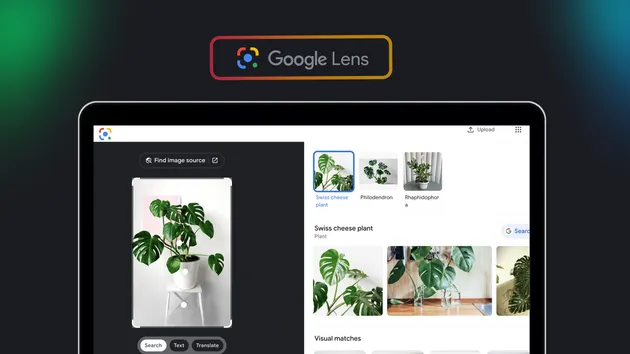
Search images with Google Lens to find similar pictures, products, exact matches, original sources, text, translations, and image answers in batches.
Pricing
$5.00 / 1,000 image processeds
Rating
0.0
(0)
Developer

devcake
Maintained by CommunityActor stats
1
Bookmarked
11
Total users
6
Monthly active users
2 months ago
Last modified
Categories
Security
Limited permissionsShare
Reverse image search with Google Cloud Vision
Find visually similar images, matching source pages, and exact copies with Google Cloud Vision Web Detection. Add one image or process a batch, then download one clean Dataset containing all results.
Use this Actor to:
- find websites where an image appears;
- discover visually similar images;
- locate exact copies and direct full-image URLs;
- identify likely subjects through best-guess labels and web entities.
How to use it
- Keep the sample image for a quick test, replace it with public image links, or upload an image.
- Keep Similar images and sources, Exact copies, or both selected.
- Choose Standard or Extended visual search coverage.
- Click Start, then open Results when the run finishes.
Empty scheduled runs automatically use the sample image, so a recurring Apify
schedule always performs a real Web Detection smoke test. An explicitly empty
imageUrls array is still rejected to catch accidental API input mistakes.
Result types
| Result type | What you get |
|---|---|
| Similar images and sources | Matching pages, visually similar image URLs, page titles, websites, thumbnails, match types, labels, and web entities |
| Exact copies | Pages with full-image matches and direct original image URLs when Google provides them |
Both result types use the same Cloud Vision Web Detection response. Selecting them together does not duplicate the upstream request.
Useful options
| Option | What it controls |
|---|---|
| Maximum results | The maximum number saved for each selected result type |
| Visual search coverage | Standard uses the full image once; Extended adds bounded crop searches for broader coverage |
Maximum results is a cap, not a guaranteed count. The actual number depends on the image and how many useful matches Google Cloud Vision returns.
Use Standard for the fastest and lowest-cost search. Choose Extended when broader coverage is worth additional time and Vision units. Extended stops at the result cap or after consecutive unproductive crop searches.
Dataset output
The Actor saves one Dataset item for each input image. The single Results view includes status, provider, best-guess labels, similar matches, exact copies, and errors. The complete JSON item also includes full, partial, and visually similar image URL arrays.
Results are available as JSON, CSV, Excel, XML, RSS, or JSONL through the Apify Console and API.
API example
Runtime configuration
Self-hosted builds require GOOGLE_CLOUD_VISION_API_KEY. Restrict the key to
the Cloud Vision API and store it as an Apify secret/environment variable.
Web Detection uses the global Vision endpoint because that feature is not
available on regional Vision endpoints.
Visual and Exact runs do not start a browser, upload to Google Lens, or allocate Apify proxy sessions.
Frequently asked questions
Can I use it through an API or schedule it?
Yes. Run the Actor from Apify Console or the Apify API, and use Apify schedules for recurring searches or daily smoke tests.
Is this an official Google product?
No. This is an independent Actor and is not affiliated with, endorsed by, or operated by Google. Result availability can change. Use it in accordance with the terms and laws that apply to your use case.