
HTML to PDF - Templates, Bulk Invoices, Merge & Page Numbers
Pricing
$1.50 / 1,000 pdf createds
HTML to PDF - Templates, Bulk Invoices, Merge & Page Numbers
Turn HTML, URLs or a template plus data rows into PDFs: bulk invoices and reports, headers and footers with page numbers, custom page sizes, watermark, merge into one PDF. $1.50 per 1,000 PDFs.
Pricing
$1.50 / 1,000 pdf createds
Rating
0.0
(0)
Developer

DigiVibeTech
Maintained by CommunityActor stats
0
Bookmarked
2
Total users
1
Monthly active users
2 days ago
Last modified
Categories
Features
Share
HTML to PDF — turn HTML, URLs or a template plus data rows into PDFs: bulk invoices and reports, headers and footers with page numbers, custom page sizes, watermark, merge into one PDF.
Try it free: press Start — the prefilled input runs a small real job (a few items at $0.002 each). Apify's free plan includes monthly platform credit, so a first test costs you nothing. You can also set a maximum cost per run.
- What you get:
fileName,pages,bytes,title,source,url - Who it's for: developers, finance/back-office teams and agencies
- Price: $0.0015 per pdf created
- Data source: Renders only the HTML, templates and URLs you supply.
What is HTML to PDF?
Make PDFs from HTML with a real Chrome browser. Three ways in:
- Template + data rows. Write the HTML once with
{{ fields }}, give a list of rows, get one PDF per row. Made for invoices, certificates, packing slips and reports. - Raw HTML. One complete HTML document to one PDF.
- URLs. Save public web pages as PDF.
✅ Why this one
- Bulk from data: one template plus rows of data gives one PDF per row, for example invoices. The most used HTML to PDF actor on the Store converts one HTML string per run.
- Merge all PDFs into one file in input order (the merged file is free), add a watermark such as PAID, and name files from your data.
- $0.0015 per PDF with no start fee. A row with a missing field is reported and not charged.
- Any page size, including custom sizes such as 100 x 150 mm shipping labels, with page numbers in headers and footers.
📸 Real-run screenshots
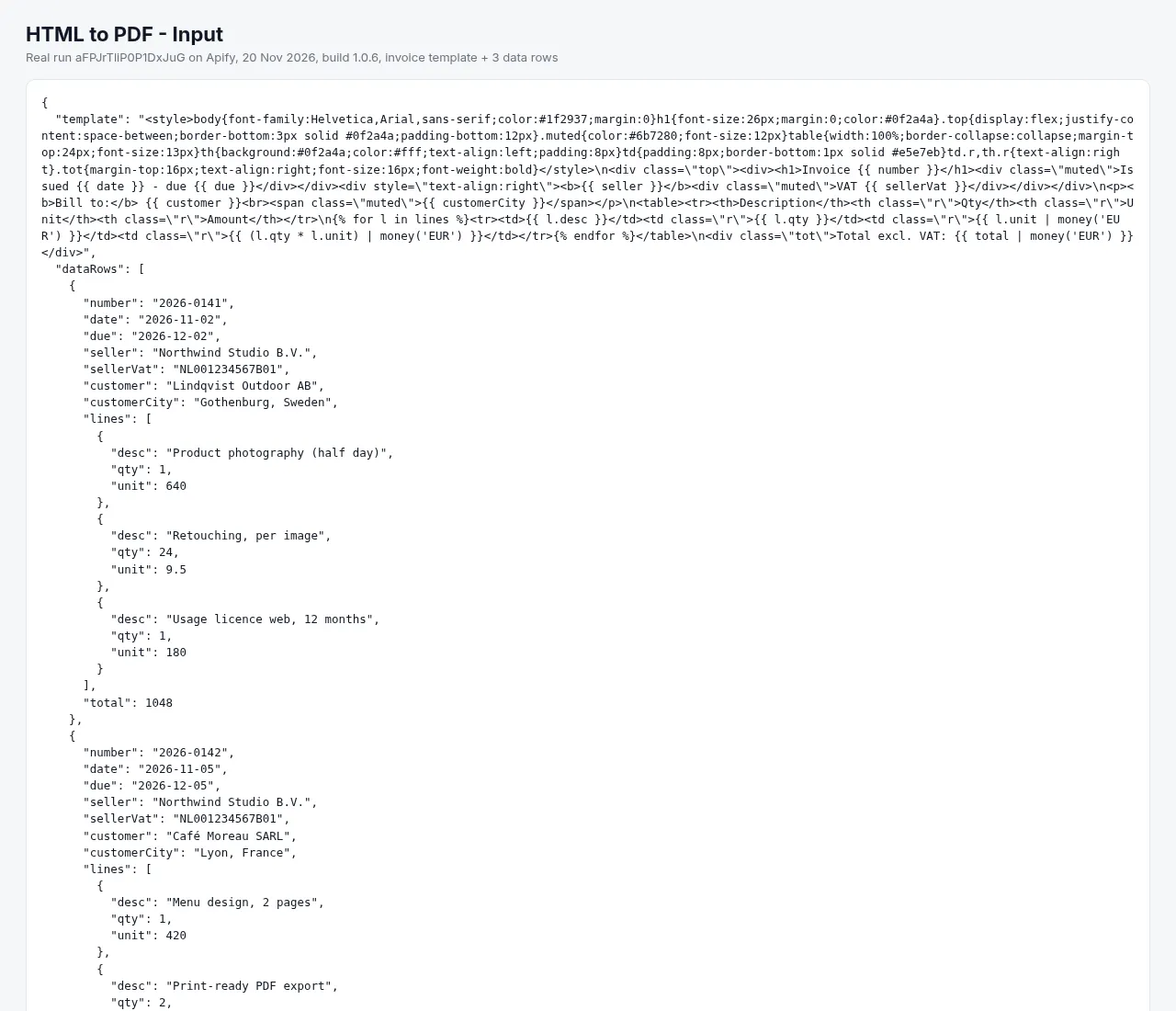
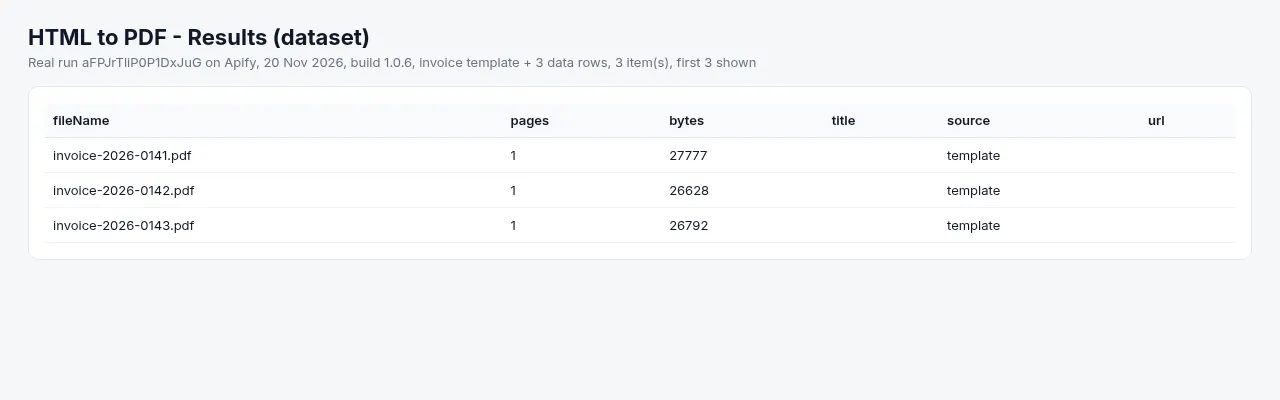
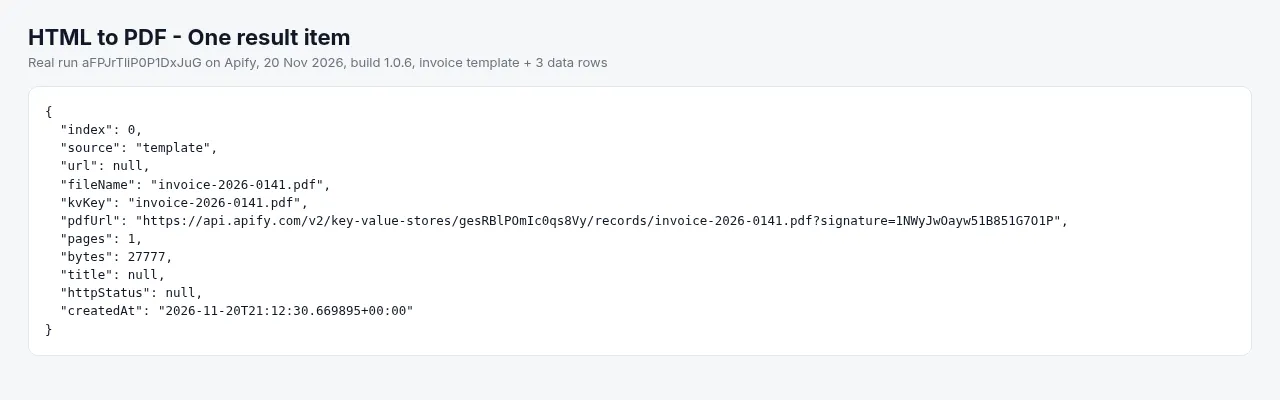
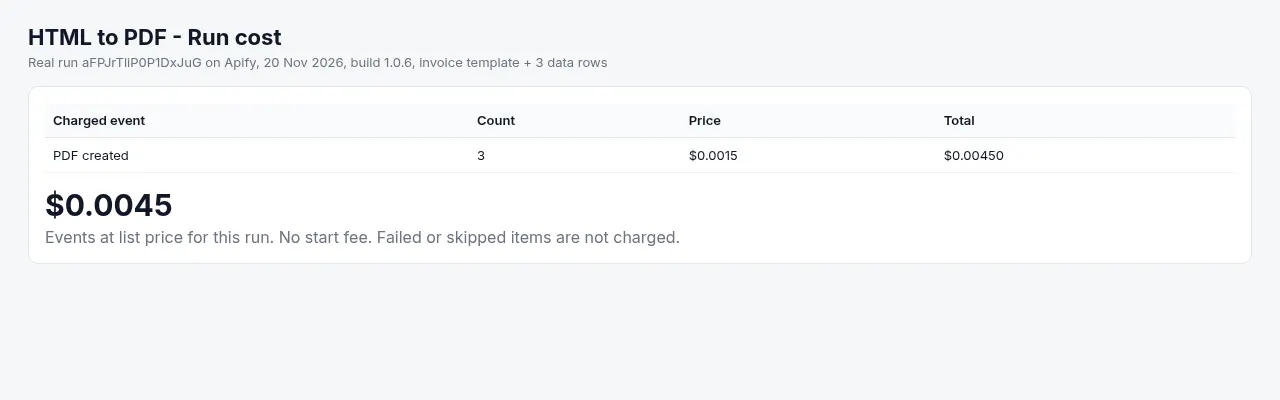
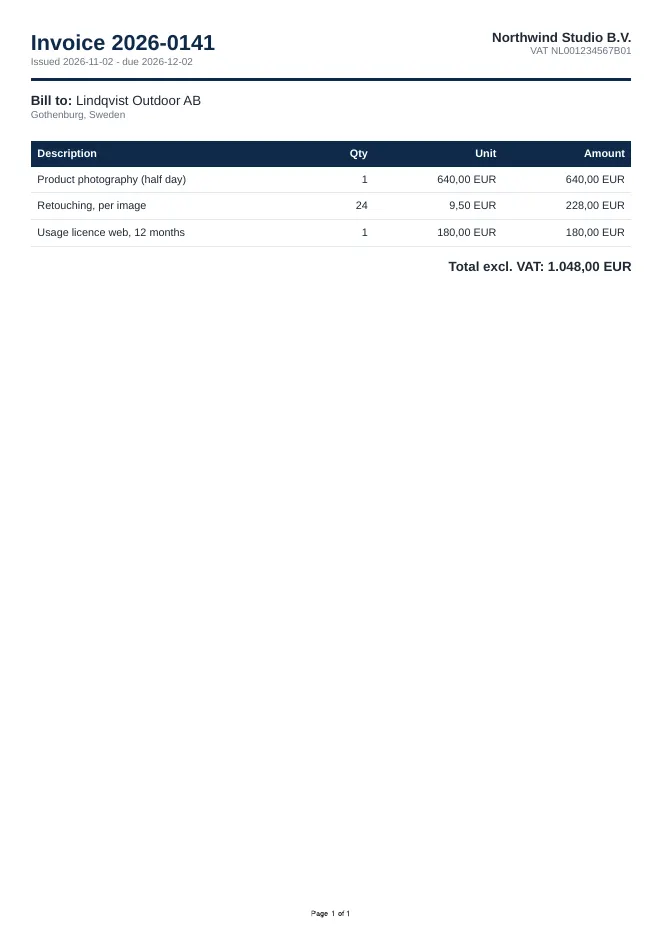
From real run aFPJrTliP0P1DxJuG on Apify, 20 Nov 2026 (build 1.0.6). Images are rendered from that run's own input, dataset and charged events.
⬇️ What data you get
- Bulk from data. Jinja2 template syntax:
{{ customer }},{% for line in lines %},{{ total | money('EUR') }},{{ lines | sum(attribute='price') }}. Values are HTML-escaped and the template runs in a sandbox. A row with a missing field gets a clear error and is not charged. - Headers and footers on every page with page numbers (
<span class='pageNumber'></span> of <span class='totalPages'></span>), title and date. - Any page size. A4, A3, A5, Letter, Legal, Tabloid, or a custom size such as 100 x 150 mm for shipping labels. Landscape, margins, scale, page ranges, CSS
@pagesizes, print or screen styles. - Merge into one PDF. Next to the separate files you can get one combined PDF in input order. The merged file is free.
- File names from your data, for example
invoice-{{ number }}. Duplicate names get-2,-3. - Watermark text such as COPY or PAID on every page.
- PDF properties: title (from your input or the HTML
<title>) and author. - Fonts: emoji, Chinese, Japanese and Korean characters render instead of empty boxes.
- Waiting for scripts: wait for a CSS selector or a fixed delay, for pages that draw charts. JavaScript can be switched off.
- Output per PDF: file name, page count, size in bytes, title and a download link.
🎯 Use cases
- Generate bulk invoices or reports from a template and data rows
- Convert URLs to PDF with headers, footers and page numbers
- Merge many PDFs into one with a watermark
▶️ How to use
- Open the actor; the input is prefilled with a small real example.
- Replace it with your own input.
- Press Start. Results appear in the Output tab (Overview view).
- Download JSON, CSV or Excel, call the results via API, or schedule the actor.
⚙️ Input
⬆️ Output
Each PDF is saved in the run's key-value store. The dataset has one row per PDF:
💵 Pricing and cost estimate
$0.0015 per PDF created ($1.50 per 1,000 PDFs), whatever the number of pages. No start fee. Not charged: the merged PDF, documents that fail (template errors, timeouts, HTTP errors), URLs that robots.txt does not allow. When your maximum cost per run is reached, the remaining documents are listed in ERRORS and not charged.
Cost estimate
| Pdf createds | Cost |
|---|---|
| 100 | $0.15 |
| 1,000 | $1.50 |
| 10,000 | $15.00 |
You pay only for these events: no subscription.
🔌 Integrations and API
Run it from n8n, Make, Zapier, Clay or any tool that can call an HTTP endpoint, connect a webhook to get notified when a run finishes, or let AI agents call it through the Apify MCP server (mcp.apify.com).
Run it and get the results in one call:
Python (pip install apify-client):
⚠️ Limits
- Up to 5,000 documents per run. Use several runs for larger batches.
- URLs must be public. No logins, cookies or bypassing of access blocks. Pages that block automated access are reported, not retried in other ways.
- Images, fonts and styles in raw HTML must come from public addresses or be embedded as data URLs. Requests to private network addresses are blocked.
- Very long pages (hundreds of pages) need 4 GB memory or more.
- PDF/A, digital signatures, password protection and form fields are not supported.
🛡️ Data source, privacy and legality
Renders only the HTML, templates and URLs you supply.
You are responsible for using the results in line with the source's terms and data-protection law (for example GDPR).
❓ FAQ
How much does HTML to PDF cost?
$0.0015 per pdf created. See the cost estimate table above. There is no monthly fee.
Can I try it for free?
Yes. Press Start with the prefilled input: it runs a small real job (a few items at $0.002 each). Apify's free plan includes monthly platform credit, which covers a first test.
Is it legal to use HTML to PDF?
Renders only the HTML, templates and URLs you supply. Use the results lawfully (terms of the source, GDPR where it applies). This is not legal advice.
Can I use it through the API or an MCP server?
Yes. Every run is available through the Apify API and the official client libraries, and AI agents can call the actor through the Apify MCP server. See Integrations and API above.
Something does not work. Where do I get help?
Open an issue on the Issues tab or use digivibetech.com/support. Include the run ID so we can reproduce it.
📝 Changelog
20 Nov 2026 — listing refresh
- README, listing text and input form restructured to the DigiVibeTech Apify quality standard v1. No feature or price change.
1.0 — builds 1.0.2 to 1.0.5
- First build 2026-10-26, latest build 2026-10-30 (4 successful builds).
🧩 More DigiVibeTech actors
- Bulk Image Converter & Compressor - WebP, AVIF, JPEG, PNG
- Bulk QR & Barcode Generator - PNG, SVG, Label PDFs
- PDF OCR to Markdown - Scanned PDF & Image to Text for RAG
- Bulk WHOIS & DNS Lookup - Domain Expiry, RDAP, SPF, DMARC
Maintained by DigiVibeTech. Questions or bugs: use the Issues tab or digivibetech.com/support; we reply within 2–5 business days.


