

Lighthouse Batch Runner - Bulk Lighthouse, Fix List
Pricing
$8.00 / 1,000 page auditeds
Lighthouse Batch Runner - Bulk Lighthouse, Fix List
Run Google Lighthouse on up to 500 pages of a site in one batch: performance, accessibility, best-practice and SEO scores, lab metrics, on-page SEO checks, duplicate titles, broken internal links, one ranked fix list and fix briefs.
Pricing
$8.00 / 1,000 page auditeds
Rating
0.0
(0)
Developer

DigiVibeTech
Maintained by CommunityActor stats
0
Bookmarked
2
Total users
1
Monthly active users
2 days ago
Last modified
Categories
Features
Share
Lighthouse Batch Runner — run Google Lighthouse on up to 500 pages of a site in one batch: performance, accessibility, best-practice and SEO scores, lab metrics, on-page SEO checks, duplicate titles, broken internal links, one ranked fix list and fix briefs.
Try it free: press Start — the prefilled input runs a small real job (a few items). Apify's free plan includes monthly platform credit, so a first test costs you nothing. You can also set a maximum cost per run.
- What you get:
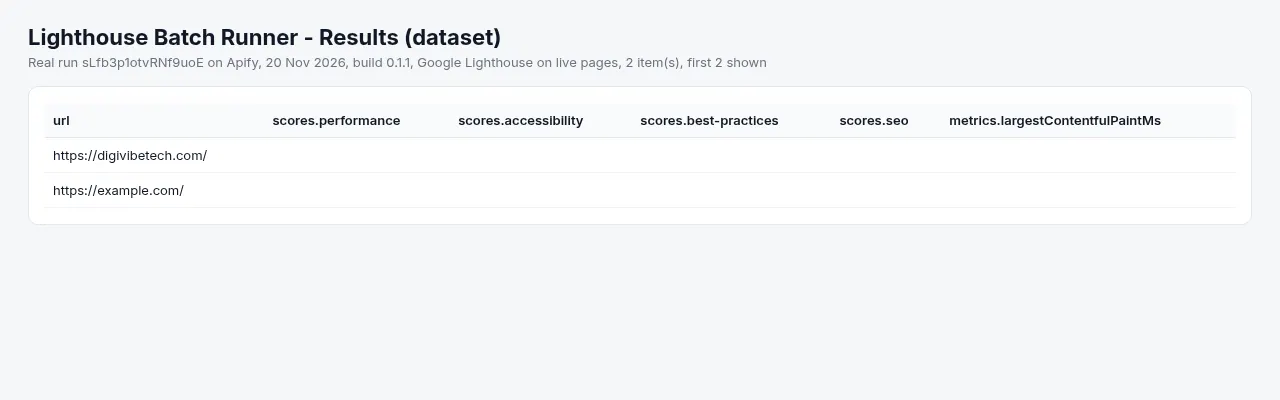
url,scores.performance,scores.accessibility,scores.best-practices,scores.seo,metrics.largestContentfulPaintMs - Who it's for: SEO and web-performance teams and agencies
- Price: pay-per-event price is set before public release
- Data source: Crawls the public pages of sites you enter; respects robots.txt.
What is Lighthouse Batch Runner?
Price: $0.008 per audited page; pay per event, not a seven-day free-run trial.
Free output sample: not yet available. This Actor is not yet listed, no date promised.
Processing, storage and payment · Privacy · Support
Crawl a website and run Google Lighthouse on each audited page (up to maxPages, max 500 per run), then get one ranked list of what to fix first. You see the four Lighthouse scores and lab performance metrics per page, on-page SEO problems, and problems that only show up across pages, such as duplicate titles and broken internal links.
✅ Why this one
- $0.008 per page.
- Real Lighthouse 12.8.2 scores and lab metrics for each audited page, plus on-page SEO checks in the same row.
- A shareable
REPORT.htmlwith a fix-first list, aSITE-REPORTJSON andPAGES.csvfor Excel or Google Sheets. - Site-wide checks: duplicate titles and meta descriptions, and internal links to pages that answer 404.
- Optional
FIX-BRIEFS.md: one ranked fix list per audited URL, built only from this run's measured results.
How pages are found
Start with one or more URLs. With crawling on, the actor reads sitemap.xml (and child sitemaps) and follows links on the same host until maxPages is reached. Use includePattern and excludePattern to focus on, for example, only /blog/.
📸 Real-run screenshots
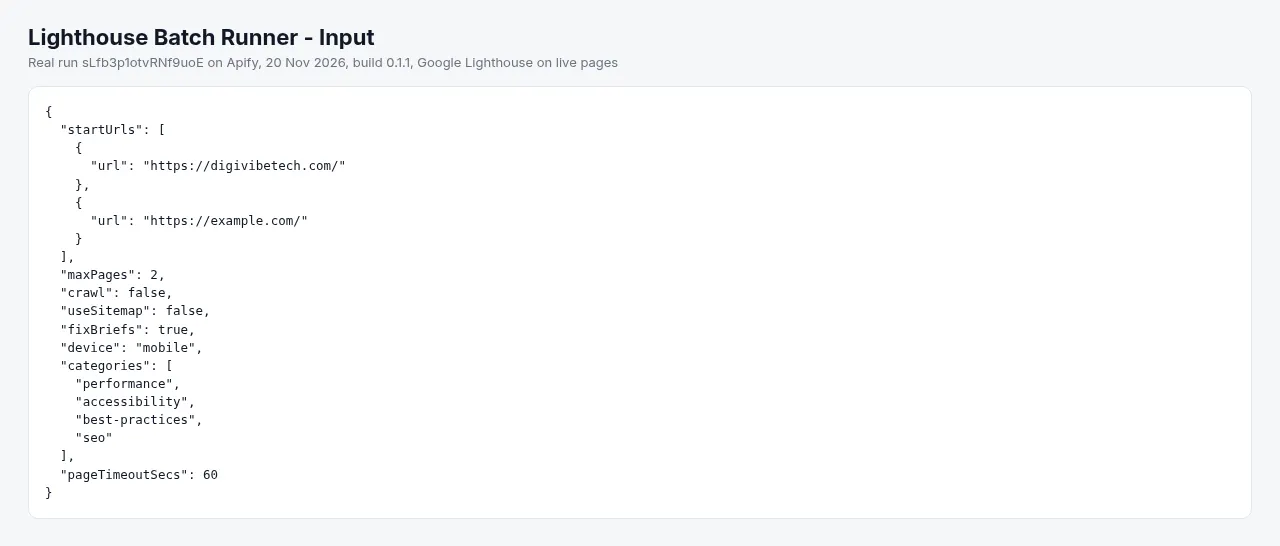
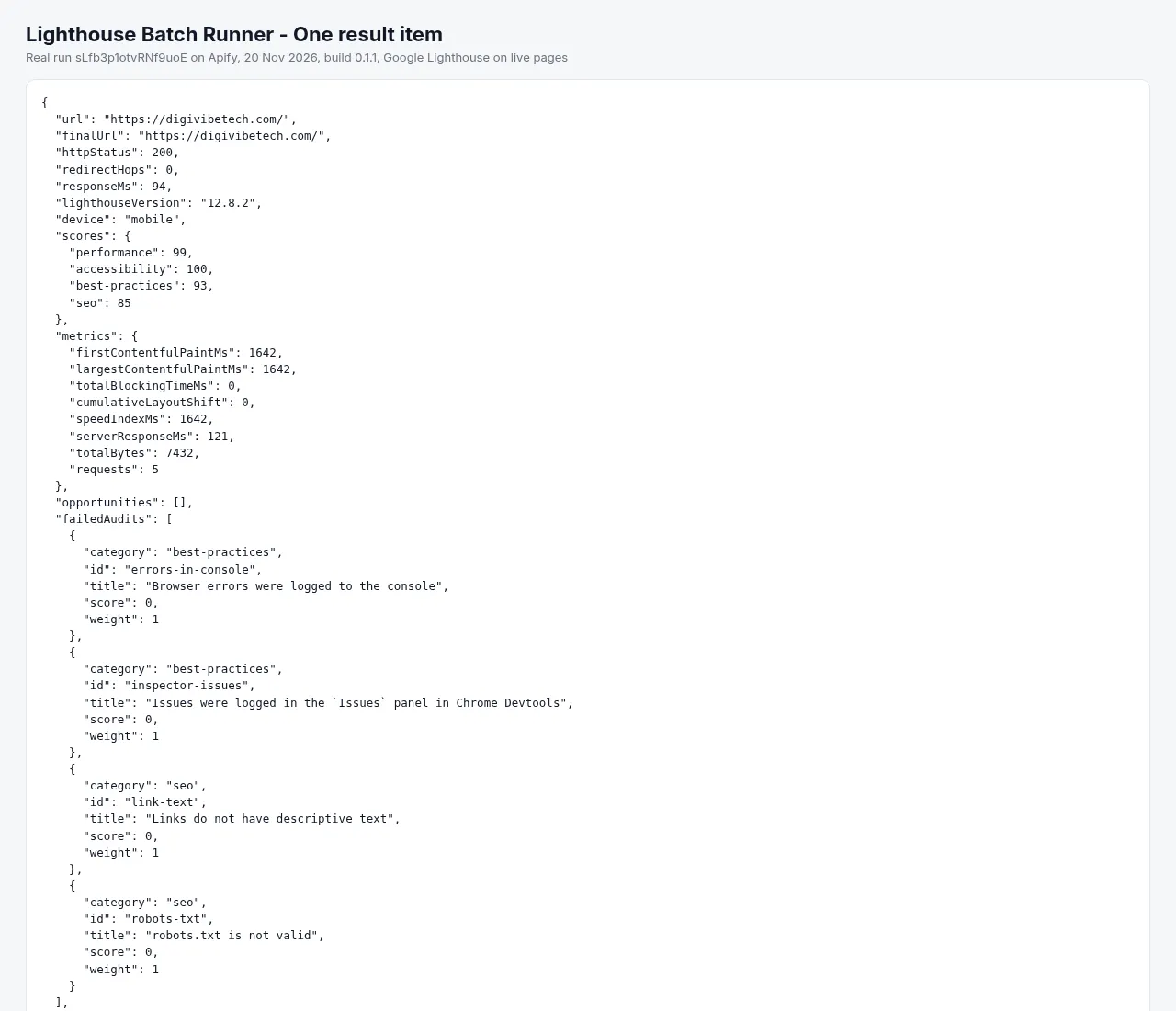
From real run sLfb3p1otvRNf9uoE on Apify, 20 Nov 2026 (build 0.1.1). Images are rendered from that run's own input, dataset and charged events.
⬇️ What data you get
Per page (dataset):
- Lighthouse scores 0-100: performance, accessibility, best practices, SEO (real Lighthouse 12.8.2, not an estimate).
- Lab metrics: Largest Contentful Paint, Cumulative Layout Shift, Total Blocking Time, First Contentful Paint, Speed Index, server response time, page weight and request count.
- Biggest speed wins: Lighthouse opportunities with their estimated time saving, for example "Properly size images: 1,200 ms". These are Lighthouse lab estimates, not promised real-world improvements.
- Failed Lighthouse audits, ranked by their weight in the score.
- On-page SEO: title and length, meta description and length, H1 count, canonical, noindex (meta tag and X-Robots-Tag header), lang, viewport, images without alt text, word count, Open Graph tags, JSON-LD blocks, hreflang links, mixed content.
For the whole site (key-value store):
REPORT.html: one page to share with a client or team: average scores, "fix first" list, slowest pages.SITE-REPORT: the same as JSON, with every issue, its priority and the pages it affects.PAGES.csv: one row per page for Excel or Google Sheets.- Site-wide checks: duplicate titles, duplicate meta descriptions, internal links to pages that answer 404 or another error.
FIX-BRIEFS.mdandFIX-BRIEFS(JSON), on by default (fixBriefs): one ranked fix list per audited URL, built only from this run's measured Lighthouse scores, lab metrics, opportunities, failed audits and SEO checks, plus a list of URLs that could not be audited. "Where to start" hints are fixed per audit, not a guarantee. Free (no extra event); setfixBriefs: falseto skip.
🎯 Use cases
- Run Lighthouse on up to 500 pages of a site in one batch
- Compare performance and SEO scores across templates
- Get one ranked fix list with fix briefs
▶️ How to use
- Open the actor; the input is prefilled with a small real example.
- Replace it with your own input and set
maxPagesto control the cost. - Press Start. Results appear in the Output tab (Overview view).
- Download JSON, CSV or Excel, call the results via API, or schedule the actor.
⚙️ Input
⬆️ Output
Real record from run sLfb3p1otvRNf9uoE on 2026-11-20 (values change over time).
💵 Pricing and cost estimate
$0.008 per page audited ($8 per 1,000 pages). No start fee. Not charged: pages that robots.txt does not allow, pages that answer an error (they still appear in the site report as broken links), non-HTML files, and pages where Lighthouse fails. When your maximum cost per run is reached, the actor stops and lists the skipped pages.
🔌 Integrations and API
Run it from n8n, Make, Zapier, Clay or any tool that can call an HTTP endpoint, connect a webhook to get notified when a run finishes, or let AI agents call it through the Apify MCP server (mcp.apify.com).
Run it and get the results in one call:
Python (pip install apify-client):
⚠️ Limits
- This build pins Lighthouse 12.8.2 on a Node 20 image. Newer Lighthouse releases (13.x) exist; this build has not been upgraded or verified against them.
- Pages are audited one at a time. Runtime varies by page and audit settings; no fixed seconds-per-page guarantee is made.
- Lighthouse scores are lab measurements from the Apify server location. Field data from real Chrome users (the Chrome UX Report) is not included.
- Up to 500 pages per run.
- Public pages only: no logins, cookies or bypassing of access blocks. Sites that block automated access are reported and skipped. robots.txt is respected, with at most one request per second per site plus the Lighthouse page load.
- Links on other hosts and subdomains are not followed.
🛡️ Data source, privacy and legality
Crawls the public pages of sites you enter; respects robots.txt.
Processing, storage and payment
Input, run logs, dataset rows and generated files are processed and stored by Apify. Access to a run's storage depends on Apify settings; some generated file URLs may grant access to anyone who has the link. Treat output URLs as sensitive and do not put secrets, customer records or personal data in sample inputs.
Storage retention depends on your Apify plan, storage settings and deletion actions; no fixed retention period or automatic deletion by this Actor is promised. Review and delete input, logs, datasets and key-value stores in your Apify account when no longer needed. Apify handles run billing under pay-per-event pricing. No separate licence key or seven-day free-run window applies. Privacy and support information.
Public page URLs, sitemaps, page content and lab measurements are processed for the audit. Chromium/Lighthouse loads page resources and contacts those sites and resource providers. The dataset, site report, HTML, CSV and fix briefs are saved to Apify storage. Use first-party or permissioned pages; reports contain URLs and page metadata. Lab metrics are not Chrome UX Report field measurements.
❓ FAQ
How much does Lighthouse Batch Runner cost?
The pay-per-event price will be published before the actor goes public.
Can I try it for free?
Yes. Press Start with the prefilled input: it runs a small real job (a few items). Apify's free plan includes monthly platform credit, which covers a first test.
Is it legal to use Lighthouse Batch Runner?
Crawls the public pages of sites you enter; respects robots.txt. Use the results lawfully (terms of the source, GDPR where it applies). This is not legal advice.
Can I use it through the API or an MCP server?
Yes. Every run is available through the Apify API and the official client libraries, and AI agents can call the actor through the Apify MCP server. See Integrations and API above.
Something does not work. Where do I get help?
Open an issue on the Issues tab or use digivibetech.com/support. Include the run ID so we can reproduce it.
📝 Changelog
20 Nov 2026 — listing refresh
- README, listing text and input form restructured to the DigiVibeTech Apify quality standard v1. No feature or price change.
0.1 — build 0.1.1
- First build 2026-11-20, latest build 2026-11-20 (1 successful builds).
🧩 More DigiVibeTech actors
- Website SEO & AI Search Audit (GEO/AEO)
- Broken Link & Image Checker - Sitemap or Crawl
- Bulk WHOIS & DNS Lookup - Domain Expiry, RDAP, SPF, DMARC
- Redirect Chain & Migration Map Checker
Maintained by DigiVibeTech. Questions or bugs: use the Issues tab or digivibetech.com/support; we reply within 2–5 business days.


