

NuGet Package Metadata - Downloads, Versions & Deps
Pricing
$0.90 / 1,000 package fetcheds
NuGet Package Metadata - Downloads, Versions & Deps
Look up .NET NuGet packages via the official nuget.org V3 API: downloads, versions, license, frameworks, dependencies, vulnerabilities, deprecation. Audit a .csproj or lock file. Email patterns removed. $0.0009 per package returned, no start fee.
Pricing
$0.90 / 1,000 package fetcheds
Rating
0.0
(0)
Developer

DigiVibeTech
Maintained by CommunityActor stats
0
Bookmarked
2
Total users
1
Monthly active users
2 days ago
Last modified
Categories
Features
Share
NuGet Package Metadata — look up .NET NuGet packages via the official nuget.org V3 API: downloads, versions, license, frameworks, dependencies, vulnerabilities, deprecation.
Try it free: press Start — the prefilled input runs a small real job (up to 20 × package fetched, about $0.018 in events). Apify's free plan includes monthly platform credit, so a first test costs you nothing. You can also set a maximum cost per run.
- What you get:
packageId,latestVersion,totalDownloads,licenseUrl,isVulnerable,maxSeverity - Who it's for: .NET developers, security teams and OSPOs
- Price: $0.0009 per package fetched
- Data source: Uses the official nuget.org V3 API; email-like patterns are removed.
What is NuGet Package Metadata?
Look up .NET NuGet packages through the official, documented NuGet V3 API (the same API dotnet restore and Visual Studio use). One clean record per package:
-
id, title, latest version (stable or prerelease), description, summary, tags, project URL
-
total downloads, downloads of the selected version, newest versions with download counts, verified (reserved) prefix, owners, authors
-
license expression / license URL, published date, listed flag (
licenseExpressionis null when a package publishes only a license URL;licenseUrlis set whenever the package declares a license, and for an expression without a URL it links to the official licenses.nuget.org page) -
target frameworks + dependency groups (dependency id + version range per framework)
-
known vulnerabilities (severity + GitHub advisory URL) and deprecation (reasons, message, alternate package)
-
audit flags:
isVulnerable+maxSeverity(nonewhen there is no known vulnerability),isDeprecated, andisOutdatedwhen you check a pinned version and a newer one exists -
project audit: paste a
.csproj,Directory.Packages.props,packages.configorpackages.lock.json, and each direct package reference in it is checked at the version in the file (see Input for ranges and floating versions) -
PACKAGES.csv: one line per returned package (version, latest, license, downloads, vulnerable, severity, advisory, deprecated, alternate package, frameworks), plus counts in
SUMMARY
Great for dependency audits, SBOM enrichment, license checks, tracking your own packages' downloads, or comparing .NET libraries.
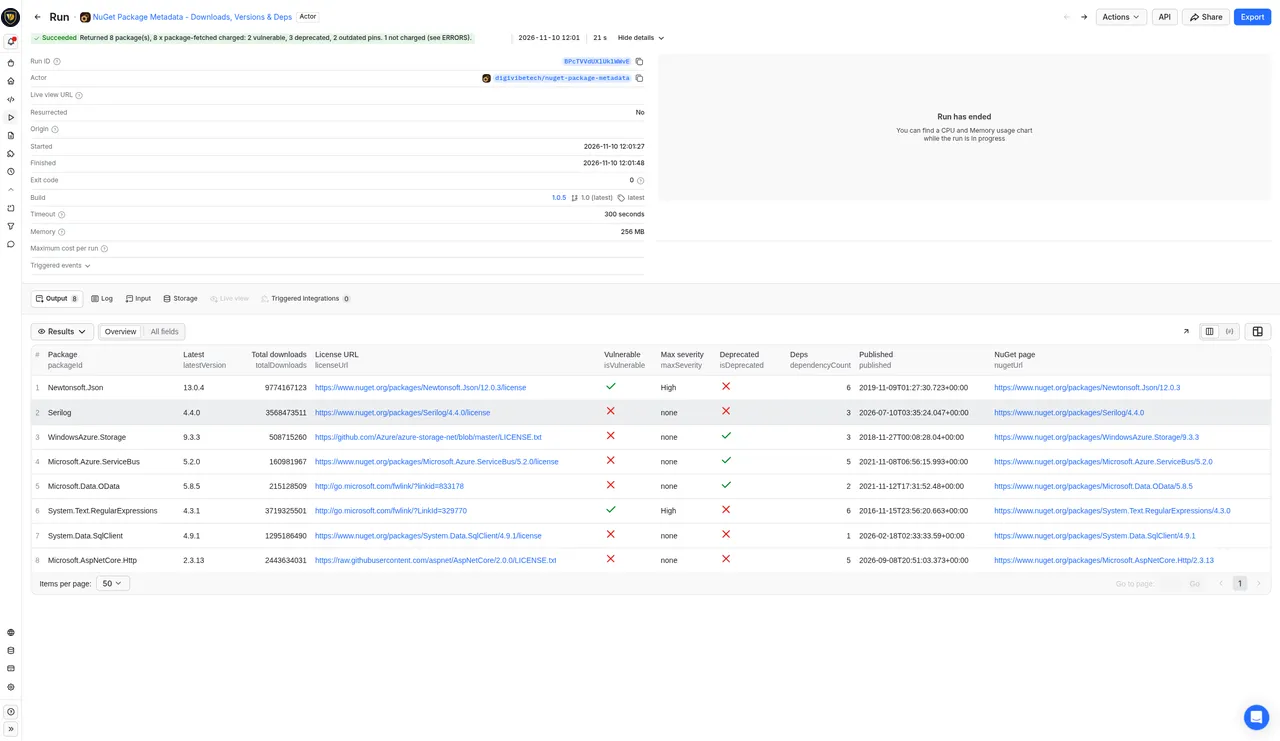
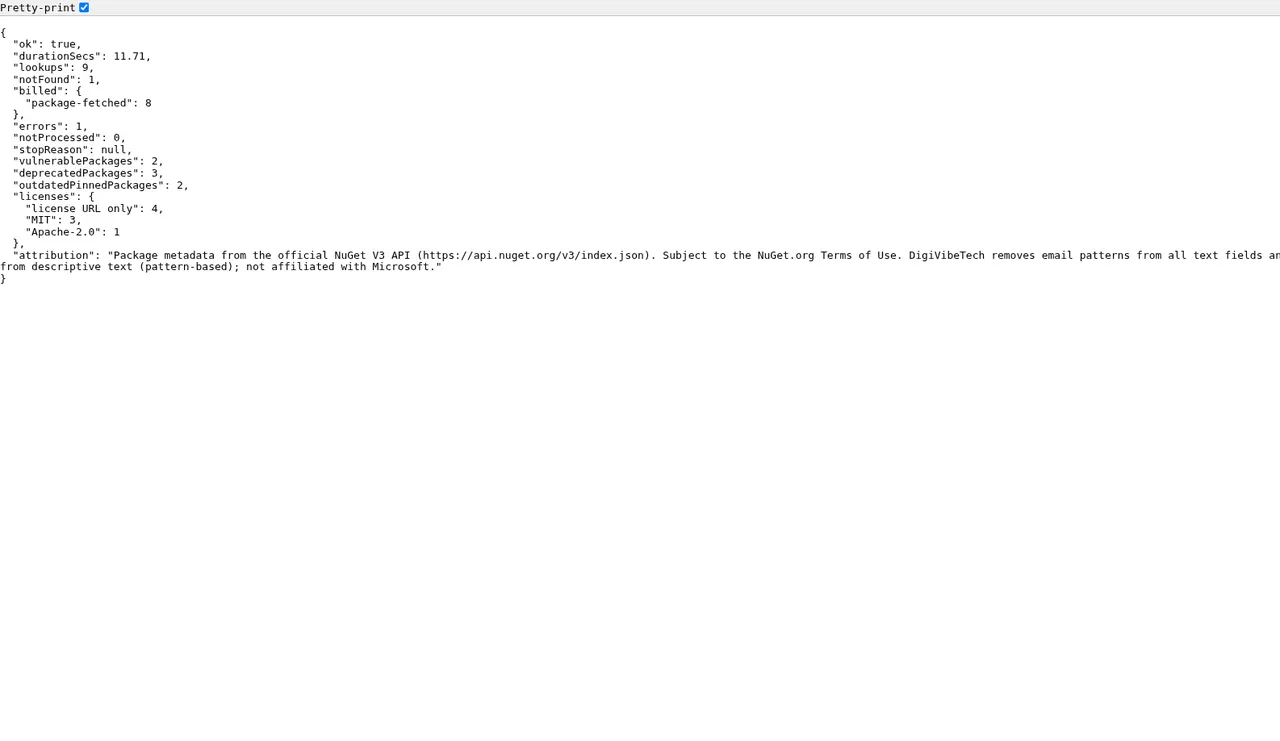
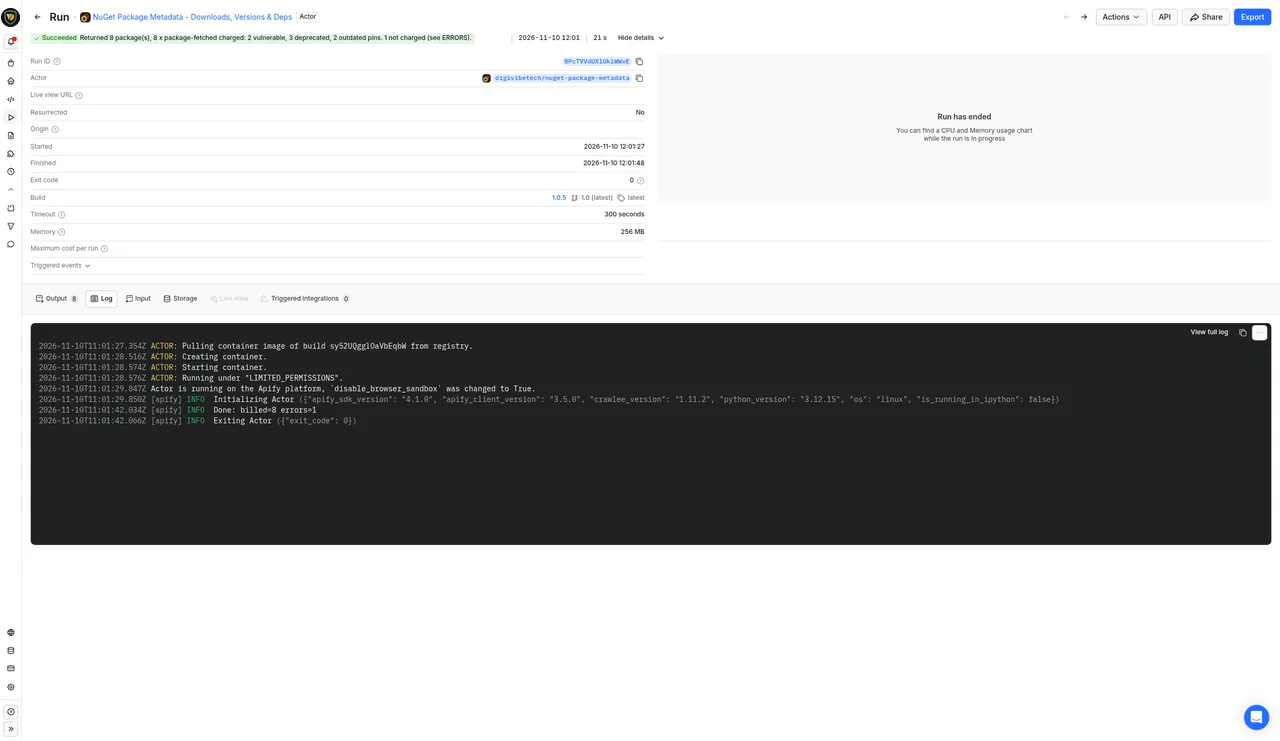
📸 Real-run screenshots
Apify Console views of a 10 November 2026 cloud run of the example input below.
⬇️ What data you get
One dataset item per result. Key fields:
| Field |
|---|
packageId |
latestVersion |
totalDownloads |
licenseUrl |
isVulnerable |
maxSeverity |
isDeprecated |
dependencyCount |
published |
nugetUrl |
🎯 Use cases
- Audit a .csproj or lock file for vulnerable or deprecated packages
- Check licenses and target frameworks in bulk
- Compare download counts of alternatives
▶️ How to use
- Open the actor; the input is prefilled with a small real example.
- Replace it with your own input and set
maxVersionsListedto control the cost. - Press Start. Results appear in the Output tab (Overview view).
- Download JSON, CSV or Excel, call the results via API, or schedule the actor.
⚙️ Input
| Field | Meaning |
|---|---|
packageIds | NuGet ids, e.g. Newtonsoft.Json, Serilog, Newtonsoft.Json@12.0.3 (check that exact version), or a nuget.org/packages URL |
projectFileText | Optional: paste a .csproj, Directory.Packages.props, packages.config or packages.lock.json. Each direct reference is checked at its version; a range such as [2.0.123, 3.0.0) at its inclusive lower bound. Floating versions (10.*), exclusive ranges and MSBuild variables ($(Ver)) are checked at the latest version. Transitive and project entries in a lock file are skipped. An id that is also in packageIds is checked once, at the version from the file |
version | Optional: one exact version for all packages (details for that version). Packages without that version go to ERRORS, not charged |
includePrerelease | Latest may be a prerelease (default false). With false, a package that has only prerelease versions still returns its newest prerelease |
includeDependencies | Add license expression, published date, frameworks and dependency groups (default true). With false these fields are empty |
maxVersionsListed | Newest N versions with downloads (default 20, max 500) |
maxPackages | Cap on billed packages per run (default 100, max 5000); the rest are listed in ERRORS, not charged |
Example input
This input returned 8 records and billed 8 packages. The last id does not exist, so it went to ERRORS and was not charged.
⬆️ Output
These are real records from a run of that input on 10 Nov 2026 (download counts change daily). Fields not shown here: packageDescription, summary, authors, owners, tags, projectUrl, requireLicenseAcceptance, iconUrl, packageTypes, listed, registrationUrl, source and attribution. Lists are cut where marked.
Vulnerable pinned version:
Deprecated package (deprecation field from the WindowsAzure.Storage record in the same run):
Failed inputs (not charged) are in the key-value store record ERRORS. Counts (billed, not found, not processed, vulnerable, deprecated, outdated pins, license mix) are in SUMMARY, and one line per returned package is in PACKAGES (CSV).
💵 Pricing and cost estimate
$0.0009 per package returned (event package-fetched, charged once for each package saved to the dataset), no start fee. Packages that are not found, invalid ids, pinned versions that do not exist and other errors are listed in ERRORS and not charged.
The run stops before the next package when maxPackages packages (default 100) have been billed, when one more package would go over your Max cost per run, or when NuGet answers HTTP 403 or 429. The packages it did not get to are listed in ERRORS as not processed and are not charged.
Cost estimate
| Package fetcheds | Cost |
|---|---|
| 100 | $0.090 |
| 1,000 | $0.90 |
| 10,000 | $9.00 |
You pay only for these events: no subscription. Set Maximum cost per run in the run options and the actor stops before it is reached.
🔌 Integrations and API
Run it from n8n, Make, Zapier, Clay or any tool that can call an HTTP endpoint, connect a webhook to get notified when a run finishes, or let AI agents call it through the Apify MCP server (mcp.apify.com).
Run it and get the results in one call:
Python (pip install apify-client):
⚠️ Limits
- Data is returned as the source publishes it; fields the source leaves empty stay empty.
- Each run stops at
maxVersionsListedresults, so the cost stays predictable.
🛡️ Data source, privacy and legality
Uses the official nuget.org V3 API; email-like patterns are removed.
How it works / responsible use
- Uses only documented NuGet V3 resources:
SearchQueryService(stats) andRegistrationsBaseUrl(package metadata). No nuget.org web-page scraping, no .nupkg downloads, no login, no proxies. - Polite: at most 1 request per second per host, robots.txt checked (fail-closed), honest User-Agent with a contact URL; on HTTP 403 or 429 the run stops and lists the remaining packages in
ERRORS(not charged) instead of working around limits. - Email-address patterns are removed from all text fields and phone patterns from descriptive text only (pattern-based filtering, not a PII-free guarantee). Owner usernames and author names are returned as nuget.org publishes them (up to 40 names each). Do not use this data for spam or unsolicited outreach (NuGet.org Terms of Use, Code of Conduct).
- Data is subject to the NuGet.org Terms of Use. Not affiliated with or endorsed by Microsoft or the .NET Foundation; "NuGet" is used only to describe the data source.
Privacy and data retention
- What is stored: public package metadata, including the owner usernames and author names that publishers put on nuget.org. Email-address patterns are removed from all text fields and phone patterns from descriptive text only (pattern-based filtering, not a PII-free guarantee). If you paste a project file, only the package ids and versions found in it are used. The file itself is not saved anywhere except your run input.
- Where it is stored: in your own Apify run storage (dataset plus key-value store: SUMMARY, ERRORS, PACKAGES). Apify keeps it for your plan's data retention period, and you can delete it at any time. See Apify's privacy policy: https://apify.com/privacy-policy
- DigiVibeTech gets no copy of your results. Our general privacy policy: https://digivibetech.com/privacy/
❓ FAQ
How much does NuGet Package Metadata cost?
$0.0009 per package fetched. See the cost estimate table above. There is no monthly fee.
Can I try it for free?
Yes. Press Start with the prefilled input: it runs a small real job (up to 20 × package fetched, about $0.018 in events). Apify's free plan includes monthly platform credit, which covers a first test.
Is it legal to use NuGet Package Metadata?
Uses the official nuget.org V3 API; email-like patterns are removed. Use the results lawfully (terms of the source, GDPR where it applies). This is not legal advice.
Can I use it through the API or an MCP server?
Yes. Every run is available through the Apify API and the official client libraries, and AI agents can call the actor through the Apify MCP server. See Integrations and API above.
Something does not work. Where do I get help?
Open an issue on the Issues tab or use digivibetech.com/support. Include the run ID so we can reproduce it.
📝 Changelog
20 Nov 2026 — listing refresh
- README, listing text and input form restructured to the DigiVibeTech Apify quality standard v1. No feature or price change.
1.0 — builds 1.0.1 to 1.0.5
- First build 2026-10-14, latest build 2026-11-10 (5 successful builds).
🧩 More DigiVibeTech actors
- Bulk Image Converter & Compressor - WebP, AVIF, JPEG, PNG
- Bulk QR & Barcode Generator - PNG, SVG, Label PDFs
- PDF OCR to Markdown - Scanned PDF & Image to Text for RAG
- Bulk WHOIS & DNS Lookup - Domain Expiry, RDAP, SPF, DMARC
Maintained by DigiVibeTech. Questions or bugs: use the Issues tab or digivibetech.com/support; we reply within 2–5 business days.


