

Product Image Resizer - Square, Pad, Crop for Shops & Feeds
Pricing
$4.00 / 1,000 image processeds
Product Image Resizer - Square, Pad, Crop for Shops & Feeds
Make shop- and feed-ready product photos: square with white padding or center crop, presets (Merchant 1200, Shopify 2048, Etsy 2000x1500, social 1080, thumbnail 400), trim borders, WebP/JPEG/PNG/AVIF, EXIF stripped. $0.004 per image, all sizes included; failures free.
Pricing
$4.00 / 1,000 image processeds
Rating
0.0
(0)
Developer

DigiVibeTech
Maintained by CommunityActor stats
0
Bookmarked
2
Total users
1
Monthly active users
a day ago
Last modified
Categories
Features
Share
Product Image Resizer — make shop- and feed-ready product photos: square with white padding or center crop, presets (Merchant 1200, Shopify 2048, Etsy 2000x1500, social 1080, thumbnail 400), trim borders, WebP/JPEG/PNG/AVIF, EXIF stripped.
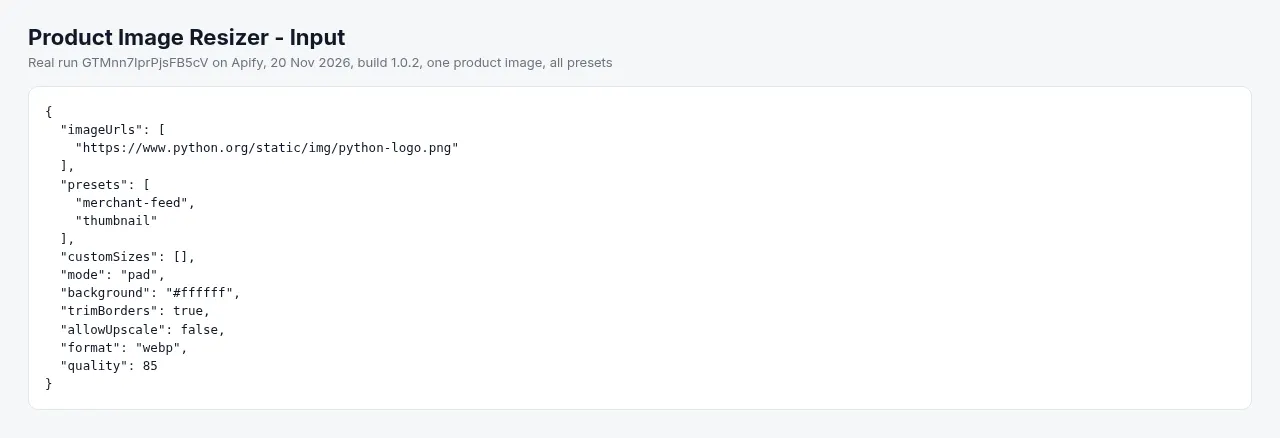
Try it free: press Start — the prefilled input runs a small real job (a few items at $0.004 each). Apify's free plan includes monthly platform credit, so a first test costs you nothing. You can also set a maximum cost per run.
- What you get:
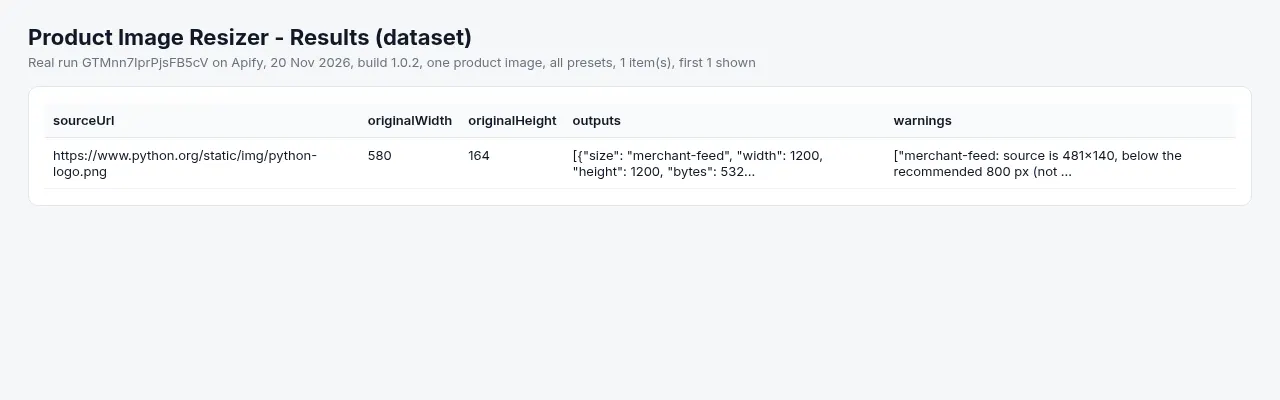
sourceUrl,originalWidth,originalHeight,outputs,warnings - Who it's for: web shops, marketplace sellers and feed managers
- Price: $0.004 per image processed
- Data source: Processes only the image URLs you supply; use images you own or may use.
What is Product Image Resizer?
Turn product photos into shop- and feed-ready images in bulk. Every photo gets a consistent square (or 4:3) canvas, a clean background and all the sizes you need: Merchant/Meta catalog feeds, Shopify, Etsy, social posts and thumbnails, in one run and for one price per image.
✅ Why this one
Marketplaces and shop themes look best when every product image has the same size, aspect ratio and background. Supplier photos rarely do. This actor fixes that without Photoshop actions or manual work.
📸 Real-run screenshots
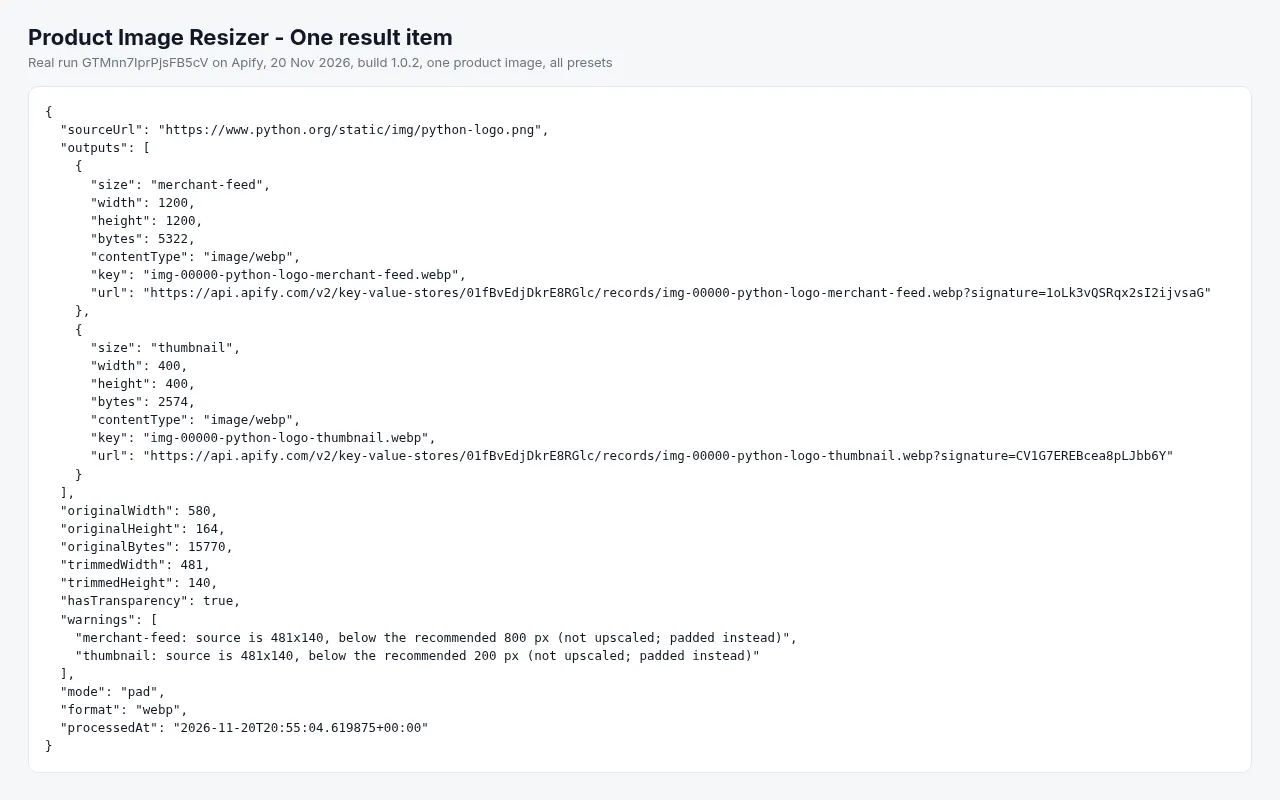
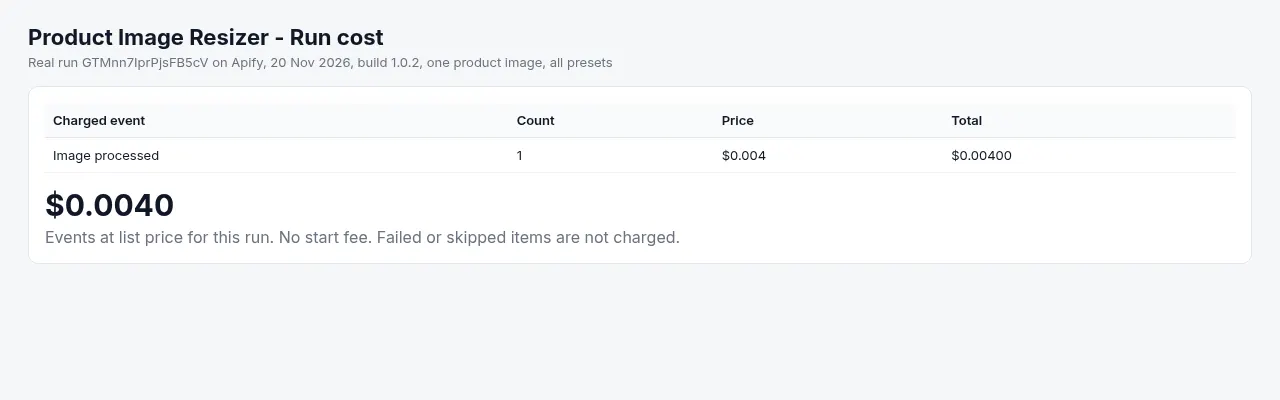
From real run GTMnn7IprPjsFB5cV on Apify, 20 Nov 2026 (build 1.0.2). Images are rendered from that run's own input, dataset and charged events.
⬇️ What data you get
- Presets:
merchant-feed1200x1200,shopify2048x2048,etsy2000x1500,social-square1080x1080,thumbnail400x400, plus your owncustomSizes(up to 6 sizes per image) - Modes:
pad(whole product visible on a white or custom canvas),crop(center crop to fill),fit(no canvas) - Trim borders: removes uneven white or transparent margins first, so products fill the frame consistently
- No blurry upscaling by default: small photos are centred at their own size, and you get a warning when a photo is below a platform's recommended size
- WebP, JPEG, PNG, AVIF; camera rotation applied; EXIF/GPS metadata always removed
- Download links for every file
Background removal is not included (planned).
🎯 Use cases
- Make square, white-padded photos for Google Merchant
- Resize to Shopify, Etsy or social presets in one run
- Trim borders and convert to WebP or AVIF
▶️ How to use
- Open the actor; the input is prefilled with a small real example.
- Replace it with your own input.
- Press Start. Results appear in the Output tab (Overview view).
- Download JSON, CSV or Excel, call the results via API, or schedule the actor.
⚙️ Input
⬆️ Output
One dataset item per source image: sourceUrl, originalWidth/Height, trimmedWidth/Height, outputs[] (size, width, height, bytes, key, url), warnings[]. The files are in the run's key-value store. Failed images and reasons are in ERRORS; totals in SUMMARY.
Example record (real run GTMnn7IprPjsFB5cV, 2026-11-20)
💵 Pricing and cost estimate
| Event | Price |
|---|---|
| Image processed (all requested sizes) | $0.004 |
Failed images are free and there is no start fee. 500 product photos in 3 sizes cost $2.00.
Cost estimate
| Image processeds | Cost |
|---|---|
| 100 | $0.40 |
| 1,000 | $4.00 |
| 10,000 | $40.00 |
You pay only for these events: no subscription. Set Maximum cost per run in the run options and the actor stops before it is reached.
🔌 Integrations and API
Run it from n8n, Make, Zapier, Clay or any tool that can call an HTTP endpoint, connect a webhook to get notified when a run finishes, or let AI agents call it through the Apify MCP server (mcp.apify.com).
Run it and get the results in one call:
Python (pip install apify-client):
Use it in n8n, Make or Zapier
Send new supplier image URLs to the actor and copy the outputs[].url links into your shop or feed.
⚠️ Limits
- No background removal, retouching or AI upscaling. Small photos stay at their own size and get a warning unless you set
allowUpscale. trimremoves plain white or transparent borders. Busy or shadowed backgrounds are left as they are.- Source images must be public URLs; social-network image hosts are refused and robots.txt is respected.
- Output files live in the run's key-value store, so they expire with Apify's storage retention unless you copy them.
🛡️ Data source, privacy and legality
Processes only the image URLs you supply; use images you own or may use.
Responsible use
Process only images you own or may use. We follow each site's robots.txt, fetch at most about one image per second per host with an honest User-Agent (ProductImageResizer/1.0), never log in or bypass protection, and refuse social-network image hosts.
❓ FAQ
How much does Product Image Resizer cost?
$0.004 per image processed. See the cost estimate table above. There is no monthly fee.
Can I try it for free?
Yes. Press Start with the prefilled input: it runs a small real job (a few items at $0.004 each). Apify's free plan includes monthly platform credit, which covers a first test.
Is it legal to use Product Image Resizer?
Processes only the image URLs you supply; use images you own or may use. Use the results lawfully (terms of the source, GDPR where it applies). This is not legal advice.
Can I use it through the API or an MCP server?
Yes. Every run is available through the Apify API and the official client libraries, and AI agents can call the actor through the Apify MCP server. See Integrations and API above.
Something does not work. Where do I get help?
Open an issue on the Issues tab or use digivibetech.com/support. Include the run ID so we can reproduce it.
📝 Changelog
20 Nov 2026 — listing refresh
- README, listing text and input form restructured to the DigiVibeTech Apify quality standard v1. No feature or price change.
1.0 — builds 1.0.1 to 1.0.2
- First build 2026-10-14, latest build 2026-10-22 (2 successful builds).
🧩 More DigiVibeTech actors
- Bulk Image Converter & Compressor - WebP, AVIF, JPEG, PNG
- Bulk QR & Barcode Generator - PNG, SVG, Label PDFs
- Universal Shop Catalog & Price Monitor
- Broken Link & Image Checker - Sitemap or Crawl
Maintained by DigiVibeTech. Questions or bugs: use the Issues tab or digivibetech.com/support; we reply within 2–5 business days.


