

YouTube Channel Transcripts: Every Video of a Channel
Pricing
from $2.40 / 1,000 transcripts
YouTube Channel Transcripts: Every Video of a Channel
Download the transcripts of every video of a YouTube channel or playlist (@handle or link) as text, SRT, VTT, Markdown or RAG chunks, newest first, with title, duration and views. Only new videos on a schedule; videos without captions are not charged.
Pricing
from $2.40 / 1,000 transcripts
Rating
0.0
(0)
Developer

Fernando Guiraud
Maintained by CommunityActor stats
0
Bookmarked
1
Total users
0
Monthly active users
8 days ago
Last modified
Categories
Share
What does YouTube Channel Transcripts do?
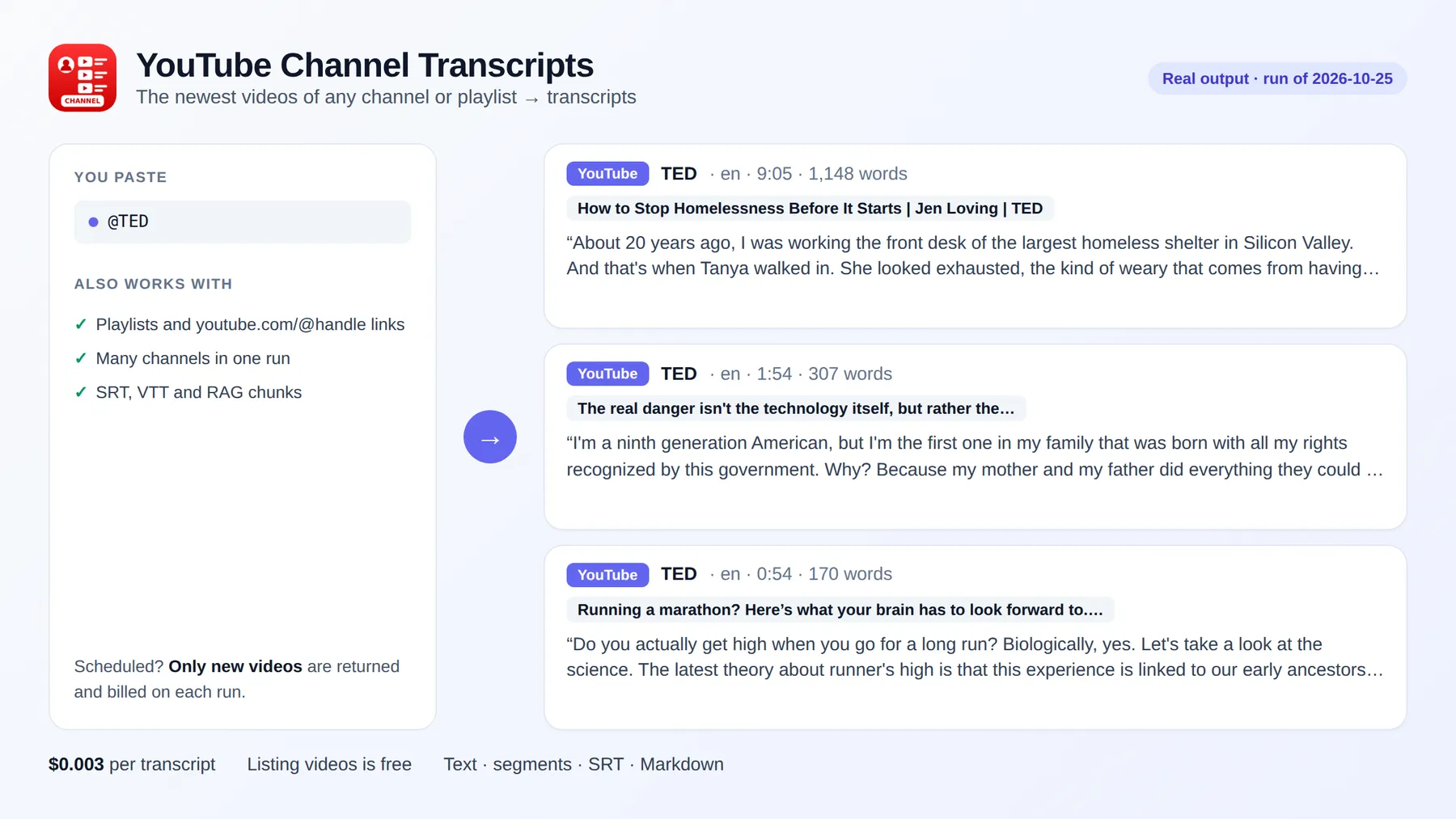
YouTube Channel Transcripts downloads the transcripts of every video of a YouTube channel or playlist in one run: give a @handle, a channel link or a playlist link and get one row per video, newest first, as plain text, timestamped segments, SRT or VTT subtitles, Markdown or RAG-ready chunks, with title, duration, views, keywords and description. No YouTube API key.
Schedule it with Only new videos and every run returns (and charges) only what the channel uploaded since the last run: a ready-made feed of new videos as text for newsletters, research or an LLM.
It runs on the Apify platform, so you also get an API, scheduling, integrations (Google Sheets, Make, Zapier, n8n, Slack) and access for AI agents through the Apify MCP server.
Independent tool, not affiliated with or endorsed by YouTube or Google LLC. It only reads publicly available captions.
Why use it?
- 📚 Research a creator or competitor: every video of the channel as searchable text.
- 🤖 Build a dataset or a RAG index from a whole channel, already chunked with timestamps.
- 📰 Watch a channel: a weekly run with Only new videos gives you each new upload as text.
- ✍️ Repurpose your own channel into blog posts, show notes and social posts.
How to download all transcripts of a YouTube channel
- Click Try for free.
- In YouTube channels or playlists, enter
@handle,youtube.com/@handle,youtube.com/channel/UC...or a playlist link. - Set Max videos per channel (up to 2,000; listing the channel is free).
- Optionally turn on Only new videos and choose the output formats.
- Click Start and download the results as JSON, CSV or Excel.
Input
Single videos (videos) and YouTube searches (searchQueries) also work in the same run.
Output
Real result from a run on 2026-10-13 (text shortened):
| Field | Description |
|---|---|
text, segments, srt, vtt, markdown, chunks | The transcript in the formats you choose |
foundIn | The channel or playlist the video was listed from |
language, isAutoGenerated | Caption language and whether it was generated automatically |
title, durationSeconds, viewCount, keywords, description | Video details |
status | ok (billed), no-captions, unavailable or error (not billed) |
How much does it cost to download a channel's transcripts?
| Event | Price |
|---|---|
| Run start (per GB of memory, default 256 MB) | $0.001 |
| Transcript (one video, all formats, with video details) | $0.003 |
AI transcription minute (only with aiFallback, videos without captions) | $0.010 |
100 transcripts cost $0.30, residential proxies included. Listing the channel is free: you pay only for transcripts returned. Videos without captions, private or removed videos and failures are never billed. Set Max cost per run and the Actor stops cleanly at that limit.
Use it with AI agents (MCP)
Add https://mcp.apify.com?tools=fguiraud/youtube-channel-transcripts to Claude, Cursor or any MCP client and ask "Get the last 20 videos of @TED as text and summarize the main ideas." Common field names (channel, handle, url...) are accepted.
FAQ and limitations
- Order: videos come newest first, Shorts and past live streams included.
- Videos without captions: they come back with
status: "no-captions"and are not billed, unless you turn onaiFallbackto transcribe them with AI (open-source Whisper, $0.010 per minute). - Age-restricted, private and members-only videos cannot be read without signing in; they come back as
unavailableand are not billed. - Is it legal? The Actor reads the captions YouTube shows publicly on each video. Respect the rights of the video creators when you reuse their content.
- Found a problem or need a feature? Open an issue on the Issues tab.
- Did it save you time? A short review on the Reviews tab helps other people find this Actor.
Related tools
- Single videos or many links: YouTube Transcript Scraper.
- Videos about a topic: YouTube Search Transcripts.


