

Adobe Stock Scraper | Search, Reverse Image & Similar
Pricing
from $0.34 / 1,000 assets
Adobe Stock Scraper | Search, Reverse Image & Similar
Get Adobe Stock assets with downloads, views, keywords, creator, size, type and AI flag. Keyword search, reverse image search by URL, similar-asset search, creator portfolios and ID lookups in one run. Photos, vectors, videos, templates, 3D. Many filters, no login.
Pricing
from $0.34 / 1,000 assets
Rating
0.0
(0)
Developer

Flowo
Maintained by CommunityActor stats
0
Bookmarked
3
Total users
2
Monthly active users
5 days ago
Last modified
Categories
Features
Share
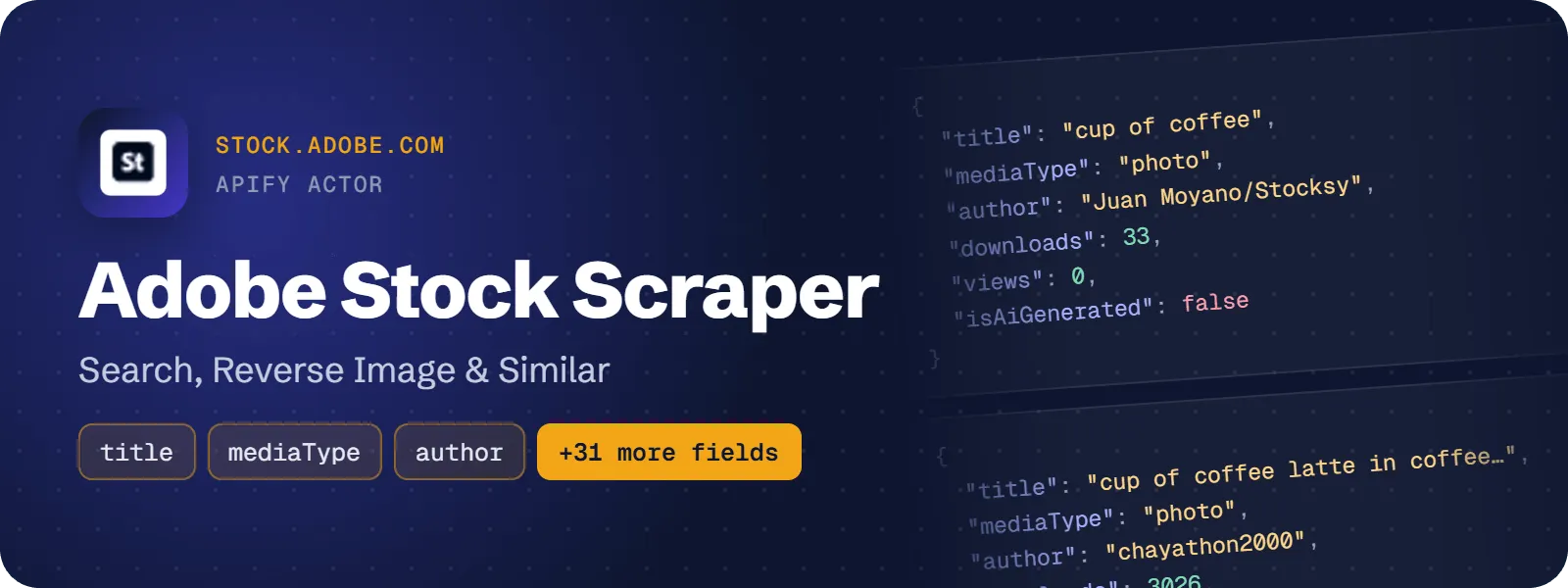
Get Adobe Stock assets as flat rows: title, downloads, views, keywords (tags), creator name and country, size, asset type, AI-generated and Premium flags, thumbnail and preview links. Search by keyword, run a reverse image search from a public image URL, find assets similar to an Adobe Stock asset, pull creator portfolios or look up known asset IDs, all in one run. No login or API key needed.
What does Adobe Stock Scraper do?
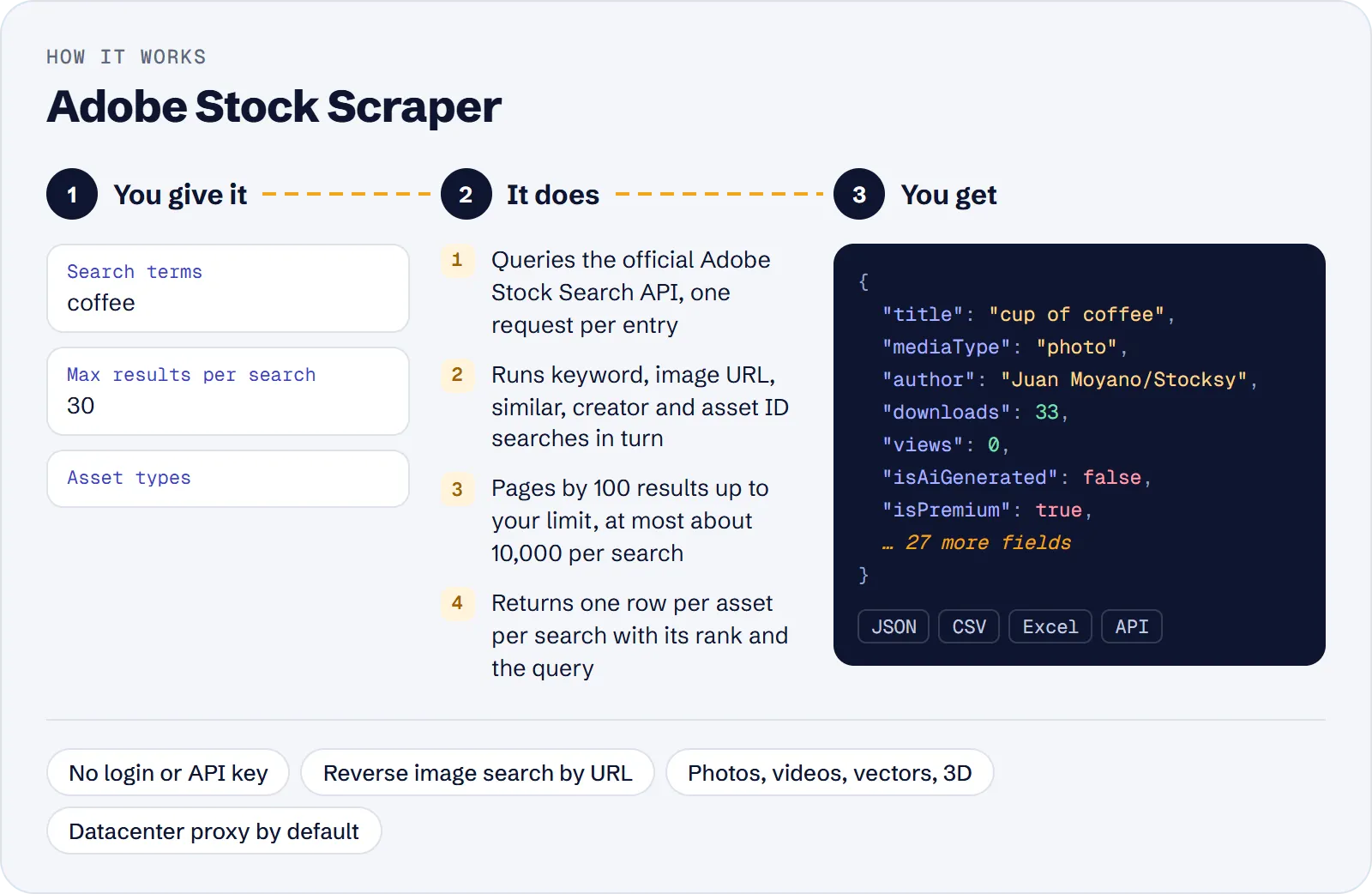
You give it search terms, image URLs, asset IDs or creator IDs. It queries the official Adobe Stock Search API and returns one row per asset per search, with its rank in that search (position), the search it came from (query, searchType) and the total number of matches (totalResults). It is made for microstock contributors doing keyword and competitor research, designers looking for an Adobe Stock match of an image they have, and data teams that need catalogue samples with metadata.
How to scrape Adobe Stock photos, videos and vectors
- Open the actor in Apify Console.
- Fill one or more of the five main fields: Search terms, Image URLs (reverse image search), Similar to asset IDs, Creator IDs (portfolios) or Asset IDs (lookup). Every field takes many entries, and you can mix them in one run.
- Set Max results per search (default 100, up to 10,000) and, if you like, Max results in total.
- Optionally narrow the results with filters: asset types, AI-generated content, orientation, Premium, upload age, colors, isolated subject, releases, sort order and language.
- Click Start. Download the results as JSON, CSV or Excel, or read them through the API.
How much does it cost to scrape Adobe Stock?
Price per event by Apify plan:
| Event | Free | Bronze | Silver | Gold and above |
|---|---|---|---|---|
| Run start | $0.00005 | $0.00005 | $0.00005 | $0.00005 |
| Asset | $0.40 per 1,000 | $0.38 per 1,000 | $0.36 per 1,000 | $0.34 per 1,000 |
A test run with the API example input below returned 30 rows in 4 s.
You pay per asset: one dataset row, i.e. one asset from one search, reverse image search, similar search, portfolio or lookup. On the Free plan that is $0.0004 per asset ($0.40 per 1,000), plus a run start fee of $0.00005. Searches without results, assets that are not found and failed searches are not charged.
| Scenario | Assets (events) | Cost on the Free plan |
|---|---|---|
| Track 20 known asset IDs | 20 | $0.00805 |
| 1 search term × 100 results (default) | 100 | $0.04005 |
| 10 search terms × 100 results | 1,000 | $0.40005 |
| 1 creator portfolio × 10,000 results | 10,000 | $4.00005 |
The same asset found by two different searches gives two rows, and both are charged.
Input
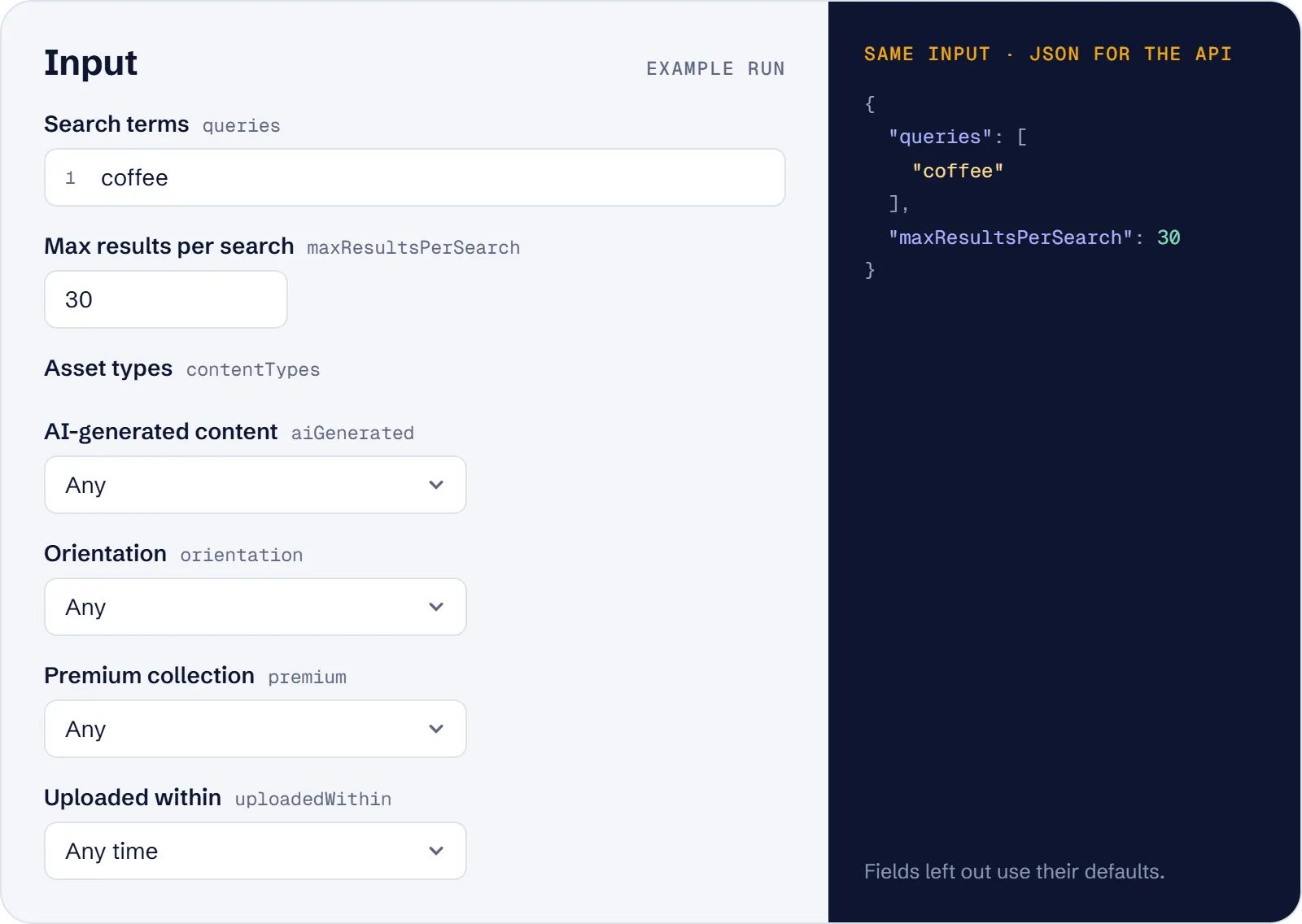
At least one of queries, imageUrls, similarToAssetIds, creatorIds or assetIds must contain a usable entry; otherwise the run stops with an input error.
| Field | What it does |
|---|---|
queries | Keyword searches, one term per entry. |
imageUrls | Reverse image search: public http(s) links that open a JPEG or PNG image itself (not a web page). |
similarToAssetIds | Assets visually similar to an Adobe Stock asset: a numeric ID (e.g. 226862767) or a stock.adobe.com asset URL. The asset itself is not returned. |
creatorIds | Creator portfolios: a numeric creator ID (e.g. 206476481) or a stock.adobe.com/contributor/<id>/… URL. |
assetIds | Lookup of known assets: a numeric ID (e.g. 123492483) or a stock.adobe.com asset URL. At most one row per asset. |
maxResultsPerSearch | Rows per search entry, 1–10,000 (default 100). |
maxItems | Optional cap on the total rows of the run. |
contentTypes | photo, illustration, vector, video, template, 3d. Empty = Adobe's default (photos, illustrations and vectors). |
aiGenerated | any, exclude or only AI-generated assets. |
orientation | any, horizontal, vertical, square, panoramic. |
premium | any, exclude or only Premium assets. |
uploadedWithin | any, 1w, 1m, 6m, 1y, 2y. |
colors | Dominant colors as 6-digit hex codes (ff0000 or #ff0000); several colors narrow the result. |
isolatedOnly | Only subjects isolated on a plain background. |
withReleasesOnly | Only assets with a model or property release. |
sortBy | relevance, nb_downloads (most downloaded), creation (newest), undiscovered. |
language | Search language: en, fr, de, es, it, pt, ja, ko, zh (default en). |
apiKey | Optional own Adobe Stock API key (client ID); only needed if the log says the default access was rejected. |
proxyConfiguration | Apify datacenter proxy by default. |
Filters and sorting apply to keyword searches, image URLs, similar assets and creators. They do not apply to asset lookups (a warning says so).
What data can you extract from Adobe Stock?
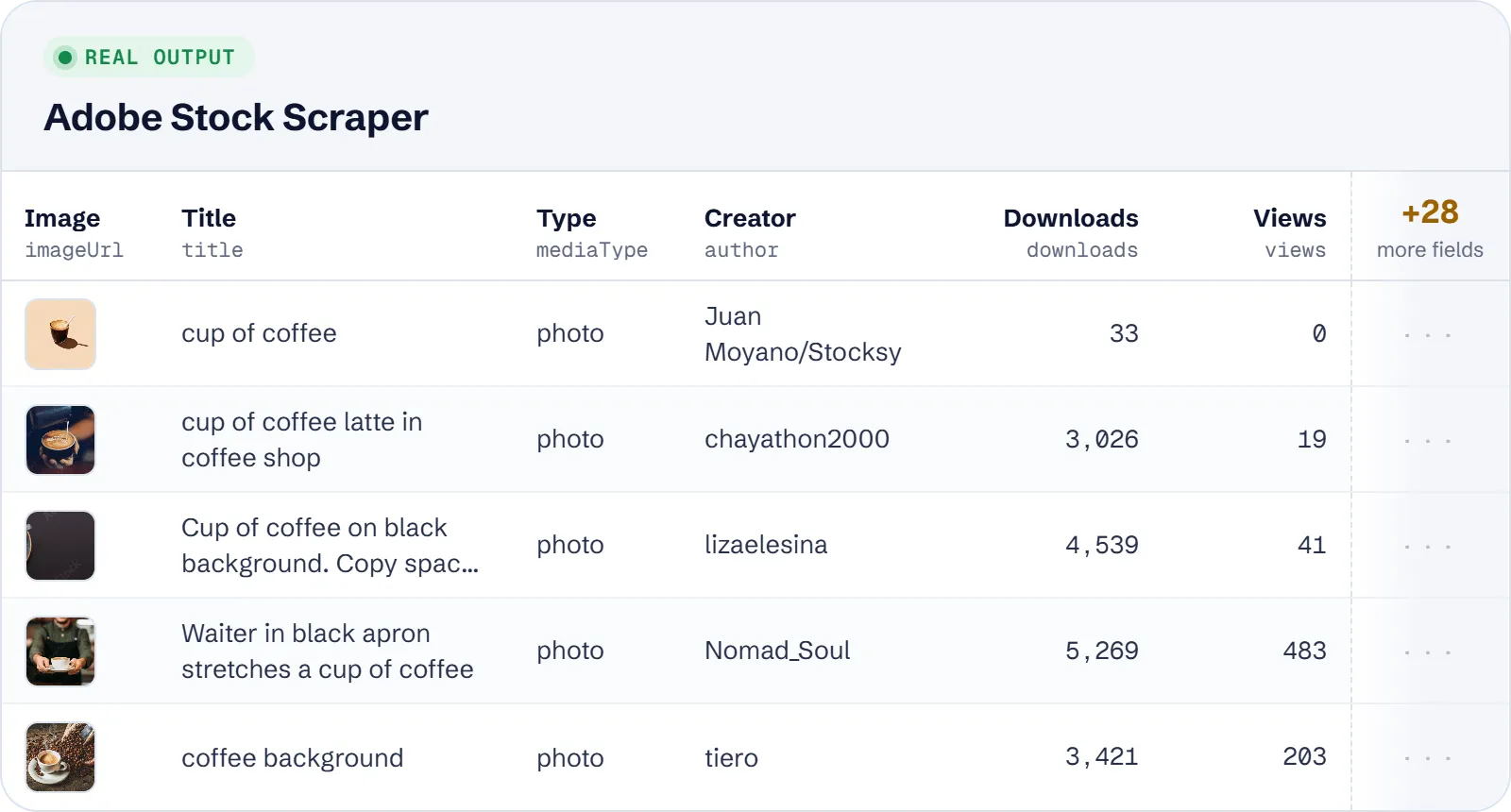
| Field | Meaning |
|---|---|
id, url | Asset ID and its stock.adobe.com page |
title | Asset title, in the language the creator wrote it |
mediaType, contentType | Asset type: photo, illustration, vector, video, 3d, template, or express for Adobe Express templates (not a search filter); MIME type |
author, authorId, authorCountry | Creator name, creator ID and country |
width, height, sizeBytes | Dimensions in pixels and file size |
category, categoryId | Adobe Stock category |
tags | Keywords in Adobe's order |
imageUrl, largeImageUrl, watermarkedCompUrl | 500 px and 1000 px thumbnails, watermarked comp |
videoPreviewUrl, durationMs | Video preview and duration (videos) |
vectorType, templateTypeId | Vector file type (vectors), template type (templates) |
publishedAt | Upload date (ISO, UTC) |
downloads, views | Download and view counts |
isPremium, premiumLevel | Premium collection flag and level |
isAiGenerated, isEditorial, hasReleases | AI-generated, editorial, model/property release flags |
searchType, query, position, totalResults | Search kind (keyword, imageUrl, similarToAsset, creator, assetId), the input entry, 1-based rank, total matches |
scrapedAt | When the row was scraped |
A real row from a coffee search (tags shortened):
Use cases
- Keyword research for contributors: search
coffeeandlatte art, photos only, no AI, sorted by downloads, and see which titles and keywords sell. - Reverse image search: give a public image URL and get the visually closest Adobe Stock assets, optionally videos only.
- More like this: get assets similar to one you licensed, by its ID or stock.adobe.com URL.
- Competitor portfolios: pull a creator's newest uploads with downloads by creator ID, sorted by newest.
- Asset tracking: look up known asset IDs on a daily schedule to follow their downloads and views.
Limitations
- Adobe serves at most about 10,000 results per search. For more, split the search by filters or asset type.
- No price or licence data: the API does not return prices.
- No minimum size, transparent background, copy-space or icon filters.
viewsis often 0 (that is the value Adobe reports).category,videoPreviewUrl,durationMs,vectorTypeandtemplateTypeIdcan benull; the last four are filled only for the matching asset types.- Titles and keywords stay in the creator's language;
languagechanges matching and ranking only. - Reverse image search needs a link to the image file itself. A web page, a 404 link or a local file does not work.
- The default access uses Adobe's public API key. If Adobe rejects it, the run stops with a message and you can set your own
apiKey.
Tips and troubleshooting
- 0 rows? Check the log: empty searches, assets not found and invalid entries (non-numeric IDs, malformed URLs) get a warning naming the entry. Too many filters together can also leave 0 results.
- Invalid colors (not 6 hex digits, e.g.
red) stop the run with an input error before any request. - Track new uploads: use
creatorIdswithsortBy: "creation"on a schedule. - Combine freely: one run can hold keywords, image URLs, similar IDs, creators and lookups; each entry is its own search with its own
positionranking. UsemaxItemsto cap the total. - Filters with lookups: filters and sorting are ignored for
assetIds, so a lookup always returns the asset if it exists. - The default 256 MB memory and the Apify datacenter proxy are enough; no proxy works too.
API, MCP and integrations
Run the actor from your code with the same JSON input as in Console. Your API token is in Console → Settings → API & Integrations.
Python (pip install apify-client):
Node.js (npm install apify-client):
HTTP — one request runs the actor and returns the results (runs up to 5 minutes; longer ones: run asynchronously):
AI agents (MCP). Add the actor as a tool of the Apify MCP server. Claude Code:
Claude Desktop, Cursor or VS Code: {"mcpServers": {"apify": {"url": "https://mcp.apify.com?tools=genial_candlestand/adobe-stock-scraper"}}}. Then ask, for example:
- "Find the 200 most downloaded non-AI Adobe Stock photos for latte art with their keywords"
- "Show the newest Adobe Stock uploads of creator 206476481 with downloads and views"
- "Get current downloads and views of Adobe Stock assets 123492483 and 396963389"
Integrations. Run it on a schedule with Apify Schedules and send the results to Google Sheets, Slack, Zapier, Make, n8n or your webhook — see Apify integrations.
FAQ
Do I need an Adobe account or API key?
No. The actor uses Adobe's public Stock API access. The apiKey field is optional, for the case that Adobe rejects the public access.
Can I search Adobe Stock by image?
Yes. Put public image URLs into imageUrls, and each one becomes a reverse image search returning visually similar assets. Filters such as asset type or AI-generated content apply to it too.
Does it download full-resolution files?
No. It returns metadata with thumbnail, watermarked comp and video preview links. Full files need an Adobe Stock licence.
How is it different from other Adobe Stock actors?
It adds reverse image search by URL and similar-asset search by ID, takes many terms, image URLs, IDs and creators in one run, and returns query, position and totalResults on every row. Per 1,000 assets it costs $0.40 on the Free plan, against $0.60 for the most used Adobe Stock actor in the Store.
Is it legal to scrape Adobe Stock?
The actor reads public catalogue metadata through Adobe's official Search API, the same data shown on stock.adobe.com. It collects no personal data beyond the public creator names shown on the site. You are responsible for how you use the data, including Adobe's terms and the asset licences.
Also useful
- Google Images Scraper — find the same images across the web: image URLs, sizes and source pages
- Pinterest Search Scraper — check visual trends for a keyword: pins, images and outbound links
- Google Trends Scraper — pick stock topics by search interest over time, by region and related queries
- Etsy Search Scraper — research demand for digital prints and templates: prices, shops and rankings


