
Google Images Scraper | Image URLs, Sizes & Source Pages
Pricing
from $1.26 / 1,000 images
Google Images Scraper | Image URLs, Sizes & Source Pages
Get Google Images results by keyword: full-size image URL, width and height, thumbnail, source page, site name, domain, file size and dominant colour, plus price and merchant for product images. Size, colour, type, file type, time, licence and SafeSearch filters, any country and language. No login.
Pricing
from $1.26 / 1,000 images
Rating
0.0
(0)
Developer

Flowo
Maintained by CommunityActor stats
0
Bookmarked
2
Total users
1
Monthly active users
5 days ago
Last modified
Categories
Features
Share
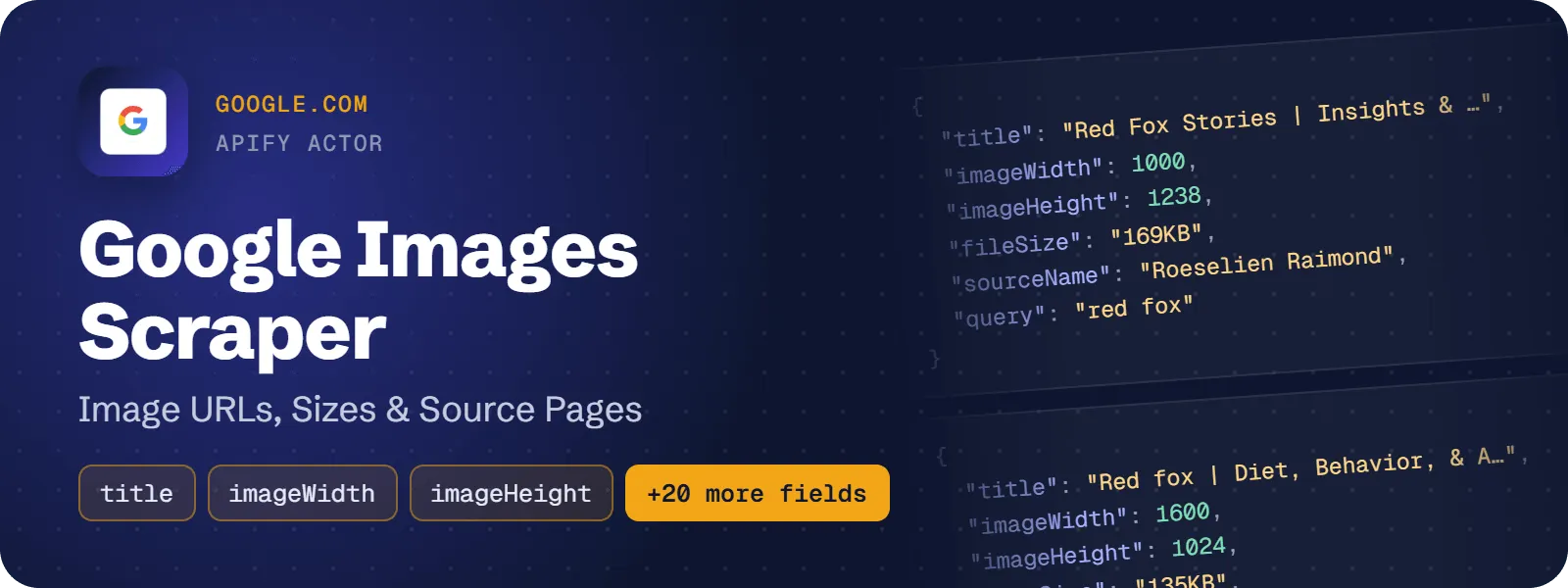
Search Google Images by keyword and get one row per image: the full-size image URL with its width and height, Google's thumbnail, the source page with its title, site name and domain, plus file size and dominant colour. When Google shows an image as a product, the row also has the product name, price, currency, merchant and rating. Use Google's size, colour, type, file type, time, licence and SafeSearch filters, with any country and language.
What does Google Images Scraper do?
You enter one or more search terms, and the actor runs a live Google Images search for each one. It returns the results in Google's order, with a position number per term, up to the limit you set. It is built for people who collect image URLs for datasets, check which sites rank in Google Images, look for large or Creative Commons pictures, or see which product images and stores show up for a keyword. It returns metadata and links only. It does not download image files and it does not do reverse image search (search by image).
How to scrape Google Images
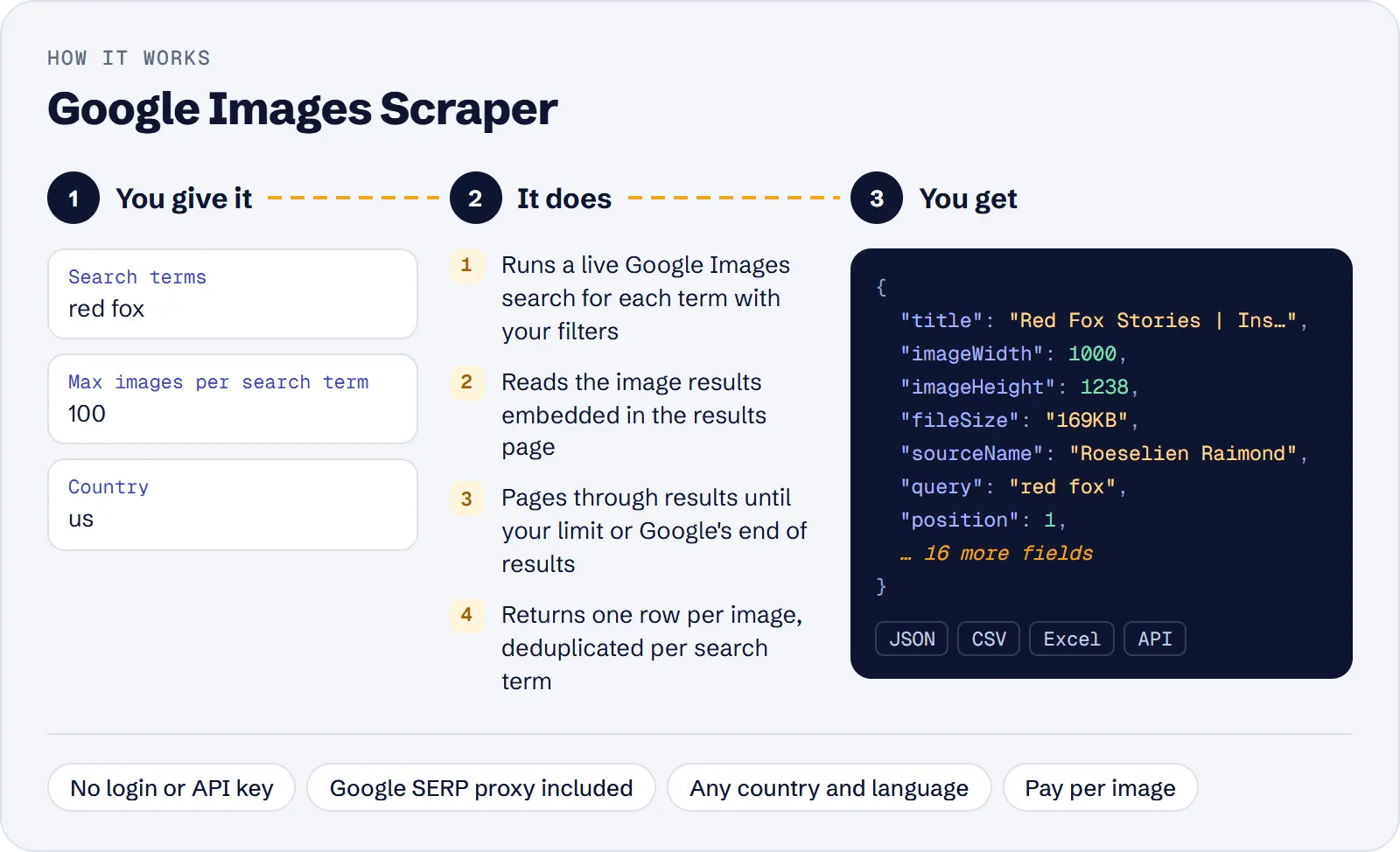
- Open the actor in Apify Console and click Try for free.
- Enter your keywords in Search terms, one per line, e.g.
red fox. Google operators such assite:wikimedia.orgwork. - Set Max images per search term (default 100) and, if you want, Max images in total.
- Optionally pick a Country and Language, and Google filters: image size, colour, type, file type, time, usage rights and SafeSearch.
- Click Start and download the results as JSON, CSV, Excel or HTML, or read them through the API.
How much does it cost to scrape Google Images?
Price per event by Apify plan:
| Event | Free | Bronze | Silver | Gold and above |
|---|---|---|---|---|
| Image | $1.80 per 1,000 | $1.62 per 1,000 | $1.44 per 1,000 | $1.26 per 1,000 |
| Actor start | $0.00005 | $0.00005 | $0.00005 | $0.00005 |
A test run with the API example input below returned 100 rows in 4 s.
You pay for each image saved to the dataset (the Image event). Searches that return no images, failed pages and duplicate images are not charged. There are no per-search or per-page fees; the only other charge is Apify's small actor start event.
| Scenario | Images | Cost on the Free plan |
|---|---|---|
| 1 search term, default 100 images | 100 | about $0.18 |
| 5 search terms × 100 images | 500 | about $0.90 |
| 10 search terms × 100 images | 1,000 | about $1.80 |
| 10 search terms × 300 images (deep results) | up to 3,000 | up to about $5.40 |
The start event adds $0.00005 per GB of memory to each run. Higher Apify plans get a lower price per image (see the table above).
Input
| Field | What it does |
|---|---|
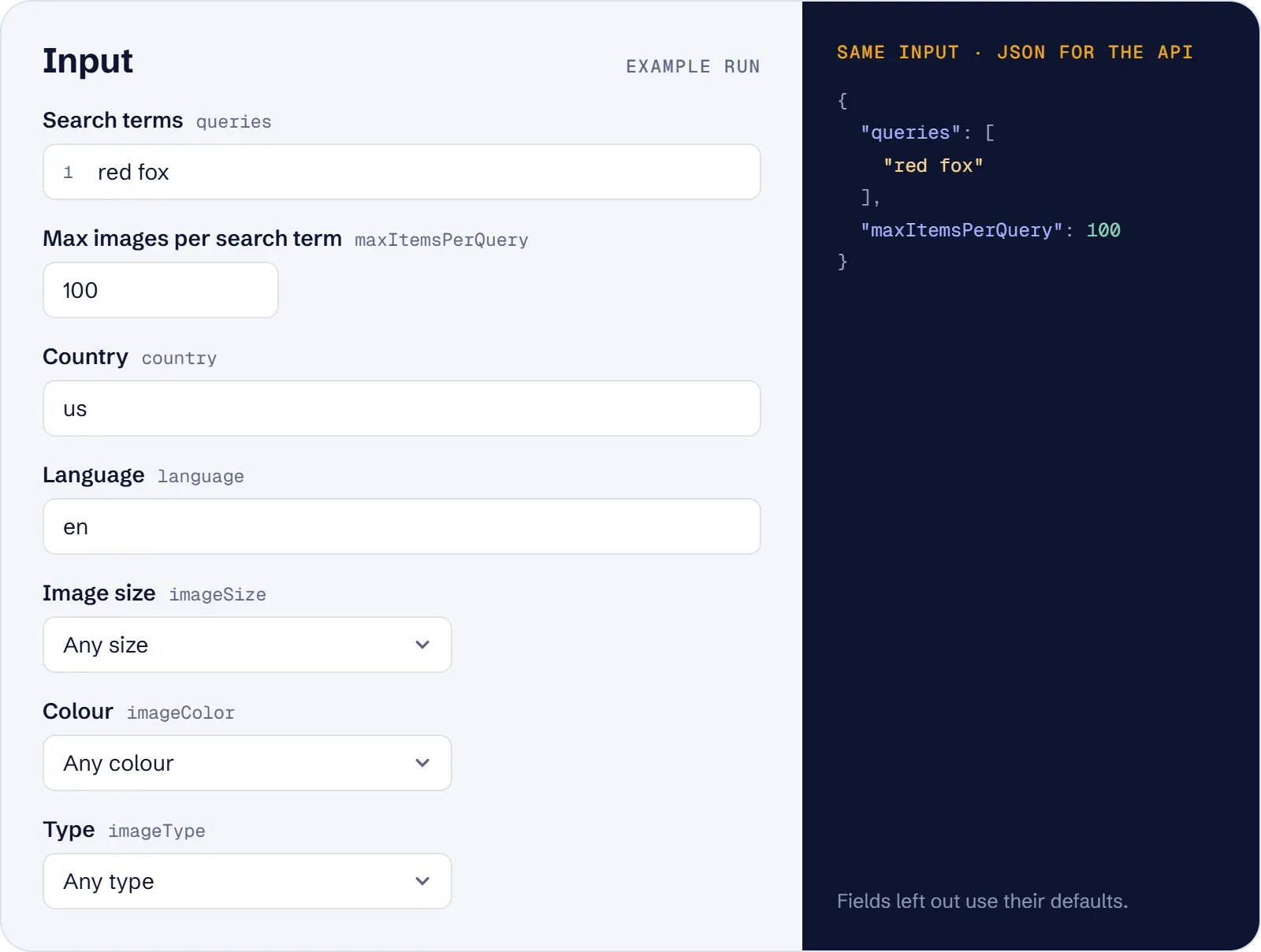
queries (required) | Search terms, one search per term. Image URLs are not accepted. |
maxItemsPerQuery | Images per search term, 1–1000, default 100. Google shows about 250–400 images per term. |
maxItems | Optional cap on images across the whole run. |
country | Two-letter country code Google searches from, default us. |
language | Google interface language, e.g. en, de, pt-BR, default en. |
imageSize | Any, large, medium, icon, or larger than 2, 4, 8 or 20 MP. |
imageColor | Full colour, black and white, transparent, or one of 12 dominant colours. |
imageType | Photo, clip art, line drawing, animated (GIF) or face. |
fileType | JPG, PNG, GIF, WebP, SVG, BMP or ICO. |
timeRange | Past 24 hours, week, month or year. |
usageRights | Creative Commons licences, or commercial and other licences. |
safeSearch | Google default, filter explicit results, or off. |
Example input — large Creative Commons photos for a dataset:
What data can you extract from Google Images?
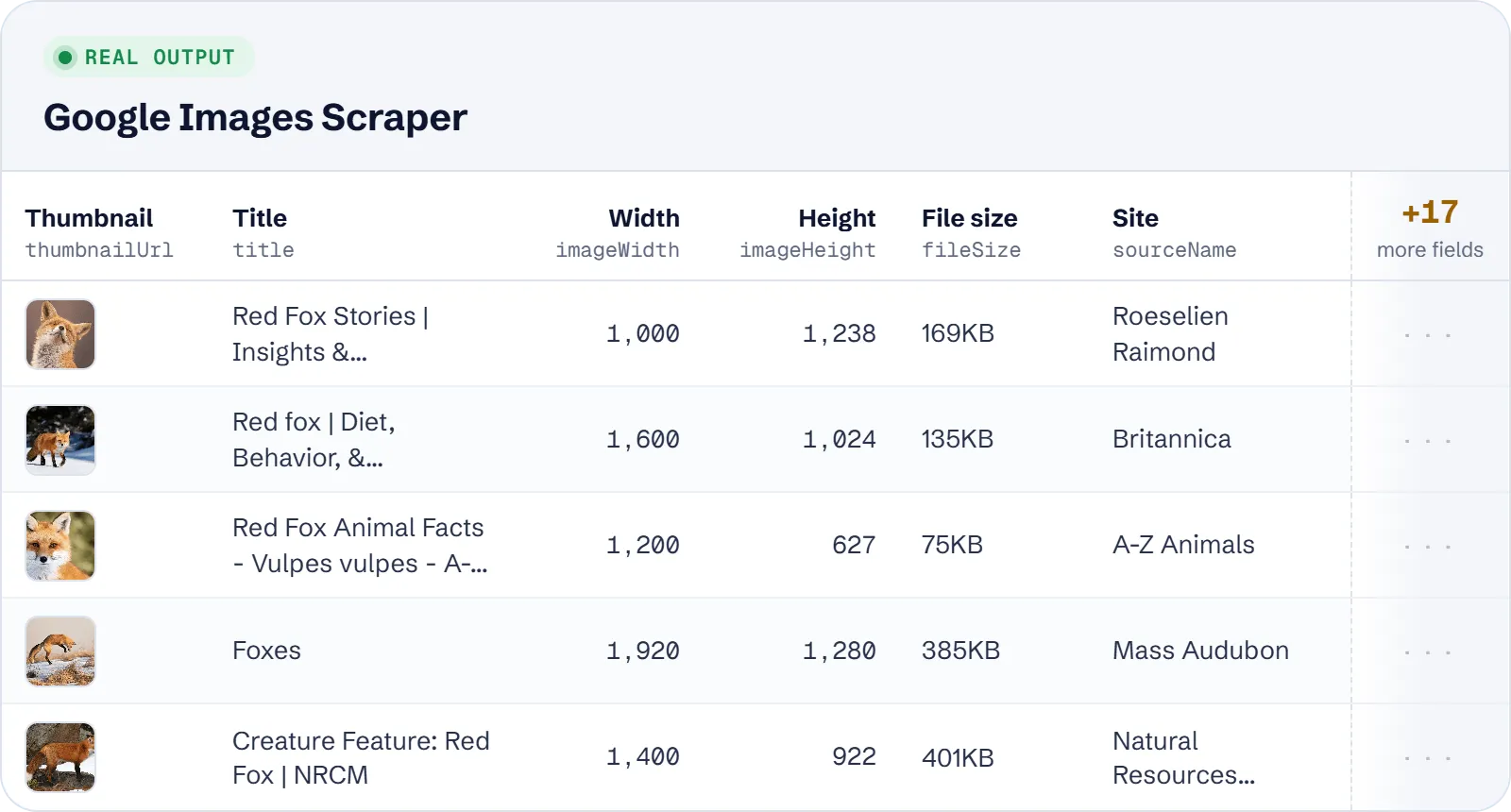
| Field | Description |
|---|---|
query, position | Search term and the 1-based rank of the image for that term |
imageUrl, imageWidth, imageHeight | Full-size image URL and its size in pixels |
thumbnailUrl, thumbnailWidth, thumbnailHeight | Google's thumbnail and its size |
url, title | Source page that contains the image and its title |
sourceName, domain | Site name as Google shows it and the source domain |
fileSize, dominantColor | File size as Google shows it (e.g. 169KB) and colour as rgb(r,g,b) |
imageId, googleUrl | Google's image id and the Google Images result link |
publishedAgo | Relative date such as "5 days ago", mostly with a time filter |
productTitle, merchant, price, currency, rating | Product data when Google shows the image as a product |
scrapedAt | When the row was extracted |
Example item from a real run for "red fox":
Fields Google does not show for an image are null. For shopping-like terms such as "iphone 15 pro case", many rows carry price, currency and merchant.
Use cases
- Image datasets for ML: collect image URLs with width and height for training or evaluation sets, filtered by size, type and licence.
- Image SEO: see which pages, sites and domains rank in Google Images for your keywords in a given country and language, with positions.
- Design and stock-photo research: find large, transparent or Creative Commons images and get the source page to check the licence.
- E-commerce research: see which product images, stores and prices show up in Google Images for a product keyword.
- Fresh visuals: get recent images for a news topic with the time filter and the "published ago" text.
Limitations
- Keyword search only. Reverse image search (search by an image URL) is not supported; a URL in
queriesstops the run with an input error. - Google shows about 250–400 images per search term. Higher
maxItemsPerQueryvalues return everything available, not more. - Results are live and can differ slightly between runs and proxy IPs, so positions are not fixed.
- Product data, rating and
publishedAgoappear only for some images; most rows have themnull. - The file type filter is Google's own: about 80–98% of returned images match the chosen format, so check
imageUrlif the format is critical. - Google's usage-rights labels are not a legal guarantee; check the licence on the source page.
- The actor returns links and metadata; it does not download or store image files.
Tips and troubleshooting
- More images: add more search terms or variants ("red fox cub", "red fox snow") rather than raising
maxItemsPerQueryabove ~400. - Filters combine: all filters can be used together in one search, e.g. transparent colour + PNG file type for logos. Narrow combinations may return fewer images; that is not an error.
- Local results: set
countryandlanguagetogether (e.g.de+de) to see what Google shows in that market. Any country works with any language. - 0 rows for a term: the run log says whether Google had no images for that search or a page failed. Other terms of the run are kept.
- Input errors: an unknown country or language code (e.g.
zz,xx) or an empty term list stops the run before any search and names the field. - Duplicates: the same term listed twice is searched once; an image found by two different terms appears once per term.
API, MCP and integrations
Run the actor from your code with the same JSON input as in Console. Your API token is in Console → Settings → API & Integrations.
Python (pip install apify-client):
Node.js (npm install apify-client):
HTTP — one request runs the actor and returns the results (runs up to 5 minutes; longer ones: run asynchronously):
AI agents (MCP). Add the actor as a tool of the Apify MCP server. Claude Code:
Claude Desktop, Cursor or VS Code: {"mcpServers": {"apify": {"url": "https://mcp.apify.com?tools=genial_candlestand/google-images-scraper"}}}. Then ask, for example:
- "Find 50 large Creative Commons photos of mountain lake on Google Images with their source pages"
- "Which sites rank in Google Images for Brandenburger Tor in Germany, in German?"
- "Get transparent PNG logo images from Google Images with width and height"
Integrations. Run it on a schedule with Apify Schedules and send the results to Google Sheets, Slack, Zapier, Make, n8n or your webhook — see Apify integrations.
FAQ
Can it do reverse image search?
No. It searches Google Images by keyword only. Image URLs in the search terms are rejected with an input error.
How many images can I get per keyword?
Up to what Google shows for the term, usually about 250–400 images. Set maxItemsPerQuery from 1 to 1000; the actor stops at Google's end of results.
Does it download the images?
No. It returns the full-size image URL, the thumbnail URL and the source page; you can download the files yourself from those links.
How is it different from other Google Images actors?
It offers Google's size (including larger than 2/4/8/20 MP), colour, type, file type, time, usage-rights and SafeSearch filters plus country and language. Besides the image URL, size and thumbnail, it returns source site name, domain, file size, dominant colour, Google's image id and product price, merchant and rating when Google shows them. Results are always a live search.
Is it legal to scrape Google Images?
The actor collects only publicly visible search results and does not log in. Images themselves are usually protected by copyright: you are responsible for how you use the data and the images, and for checking each image's licence on its source page. Consult a lawyer if unsure.
Also useful
- Google News Scraper — find news articles for the same keywords: title, source, publish time and position
- Google Trends Scraper — check search interest over time and by region for the keywords you image-search
- Google Trends Trending Now Scraper — pick trending searches by country to feed into image searches
- eBay Search Scraper — compare product images from Google with live eBay listings, prices and sellers
- Google Ads Transparency Scraper — see the image and text ads a domain or advertiser runs on Google


