
Facebook Ad Library Scraper | Ads, Creatives & Spend
Pricing
from $0.60 / 1,000 ads
Facebook Ad Library Scraper | Ads, Creatives & Spend
Get Meta Ad Library ads with advertiser page, ad text, landing page, CTA, images, videos, dates and platforms; political ads add spend and impressions. Search by keyword, page ID or URL with country, category, media, platform and date filters. Optional EU reach and targeting. No login.
Pricing
from $0.60 / 1,000 ads
Rating
0.0
(0)
Developer

Flowo
Maintained by CommunityActor stats
0
Bookmarked
3
Total users
2
Monthly active users
6 days ago
Last modified
Categories
Features
Share
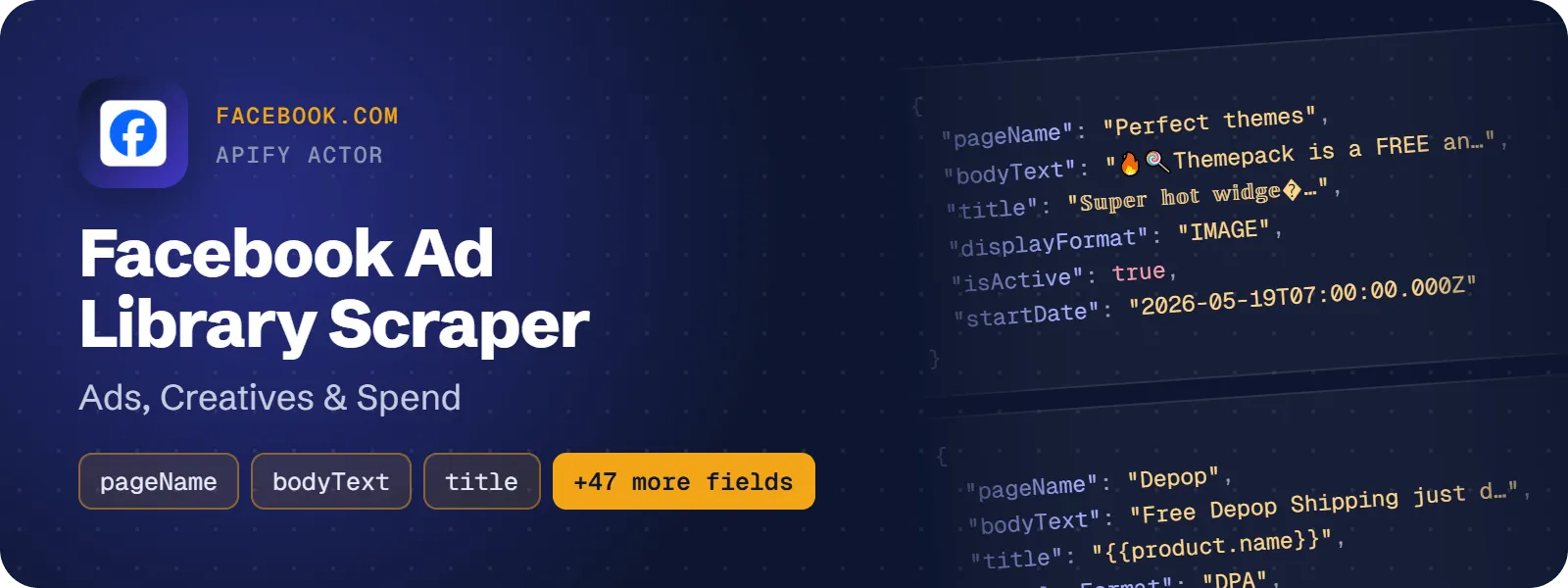
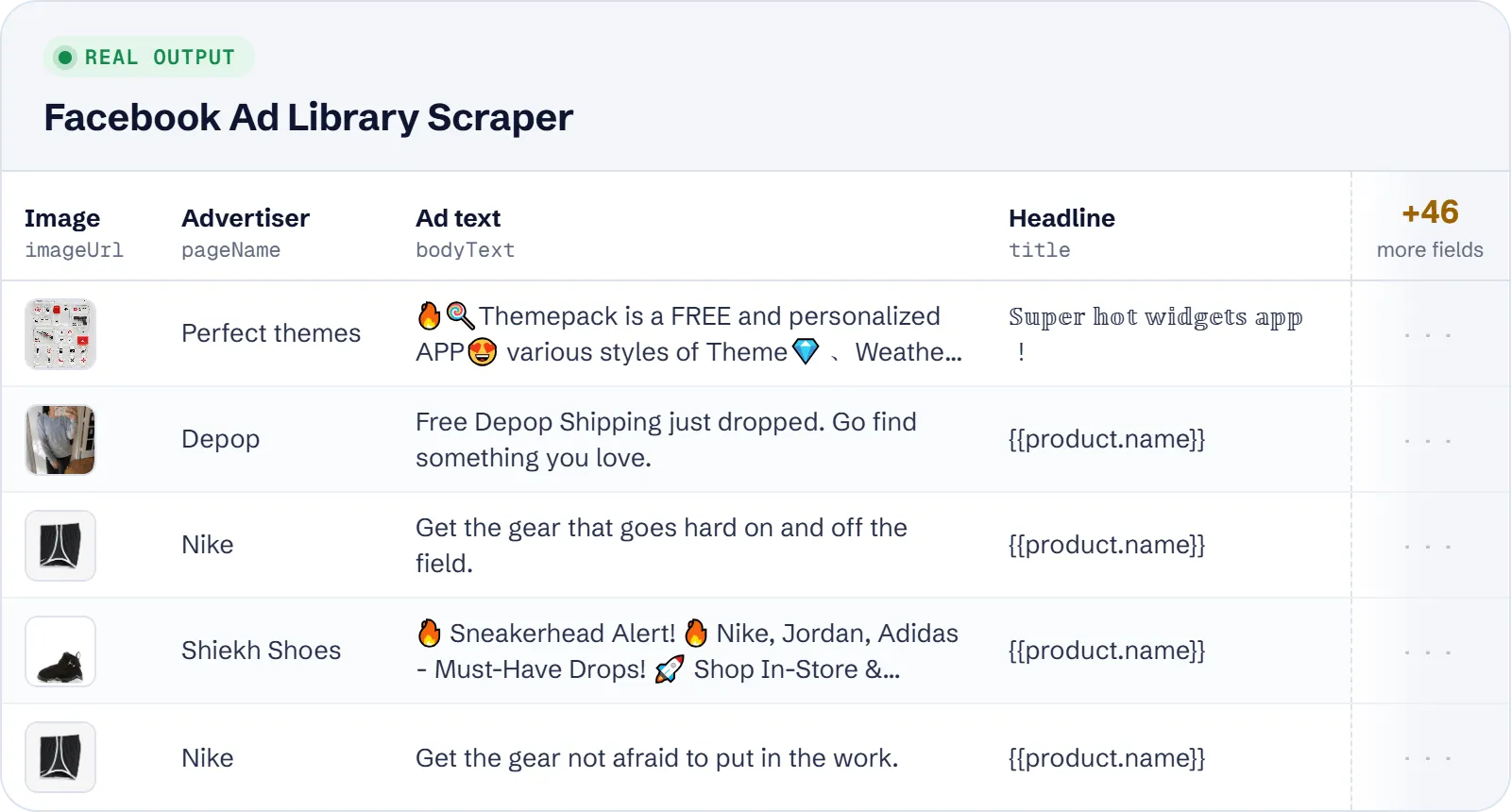
Search the public Meta Ad Library and get one row per ad: the advertiser page name, the ad text and headline, the landing page link, the call-to-action button, image and video URLs, carousel cards, start and end dates and the platforms the ad runs on. Political and issue ads also come with spend, impressions and the "Paid for by" line, and an optional add-on adds EU/UK reach, targeted age, gender and locations. No Facebook login or cookies are needed.
What does Facebook Ad Library Scraper do?
You give it search terms, numeric advertiser page IDs or Ad Library search URLs, plus filters such as country, ad category, active status, media type, platforms, languages and start dates. It returns every matching ad from the Meta Ad Library (Facebook, Instagram, Messenger, Threads, WhatsApp and Audience Network) as a flat row you can export to JSON, CSV or Excel. It is built for marketers and agencies doing competitor creative research, e-commerce teams looking for ads that work, and researchers and journalists who follow political ads.
How to scrape the Facebook Ad Library
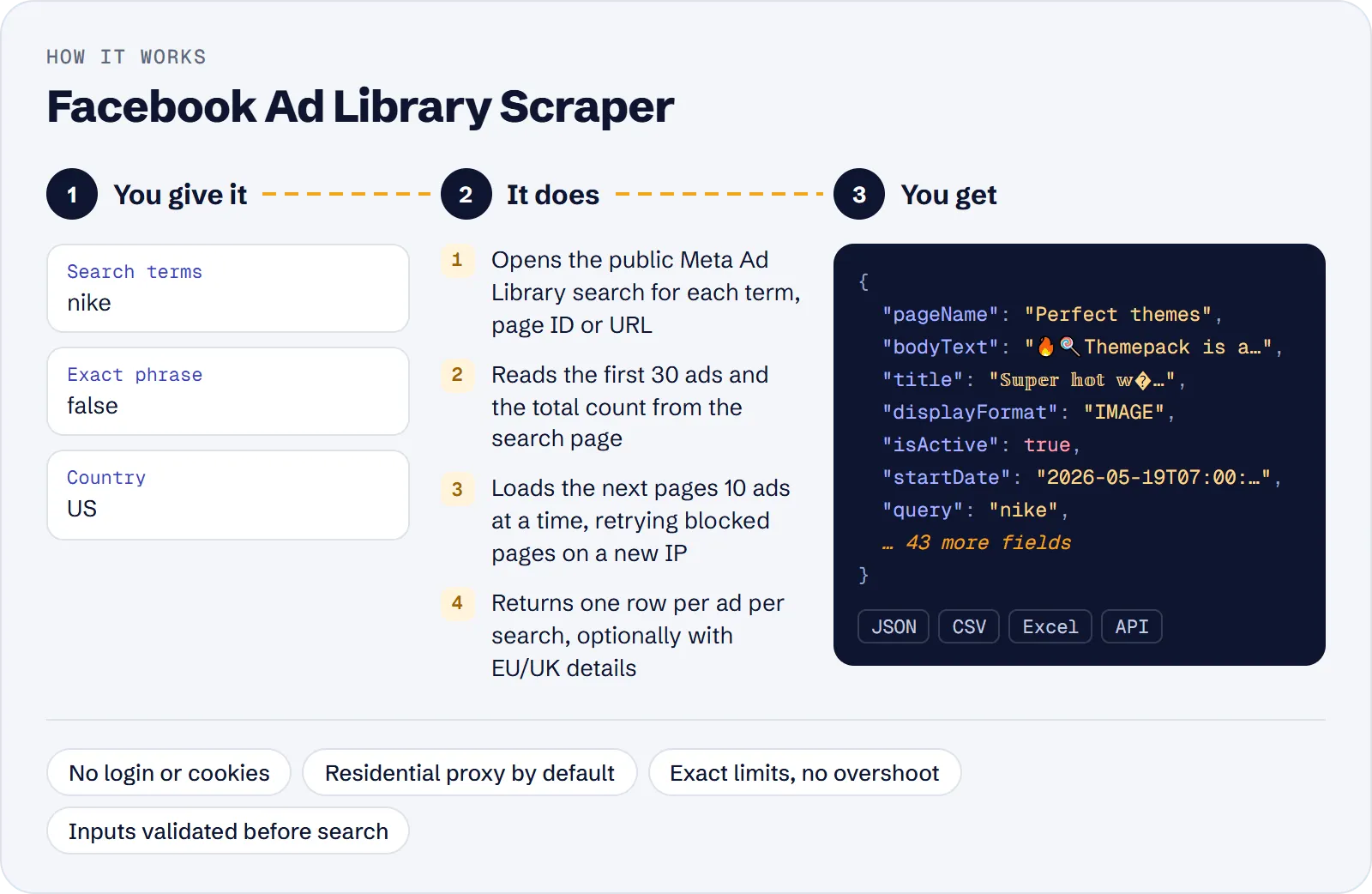
- Open the actor in Apify Console.
- Enter one or more Search terms (e.g.
running shoes), or Advertiser page IDs (e.g.15087023444for Nike), or paste Ad Library URLs copied from facebook.com/ads/library. - Pick a Country (
US,DE, an English country name, orALL) and, if you want, the ad category, active status, media type, platforms, languages, start dates and sort order. - Set Max ads per search (default 100) and, optionally, Max ads in total.
- Turn on Add ad details if you need EU/UK reach and targeting.
- Click Start. Rows appear in the dataset page by page while the run is going; export them when it finishes.
How much does it cost to scrape the Facebook Ad Library?
Price per event by Apify plan:
| Event | Free | Bronze | Silver | Gold and above |
|---|---|---|---|---|
| Ad | $0.70 per 1,000 | $0.665 per 1,000 | $0.63 per 1,000 | $0.595 per 1,000 |
| Add-on: ad details | $0.30 per 1,000 | $0.285 per 1,000 | $0.27 per 1,000 | $0.255 per 1,000 |
| Actor start | $0.00005 | $0.00005 | $0.00005 | $0.00005 |
A test run with the API example input below returned 40 rows in 8 s.
You pay per ad saved to the dataset (the ad event, $0.0007 per ad = $0.70 per 1,000 ads on the Free plan). With Add ad details on, each ad whose details came back adds the ad-details event ($0.0003 per ad = $0.30 per 1,000). Every run also has a start fee of $0.00005.
Not charged: searches that find no ads, ads cut off by your limits (maxItemsPerQuery and maxItems are exact, so you never pay for extra ads), and details that failed to load.
| Scenario | Events | Cost on the Free plan |
|---|---|---|
| One search term, default limit (100 ads) | 100 ad | $0.07005 |
| 10 search terms × 100 ads | 1,000 ad | $0.70005 |
| 500 EU ads with details | 500 ad + 500 ad-details | $0.50005 |
Count only: 10 searches with maxItemsPerQuery: 1 | 10 ad | $0.00705 |
Input
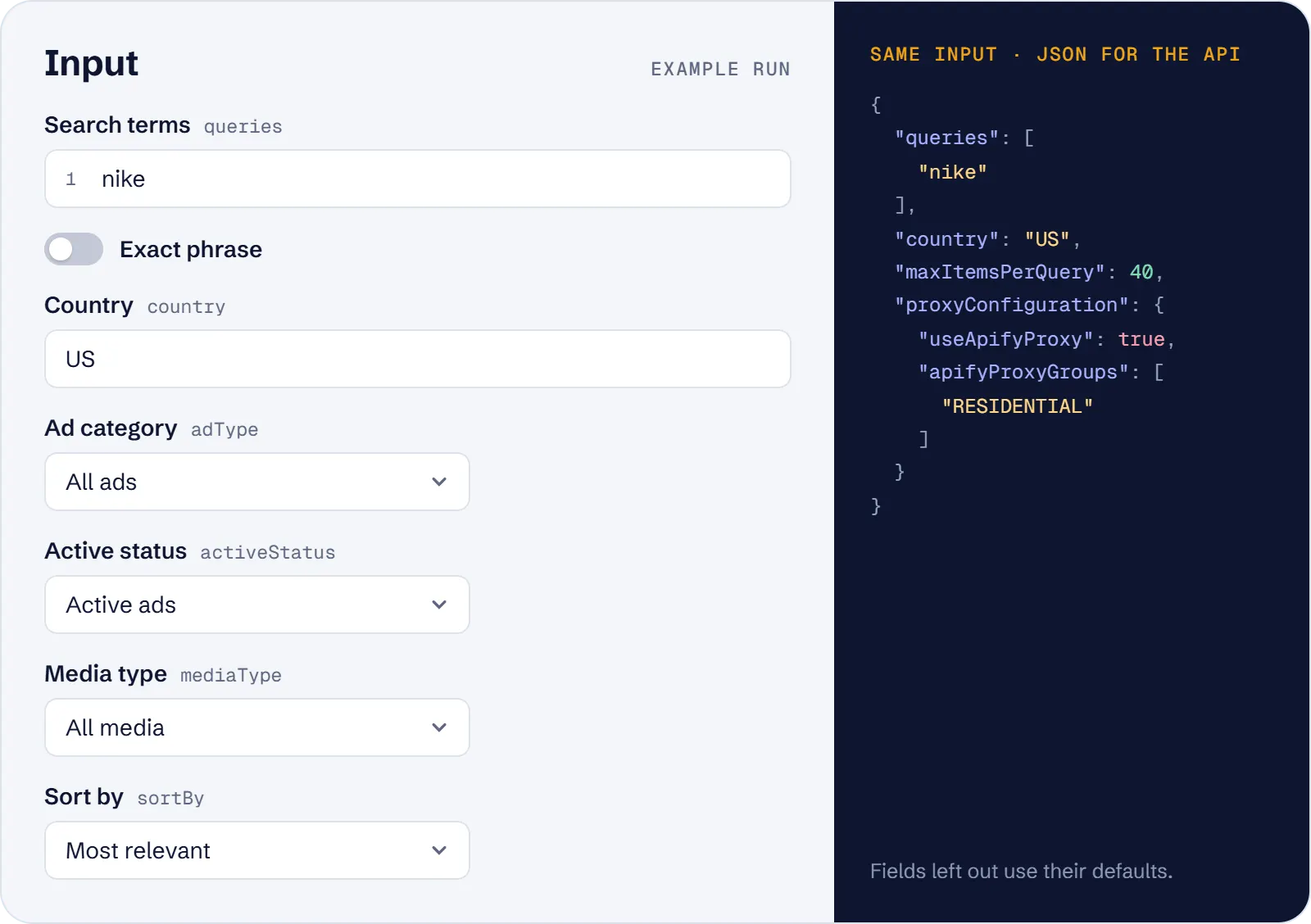
At least one of queries, pageIds or startUrls is needed; you can combine them. Searches run one after another: first the search terms, then the page IDs, then the URLs.
| Field | What it does |
|---|---|
queries | Search terms, one search per term, matched in ad text and advertiser names. |
exactPhrase | Match each term as an exact phrase. Applies to queries only. |
pageIds | Numeric advertiser page IDs, e.g. 15087023444 — the view_all_page_id from an Ad Library URL. Page URLs or names are not accepted. |
startUrls | Ad Library search URLs with country= and ad_type=. Used as they are; the form filters do not apply to them. Single-ad links (?id=…) are not supported. |
country | A 2-letter code in any case (US, de), an English country name, or ALL (default). |
adType | all (default), political_and_issue_ads, housing_ads, employment_ads, credit_ads, financial_products_and_services_ads. Housing, employment, credit and financial need a country in the EU/EEA, UK, Switzerland, US or Canada (not ALL). |
activeStatus | active (default), inactive or all. |
mediaType | all (default), image, video, meme, image_and_meme, none (no image or video). |
publisherPlatforms | Any of facebook, instagram, messenger, threads, whatsapp, audience_network. Empty = all. |
contentLanguages | 2-letter ISO 639-1 codes, e.g. en, es. Empty = all. |
startDateFrom / startDateTo | The ad started running in this range (YYYY-MM-DD). The start day must not be in the future or after the end day; a future end day means no upper limit. |
sortBy | relevance (default) or impressions (most impressions first). |
maxItemsPerQuery | Exact limit per search (default 100). |
maxItems | Exact limit for the whole run (empty = none). |
includeDetails | The paid details add-on (EU/UK reach, targeting, payer/beneficiary, advertiser info). |
proxyConfiguration | Residential proxy by default; needed for more than about 30 ads per search. |
Example input:
What data can you extract from the Facebook Ad Library?
| Group | Fields |
|---|---|
| Ad and search | adArchiveId, url, query, searchType (keyword, page or url), searchCountry, position, totalResultsCount (50001 means "50,000+") |
| Advertiser page | pageId, pageName, pageProfileUrl, pageProfilePictureUrl, pageLikeCount, pageCategories |
| Status and dates | isActive, startDate, endDate (ISO 8601), publisherPlatforms (e.g. FACEBOOK, INSTAGRAM), displayFormat (e.g. IMAGE, VIDEO, CAROUSEL, DCO, DPA) |
| Creative | bodyText, title, linkUrl, linkDescription, caption, ctaText, ctaType, imageUrl, imageUrls, videoUrls, videoPreviewImageUrl, cards (title, bodyText, linkUrl, imageUrl, videoUrl, ctaText per card), cardsCount |
| Versions and flags | collationCount, collationId, categories, containsSensitiveContent, containsDigitalCreatedMedia |
| Political and issue ads | byline, spend, spendMin, spendMax, currency, impressions, impressionsMin, impressionsMax, reachEstimate, advertiserPhone, advertiserEmail, advertiserWebsite, advertiserAddress |
| Details add-on | pageAbout, pageVerification, pageCategory, pageInstagramUsername, pageInstagramFollowers, payerBeneficiary, targetsEu, euTotalReach, ukTotalReach, targetGender, targetAgeMin, targetAgeMax, targetLocations, reachByCountry |
| Run | scrapedAt |
A real row from a nike search in the US (image URLs shortened):
Use cases
- Competitor creative research: search
running shoesorprotein powderin the US and collect the ad copy, creatives, landing pages and start dates of every advertiser. - All ads of one advertiser: pass a page ID such as
15087023444withcountry: ALLandactiveStatus: allto get the whole ad history of that page, with the total count. - Political ad monitoring: search
climatewithadType: political_and_issue_adsto get spend, impressions, the "Paid for by" line and advertiser contacts. - EU transparency and targeting: search
adidasinDEwithincludeDetailsto get EU reach, reach by country, targeted age, gender and locations, and payer/beneficiary. - Market sizing: run many terms with
maxItemsPerQuery: 1and readtotalResultsCountfor each.
Limitations
- Only the fields
adArchiveId,url,query,searchType,searchCountry,positionandscrapedAtare always filled. Every other field can benullor an empty list when Meta does not show it, e.g.bodyTextandlinkDescriptionon some ads,collationCount/collationIdwhen an ad has no versions,videoUrlsandvideoPreviewImageUrlon non-video ads,cardson single-creative ads. - Spend, impressions, reach estimate,
bylineand the advertiser phone, email, website and address exist only for political and issue ads. Commercial ads have them asnull. spendis shown in the currency Meta picks for the viewer, as a range string;spendMin/spendMaxare parsed from it.impressionsMaxisnullfor values like ">1M".- The details fields are absent unless
includeDetailsis on. EU/UK reach exists only for ads shown in the EU or UK. - Dynamic product ads (
DPA,DCO) can keep Meta templates such as{{product.name}}intitleorbodyText; the real products are incards. - Image and video URLs are signed by Facebook and expire after some time (
oe=parameter). Download them soon if you need the files. totalResultsCountis capped by Meta at 50001 ("50,000+").- There is no Facebook follower count (the source has page likes and, with details, Instagram followers), no contacts for commercial advertisers, and no "only new ads" mode.
- Search by Facebook page URL or name is not supported; use the numeric page ID from an Ad Library URL.
Tips and troubleshooting
- Only about 30 ads per search? Meta rate-limits the next pages on datacenter IPs. Keep the default residential proxy for more than about 30 ads per search; the run warns you when the proxy is not residential.
- Run failed with an input error? The actor checks every value before it sends a request, because Meta silently swaps bad values (a wrong country becomes the visitor's country, a missing
ad_typebecomes political ads). Fix the field named in the message — e.g. use a supported country for housing, employment, credit or financial ads, or addcountry=andad_type=to a pasted URL. - 0 rows? The run succeeds with a warning that Meta has no ads for the search. Try
activeStatus: all, a wider country (ALL) or remove the media, platform, language and date filters. - Only new ads: schedule the actor with
startDateFromset to the last run day. - Form filters ignored? They do not apply to
startUrls; the URL runs exactly as pasted.exactPhraseapplies only toqueries. - Same ad twice? An ad found by two different searches gives one row per search, each with its own
query.
API, MCP and integrations
Run the actor from your code with the same JSON input as in Console. Your API token is in Console → Settings → API & Integrations.
Python (pip install apify-client):
Node.js (npm install apify-client):
HTTP — one request runs the actor and returns the results (runs up to 5 minutes; longer ones: run asynchronously):
AI agents (MCP). Add the actor as a tool of the Apify MCP server. Claude Code:
Claude Desktop, Cursor or VS Code: {"mcpServers": {"apify": {"url": "https://mcp.apify.com?tools=genial_candlestand/facebook-ads-library-scraper"}}}. Then ask, for example:
- "Find active Facebook and Instagram ads mentioning running shoes in the US, 100 ads"
- "Get all ads of Facebook page 15087023444 in all countries, active and inactive"
- "List US political ads about climate with spend, impressions and who paid for them"
Integrations. Run it on a schedule with Apify Schedules and send the results to Google Sheets, Slack, Zapier, Make, n8n or your webhook — see Apify integrations.
FAQ
Do I need a Facebook account or API token?
No. The actor reads the public, logged-out Ad Library and uses no login, cookies or token.
Which platforms are covered?
Whatever the Meta Ad Library shows: Facebook, Instagram, Messenger, Threads, WhatsApp and Audience Network. Filter them with publisherPlatforms; each row lists them in publisherPlatforms.
How do I find an advertiser's page ID?
Open the advertiser's ads in the Ad Library in your browser and copy the number after view_all_page_id= in the URL, or paste that whole URL into startUrls.
Can I get ad spend for normal (commercial) ads?
No. Meta publishes spend and impressions only for political and issue ads. For ads shown in the EU or UK, the details add-on gives reach, reach by country and targeting instead.
How is it different from other Facebook ads actors?
It takes search terms, page IDs and URLs with validated filters, so a bad value fails with a clear message instead of returning a different search. Limits are exact, rows are saved page by page during the run, political spend and impressions are also parsed into numbers, and each row carries the Meta result count of its search (totalResultsCount). The price is $0.70 per 1,000 ads, while the most-used Facebook ads actor in the Store lists $5.80 per 1,000.
Is it legal to scrape the Facebook Ad Library?
The Ad Library is a public transparency archive that Meta publishes for anyone to view without logging in, and the actor collects only what it shows publicly. You are responsible for how you use the data, including copyright in the creatives and data protection rules for any personal data, such as the advertiser contacts of political ads.
Also useful
- Google Ads Transparency Scraper — check the same advertiser's Google ads: formats, dates shown and political spend
- Google Search Scraper — see which text ads competitors run on Google search results for your keywords
- Instagram Profile Scraper — get the followers, bio and links of the advertisers' Instagram accounts
- TikTok Hashtag, Sound & Place Scraper — research the same campaign hashtags on TikTok: posts and their stats


