
Google Autocomplete Scraper | Keyword Suggestions
Pricing
from $0.26 / 1,000 keyword suggestions
Google Autocomplete Scraper | Keyword Suggestions
Get Google Autocomplete keyword suggestions with position, Google's relevance score and suggestion type for any valid country and language code. A–Z, 0–9, question and custom-word expansions, recursion, YouTube/Shopping/News sources. Many seeds per run, deduplicated, no login.

Google Autocomplete Scraper | Keyword Suggestions by Country
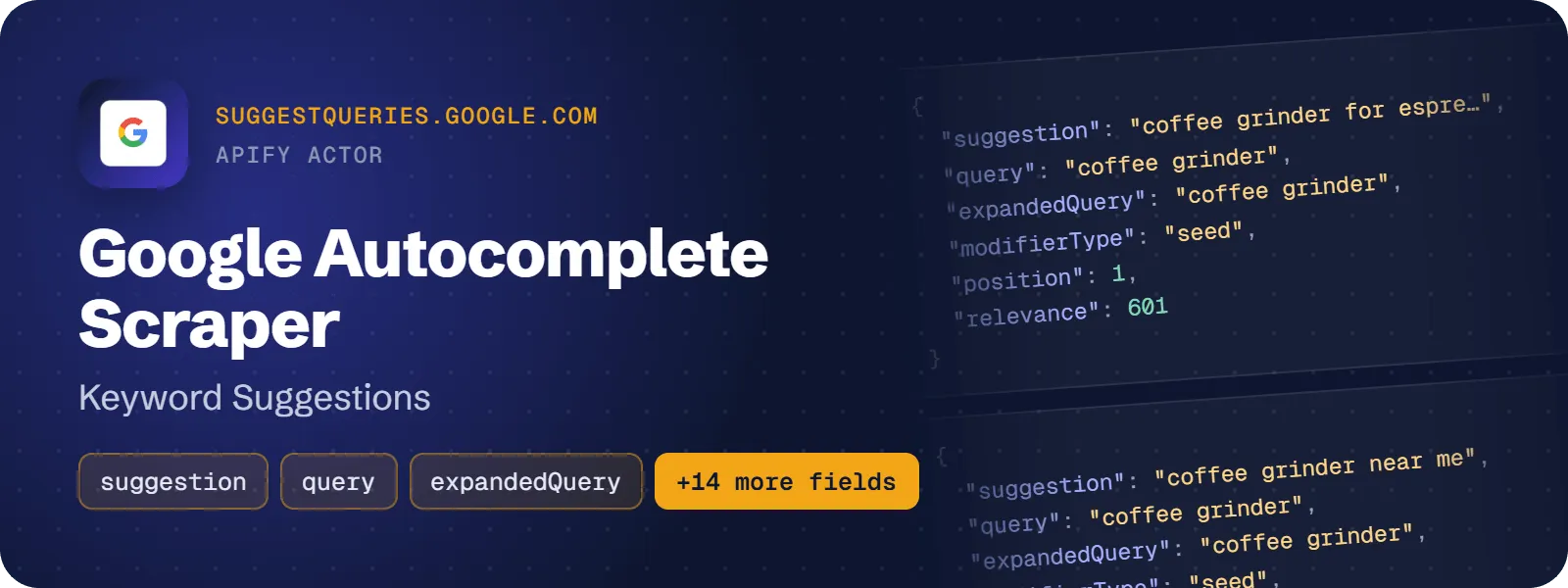
Turn seed keywords into the long-tail phrases Google Autocomplete suggests for a chosen country and language. Each row gives the suggested phrase, its position in Google's list, Google's own relevance score, the suggestion type (query, website or calculator) and the expansion that surfaced it. Suggestions can come from Google Search, YouTube, Google Shopping or Google News autocomplete.
What does Google Autocomplete Scraper do?
You enter one or more seed keywords, a country and a language. The actor sends the seed to Google Autocomplete, plus optional expansions: the seed + a…z, the seed + 0…9, English question words (how, what, why…), English prepositions (for, with, vs…) and your own prefix or suffix words in any language. It can also query every new suggestion again (recursion depth 1–2). You get flat rows that are ready for a spreadsheet, an SEO tool or an AI agent. It is built for SEO specialists, content marketers, PPC managers, e-commerce sellers and anyone doing keyword research.
Up to 15 suggestions come back per query. Duplicates across queries are removed by default, and you are not charged for them.
How to scrape Google Autocomplete keyword suggestions
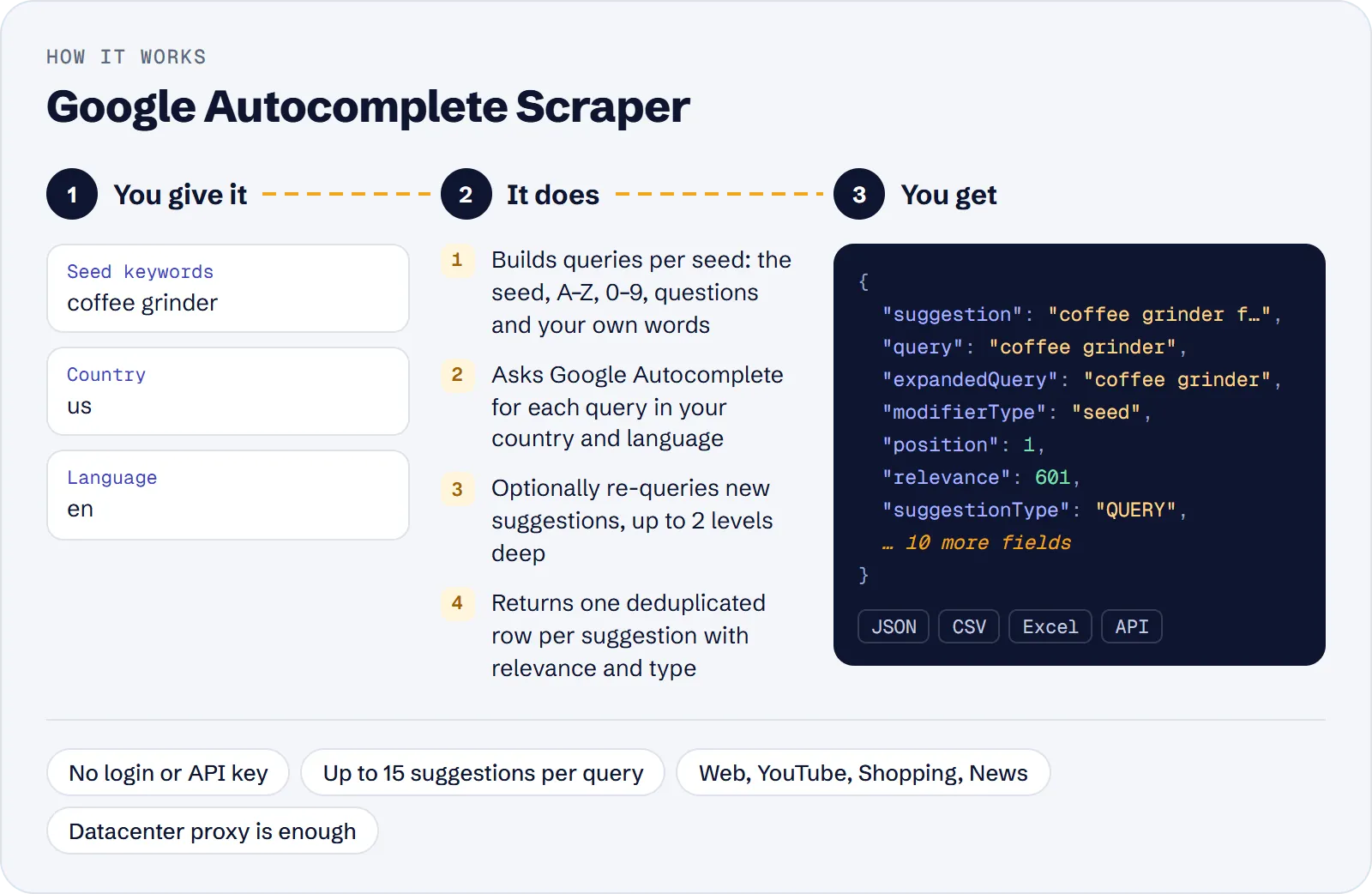
- Open the actor in Apify Console and click Try for free.
- Enter your Seed keywords, one per line, e.g.
coffee grinder. - Set Country (e.g.
us,gb,de) and Language (e.g.en,de,pt-BR). - Choose a Suggestion source: Google Search, YouTube, Google Shopping or Google News.
- Pick Expansions (alphabet, numbers, questions, prepositions) or add your own Prefix words / Suffix words.
- Set Max suggestions to cap the run, then click Start.
- Download the results as JSON, CSV or Excel, or read them through the API.
How much does it cost to scrape Google Autocomplete?
Price per event by Apify plan:
| Event | Free | Bronze | Silver | Gold and above |
|---|---|---|---|---|
| Keyword suggestion | $0.30 per 1,000 | $0.27 per 1,000 | $0.24 per 1,000 | $0.21 per 1,000 |
| Actor start | $0.00005 | $0.00005 | $0.00005 | $0.00005 |
A test run with the API example input below returned 390 rows in 15 s.
You pay per saved suggestion row (the keyword-suggestion event) plus a small start fee per run. What is not charged: duplicate suggestions removed by deduplication, and queries that return no suggestions.
Cost on the Free plan, with the start fee included:
| Scenario | Rows (events) | Cost |
|---|---|---|
| One seed, no expansions | 15 | ≈ $0.0046 |
| One seed with the alphabet expansion (27 queries) | ≈ 390 | ≈ $0.12 |
| Several seeds with expansions, capped by Max suggestions | 5,000 | ≈ $1.50 |
| Bulk keyword list with recursion | 100,000 | ≈ $30.00 |
Set Max suggestions to control the most a run can cost.
Input
| Field | What it does |
|---|---|
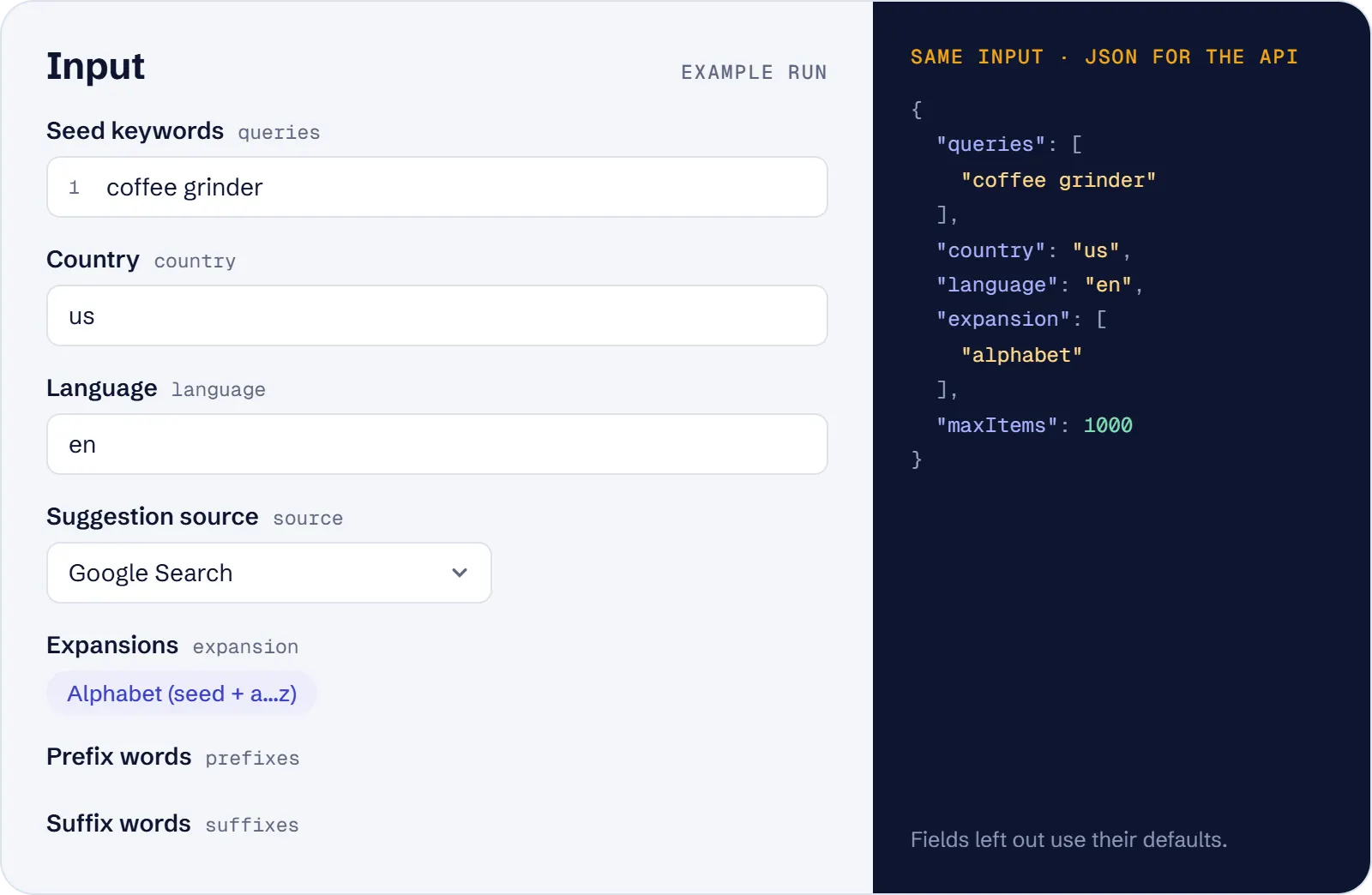
queries (required) | Seed keywords, at most 100 characters each. Blank lines and case-insensitive duplicates are ignored. |
country | Two-letter Google market code, default us. uk is accepted as gb. |
language | ISO language code, default en. Regions work too: en-GB, pt-BR. Unknown codes such as xx are rejected. |
source | web (default), youtube, shopping or news. |
expansion | Any of alphabet (26 extra queries, seed + a…z), numbers (10 extra, seed + 0…9), questions (9 extra, English only), prepositions (8 extra, English only). The seed itself is always queried too, so the alphabet expansion makes 27 queries per seed. |
prefixes / suffixes | Your own words placed before or after each seed, in any language. |
maxDepth | 0–2. Re-queries every new suggestion as a new query at the next level. |
deduplicate | On by default: each suggestion is saved once per run. |
maxItems | Total rows across the whole run, 1–100,000, default 1,000. |
proxyConfiguration | Apify datacenter proxy by default. Residential is not needed. |
Example input:
What data can you extract from Google Autocomplete?
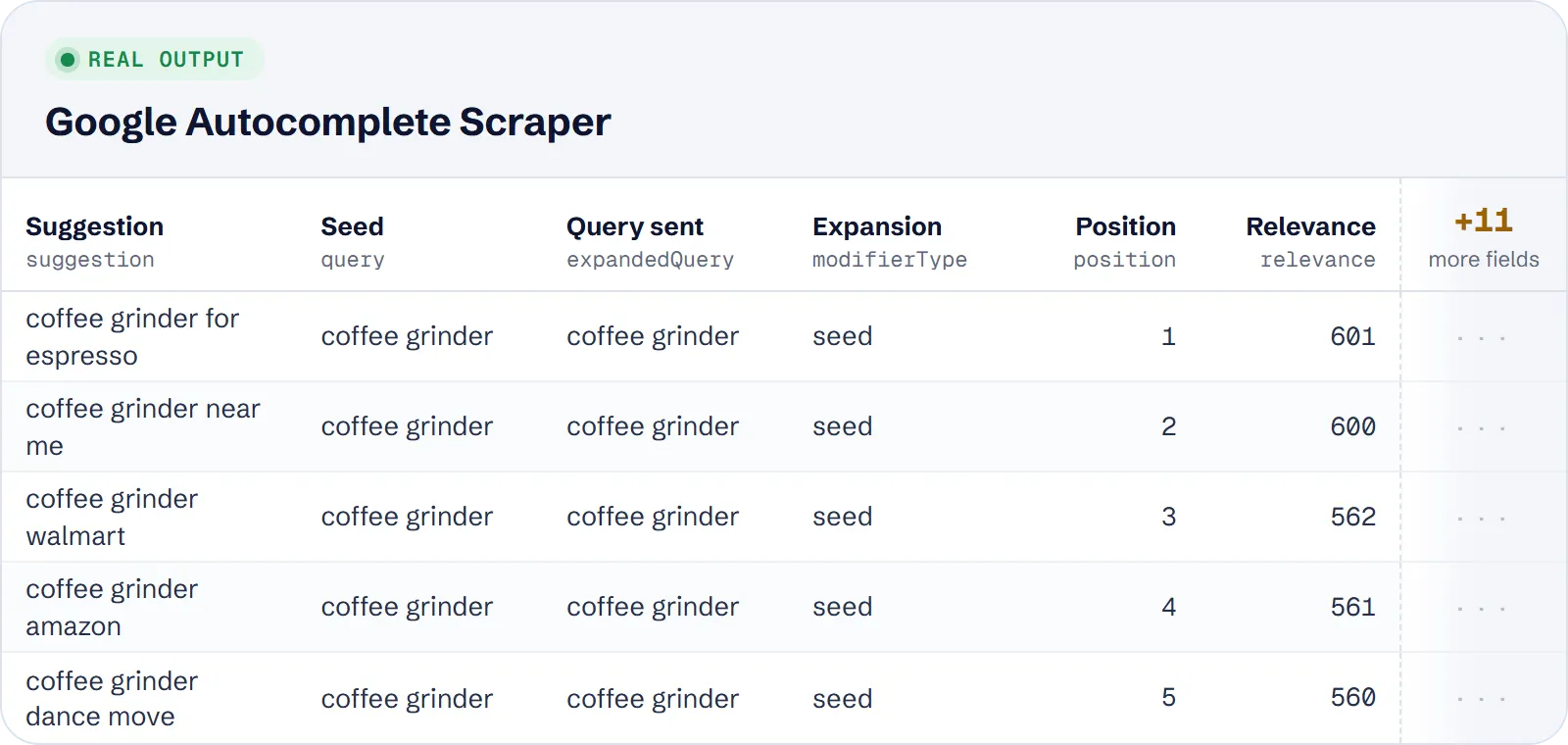
| Field | Description |
|---|---|
suggestion | The suggested phrase (a URL for website suggestions) |
query | The seed keyword that produced the row |
expandedQuery | The exact text sent to Google, e.g. coffee grinder a |
modifier / modifierType | The added letter, digit or word, and how the query was built: seed, alphabet, numbers, questions, prepositions, prefix, suffix, recursion |
depth | 0 for the seed and its expansions, 1–2 for recursion |
position | 1-based rank in Google's list for that query |
relevance | Google's relevance score of the suggestion |
suggestionType / subtypes | Google's type (QUERY, NAVIGATION, CALCULATOR…) and its subtype codes |
description | Page title for website suggestions, "Calculator" for calculator rows, otherwise null |
wordCount | Number of words, handy for long-tail filters |
country, language, source | The market, language and autocomplete source of the run |
url | The search results page of the suggestion on the chosen source (the website itself for website suggestions) |
scrapedAt | When the row was extracted |
Real example row (alphabet expansion, US, English):
Use cases
- Long-tail keyword lists for one market: expand "coffee grinder" with a…z for the US and get about 390 unique phrases with relevance scores.
- Content and FAQ ideas: the questions expansion on "vpn" returns phrases like "how vpn works" for blog posts and FAQ pages.
- Local-language keyword research: German suggestions for "zahnarzt" with your own words such as "kosten", "notdienst" and "bester".
- YouTube, Shopping and News keyword ideas: switch the source to find video topics, product searches or news queries.
- Bulk keyword lists for AI agents: several seeds with recursion depth 1 and a total cap of 3,000 rows.
Limitations
- No search volume, CPC or keyword difficulty. Google Autocomplete does not provide them; that data comes only from the Google Ads Keyword Planner, which needs an Ads account. The ranking signal here is Google's own relevance score.
- At most 15 suggestions per query. More results come from expansions and recursion.
- A seed, or a seed plus a modifier, must fit in 100 characters. Longer seeds are rejected; longer expanded queries are skipped with a warning.
- The questions and prepositions expansions are English word lists and need an English language. For other languages, use prefix and suffix words.
- Local "near me" or city suggestions follow the proxy's exit city; the rest follows the country you set.
- If the main endpoint fails, a fallback is used that returns up to 10 suggestions without relevance, type, subtypes and description (these fields are then null).
- This is an unofficial Google endpoint; Google can change it at any time.
Tips and troubleshooting
- Need more keywords? Add the alphabet and numbers expansions, your own prefix/suffix words, or set Recursion depth to 1. Each level can multiply the number of requests by up to 15, so set Max suggestions.
- Want to see which expansions surface the same phrase? Turn off Remove duplicate suggestions: you then get one row per query that returned it (each row is charged).
- The run failed with an input error? Check the country code (two letters, e.g.
us, notzzoreu), the language code, and that questions/prepositions are only used with an English language. - Few or no rows? Very rare or made-up seeds can return 0–2 suggestions; the log warns "No suggestions for seed …". Try a broader seed.
- Japanese with the alphabet expansion: Google reads the Latin letter as a kana prefix, so a suggestion does not always contain the letter.
- The default datacenter proxy is enough; no residential proxy, login or API key is needed.
API, MCP and integrations
Run the actor from your code with the same JSON input as in Console. Your API token is in Console → Settings → API & Integrations.
Python (pip install apify-client):
Node.js (npm install apify-client):
HTTP — one request runs the actor and returns the results (runs up to 5 minutes; longer ones: run asynchronously):
AI agents (MCP). Add the actor as a tool of the Apify MCP server. Claude Code:
Claude Desktop, Cursor or VS Code: {"mcpServers": {"apify": {"url": "https://mcp.apify.com?tools=genial_candlestand/google-autocomplete-keyword-scraper"}}}. Then ask, for example:
- "Find long-tail keywords for coffee grinder in the US with the A to Z expansion"
- "List question keywords people search about vpn on Google"
- "Get German Google Autocomplete suggestions for zahnarzt with kosten and notdienst"
Integrations. Run it on a schedule with Apify Schedules and send the results to Google Sheets, Slack, Zapier, Make, n8n or your webhook — see Apify integrations.
FAQ
Does it return search volume?
No. It returns autocomplete phrases with Google's relevance score, position and type. It does not estimate or invent volume numbers.
How many suggestions do I get per seed?
Up to 15 for the seed alone. With the alphabet expansion one seed sends 27 queries, which gives up to 405 rows, usually around 390 after duplicates are removed.
Can I use other countries and languages?
Yes. Any valid two-letter ISO country code works with any valid ISO language code (e.g. en, de, ja), including regional codes like pt-BR or en-GB, and with every suggestion source. Unknown codes, such as xx for the language or zz for the country, are rejected with an input error.
How is it different from other autocomplete actors?
It returns up to 15 suggestions per query with Google's relevance score and suggestion type, supports YouTube, Shopping and News autocomplete, removes duplicates by default without charging for them, and caps the whole run with one Max suggestions value. You pay per saved row, not per query.
Is it legal to scrape Google Autocomplete?
The actor reads publicly available autocomplete suggestions and does not collect personal data. You are responsible for how you use the data and for following the laws and terms that apply to you.
Also useful
- Google Trends Scraper — check the interest over time, regions and related queries of the keywords you found
- Google Trends Trending Now Scraper — add today's trending searches with search volume and growth per country
- Google News Scraper — get the news articles behind your keywords: title, source and publish time
- Google Ads Transparency Scraper — see which ads competitors run on Google for the domains in your niche
- YouTube Channel Scraper — check channels and videos for your YouTube keyword ideas: views, likes, dates


