

Instagram Post Scraper | Reels, Likes, Music & Video URL
Pricing
from $1.62 / 1,000 post details
Instagram Post Scraper | Reels, Likes, Music & Video URL
Get Instagram post and reel details from links or shortcodes: caption, hashtags, like and comment counts, owner, coauthors, tagged users, location, music, MP4 video URL, duration and all carousel media URLs. Many posts per run, no login; missing posts are free.
Pricing
from $1.62 / 1,000 post details
Rating
0.0
(0)
Developer

Flowo
Maintained by CommunityActor stats
0
Bookmarked
1
Total users
0
Monthly active users
7 days ago
Last modified
Categories
Features
Share
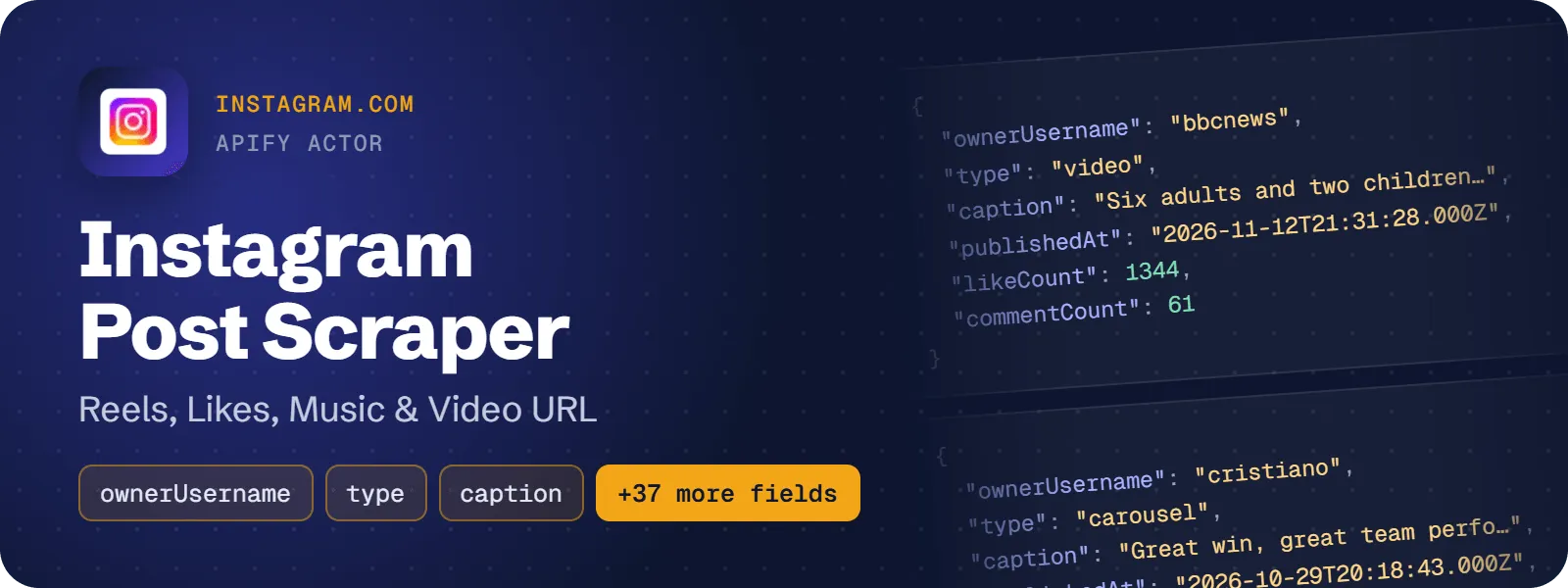
Paste public Instagram post, reel or carousel links (or bare shortcodes) and get one row per post with the caption, hashtags, like count, comment count, publish date, owner username, collab coauthors, tagged users, location with coordinates, music or original-sound title, the direct MP4 video link, video duration and every carousel media link. No login, cookies or Instagram account are needed, and posts that are private, deleted or not found are free.
What does Instagram Post Scraper do?
It looks up each Instagram post you give it and returns the details Instagram shows to a logged-out visitor, as one flat row per post with the same columns for images, reels, carousels and IGTV videos. It is built for marketing and influencer agencies checking campaign posts, research teams enriching post links they collected elsewhere, and video tools or AI agents that need the MP4 link, cover image, duration and audio of a reel.
How to scrape Instagram post and reel details
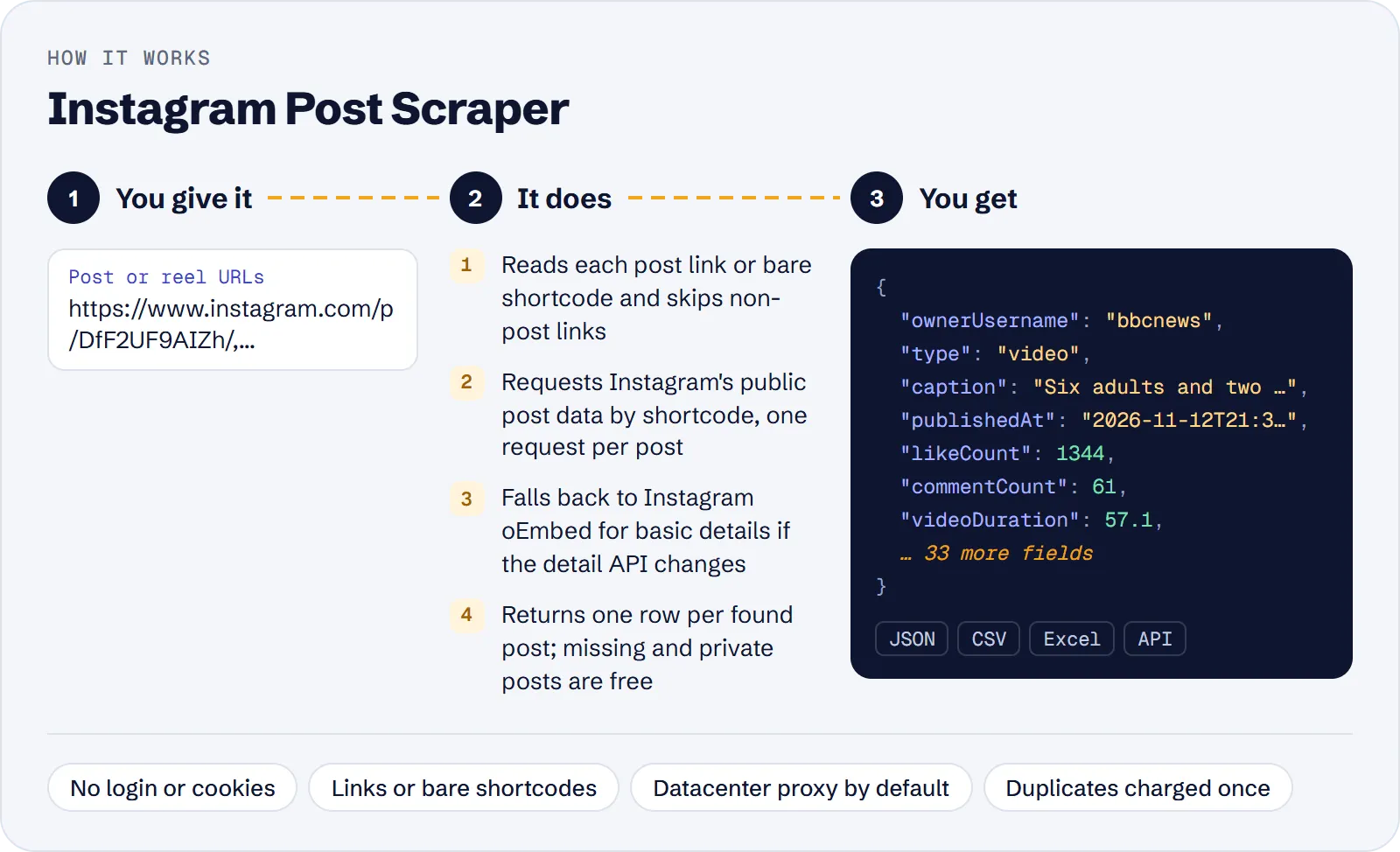
- Open the actor in Apify Console.
- Paste your links into Post or reel URLs, one per line. Links like
/p/,/reel/,/reels/,/tv/and/<username>/p/work, with or withoutwwwand tracking parameters such as?igsh=. Bare shortcodes such asDfqBoKRFTITwork too. - Leave Proxy on the default Apify datacenter proxy.
- Click Start. Each found post becomes one row in the dataset.
- Download the results as JSON, CSV or Excel, or read them through the API.
How much does it cost to scrape Instagram posts?
Price per event by Apify plan:
| Event | Free | Bronze | Silver | Gold and above |
|---|---|---|---|---|
| Post details | $1.90 per 1,000 | $1.805 per 1,000 | $1.71 per 1,000 | $1.615 per 1,000 |
| Actor start | $0.00005 | $0.00005 | $0.00005 | $0.00005 |
A test run with the API example input below returned 5 rows in 6 s.
You pay for post details: one event per found public post, reel or carousel ($0.0019 on the Free plan, so $1.90 per 1,000 posts). Every field is included in that price: there are no add-ons for music, coauthors or location. A run also has the small Apify actor start event.
Not charged: links that are not post links (profiles, hashtags, stories, explore pages), private, deleted or unknown posts, and duplicates of a post already in the same run.
| Scenario | Post details events | Cost on the Free plan |
|---|---|---|
| One reel resolved to its MP4 link | 1 | about $0.002 |
| Campaign check of 50 posts | 50 | about $0.10 |
| 1,000 posts from a spreadsheet | 1,000 | about $1.90 |
| 200 posts tracked daily for 30 days | 6,000 | about $11.40 |
You can set a maximum charge per run in Apify. When it is reached, the run stops and no more posts are requested.
Input
| Field | Required | What it does |
|---|---|---|
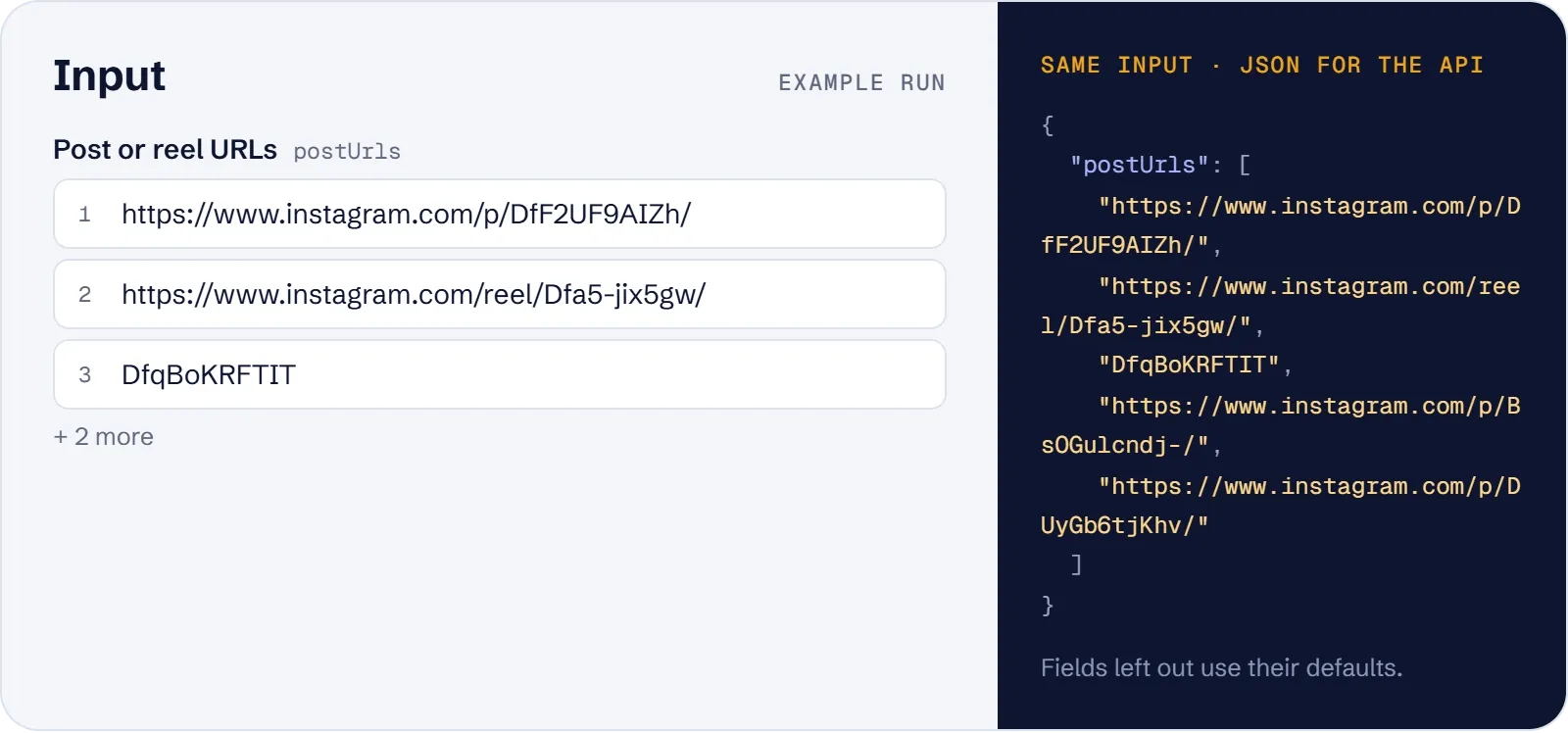
postUrls | yes | Public Instagram posts, reels or carousels, one per line: any post link (/p/, /reel/, /reels/, /tv/, /<username>/p/, with or without www and tracking parameters such as ?igsh=) or a bare shortcode. Profile, hashtag, story and explore links are skipped with a warning. |
proxyConfiguration | no | Proxy for the requests to Instagram. Default: Apify datacenter proxy. No proxy and residential proxy also work. |
Example input:
An empty postUrls list, or a list where no value is a post link or shortcode, fails the run with an input error before any request.
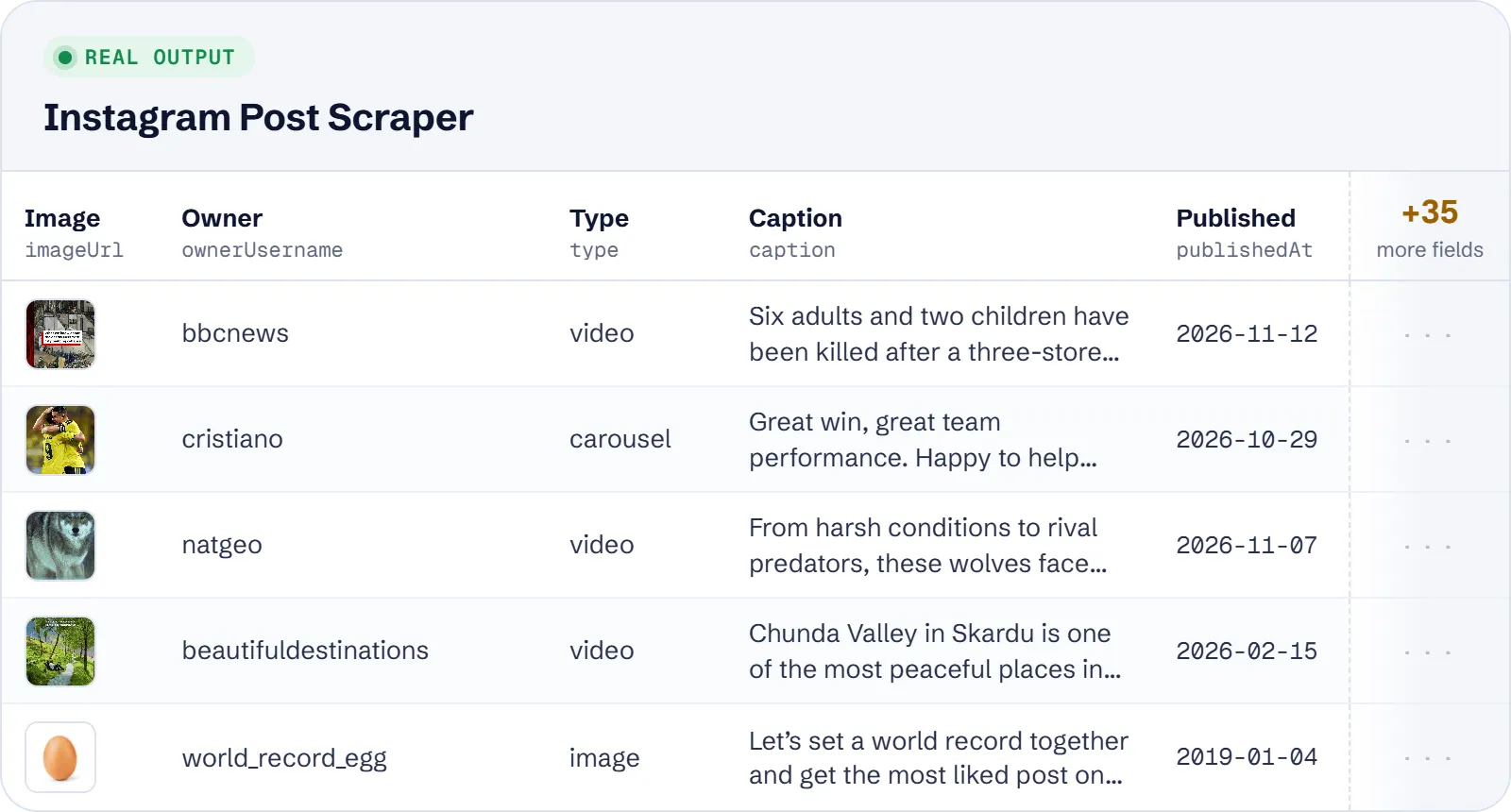
What data can you extract from Instagram posts?
| Field | What it holds |
|---|---|
url, inputUrl, shortcode, id | Post link (/reel/ for reels, /p/ otherwise), the value you gave, the shortcode and the media id |
type, productType | image, video or carousel; feed, clips, carousel_container or igtv |
detailLevel | full, or basic when only the fallback data was available (see Limitations) |
caption, hashtags, mentions | Caption text; hashtags without # and mentioned usernames without @ |
publishedAt | Publish date and time (ISO 8601) |
likeCount, commentCount, likeAndViewCountsDisabled | Likes and comments; likeCount is null when the owner hid likes |
ownerUsername, ownerFullName, ownerId, ownerUrl, ownerIsVerified, ownerProfilePicUrl | The account that published the post |
coauthors, taggedUsers | Collab coauthor usernames; usernames tagged in the media (all carousel items) |
location, locationId, locationLat, locationLng | Location tag name, id and coordinates |
isPaidPartnership | Paid partnership label |
width, height | Size of the original media in pixels |
imageUrl, videoUrl, videoDuration, hasAudio | Cover or main image, direct MP4 link, length in seconds, audio track flag |
audioType, musicTitle, musicArtist, audioId | licensed_music or original_sounds, song title (or "Original audio"), artist (or the username behind an original sound), audio id |
carouselCount, mediaUrls | Number of carousel items; every media link in order (the video for video items, else the image) |
scrapedAt | When the row was extracted |
Example row (a reel, from a real run; long links and caption shortened):
Use cases
- Influencer campaign reports: paste the post links from a brief and get likes, comments, coauthors, tagged brands and the paid-partnership label for each post.
- Enriching collected links: add caption, hashtags, owner, publish date and location to post links exported from other tools.
- Reel to video file: resolve one reel link to its MP4 link, cover image, duration and song or original sound.
- Engagement monitoring: run the same list on a schedule and track like and comment counts over time with
scrapedAt. - Archive research: look up old posts too; a post from 2019 works the same as a new one.
Limitations
- No view, play or share counts and no comments. Instagram does not show them to logged-out visitors, so the actor does not return them. There is also no comments-turned-off flag, no alt text and no pinned flag.
- Hidden likes: when the owner hid likes,
likeCountis null andlikeAndViewCountsDisabledis true. When comments are turned off,commentCountis 0. - Media links expire.
imageUrl,videoUrl,mediaUrlsandownerProfilePicUrlare signed Instagram CDN links that stop working after a few days. Download the files soon if you need them. - Only public posts. Private, deleted and unknown posts give no row (and no charge), only a warning in the log.
- Fields that can be empty:
url,inputUrl,shortcode,id,detailLevelandscrapedAtare always filled, andhashtags,mentions,coauthors,taggedUsersandmediaUrlsare always lists (mediaUrlshas at least one link; the others can be[]). Every other field can be null: for example the location fields when the post has no location tag,videoUrl,videoDurationandhasAudioon image posts, the audio fields on non-reel posts, andcarouselCounton single media. - Basic rows: if Instagram's detail API changes, the actor falls back to Instagram's oEmbed data for that post. Such rows have
detailLevel: "basic"with only the post link (always/p/), shortcode, media id, caption, hashtags, mentions, owner username, id and profile link and the thumbnail (imageUrlandmediaUrls); the other fields are null andcoauthorsandtaggedUsersare[]. The run log warns when this happens. These rows are charged as posts. - A carousel with several videos gives the first video in
videoUrl; all video links are inmediaUrls.
Tips and troubleshooting
- 0 rows? Check the log: each skipped value has a warning that names it ("not found or not public", or not a post link). A bare username such as
natgeois treated as a shortcode and comes back as not found; give a post link instead. - Duplicates are free: the same post given twice in any link form is looked up and charged once.
- Many blocked posts in the log? Switch the proxy to residential. The default datacenter proxy and no proxy also work for logged-out post lookups.
- Tracking over time: save the input as a Task and schedule it; every run returns fresh like and comment counts.
- Need the video file? Download from
videoUrlormediaUrlsright after the run, before the signed links expire.
API, MCP and integrations
Run the actor from your code with the same JSON input as in Console. Your API token is in Console → Settings → API & Integrations.
Python (pip install apify-client):
Node.js (npm install apify-client):
HTTP — one request runs the actor and returns the results (runs up to 5 minutes; longer ones: run asynchronously):
AI agents (MCP). Add the actor as a tool of the Apify MCP server. Claude Code:
Claude Desktop, Cursor or VS Code: {"mcpServers": {"apify": {"url": "https://mcp.apify.com?tools=genial_candlestand/instagram-post-details-scraper"}}}. Then ask, for example:
- "Get the MP4 link, duration and audio of the Instagram reel https://www.instagram.com/reel/Dfa5-jix5gw/"
- "Get likes, comments, coauthors and tagged users of Instagram posts DfF2UF9AIZh and DfqBoKRFTIT"
- "Is the Instagram post https://www.instagram.com/p/DUyGb6tjKhv/ a paid partnership, and where was it taken?"
Integrations. Run it on a schedule with Apify Schedules and send the results to Google Sheets, Slack, Zapier, Make, n8n or your webhook — see Apify integrations.
FAQ
Do I need an Instagram account or cookies?
No. The actor sends no login, cookies or session and collects only what a logged-out visitor sees.
Can it scrape a whole profile or a hashtag?
No. It takes post, reel, carousel and IGTV links or shortcodes. Profile, hashtag, story and explore links are skipped with a warning.
Does it return reel views?
No. Instagram does not give view or play counts to logged-out visitors, so these fields are not in the output.
How is it different from other Instagram post actors?
It returns coauthors, tagged users from every carousel item, location with coordinates, the paid-partnership label, video duration and music or original-sound info in every row, with no add-on events, at $1.90 per 1,000 posts on the Free plan (the most used general Instagram scraper lists $2.70 per 1,000 results). Hidden likes come back as null with a flag, not as a made-up number. It does not return views or comments, which that scraper does.
Is it legal to scrape Instagram posts?
The actor collects only public data that Instagram shows without login. You are responsible for how you use it: check Instagram's terms and the data-protection laws that apply to you (for example GDPR), especially for usernames of tagged people.
Also useful
- Instagram Profile Scraper — get the followers, bio and links of the post owners and tagged accounts
- TikTok Video Details Scraper — look up TikTok videos by link: stats, author and transcript for the same campaign
- YouTube Scraper — add YouTube videos, Shorts and channels to a cross-platform content report
- Pinterest Scraper — collect pins, boards and Pinterest Trends for the same brand or topic


