

TikTok Video Details Scraper | Stats, Author & Transcript
Pricing
from $1.28 / 1,000 posts
TikTok Video Details Scraper | Stats, Author & Transcript
Get TikTok video and photo post details by URL or ID: caption, publish date, views, likes, comments, shares, saves, hashtags, author follower count, sound and media links, plus an optional transcript. Flat rows, bare IDs and short links accepted, no login.
Pricing
from $1.28 / 1,000 posts
Rating
0.0
(0)
Developer

Flowo
Maintained by CommunityActor stats
0
Bookmarked
2
Total users
1
Monthly active users
5 days ago
Last modified
Categories
Features
Share
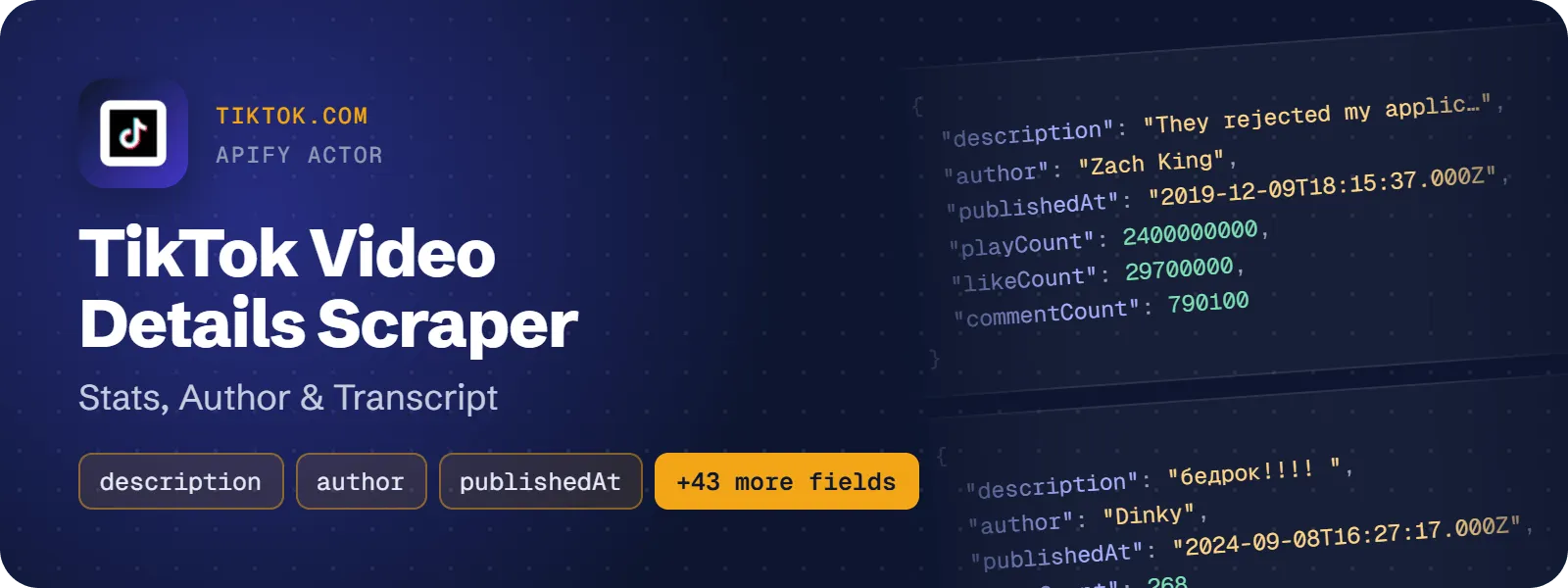
Get the details of TikTok videos and photo posts from their links or IDs: the caption, publish date, view count, like count, comment count, shares, saves and reposts, plus hashtags, the author's follower count and the sound. Each post becomes one flat row that opens directly in Excel, Google Sheets or a BI tool. Optionally it adds the spoken text of the video from TikTok's own subtitle file.
What does TikTok Video Details Scraper do?
You give it a list of TikTok posts — full video URLs, /photo/ carousel links, bare numeric IDs, m.tiktok.com links or vm.tiktok.com / vt.tiktok.com / tiktok.com/t/ short links. It returns one row per live post with the current numbers, the text, the author with follower stats, the sound and the media links. Deleted, private and owner-only posts are not returned as junk rows: they are listed separately with TikTok's reason and are free.
It is built for agencies tracking campaign posts, brand and social-listening teams, researchers and journalists who already have post links, and AI agents that get a TikTok link and need its numbers and text. It does not crawl profiles, hashtags or search results.
How to scrape TikTok video details
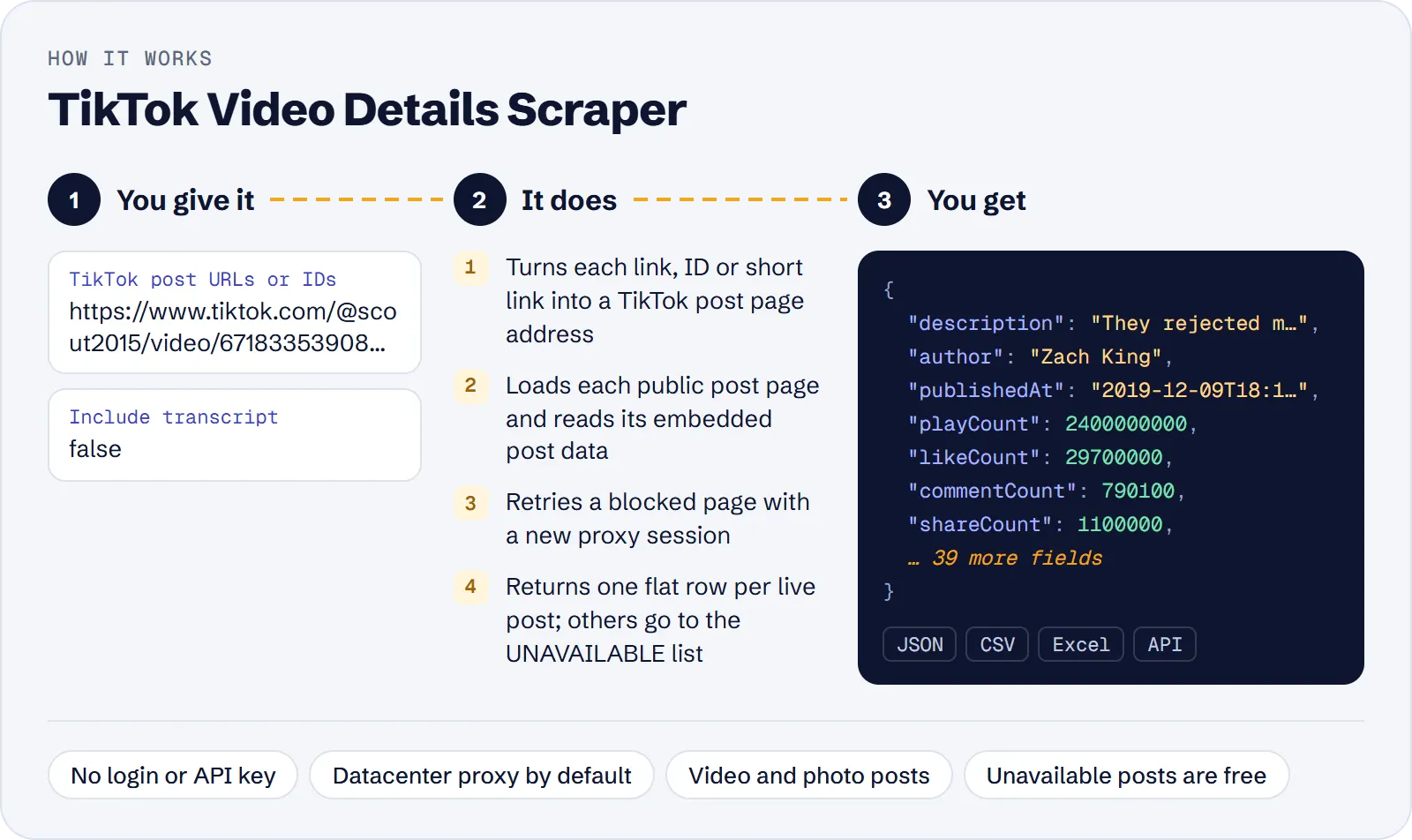
- Open the actor in Apify Console.
- Paste your TikTok post URLs or IDs into TikTok post URLs or IDs, one per line.
- Turn on Include transcript if you need the spoken text of the videos.
- Optionally set Max posts to cap the run.
- Click Start and wait for the run to finish.
- Download the results as JSON, CSV, Excel or HTML from the Output tab, or open the Unavailable inputs record to see which links gave no post and why.
How much does it cost to scrape TikTok?
Price per event by Apify plan:
| Event | Free | Bronze | Silver | Gold and above |
|---|---|---|---|---|
| Post | $1.50 per 1,000 | $1.425 per 1,000 | $1.35 per 1,000 | $1.275 per 1,000 |
| Transcript add-on | $0.80 per 1,000 | $0.76 per 1,000 | $0.72 per 1,000 | $0.68 per 1,000 |
| Actor start | $0.00005 | $0.00005 | $0.00005 | $0.00005 |
A test run with the API example input below returned 5 rows in 5 s.
You pay per post that is saved (event post, one dataset row), plus one small start event per run. The optional transcript add-on is charged per video that actually receives a transcript.
Not charged: deleted, private, owner-only, invalid, duplicate and blocked inputs, and — for the add-on — videos and photo posts without subtitles.
Example costs on the Free plan (post $0.0015, transcript $0.0008, start $0.00005):
| Scenario | Events | Cost |
|---|---|---|
| Check 20 posts | 20 posts + 1 start | $0.03005 |
| Campaign report of 200 posts | 200 posts + 1 start | $0.30005 |
| 1,000 posts | 1,000 posts + 1 start | $1.50005 |
| 1,000 videos with transcript on, 350 of them have subtitles | 1,000 posts + 350 transcripts + 1 start | $1.78005 |
Input
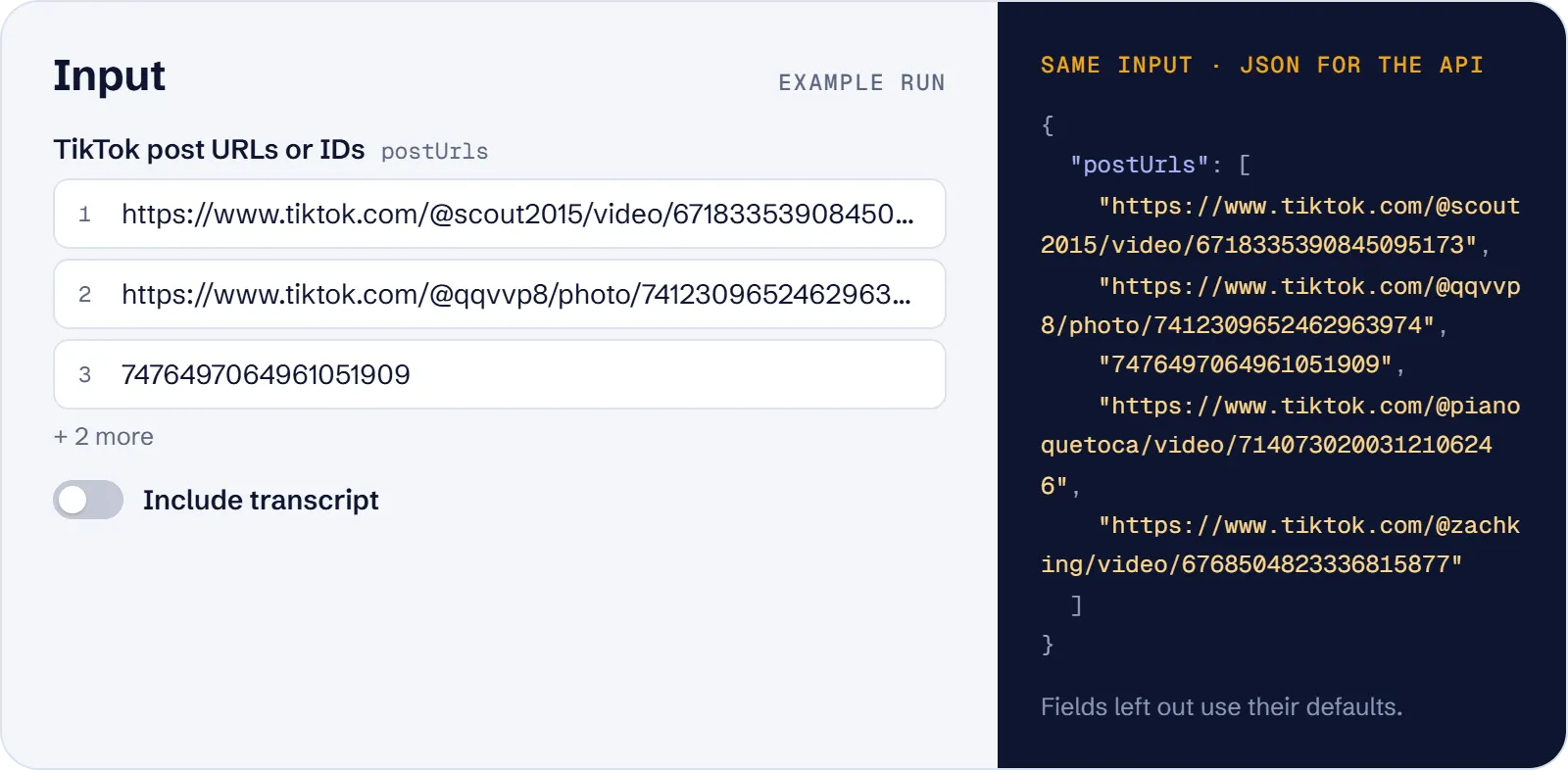
| Field | Type | Description |
|---|---|---|
postUrls | array of strings, required | TikTok posts, one per line: https://www.tiktok.com/@user/video/<id>, https://www.tiktok.com/@user/photo/<id>, a bare numeric post ID (15–21 digits), https://m.tiktok.com/v/<id>.html, or a short link (vm.tiktok.com, vt.tiktok.com, tiktok.com/t/). Profile, hashtag and search URLs are not posts and are skipped with a warning. |
includeTranscript | boolean, default false | Adds transcript — the spoken text from TikTok's own subtitle file — to videos that have subtitles. |
maxItems | integer ≥ 1, optional | Stop after this many posts are saved. Empty = every post from the list. |
proxyConfiguration | object, default Apify datacenter proxy | Proxy settings. Switch to the RESIDENTIAL group if many posts end as blocked. |
Example input:
What data can you extract from TikTok?
| Group | Fields |
|---|---|
| Post | id, url, inputUrl, postType (video or photo), description (caption), publishedAt, language, country, location (tagged place) |
| Engagement | playCount, likeCount, commentCount, shareCount, saveCount, repostCount |
| Text tags | hashtags, mentions, categoryLabels |
| Video | durationSeconds, width, height, definition, subtitleLanguages, transcript |
| Media links | imageUrl (cover), videoUrl, imageUrls (carousel images in order), imageCount |
| Author | author, authorUsername, authorId, authorUrl, authorAvatarUrl, authorVerified, authorBio, authorFollowers, authorFollowing, authorLikes, authorVideoCount |
| Sound | musicId, musicTitle, musicAuthor, musicOriginal |
| Flags | isAd, isAigc (AI-generated content label), scrapedAt |
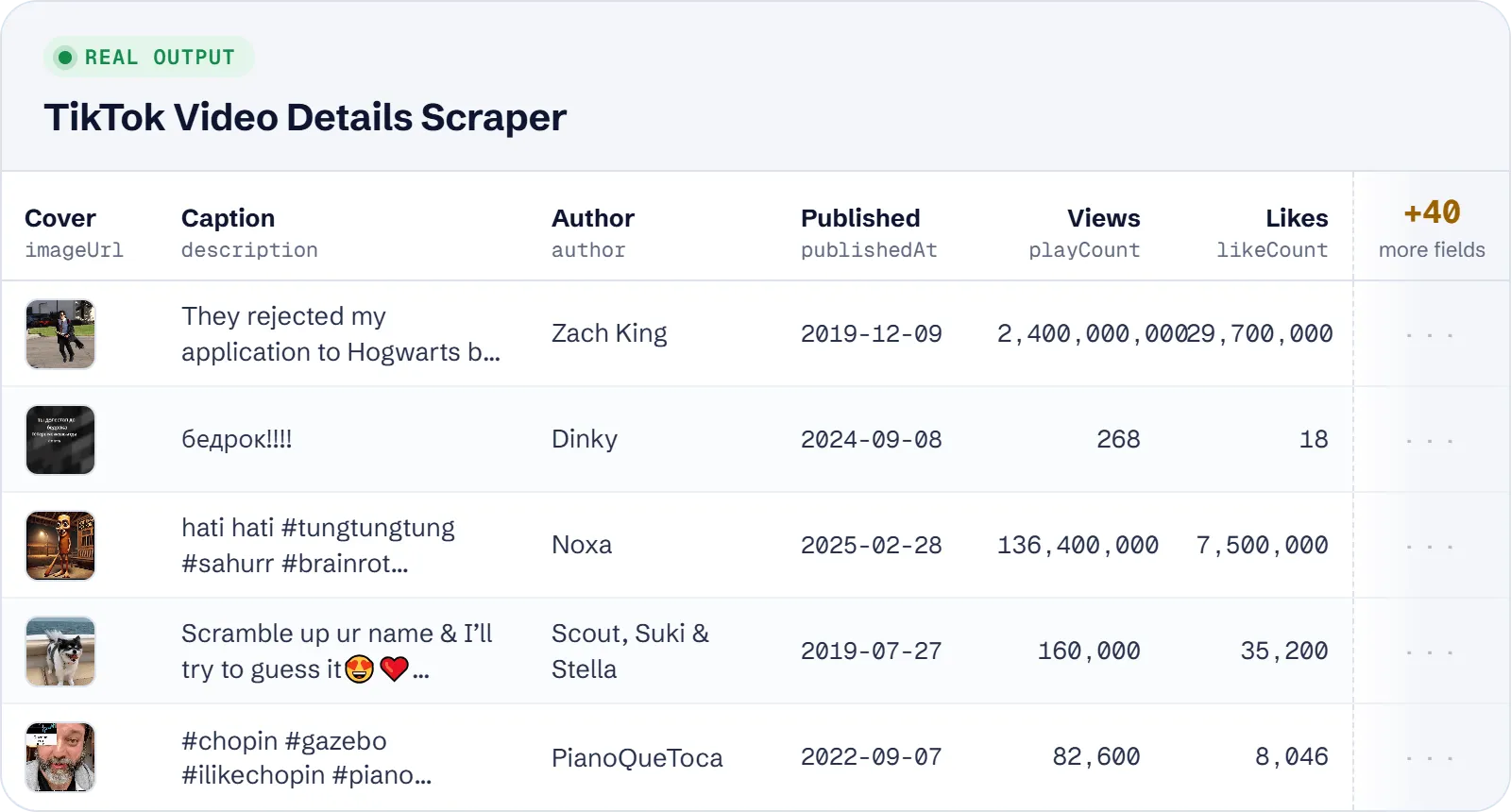
Real example row (media URLs shortened):
Photo carousels come back with postType: "photo", the images in imageUrls, their number in imageCount and videoUrl: null.
Inputs that gave no post are written to the Unavailable inputs record (key-value store key UNAVAILABLE) as a JSON list of input, postId, reason and message. The reason is one of invalid_input, short_link_not_a_post, not_found, deleted, owner_only, private, unavailable, blocked or error. The list is [] when every input gave a post.
Use cases
- Campaign reports — paste 200 creator post URLs and get views, likes, comments, shares, saves and author follower counts in one table, ready for CSV export.
- Cleaning up spreadsheet links — a list that mixes full URLs,
/photo/links, bare IDs,m.tiktok.comlinks and short links resolves to the same flat rows; duplicate posts give one row. - Photo carousel tracking — get every image link of a carousel post in order.
- Content analysis — collect the caption, hashtags, category labels and the spoken words of each video for research.
- Link health checks — see which posts of a past campaign are still live; deleted, private and owner-only posts are listed with the reason at no cost.
Limitations
- Only public posts that a logged-out viewer can see. Comments, related videos and video file downloads are not included.
- Large counts are rounded by TikTok for logged-out viewers (for example
160000or2400000000); small counts are exact. - Media links (
imageUrl,videoUrl,imageUrls,authorAvatarUrl) are signed by TikTok and expire about 2 days after the run. transcriptis filled only for videos that have TikTok subtitles; photo posts and videos without subtitles havetranscript: null. If a subtitle file cannot be downloaded, the row is kept withtranscript: nulland a warning.- Many fields can be empty:
descriptionfor posts without a caption,language,location(only when a place is tagged),durationSeconds,width,height,definitionandvideoUrlfor photo posts. - Short links that point to the home page or a profile (for example expired ones) give no post and are listed as
short_link_not_a_post.
Tips and troubleshooting
- A run returns fewer rows than links: open the Unavailable inputs record; each missing input is listed with its reason, and the log has one warning per input.
- Many posts end as
blocked: set the proxy to the RESIDENTIAL group and run again. The default datacenter proxy worked on all tested post pages. - The run fails right away: at least one line of
postUrlsmust be a TikTok post URL or ID. Profile, hashtag, search and music URLs are not posts. - The username in a link is wrong or old: that is fine — TikTok finds the post by its ID.
urlandauthorUsernameshow the current username,inputUrlkeeps your line. - Language or country: no setting is needed; the counts are the same from any region.
- Need the files of videos or images: download them from
videoUrl/imageUrlswithin about 2 days of the run.
API, MCP and integrations
Run the actor from your code with the same JSON input as in Console. Your API token is in Console → Settings → API & Integrations.
Python (pip install apify-client):
Node.js (npm install apify-client):
HTTP — one request runs the actor and returns the results (runs up to 5 minutes; longer ones: run asynchronously):
AI agents (MCP). Add the actor as a tool of the Apify MCP server. Claude Code:
Claude Desktop, Cursor or VS Code: {"mcpServers": {"apify": {"url": "https://mcp.apify.com?tools=genial_candlestand/tiktok-video-details-scraper"}}}. Then ask, for example:
- "Get views, likes, shares and saves of https://www.tiktok.com/@zachking/video/6768504823336815877"
- "Get the transcript and hashtags of TikTok video 7140730200312106246"
- "Which of these TikTok posts are still live: 6718335390845095173, 6862153058223197445"
Integrations. Run it on a schedule with Apify Schedules and send the results to Google Sheets, Slack, Zapier, Make, n8n or your webhook — see Apify integrations.
FAQ
Is it legal to scrape TikTok?
The actor only collects public data that TikTok shows to any logged-out visitor; it uses no account and no login. You are responsible for how you use the data, including data protection laws and TikTok's terms. The output holds no personal data beyond what TikTok shows publicly on the post.
Can I use short links and bare IDs?
Yes. Full /video/ and /photo/ URLs, numeric IDs of 15–21 digits, m.tiktok.com/v/<id>.html links and vm.tiktok.com, vt.tiktok.com and tiktok.com/t/ short links all work in the same run. Query strings such as ?lang=de are ignored.
Do I pay for deleted or private posts?
No. Only saved posts are charged. Deleted, private, owner-only, invalid, duplicate and blocked inputs are free and are listed in the Unavailable inputs record.
Where does the transcript come from?
From the subtitle file TikTok attaches to the video (creator captions or TikTok speech recognition). The actor prefers the speech-recognition track. No AI transcription is run, so videos without subtitles get no transcript and no add-on charge.
How is it different from other TikTok video actors?
It returns flat rows instead of nested author, music and video objects, accepts bare IDs and short links, reads very large view counts from TikTok's text counters (so they do not overflow into negative numbers), and costs $1.50 per 1,000 posts on the Free plan, compared with $3.70 per 1,000 results of the most-used TikTok scraper.
Also useful
- YouTube Transcript Scraper — get captions, subtitles and video metadata for the same campaign on YouTube
- YouTube Channel Scraper — track a creator's YouTube channel too: subscribers, videos, Shorts and streams
- YouTube Search Scraper — find videos and Shorts by keyword with their views and channels
- Reddit Scraper — follow the discussion of a trend on Reddit: posts, comments, scores and authors
- Pinterest Search Scraper — collect pins, images and outbound links by keyword for visual trend research


