
LinkedIn Ad Library Scraper | Ads, Payers & Targeting
Pricing
from $1.53 / 1,000 ads
LinkedIn Ad Library Scraper | Ads, Payers & Targeting
Get LinkedIn Ad Library ads: advertiser name, ad format, ad text, headline and images, plus payer, landing URL, run dates, impressions and targeting with details. Search by keyword, advertiser, payer, URL or ad ID, with country, date and impressions filters. No login.
Pricing
from $1.53 / 1,000 ads
Rating
0.0
(0)
Developer

Flowo
Maintained by CommunityActor stats
0
Bookmarked
2
Total users
1
Monthly active users
6 days ago
Last modified
Categories
Features
Share
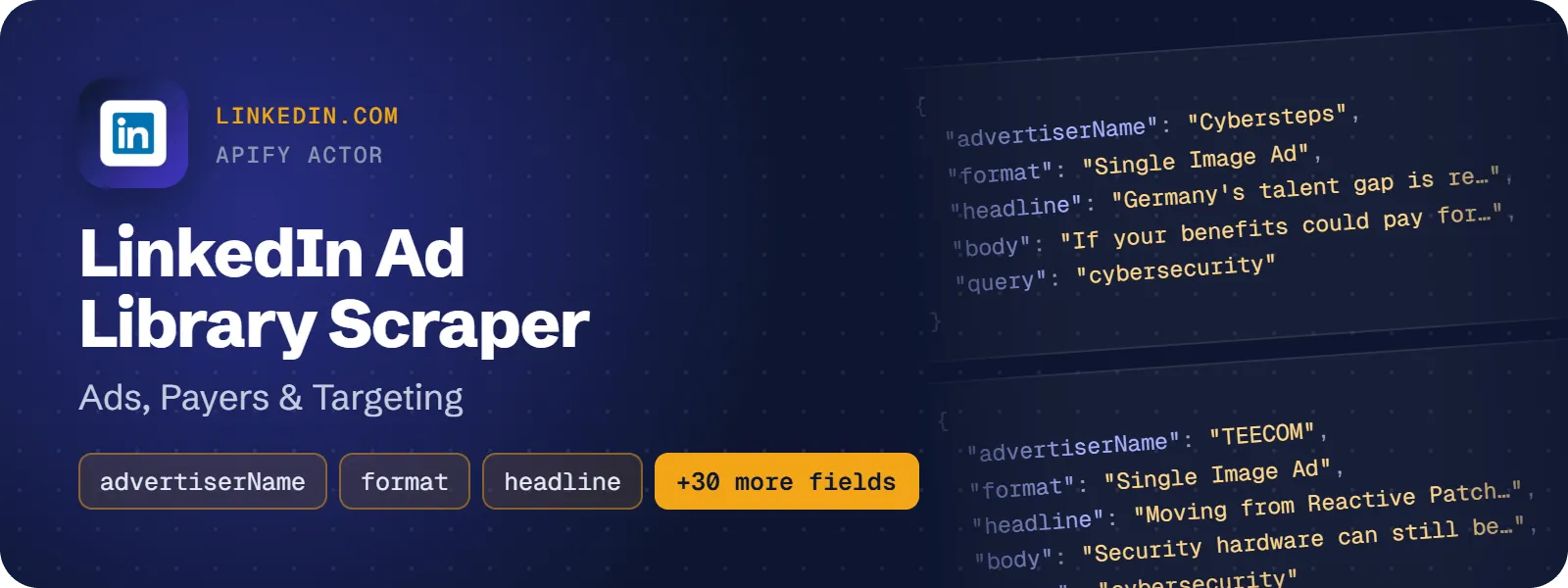
Get ads from the public LinkedIn Ad Library as flat rows: the advertiser name and logo, the ad format, ad text, headline and creative images for every ad. Turn on ad details to also get who paid for the ad, the landing URL, the call to action, the video, run dates, the impressions band (total and by country) and targeting. Search by keyword, advertiser, payer, pasted URL or ad ID, with country, date, impressions and targeting filters, and no LinkedIn login.
What does LinkedIn Ad Library Scraper do?
It searches the LinkedIn Ad Library the way you would in the browser, but for many keywords, advertisers and payers in one run, and saves one row per ad. Each row says which search found it (queryType, query, searchUrl, position, searchTotalAds). It is built for B2B marketers and agencies watching competitors' LinkedIn campaigns, sales teams looking for companies that are actively advertising, and researchers of political and EU ad transparency.
How to scrape LinkedIn Ad Library ads
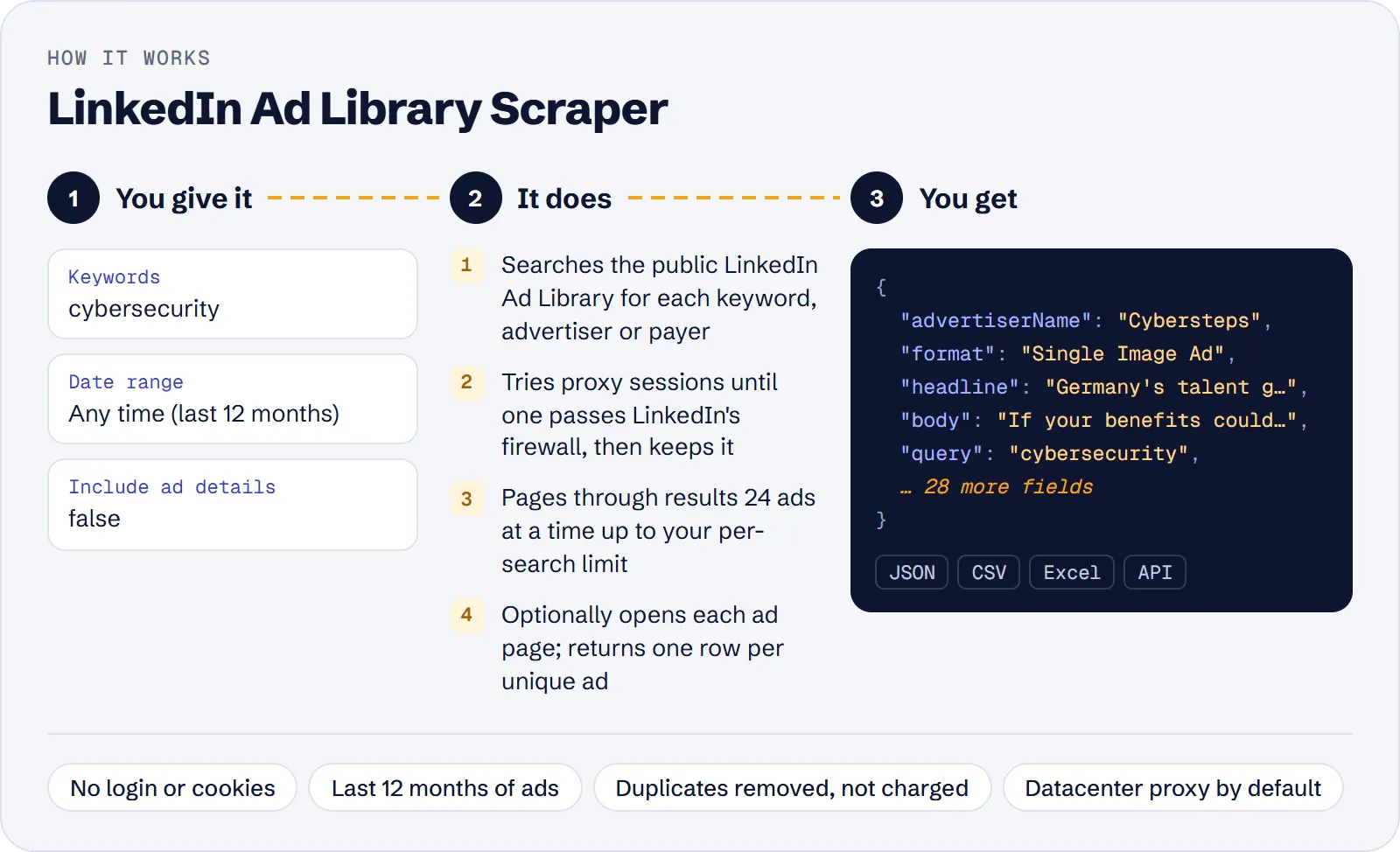
- Open the actor in Apify Console and click Try for free.
- Fill at least one of Keywords, Advertisers, Paid for by, Start URLs or Ad IDs. Every line is a separate search.
- Optionally narrow the searches with Countries, Date range, Min/Max impressions and Targeting includes/excludes.
- Tick Include ad details if you need the payer, landing URL, run dates, impressions and targeting.
- Set Max ads per search and Max ads in total, then click Start.
- Download the results as JSON, CSV, Excel or HTML, or read them through the API.
How much does it cost to scrape LinkedIn Ad Library?
Price per event by Apify plan:
| Event | Free | Bronze | Silver | Gold and above |
|---|---|---|---|---|
| Ad | $1.80 per 1,000 | $1.71 per 1,000 | $1.62 per 1,000 | $1.53 per 1,000 |
| Ad details | $1.20 per 1,000 | $1.14 per 1,000 | $1.08 per 1,000 | $1.02 per 1,000 |
| Actor start | $0.00005 | $0.00005 | $0.00005 | $0.00005 |
A test run with the API example input below returned 30 rows in 13 s.
The actor uses pay-per-event pricing. On the Free plan:
- Ad — $0.0018 for each ad saved to the dataset ($1.80 per 1,000 ads).
- Ad details — $0.0012 extra for each ad whose ad page was opened ($3.00 per 1,000 ads with details in total). It is charged only for rows with
hasDetails: true; rows from Ad IDs and ad URLs always have details. - Actor start — $0.00005 once per run.
Not charged: an ad found again by another search in the same run (duplicates are removed), a detail page that failed (the row is saved from the search card without the extra charge), and searches with no results.
| Scenario | Events | Cost on the Free plan |
|---|---|---|
| 100 ads for one keyword, no details | 100 × Ad + start | ≈ $0.18 |
| 1,000 ads from 10 competitor advertisers, no details | 1,000 × Ad + start | ≈ $1.80 |
| 200 ads with details (payer, impressions, targeting) | 200 × Ad + 200 × Ad details + start | ≈ $0.60 |
| 20 known ad IDs | 20 × Ad + 20 × Ad details + start | ≈ $0.06 |
Input
| Field | What it does |
|---|---|
queries | Keywords searched in the ad text, one search per line |
advertisers | Advertiser names (LinkedIn company or person names), one search per line; LinkedIn matches names loosely |
payers | The "Paid for by" legal entity, one search per line |
startUrls | Ad Library search URLs (filters are taken from the URL), ad URLs https://www.linkedin.com/ad-library/detail/<id> or company pages https://www.linkedin.com/company/<id or name> |
adIds | Numeric ad IDs; each ad is returned with its full details, filters do not apply |
countries | ISO 3166-1 alpha-2 codes or English names (DE, United States); empty = all countries |
dateOption | all-time (default, last 12 months), last-30-days, current-month, current-year, last-year or custom-date-range |
startDate, endDate | Custom range, YYYY-MM-DD or relative (3 months); filling a date switches to a custom range |
minImpressions, maxImpressions | Impressions range, e.g. 10000 to 1000000 |
targetingIncluded, targetingExcluded | Targeting kinds: Location, Language, Company, Job, Audience, Demographic, Education, Interests and traits |
includeDetails | Open each ad page for the details (default off) |
maxItemsPerSearch | Ads per search (default 100) |
maxItems | Ads per run, all searches and ad IDs together (default 1000) |
proxyConfiguration | Apify Proxy (default on, datacenter) |
The filters (countries, dates, impressions, targeting) apply to keyword, advertiser, payer and company-page searches. A pasted search URL keeps its own parameters, and ad IDs ignore filters.
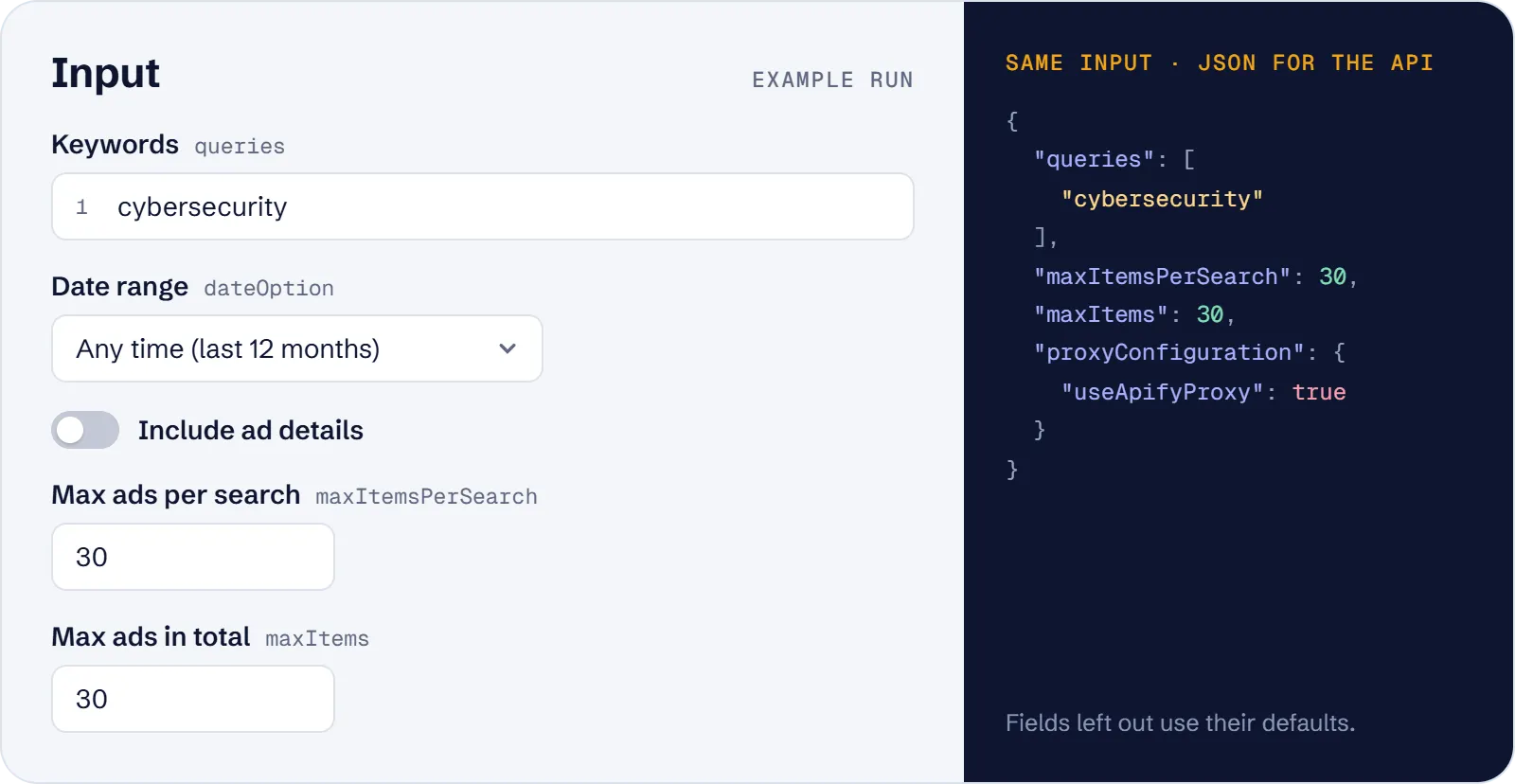
Example input — the latest cybersecurity ads shown in Germany:
What data can you extract from LinkedIn Ad Library?
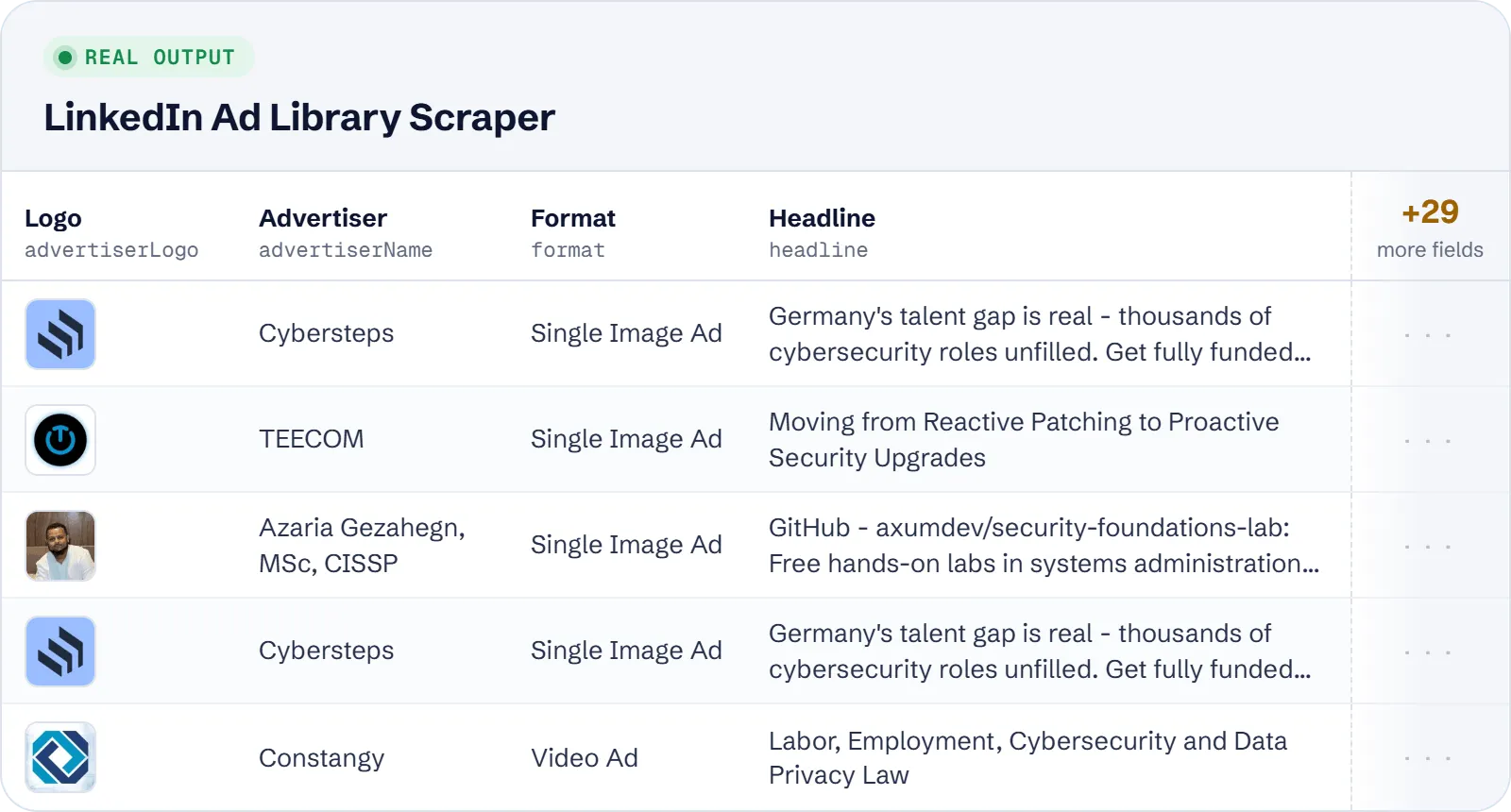
| Field | Description |
|---|---|
adId, url | Ad Library ID and ad page |
queryType, query | Which input found the ad: keyword, advertiser, payer, url or adId, and its value |
searchUrl, position, searchTotalAds | The search URL, the ad's rank in it and LinkedIn's "N ads match" total (null for ad IDs and ad URLs) |
advertiserName, advertiserLogo, advertiserUrl | Advertiser, its logo, and its LinkedIn page (details only) |
memberName, memberHeadline | The person who posts a thought-leader ad for the advertiser (null for company ads) |
format, creativeType | LinkedIn's format label (e.g. Single Image Ad, Video Ad, Carousel Ad, Document Ad, Article Ad) and creative type code (e.g. SPONSORED_STATUS_UPDATE) |
body, headline | Ad text (card preview, may be cut with "…"; full text with details) and the headline under the creative |
imageUrl, imageUrls | Main image (video poster for videos) and all creative images: carousel slides, document cover pages |
videoUrl, clickUrl, cta, paidBy | Video file, landing page, call-to-action text and "Paid for by" entity (details only) |
ranFrom, ranTo, daysRunning | Run dates as YYYY-MM-DD and days between them, both included (details only) |
impressions, impressionsMin, impressionsMax | Impressions band as shown (e.g. < 1k, 1k-5k) and its bounds as numbers; max is null for an open band (details only) |
impressionsByCountry | Share of impressions per country, e.g. Germany: 100% (details only) |
targeting, targetingParameters | Targeting segments, e.g. Language: includes English, and categories used, e.g. Job: targeted (details only) |
hasDetails | true when the ad page was opened |
scrapedAt | When the ad was extracted |
A real row from a keyword search without details (long URLs cut):
Use cases
- Competitor watch — track which ads competitors run on LinkedIn, in which formats and with which messages, by keyword or advertiser.
- All ads of a company with details — paste a company page URL or an advertiser name to get its ads with payer, landing URL, run dates, impressions and targeting.
- Sales prospecting — find companies that are actively advertising on a topic in a given country.
- Transparency research — search by "Paid for by" entity and date range to see who paid for which ads.
- Enrich known ads — pass ad IDs you already have to get their full details.
Limitations
- LinkedIn keeps ads for the last 12 months only. It shows no spend and no exact impressions, only bands.
- Run dates, impressions and targeting appear mainly for ads served in the EU (impressions and targeting filters: EU and Brazil). Many detail rows have them empty.
- Without Include ad details,
bodyis the card preview and can be cut. These fields stay null:advertiserUrl,videoUrl,clickUrl,cta,paidBy,ranFrom,ranTo,daysRunning,impressions,impressionsMin,impressionsMax,impressionsByCountry,targetingandtargetingParameters. - Every field except
adId,url,queryType,query,advertiserName,hasDetailsandscrapedAtcan be null. For example,headline,imageUrlandimageUrlsare missing for some ads,memberNameandmemberHeadlineare filled only for thought-leader ads, andclickUrlis often missing for thought-leader posts. - Document ads give their cover pages in
imageUrls, not a file URL. - LinkedIn's firewall blocks most IPs. The actor tries proxy sessions until one passes. If every try is blocked, the run fails with a message saying so.
Tips and troubleshooting
- 0 rows? The log names every search with no results. Check the spelling, try a looser keyword or remove filters. An unknown country or an inverted date or impressions range stops the run with an input error before any request.
- One exact company: advertiser names match loosely. Paste the numeric company page URL (
https://www.linkedin.com/company/68529) into Start URLs instead. - Keyword plus advertiser in one search: the form runs each entry as its own search. Build the search in the Ad Library website and paste its URL.
- Dates: the end date must be before today, so today or later is moved to yesterday. A start date older than 12 months is moved to the earliest allowed day. Both moves come with a warning.
- More results: popular keywords match hundreds of thousands of ads, so raise Max ads per search and Max ads in total together.
- Blocked runs: keep Apify Proxy on. The last tries of the session search use residential US proxy when your account has access to it.
API, MCP and integrations
Run the actor from your code with the same JSON input as in Console. Your API token is in Console → Settings → API & Integrations.
Python (pip install apify-client):
Node.js (npm install apify-client):
HTTP — one request runs the actor and returns the results (runs up to 5 minutes; longer ones: run asynchronously):
AI agents (MCP). Add the actor as a tool of the Apify MCP server. Claude Code:
Claude Desktop, Cursor or VS Code: {"mcpServers": {"apify": {"url": "https://mcp.apify.com?tools=genial_candlestand/linkedin-ad-library-scraper"}}}. Then ask, for example:
- "Find LinkedIn ads about cybersecurity shown in Germany in the last 30 days and list their advertisers"
- "Get HubSpot's LinkedIn ads with payer, landing URL, run dates and impressions"
- "Which ads did Microsoft pay for on LinkedIn in October 2026?"
Integrations. Run it on a schedule with Apify Schedules and send the results to Google Sheets, Slack, Zapier, Make, n8n or your webhook — see Apify integrations.
FAQ
Do I need a LinkedIn account or cookies?
No. The actor reads the public LinkedIn Ad Library without logging in.
Can I get ads older than a year or the ad spend?
No. LinkedIn's Ad Library covers the last 12 months and shows impression bands, not spend.
Why do some ads have no impressions or targeting even with details?
LinkedIn publishes run dates, impressions and targeting mainly for ads served in the EU. For other ads these fields are null.
How is it different from other LinkedIn Ad Library actors?
Every search option is a form field (keywords, advertisers, payers, countries, dates, impressions, targeting), and search URLs, company pages and ad IDs work too. Impression bands are parsed into impressionsMin/impressionsMax, and run dates into ISO ranFrom/ranTo plus daysRunning. Duplicates across searches are removed and not charged. The price is $1.80 per 1,000 ads, or $3.00 with details, against $2 and $4 for the most used actor in this niche.
Is it legal to scrape LinkedIn Ad Library?
The Ad Library is a public transparency tool, and the actor collects only what it shows to any visitor without login. You are responsible for how you use the data, including data protection rules for the names of people in thought-leader ads. Ask a lawyer if you are unsure.
Also useful
- Google Ads Transparency Scraper — get the same advertiser's Google ads: formats, shown dates and impressions
- Google Search Scraper — see competitors' Google text ads and organic ranks for the same keywords
- Glassdoor Jobs Scraper — check whether advertising companies are also hiring, with salaries and ratings
- Trustpilot Reviews Scraper — compare advertisers' reputation: star ratings, reviews and company replies


