
Shopee Search Scraper | Products, Prices & Categories
Pricing
from $3.82 / 1,000 products
Shopee Search Scraper | Products, Prices & Categories
Get Shopee products by keyword, category or shop URL: title, price, original price, discount, rating, seller location, promo labels, image and URL. 9 markets (SG, MY, ID, TH, VN, PH, TW, BR, MX), all sort orders merged, price, rating and ship-from filters. No login.
Pricing
from $3.82 / 1,000 products
Rating
0.0
(0)
Developer

Flowo
Maintained by CommunityActor stats
0
Bookmarked
3
Total users
2
Monthly active users
a day ago
Last modified
Categories
Features
Share
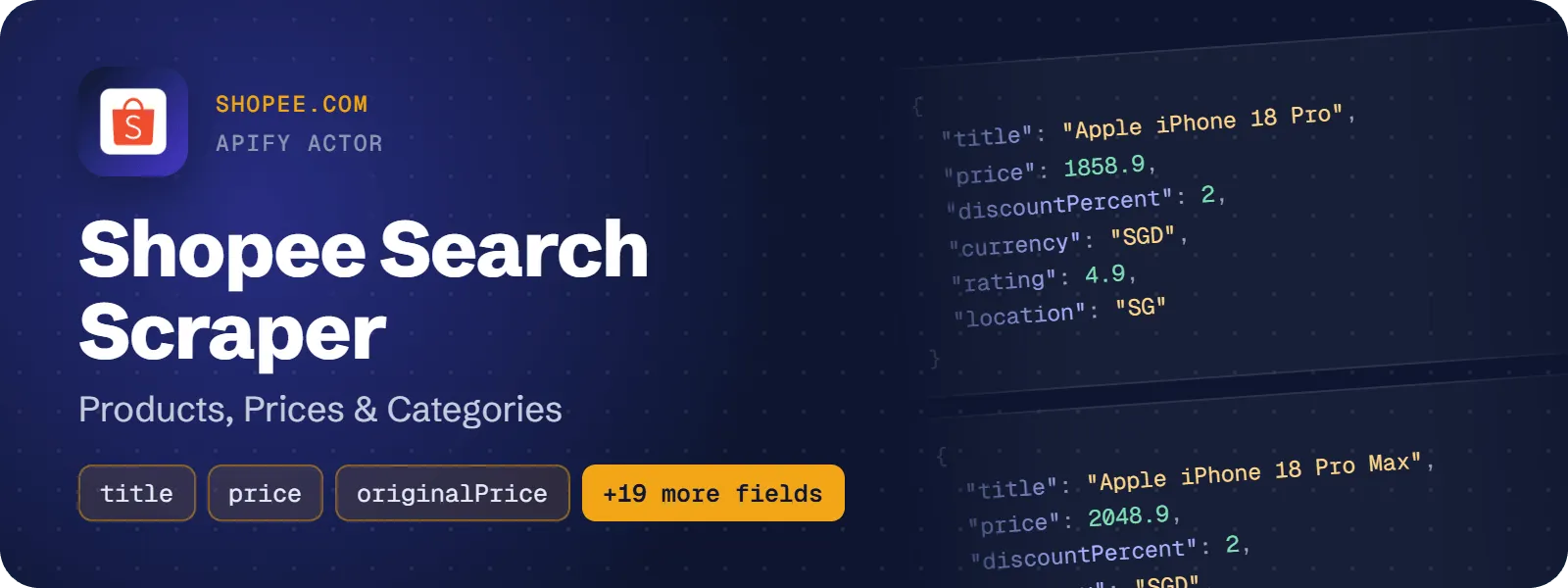
Get Shopee product listings from category and shop pages in 9 markets: product title, price as a number, original price, discount percent, product rating, seller location, promo labels, image and product URL, plus the item and shop ids. Each row also carries the market and its currency, the category it was found for and the listing order. No login, no cookies, no browser.
What does Shopee Search Scraper do?
You give it a Shopee category ID or Shopee category and shop URLs. It returns one flat row per unique product for each URL or category. The markets are Singapore, Malaysia, Indonesia, Thailand, Vietnam, Philippines, Taiwan, Brazil and Mexico. Sellers, brands, market researchers and dropshippers use it to track Shopee prices and see what a category offers.
Market limits (since November 2026): Shopee no longer serves keyword search to anonymous visitors in any of the 9 markets (closed in SG, MY, ID and PH on 19 November, in TH, TW, VN, BR and MX on 20 November). Category URLs, Category ID and shop URLs work in all 9 markets. Keyword input (Search keywords or a search URL with a keyword) is rejected before any request, so such a run costs nothing.
How to scrape Shopee products by category or shop
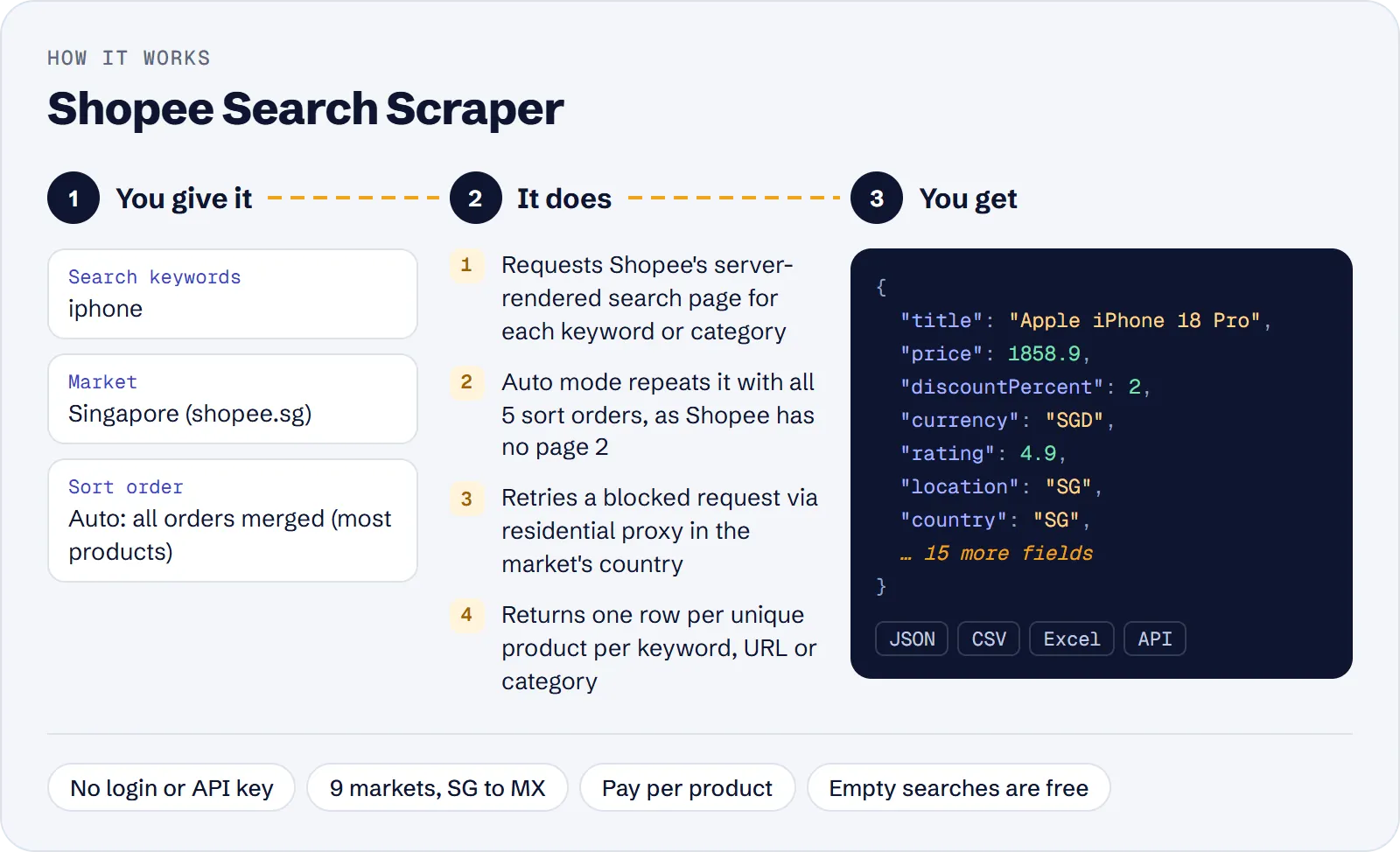
- Open the actor in Apify Console.
- Paste Shopee category or shop Start URLs (e.g.
https://shopee.sg/Mobile-Gadgets-cat.11013350), or enter a Category ID and choose its Market. - Optionally set Max products per URL or category.
- Click Start. When the run finishes, download the products as JSON, CSV or Excel from the Output tab.
How much does it cost to scrape Shopee?
Price per event by Apify plan:
| Event | Free | Bronze | Silver | Gold and above |
|---|---|---|---|---|
| Actor start | $0.00005 | $0.00005 | $0.00005 | $0.00005 |
| Product | $4.50 per 1,000 | $4.275 per 1,000 | $4.05 per 1,000 | $3.825 per 1,000 |
A category page gives 24 products per run.
You pay for each product: one unique Shopee product saved to the dataset. A URL or category that finds no products costs nothing. There is also a small Actor start fee of $0.00005 per run. On the Free plan a product costs $0.0045, so $4.50 per 1,000 products.
| Scenario | Products | Cost on the Free plan |
|---|---|---|
| Default input: 1 category URL (24 products) | 24 | ≈ $0.11 |
| 10 categories × 24 products | 240 | ≈ $1.08 |
| 100 categories × 24 products | 2,400 | ≈ $10.80 |
Costs include the start fee. A category page gives its 24 products, a shop page 3–12.
Input
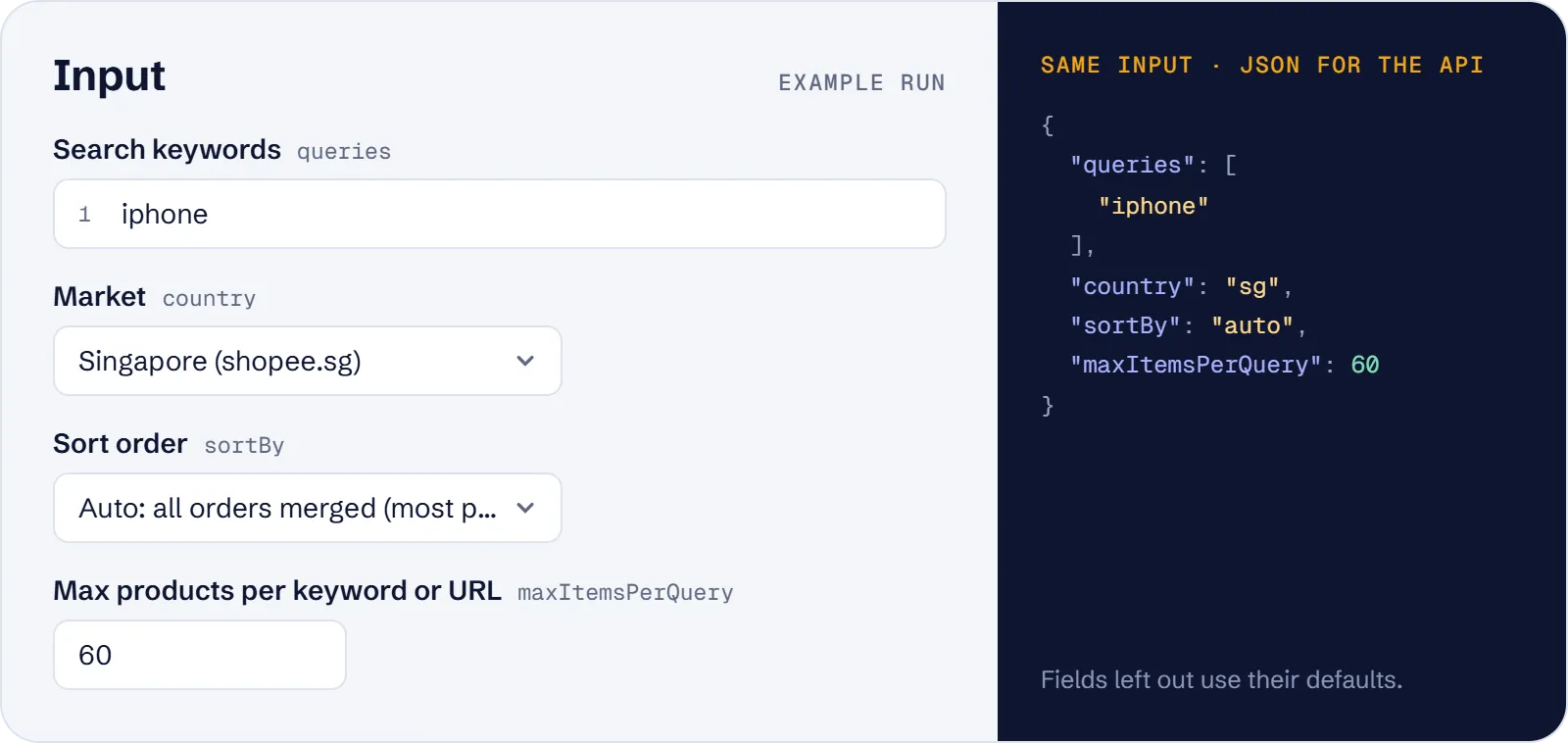
At least one of Start URLs (startUrls) or Category ID (categoryId) is required (queries is kept for compatibility but rejected). An empty input is rejected before any request.
| Field | What it does |
|---|---|
queries | No longer served: Shopee closed keyword search to anonymous visitors in every market, so keywords are rejected before any request. Use category or shop URLs or categoryId. |
country | Market for the category ID: sg, my, id, th, vn, ph, tw, br, mx (default sg). Start URLs ignore this setting, because the URL's site decides the market. |
startUrls | Shopee listing URLs from the 9 markets: a category URL (…/Mobile-Gadgets-cat.11013350), a category-scoped search URL without keyword (…/search?category=11013350) or a shop URL (…/shop/487895465). Keyword search URLs, product pages, Shopee Colombia/Chile, shopee.com and other sites are rejected. |
categoryId | Numeric category id of the chosen market (the number after -cat. in a category URL; for a subcategory, the last number). Lists that category. |
sortBy | Kept for compatibility, no effect: category and shop pages come in Shopee's own order. |
maxItemsPerQuery | Unique products per URL or category, 1–1000 (default 100). |
maxItems | Optional cap on all products of the run together. |
minPrice, maxPrice | Kept for compatibility (they applied to keyword searches). Min must not be higher than max. No effect on category and shop pages. |
minRating | Kept for compatibility (keyword searches only); no effect on category and shop pages. |
location | Kept for compatibility (keyword searches only); no effect on category and shop pages. |
proxyConfiguration | Apify datacenter proxy by default, for category and shop pages; blocked requests are retried through a residential proxy in the market's country. |
Filters and sort are not applied to category and shop pages.
Example: two categories and a shop from different markets:
What data can you extract from Shopee?
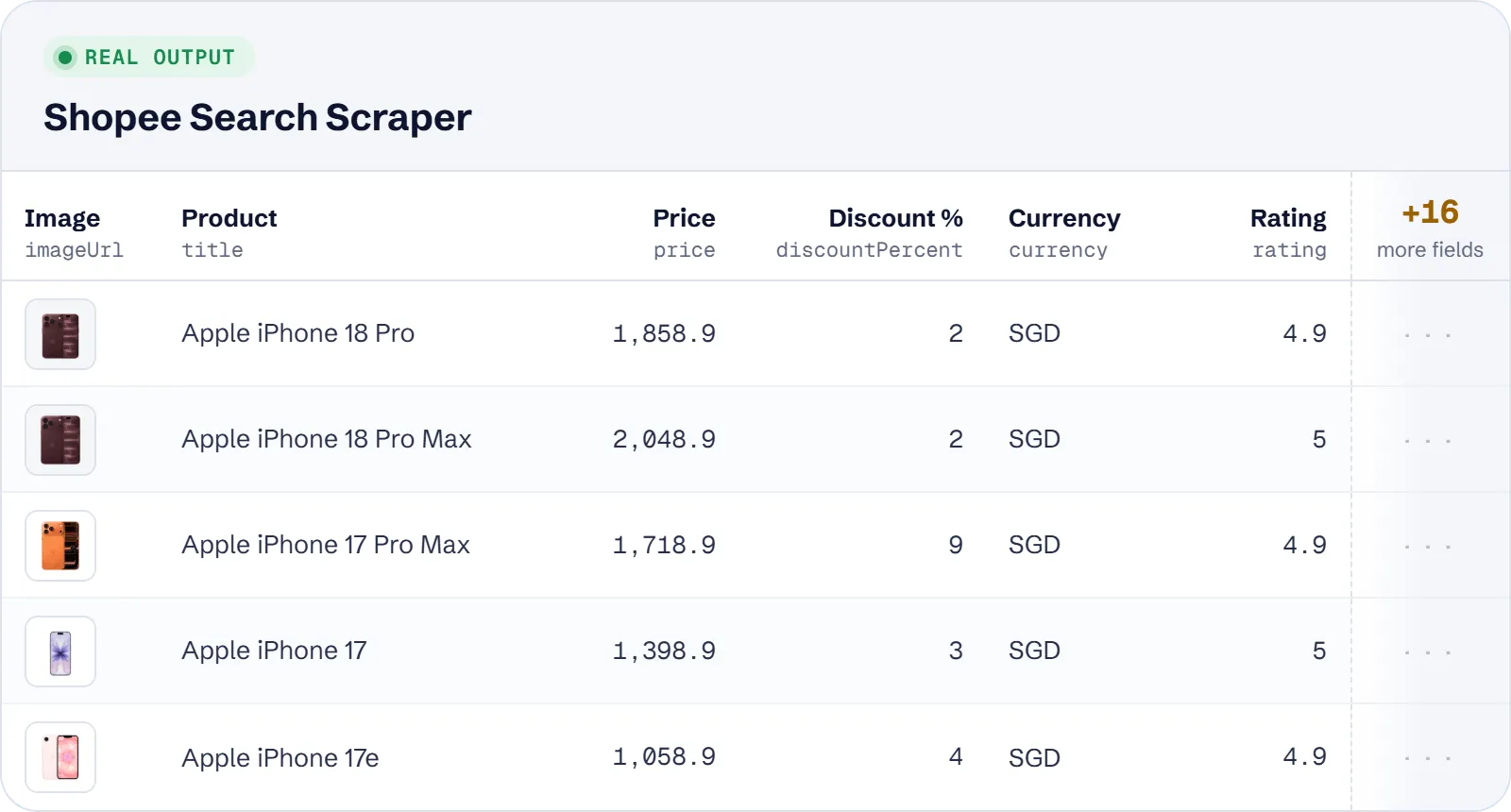
| Field | Description |
|---|---|
itemId, shopId | Shopee item id and seller's shop id (digits, as strings) |
url | Product page, https://<market host>/product/<shopId>/<itemId> |
title | Product name as shown on the card |
imageUrl | Main product image |
price | Current (promotion) price as a number, thousands separators removed |
originalPrice | Price before the discount, when the card shows it |
discountPercent | Discount shown on the card, in percent |
currency | ISO currency of the market: SGD, MYR, IDR, THB, VND, PHP, TWD, BRL, MXN |
rating | Average product rating 0–5 |
shopRating | Seller's shop rating 0–5, when the card shows it instead of a product rating |
soldCount, soldText | Units sold and the raw text, when the card shows it (rare) |
location | Where the seller ships from, as shown on the card (e.g. SG, Mainland China) |
promoLabels | Promotion labels in the market's language (e.g. Selling Fast, Add-on Deal, Free Gift); empty array when none |
country | Market code: SG, MY, ID, TH, VN, PH, TW, BR, MX |
query | Keyword the product was found for; null for category and shop listings (always null since the keyword search closure) |
categoryId | Category the listing was limited to; null otherwise |
sortBy | page for category and shop pages (rows found by keyword search before its closure had relevancy, sales, newest, priceAsc or priceDesc) |
position | 1-based position on the result page where the product was first found |
sourceUrl | The start URL as given, or the category URL built from a Category ID |
scrapedAt | When the product was extracted (ISO 8601) |
Example row (keyword fone bluetooth on shopee.com.br, recorded before Shopee closed keyword search; category rows have query, rating and location null):
Use cases
- Price checks by category: see what the products of a Shopee Brazil or Thailand category cost, with discount and original price.
- Category assortment: sample a category such as
Sepatu-Flat-cat.11042604.11042610on shopee.co.id (the 24 products of the category page). - Cross-market comparison: run category URLs from several markets (e.g. shopee.com.br and shopee.com.mx) in one run. Each row carries
countryandcurrency. - Shop showcase: list the products Shopee shows publicly for a shop.
Limitations
- No page 2, no sort. A category page gives its 24 products in Shopee's own order; Shopee rejects page numbers and sort orders. A target stops after 3 requests in a row bring no new products.
- Shop pages give only the 3–12 products Shopee shows publicly, without sort or filters.
- Not on the listing card, so not in the output: shop name, review count, description, brand, variants and the Mall badge. Sold counts are mostly hidden from anonymous visitors, so
soldCountandsoldTextare usually null. - Fields that can be empty (null):
imageUrl,price,originalPrice,discountPercent,rating,shopRating,soldCount,soldText,location,query,categoryId.promoLabelscan be an empty array.originalPriceis often missing on SG, PH and MX cards, which show only the discount percent. - No keyword search: Shopee no longer serves it to anonymous visitors in any market; keyword input is rejected before any request. Use category or shop URLs.
- Shopee Colombia and Chile are closed and not supported.
Tips and troubleshooting
- More products: raise
maxItemsPerQuery. If the log says Shopee's result pool was exhausted, more requests will not add products, so add more categories instead. - 0 products for a category: check that the category ID belongs to the chosen
country. An id from another market returns nothing. Runs with no products are not charged. - Several markets at once: use start URLs, since
countryapplies only to the category ID. - The default datacenter proxy is enough. Blocked requests fall back to a residential proxy in the market's country automatically.
API, MCP and integrations
Run the actor from your code with the same JSON input as in Console. Your API token is in Console → Settings → API & Integrations.
Python (pip install apify-client):
Node.js (npm install apify-client):
HTTP — one request runs the actor and returns the results (runs up to 5 minutes; longer ones: run asynchronously):
AI agents (MCP). Add the actor as a tool of the Apify MCP server. Claude Code:
Claude Desktop, Cursor or VS Code: {"mcpServers": {"apify": {"url": "https://mcp.apify.com?tools=genial_candlestand/shopee-product-search-scraper"}}}. Then ask, for example:
- "List 100 products from Shopee Brazil category 11059983 with price and discount"
- "List up to 300 products from Shopee Indonesia category 11042610 with prices and discounts"
- "Show the products of Shopee Singapore shop 487895465 with prices"
Integrations. Run it on a schedule with Apify Schedules and send the results to Google Sheets, Slack, Zapier, Make, n8n or your webhook — see Apify integrations.
FAQ
Is it legal to scrape Shopee?
The actor reads only public listing pages that anyone can open without logging in. It does not collect personal data beyond what Shopee shows publicly on product cards. You are responsible for how you use the data and for following the laws and terms that apply to you.
Do I need a Shopee account, cookies or an API key?
No. The actor works without login, cookies or a browser.
Why are prices numbers in every market?
Formats like Rp2.775.000 (Indonesia) and R$19,90 (Brazil) are parsed into 2775000 and 19.9. The currency comes from the market, so $ on SG, TW and MX becomes SGD, TWD and MXN.
Does the same product appear twice?
Within one URL or category, each product appears once. If two inputs list the same product, it appears once for each, with its own sourceUrl.
How is it different from other Shopee scrapers?
It costs $4.50 per 1,000 products, against $9 for the most used Shopee search actor. It reads category pages in all 9 markets, and rejects keyword input, which Shopee closed, instead of returning nothing. Product rating and shop rating are kept in separate fields.
Also useful
- Shopee Product Details Scraper — add brand, attributes, category path, variations and seller stats for the products you found
- AliExpress Search Scraper — compare the same products on AliExpress: prices, sold count and shipping
- 1688 Product Search Scraper — find wholesale prices, MOQ and suppliers on 1688.com for products you sell on Shopee
- Amazon Search Scraper — compare Shopee prices with Amazon search results and rankings
- Etsy Search Scraper — check prices, shops and rankings of similar products on Etsy


