
Yandex Market Scraper | Products, Prices & Sellers
Pricing
from $0.84 / 1,000 products
Yandex Market Scraper | Products, Prices & Sellers
Returns products of Yandex Market search results and category listings: title, card price, price without card, old price and discount, rating, purchases, shop, stock, sponsored flag, delivery date. Optional product pages add brand, specs, seller INN/OGRN. Many queries per run, no login.
Pricing
from $0.84 / 1,000 products
Rating
0.0
(0)
Developer

Flowo
Maintained by CommunityActor stats
0
Bookmarked
3
Total users
2
Monthly active users
7 days ago
Last modified
Categories
Features
Share
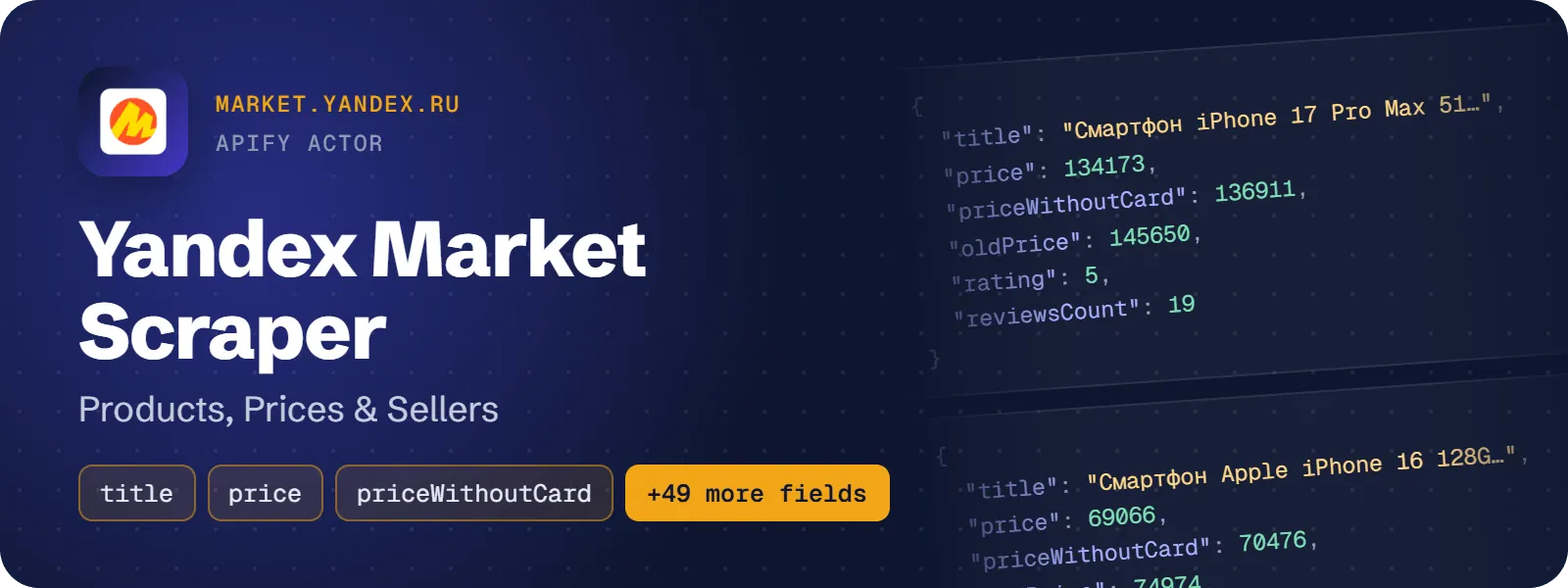
Get products from market.yandex.ru (Яндекс Маркет) search results and category listings: the title, the price with the Yandex Pay card, the price without the card, the crossed-out old price and discount, rating, number of ratings and purchases, shop, stock count, sponsored flag and earliest delivery date. Optionally the actor also opens each product page and adds the brand, full specifications, description, all images, the seller's rating and legal data (legal name, INN, OGRN or foreign registration number, legal address), the offer count with the lowest price and the 1–5 star rating distribution.
What does Yandex Market Scraper do?
You give it search queries, Yandex Market category URLs or both, and it returns one flat row per product of each listing, up to about 30 pages per query or URL (the depth the site itself shows). Many queries and category URLs run in one go, with an exact price filter, a rating filter and a switch to skip sponsored placements. It is built for sellers, brand managers, price-monitoring and e-commerce analysts working on the Russian market, and for AI agents acting for them. No Yandex account or API key is needed.
How to scrape Yandex Market products
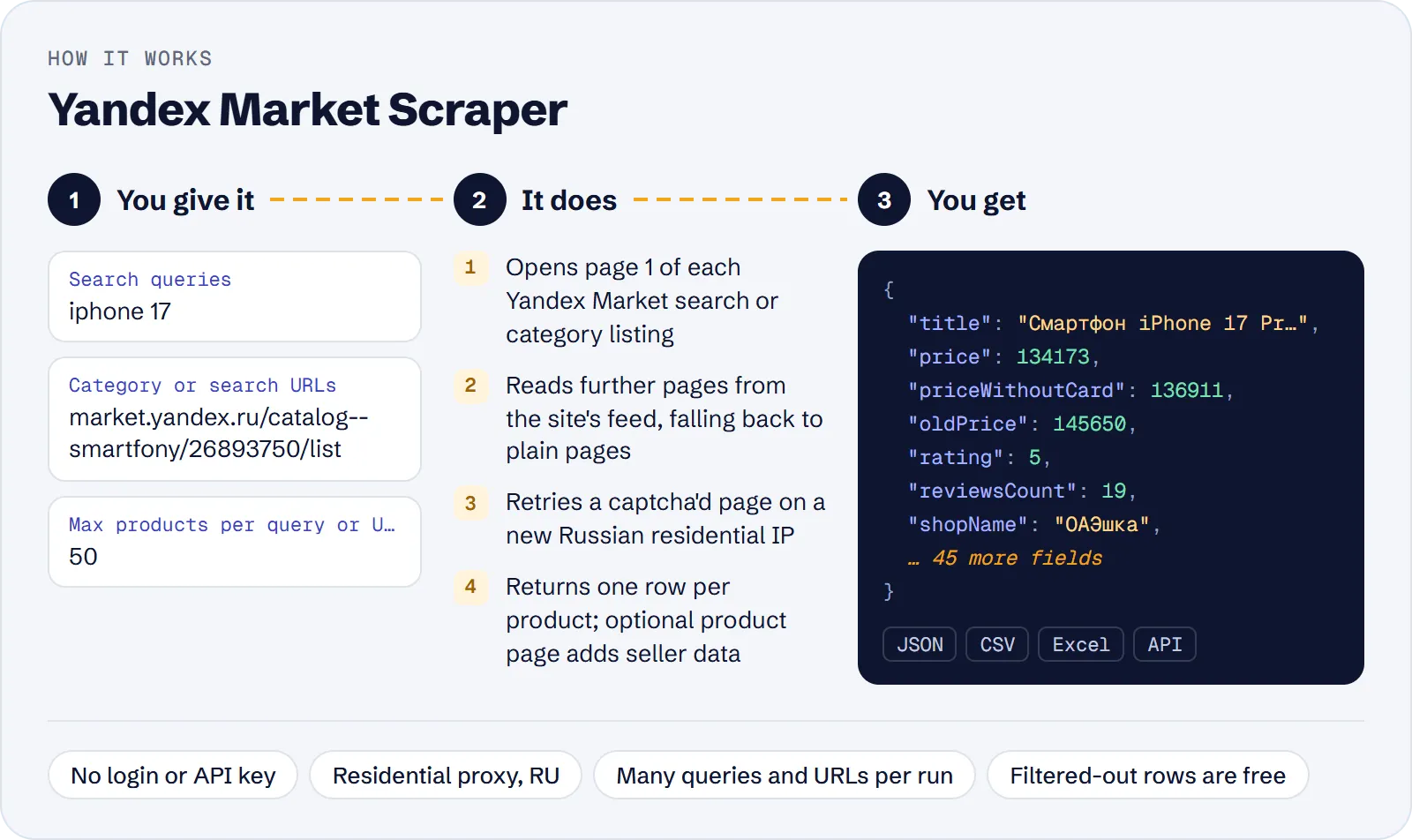
- Open the actor in Apify Console.
- Type one or more Search queries (e.g.
кофеварка,iphone 17) and/or paste Category or search URLs such ashttps://market.yandex.ru/catalog--smartfony/26893750/list. - Set Max products per query or URL (default 100) and, if you like, a total cap, a sort order and the filters.
- Turn on Add product details if you need brand, specifications and seller legal data.
- Click Start. When the run finishes, download the dataset as JSON, CSV, Excel or HTML, or read it through the API.
How much does it cost to scrape Yandex Market?
Price per event by Apify plan:
| Event | Free | Bronze | Silver | Gold and above |
|---|---|---|---|---|
| Product | $0.99 per 1,000 | $0.94 per 1,000 | $0.891 per 1,000 | $0.842 per 1,000 |
| Product details | $7.00 per 1,000 | $6.65 per 1,000 | $6.30 per 1,000 | $5.95 per 1,000 |
| Actor start | $0.00005 | $0.00005 | $0.00005 | $0.00005 |
A test run with the API example input below returned 100 rows in 27 s.
The actor uses pay-per-event pricing:
- Product — one saved product row from a search or category listing.
- Product details — only with "Add product details" on: the product page of one saved product was read and its fields were added to the row.
- Actor start — a small fee once per run.
Not charged: queries with no results, the recommendation products Yandex Market shows instead of results, duplicates, products removed by your price, rating or sponsored filters, and product pages that failed or were skipped.
Cost examples on the Free plan (start fee included):
| Scenario | Events | Cost |
|---|---|---|
| 2 queries × 50 products, listing only | 100 Product | ≈ $0.10 |
| 10 categories × 100 products, listing only | 1,000 Product | ≈ $0.99 |
| 20 categories × 500 products, listing only | 10,000 Product | ≈ $9.90 |
| 100 products with details | 100 Product + 100 Product details | ≈ $0.80 |
Input
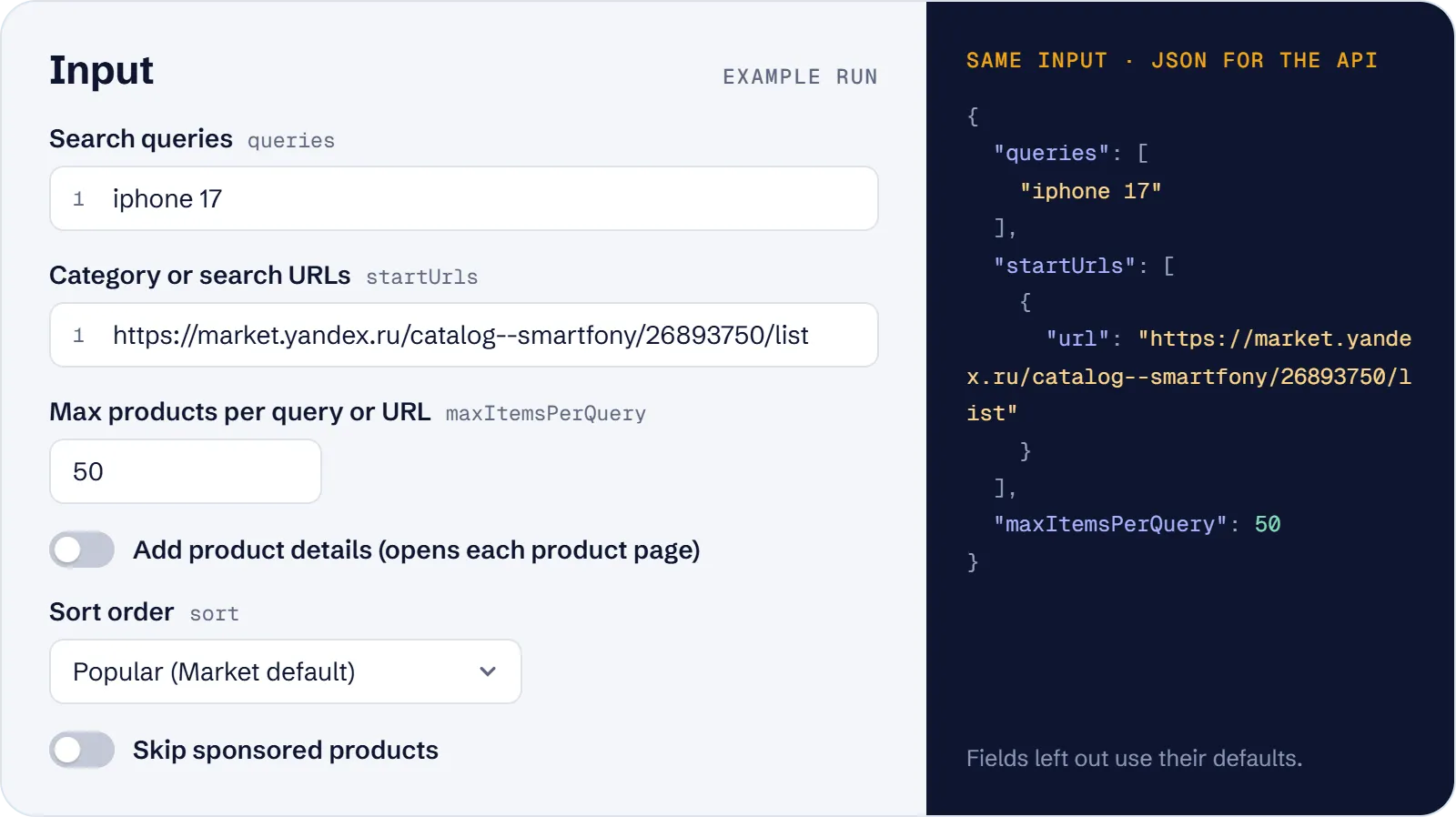
No field is required, but give at least one search query or one URL.
| Field | What it does |
|---|---|
queries | Search terms, one per line (Russian or English). Each is searched separately; exact duplicates are searched once. |
startUrls | Category list URLs (/catalog--<slug>/<id>/list; a department URL without /list gets /list appended; /catalog/<id>/list without the slug also works) or search URLs (/search?text=…, only the text is used). Filters inside the URL are ignored. Product cards (/card/…) and other sites are rejected. m.market.yandex.ru links are accepted. |
maxItemsPerQuery | Max products per query or URL, 1–1000 (default 100). |
maxItems | Optional total cap over the whole run. |
includeDetails | Open each saved product's page and add the detail fields (default off). |
sort | popular (default), price_asc, price_desc or rating. Price sorting on the site is approximate. |
priceMin, priceMax | Price range in roubles, applied exactly to the shown (card) price of every row. priceMin must not be above priceMax. |
minRating | Keep only products rated at least this (0–5); products without a rating are dropped. |
excludeSponsored | Drop sponsored placements and keep organic results only. |
There is no proxy or region field: the actor always uses Apify residential proxies in Russia.
Example input:
What data can you extract from Yandex Market?
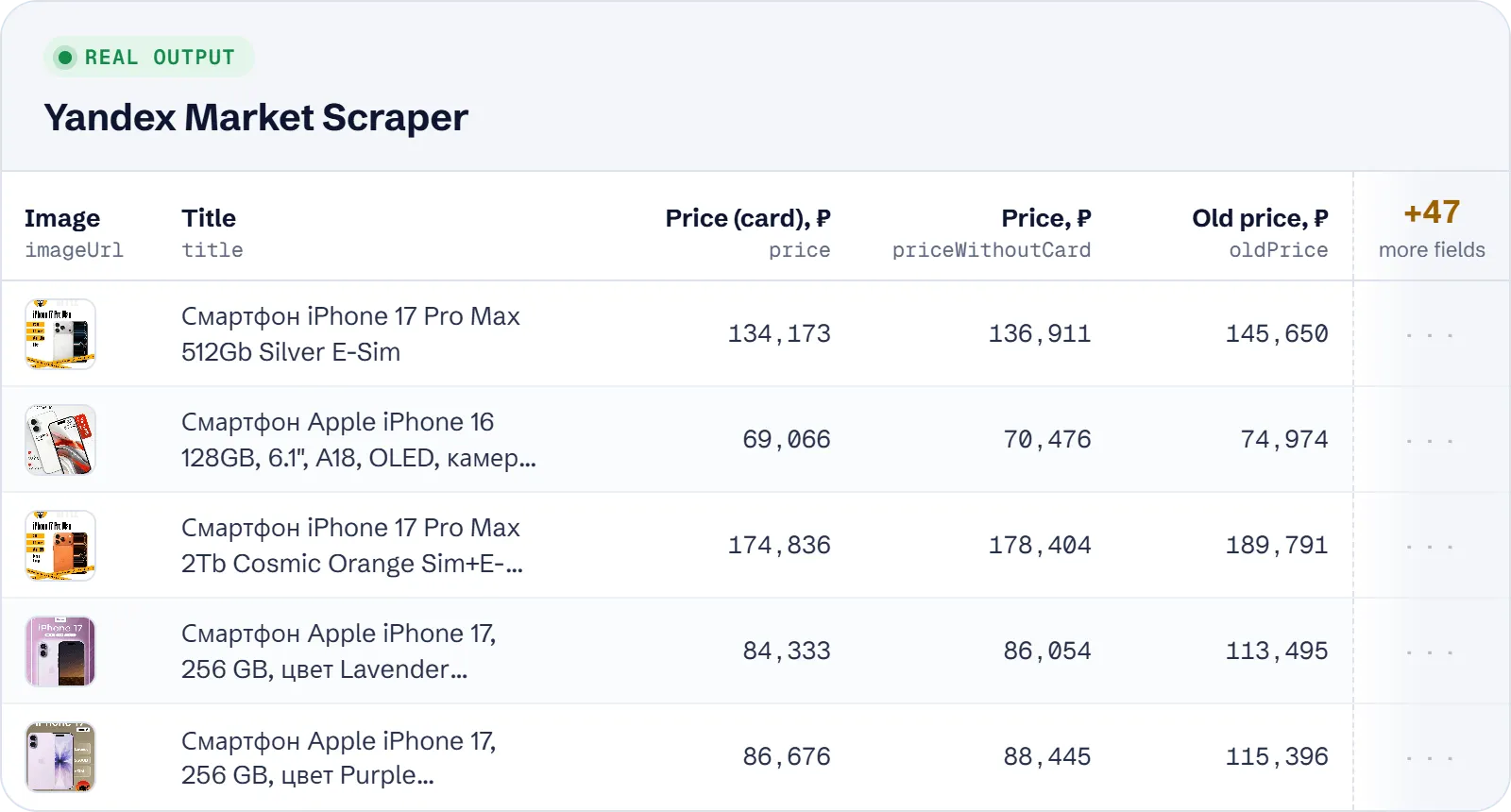
Listing fields (every row):
| Field | Meaning |
|---|---|
url, id, productId, offerId | Product card URL, Market SKU id, model id, offer id |
title, imageUrl | Product title and main image |
price, priceWithoutCard | Price with the Yandex Pay card and without it, roubles |
oldPrice, discountPercent, currency | Crossed-out price and discount (null when not discounted), RUB |
rating, reviewsCount, purchasesCount | Average rating 0–5, number of ratings, purchases as rounded by the site |
shopName, shopId, vendorId, categoryId | Shop name and id, brand id, category id |
isSponsored, isAvailable, stockCount, isCrossBorder | Sponsored flag, can be ordered, items left, shipped from abroad |
badges, deliveryDate | Snippet badges (list), earliest delivery date YYYY-MM-DD |
query, categoryUrl, page, position | Which query or URL gave the row, listing page and rank |
scrapedAt | Time of extraction |
Detail fields (filled only with includeDetails; otherwise null and imageUrls is []):
| Field | Meaning |
|---|---|
detailsStatus | ok, failed, skipped, or null when details are off |
brand, category, categoryPath | Brand, category and breadcrumb path joined with " > " |
description, specifications, imageUrls | Plain-text description, all specs as "Name: value" lines, all gallery images |
sellerName, sellerId, sellerRating, sellerRatingsCount | Seller of the same offer as the listing row and the seller rating |
sellerLegalName, sellerInn, sellerOgrn, sellerRegistrationNumber, sellerLegalAddress | Legal entity; INN/OGRN for Russian sellers, registration number for foreign ones |
offersCount, offersMinPrice | Number of offers of the product from all sellers and the lowest price |
rating1Count … rating5Count | Rating distribution by stars |
Real example row (search "iphone 17", details off; null detail fields shortened):
Use cases
- Competitor price monitoring — schedule the same queries or categories and track the card price, price without card and discount over time by
id. - Category assortment research — pull a whole category listing sorted by popularity or rating.
- Sponsored share — measure how many placements for a query are promoted with
isSponsored. - Cheapest offers in a price range — combine
sort: price_ascwithpriceMin/priceMaxfor exact limits. - Seller due diligence — with details on, see who sells a product, with which INN, OGRN or registration number and legal address.
Limitations
- Region follows the proxy IP. Prices, totals and delivery dates depend on the Russian city of the residential IP; there is no region or city input.
- Depth. Yandex Market shows at most about 30 pages: around 480 products for a search, up to about 1000 for a category.
- Price sorting is approximate on the site itself; the price filter is exact.
- Fill gaps. Rating, number of ratings, purchases and shop name are missing on about 40% of listing rows (new and cross-border offers);
oldPriceanddiscountPercentare only there when the product is discounted. - Brand needs details. Listings carry only the brand id (
vendorId); the brand name comes from the product page. - Seller legal data depends on the seller: INN and OGRN only for Russian sellers, a registration number for foreign ones, no legal address for individual entrepreneurs; seller rating only when the site shows it.
- Not included: buyer reviews and the full list of other sellers' offers (you get the offer count and lowest price instead).
Tips and troubleshooting
- 0 rows for a query means Yandex Market found nothing and showed recommendations only; the run still succeeds, logs a warning and charges nothing.
- Fewer rows than expected with filters: filters are applied after the listing is read, and a query or URL stops after 3 pages in a row that save no new product. On some searches most of the first results are sponsored, so
excludeSponsoredcan remove many rows. minRatingdrops products without a rating, which is about 40% of listings.- Product details are slower (about 2 minutes for 100 rows instead of 20–30 seconds). Check
detailsStatus:failedrows keep all listing fields and are not charged;skippedmeans your charge limit had no room left for details. - Many targets in one run: queries run first, then URLs, in input order, so
maxItemscuts the run predictably. - The same product in two queries appears once per query, with its own
queryorcategoryUrl.
API, MCP and integrations
Run the actor from your code with the same JSON input as in Console. Your API token is in Console → Settings → API & Integrations.
Python (pip install apify-client):
Node.js (npm install apify-client):
HTTP — one request runs the actor and returns the results (runs up to 5 minutes; longer ones: run asynchronously):
AI agents (MCP). Add the actor as a tool of the Apify MCP server. Claude Code:
Claude Desktop, Cursor or VS Code: {"mcpServers": {"apify": {"url": "https://mcp.apify.com?tools=genial_candlestand/yandex-market-scraper"}}}. Then ask, for example:
- "Get 100 кофеварка products from Yandex Market with card price, discount, rating and shop"
- "List LEGO sets on Yandex Market priced 1000 to 5000 roubles, cheapest first"
- "Find who sells smartphones on Yandex Market, with brand, specs and seller INN and OGRN"
Integrations. Run it on a schedule with Apify Schedules and send the results to Google Sheets, Slack, Zapier, Make, n8n or your webhook — see Apify integrations.
FAQ
Do I need a Yandex account or API key?
No. The actor reads public search and category pages without login.
Can I scrape a specific city or region?
No. Yandex Market picks the region from the visitor's IP, and the actor uses Russian residential IPs whose city varies between sessions.
Which price is price?
The big price shown on the listing, the price with the Yandex Pay card. priceWithoutCard is the price without the card and oldPrice the crossed-out price.
Is the seller in the details the same as in the listing row?
Yes, when the row has an offerId: the product page is opened for that exact offer. Without an offerId the product's default offer is shown.
How is it different from other Yandex Market actors?
It takes many queries and category URLs in one run, returns the card price, price without card, old price and discount as flat columns, filters by price exactly on every row and does not charge for rows outside the range. Listing rows cost $0.99 per 1,000, against $4.99 per 1,000 for the most used Yandex Market actor. Product details are optional, include a 1–5 star distribution and seller legal data, and a failed product page is marked failed and not charged.
Is it legal to scrape Yandex Market?
The actor collects only publicly visible product listings and does not log in or solve captchas. Seller legal data is what Yandex Market itself publishes on product pages. You are responsible for how you use the data and for complying with the site's terms and the laws that apply to you.
Also useful
- AliExpress Product Scraper — compare cross-border offers with AliExpress prices, variants, shipping and store ratings
- eBay Search Scraper — check the same products on eBay: listing prices, sellers and shipping
- Naver Shopping Scraper — run the same keyword price research on Naver Shopping in Korea
- Amazon Best Sellers Scraper — see which products top Amazon's best seller lists on 12 stores
- Etsy Search Scraper — track prices, shops and ad placements for keywords on Etsy


