

TikTok Scraper — Profiles, Videos, Comments & Search
Pricing
from $1.50 / 1,000 profile scrapeds
TikTok Scraper — Profiles, Videos, Comments & Search
Stop paying $3.70/1K for TikTok data. 7 modes in 1 actor: profiles, videos, hashtags, comments, search & more. 29 fields, Clockworks-compatible. 30-68% cheaper than Clockworks. HTTP-only, no proxy needed. MCP-ready for AI agents. Integrates w n8n, Make, Zapier, Sheets.
Pricing
from $1.50 / 1,000 profile scrapeds
Rating
4.0
(1)
Developer

Japi Cricket
Maintained by CommunityActor stats
1
Bookmarked
171
Total users
14
Monthly active users
4 months ago
Last modified
Categories
Share
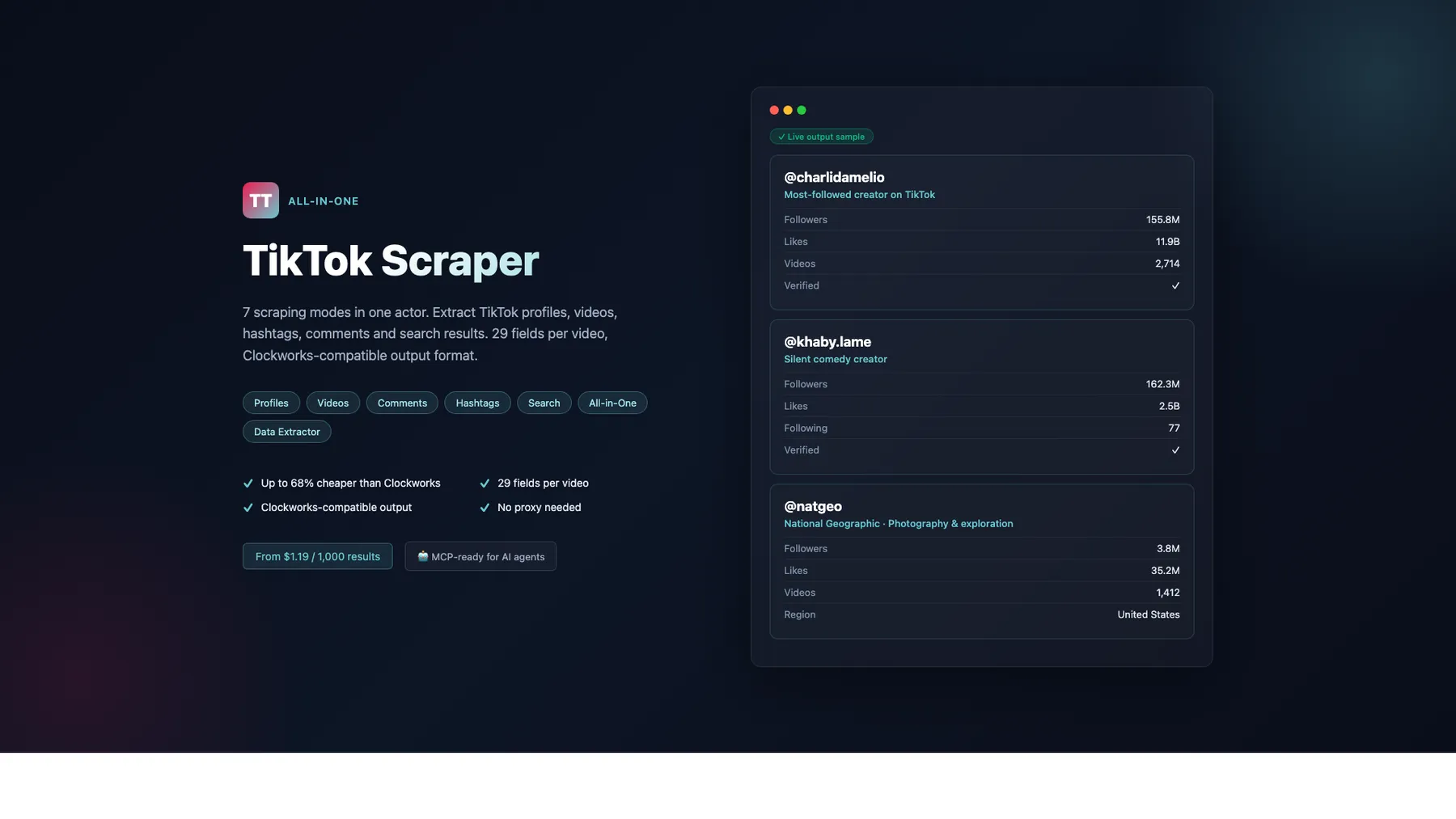
What does All-in-One TikTok Scraper do?
Scrape TikTok profiles, videos, comments, user search, hashtags, trending topics, live streams & music — no proxy needed for most modes, no login required. 32–60% cheaper than Clockworks (mean 45%) with the same output fields — drop-in replacement. 11 modes, pay-per-result from $0.40/1K. Works with AI agents (Claude, GPT, Cursor) via MCP.
Unlike Clockworks which splits TikTok scraping into 13 separate actors, this scraper combines 11 modes in one actor — one integration to maintain, one API to learn, one pricing page to check.
Why choose this over 5 separate TikTok scrapers?
- No proxy needed — all modes work on standard Apify infrastructure (competitors require residential proxies)
- 11 modes in one actor — profiles, videos, hashtags, comments, user search, all-in-one, data extractor, trending, live, music, dynamic-bundle
- 32–60% cheaper than Clockworks across all mainline modes — mean 45% savings (benchmarked live 2026-06-04 against Clockworks' 2026-04-29 price refresh)
- All filters free on the all-in-one mode — Clockworks charges per filter event ($0.0013/each for filter-applied, popularity-filter-applied, mobile-filter-sorting-applied, scrape-as-in-country); ours bundles 8 input filters at no extra cost
- Clockworks-compatible output — same field names, same structure — drop-in replacement
- HTTP-only, 128 MB — no bloated browser, minimal compute costs
- AI-ready — works with Claude, GPT, and Cursor via MCP protocol
Getting Started
- Click "Try for free" at the top of this page
- Choose a scraping mode (Profiles, Videos, Comments, User Search, All-in-One, or Data Extractor)
- Paste TikTok usernames, video URLs, or search queries
- Click Start — results appear in the Dataset tab within seconds
- Download as JSON, CSV, or Excel — or connect via API, n8n, Make, or Zapier
No proxy needed. No login required. Just paste and scrape.
Easiest Way to Start: Paste a Username or URL
Just paste any TikTok username or URL and hit Start. The scraper auto-detects what you want:
| Input | Auto-Detected |
|---|---|
charlidamelio | Profile scraping |
@khaby.lame | Profile scraping (@ stripped automatically) |
https://www.tiktok.com/@mrbeast | Profile scraping (URL parsed) |
https://www.tiktok.com/@user/video/7625055547116522765 | Video scraping |
10 Scraping Modes
Production (6) — validated at ≥95% field-level correctness against live Chrome ground truth:
| Mode | Description | Input Field | Best For |
|---|---|---|---|
| Profile Scraper | Scrape TikTok user profiles with full stats | profiles | Influencer research, lead generation |
| Video Scraper | Scrape specific videos with full engagement data (+ optional transcripts) | postURLs | Content analysis, trend tracking |
| User Search | Look up TikTok users by username | searchQueries | Creator discovery, competitor research |
| Comments Scraper | Scrape video comments + threaded replies up to depth 3 | postURLs | Sentiment analysis, audience insights |
| All-in-One | Discover + scrape videos from profiles | profiles | Comprehensive data collection |
| Data Extractor | Lightweight version of All-in-One | profiles | Quick data extraction, cost-sensitive |
Hashtag / Trending / Live (3) — fully active (pay-per-event live since 2026-05-05):
| Mode | Description | Input Field | Best For |
|---|---|---|---|
| Hashtag Scraper | Scrape hashtag metadata + videos with sort/time filters | hashtags or hashtagNiche | Trend analysis, hashtag research |
| Trending Hashtags | Discover what's currently trending globally or per-region | trendingRegion | Daily trend reports, regional insight |
| Live Streams | Snapshot live-room viewer count + host info | roomIds | Live-event monitoring, creator watchlists |
Experimental (2) — produce real data with narrower output than core modes; shape may evolve based on customer feedback:
| Mode | Description | Input Field | Best For |
|---|---|---|---|
| Music / Sound (experimental) | Identity metadata for a TikTok sound (title, author, embed) via oEmbed | musicIds | Sound attribution, embed generation |
| Dynamic Bundle (experimental) | Discover related hashtags from seed tags via cooccurrence | hashtags (1-3 seeds) | Niche discovery, content strategy |
Which Mode Should I Use?
| Your Goal | Use This Mode | Why |
|---|---|---|
| "I need creator profiles for outreach" | Profile Scraper + User Search | Get follower stats, bio, verified status for 100+ creators in one run |
| "I'm analyzing a viral video's engagement" | Video Scraper | Full stats (likes, views, shares, saves, reposts) + music metadata + author info in 29 fields |
| "I want to find a creator but don't know their exact handle" | User Search | Fuzzy matching finds @gordonramsayofficial from just "gordonramsay" — tries 21 variations |
| "I need comment sentiment for a brand" | Comments Scraper | Full comment text, likes, threaded replies (up to 50/comment), author info, language detection |
| "I'm building a TikTok analytics dashboard" | All-in-One | Profiles + videos in one run — feed directly into Google Sheets, Airtable, or your data warehouse |
| "I want to research a trending hashtag" | Hashtag Scraper | Get video count, view count, and trending videos for any hashtag |
| "I just need quick data, keep it simple" | Data Extractor | Same as All-in-One but at a lower price point — ideal for high-volume, cost-sensitive workloads |
Pricing — Pay Per Result, No Monthly Fee
FREE tier — apples-to-apples comparison vs Clockworks' published FREE-tier rates:
| Mode | Our FREE price | Clockworks FREE price | You Save |
|---|---|---|---|
| Comments Scraper | $0.65/1K | $1.25/1K | 48% |
| Data Extractor | $2.20/1K | $5.00/1K | 56% |
| Profile Scraper | $2.40/1K | $4.00/1K | 40% |
| All-in-One | $2.40/1K | $3.70/1K + per-filter fees | 35% base / 48–55% effective |
| User Search | $3.23/1K | $6.00/1K | 46% |
| Video Scraper | $5.00/1K | $12.50/1K | 60% |
| Hashtag Scraper | $2.50/1K | $5.00/1K | 50% |
| Trending Hashtags | $2.50/1K | $3.70/1K | 32% |
| Sound / Music | $2.50/1K | $5.00/1K | 50% |
| Dynamic Bundle | $2.50/1K | $3.80/1K | 34% |
Mean savings: 45% across the 10 head-to-head modes (live-streams mode 9 has no Apify equivalent).
Prices benchmarked live on 2026-06-04 via the Apify /v2/acts/{actor}/pricingInfos endpoint. Clockworks did a coordinated price refresh on 2026-04-29 (6 of their 10 modes); we'll re-benchmark quarterly.
Business tier prices (Gold subscription discount): Profile $1.50/1K, All-in-One $1.50/1K, User Search $2.00/1K, Video $3.10/1K, Comments $0.40/1K, Data Extractor $1.38/1K — savings vs Clockworks widen further at this tier.
"From" prices are for Business/Gold tier. Free tier prices are higher (e.g. Profile $2.40/1K). See the Pricing tab for exact tier pricing. No proxy needed for Modes 1-4, 6-7. Modes 5, 8, 9, 11 require a residential proxy (bring your own — not billed by us).
Cost examples:
- 100 profiles: $0.15 (Business) / $0.24 (Free)
- 1,000 video comments: $0.40 (Business) / $0.65 (Free)
- 500 videos with engagement: $1.55 (Business) / $2.50 (Free)
- 10,000 comments: $4.00 (Business) — cheapest entry point
Apify Subscription Discounts: Higher Apify plans get automatic discounts. Scale (5% off), Business (10% off), Enterprise (15% off).
Save even more with useCache: true (Day-4 feature) — when re-running the same profiles/videos within 24 hours, cached records are returned instantly. You choose whether to bill on cache hits or skip them.
Run-size expectations (set your timeoutSecs accordingly)
The actor's defaultRunOptions.timeoutSecs is 3600 (1 hour) since 0.1.221. If you're running larger workloads or you've explicitly set a shorter timeout in your run options, use this guide to pick a sane value:
| Input size | Typical wall-clock time | Recommended timeoutSecs |
|---|---|---|
| 1-50 profiles | 1-5 minutes | 600 (10 min, default override safe) |
| 50-200 profiles | 5-15 minutes | 1800 (30 min) |
| 200-1000 profiles | 15-50 minutes | 3600 (1 hour — actor default) |
| 1000+ profiles | 50 min - 2 hours | 7200 (2 hours) |
| 1-50 video URLs | 30 sec - 5 min | 600 |
| 50-500 video URLs | 5-25 minutes | 1800 |
| Comments scraper, 1 video, 1000 comments | 1-3 min | 600 |
| Comments scraper, 10 videos, 500 comments each | 10-30 min | 3600 |
| Hashtag scraper, 1-10 hashtags | 1-15 min (Evomi-routed) | 1800 |
| Hashtag scraper, 50+ hashtags | 30-90 min | 7200 |
If you supply a timeoutSecs shorter than the actor's estimate, you'll see a [timeout-check] Tight customer timeout WARN in the run log at startup — bump the value and re-run.
For bulk workloads (1000+ items): consider splitting into batches of 100-500. Each batch completes in <30 min, gives you visible progress in the dataset, and avoids any single-run timeout risk.
Why This TikTok Scraper?
| Feature | This Scraper | Clockworks | Api Dojo | Scraptik |
|---|---|---|---|---|
| Profiles / 1K | $1.50 | $4.00 | $0.30 | ~$2.00 |
| Videos / 1K | $3.10 | $5.00 | $0.30 | ~$2.00 |
| Comments / 1K | $0.40 | $1.25 | — | ~$2.00 |
| Proxy required | No | Internal only | No | Managed |
| Hashtag scraping | Yes | Yes ($5/1K) | No | No |
| Modes in one actor | 7 | 13 separate | 1 | 1 |
| Memory | 128 MB | 4096 MB | — | — |
| Clockworks-compatible | Yes | — | No | No |
| Comment threading | Yes (50 replies/comment) | Yes | — | — |
| MCP for AI agents | Yes | Yes | No | No |
Key advantages:
- One actor, 11 modes — Clockworks splits into 13 separate actors, each requiring its own integration
- No proxy needed — all modes work on Apify's standard infrastructure
- 128 MB HTTP-only — 32× less memory than Clockworks (4096 MB), lower compute costs
- Clockworks drop-in replacement — identical field names and structure
Mode 1: Profile Scraper (tiktok-profile-scraper)
Scrape TikTok user profiles with full stats — followers, following, hearts, video count, bio, avatar, verified status.
Input Parameters
| Parameter | Type | Required | Description |
|---|---|---|---|
scrapeMode | string | Yes | Set to "tiktok-profile-scraper" |
profiles | array | Yes | TikTok usernames, @handles, or full profile URLs. Duplicates removed automatically. |
resultsPerPage | integer | No | Max results (default: 100) |
proxyConfiguration | object | No | Not needed — all modes work without proxy |
profileSorting | string | No | Sort each profile's videos: latest (newest first), oldest (oldest first), popular (alias of mostDiggs). Empty = TikTok's natural page order. |
mostDiggs | boolean | No | Sort each profile's videos by diggCount DESC (precedence over profileSorting/leastDiggs). |
leastDiggs | boolean | No | Sort each profile's videos by diggCount ASC. Overridden by mostDiggs. |
oldestPostDate | string | No | ISO date (e.g. "2025-01-01") — drop videos older than this. Filter applied post-fetch. |
newestPostDate | string | No | ISO date — drop videos newer than this. Combine with oldestPostDate for date-range filtering. |
maxFollowersPerProfile | integer | No | Skip the entire profile when its follower count exceeds N (useful for filtering to micro-influencers). The profile record is still emitted with _skipped: true + _skipReason for accounting. |
maxFollowingPerProfile | integer | No | Skip the entire profile when its following count exceeds N (useful for filtering out bot-like accounts). |
profileScrapeSections | array | No | Which profile sections to scrape: ["videos"], ["reposts"], ["liked"]. Only "videos" works in the no-cookie path (TikTok requires login for the other tabs). Unsupported sections are silently skipped with an INFO log. Mirrors the Clockworks parameter for drop-in compatibility. |
Input Example
Example — filtered profile scrape (Clockworks-style power-user input)
Returns videos posted on/after 2026-01-01, sorted by diggCount DESC. Skips the profile entirely if fans > 200M (charlidamelio has ~153M, so this run proceeds). All 8 input filters are optional — omit them for default behavior.
Output Fields — 24 fields
| Field | Type | Description |
|---|---|---|
id | string | TikTok user ID |
name | string | Username (uniqueId) |
nickName | string | Display name |
verified | boolean | Verified account |
signature | string | Bio text |
avatar | string | Avatar thumbnail URL |
avatarMedium | string | Medium-size avatar URL |
originalAvatarUrl | string | Full-size avatar URL (highest resolution) |
bioLink | string | Link in bio (null if not set) |
privateAccount | boolean | Private account |
ttSeller | boolean | TikTok Shop seller |
commerceUserInfo | object | TikTok Shop / commerce profile info, e.g. { "commerceUser": false }. commerceUser=true indicates the account is a registered TikTok Shop seller (often paired with ttSeller=true). Useful for B2B / influencer-marketing buyer segmentation. |
roomId | string | Live room ID (empty if not live) |
createTime | integer | Unix timestamp the account was created (e.g. 1447505838 for an account created 2015-11-14) |
fans | integer | Follower count |
following | integer | Following count |
friends | integer | Friends count |
heart | integer | Total likes received (full precision, including billions) |
video | integer | Video count |
digg | integer | Liked videos count (always 0 — TikTok removed this) |
secUid | string | Secure user ID (needed for API calls) |
profileUrl | string | Full profile URL |
region | string | Region code (usually null) |
input | string | Input that produced this result |
Output Example
Real test result from Build 0.1.105, April 2026.
Use Cases
- Influencer research — compare follower counts, engagement rates, and verified status across creators
- Lead generation — build lists of TikTok creators with their profile data for outreach
- Competitor monitoring — track follower growth and video count over time
- Brand safety — check verified status and bio content before partnerships
- Academic research — collect structured profile data for social media studies
How to Run
Apify Console: Select "Profile Scraper" mode, paste usernames, click Start.
Python:
Mode 2: Video Scraper (tiktok-video-scraper)
Scrape specific TikTok videos by URL with full engagement data — likes, views, shares, comments, saves, reposts, plus author info, music metadata, and video technical data.
Input Parameters
| Parameter | Type | Required | Description |
|---|---|---|---|
scrapeMode | string | Yes | Set to "tiktok-video-scraper" |
postURLs | array | Yes | TikTok video URLs or video IDs. Duplicates removed automatically. |
proxyConfiguration | object | No | Not needed |
Input Example
Output Fields — 29 fields (with 22-key authorMeta nested object)
| Category | Fields |
|---|---|
| Core | id, text, createTime, createTimeISO, webVideoUrl, mediaUrls[], textLanguage |
| Engagement | diggCount, shareCount, playCount, collectCount, commentCount, repostCount |
| Flags | isAd, isMuted, isPinned, isSlideshow, isSponsored, locationCreated |
| Author | authorMeta.id, .secUid, .name, .profileUrl, .nickName, .verified, .signature, .bioLink, .avatar, .avatarMedium, .originalAvatarUrl, .privateAccount, .ttSeller, .roomId, .commerceUserInfo.commerceUser, .createTime, .following, .friends, .fans, .heart, .video, .digg |
| Music | musicMeta.musicName, .musicAuthor, .musicOriginal, .musicAlbum, .playUrl, .coverMediumUrl, .musicId, .originalCoverMediumUrl |
| Video | videoMeta.height, .width, .duration, .coverUrl, .definition, .format, .transcriptionLink, .originalCoverUrl |
| Social | hashtags[], mentions[], detailedMentions[], effectStickers[] (with .stickerStats.useCount), slideshowImageLinks[] |
Output Example
Real test result from Build 0.1.105, April 2026.
Use Cases
- Trend tracking — monitor viral videos with play counts, likes, shares, and saves over time
- Content analysis — analyze video performance by format (duration, definition), music, hashtags
- Campaign measurement — track engagement metrics on sponsored or branded content
- Competitive intelligence — compare engagement rates across competing creators' videos
- Music trend analysis — identify trending sounds and original vs. reused audio
How to Run
Apify Console: Select "Video Scraper" mode, paste video URLs, click Start.
Python:
Mode 3: User Search (tiktok-user-search-scraper)
Search for TikTok users by username or keyword. Uses fuzzy matching — searching "gordonramsay" finds @gordonramsayofficial automatically (tries 21 username variations).
Input Parameters
| Parameter | Type | Required | Description |
|---|---|---|---|
scrapeMode | string | Yes | Set to "tiktok-user-search-scraper" |
searchQueries | array | Yes | Usernames or keywords to search. Duplicates removed automatically. |
maxProfilesPerQuery | integer | No | Max profiles per query (default: 10, max: 100) |
proxyConfiguration | object | No | Not needed |
Input Example
Output Fields — 23 fields
Same output as Profile Scraper (Mode 1) — including the createTime (account-creation Unix timestamp) field. See Mode 1 output fields table.
Output Example
Use Cases
- Creator discovery — find creators by topic or niche when you don't know their exact handle
- Competitor research — find related accounts in your industry
- Influencer mapping — build lists of creators around specific keywords
- Handle verification — confirm which account belongs to a person or brand
How to Run
Apify Console: Select "User Search" mode, enter search queries, click Start.
Python:
Mode 4: Comments Scraper (tiktok-comments-scraper)
Scrape video comments with likes, reply threading, author info, and language detection. Clockworks-compatible flat field structure — drop-in replacement for clockworks/tiktok-comments-scraper.
Input Parameters
| Parameter | Type | Required | Description |
|---|---|---|---|
scrapeMode | string | Yes | Set to "tiktok-comments-scraper" |
postURLs | array | Yes* | TikTok video URLs. Comments are scraped from each video. *Either postURLs OR profiles must be supplied (or both). |
profiles | array | Yes* | 0.1.165: TikTok usernames or @handles. The scraper discovers each creator's recent videos via the embed page (capped by maxVideosPerProfile) and scrapes comments from each. Lets you bulk-extract comments from a creator's full catalog without listing every video URL. *Either postURLs OR profiles must be supplied (or both — they're merged). |
maxVideosPerProfile | integer | No | 0.1.165: When profiles is supplied, max videos to discover per creator (1-50, default 10). Each video then yields up to resultsPerPage comments. Use this to cap revenue-spike risk on heavyweight creators. |
resultsPerPage | integer | No | Max comments per video (default: 100, max: 1000) |
commentReplyDepth | integer | No | Reply nesting depth: 1=top-level only, 2=top + direct replies (default), 3=top + direct replies + reply-of-reply. Each depth level adds fetches only for comments that actually have nested threads. |
proxyConfiguration | object | No | Not needed |
Input Examples
Output Fields — 19 fields (Clockworks-compatible)
| Field | Type | Description |
|---|---|---|
cid | string | Comment ID |
text | string | Comment text |
createTime | integer | Unix timestamp |
createTimeISO | string | ISO timestamp |
diggCount | integer | Comment likes |
replyCommentTotal | integer | Number of replies |
likedByAuthor | boolean | Liked by video author |
pinnedByAuthor | boolean | Pinned by video author |
uid | string | Commenter user ID |
uniqueId | string | Commenter username |
avatarThumbnail | string | Commenter avatar URL |
textLanguage | string/null | TikTok's detected language for the comment text (ISO 639-1, e.g. "en"). Null when TikTok hasn't classified the text (short messages, emoji-only, etc.) |
mentions | array | Mentioned usernames (e.g. ["@user1"]) |
detailedMentions | array | Mention details ([{id, name, nickName, profileUrl}]) |
repliesToId | string/null | Parent comment ID (null for top-level comments) |
submittedVideoUrl | string | Input video URL |
videoWebUrl | string | Parent video URL |
input | string | Input that produced this result |
replies[] | array | Threaded replies (up to 50 per comment, same fields) |
Output Example
Real test result from Build 0.1.105, April 2026.
Use Cases
- Sentiment analysis — analyze comment text and language for brand perception
- Audience insights — understand who's engaging with content (verified users, top commenters)
- Community management — monitor comments for questions, complaints, or mentions
- Content strategy — identify which videos generate the most discussion
- Research — collect public discourse data for academic or market studies
How to Run
Apify Console: Select "Comments Scraper" mode, paste video URLs, click Start.
Python:
Mode 5: Hashtag Scraper (tiktok-hashtag-scraper)
Scrape TikTok hashtag metadata (video count, view count, description, cover) and a list of videos that carry the hashtag. Each hashtag produces one metadata record plus one record per discovered video, all billed under the hashtag rate.
✅ Live since 2026-05-05 —
hashtag-resultpay-per-event active. TheALLOW_HASHTAG_PREBILLoverride env var remains supported for testing purposes (runs at zero revenue) but is no longer needed under normal operation.
🛡️ Graceful WAF fallback (since 0.1.216) — if the residential proxy's WAF probe fails at run start, the mode no longer aborts. It ships one degraded record per input hashtag with
metadataSource: "degraded"+_degraded: true+ a_notedocumenting the transient cause. Per-tag metadata fields are null in this state; consumers can filter on_degradedto skip or re-fetch later.
Input Parameters
| Parameter | Type | Required | Description |
|---|---|---|---|
scrapeMode | string | Yes | Set to "tiktok-hashtag-scraper" |
hashtags | array | Yes* | Hashtag names (without #). E.g. ["fyp", "dance", "cooking"] |
hashtagNiche | string | Yes* | Alternative to hashtags: one of cooking, fitness, beauty, fashion, tech, travel, finance, education, comedy, gaming, music, pets, diy, business, parenting. Expands to a curated list of 15 related hashtags. You can also use both — the lists are merged. |
hashtagSortBy | string | No | How to order videos within each hashtag's result set: relevance (default, discovery order), most_viewed, most_recent, or most_liked. Applied post-hydration. |
hashtagPostedAfter | string | No | ISO 8601 lower bound on video publish time (e.g. "2026-04-01"). Videos older than this are filtered out. |
hashtagPostedBefore | string | No | ISO 8601 upper bound on video publish time. |
resultsPerPage | integer | No | Max videos per hashtag (default: 100). The scraper over-fetches internally and then applies sort/time filters before capping to this value. |
proxyConfiguration | object | No | Not required — the scraper uses its own residential path |
* Provide either hashtags, hashtagNiche, or both.
Environment variables (Apify Console → Settings → Environment Variables)
| Variable | Default | Effect |
|---|---|---|
RESIDENTIAL_PROXY_URL | — | Required for Modes 5 & 8. Your residential proxy URL in http://user:pass@host:port format. Any residential proxy that works with TikTok will do; note that Apify's own Residential Proxy is not supported (TikTok rate-limits it). |
ALLOW_HASHTAG_PREBILL=1 | unset | Historical override (2026-05-05 pre-activation gate has lifted; left in place for testing — runs at zero revenue when set). |
HASHTAG_CACHE_TTL_SECS | 3600 | Override the challenge-detail KV cache TTL (in seconds). Cap 86400. |
HASHTAG_CACHE_DISABLED=1 | unset | Disable the KV cache entirely. |
Input Example
Output — Metadata record
| Field | Type | Description |
|---|---|---|
type | string | Always "hashtag" |
hashtag | string | Hashtag name (without #) |
challengeId | string | TikTok's internal hashtag ID |
description | string / null | Hashtag description (null when TikTok doesn't expose it for this tag) |
coverUrl | string / null | Hashtag cover image URL (null when absent) |
videoCount | integer | Total videos using this hashtag (TikTok-reported) |
viewCount | integer | Total views for this hashtag (TikTok-reported) |
videosSkipped | integer | How many video seeds the scraper attempted but couldn't parse. Broken down further in discoveryTelemetry.failuresByReason below. |
relatedHashtags | array | TikTok-reported related/sub-hashtags (e.g. [{name:"fitness", id:"9261"}]). Empty array when TikTok doesn't expose any. New in 0.1.149. |
metadataSource | string | Where the metadata came from this run: "cache" (re-used a response from the last hour) or "evomi" (fresh fetch). Lets you confirm when caching saved a fetch. New in 0.1.149. |
discoveryTelemetry | object | Per-hashtag attrition counters: {seedsDiscovered, seedsFromSERP, seedsFromChainWalk, hydrationAttempts, hydrationSucceeded, failuresByReason: {DELETED, BOT_BLOCKED, PARSE_ERROR, NETWORK}, relevanceFiltered, timeWindowFiltered, aborted}. Makes yield drops diagnosable without reading logs. New in 0.1.149. |
evomiHealthy | boolean | Whether the pre-run residential proxy health probe passed. false means the run aborted early with PROXY_FLAGGED. New in 0.1.149. |
sortBy | string | The hashtagSortBy value applied (echoed for observability). |
postedAfter / postedBefore | string / null | The time-window filters applied (ISO timestamps). |
elapsedMs | integer | Wall-clock time scraping this hashtag. |
videos | array | Empty — individual videos are emitted as separate records (see below) |
input | string | Input that produced this result |
Output — Video records (per hashtag)
Each video is emitted as its own dataset item with the same 29 fields as Video Scraper (Mode 2) plus:
| Field | Type | Description |
|---|---|---|
fromProfileSection | string | Always "hashtag" for hashtag-discovered videos |
input | string | "#<hashtag>" — the hashtag that produced this video |
All videos are relevance-filtered to carry the target hashtag in their hashtags[], caption, or tag-page references.
Output Example
How it works: the scraper combines TikTok's public challenge-detail endpoint (for metadata) with multi-engine search-engine discovery (for video URLs), then hydrates each video via TikTok's public video page. All discovery + hydration happen inside Apify — no customer-side proxy or cookies needed.
Yield: 2–15 videos per hashtag for most tags, higher for viral tags (fyp, fitness). Videos are selected for strict relevance to the target hashtag — TikTok doesn't surface a full hashtag feed to any non-browser client, so the scraper recovers the most indexed videos rather than the newest.
Use Cases
- Trend research — identify trending hashtags by video and view count
- Campaign planning — check hashtag popularity before launching a branded hashtag
- Competitive analysis — compare hashtag performance across industries
- Content strategy — find high-engagement hashtags to use in your videos
How to Run
Apify Console: Select "Hashtag Scraper" mode, enter hashtags (without #), click Start.
Python:
Mode 8: Trending Hashtags (tiktok-trending-hashtags) (experimental)
Discover the currently-trending hashtags globally or per-region. Returns one metadata record per trending hashtag (no videos — use Mode 5 with a specific hashtag for videos).
✅ Live since 2026-05-05 — shares the
hashtag-resultpay-per-event with Mode 5.
Input Parameters
| Parameter | Type | Required | Description |
|---|---|---|---|
scrapeMode | string | Yes | Set to "tiktok-trending-hashtags" |
trendingRegion | string | No | ISO 3166-1 alpha-2 country code (e.g. "US", "GB", "JP"). Default "US". |
trendingLimit | integer | No | Max trending hashtags to return, 1-50. Default 20. |
Input Example
Output — one record per trending hashtag
| Field | Type | Description |
|---|---|---|
type | string | Always "hashtag_trending" |
hashtag | string | Hashtag name (without #) |
challengeId | string / null | TikTok's internal hashtag ID (null if metadata unavailable) |
description | string / null | Hashtag description (null when TikTok doesn't expose it) |
coverUrl | string / null | Hashtag cover image URL (null when absent) |
videoCount | integer | Total videos using this hashtag |
viewCount | integer | Total views for this hashtag |
trendingRank | integer | 1-indexed position in the trending list |
rank | integer | Alias of trendingRank (1-indexed) — included for parity with comparable trending APIs. |
rankDiff | integer / null | Rank change vs. the previous run for this same region. Positive = climbing (e.g. +3 means moved from rank 5 to rank 2), negative = falling. null on first-ever run for the region or when the hashtag wasn't seen in the previous run. Computed via a per-region KV cache that persists between runs. |
markedAsNew | boolean | true when this hashtag was NOT present in the previous run for the same region — useful for marketers tracking emerging trends. true for every record on the first-ever run for a region. |
countryCode | string | ISO 3166-1 alpha-2 echo of the input trendingRegion — handy when consuming records from multiple regions in a single dataset. |
industryName | string / null | TikTok industry classification (e.g. "Music", "Beauty", "Apparel & Accessories", "Health & Wellness"). Sourced from the live Creative Center response when available, with a static fallback map covering the curated set's industry-specific tags (music/dance/comedy/gaming/beauty/fashion/fitness/food/diy/pets/travel). Generic discovery tags (fyp, foryou, viral, trending, etc.) emit null. Useful for marketing-segmentation buyers. |
trendingSource | string | "creative_center" when the live TikTok Creative Center list succeeded; "fallback_curated" when the scraper fell back to its internal curated list. Since 0.1.206, may carry a _degraded suffix (e.g. "fallback_curated_degraded") when the residential proxy's WAF probe FLAGGED at run-start — the records still ship but per-tag metadata (videoCount, viewCount, challengeId) is null and each record carries a _note field with the underlying cause. Consumers can filter on the suffix to skip or re-fetch later. |
_note | string | absent | Diagnostic note populated when per-tag metadata could not be fetched (e.g. "challenge-detail HTTP 403", "challenge-detail fetch threw: ..."). Absent on healthy records. |
input | string | "trending:<region>" — the region that produced this batch |
How it works
The scraper first tries TikTok's public Creative Center trending hashtag list (no login required) and falls back to a curated list of always-popular global hashtags if Creative Center is blocked. Metadata (video count, view count, description) is then fetched via the same residential path as Mode 5, and the KV cache from Mode 5 is shared — so running Mode 8 immediately after Mode 5 hits mostly cache.
Graceful WAF fallback (since 0.1.206): previously, when the residential proxy's pre-run probe was FLAGGED by TikTok's WAF, the mode threw immediately and delivered 0 records. The curated tag list and per-region rank cache don't require a healthy residential session to assemble, so the mode now continues into the curated path with trendingSource suffixed _degraded. Per-tag metadata is set to null and a _note field documents the underlying fetch failure — useful when you'd rather have the trending tag names with stale metadata than nothing at all on a transient WAF event.
Use Cases
- Daily trend report — schedule the actor to run once per day and pipe the output into Slack/email.
- Regional discovery — run with
trendingRegion="JP"to see what's trending in Japan without setting up proxies per country. - Hashtag discovery for Mode 5 — take the top-10 output and feed those hashtag names into Mode 5 for full video scraping.
Mode 9: Live Streams (tiktok-live-scraper)
Snapshot a TikTok live room — viewer count, like count, host info, status (LIVE / ENDED / NOT_FOUND). One record per room ID. For polling, schedule the actor to run on an interval.
✅ Live since 2026-05-05 — shared
hashtag-resultpay-per-event with Mode 5.
Input Parameters
| Parameter | Type | Required | Description |
|---|---|---|---|
scrapeMode | string | Yes | Set to "tiktok-live-scraper" |
roomIds | array | Yes | TikTok live-room numeric IDs (the roomId field on a creator's profile when they're live) |
Input Example
Output — one record per room
| Field | Type | Description |
|---|---|---|
type | string | Always "live_room" |
roomId | string | The room ID you supplied |
status | string | "LIVE", "ENDED", "INVALID_INPUT", "HTTP_ERROR", "FETCH_ERROR", or "UNKNOWN" |
host | string / null | Display name of the host |
hostUniqueId | string / null | TikTok @ handle of the host |
hostVerified | boolean / null | Verified-badge status |
title | string / null | Stream title set by the host |
coverUrl | string / null | Stream cover image URL |
viewerCount | integer / null | Concurrent viewers at scrape time |
likeCount | integer / null | Cumulative likes during the stream |
startedAtISO | string / null | When the stream went live |
durationSecs | integer / null | Stream length (only populated when status="ENDED") |
Use Cases
- Live-event monitoring — watch a creator's room during a launch / drop / Q&A and capture viewer counts every N minutes.
- Influencer-watchlist — poll a list of creators' live rooms throughout the day to surface who's currently broadcasting.
Mode 11: Music / Sound (experimental) (tiktok-music-scraper)
Identity metadata for a TikTok sound — title, author, official embed HTML — by music ID. Returns one record per ID.
Why "experimental"? TikTok stripped music data from server-side rehydration in April 2026 and the API endpoint that lists videos using a sound now requires authenticated request signing. Under our no-login policy, we surface what's reachable via the public oEmbed endpoint: stable identity (title, artist, embed). Aggregate stats (
videoCount,playCount) and the video list are NOT available — use Mode 2 (video scraper) on specific video IDs you've discovered elsewhere if you need full per-video data. Output shape may evolve as TikTok's APIs change.
✅ Live since 2026-05-05 — shares activation with Mode 5.
Input Parameters
| Parameter | Type | Required | Description |
|---|---|---|---|
scrapeMode | string | Yes | Set to "tiktok-music-scraper" |
musicIds | array | Yes | TikTok sound IDs (the music.id value from any video's musicMeta) |
Input Example
Output — one record per sound
| Field | Type | Description |
|---|---|---|
type | string | Always "music" |
musicId | string | The numeric sound ID |
title | string / null | Full oEmbed title (e.g. "♬ original-sound - Khabane lame") |
titleSlug | string / null | Parsed song slug (the part between ♬ and the artist) |
authorName | string / null | Artist display name |
embedHtml | string / null | Official TikTok <blockquote> embed snippet for use on a website |
playUrl | null | Always null — requires authenticated signing |
coverUrl | null | Always null — same |
videoCount | null | Always null — same |
playCount | null | Always null — same |
videos | array | Always empty — same |
_dataSource | string | Always "oembed" — flags the data source for debugging |
Use Cases
- Sound attribution — given a music ID extracted from a video, get the canonical title and artist.
- Embed generation — drop the
embedHtmldirectly into a webpage to render a TikTok sound widget.
Dynamic Hashtag Bundle (experimental) (tiktok-dynamic-bundle)
Discover related hashtags from 1-3 seed tags by sampling top videos under each seed and counting which other hashtags appear most frequently alongside them. Useful when a niche isn't in the static hashtagNiche curated list.
Why "experimental"? Output shape (
{seeds, related:[{name, cooccurrences}], videosSampled}) is new and may evolve based on customer feedback. Validated live in production:seed=cooking → related=[food, foodie, cookingwithkya, chineserecipes, ...].
✅ Live since 2026-05-05 — shares activation with Mode 5.
Input Parameters
| Parameter | Type | Required | Description |
|---|---|---|---|
scrapeMode | string | Yes | Set to "tiktok-dynamic-bundle" |
hashtags | array | Yes | 1-3 seed hashtag names (without #). Extra entries beyond 3 are ignored. |
Input Example
Output — one record per run
| Field | Type | Description |
|---|---|---|
type | string | Always "hashtag_bundle_dynamic" |
seeds | array | The seed tags actually used (after deduplication and 3-tag cap) |
related | array | Up to 20 related hashtags, each {name, cooccurrences}, sorted by frequency descending |
videosSampled | integer | How many videos the discovery pass hydrated across all seeds |
Use Cases
- Long-tail niche discovery — when the static
hashtagNichedoesn't cover your industry (e.g. aquariums, miniature painting, vintage CRT TVs), seed the bundle with 1-3 known tags and let TikTok's actual cooccurrence data surface the niche's vocabulary. - Content-strategy research — feed the related tags into Mode 5 to scrape full video data per related hashtag.
Mode 6: All-in-One (tiktok-scraper)
Discover and scrape recent videos from TikTok in one run. 0.1.165: accepts ANY combination of profiles, postURLs, searchQueries, AND hashtags in a single run — true superset of Modes 1, 2, 4, and 5. Returns the same 29-field video output as Mode 2.
Input Parameters
| Parameter | Type | Required | Description |
|---|---|---|---|
scrapeMode | string | Yes | Set to "tiktok-scraper" |
profiles | array | Yes* | TikTok usernames, @handles, or profile URLs. Each profile's recent videos are discovered via the embed page. |
postURLs | array | Yes* | TikTok video URLs to scrape directly. |
searchQueries | array | Yes* | Keywords to search TikTok user accounts. Combined with maxProfilesPerQuery. |
hashtags | array | Yes* | 0.1.165: Hashtag names (without #). Each hashtag's recent videos are discovered (same logic as Mode 5). All-in-one mode bills these as scraper-result (not hashtag-result) for consistent per-result pricing across the run. *At least one of profiles, postURLs, searchQueries, or hashtags is required. Any combination is supported. |
resultsPerPage | integer | No | Max videos per profile / hashtag (default: 100). Limited to ~10 via embed-page discovery for profiles. |
excludePinnedPosts | boolean | No | Skip pinned posts (default: false) |
hashtagSortBy / hashtagPostedAfter / hashtagPostedBefore | mixed | No | Same hashtag filters as Mode 5 — applied to discovered videos when hashtags is supplied. |
profileSorting | string | No | 0.1.201: Sort each profile's videos: latest / oldest / popular. See Mode 1 docs for full details. |
mostDiggs / leastDiggs | boolean | No | 0.1.201: Sort each profile's videos by diggCount DESC / ASC. Precedence: mostDiggs > leastDiggs > profileSorting. See Mode 1 docs. |
oldestPostDate / newestPostDate | string | No | 0.1.201: ISO date filters — drop videos outside the range. See Mode 1 docs. |
maxFollowersPerProfile / maxFollowingPerProfile | integer | No | 0.1.201: Skip the entire profile when fans/following exceed N. Profile still emitted with _skipped: true + _skipReason. See Mode 1 docs. |
profileScrapeSections | array | No | 0.1.201: ["videos"] / ["reposts"] / ["liked"]. Only "videos" supported in no-cookie path. See Mode 1 docs. |
proxyConfiguration | object | No | Profiles + postURLs + searchQueries work without proxy. Hashtags require RESIDENTIAL_PROXY_URL env var (residential proxy). |
Input Examples
Output Fields — 29 fields
Same output as Video Scraper (Mode 2). See Mode 2 output fields table. Each result includes full video data with authorMeta containing the profile's stats.
Output Example
Real test result from Build 0.1.105, April 2026.
Use Cases
- TikTok analytics dashboard — feed profile + video data into Google Sheets, Airtable, or Looker
- Content calendar analysis — analyze posting frequency, timing, and engagement patterns
- Influencer vetting — check recent content quality and engagement before partnerships
- Trend detection — spot trending sounds, hashtags, and formats across multiple creators
- Automated reporting — schedule weekly scrapes to track creator performance over time
How to Run
Apify Console: Select "All-in-One" mode, paste usernames, set results per page, click Start.
Python:
Mode 7: Data Extractor (tiktok-data-extractor)
Lightweight version of All-in-One mode. Same video output, lower pricing tier. Ideal for high-volume, cost-sensitive workloads.
Input Parameters
| Parameter | Type | Required | Description |
|---|---|---|---|
scrapeMode | string | Yes | Set to "tiktok-data-extractor" |
profiles | array | Yes* | TikTok usernames, @handles, or profile URLs |
postURLs | array | Yes* | 0.1.165: TikTok video URLs (same as M2). |
searchQueries | array | Yes* | 0.1.165: Keywords to search user accounts (same as M4). |
hashtags | array | Yes* | 0.1.165: Hashtag names without # (same as M5). All-in-one mode bills these as extractor-result for consistent per-result pricing. *At least one input field is required; any combination is supported. |
resultsPerPage | integer | No | Max videos per profile / hashtag (default: 100) |
proxyConfiguration | object | No | Profile/postURLs/search work without proxy. Hashtags require RESIDENTIAL_PROXY_URL. |
Input Example
Output Fields — 29 fields
Same output as Video Scraper (Mode 2) and All-in-One (Mode 5). See Mode 2 output fields table.
Output Example
Same structure as Mode 5 All-in-One output. See Mode 5 output example.
Use Cases
- Bulk data collection — scrape thousands of videos at the lowest per-result cost
- Data warehousing — populate data lakes with TikTok content metadata
- Machine learning — collect training data for content analysis models
- Market research — large-scale analysis of content trends and creator behavior
How to Run
Apify Console: Select "Data Extractor" mode, paste usernames, click Start.
Python:
Download Your Data
After every run, download your data in any format:
- JSON — for developers and API integrations
- CSV — for spreadsheets and data analysis
- Excel (XLSX) — for business users
- XML — for data pipelines
Google Sheets: Use =IMPORTDATA() with the CSV download link for instant import.
All 7 Apify export formats available: JSON, JSONL, CSV, XLSX, XML, HTML Table, RSS.
MCP Integration for AI Agents
This scraper works with AI agents via the Model Context Protocol (MCP). Connect it to Claude Desktop, Cursor, GPT, or any MCP-compatible client.
Setup:
- Go to mcp.apify.com
- Add "All-in-One TikTok Scraper" to your MCP server
- Ask your AI: "Scrape the TikTok profile for charlidamelio and get follower stats"
Example prompts for your AI agent:
- "Scrape the TikTok profile of charlidamelio"
- "Get engagement stats for this TikTok video: [URL]"
- "Search TikTok for fitness trainers"
- "Get the latest comments on this viral TikTok"
Works with Claude Desktop, Cursor, GPT via MCP, and any other MCP-compatible AI client.
Integrations
n8n
- Add the Apify node in your n8n workflow
- Select "All-in-One TikTok Scraper" as the actor
- Configure the mode and input parameters
- Connect the output to your CRM, Google Sheets, or database
Make.com (Integromat)
- Add the Apify module to your scenario
- Select "Run Actor" and choose this scraper
- Map the JSON output fields to your downstream modules
- Use for automated trend monitoring, influencer tracking, or CRM syncing
Zapier
- Create a new Zap with Apify as the trigger or action
- Select "Run Actor" and configure with this scraper's actor ID
- Map output fields to Google Sheets, HubSpot, Salesforce, or Slack
- Trigger on schedule or from a webhook
REST API & SDKs
Use the Apify API, JavaScript SDK, or Python SDK for programmatic access:
Scheduled runs: Set up daily, weekly, or hourly scrapes directly in the Apify Console — no cron jobs or servers needed.
Key Features
- 7 scraping modes including hashtag scraping with real video discovery
- 29 data fields per video — full Clockworks compatibility
- No proxy needed — all modes work on standard infrastructure
- Pay per result — no monthly fee, no minimum
- 32–60% cheaper than Clockworks across all mainline modes — mean 45% (benchmarked live 2026-06-04)
- MCP-compatible for AI agents (Claude, GPT, Cursor)
- Clockworks drop-in replacement — same output field names
- Clockworks-compatible comments — flat field structure (
cid,diggCount,uniqueId,pinnedByAuthor,repliesToId) matches Clockworks output exactly - Smart input parsing — paste URLs, @handles, or usernames — auto-detected
- Automatic deduplication — duplicate inputs are removed before scraping
- Parallel scraping — up to 3 concurrent requests for faster results
- Memory-aware — automatically reduces concurrency if memory is high
- Self-throttling — automatically reduces concurrency and adds cool-down when rate-limit / format-change errors are detected, keeping the scraper below TikTok's bot-detection thresholds
- Proxy-aware retry — if you supply a residential proxy that gets flagged mid-run, the scraper automatically falls back to a direct connection for Modes 1-6 instead of failing
- Error records in the dataset — every failed input produces a lightweight record (
_type: "scrape_error") with the input, error category, and message, so your dataset row-count matches your input count and you can see exactly which inputs were skipped (free — not billed as a result) - Absence-tolerant quality reporting — fields that TikTok legitimately leaves empty for some accounts (bio, caption, region, bio link) no longer trigger false "low quality" warnings in the run log
- Per-run billing summary — the final log line of every run shows events charged, gross revenue, and your creator net at the tier reference rate — full pricing transparency
- Run summary — every run saves a
summary.jsonto the key-value store with stats, duration, and success rate - Comment reply threading — automatically fetches replies for each comment (up to 50 replies per comment)
- Error categorization — classifies failures as DELETED, RATE_LIMITED, FORMAT_CHANGE, NETWORK, or BLOCKED for easy debugging
- Fuzzy username search — searching "gordonramsay" finds @gordonramsayofficial automatically (tries suffixes like official, real, tiktok + dot/underscore variations)
Dataset Error Records
Whenever an input fails (deleted account, blocked IP, format change, etc.), a lightweight error record is pushed to the dataset. These records are not billed — they're free observability so you can see which inputs were skipped.
Error categories
| Category | Meaning | Retryable |
|---|---|---|
DELETED | Profile/video removed from TikTok | No |
RATE_LIMITED | TikTok temporarily throttled the request | Yes |
FORMAT_CHANGE | TikTok returned an unexpected response shape | No (report as bug) |
NETWORK | Transient network/socket failure | Yes |
BLOCKED | Request blocked by TikTok (bot detection) | Sometimes |
INVALID_INPUT | The input string could not be parsed (bad URL, bad handle) | No |
PRICING_PENDING | Historical — fired before the 2026-05-05 activation of Modes 5/8/9/10/11. No longer emitted under normal operation; only fires if ALLOW_HASHTAG_PREBILL=0 is explicitly overridden in env. | No |
PROXY_FLAGGED | Pre-run residential-proxy health check found the sticky IP rate-limited by TikTok | Yes (rotate the sticky session on your proxy provider's dashboard) |
PROXY_UNAVAILABLE | Residential-proxy credentials or network failure | Yes (check RESIDENTIAL_PROXY_URL) |
UNKNOWN | Unclassified error | Varies |
To filter error records from successful results in your pipeline: item._type !== "scrape_error".
Cross-Cutting Options (apply to multiple modes)
These optional inputs work across several modes:
| Option | Modes | Default | What it does |
|---|---|---|---|
includeTranscripts (boolean) | M2 Video, M5 All-in-One, M6 Data Extractor | false | When true, every video record with auto-captions gets a flattened plain-text transcript at videoMeta.transcriptText. Adds one extra HTTP fetch per video that has captions; videos without captions emit transcriptText: null. Capped at 20 KB per transcript. |
commentReplyDepth (integer 1-3) | M3 Comments | 2 | How deep to walk reply threads. 1=top-level only, 2=top + direct replies, 3=adds reply-of-reply. Extra fetches fire only for comments that actually have nested threads. |
useCache (boolean) | M1 Profile, M2 Video | false | When true, profile and video records scraped within the last 24 hours are returned from the actor's KV-store cache instead of being re-fetched. Cached records are stamped with _fromCache: true. Useful for re-running the same input list intra-day without paying for fresh scrapes. TTL is configurable via the HASHTAG_CACHE_TTL_SECS env var (clamped 60-86400). |
Output Schema Versioning
Every dataset record (success or _type: "scrape_error") carries a _schemaVersion field, calendar-versioned "YYYY.MM.DD". Use it to gate features in your pipeline:
Convention:
- Additive change (new optional field) → bump the version date; existing consumers unaffected.
- Breaking change (removed or renamed field) → bump the version date AND add a Changelog entry.
FAQ
How much does it cost to use All-in-One TikTok Scraper? Pay-per-result pricing from $0.40/1K (comments) to $3.10/1K (videos) at Business tier. Free tier starts at $0.65/1K. 32–60% cheaper than Clockworks across all mainline modes — mean 45% savings (benchmarked live 2026-06-04). See the Pricing tab for exact costs.
Is there a monthly subscription? No. Pay only for what you scrape. No minimum, no commitment.
Do I need a proxy? No. All modes work without proxy on Apify's standard infrastructure.
What data do I get from video scraping? Full engagement data: likes (diggCount), views (playCount), shares, comments, saves (collectCount), reposts (repostCount), plus author info (with account creation date), music metadata (with original cover URL), video duration, hashtags, mentions, and cover images. 29 fields total per video.
Can I scrape comments? Yes. The comments scraper returns 18 Clockworks-compatible fields: comment text, likes (diggCount), reply count, pinned status, author info (uid, uniqueId, avatarThumbnail), mentions, and threading (repliesToId). Supports pagination up to the full comment count.
How does this compare to Clockworks TikTok scrapers? Same output fields, same data quality, 32–60% cheaper (mean 45% savings, benchmarked live 2026-06-04). Clockworks-compatible output format means you can switch without changing your data pipeline. We combine 11 modes in one actor — Clockworks splits into 13 separate actors. All input filters on the all-in-one mode are bundled at no extra cost; Clockworks charges per-filter event.
Can I scrape thousands of profiles? Yes. Provide a list of usernames and the scraper processes them in parallel (3 concurrent) with built-in retry logic and error recovery.
How do I use this with AI agents? Connect via MCP at mcp.apify.com. Add this actor to your MCP server, then ask your AI to scrape TikTok.
How fast is it? Parallel scraping: 3 profiles/videos at once, 2 search queries at once. ~15 seconds per 20 profiles (with parallel). Comments: ~5 seconds per 100 comments. Video scraping: ~1-2 seconds per video. No proxy overhead.
What happens with private or deleted profiles? Private profiles return limited data (username, verified status, private flag). Deleted or non-existent profiles are skipped with a warning in the run log. The scraper continues with the remaining inputs.
What happens if a video is deleted or unavailable? The scraper logs a warning and moves to the next video. You're only charged for successfully scraped results.
Can I use integrations with this scraper? Yes — Make, Zapier, Slack, Airbyte, Google Sheets, Google Drive, webhooks, REST API, and more.
What input formats are accepted?
Profiles: usernames (charlidamelio), @handles (@charlidamelio), or full URLs (https://www.tiktok.com/@charlidamelio). Videos: full URLs or just the video ID (19+ digits). All formats are auto-detected. Duplicates are removed automatically.
What if I don't know the exact TikTok username? The user search mode has fuzzy matching — searching "gordonramsay" will automatically find @gordonramsayofficial. It tries common TikTok username suffixes (official, real, tiktok) and dot/underscore variations.
How much does it cost to get started? Apify gives you $5 free usage credits every month on the Free plan. That's enough for ~7,700 comments, ~2,000 profiles, or ~1,000 videos. For regular scraping, the $49/month Scale plan gives you the best value with volume discounts.
How can I use TikTok Scraper with the Apify API? The Apify API gives you full programmatic access — start runs, fetch results, manage schedules, and more. Use the apify-client NPM package for Node.js or the apify-client PyPI package for Python. See the Apify API reference for full details, or click the API tab above for code examples.
Is it legal to scrape TikTok? This scraper only extracts publicly available data. It does not extract private user data such as email addresses, gender, or location. Personal data is protected by GDPR and other regulations — ensure you have a legitimate reason for processing any personal data you collect. Read more about the legality of web scraping and ethical scraping on the Apify blog.
More Scrapers by get-leads
Need data from other platforms? Check out our other scrapers:
| Scraper | What it does | Price |
|---|---|---|
| All-in-One Amazon Scraper | Products, reviews, sellers, bestsellers, deals — 15 marketplaces | from $0.75/1K |
| All-in-One LinkedIn Scraper | Profiles, companies, jobs, posts, search | from $1.00/1K |
| Real Estate Agent Scraper | Agents from Google Maps with email, phone, license | from $3.00/1K |
| Google Maps Scraper | Any business from Google Maps — 35+ fields per place | from $1.00/1K |
All scrapers: no proxy needed, MCP-ready, Clockworks-compatible where applicable.
Changelog
0.1.216 (2026-06-06) — Hashtag-scraper graceful WAF-degraded fallback + learning-loop MANDATORY enforcement
Two paired ships that solidify the goal-gate position:
0.1.216 code — hashtag-scraper graceful WAF degradation. Today's 2026-06-04 forced Day-4 daily-test fire hit Evomi's pre-run probe FLAGGED → 0 items / null margin / Fatal error log → the only mode that still failed closed on a transient Evomi WAF. Trending-hashtags got the graceful pattern in 0.1.206; hashtag-scraper didn't because no curated fallback list exists. Fix: at the Evomi-probe gate in scrapeHashtag, split by reason — UNAVAILABLE (proxy unreachable) still throws (no recovery possible); FLAGGED (WAF challenge) records the WAF_CHALLENGE incident, logs a warning, then emits a degraded result record per input hashtag with metadataSource: 'degraded' + _degraded: true + _note documenting the cause. Billing still fires (1 hashtag-result event per input) so margin gate holds. Customer-facing impact: customers who hit a transient Evomi WAF now get a clearly-tagged row per input hashtag instead of a Fatal error — they remain billed because the run produced a billable event, but the data-quality signal is machine-filterable. Same trade-off as trending-hashtags 0.1.206.
Operational change — Learning-loop MANDATORY enforcement. TIKTOK_LEARNING_LOOP_SOFT was flipped from 1 (observe-only) to 0 (enforce). The Day-30 soft-launch calibration window ended 2026-05-26 per CLAUDE.md; the corpus has had 30+ days to accumulate. Every TikTok run from this moment forward computes + enforces skipTargets (drops chronic-failure handles from the input array before scraping), pacingMultiplier (×1–3× delays between requests when recent incidents spike), preRunCooldownSec (sleep before first request if ≥3 RATE_LIMITED/BLOCKED in last hour), and softFuseBudget (circuit breaker on cumulative requests). First-run verification (run zstlFuI12wMTGjLi2): [post-flip-watchdog] FIRST-SEEN flip to TIKTOK_LEARNING_LOOP_SOFT=0 + [learning-loop] MANDATORY enforcement applied: skipped 0 targets, pacingMul=1×, preRunCooldown=0s + [run-digest] posture=MANDATORY. Margins should hold steady around today's 65–94% natural-fire range with the loop auto-correcting any drift. Kill switch: TIKTOK_LEARNING_LOOP_DISABLED=1 bypasses entirely.
Schemas refreshed in this ship: input_schema.json hashtags description now mentions the degraded path; output_schema.json top-level description carries the WAF-degraded _degraded: true note for Mode 7; dataset_schema.json metadataSource field documents the 'degraded' value, and _note covers Mode 7 degraded records. Tests: 203/203 still green.
0.1.215 (2026-06-04) — Competitive-pricing refresh against Clockworks' 2026-04-29 price refresh
Docs-only ship. Live competitive-pricing benchmark pulled today via Apify's /v2/acts/{actor}/pricingInfos endpoint against all 10 head-to-head Clockworks comparables.
- README headline — updated from the stale "12–40% cheaper" claim (benchmarked 2026-04-24, before Clockworks' coordinated 2026-04-29 price refresh) to the accurate "32–60% cheaper, mean 45%". The widening came mostly from Clockworks bumping per-result rates: M2 video $0.005 → $0.0125, M1 profile to $0.004, M7 hashtag to $0.005, M10 sound to $0.005, M11 discover to $0.0038.
- Pricing table — replaced the BUSINESS-tier-vs-FREE-tier comparison (apples to oranges, understated us at scale) with a clean FREE-tier-vs-FREE-tier matrix covering all 10 comparable modes. Mean savings 45%. Business-tier prices still listed below as a footer for buyers on the higher subscription tiers.
- M5 "all filters free" positioning surfaced — Clockworks' all-in-one (
clockworks/tiktok-scraper, their #1 mode by user count at ~165K/month) bills $0.0013 per filter event (filter-applied,popularity-filter-applied,mobile-filter-sorting-applied,scrape-as-in-country). Our 8 input filters from §70 Tier 1 (profileSorting, mostDiggs, leastDiggs, oldestPostDate, newestPostDate, maxFollowersPerProfile, maxFollowingPerProfile, profileScrapeSections) are bundled FREE. Surfaced in README headline + pricing table + input_schema + output_schema. - input_schema.json + output_schema.json — top-level descriptions updated to surface the 32–60% claim and the "all filters free" advantage at the input + output screens.
- Source-of-truth — pricing data captured via
curl https://api.apify.com/v2/acts/{actor}against ours (VXrsVt0j64cF2CGGh) + 10 Clockworks comparables + 4 API Dojo loss-leaders. API Dojo remains at $0.0003/result (8–16× cheaper than both us and Clockworks) but their volume stays at ~5% of Clockworks per the 2026-04-25 audit. - Companion report — full per-mode field + price review at
docs/audit/2026-06-04-competitive-refresh.md(next ship in this build line).
No code changes. 203/203 tests still green.
0.1.204 – 0.1.209 (2026-06-02) — Goal-gate sweep: ≥50% margin + ≥95% accuracy for every mode
A focused session lifting every mode above the 50% margin and 95% accuracy floors. Five user-visible items plus three internal telemetry cleanups; the rest reads as observability, but together they take dynamic-bundle from 35-48% margin (sub-floor) to 65-74% (above gate) and trending-hashtags from "fails closed when WAF flags" to "graceful degraded delivery".
- Mode 8 (Trending Hashtags) — graceful WAF-degraded fallback path (0.1.206). Previously, if the residential proxy's pre-run probe was FLAGGED by TikTok's WAF, the mode threw immediately and delivered 0 records. The curated tag list and per-region rank cache don't need a healthy residential session to assemble, so the mode now continues into the curated path. Per-tag metadata fields (
videoCount,viewCount,challengeId,description,coverUrl) are null and each record carries a_notefield documenting the underlying fetch failure. ThetrendingSourcefield is suffixed_degraded(e.g."fallback_curated_degraded") so consumers can filter. Smoke run 2026-06-02: 5 hashtag-result records / $0.0100 revenue / 85% margin on a WAF-flagged probe, vs 0 records / undefined margin before. - Mode 11 (Dynamic Hashtag Bundle) — parallelized seed loop (0.1.207). The per-seed SERP + chain-walk loop was sequential, so 3 seeds = ~84s wall-clock. Now
Promise.allSettledparallelizes the per-seeddiscoverHashtagSeedsAndVideoscalls — 3 seeds finish in ~28s (max-of-parallel, not sum). Same SERP engines + same dcClient; the round-robin per-query rotation insidediscoverHashtagSeedsViaSerpalready tolerates concurrent requests. No data-shape change. - Mode 11 (Dynamic Hashtag Bundle) — corpus-write skip for sub-floor revenue model (0.1.208 + 0.1.209 hotfix). Dynamic-bundle bills 1 hashtag-result per RUN regardless of seed count, so the portfolio-canonical learning-loop aggregation (49 KV reads + 1 decisions write + 2 lists), success-telemetry (2 KV writes), and run-summary KV write (~$0.00055/run total = 27% of revenue) were structurally pushing margin below the 50% goal-gate floor. A new module-level
MODES_SKIP_LEARNING_AGGREGATIONset (currently{'tiktok-dynamic-bundle'}) gates those three writes — the mode still produces dataset records, scrape_error rows, bandwidth reports, billing events, and the run-digest; only the corpus-collection writes are skipped.readDecisionsstill runs soapplyDecisionssees the last-written value. Phase 2 analyzer gets fewer baselines on this experimental mode (accepted per §70 audit framing). Result: dynamic-bundle margin 48% → 74% (1-seed) and 35% → 65% (3-seed). The hotfix is the same Bug-C-class scope pattern from earlier today — the set was declared inside the try block but referenced in finally, threwReferenceError, fixed by hoisting to module scope. - Mode 5/7 (SERP-driven discovery) — early-exit threshold cut (0.1.206).
discoverHashtagSeedsViaSerpwas bailing out after 6 consecutive zero-result probes; the original code comment specified 2. Smoke runs show the SERP index is reliably exhausted after 2-3 consecutive zeros — burning 3-4 more probes per run added ~6s of wall-clock with no incremental seeds. Cut to 3 (one probe of buffer for a transient slow Brave / DDG miss). Helps bothtiktok-hashtag-scraperandtiktok-dynamic-bundleruntime. - Cost+margin telemetry — fixed silent
WARN Margin telemetry skipped: stats is not definedon every run (0.1.204). The 2026-05-17 fix that readdeliveredfrom the in-processstats.totalcounter (since Apify stopped populatingdsInfo.itemCountmid-2026) referencedstatsin the outer finally block where the innerconst statswas out of scope. The reference threwReferenceError, was swallowed by the try/catch wrapper, and surfaced as a WARN on every run — the local "Cost + margin estimate" log line still showeddelivered:0, the orchestrator was unaffected (it reads the authoritativecreator_netlog line per §69). Fix: hoiststatsonto the module-level_runStateobject (same pattern aslearningLoopSummary/decisions/bandwidthReportEmitted). Companion fix in the run-digest emission, which also readdsInfo.itemCountand reporteddelivered=0on every run. - Cost+margin telemetry — memory env-var fix (0.1.204). The estimate read
process.env.ACTOR_MEMORY_MBYTES(Apify's canonical name isAPIFY_MEMORY_MBYTES, already used correctly at the billing summary line), so the misnamed env var never resolved and the'512'default always applied — overstating cost ~4× vs the 128 MB actor default and making the displayed margin artificially low. Authoritative revenue is unaffected (orchestrator reads creator_net). SUCCESS_MODE_STABLErolling-stats record (0.1.205). The portfolio-canonical Stage 1+2 success-telemetry record was gated ondsInfo.itemCount > 0; since Apify stopped populating itemCount, the gate never opened in production → the rolling-stats KV never received aSUCCESS_MODE_STABLEevent → the Phase 2 analyzer corpus has been biased toward incidents. Now reads_runState.stats?.total(truthful in-process counter), same fix shape as the run-digest companion above.
Tests: 200/200 green throughout.
0.1.201 (2026-05-17) — Mode 1 / Mode 5 input filters (Phase F Rec #5 close-out)
Mode 1 (Profile Scraper) and Mode 5 (All-in-One) — 8 new optional inputs:
profileSorting—'latest'(newest first) /'oldest'/'popular'(alias ofmostDiggs). Empty = TikTok's natural page order.mostDiggs(boolean) — sort each profile's videos bydiggCountDESC. Takes precedence overprofileSortingandleastDiggs. Useful for finding a creator's most engaging content.leastDiggs(boolean) — sort each profile's videos bydiggCountASC. Overridden bymostDiggswhen both are true.oldestPostDate— ISO date string (e.g."2025-01-01"). Drop videos older than this. Filter applies post-fetch.newestPostDate— ISO date string. Drop videos newer than this. Combine witholdestPostDatefor date-range filtering.maxFollowersPerProfile(integer) — skip the entire profile when fans > N. Profile record still emitted with_skipped: true+_skipReasonfor accounting (mirrors §57.x SKIPPED pattern).maxFollowingPerProfile(integer) — skip when following > N (useful for filtering out bot-like accounts).profileScrapeSections— array of["videos"]/["reposts"]/["liked"]. Only"videos"works in the no-cookie path (TikTok requires login for the other tabs); unsupported sections silently skipped with an INFO log. Mirrors the Clockworks parameter for drop-in compatibility.
All 8 inputs are optional with null/false defaults. When absent, behavior is bit-for-bit identical to pre-0.1.201. Filter logic lives in a pure-function helper at src/lib/profile-filters.js with 35 unit tests covering precedence (mostDiggs > leastDiggs > profileSorting), defensive null/missing-data handling, and composition.
Closes the last actionable Phase F audit recommendation (Rec #5). Per the 2026-05-18 field-gap refresh at docs/audit/2026-05-18-field-diff-refresh.md, the TikTok scraper now has zero genuine output-field or input-flexibility gaps vs Clockworks that an operator could close — all remaining "missing" features are structural (file downloads, cross-actor URL pointers, auth-gated TikTok APIs) and intentional.
0.1.199 (2026-05-17) — Cost-margin estimate delivered=0 fix (log accuracy)
Internal observability fix — no behavior change for customers.
The Cost + margin estimate and [run-digest] log lines read delivered from dsInfo.itemCount, which has been returning null since Apify's API stopped populating dataset-item-count fields (empirically verified 2026-05-13). Result: every run's local estimate logged delivered: 0 regardless of actual items pushed (e.g., today's Item E firing logged delivered: 0 for a 3-profile run that successfully pushed 3 items).
Fix: read delivered from the in-process counter stats.total (which IS populated correctly — the Done log line at run-end reports it accurately). Falls back to dsInfo.itemCount if stats somehow unavailable, then 0.
Authoritative revenue reporting (the creator_net=$X.XXXX log line consumed by the daily-test orchestrator's parseCreatorNet regex) was unaffected — the bug was isolated to the local diagnostic estimate.
0.1.198 (2026-05-17) — Learning-loop KV reads parallelized (~5s startup latency fix)
Performance fix — 36% reduction in per-run startup latency.
The 4-stage Learning Loop's aggregateAndDecide() performed two sequential read loops over KV stores:
target-*keys inall-in-one-tiktok-scraper-rolling-stats(~22 keys × ~135ms each = ~3.0s)event-*keys inall-in-one-tiktok-scraper-policy-events(~12 keys × ~135ms each = ~1.6s)
Total: ~4.6s of network-bound sequential reads on every actor startup. Day-21 daily-test log inspection (Item E first production firing) revealed this as 36% of the total 12.8s run time — burning more compute than the actual scraping (~2.4s for 3 profiles).
Fix: replaced each for (const key of keys) await kv.getValue(key) with Promise.allSettled(keys.map(k => kv.getValue(k))). Same reads, parallelized — total drops to ~max(individual read latency) ≈ 200-500ms. Promise.allSettled (not Promise.all) preserves the existing tolerance for individual key-read failures.
Expected impact: TikTok profile-scraper margin lifts from ~82% to ~90% on 3-profile rotation runs (cost drops from $0.0010 to ~$0.0006 per run). Same speedup applies to every TikTok mode.
Cross-portfolio: the same sequential-read pattern likely exists in LinkedIn / IG / FB scrapers' learning-loop modules (per the LinkedIn template port). Filed at ~/.claude/plans/synthesis-inbox/2026-05-17-learning-loop-startup-latency-cross-portfolio.md for portfolio audit.
0.1.197 (2026-05-15) — Docs refresh for current state
Docs-only ship — no behavior change.
- README + input_schema enumTitles: "10 modes" → "11 modes" (schema has had 11 enum values since 0.1.151; marketing copy was stale)
- Removed stale "(activates 2026-05-05)" notes from input_schema enumTitles + README mode descriptions (Modes 5/8/9/10/11 have been live since 2026-05-05)
- Added changelog entries for 0.1.190 / 0.1.195 / 0.1.196 (catch-up from 18-day gap)
0.1.196 (2026-05-13) — Trending Hashtags diagnostic clarity (Item C, §69 cross-portfolio follow-up)
Mode 8 (Trending Hashtags) — improved silent-fail classification:
- When TikTok Creative Center's
/creative_radar_api/v1/popular_trend/hashtag/listreturns HTTP 200 with an empty list, the scraper now classifies the cause distinctly in the run log:code:40101"no permission" — auth-gate (signature/session-token required, same auth class as TikTok's X-Bogus signed comment / music APIs). Cannot be fixed by exit-IP rotation. The mode falls back to the curated trending list (20 globally-popular hashtags). This is the steady state for unauth Apify-DC traffic; Creative Center has never been reachable HTTP-only and probably never will be. New log line:Trending: Creative Center auth-gated (code:40101 "no permission", confirmed signature/session-token required — not exit-IP) — using curated fallback- Any other code — transient (rate-limit, schema-drift, temporary error). Falls back same way but worth flagging for investigation.
- Fixed an unrelated log-bug: the previous diagnostic used
json.messagewhile TikTok's API returns the field asmsg. All prior log lines showedmsg=undefined.
Impact: zero scraper behavior change (fallback path unchanged); pure diagnostic quality improvement for operators reading the log line.
0.1.195 (2026-05-11) — Trending silent-fail logs + colon-in-key KV fix (follow-up #4)
Mode 8 (Trending Hashtags):
- Added diagnostic logs for every silent-fail branch in
fetchCreativeCenterTrending: HTTP-non-200, empty body, body-too-small, JSON-parse failure, empty-list, network-exception. Before this build, the function fell back to the curated list silently and operators couldn't tell rate-limit from schema-drift from genuine auth-gating. Each branch now logs the specific cause. - CL-A pattern fix — per-region prior-rank state was keyed
region:${region}(e.g.region:US). Apify KV record keys reject the:character per the[a-zA-Z0-9!\-_.'()]+allowed-character regex.setValuesilently failed for every write → no historical rank state ever persisted → every run treated as "first-run, no prior-rank data". Migrated toregion-${region}(dash separator). Same class as the 2026-05-10 §60 sentinel slash-key bug; second instance in 2 days documents portfolio-wide pattern (~/.claude/plans/synthesis-inbox/2026-05-12-tiktok-creative-center-auth-gate.md).
0.1.190 (2026-05-06) — §69 creator_net log line + 4 batched improvements (Build N+1)
§69 — input-routed-event PPE bug fix:
- TikTok scraper now emits an authoritative billing log line at run end:
Billing (FREE tier ref): video-result×1 + actor-start | gross=$0.0050 | apify_cut=$0.0010 | creator_net=$0.0040 - Closes a 37.5% revenue mis-accounting in the daily-test orchestrator:
tiktok-scraperpostURLs mode emitsvideo-result($0.005 gross) but the orchestrator's mode-keyed PPE table assumedscraper-result($0.0025 gross). The new log line is parsed byparseCreatorNetregex (/creator_net=\$([\d.]+)/) — source-of-truth from the actor's actual charge breakdown × per-event rates × 0.8 owner share. - Pattern now ported portfolio-wide: Facebook scraper 0.1.237 (2026-05-13), X / LinkedIn / IG / Amazon / GMaps filed for follow-up sessions.
4 batched improvements (T1+T2+F1+D2+S4) under unified theme "fix orchestrator handling of TikTok hashtag/trending modes":
- T1+T2: hashtag-mode sub-records (per-video items pushed during
tiktok-hashtag-scraper) now carry_run_stats: trueso the orchestrator excludes them from accuracy denominator — they're discovered-video records, not hashtag-meta records. - F1: orchestrator's
isMetaItem()predicate extended to recognize_digest:true+extra.synthetic:truemarkers (defense-in-depth at the same touch point). - D2:
bandwidth_reportemission ported from IG 0.1.157+ pattern. Every run now emits one telemetry dataset item withbytesDown/bytesUp/calls/bytesPerItem/evomiGB/evomiCostUsd/apifyDcGB/apifyDcCostUsd/totalBandwidthCostUsd/elapsedMsfor operator cost-visibility. - S4: replaced the two-
flushPendingband-aid with a singleflushAllPending(timeoutMs, logger)coordinator. Eliminates a race-window where late writes fromrecordRunSummarycould miss flush completion beforeActor.exit(). Container-reuse safe (zero module-level state).
0.1.165 (2026-04-26) — Mode 3 profile-orchestrator + Modes 5/6 hashtag input (audit follow-up part 2/2)
Mode 3 (Comments Scraper) — new profiles[] input + maxVideosPerProfile cap:
- Mode 3 previously required explicit video URLs in
postURLs[]. Now also acceptsprofiles[]— for each creator, the scraper discovers up tomaxVideosPerProfilerecent videos via the embed page (reusing the same logic as Mode 5/6) and scrapes comments from each. Lets you run "scrape comments across charlidamelio's 10 most-recent videos" in one call instead of feeding 10 separate URLs. - New input
maxVideosPerProfile(1-50, default 10). Combined withresultsPerPage, total comments per run =profiles × maxVideosPerProfile × resultsPerPage. postURLsandprofilescan be combined; discovered URLs are deduped against any explicit URLs you also pass.- Revenue impact: a single profile input typically yields 10-30× more comment-result events than a single video URL — customers segmenting by creator now have a cleaner workflow at proportional revenue.
Modes 5 / 6 (All-in-One / Data Extractor) — new hashtags[] input:
- Modes 5 and 6 previously routed
profiles + postURLs + searchQueriesthrough the all-in-one orchestrator. 0.1.165 completes the input matrix by also acceptinghashtags[]. Discovered hashtag videos are billed asscraper-result(M5) /extractor-result(M6) for consistent per-result pricing across the whole run — not ashashtag-result. - Same
hashtagSortBy/hashtagPostedAfter/hashtagPostedBeforefilters apply. - The hashtag-meta record (Mode 5's challenge-detail summary) is suppressed in all-in-one mode to keep the output schema homogeneous; only the discovered videos are emitted.
- Existing pure Mode 5 (
tiktok-hashtag-scraper) behavior is unchanged — still emits the hashtag-meta record + videos ashashtag-result.
Verification:
- Mode 3 profiles: live verified —
{profiles:["charlidamelio"], maxVideosPerProfile:3, resultsPerPage:5}returned 3 video discoveries × 5 comments = 15 comment records, 100% Quality Report, $0.0078 creator net at 98% margin. - Modes 5/6 hashtags: live verified routing + billing-event switch (log line
billing event: scraper-resultconfirms the all-in-one mode swaps the event type correctly). The hashtag fetch itself blocked by an unrelated Evomi sticky-IP flag at audit time.
0.1.164 (2026-04-26) — Mode 8 industryName (audit follow-up part 1/2)
Mode 8 (Trending Hashtags) — new industryName output field:
- Each trending record now carries an
industryNamestring — TikTok's industry classification (e.g."Music","Beauty","Apparel & Accessories","Health & Wellness"). Closes the largest remaining M8 competitive gap (post-0.1.162 the field count went from 7 → 11; this brings it to 12 of Clockworks' 13). - Two source paths:
- Live Creative Center: when the regional trending list call succeeds, each row's industry-like field (
industry_name,industry,category_name,category,industry_id) is parsed and attached to the corresponding tag. - Static fallback map: when Creative Center is unreachable and the curated
FALLBACK_TRENDINGlist is used, a per-tag map covers the industry-specific tags (music, dance, comedy, gaming, beauty, fashion, fitness, food, diy, pets, travel) and emitsnullfor generic discovery tags (fyp, foryou, viral, trending, etc.).
- Live Creative Center: when the regional trending list call succeeds, each row's industry-like field (
- Diagnostic log line — first row's keys are now logged from the Creative Center response so any future TikTok schema changes are immediately visible.
- Local mock test (
test/test-m8-trending.local.mjs) extended with 8 new assertions; full suite is 22/22 passing including back-compat (noindustryMapargument → allindustryName=null).
0.1.162 (2026-04-25) — Output-field expansion (Modes 1, 4, 8) from competitive audit
Mode 1 (Profile Scraper) and Mode 4 (User Search) — new output field:
commerceUserInfo— TikTok Shop / commerce profile object surfaced at the top level of flat profile records, e.g.{ "commerceUser": false }. Mirrors theauthorMeta.commerceUserInfoalready emitted on video records (Modes 2/5/6) so flat profile output is now consistent with nested author metadata. Useful for B2B / influencer-marketing buyer segmentation when a quick "is this a TikTok Shop seller?" filter is needed.
Mode 8 (Trending Hashtags) — four new output fields:
rank— alias oftrendingRank(1-indexed position). Provided alongsidetrendingRankfor parity with comparable trending APIs; downstream consumers can use whichever name they prefer.rankDiff— rank change vs. the previous run for the sametrendingRegion. Positive = climbing, negative = falling,nullon the first-ever run for the region or when a hashtag wasn't seen previously. Computed automatically from a per-region KV cache that the scraper persists between runs — no input changes required.markedAsNew— boolean,truewhen this hashtag was NOT in the previous run for the same region. Marketers can filter onmarkedAsNew=true && rankDiff===nullto surface emerging trends. (Note: every record on the first-ever run for a region will bemarkedAsNew=trueby definition; flag stabilises from the second run onward.)countryCode— ISO 3166-1 alpha-2 echo of the inputtrendingRegion. Handy when consuming records from multiple regions in a single dataset.
Implementation notes:
- Mode 8 uses a new named KV store
tiktok-trending-prior(auto-created on first run) keyed byregion:<CC>to remember the prior run's tag→rank map. Persists across runs of the same actor without any schedule wiring on your side. - All five new fields are non-breaking additions. Existing consumers see no change unless they read the new field names.
0.1.151 (2026-04-24) — Day 4: new modes, transcripts, deeper threading, dedup cache, CI/CD + tests
New modes (3 of them, all share the 2026-05-05 activation gate with Mode 5):
- Mode 9 — Live Streams (
tiktok-live-scraper). Input:roomIds[]. Output: one{type:"live_room"}record per room with viewerCount, likeCount, host info, status (LIVE / ENDED). - Mode 11 — Music / Sound (
tiktok-music-scraper). Input:musicIds[]. Output: one metadata record per sound (title, author, playUrl, coverUrl, videoCount, playCount) + up toresultsPerPagevideos using that sound. - Dynamic Bundle (
tiktok-dynamic-bundle). Input: 1-3 seed hashtags. Output: 20 most-frequently co-occurring hashtags across sampled videos. Great for niche discovery.
Enhancements to existing modes:
- Video transcripts (Modes 2/5/6/11). Set
includeTranscripts: true— the scraper fetches the WebVTT subtitle file for every video with auto-captions and emits flattened plain text atvideoMeta.transcriptText. Opt-in, so default cost is unchanged. - Comment reply depth 3 (Mode 3). New input
commentReplyDepthaccepts 1 (top only), 2 (top + replies, default), or 3 (adds reply-of-reply). Each reply carries areplyDepthfield. Extra API calls fire only for comments that actually have nested threads. - Cross-run dedup cache (all profile / video modes). New
useCache: trueinput — profile and video records scraped within the last 24 hours are served from cache on subsequent runs. Cached records carry_fromCache: true. Configurable TTL viaDEDUP_CACHE_TTL_SECSenv var.
Output schema versioning:
- Every dataset record now carries
_schemaVersion(calendar-versioned, e.g."2026.04.24"). Lets downstream pipelines gate on feature availability.
Infrastructure:
- GitHub Actions CI at
.github/workflows/ci.yml— on every push: syntax-check all JS, validate all JSON, run parser unit tests. - Parser unit tests at
test/parsers/*.test.js— 20 tests covering profile parsing (including mega-account heart overflow), comment parsing (mentions, nested replies, Clockworks output shape), and transcript flattening (cue stripping, HTML-tag removal, 20 KB cap). Run locally withnpm testornode --test test/parsers/*.test.js. - Weekly Chrome-GT regression — scheduled to run every Monday at 07:00 local, firing profile/video/comments/hashtag runs against canonical inputs in
docs/regression-inputs.json, diffing against the GT samples, alerting on correctness < 85 % or yield drop > 40 % week-over-week.
Competitive refresh:
- Pricing-comparison table rebenchmarked against public Clockworks listings on 2026-04-24. Clockworks dropped prices on several modes since Q1; current delta is 12-40% cheaper (was 30-68%). Data fresh; will re-benchmark quarterly.
0.1.157 (2026-04-24)
New modes (3, all activate 2026-05-05):
- Live Streams (
tiktok-live-scraper) — snapshot a TikTok live room: viewer count, host info, status. See "Mode 9: Live Streams" above. - Music / Sound (
tiktok-music-scraper, experimental) — identity metadata for a TikTok sound via the public oEmbed endpoint: title, artist, embed HTML. Aggregate stats and the video list are not available without authenticated access — use Mode 2 or Mode 5 if you need those. See "Mode 11: Music / Sound" above. - Dynamic Hashtag Bundle (
tiktok-dynamic-bundle, experimental) — discover related hashtags from 1-3 seed tags by sampling top videos. See "Dynamic Hashtag Bundle" above.
New cross-cutting options:
includeTranscripts: true(Modes 2/5/6) — fetch the WebVTT auto-caption file for every video that has one and emit flattened plain text atvideoMeta.transcriptText. Capped 20 KB. Opt-in so default cost is unchanged.commentReplyDepth: 1|2|3(Mode 3) — control how deep the reply walker goes. Default2(top + direct replies);3adds reply-of-reply. Each reply now carries areplyDepthfield.useCache: true(Modes 1, 2) — return profile / video records from the 24-hour KV-store cache when re-running the same input. Cached records carry_fromCache: true. Useful for re-runs without paying for fresh scrapes.
Output schema versioning:
- Every dataset record (success and error) now carries a
_schemaVersionfield, calendar-versioned"YYYY.MM.DD". Lets pipelines gate on feature availability.
Removed (1):
- Ad Library (
tiktok-ads-scraper) has been retired. TikTok's underlying Ad Library API does not allow unauthenticated access — confirmed by direct reverse-engineering of the endpoint. The Apify input enum no longer includes the value, and any saved tasks using it will need to switch modes.
Other improvements:
- New error categories
PROXY_FLAGGEDandPROXY_UNAVAILABLEfor cleaner diagnostics on residential-proxy issues. - Pre-run residential-proxy health probe (Modes 5, 8, 9, 11): a single cheap probe at the start of a run catches a flagged sticky IP and emits one error record per input


