

Shopify Store Leads - Emails, Size & Activity
Pricing
from $5.00 / 1,000 qualified leads
Shopify Store Leads - Emails, Size & Activity
Turn a domain list into qualified Shopify leads. Returns contact email, phone and socials, plus what decides whether a store is worth approaching: catalogue size, price band, discount depth, stock health, and how recently it launched anything. One row per store; filtered stores are free.
Pricing
from $5.00 / 1,000 qualified leads
Rating
0.0
(0)
Developer

DONGMIN KIM
Maintained by CommunityActor stats
0
Bookmarked
1
Total users
1
Monthly active users
2 months ago
Last modified
Categories
Security
Limited permissionsShare
Shopify Store Leads — Contact Details Plus the Numbers That Qualify a Store
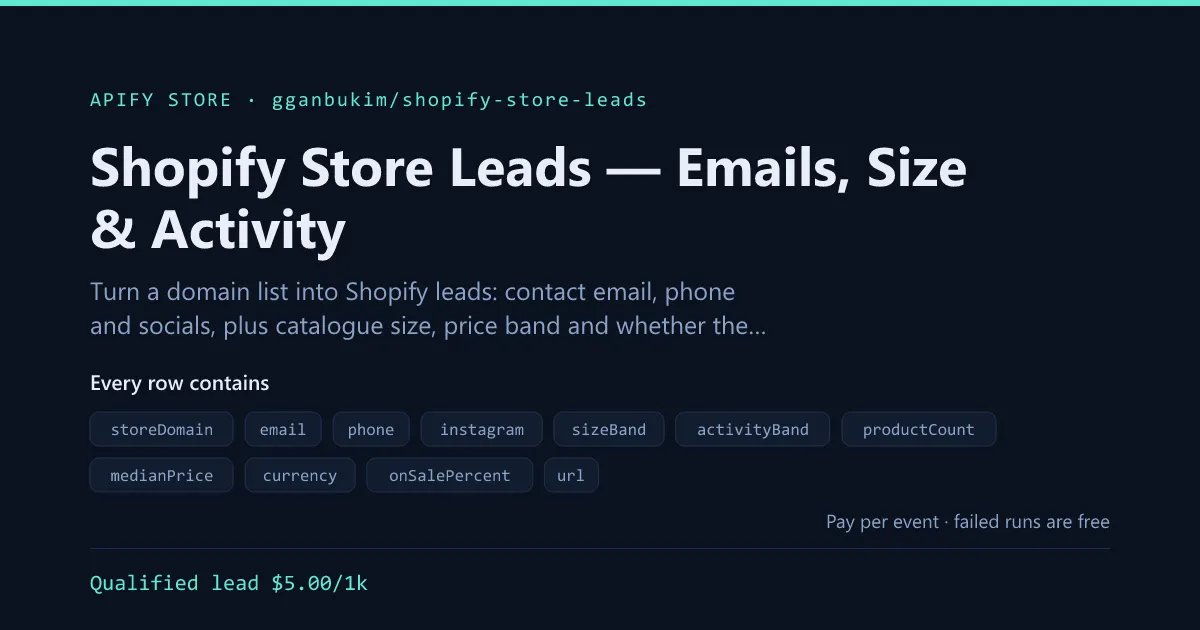
Paste a list of domains. Get back one row per store: who to email, and whether the store is worth emailing.
Most contact scrapers stop at the address. The problem with a list of ten thousand addresses is that most of them belong to shops with eleven products, no sale in two years, and nothing to spend. This one reads the storefront the same way a buyer would — how big is the catalogue, what does it charge, how hard is it discounting, how much is out of stock, and when did it last launch anything — and ships those as fields you can filter on before you write a single email.
Works on any Shopify store. No API key, no login, no store password.
What it does well
- Contact details — email, phone and Instagram/Facebook/TikTok/X/YouTube/Pinterest/LinkedIn accounts, from the home, contact and about pages.
- Qualification, not just contacts — catalogue size, median price, discount depth, out-of-stock rate, and new products in the last 30 and 90 days.
- Two plain-language bands —
sizeBandandactivityBand, so a ten-thousand-row list sorts itself without you writing rules. - Filters run before billing — require an email, a minimum catalogue, or a launch in the last N days, and the stores you drop cost nothing.
- Confirms Shopify first — a mixed prospect list does not waste requests on WordPress sites.
Input
Every option
The same wording you see in the Apify console, with the JSON key for API and MCP callers.
| Option | What it does | Default |
|---|---|---|
Store domains — storeUrls (required) | Bare domains or any URL on the store. Paste a whole prospect list; each domain becomes one row. | — |
Find contact details — includeContacts | Read the store's home, contact and about pages for emails, phone numbers and social accounts. Stops as soon as it has both an email and a social account. | true |
Max products scanned per store — maxProductsScanned | How much of the catalogue to read before judging size and activity. None of it is written as rows — this is a request budget, not a row budget. | 500 |
Only keep stores with an email — requireEmail | Drop stores where no contact email could be found. Dropped stores are not billed. | false |
Minimum products — minProducts | Drop stores smaller than this. 0 disables. | 0 |
Launched something within (days) — activeWithinDays | Drop stores whose newest product is older than this. 0 disables. | 0 |
Skip non-Shopify domains — skipNonShopify | Check each domain is Shopify before qualifying it. | true |
Concurrency — concurrency | Stores processed in parallel. | 3 |
Proxy — proxyConfiguration | Leave the default. The actor starts on cheap datacenter proxies and escalates only for stores that throttle. | {"useApifyProxy":true} |
Output
One row per qualified store.
Every field
You are billed per lead delivered, so here is everything a row can contain. A field is absent when the store does not publish it.
Who to contact
| Field | What it is |
|---|---|
email | The best single address found. Addresses on the store's own domain rank above a free-mail one, and role addresses (info@, hello@, sales@) above personal ones. no-reply@ is ranked last, never first. |
emails | Every address found, in that same order. |
emailSource | mailto when the first address came from a link somebody published to be written to, text when it only matched in the page. A text address is worth a second look. |
phone / phones | Numbers from tel: links, digits only. Anything under seven digits is treated as an extension, not a number. |
instagram, facebook, tiktok, twitter, youtube, pinterest, linkedin | The store's handle on each network, when it links one. Share buttons and network furniture are excluded. |
contactPageUrl | Which page the details came from, when it was not the homepage. |
Whether to contact them
| Field | What it is |
|---|---|
sizeBand | empty · micro (<25) · small (<150) · medium (<750) · large. The one field to sort a big list by. On a capped scan this is the floor — a scan that stopped at 250 proves at least medium and cannot rule out large. |
activityBand | active (launched within 30 days) · slowing (90) · dormant (a year) · stale · unknown. The strongest single signal that a shop is still trading. |
productCount | Products seen. |
productCountCapped | true when the catalogue was larger than Max products scanned — so productCount is a floor, not a count. |
launchCountsAreFloors | true in the same case. /products.json returns newest first, so a capped scan sees a recent slice: the launch counts below are minimums. catalogueAgeDays is then withheld entirely rather than guessed, because the oldest product in a recent slice is not the oldest product in the shop. |
daysSinceNewestProduct | Days since the newest product record was created. |
daysSinceLastPublished | Days since anything was last made visible on the storefront. A bulk republish moves this and not the one above. |
daysSinceAnyActivity | The more recent of those two — the last sign somebody was at the wheel. This is what activityBand reads. All three are safe on a capped scan: the true values can only be smaller. |
newProductsLast30Days / newProductsLast90Days | Launch cadence, which is what separates a growing shop from a parked one. Counted from when a product was created, not when it was published — see the note below. |
catalogueAgeDays | Age of the oldest product — roughly how long the shop has been trading. Absent when the scan was capped. |
vendorCount / productTypeCount | Whether it is a single brand or a marketplace-style reseller. |
minPrice / maxPrice / medianPrice | Price band in the store's own currency. Median, not average, because one $4,000 outlier should not move it. |
currency | The store's active currency. |
onSaleCount / onSalePercent | How much of the catalogue is marked down. |
averageDiscountPercent | How deep those markdowns go. Heavy, permanent discounting is a margin signal. |
outOfStockCount / outOfStockPercent | Stock health. A high rate can mean demand, or it can mean a supply problem — read it with activityBand. |
Housekeeping
| Field | What it is |
|---|---|
storeDomain / url | The store, for joining back to your list. |
isShopify | Always true unless you turned off Skip non-Shopify domains. |
themeName | The Shopify theme, when the storefront exposes it. |
scrapedAt | When this run read the store. |
Why there are three date fields instead of one
Shopify puts two timestamps on a product, and neither one means "launched". They fail in opposite directions, so this Actor reports both and derives the band from the pair.
Measured on real stores while building this:
published_atis a visibility stamp a bulk republish resets. gymshark.com: 500 products created between 2021 and 2026, every one published inside the same three weeks. allbirds.com: the gap between creation and publication has a median of 617 days, with the whole catalogue published within days of each other. Read alone, one admin action looks like explosive growth.created_atmisses shops that refresh instead of adding. allbirds.com has not created a new product record in 196 days and is obviously still trading — it updates existing records with new colourways. Read alone, a healthy shop looks abandoned.
So newProductsLast30Days counts creations, because a republish is not a launch. And
activityBand reads daysSinceAnyActivity — the more recent of the two — because either
one means somebody is still administering the store. A shop where both are stale is the
one that is actually gone.
The catalogue Actor exposes both dates raw, and the new-arrivals monitor keys on
published_at, because "newly visible to customers" is genuinely the right question
there.
Who this is for
- Agencies and freelancers selling design, CRO, email or ads to Shopify merchants —
sizeBandandactivityBandtell you who can afford you and who is still trading. - Suppliers and 3PLs looking for shops of the right size in the right price band.
- App and SaaS founders on Shopify, building a launch list that is not mostly dead stores.
- Anyone who bought a list and needs to know how much of it is real before working it.
What it does not do
It finds addresses a store publishes. It does not guess firstname.lastname@ patterns,
buy from a contact database, or verify that an address accepts mail. Everything in a row
came off the storefront on the day of the run.
Common uses
- Qualify a bought list — run 10,000 domains, keep the ones with an email and a launch in the last 90 days, discard the rest for free.
- Territory sizing — median price and catalogue size across a segment, before pitching it.
- Trigger-based outreach — schedule it and approach stores whose
activityBandjust moved toactive. - Competitive mapping — the same numbers for every shop in your category, in one table.
Pricing
Pay per lead delivered — $5.00 per 1,000. Stores removed by your filters, stores that are not Shopify, and stores that fail cost nothing, which is what makes it safe to point at a list you have not cleaned.
Starting a run costs $0.00001 — the platform's $0.00001 minimum, charged once per GB of memory, and these Actors run on 512 MB.
Scanning is the expensive part and you are not charged for it: a store read across nine requests that then fails your email filter costs you nothing at all.
Other Actors in this family
Same engines, same billing, no account or API key on any of them.
YouTube & video
- YouTube Scraper — No API Key, Any URL or Search — Any YouTube URL or search term in, videos out — with subtitles, comments and sponsor deals as add-ons.
- Download YouTube Subtitles in Bulk — SRT, VTT & Text — Bulk subtitles from videos, channels or playlists — text, SRT, VTT or RAG chunks.
- Export YouTube Comments to CSV — Replies and Likes — Every comment and reply thread, with likes, authors and creator flags.
- List Every Video on a YouTube Channel — Export to CSV — A channel's whole back catalogue plus a subscriber and RSS summary row.
- Find YouTube Sponsors — Brand Deals, Codes & Links — Which brands pay which creators, with the campaign link, the code and the timestamp.
- YouTube Search API — Bulk Results, No Quota — Many search terms at once, every result as a row, filtered before you are billed.
- Track Deleted YouTube Videos & Title Changes — What a channel quietly changed: deleted videos, rewritten titles, view velocity.
- YouTube Creator Email Finder & Sponsor Lookup — A channel list into leads: the published email, audience bands, and who already sponsors them.
- Export a YouTube Playlist to CSV — Every Video — Any playlist as a table, with each video position in it.
Search demand
- AnswerThePublic Alternative — Autocomplete Keyword API — One seed into hundreds of real keywords from Google, YouTube and Amazon autocomplete.
- Google Trends API — Today's Trending Searches, No Key — Today's trending searches by country, with traffic bands and the news behind them.
E-commerce
- Export Any Shopify Store's Products to CSV or JSON — Any Shopify catalogue: variants, SKUs, live prices, stock, images, collections.
- New Shopify Product Alerts — Competitor Drop Tracker — Only what a store launched since the last run. Scanning is free.
- Website Tech Stack & Email Finder for B2B Lists — Any domain list into leads: contact email, what the site runs on, and the marketing tags it carries.
Hiring
- Greenhouse, Lever & Ashby Job Scraper — No API Key — Paste a company domain, get its open roles from Greenhouse, Ashby, Lever or SmartRecruiters.
- Ghost Job Detector — Track Reposts, Closures & Edits — What changed on a careers page: opened, closed, quietly reposted, or a ghost job.
Run it from code
Nothing here needs a login to the source, only your Apify token.
HTTP — start a run and wait for the rows:
JavaScript
Python
Scheduled or event-driven — attach a schedule to run it on a cron, or a webhook to push each finished run into your own endpoint. It also connects through Apify's Zapier, Make, n8n and LangChain integrations, and is reachable from an MCP server if you are driving it from an agent.
Standby / API mode — the run above is synchronous: one call in, rows out, no polling. That is the shape to use if you are calling this per request rather than in a batch.
Errors, limits and what you are charged for
- You pay for delivered rows only. A row your filters removed, a page that failed, a retry — none of it is billed. Starting a run costs $0.00001: the platform minimum, charged once per gigabyte, and this Actor runs on 512 MB.
- A run that delivers nothing still costs the start fee and nothing else. If the input resolved to zero items, the run fails loudly with the reason rather than finishing green on an empty dataset.
- Blocking is handled by changing address, not by waiting. The Actor starts on cheap datacenter proxies and moves up only after a tier has actually been refused several times in a row, then drops back down once the cheap tier answers cleanly again. You are not paying for residential bandwidth that was never needed.
- Rate limits belong to the source, not to this Actor. Very large inputs are worked through in batches; the run reports how many items succeeded, were filtered, and failed, so a partial result is never presented as a complete one.
- Dataset retention follows your Apify plan. Export what you need, or push it out with a webhook, if you want it past that window.
Is this legal?
This Actor reads pages and public endpoints that anyone can open in a browser without an account. It does not log in, does not defeat a paywall, and does not touch anything behind authentication.
Scraping public data is broadly lawful in the US and the EU, and courts have repeatedly said so — but "public" is not the same as "unrestricted", and what you may then do with the data is a separate question from whether you may collect it. Personal data pulls in the GDPR and similar regimes whatever the source, so if your rows contain people, you need a lawful basis for keeping them.
Apify publishes a fuller treatment in Is web scraping legal? and an ethical scraping guide. None of this is legal advice; if the use is commercial and the data is personal, ask someone qualified.
Something wrong, or missing?
Open an issue on the Actor's Issues tab — it goes straight to the developer and is the fastest route. Include the run ID; it carries the input and the log, which is usually enough to reproduce the problem without another round trip.
Sources change without warning, and a field that quietly goes null is worth reporting even if the run succeeded. A broken parser looks exactly like a quiet day in the data until someone says so.
FAQ
Is it legal to collect business contact details this way? This reads pages the store
publishes publicly, with no login and nothing bypassed — a shop that puts hello@ in its
footer is asking to be contacted there. Business contact details are treated differently
from personal data in most regimes, but how you use them is regulated: GDPR, CAN-SPAM,
PECR and their equivalents govern marketing email regardless of how the address was
obtained. Each store's own terms are a separate contract question. Not legal advice.
Will I get blocked? Rarely. This reads public storefront pages and the same
/products.json endpoint Shopify serves on every shop, on cheap datacenter proxies,
escalating only for the minority of stores behind a WAF.
How much does 1,000 leads cost? $5.00, plus $0.00002 for the run. Filtered and failed stores are free, so a 10,000-domain list where 2,000 pass your filters costs $10.
Why one row per store instead of per contact? Because the decision you are making is per store. A shop with four published addresses is not four leads.
Can I export the results to Excel or Google Sheets? Yes. Every run's dataset downloads as CSV, Excel, JSON, XML or RSS from the Storage tab, or straight from the API if you want a live link a spreadsheet can pull.
Can I connect it to Zapier, Make or n8n? Yes — Apify publishes integrations for all three, plus webhooks that fire when a run finishes. A common setup is a schedule here and a webhook into your CRM.
Do I need to write code? No. Fill the form in the console and press Start. If you do want code, the Apify client libraries for Python and JavaScript call this the same way, and it is available over MCP so an AI agent can call it directly.
Can I run it on a schedule? Yes, via Apify Schedules, webhooks, or the API.


