

YouTube Scraper - Videos, Search, Subtitles & Comments
Pricing
from $3.00 / 1,000 video rows
YouTube Scraper - Videos, Search, Subtitles & Comments
Paste any YouTube URL or a search term and get the videos back as rows: title, channel, views, duration and date. Switch on subtitles, comments or sponsor deals to add them in the same run. No API key, no login, no Data API quota.
Pricing
from $3.00 / 1,000 video rows
Rating
0.0
(0)
Developer

DONGMIN KIM
Maintained by CommunityActor stats
0
Bookmarked
12
Total users
3
Monthly active users
2 months ago
Last modified
Categories
Security
Limited permissionsShare
YouTube Scraper — Any URL or Search, One Actor
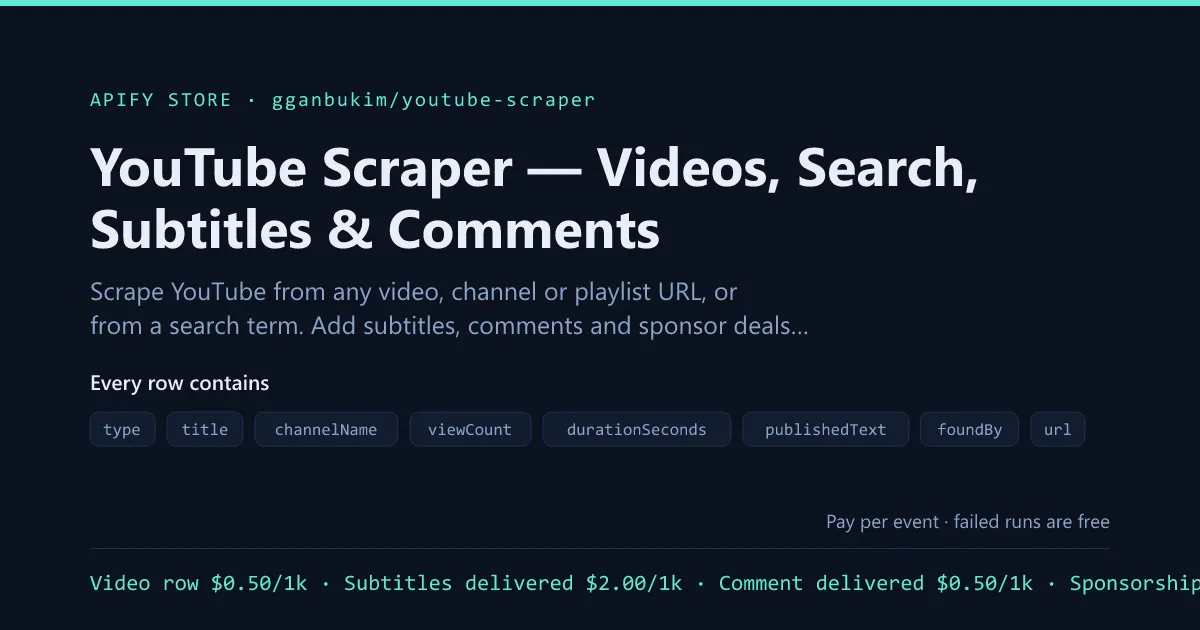
Paste a video, channel, @handle or playlist URL — or just a search term — and get the videos back as rows: title, channel, views, duration, date, thumbnail.
Then switch on what else you want in the same run: subtitles, comments, sponsor deals. No second Actor, no second input list, no stitching two datasets together afterwards.
No API key, no login, no Data API quota.
What it does well
- One input for everything — mix video URLs, channels, playlists and search terms in one run. It works out what each one is.
- Add-ons instead of separate runs — subtitles, comments and sponsor deals attach to the videos you already asked for.
- Filters run before billing — narrow by views or age and the ones you dropped cost nothing.
- Honest date filtering — a live stream carries no publish date, so it is dropped rather than passed through unchecked. You are never billed for a row that was not tested against your filter.
- Cheap and stable — starts on datacenter proxies and escalates only once blocking is proven.
Input
The same wording you see in the Apify console, with the JSON key for API and MCP callers.
| Option | What it does | Default |
|---|---|---|
YouTube URLs — startUrls | Any mix of video, channel, @handle and playlist URLs. Channels and playlists are expanded into their videos; a video URL you pass is always kept, filters or not, because you already chose it. | — |
Search terms — searchQueries | Or search instead. Each term is run separately and every result becomes a row tagged with the term that found it. Use this with URLs or on its own. | — |
Max videos — maxResults | Total videos across everything you passed. This is the main cost control. URLs are served first and search fills what is left — you named the channel, the search is us guessing — so raise this when you pass both. Leave empty to take everything. | 100 |
Which videos from a channel — channelTab | Only applies to channel URLs. Shorts carry no date or length on their shelf, so switch on subtitles or sponsors if you need those fields for them. | "videos" |
Sort search results by — searchSortBy | Only applies to search terms. Relevance or most viewed — two and not four on purpose, because YouTube's upload-date and rating params were measured returning relevance order anyway, and a sort that quietly does not sort is worse than none. | "relevance" |
Only videos newer than (days) — publishedWithinDays | 0 disables. Applies to videos found by search or by reading a channel or playlist. Accurate to about a day, and rows with no date at all are dropped. Filtered videos are not billed. | 0 |
Minimum views — minViewCount | 0 disables. Applies to videos found by search or by reading a channel or playlist. Filtered videos are not billed. | 0 |
Add subtitles — includeTranscript | Fetch each video's caption track and put it on the row. Billed per transcript delivered, and only when text came back. | false |
Subtitle format — transcriptFormat | Plain text, SRT, VTT, or chunks for a vector store. | "text" |
Preferred subtitle languages — transcriptLanguages | In order of preference. Falls back to any available track. | ["en"] |
Add comments — includeComments | Write each video's top comments as their own rows. Billed per comment. | false |
Max comments per video — maxCommentsPerVideo | Comments arrive about 20 per request, so this is what a comments run costs. | 20 |
Add sponsor deals — includeSponsorships | Read descriptions and spoken captions for brand deals. Billed per deal found — videos with no deal are free. | false |
Add a channel summary row — includeChannelRow | One row per channel you passed: subscribers, total video count, description, keywords, avatar, RSS URL. The record arrives with the listing, so it costs no extra request. | false |
Add a creator lead row — includeCreatorLead | One row per channel with the business email it publishes, audience and upload bands, and — with sponsor deals also on — which brands already pay it. | false |
Concurrency — concurrency | How many videos to read in parallel. | 5 |
Proxy — proxyConfiguration | Leave the default. Starts on datacenter proxies and escalates only once blocking is proven. | {"useApifyProxy":true} |
Output
Row types share one dataset and are told apart by type. Video rows always appear; the
comment, sponsorship, channel and lead rows only when you switch those add-ons on.
Channel and lead rows are one per channel you passed, not per video.
| Field | Row | What it is |
|---|---|---|
type | all | "video", "comment" or "sponsorship". |
videoId | all | The 11-character id. |
url | video | watch?v= URL. |
title | video | Video title. |
channelName | video · sponsorship | Channel display name. |
channelId | video | The UC… id. |
channelUrl | video | Canonical channel URL. |
viewCount | video | Views, parsed from the display text. |
durationSeconds | video | Length in seconds. |
publishedText | video | YouTube's relative text, e.g. "9 days ago". Empty on live streams. |
publishedAt | video | Exact upload timestamp. Only present when an add-on made us read the video. |
approxAgeDays | video | Age in days, from publishedAt when we have it, otherwise from publishedText. |
thumbnailUrl | video | Largest available thumbnail, derived from the id when the listing gave none. |
isShort | video | true when YouTube served the item as a Short. |
description | video | Full description. Only when an add-on made us read the video. |
keywords | video | The channel's tags for the video, same condition. |
foundBy | video | How it got into the run: "url", "search" or "listing". |
query | video | The search term that found it, when foundBy is "search". |
scrapedAt | video · sponsorship | ISO timestamp of the run. |
transcript | video | Plain text, with transcriptFormat: "text". |
srt / vtt | video | Subtitle file contents, with the matching format. |
chunks | video | Overlapping passages sized for a vector store, with "chunks". |
transcriptLanguage | video | Language code of the track that was used. |
transcriptWordCount | video | Words in the transcript. |
commentId | comment | The comment's id. |
text | comment | Comment body. |
publishedTimeText | comment | Relative time, as YouTube shows it. |
likeCount / replyCount | comment | Engagement on the comment. |
replyLevel / isReply | comment | Where it sits in the thread. |
authorName | comment | Commenter's display name. |
authorChannelId / authorChannelUrl | comment | Commenter's channel. |
authorAvatarUrl | comment | Commenter's avatar. |
authorIsVerified / authorIsCreator | comment | Badges YouTube shows. |
isPinned | comment | Pinned by the creator. |
commentUrl | comment | Deep link to the comment. |
videoUrl / videoTitle | comment · sponsorship | The video the row belongs to. |
brand | sponsorship | The sponsor, as a domain. |
brandDomain / sponsorUrl | sponsorship | Where the deal points. |
campaign / trackedLink | sponsorship | The tracked campaign path, when there is one. |
code / offer | sponsorship | Discount code and the offer text. |
source | sponsorship | "description", "transcript" or both. |
evidence / spokenEvidence | sponsorship | The text the deal was read out of. |
readAtSeconds | sponsorship | Where in the video it was spoken. |
handle / handleUrl | channel · lead | The @handle and its URL. |
subscriberCount | channel · lead | Subscribers, parsed. |
subscriberCountText | channel · lead | The unparsed original, e.g. "21.1M subscribers". |
videoCount | channel · lead | Total uploads the channel reports — not the number scraped. |
avatarUrl | channel · lead | Largest available avatar. |
rssUrl | channel · lead | The channel's RSS feed, useful for cheap polling between runs. |
videosFound | channel | How many videos this run returned for the channel. |
email / emails | lead | The address the channel publishes. Business addresses rank first. |
hasBusinessEmail | lead | true when the address is partnerships@-style rather than personal. |
instagram / twitter / tiktok / facebook / discord / patreon | lead | One key per network found in the description. |
audienceBand | lead | nano · micro · mid · large · mega. A band, not a score. |
uploadBand | lead | active · slowing · dormant · stale. |
daysSinceNewestVideo | lead | How long since the last upload. |
uploadsLast30Days / uploadsLast90Days | lead | Output volume in the videos this run read. |
scannedVideos | lead | The denominator behind sponsorshipRate. Zero when sponsor deals were off. |
sponsoredVideos / sponsorshipRate | lead | How many carried a deal, and the percentage. Empty when sponsor deals were off. |
sponsorCount / sponsorBrands | lead | Distinct brands found, and which. |
trackedCampaignCount | lead | Deals carrying a tracked campaign link. |
takesSponsorships | lead | true when any deal was found. |
What it costs
Video rows are the base. Everything else is an add-on you switch on, and each one is billed only for what it actually delivers:
| You get | Price |
|---|---|
| A video row | $0.50 per 1,000 |
| A subtitle track on that row | $2.00 per 1,000 |
| A comment | $0.50 per 1,000 |
| A sponsor deal found | $8.00 per 1,000 |
| A channel summary row | $5.00 per 1,000 |
| A creator lead row | $6.00 per 1,000 |
A 100-video run with nothing switched on is 5 cents. The same run with subtitles is 25.
Who this is for
- Anyone who does not want to pick a tool first — paste the URL, get the data, add what else you need with a checkbox.
- AI and RAG engineers — search a topic, take the transcripts as chunks, done in one run.
- Competitive and market researchers — a channel, its videos, what its viewers say and who pays for its content, in one dataset.
- Data teams — one Actor to integrate instead of four, one dataset to read.
Common uses
- Topic research — search a niche, filter to the last 90 days, pull transcripts of what ranks.
- Channel audit — one @handle, the whole catalogue, with sponsor deals attached.
- Comment mining — search your category and read what the audience asks under the top results.
- Feeding a vector store —
transcriptFormat: "chunks"goes straight in.
Pricing
Pay only for rows you receive. Filtered videos, failed videos and every discovery step are free, and a video with no captions costs nothing extra even with subtitles switched on.
Starting a run costs $0.00001 — the platform's $0.00001 minimum, charged once per GB of memory, and these Actors run on 512 MB.
Other Actors in this family
Same engines, same billing, no account or API key on any of them.
YouTube & video
- Download YouTube Subtitles in Bulk — SRT, VTT & Text — Bulk subtitles from videos, channels or playlists — text, SRT, VTT or RAG chunks.
- Export YouTube Comments to CSV — Replies and Likes — Every comment and reply thread, with likes, authors and creator flags.
- List Every Video on a YouTube Channel — Export to CSV — A channel's whole back catalogue plus a subscriber and RSS summary row.
- Find YouTube Sponsors — Brand Deals, Codes & Links — Which brands pay which creators, with the campaign link, the code and the timestamp.
- YouTube Search API — Bulk Results, No Quota — Many search terms at once, every result as a row, filtered before you are billed.
- Track Deleted YouTube Videos & Title Changes — What a channel quietly changed: deleted videos, rewritten titles, view velocity.
- YouTube Creator Email Finder & Sponsor Lookup — A channel list into leads: the published email, audience bands, and who already sponsors them.
- Export a YouTube Playlist to CSV — Every Video — Any playlist as a table, with each video position in it.
Search demand
- AnswerThePublic Alternative — Autocomplete Keyword API — One seed into hundreds of real keywords from Google, YouTube and Amazon autocomplete.
- Google Trends API — Today's Trending Searches, No Key — Today's trending searches by country, with traffic bands and the news behind them.
E-commerce
- Export Any Shopify Store's Products to CSV or JSON — Any Shopify catalogue: variants, SKUs, live prices, stock, images, collections.
- New Shopify Product Alerts — Competitor Drop Tracker — Only what a store launched since the last run. Scanning is free.
- Shopify Store Email Finder — Qualified B2B Leads — A domain list into qualified leads: contact email, size, price band, and whether the shop still trades.
- Website Tech Stack & Email Finder for B2B Lists — Any domain list into leads: contact email, what the site runs on, and the marketing tags it carries.
Hiring
- Greenhouse, Lever & Ashby Job Scraper — No API Key — Paste a company domain, get its open roles from Greenhouse, Ashby, Lever or SmartRecruiters.
- Ghost Job Detector — Track Reposts, Closures & Edits — What changed on a careers page: opened, closed, quietly reposted, or a ghost job.
Run it from code
Nothing here needs a login to the source, only your Apify token.
HTTP — start a run and wait for the rows:
JavaScript
Python
Scheduled or event-driven — attach a schedule to run it on a cron, or a webhook to push each finished run into your own endpoint. It also connects through Apify's Zapier, Make, n8n and LangChain integrations, and is reachable from an MCP server if you are driving it from an agent.
Standby / API mode — the run above is synchronous: one call in, rows out, no polling. That is the shape to use if you are calling this per request rather than in a batch.
Errors, limits and what you are charged for
- You pay for delivered rows only. A row your filters removed, a page that failed, a retry — none of it is billed. Starting a run costs $0.00001: the platform minimum, charged once per gigabyte, and this Actor runs on 512 MB.
- A run that delivers nothing still costs the start fee and nothing else. If the input resolved to zero items, the run fails loudly with the reason rather than finishing green on an empty dataset.
- Blocking is handled by changing address, not by waiting. The Actor starts on cheap datacenter proxies and moves up only after a tier has actually been refused several times in a row, then drops back down once the cheap tier answers cleanly again. You are not paying for residential bandwidth that was never needed.
- Rate limits belong to the source, not to this Actor. Very large inputs are worked through in batches; the run reports how many items succeeded, were filtered, and failed, so a partial result is never presented as a complete one.
- Dataset retention follows your Apify plan. Export what you need, or push it out with a webhook, if you want it past that window.
Is this legal?
This Actor reads pages and public endpoints that anyone can open in a browser without an account. It does not log in, does not defeat a paywall, and does not touch anything behind authentication.
Scraping public data is broadly lawful in the US and the EU, and courts have repeatedly said so — but "public" is not the same as "unrestricted", and what you may then do with the data is a separate question from whether you may collect it. Personal data pulls in the GDPR and similar regimes whatever the source, so if your rows contain people, you need a lawful basis for keeping them.
Apify publishes a fuller treatment in Is web scraping legal? and an ethical scraping guide. None of this is legal advice; if the use is commercial and the data is personal, ask someone qualified.
Something wrong, or missing?
Open an issue on the Actor's Issues tab — it goes straight to the developer and is the fastest route. Include the run ID; it carries the input and the log, which is usually enough to reproduce the problem without another round trip.
Sources change without warning, and a field that quietly goes null is worth reporting even if the run succeeded. A broken parser looks exactly like a quiet day in the data until someone says so.
FAQ
Will I get blocked, or my account banned? There is no account to ban — this Actor never signs in and sends no cookies. It reads the same endpoints the player and the search page use, on cheap datacenter proxies, escalating to residential only once datacenter is provably blocked. YouTube signals throttling with an HTTP 200 and an error body rather than an error code, which is the trap that silently halves most scrapers' results; this one detects it by reason and rotates.
Is it legal to scrape YouTube? It reads the same public pages a browser requests, with no login and nothing bypassed, and the fields are facts about videos rather than the videos themselves. Public-data scraping is broadly treated as lawful in the US and EU. What you do with the data afterwards — republishing transcripts wholesale, or handling personal data from comments — is a separate question with its own rules.
Does this need a YouTube API key? No. Nor a Google account, nor the 10,000-unit daily Data API quota.
Why would I use this instead of the single-purpose Actors? Convenience, mostly. If you only ever want transcripts, the dedicated transcript Actor has more knobs for them — any language, empty-result rows, segment output. This one is for when you want a few things at once, or do not want to think about which tool to reach for.
What if a video has no captions? The row still arrives, with transcript: null, and
you are not billed for a transcript.
How much does 1,000 videos cost? $0.50, plus $0.00002 for the run itself. Add-ons are priced separately in the table above and only bill for what arrives.
Can I export the results to Excel or Google Sheets? Yes. Every run's dataset exports as CSV, XLSX, JSON or XML from the console, or through the API.
Can I connect it to Zapier, Make or n8n? Yes — Apify publishes integrations for all three, plus webhooks that fire when a run finishes.
Do I need to write code? No. Fill the form in the console and press Start.
Can I run it on a schedule? Yes, from the Schedules tab. Pair it with a webhook to push new rows wherever you want them.


