

Domain Inspector — WHOIS/RDAP, DNS & SSL
Pricing
from $0.0008 / domain inspected
Domain Inspector — WHOIS/RDAP, DNS & SSL
Inspect any list of domains: registrar, registration/expiry dates and status via RDAP; DNS records (A, AAAA, MX, NS, TXT, CNAME); and SSL certificate issuer and expiry. Bulk-ready, no setup. Great for domain portfolios, security audits and lead research.
Pricing
from $0.0008 / domain inspected
Rating
0.0
(0)
Developer

hiper soft
Maintained by CommunityActor stats
0
Bookmarked
3
Total users
0
Monthly active users
3 days ago
Last modified
Categories
Share
Domain Inspector — WHOIS/RDAP, DNS & SSL Lookup
Everything about a domain in one row. Give the Domain Inspector a list of domains and it returns each one's registrar, registration & expiry dates, status codes and nameservers, full DNS records, and SSL certificate details as clean JSON, CSV, Excel or XML. No login, no API key — fast and reliable for bulk domain checks.
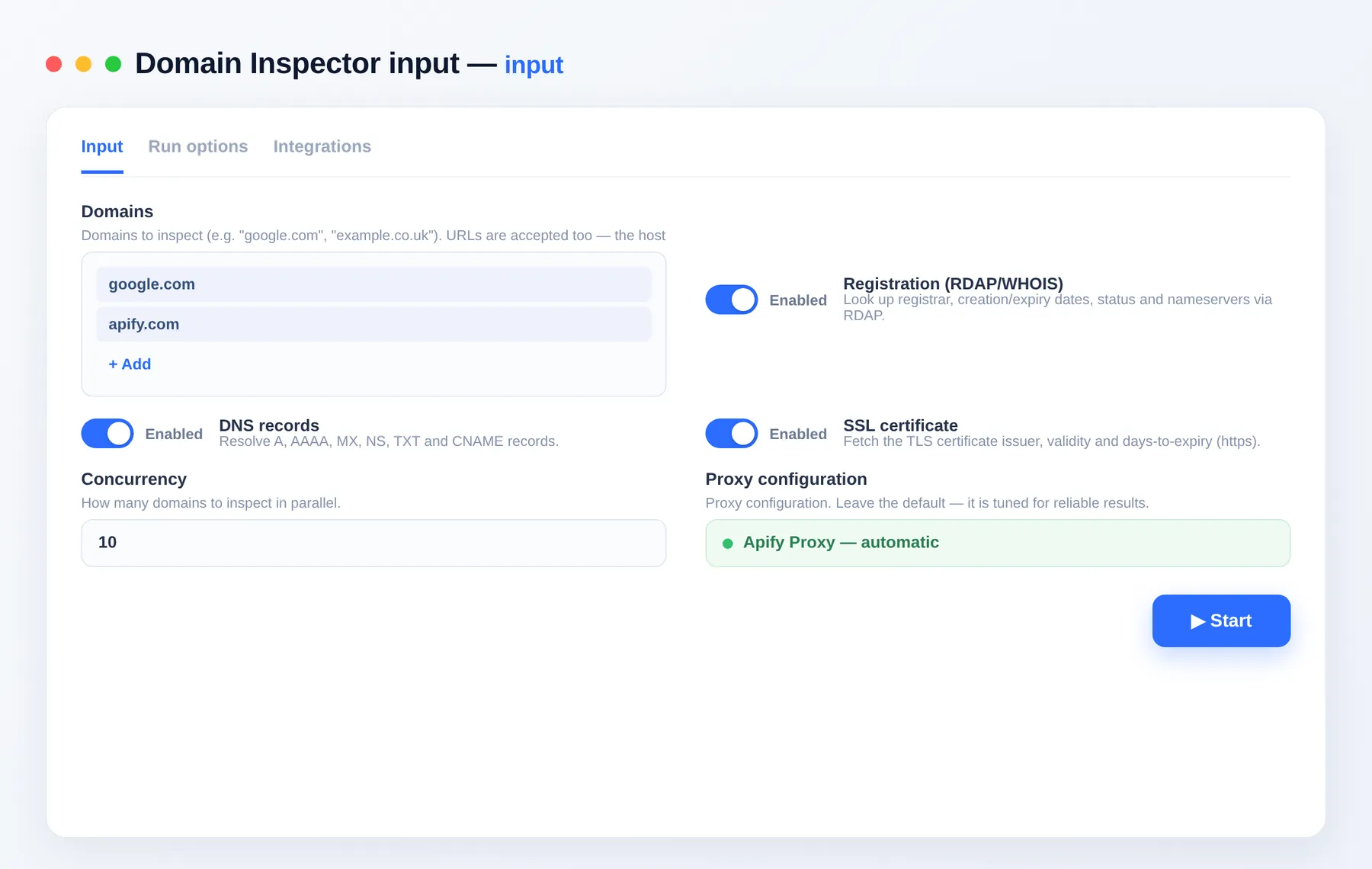
What does the Domain Inspector do?
The Domain Inspector takes a list of domains (or URLs) and returns a single structured record per domain combining registration lifecycle data, live DNS records and TLS certificate details. Toggle each data source on or off and inspect thousands of domains in one run — ideal for portfolio monitoring, expiry alerting and security audits.
Features
- 🗂️ Registration data — registrar, creation/updated/expiry dates, EPP status codes and nameservers
- 🌐 Live DNS — A, AAAA, MX, NS, TXT and CNAME records resolved at run time
- 🔒 SSL certificate — issuer, subject, validity window, days to expiry and trust status
- ⚙️ Toggle sources — enable only RDAP, DNS or SSL as needed
- 📦 Bulk — inspect many domains in parallel, each time-capped so one slow lookup can't stall a run
What you get
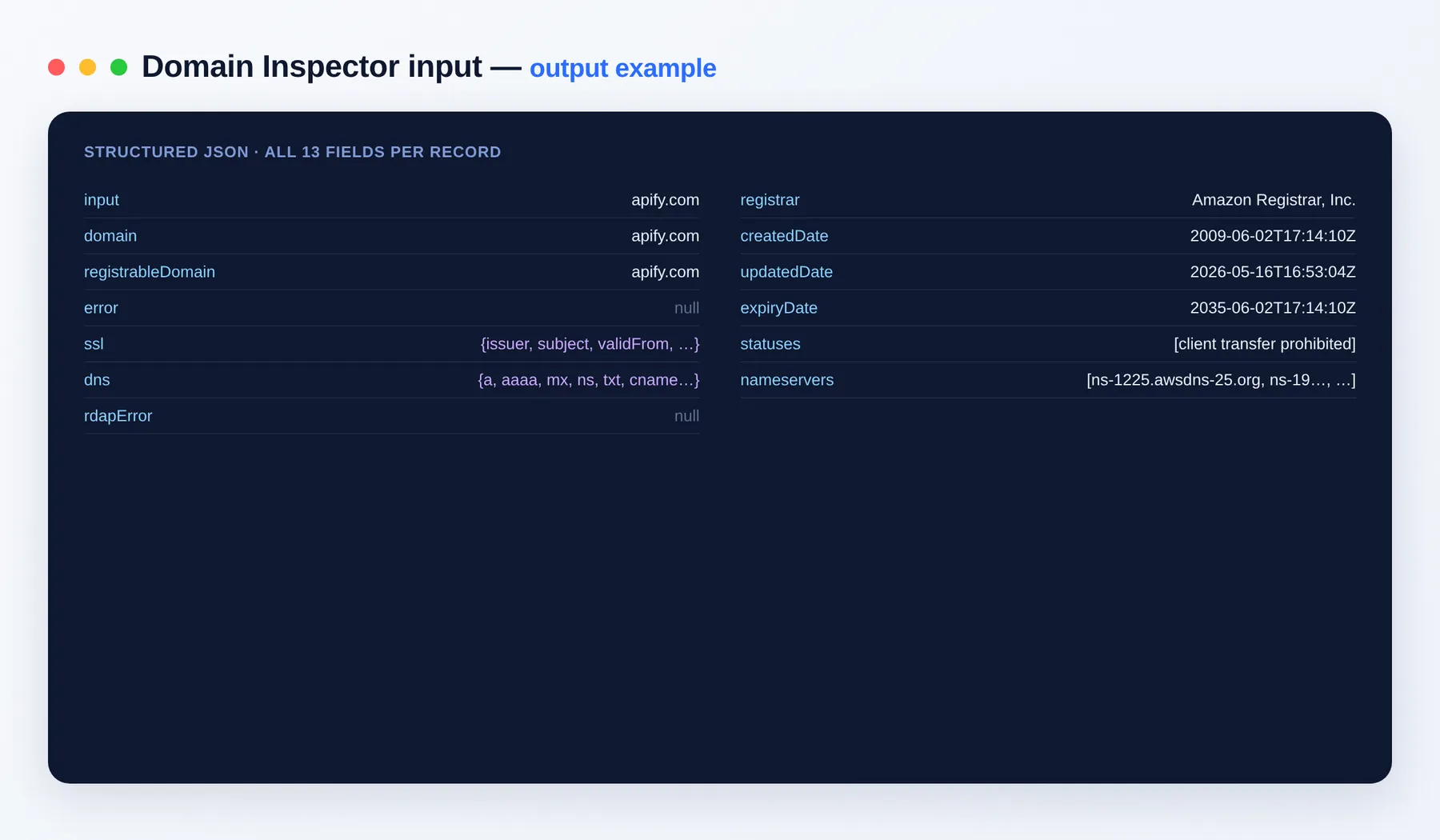
One row per domain:
Output schema
| Field | Type | Description |
|---|---|---|
input | string | The exact domain or URL you supplied |
domain | string | Normalized hostname that was inspected |
registrableDomain | string | The eTLD+1 used for the registry lookup |
error | string | Error message for this row, or null if it succeeded |
ssl | object | SSL certificate details: issuer, subject, validFrom, validTo, daysToExpiry, authorized |
dns | object | Resolved DNS records: a, aaaa, mx, ns, txt, cname |
rdapError | string | Error message from the registration lookup, if any |
registrar | string | Registrar name from the registration record |
createdDate | string (ISO date) | Domain registration date |
updatedDate | string (ISO date) | Last registration update date |
expiryDate | string (ISO date) | Registration expiry date |
statuses | array | EPP status codes, e.g. clientTransferProhibited |
nameservers | array | Authoritative nameservers from the registry |
Input
| Field | Type | Description |
|---|---|---|
domains | array | Domains (or URLs — the host is used), one per line. |
includeRdap | boolean | Include registrar, dates, statuses and nameservers (default on). |
includeDns | boolean | Include live DNS records (default on). |
includeSsl | boolean | Include SSL certificate details (default on). |
maxConcurrency | integer | Domains inspected in parallel. |
proxyConfiguration | object | Optional proxy settings. |
Use cases
- Portfolio monitoring — track registrar, expiry and nameservers across a domain estate.
- Expiry & SSL alerting — flag domains or certificates nearing expiry.
- Security audits — review DNS records, status codes and certificate trust in bulk.
- Due diligence — verify ownership signals and infrastructure for a list of domains.
- Lead enrichment — append registration and DNS data to a prospect list.
How to inspect domains
- Add the Domain Inspector to your Apify account.
- Paste your domains (one per line — URLs are accepted too).
- Toggle includeRdap, includeDns and includeSsl as needed.
- Click Run.
- Export the dataset as JSON, CSV, Excel or XML, or pull it via the Apify API.
Need more web-diagnostics data?
- Bulk URL Status Checker — check thousands of links for status, redirects and SSL.
- Website Contact Scraper — extract emails, phones and social links from websites.
- Bulk Image Downloader — fetch and store images at scale from a URL list.
FAQ
Do I need an account or API key? No. There's no login or API key required — just paste your domains and run.
How many domains can I inspect per run?
There's no fixed cap. maxConcurrency controls how many domains are looked up in parallel, and each domain is time-capped so one slow lookup can't stall a bulk run.
How does billing work? You pay only per domain you get, so small runs stay cheap. See the Pricing tab for current rates.
What's the output format? A dataset with one row per domain — registrar, lifecycle dates, statuses, nameservers, DNS records and SSL details — exportable as JSON, CSV, Excel or XML.
Can I choose which data to collect?
Yes. Toggle includeRdap, includeDns and includeSsl to pick which sources to query, and use maxConcurrency to tune throughput.
Is this only public data? Yes. It collects only publicly available registration, DNS and certificate data.
Can I connect this to other tools? The Domain Inspector can be connected with almost any cloud service or web app thanks to integrations on the Apify platform. It works with Make, Zapier, Slack, Airbyte, GitHub, Google Drive and many more, plus the Apify API, JavaScript/Python clients and MCP. Or use webhooks to trigger an action whenever a run finishes.
Related Actors
Notes
Original clean-room implementation. Registration data comes from RDAP (the modern WHOIS); a few TLDs expose limited fields. Collects only publicly available registration, DNS and certificate data; you are responsible for compliance with the relevant terms.


