
Phone Number Validator & Formatter — Bulk
Pricing
from $0.001 / phone validated
Phone Number Validator & Formatter — Bulk
Validate and format a list of phone numbers to E.164, national and international formats with region and line type. Clean messy phone columns before dialing or texting.
Pricing
from $0.001 / phone validated
Rating
0.0
(0)
Developer

Hipersoft
Maintained by CommunityActor stats
0
Bookmarked
1
Total users
0
Monthly active users
3 days ago
Last modified
Categories
Features
Share
Phone Number Validator & Formatter — Bulk E.164, International & Line Type
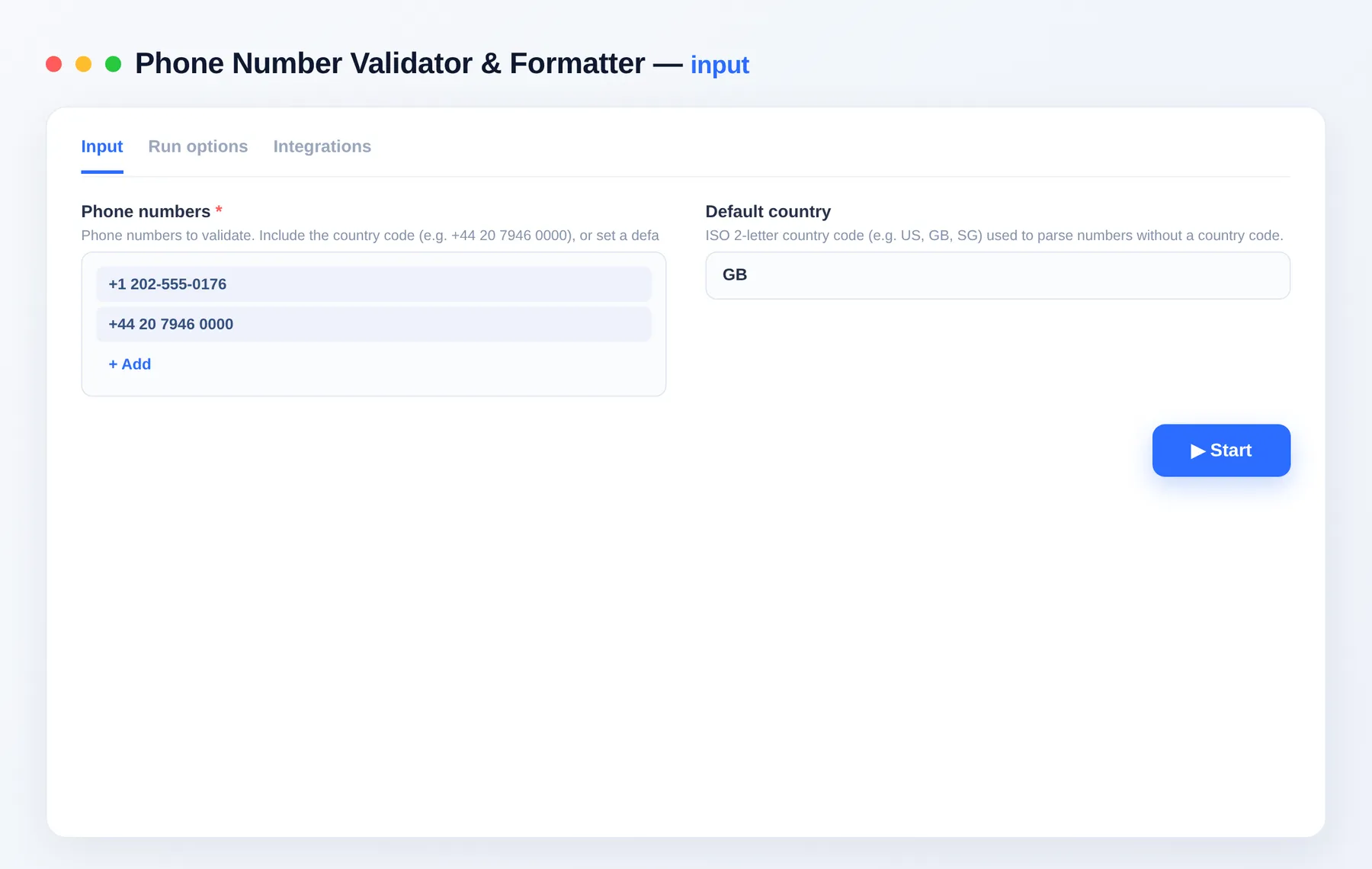
Validate and format a list of phone numbers in bulk — to E.164, national and international formats — with region, country calling code and line type (mobile, fixed line, VoIP and more). The Phone Number Validator cleans messy phone columns before you dial, text or import them into a CRM, so invalid numbers and formatting chaos never reach your calling or SMS provider. Paste a list of numbers, optionally set a default country for local numbers, and get one structured JSON row per number — exportable as JSON, CSV, Excel or XML.
What is the Phone Number Validator?
The Phone Number Validator & Formatter is a bulk phone number validation and formatting tool — an online phone validator that standardizes numbers at scale. For every number you supply it checks whether it is valid and possible, then normalizes it to E.164 (the +<country><number> format calling and SMS APIs expect), plus readable national and international formats and a tel: URI. It also detects the country, calling code and line type. Instead of wrestling with per-country formatting rules, you paste a column of raw numbers and get analytics- and dialer-ready output. It's built for sales and marketing teams cleaning lead lists, developers prepping numbers for Twilio or another SMS/voice provider, and data teams validating contact records.
Features
- ✅ Validity & possibility checks — know whether each number is a valid, dialable number, not just well-formed.
- 📞 E.164 formatting — get the canonical
+<country><number>form that SMS and voice APIs require. - 🌍 National & international formats — human-readable formatting for display and export, plus a
tel:URI for click-to-call. - 🏳️ Country & calling code — detect the region and country calling code for each number.
- 📱 Line type detection — classify numbers as mobile, fixed line, VoIP, toll-free and more.
- 🗺️ Default country parsing — set a default country so local numbers without a
+code are parsed correctly. - 📦 Bulk processing — validate thousands of numbers in one run, one row per input.
- 📤 Clean exports — download as JSON, CSV, Excel or XML, or pull through the Apify API.
What you get
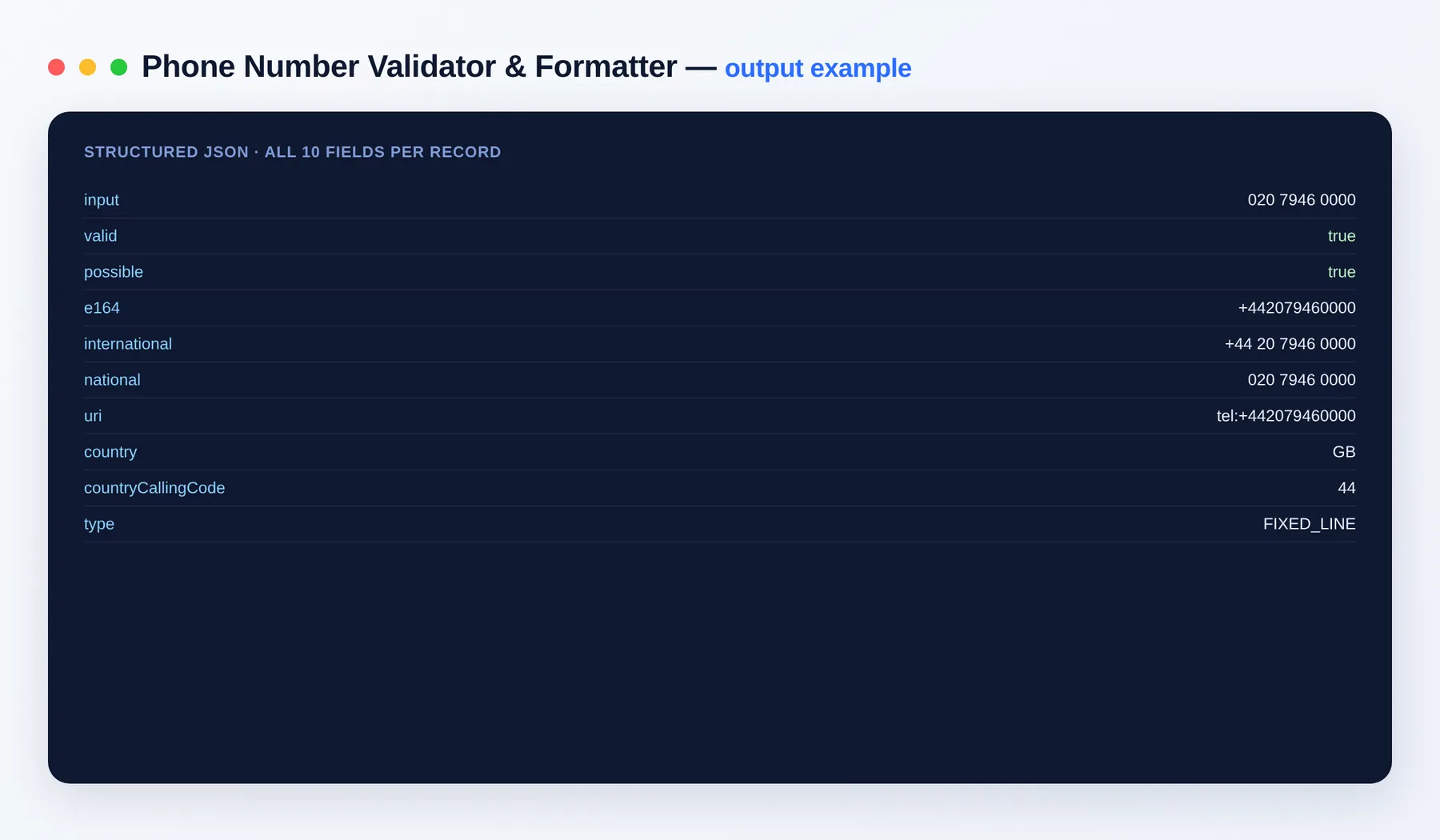
Each number becomes one structured JSON record:
Invalid or unparseable numbers return valid: false so you can filter them out:
Output schema
| Field | Type | Description |
|---|---|---|
input | string | The original number as supplied. |
valid | boolean | Whether it is a valid, dialable number. |
possible | boolean | Whether it is a possible number for the region. |
e164 | string | E.164 format (+<country><number>). |
international | string | Readable international format. |
national | string | Readable national format. |
uri | string | tel: URI for click-to-call. |
country | string | Detected country (ISO 2-letter). |
countryCallingCode | string | Country calling code (e.g. 44). |
type | string | Line type: mobile, fixed line, VoIP, toll-free, etc. |
How to validate phone numbers in bulk
- Open the Phone Number Validator and click Try for free.
- Paste your phone numbers into the
phonesfield — one per line (include the+country code where you have it). - Set
defaultCountryto the ISO code (US, GB, SG…) that local numbers without a country code should be parsed as. - Click Run.
- Export the results as JSON, CSV, Excel or XML, or read them from the Apify API.
Input
| Field | Type | Description |
|---|---|---|
phones | array | Phone numbers to validate — one per row. |
defaultCountry | string | ISO 2-letter country code (US, GB, SG…) used to parse numbers without a country code. |
Use cases
- Clean lead & CRM lists: normalize and validate phone columns before importing contacts, so your CRM holds dialable numbers only.
- Prepare SMS / voice campaigns: convert every number to E.164 so it's ready for Twilio, Vonage or another provider without rejections.
- Reduce failed sends: drop invalid and impossible numbers before a campaign to cut wasted spend and carrier errors.
- Route by line type: separate mobiles from fixed lines to decide what gets an SMS versus a call.
- Standardize contact data: store one consistent E.164 value per contact across systems and regions.
- Form & onboarding validation: check numbers entered by users at sign-up to catch typos early.
- Data pipelines: plug phone validation into an automated workflow so every incoming record is normalized the same way.
Pricing
Pay-per-event: you're billed a small amount per phone number validated — you only pay for the results you receive. See the Pricing tab for current rates.
FAQ
How do I convert phone numbers to E.164?
Add your numbers to the phones field and run the actor. Each valid number comes back with its e164 value — the +<country><number> format SMS and voice APIs expect.
Do I need to include the country code?
Include it where you can. For local numbers without a + code, set defaultCountry to the right ISO code and they'll be parsed correctly.
How many numbers can I validate at once? As many as you like — the validator is built for bulk processing and returns one row per number in a single run.
Can it tell mobile from landline?
Yes. The type field classifies each number as mobile, fixed line, VoIP, toll-free and more, so you can route SMS and calls appropriately.
What's the difference between "valid" and "possible"?
possible means the number has a plausible length and shape for the region; valid is a stricter check that the number matches real numbering rules. Use valid to filter a clean list.
Does a valid number mean it's in service? No. Validation confirms the number is correctly formatted and follows the region's numbering rules; it does not confirm the line is currently active. It's a strong first filter that removes clearly bad entries.
What export formats are supported? Structured JSON, CSV, Excel and XML — one row per number — plus programmatic access through the Apify API.
Can I connect this to other apps? The Phone Number Validator can be connected with almost any cloud service or web app thanks to integrations on the Apify platform. It works with Make, Zapier, Slack, Airbyte, GitHub, Google Drive and many more, plus the Apify API, JavaScript/Python clients and MCP. Or use webhooks to trigger an action whenever a run finishes.
Related Actors
Building a contact-data toolkit? Combine the Phone Number Validator with our other utilities:
- IBAN Validator & Formatter — validate bank account numbers with the mod-97 checksum.
- Email Verifier — check deliverability and catch invalid email addresses.
- User Agent Parser — parse user-agent strings into browser, OS and device.
- Case Converter — normalize identifiers and headers between letter cases.
- Text Entity Extractor — pull emails, phone numbers and URLs out of raw text.
Notes
Original clean-room implementation. Validates and formats the phone numbers you provide. Validation confirms a number is well-formed and follows its region's numbering rules; it does not confirm the line is currently in service.


