
YAML to JSON & JSON to YAML Converter
Pricing
from $0.001 / document converted
YAML to JSON & JSON to YAML Converter
Convert YAML to JSON or JSON to YAML, both ways, with auto-detect and multi-document support. Paste content, pass a list, or fetch from a URL. Great for config files, CI/CD, Kubernetes, OpenAPI and data pipelines. Download the result as a file or inline JSON, CSV or Excel.
Pricing
from $0.001 / document converted
Rating
0.0
(0)
Developer

Hipersoft
Maintained by CommunityActor stats
0
Bookmarked
1
Total users
0
Monthly active users
5 hours ago
Last modified
Categories
Features
Share
YAML to JSON & JSON to YAML Converter — Bulk, Auto-Detect, Multi-Document
Convert YAML to JSON and JSON to YAML in either direction with the YAML / JSON Converter. Paste your content, pass a whole list, or fetch it from a URL — the converter auto-detects the format, handles multi-document YAML, and returns clean, indented output. Each conversion is saved as a ready-to-download file and included inline (for small results) in a dataset you can export as JSON, CSV, Excel or XML. It moves between the two most common config formats with zero code — ideal for config files, CI/CD pipelines, Kubernetes and Docker Compose manifests, and OpenAPI/Swagger specs.
What is the YAML / JSON Converter?
The YAML / JSON Converter is a bulk, bidirectional config-format converter. Give it YAML or JSON — pasted, as a list, or by URL — and it converts to the other format, auto-detecting the input when you don't specify a direction. It parses multi-document YAML (--- separated) into an array, pretty-prints JSON, and produces tidy, readable YAML. Instead of pasting one document at a time into a web tool or writing a parser, you convert a whole batch and wire the output straight into an automation. It's built for DevOps and platform teams juggling manifests and specs, and for anyone bridging YAML and JSON in a data pipeline.
Features
- 🔄 Both directions — YAML → JSON and JSON → YAML.
- 🧭 Auto-detect — figures out whether your input is YAML or JSON and converts the other way.
- 📄 Multi-document YAML — handles
---separated documents and returns them as an array. - ✨ Clean output — pretty-printed JSON and tidy, readable YAML.
- 📚 Batch & URL input — convert one document, a list of documents, or fetch a document from a URL.
- 📎 File + inline output — each result is saved as a downloadable file and (when small) included inline in the dataset.
- 📤 Clean exports — JSON, CSV, Excel or XML, or wire the output field into the next step of an automation.
Example
YAML in
JSON out
What you get
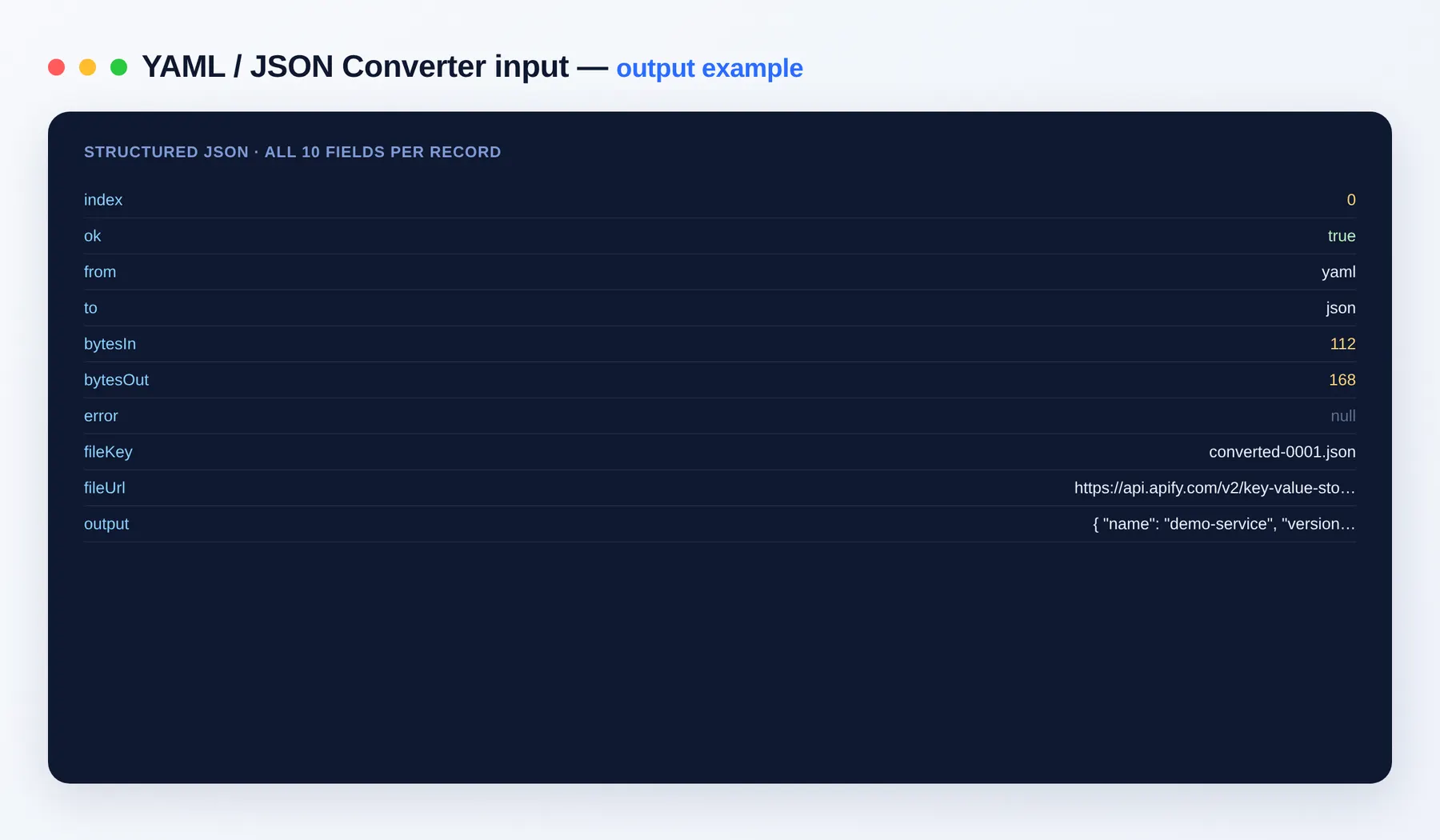
Each document becomes one structured JSON record with a link to the converted file:
Output schema
| Field | Type | Description |
|---|---|---|
index | integer | Index of the document in the batch. |
ok | boolean | Whether the conversion succeeded. |
from | string | Detected/requested input format. |
to | string | Output format. |
bytesIn | integer | Size of the input. |
bytesOut | integer | Size of the output. |
fileKey | string | Key of the saved file in the run's storage. |
fileUrl | string (URL) | Direct download link to the converted file. |
output | string | Inline converted content (small results only). |
error | string | Reason a conversion failed (on failure rows only). |
How to convert YAML and JSON
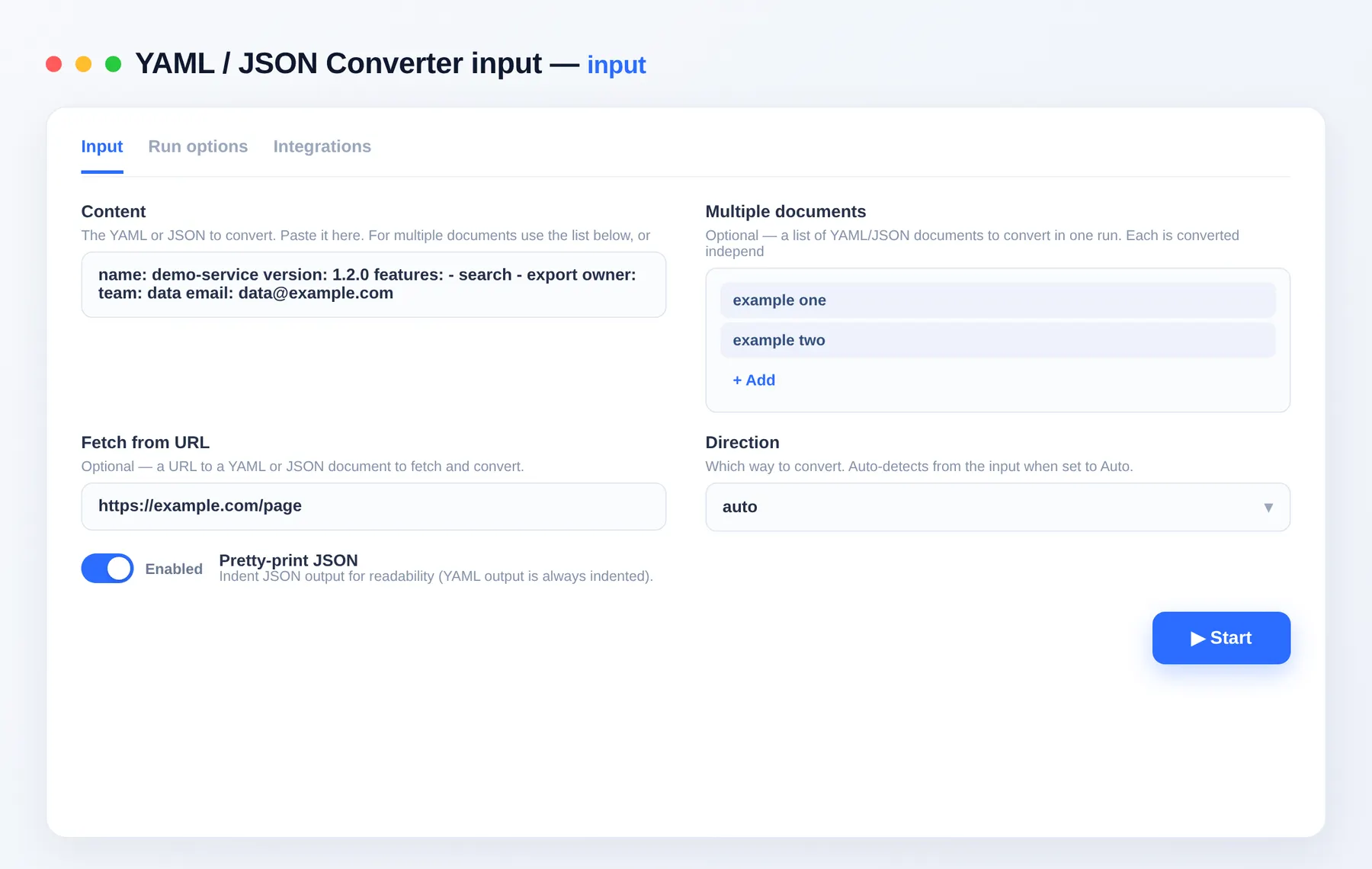
- Open the YAML / JSON Converter and click Try for free.
- Paste your content into
content, add several tocontents, or set acontentUrlto fetch a document. - Choose a
direction(Auto, YAML → JSON, or JSON → YAML) and toggleprettyfor indented JSON. - Click Run.
- Download the converted file from
fileUrl, or read the inlineoutputfrom the dataset.
Input
| Field | Type | Description |
|---|---|---|
content | string | The YAML or JSON to convert. |
contents | array | Optional list of documents to convert in one run. |
contentUrl | string | Optional URL to a YAML/JSON document to fetch. |
direction | string | auto, yaml2json, or json2yaml. |
pretty | boolean | Indent JSON output. |
Use cases
- Config conversion: move between YAML and JSON config formats instantly, in bulk.
- Kubernetes & Docker: turn manifests and Compose files into JSON for tooling, and back to YAML.
- OpenAPI / Swagger: convert API specs between YAML and JSON for different toolchains.
- CI/CD pipelines: adapt pipeline definitions to whatever format a tool expects.
- Data migration: normalize a mix of YAML and JSON documents into one format.
- Automation glue: drop a conversion step inside an n8n, Make or Zapier workflow.
- Developer tooling: convert config at build time as part of a larger pipeline.
Pricing
Pay-per-event: you're billed a small amount per document converted — you only pay for the results you receive. See the Pricing tab for current rates.
FAQ
How do I convert YAML to JSON (or JSON to YAML)?
Paste your content and run the actor. With direction on Auto it detects the input format and converts to the other; or pick the exact direction. You get the converted file and inline output.
Does it support multi-document YAML?
Yes — YAML files with multiple --- documents are parsed and returned together as an array.
Can I convert many documents at once?
Yes — add a list to contents and each is converted independently, with its own downloadable file.
Can it fetch a document from a URL?
Yes — set contentUrl to a YAML or JSON document and the converter downloads and converts it.
Where does the converted file go?
Each conversion is saved to the run's storage with a direct download link (fileUrl); small results are also included inline as output.
Is the output cleanly formatted?
Yes — JSON is pretty-printed when pretty is on, and YAML output is always indented and readable.
What export formats are supported? The results table exports as JSON, CSV, Excel or XML, and each conversion is a downloadable file, plus programmatic access through the Apify API.
Can I connect this to other apps? The YAML / JSON Converter can be connected with almost any cloud service or web app thanks to integrations on the Apify platform. It works with Make, Zapier, Slack, Airbyte, GitHub, Google Drive and many more, plus the Apify API, JavaScript/Python clients and MCP. Or use webhooks to trigger an action whenever a run finishes.
Related Actors
Building a data-format toolkit? Combine the YAML / JSON Converter with our other converters:
- JSON ↔ XML Converter — convert structured data between JSON and XML.
- CSV to JSON Converter — convert spreadsheets into JSON.
- Excel Converter — convert XLSX to CSV and JSON (and back).
- EML Parser — parse raw emails into structured JSON.
- Case Converter — normalize keys and identifiers between letter cases.
Notes
Original clean-room implementation. Converts the content you provide between YAML and JSON.


