Google Imagen 4 (no API key)
Pricing
from $0.08 / image
Google Imagen 4 (no API key)
Generate photorealistic images with the latest Google Imagen model for text-to-image generation. No need for API key, just use your Apify account.
Pricing
from $0.08 / image
Rating
5.0
(3)
Developer

Jindřich Bär
Maintained by CommunityActor stats
0
Bookmarked
134
Total users
19
Monthly active users
4 months ago
Last modified
Categories
Share
Google Imagen 4 (no API key required)
Generate stunning, high-quality images from text prompts using Google's most advanced image generation model — Imagen 4. This Actor turns any text description into a photorealistic or stylized image in seconds.
Imagen 4 produces images at up to 2K resolution with best-in-class text rendering, making it ideal for generating marketing visuals, product mockups, social media content, concept art, stickers, logos, and more. It accurately follows camera and style directions and renders fine details like fabric textures, water droplets, and animal fur with remarkable realism.
What can Imagen 4 generate?
Imagen 4 handles an extremely wide range of visual styles and subjects:
Photorealistic imagery — landscapes, portraits, product photography, food photography, architecture, interiors, macro close-ups with rich colors and true-to-life textures.
Artistic styles — oil paintings with impasto brushstrokes, watercolor botanical illustrations, pixel art, sumi-e ink wash, impressionism, abstract compositions, retro-futuristic designs, and more.
Text and typography — unlike most image generation models, Imagen 4 can render readable text directly in images. This makes it uniquely suited for generating comic panels, packaging labels, postage stamps, posters, collectible cards, and any design that combines images with words.
Logos and stickers — clean die-cut edges, sharp vector-like output perfect for branding and merchandise.
Examples
| Prompt | Output |
|---|---|
| Prompt: A rolling countryside landscape knitted from yarn fields of green yellow and brown yarn stretch across undulating hills textured stiches [truncated] | 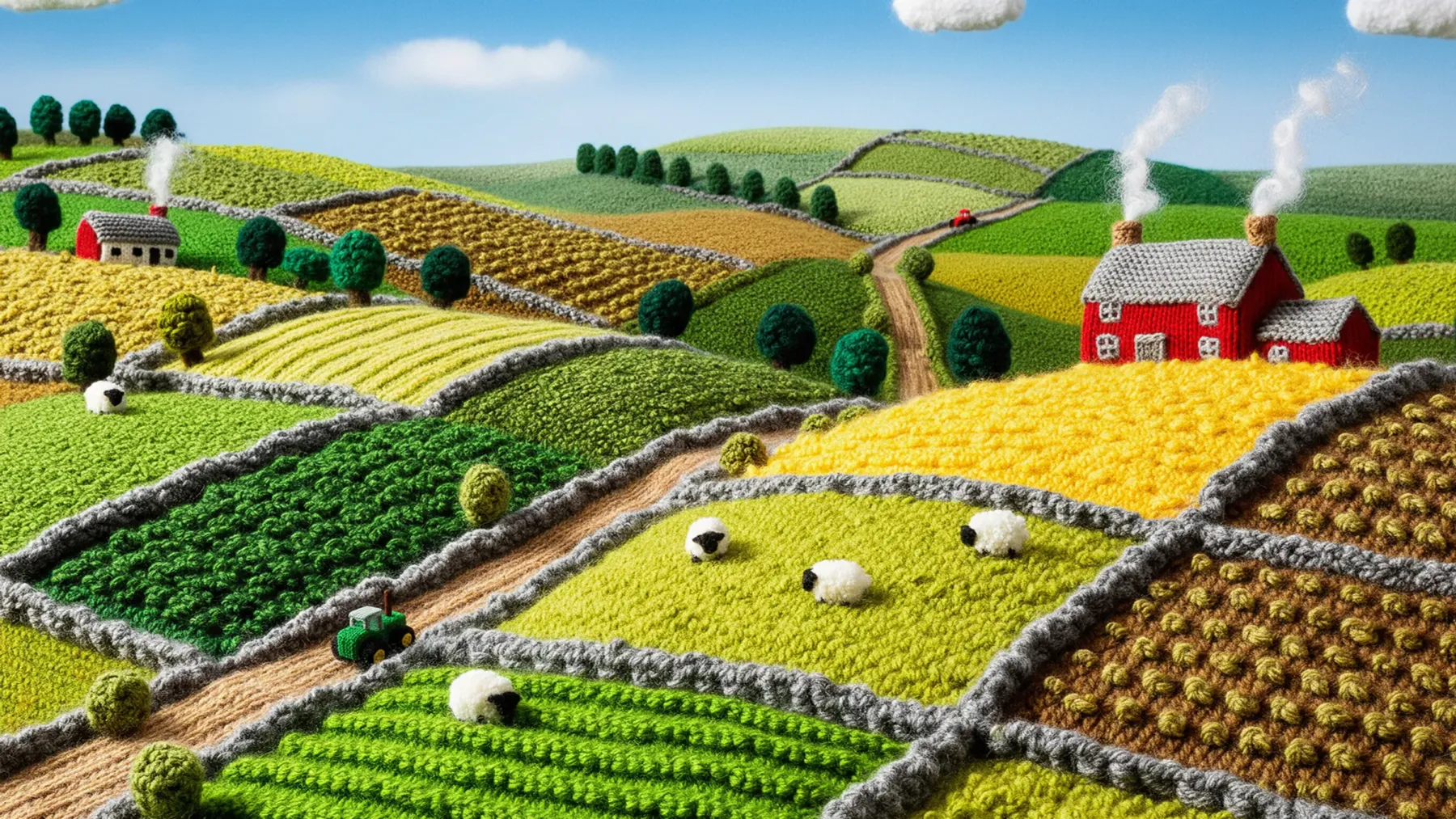 |
| Prompt: Extreme macro photograph capturing the breathtaking iridescence of a Blue Morpho butterfly wing, emphasizing abstract beauty and intricate structural marvel. [truncated] |  |
| Prompt: A horizontally oriented rectangular stamp features the Mission District's vibrant culture, portrayed in shades of warm terracotta orange [truncated] | 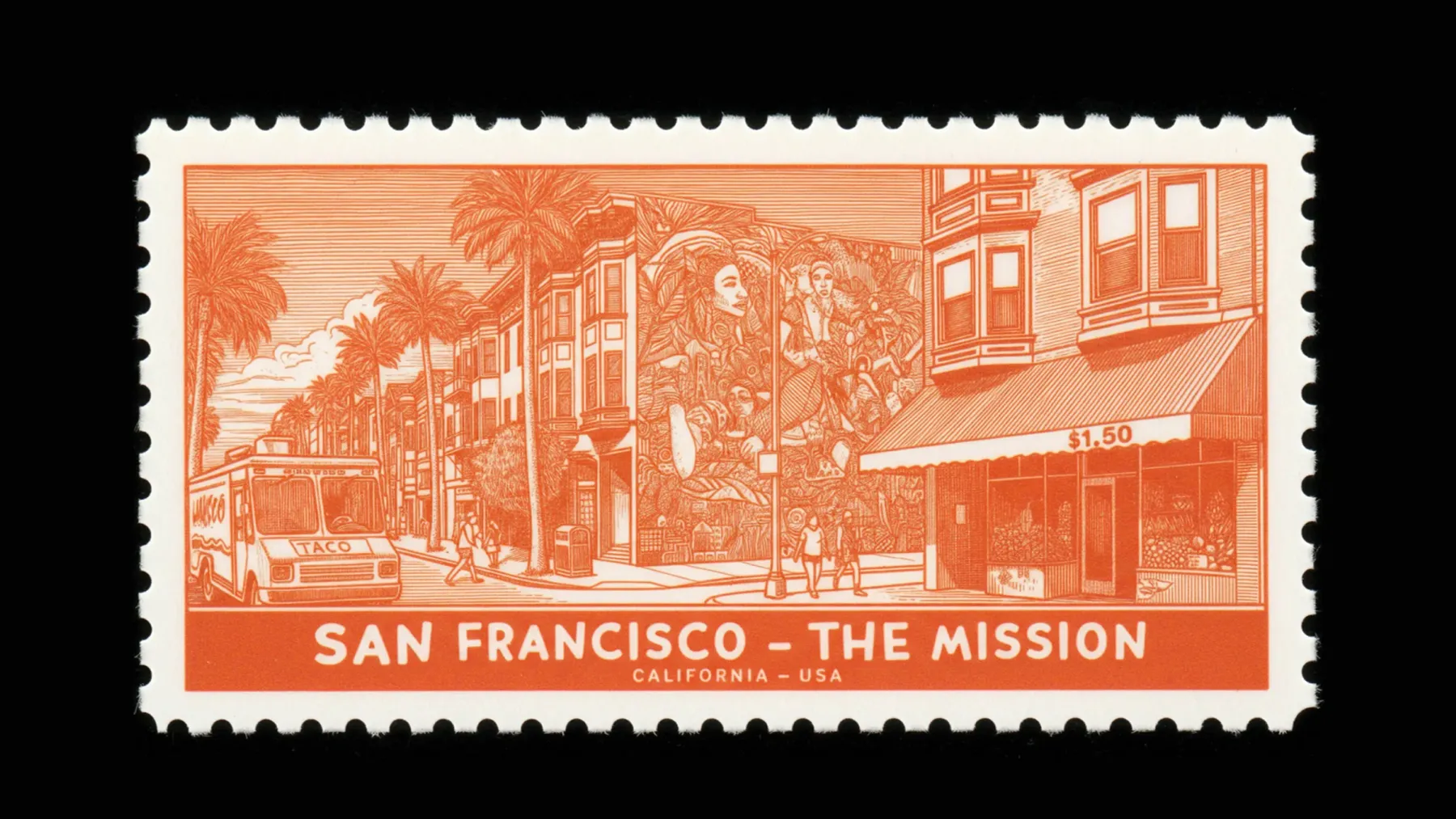 |
Input
The Actor takes a single required field:
- prompt — a text description of the image you want to generate. Be as descriptive as possible — include style, mood, lighting, composition, and subject details for best results.
Output
The generated image is stored in the Actor's default key-value store under the OUTPUT key and is also pushed to the dataset with the prompt and a public image URL.
Why run Imagen 4 on Apify?
Running Imagen 4 through Apify gives you much more than just an API wrapper — you get a full cloud platform around the model.
Scheduling — set up recurring image generation on any cron schedule. Automatically produce daily social media visuals, refresh product mockups every week, or generate batch content on a fixed cadence without writing any orchestration code.
Integrations — connect Imagen 4 to the tools you already use. Push generated images directly to Slack, Google Drive, Dropbox, email, or any webhook endpoint. Chain it with other Apify Actors to build end-to-end workflows — for example, scrape product descriptions and then auto-generate matching visuals.
API & SDKs — call this Actor programmatically from Python, JavaScript, or any HTTP client. Integrate image generation into your existing apps, pipelines, or internal tools in minutes. The Apify API handles queuing, retries, and result storage for you.
MCP Server — this Actor works with the Apify MCP Server, so you can call it directly from AI assistants like Claude, ChatGPT, or any MCP-compatible client. Just connect the server and ask your assistant to generate images — no code required.
Monitoring & storage — every run is logged with full input/output history. Generated images are persisted in Apify's key-value store and datasets, so you always have a reliable record and can retrieve or share results later.