

LoopNet + Crexi Scraper · CRE Listings · CoStar Alternative
Pricing
from $15.00 / 1,000 results
LoopNet + Crexi Scraper · CRE Listings · CoStar Alternative
LoopNet + Crexi scraper for CRE listings. Normalizes cap rates, deduplicates cross-platform, and returns broker names/companies plus phone/email when public. Days-on-market included when source-available. $5 per 1K results.
Pricing
from $15.00 / 1,000 results
Rating
5.0
(1)
Developer

KazKN
Maintained by CommunityActor stats
2
Bookmarked
249
Total users
47
Monthly active users
20 hours
Issues response
2 days ago
Last modified
Categories
Share
LoopNet + Crexi Scraper for Commercial Real Estate Listings & Broker Leads
Search LoopNet and Crexi in one run. Turn public commercial real estate listings into one normalized, deduplicated dataset with pricing, property details, cap-rate intelligence, days on market when available, and public broker information when discoverable.
Two search modes. Search manually by U.S. market and filters, or paste one or more official LoopNet and Crexi search URLs from supported markets worldwide. URL mode automatically takes priority over the manual fields.
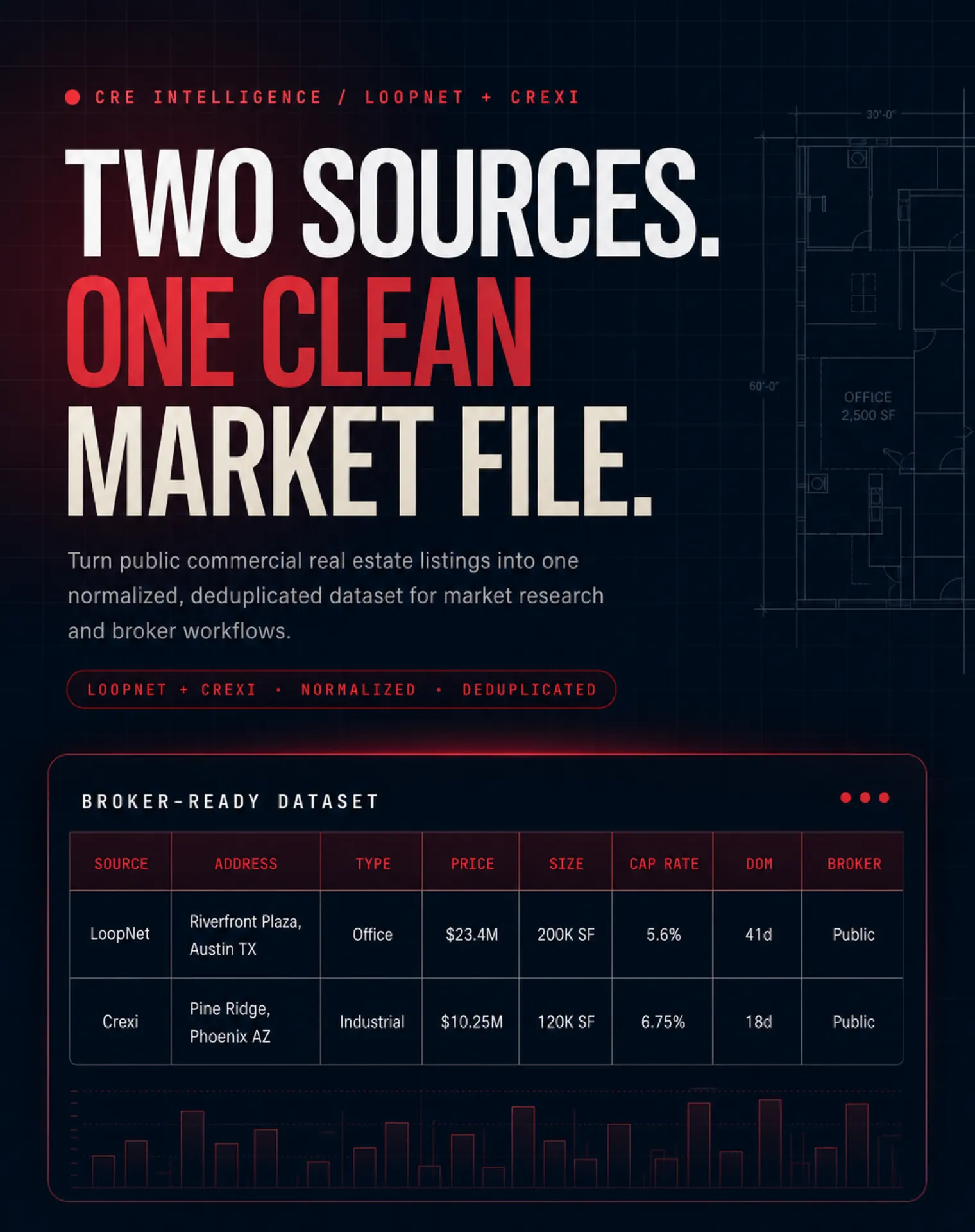
Built for broker workflows. Search two major CRE platforms, normalize their fields, remove cross-platform duplicates, and export the resulting market file to CSV, Excel, JSON, Google Sheets, a CRM, or your own API workflow.
| KazKN · Data intelligence suite • CRE listings, Crexi search, Vinted arbitrage, Shopify intelligence | |||
 CRE Intelligence CRE Intelligence➤ You are here |
 Crexi Scraper Crexi ScraperSale + lease · market or URL |
 Vinted Smart Scraper Vinted Smart ScraperArbitrage across 26 markets |
 Shopify Apps Spy Shopify Apps SpyProducts, reviews + installed apps |
Copy to your AI assistant
Best for: CRE broker leads, market scans, acquisition lists, cap rate data API workflows, broker contact scraper workflows, CSV exports, Google Sheets, CRM enrichment, and daily monitoring.
Explore on Apify: Run Actor · Input · Output · Pricing · API · Examples · Support
Video Tutorial — See It in Action
Watch the full demo — from LoopNet + Crexi search to one clean commercial real estate dataset in about 2 minutes.
API examples, GitHub repo, and workflows
Need to run this actor from Python, Node.js, cURL, Google Sheets, a CRM, or a daily monitoring job?
Use the public GitHub resource hub:


The repo includes:
- Python, Node.js, and cURL examples
- Google Sheets-ready export workflow
- broker lead review workflow
- daily CRE deal-flow monitoring example
- sample JSON and CSV output
- guides for deduplicating LoopNet + Crexi listings and building a clean market file
Start here: LoopNet + Crexi Listings API examples
What this actor does
| Need | What you get |
|---|---|
| LoopNet scraper | Public LoopNet commercial real estate listings with normalized output |
| Crexi scraper | Public Crexi listings in the same dataset format |
| Commercial real estate API | Structured rows you can export as CSV, Excel, JSON, or connect to workflows |
| Commercial real estate listings scraper | Search by city, state, asset class, price, cap rate, square footage, and more |
| CoStar alternative | Pay-per-result public listing intelligence for teams that do not need a heavy enterprise UI |
| CRE broker leads | Broker names, companies, and public phone/email when discoverable from source/detail pages |
| Cap rate data API | Source-listed cap rate or a comparable rate calculated from source-declared NOI and asking price |
| Days on market commercial real estate | Days-on-market values when the source exposes a usable listing date |
| Broker contact scraper | Broker contact fields separated into clean columns for outreach review |
Why brokers use it
Brokers and acquisition teams often live between two tabs: LoopNet and Crexi. They search one market, repeat the search on the other platform, copy listings, clean duplicates, compare cap rates, hunt for days on market, and rebuild the same spreadsheet again.
This actor turns that workflow into one Apify run:
- Choose a market such as Austin, Dallas, Phoenix, Miami, Chicago, Los Angeles, or New York.
- Select LoopNet, Crexi, or both.
- Pick asset classes and filters.
- Run the actor.
- Export one clean dataset for Google Sheets, Excel, a CRM, a data warehouse, or underwriting.
Output
Results are stored in the run's default Apify Dataset. Review the Output schema, download results as JSON, CSV, Excel, XML, or RSS, or access the dataset through the Apify API and integrations.
Output example
Input
Open the Input tab and choose one mode. Use manual mode for a new US market search, or URL mode when you already configured filters on LoopNet or Crexi. When at least one supported URL is supplied, URL mode takes priority and manual search fields are ignored.
The Console starts with Dallas, TX, and 100 results per source. These are
interface prefills: API calls that omit maxResultsPerSource keep the
backward-compatible default of 30. URL mode remains capped at 200 results
per source.
Manual search input
City and state example
State-only example
Two-letter codes, English state names, and common French state names such as
Géorgie are normalized automatically. A city or county is optional and narrows
the statewide search when supplied.
Daily monitoring example
Run on an Apify schedule. The actor maintains an internal snapshot per query and emits only listings not seen in previous runs.
URL search input
Crexi search URLs are scraped as supplied, including URLs containing placeIds. No Google Places API key is required. Crexi uses its public API or native browser path only; Bright Data is reserved for LoopNet. URL mode accepts crexi.com and all five official LoopNet marketplaces (loopnet.com, loopnet.ca, loopnet.co.uk, loopnet.fr, and loopnet.es), including any country or location those source pages actually expose. A Crexi URL runs Crexi only; a LoopNet URL runs LoopNet only. To run both sources, provide URLs from each platform. You can provide more than ten URLs; duplicates are removed and URL task allocation is bounded by the selected result cap. When at least one supported URL is supplied, form fields and sourcesEnabled are ignored: the recognized URLs determine the platforms and their criteria. URL mode is capped at 200 results per source.
For international URL results, country uses an ISO country code and currency preserves the source currency. Non-USD prices and rents keep their source display and are never labeled as USD without a proven currency conversion.
URL mode supports the most common LoopNet and Crexi filters. Some advanced filters may not be fully reproduced. In those cases, the Actor applies every supported criterion and returns the closest available listings from the same source, so results may be broader than the original page.
The Actor keeps the platform, marketplace, transaction type, location/path, asset class, and supported numeric filters. It relaxes only valid advanced criteria that cannot be reproduced or verified, and marks that run as partial. Malformed, contradictory, unsafe, redirected, or credential-bearing URLs still fail closed; a source outage is not disguised as a successful search.
When URLs from both platforms are supplied, the healthy source can fill a proven natural shortage from the other source. Technical failures, timeouts, and lost filter context are never hidden by cross-source compensation.
| Input supplied | Crexi | LoopNet |
|---|---|---|
| Crexi URL only | Scrapes the supplied Crexi search; unsupported advanced filters can produce broader same-source results | Not started |
| LoopNet URL only | Not started | Scrapes the supplied LoopNet search; after a zero-row exact attempt, unsupported advanced filters can produce broader same-source results |
| Crexi URL + LoopNet URL | Scrapes its own URL | Scrapes its own URL |
| Crexi URL + City + State | Scrapes the exact Crexi URL | Does not run |
| State only | Uses a statewide form search | Uses a statewide form search |
| City + State only | Uses a form search | Uses a form search |
sourcesEnabled is an allow-list only in form mode. Direct LoopNet and Crexi URLs select their matching source in URL mode, even if a stale saved form selection says otherwise.
In form mode, explicit numeric filters are applied to the final normalized rows. In URL mode, decoded and supported criteria are applied before quota. When a valid advanced criterion cannot be reproduced, it can be relaxed under the best-effort policy above without changing the source. If a comparable value required by a supported decoded filter is unavailable or non-finite, that row is excluded. Lease price filters compare an annual lease amount.
Configuration options
| Input field | Purpose | Default or rule |
|---|---|---|
state | US state for manual mode; a state alone runs a statewide search | Prefilled with TX in the Console example only |
city | Optional city or county that narrows a manual statewide search | Prefilled with Dallas in the Console example only |
sourcesEnabled | Select LoopNet, Crexi, or both in manual mode | Both sources |
transactionTypes | Search sale listings, lease listings, or both | Sale |
assetClasses | Filter office, retail, industrial, multifamily, land, hotel, mixed-use, or specialty | All classes |
maxResultsPerSource | Maximum result target for each selected source | Console prefill: 100; omitted API value: 30; URL cap: 200 per source |
startUrls | One or more official LoopNet or Crexi search/listing URLs | Empty; when supplied, URL mode overrides manual fields |
includeListingDetails | Request public broker contacts and richer listing details | false; slower and billed per enriched row |
priceMin, priceMax | Filter asking price or annualized lease rent in manual mode | Optional |
capRateMin, capRateMax | Filter normalized cap rate | Optional |
buildingSizeMin, buildingSizeMax | Filter building square footage | Optional |
deduplicate | Merge likely cross-platform duplicates | true |
monitoringMode | Return only newly observed listings for the same search | false |
For every available field, accepted value, and tooltip, use the Actor's Input tab. Advanced proxy and concurrency settings should normally remain unchanged.
Key features
- LoopNet + Crexi aggregation: search both sources in one run.
- Cross-platform deduplication: output one primary record and mark
also_listed_onwhen the same property appears elsewhere. - Cap-rate normalization: use a source-listed rate or calculate a comparable rate from source-declared NOI and asking price.
- Source-declared NOI: expose public NOI from the source without presenting model-only estimates as facts.
- Days on market: include
days_on_marketwhen a usable listing date is exposed. - Broker contact fields: broker name, company, public phone, and public email when discoverable from the listing source or public detail page.
- Spreadsheet-friendly output: export to CSV, Excel, JSON, Google Sheets, CRM, Zapier, Make, or your own database.
- Broker-ready calculated fields: market, unified price/rent, estimated annual/monthly rent, rent per sqft/year, lot acres, price per unit, and cross-listed flags.
- Output sorting: sort the export by building size, asking amount, or days-on-market before it reaches your spreadsheet.
- Monitoring mode: run daily or weekly to detect new public listings in target markets, with change columns like
change_type,first_seen_at, andchange_detected_at. - Dataset views: output columns are organized for overview, financial review, and broker contacts.
The intelligence layer
Cap-rate normalization
Commercial real estate listing data is inconsistent. Some listings declare NOI, some declare cap rate, some expose only asking price, and some expose neither. This actor adds a cap-rate intelligence layer so your team can compare listings more quickly.
| Source data | Action | Output |
|---|---|---|
| NOI and price declared | Calculate cap rate as NOI / price x 100 | Comparable cap_rate |
| Cap rate declared | Pass through the source-listed value | Listed cap_rate |
| Only a model estimate is possible | Do not publish the estimate as a fact | cap_rate: "not public" |
| No usable source fact | Mark cap rate as unavailable instead of leaving an ambiguous blank | cap_rate: "not public" |
This makes the actor useful as a cap rate data API for underwriting preparation, market scans, and broker lead triage. The public export returns one normalized cap_rate field. Model-only estimates are not exposed in the public dataset. Verify calculated values against the source before making investment decisions.
Days-on-market commercial real estate data
When LoopNet or Crexi exposes a usable listing date, the actor calculates days_on_market. This helps brokers and investors identify stale listings, recently added deals, and markets where inventory is sitting longer than expected.
Cross-platform deduplication
The same property can appear on LoopNet and Crexi. The actor groups matching listings, picks the most complete record as the primary row, and marks the other platform in also_listed_on.
Example:
This is the difference between a raw scraper and a dataset your team can actually scan.
Who this is for
| Persona | Use case |
|---|---|
| CRE brokers | Build CRE broker leads and outreach lists from public listings |
| Investment sales teams | Monitor new listings by market, asset class, and price range |
| Acquisition teams | Export LoopNet + Crexi data into underwriting workflows |
| REITs and family offices | Track markets weekly without manual copy-paste |
| Lenders and appraisers | Review days-on-market and asking-price signals |
| Data teams | Use Apify as a commercial real estate API feeding sheets, CRM, or warehouse tables |
| Lead generation teams | Use broker contact scraper fields where public contact data is discoverable |
Try LoopNet and Crexi scraping for free
Apify's Free plan includes $5 in monthly credits, with no credit card required. Use them to test a small LoopNet search, Crexi search, or combined LoopNet + Crexi market file. Standard usage-based pricing applies after your credits are used.
Pricing
Pay-per-event on Apify Store. The price varies by Apify plan, and higher plans receive lower unit prices.
| Event | Price from | When |
|---|---|---|
| Actor start | From $0.05 / run | Once per scrape job |
| Result | From $5.00 per 1,000 results | Each unique listing returned |
| Listing detail enrichment | From $5.00 per 1,000 enriched listings | Only when includeListingDetails: true and the row is actually enriched |
| Monitoring mode | From $0.001 / enabled run | Only when monitoringMode: true |
For the lowest cost bulk export, keep includeListingDetails disabled. Enable detail enrichment only when public broker phone/email and richer listing detail are worth the extra per-row charge. Always check the live Pricing tab for the exact price attached to your plan.
Scheduled monitoring with Apify Tasks
The actor can already be scheduled through Apify Tasks. A typical workflow is:
- Create a task for one market, for example Miami retail listings.
- Enable
monitoringModefor new-listing alerts. - Set a daily, twice-weekly, or weekly schedule in Apify.
- Export the dataset to CSV/API/Google Sheets, or connect it to a CRM or warehouse.
Monitoring runs keep an internal snapshot for the same search criteria, then return only the delta on later runs.
Output field reference
Each dataset row includes the fields most CRE teams need for scanning, filtering, underwriting, and outreach:
Tips for reliable runs
- The Console starts at 100 results per source. Lower the value only when you want a quicker connectivity check.
- Keep
includeListingDetailsdisabled for the fastest bulk export. Enable it only when public broker/contact details are needed. - In manual mode, provide one US state and optionally one city or county. Do not combine several states or cities in one field.
- In URL mode, paste complete official source URLs and keep their query parameters. The Actor preserves source filters and ignores manual search fields.
- URL mode applies supported filters first. If an advanced source filter cannot be reproduced, the run can be marked partial and return the closest listings from that same platform.
- A requested maximum is a target, not permission to switch platforms or ignore supported filters. A smaller complete dataset can mean the source has less qualifying inventory.
- LoopNet availability can vary because the site may block upstream transports. Crexi is collected directly and does not use Bright Data or a Google Places API key.
Troubleshooting
The Actor returned fewer results than requested
Check the run summary and the source page. The Actor returns fewer rows when matching unique inventory is genuinely smaller, when rows fail a supported explicit filter, or when a source reports a technical limitation. A partial URL run can contain broader same-source results if an advanced filter was relaxed.
My URL results do not match the manual fields
This is expected. URL mode and manual mode cannot be combined. When startUrls contains a supported LoopNet or Crexi URL, the URLs determine the sources, locations, transaction types, and filters; manual search fields are ignored.
A LoopNet URL returned no rows or a technical failure
Keep the complete official URL, including parameters such as sk. The Actor first attempts the supplied LoopNet context. If that attempt produces no proven rows and the URL contains valid criteria that cannot be verified, it may retry the same LoopNet marketplace with only those advanced criteria relaxed. Redirects, malformed URLs, and source availability failures remain visible.
Broker phone or email is missing
Enable includeListingDetails. Contact fields are still returned only when the source or public detail page exposes them. The Actor does not invent gated or private contact data.
The run exceeded five minutes
Reduce maxResultsPerSource, disable detail enrichment, or split very large manual searches into separate markets. For the quickest connectivity check, temporarily lower the Console prefill of 100.
FAQ
Is this a LoopNet scraper?
Yes. It extracts public LoopNet commercial real estate listings and returns structured fields such as address, asset class, price, square footage, cap rate data, days on market when available, and broker details when publicly exposed.
Is this a Crexi scraper?
Yes. It extracts public Crexi listings and normalizes them into the same schema as LoopNet so both sources can be reviewed in one dataset.
Is this a commercial real estate API?
It can be used like a commercial real estate API through Apify. You can run the actor via API, schedule it, export datasets, connect webhooks, and send results to Google Sheets, Zapier, Make, a CRM, or your own backend.
Is it a CoStar alternative?
It is a lightweight CoStar alternative for public on-market listing workflows, especially for SMB brokers and acquisition teams that want pay-per-result data exports. It is not a replacement for every enterprise CoStar feature or private/off-market database.
Does it include broker contacts?
The actor includes broker names and companies when available. Public phone numbers and emails are included when they are discoverable from the source listing or public detail page. If the source gates the contact behind login or does not publish it, the CSV keeps the broker columns and marks the contact status as not publicly discoverable.
Can I use it for CRE broker leads?
Yes. Many users run it as a CRE broker leads workflow: filter a market, export listings, review broker contact fields, deduplicate properties, and send clean rows into a CRM.
Does it calculate days on market?
Yes, when the source exposes a usable listing date. The actor includes days_on_market to make the value easy to sort and filter.
How does it handle cap rate and NOI?
The actor exposes source-listed cap rate, source-declared NOI, and a comparable cap rate calculated from source-declared NOI and asking price when possible. Model-only estimates are not exposed in the public dataset, and unavailable values remain explicit.
Does it deduplicate LoopNet and Crexi listings?
Yes. The actor groups likely matching properties and marks cross-platform duplicates with also_listed_on, so your team does not chase the same deal twice.
Can I run it on a schedule?
Yes. Use Apify Scheduler with monitoringMode: true for daily or weekly new-listing monitoring.
Which markets are supported?
Manual city/state search remains designed for US markets. URL mode follows the exact market in the pasted source page: crexi.com plus LoopNet's five official marketplaces (loopnet.com, loopnet.ca, loopnet.co.uk, loopnet.fr, and loopnet.es). This covers every country or location the source actually exposes through those pages; unofficial look-alike domains are rejected rather than scraped as LoopNet.
Technical notes
- Stack: Apify SDK v3, Crawlee v3, TypeScript, Node.js
- Sources: public LoopNet and Crexi listing data
- Output: Apify Dataset with CSV, Excel, JSON, API, and integrations
- Anti-blocking: Apify proxy support
- Best use: public on-market listing intelligence, not private off-market ownership data
Support
Open an issue on Apify for bugs, feature requests, additional fields, custom exports, or market-specific improvements.
If this Actor helped your workflow, an honest Apify review helps other CRE teams evaluate it and helps prioritize maintenance.
Built for commercial real estate teams that want cleaner LoopNet and Crexi data without rebuilding the same spreadsheet every morning.


![LoopNet US + UK + Realla [$1.5💰] Commercial Property Scraper avatar](https://images.apifyusercontent.com/OWa9kJL7gqsCWnKo6lZR80k_riG91PzwIe70jgZCt_s/rs:fill:76:76/cb:1/aHR0cHM6Ly9hcGlmeS1pbWFnZS11cGxvYWRzLXByb2QuczMudXMtZWFzdC0xLmFtYXpvbmF3cy5jb20vbmduOHZSRVNUa3NleVdFNnAtYWN0b3ItMFpDUU9OeEIzQmR5T3pyYkQtSmVPT0FKRE5idS1sb29wbmV0LmpwZw.webp)


![Crexi [$1.9💰] Scraper: Properties, Brokers & Instant Database avatar](https://images.apifyusercontent.com/zeR420eFYAaJR8jAo1W4pZ9q840EwX0iS_tVwkQGDzI/rs:fill:76:76/cb:1/aHR0cHM6Ly9hcGlmeS1pbWFnZS11cGxvYWRzLXByb2QuczMudXMtZWFzdC0xLmFtYXpvbmF3cy5jb20vbmduOHZSRVNUa3NleVdFNnAtYWN0b3ItUkZIS0libjFOclpiRVlCTEMtSk5xTUtUYmlaQy1jcmV4aS53ZWJw.webp)


![Propwire.com [From $0.75💰] Leads Scraper avatar](https://images.apifyusercontent.com/ZZSQ1ll9ImN8tFhsh9Ez_b0IpvwSdTF1eanxr1yCsvw/rs:fill:76:76/cb:1/aHR0cHM6Ly9hcGlmeS1pbWFnZS11cGxvYWRzLXByb2QuczMudXMtZWFzdC0xLmFtYXpvbmF3cy5jb20vbmduOHZSRVNUa3NleVdFNnAtYWN0b3ItVkVmYk5XR3RBZHc4Z2s0TG4tVWlsbEJBZWtPeC1wcm9wd2lyZS5qcGVn.webp)


