

Threads Scraper — Search, Posts, Replies & Profiles
Pricing
from $1.40 / 1,000 posts
Threads Scraper — Search, Posts, Replies & Profiles
Threads scraper and Threads API alternative: scrape Meta Threads posts, replies, reposts, profiles, and keyword or hashtag search without a login. Threads data arrives as flat rows with engagement, media and links. Export it, run via API, schedule runs, or call it from an AI agent.
Pricing
from $1.40 / 1,000 posts
Rating
4.9
(13)
Developer

Matvey
Maintained by CommunityActor stats
0
Bookmarked
47
Total users
29
Monthly active users
2 days ago
Last modified
Categories
Share
Threads Scraper turns Meta's Threads into clean rows without a login: keyword and hashtag search with language, engagement and date filters, an account's posts, replies and reposts as far back as you want, whole threads with their replies, profiles with follower count, bio links and contacts, and account discovery by keyword. Every post carries text, time, author, likes, replies, reposts, quotes, shares, media URLs, links, mentions, hashtags, the quoted or reposted post and the reply context. One post is billed once, error rows are free, there is no start fee — $2 per 1,000 posts, and the number of rows you asked for is the number you get.

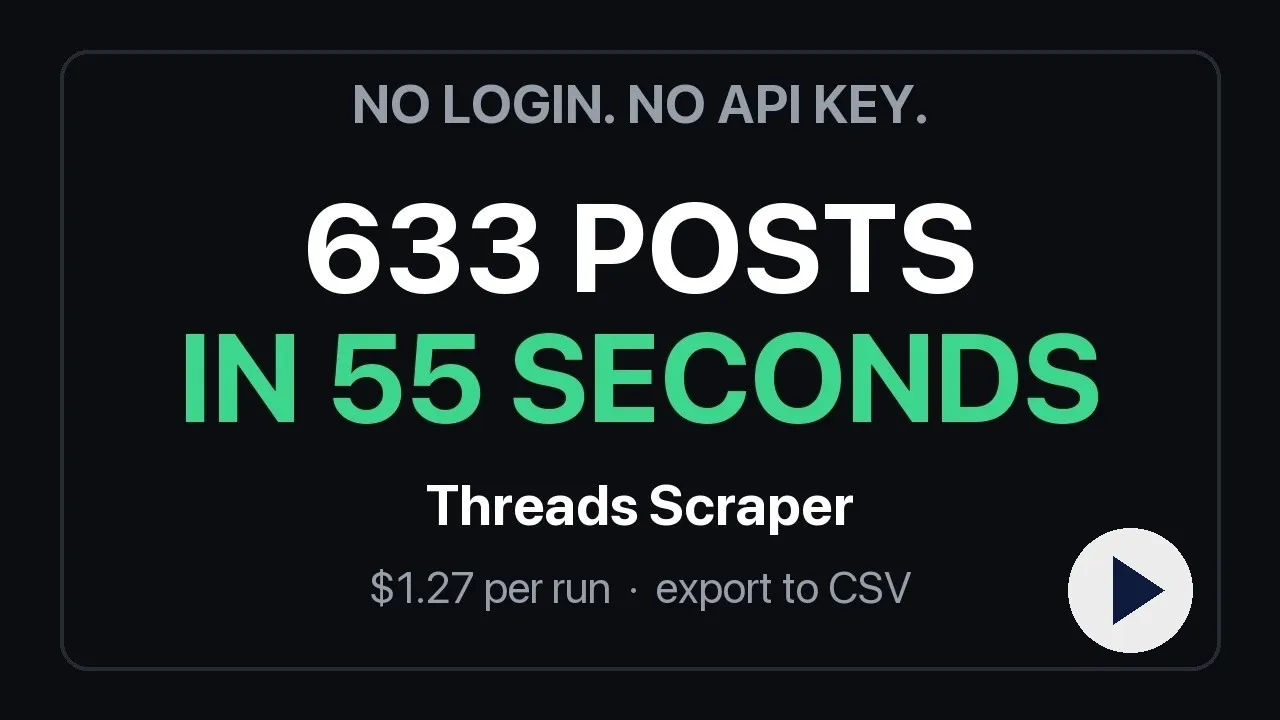
One run, start to finish: three accounts in, 633 rows out in 55 seconds for $1.27. Watch the 47-second demo.
Paste usernames, keywords or URLs, click Start, and download JSON, CSV or Excel — or pull the rows through the Apify API into Google Sheets, n8n, Make, Zapier, a database or an AI agent.
What is Threads Scraper?
Threads has an official API only for your own account. This Actor is a Threads API alternative for everyone who needs the network as data rather than as a feed: social listening and brand monitoring, creator and competitor research, lead generation from bios, trend and sentiment analysis, archiving, academic research, and AI agents asked "what is this account posting" or "what are people saying about X". It reads the public pages Threads serves to any visitor, so it works for any public account and any public post, needs no account, no cookies and no proxy of your own, and can never get an account of yours blocked.
Seven modes, one row shape:
| Mode | You give | You get |
|---|---|---|
| Search | keywords, #hashtags | public posts from the top, recent and tag result pages, expanded across wordings and deduplicated, then filtered by keyword, language, likes, replies, views and date |
| Posts | usernames | the account's own posts, paged through the whole profile (hundreds or thousands), optionally within a date window |
| Replies | usernames | replies the account wrote, each with the post it answered |
| Reposts | usernames | posts the account reposted |
| Thread | post URLs | the post with its self-thread and its replies, each reply linked to the parent |
| Profile | usernames | followers, full name, bio, bio links, e-mails and phones found in the bio, verification, latest post |
| Accounts | keywords | people and brands matching a keyword, optionally with full profile details |
What other Threads scrapers get wrong — and what this one does instead
The reviews and issue trackers of the popular Threads scrapers on Apify repeat the same seven complaints. Each one is a design decision here.
| Complaint on other actors | Threads Scraper |
|---|---|
| "Search returns a ton of non-English content with 0 engagement — fairly useless" | languages, minLikes, minReplies, minViews filters; every row carries languageGuess and containsKeyword |
| "Many posts don't contain the keyword I entered" | strictKeywordMatch keeps only posts whose text or hashtags contain your keyword |
| "Duplicated results", "same post returned and billed multiple times" | Posts are deduplicated by id inside a run; Monitoring mode deduplicates across runs. One post, one charge |
| "Only got 25 results", "maxItems not honored" | Query expansion collects several result pages per keyword (3–4× more unique posts, measured); maxPosts and maxItems are hard caps |
| "No date range filter", "so much duplication to deal with on repeated runs" | postedAfter / postedBefore window, plus Monitoring mode that returns only posts never delivered before |
| "view_count, reply_count, repost_count always 0", "is_reply always false", "no link to the thread" | url, stable numeric userId, isReply, replyToUserId, parentPostId, replyCount, repostCount, quoteCount, shareCount on every row; viewCount when Threads shows it (see limits) |
| "150 failed runs at $0.02 each for profiles that don't exist", "expensive", start fees | No start fee. A profile that does not exist is a free error row. $2 per 1,000 posts against $2.50–5 plus $0.02–0.05 per run elsewhere |
What data does Threads Scraper extract?
Post rows
| Field | Example |
|---|---|
id, code, url | 3977518562965884838 · Dcy_A8pGo-m · https://www.threads.net/@zuck/post/Dcy_A8pGo-m |
text, language, languageGuess | "Muse Spark 1.3 is rolling out today…" · en · en |
createdAt, timestamp | 2026-09-02T19:26:23.000Z · 1788377183 |
username, userId, fullName, isVerified, profilePicUrl, profileUrl | zuck · 63055343223 · Mark Zuckerberg · true · … |
likeCount, replyCount, repostCount, quoteCount, shareCount, viewCount | 1453 · 196 · 148 · 28 · 78 · null |
mediaType, imageUrl, videoUrl, images[], videos[], hasAudio, accessibilityCaption | carousel · … · [{url,width,height,alt}] · [{url,thumbnail,hasAudio}] |
hashtags, mentions, urls, linkPreview | ["ai"] · ["natgeo"] · ["https://…"] · {url, displayUrl, title, imageUrl, faviconUrl} |
isReply, replyToUsername, replyToUserId, rootPostUsername, replyControl | true · zuck · 63055343223 · everyone |
isQuote, quotedPost, isRepost, repostedPost, repostedBy | {code, username, url, text, likeCount} |
isPinned, isEdited, isPaidPartnership, isSpoiler, likesHidden, location | booleans · place name |
threadId, positionInThread, threadLength | a multi-post thread keeps its order |
containsKeyword, searchVariant, query, source | true · #aiagents · AI agents · search-top / search-recent / search-tag / posts / thread / reply / replies / reply-context / reposts |
sourceUsername, parentPostId, parentPostUrl | which input produced the row; the post a reply answers |
Profile and account rows
username, userId, fullName, biography, bioLinks, websiteUrl, emails, phones (extracted from the bio), followerCount, isVerified, isPrivate, profilePicUrl (HD), profileUrl, instagramUrl, latestPostAt, latestPostUrl, latestPostText (Profile mode), query (Accounts mode).
Every row has type (post, profile, user or error) and scrapedAt. An account or post that cannot be read arrives as an error row with the reason — profile not found, post not found or unavailable, rate limit — never as a silently missing item, and never on the bill.
How much does it cost to scrape Threads?
Pay per row, no subscription, no start fee, no charge for errors:
| Row | Price | For |
|---|---|---|
| Post | $0.002 — 1,000 posts for $2 | every post row in every mode, replies included |
| Profile | $0.004 | Profile mode, includeProfile, Accounts mode with details |
| Account match | $0.002 | Accounts mode without details |
There is no browser in this Actor, so platform usage is close to zero: an account's last 1,000 posts cost $2 and about 40 requests; 359 filtered search posts cost $0.72 and 55 seconds. On the Apify free plan ($5 of credit a month) that is about 2,500 posts every month for free. Paid Apify plans get 10–30 % off the row price.
For comparison, on 14 September 2026 the five most-used Threads scrapers on Apify charged $2.50, $5.00, $20.00, $5.00 and $2.50 per 1,000 posts — four of them with a $0.02 fee per run on top, so a scheduled hourly watch pays the fee 720 times a month before it collects a single post. Set Maximum items and a run can never cost more than that number × $0.002.
How to scrape Threads with Threads Scraper
- Pick a mode — Search for keywords and hashtags; Posts, Replies, Reposts or Profile for accounts; Thread for a post URL; Accounts to find people.
- Paste inputs — usernames (
zuck,@natgeoor the profile URL), keywords (AI agents,#nba), or post URLs. Any Threads URL also works in Start URLs and is routed to the right mode. - Set the cap —
maxPostsper username or keyword,maxItemsfor the whole run. Both are exact. - Add filters if you need them — languages, minimum likes / replies / views, a date window,
strictKeywordMatchfor search. - Start. Rows appear in the dataset as they are collected; download them as JSON, CSV, Excel or HTML, or read them through the API.
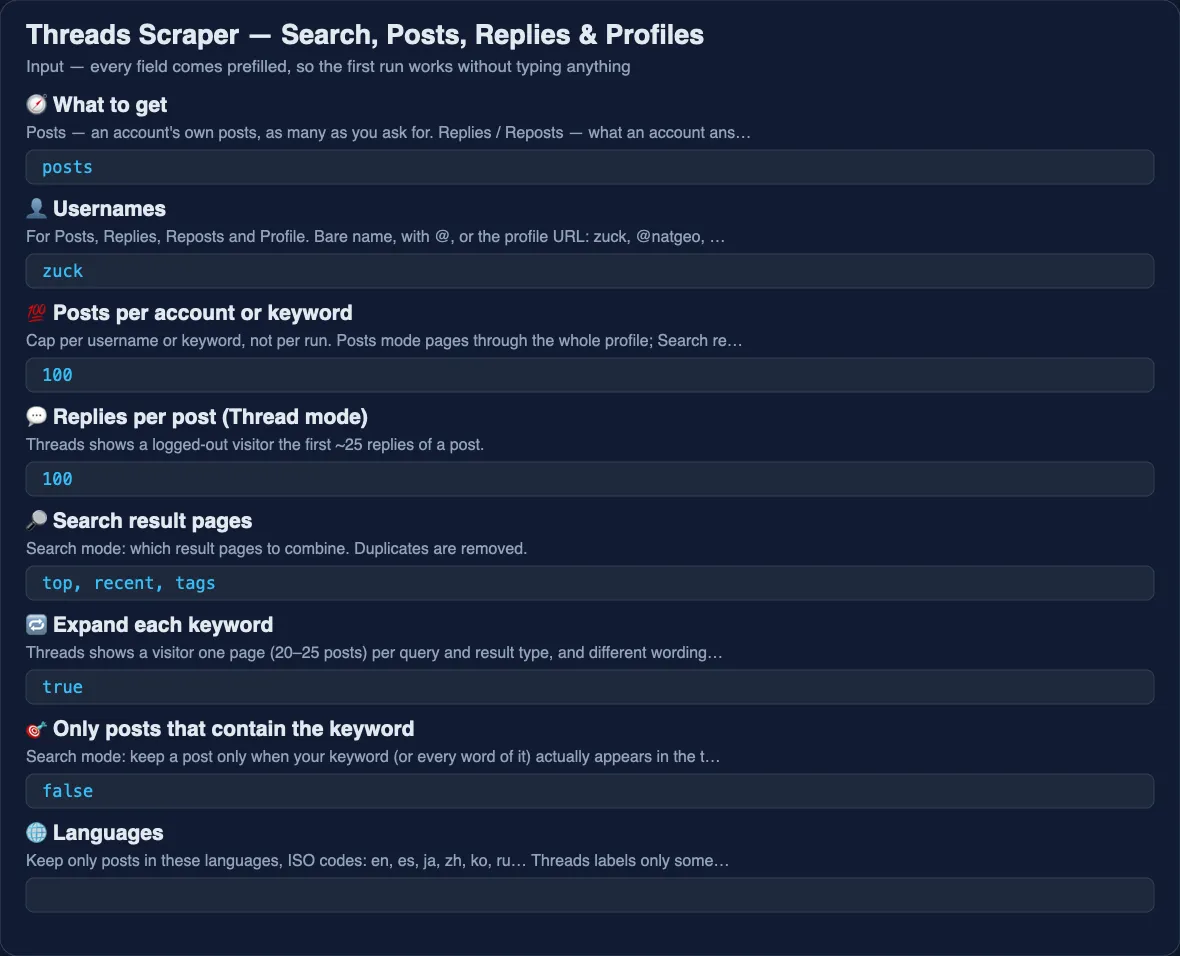
⬇️ Input
The last 200 posts of two accounts, with their profiles:
Brand monitoring done properly — English posts that actually mention the brand and have at least one like, several pages per keyword:
The same watch on a daily schedule, returning only what is new since the last run:
A post with its replies:
Posts from a quarter, about one topic:
Find accounts and their contacts:
Every input field
| Field | Type | What it does |
|---|---|---|
mode | posts · replies · reposts · profile · search · thread · users | Which job to run |
usernames | list | Accounts for Posts, Replies, Reposts and Profile — bare name, with @, or profile URL |
keywords | list | Words or #hashtags for Search and Accounts |
postUrls | list | Post URLs for Thread mode (/post/… and /post/…/media both work) |
startUrls | list | Any Threads URLs — profile, post, search or tag — routed automatically |
maxPosts | number | Cap per username or keyword |
maxRepliesPerPost | number | Thread mode: replies per post |
searchTypes | top · recent · tags | Which result pages to combine |
expandQueries | boolean | Also search singular/plural, with and without the hash, and the joined hashtag form (default on) |
postedAfter, postedBefore | YYYY-MM-DD | Date window; Posts mode stops paging once it passes the older bound |
filterKeywords | list | Keep a post only when it contains any of these words |
strictKeywordMatch | boolean | Search: keep only posts that contain the keyword (or every word of it) |
languages | list | ISO codes: en, es, ja, zh, ko, ru… Threads' own label, else a guess from the script of the text |
minLikes, minReplies, minViews | number | Engagement floors |
includeProfile | boolean | Posts / Replies / Reposts: also save the account's profile row |
includeProfileDetails | boolean | Accounts: open each profile for followers, bio links and contacts |
maxUsersPerKeyword | number | Accounts mode cap |
maxItems | number | Hard cap on rows for the whole run — your cost cap |
monitoringStoreName | text | Name a watch; later runs with the same name return only posts never delivered before |
concurrency | number | Accounts or keywords processed at once |
proxyConfiguration | proxy | Apify datacenter proxy by default; switch to Residential if you ever see rate-limit error rows |
⬆️ Output
A search row adds query ("AI agents"), searchVariant ("#aiagents"), containsKeyword (true) and source ("search-recent"). A reply from Thread mode adds parentPostId and parentPostUrl. A profile row:
Search on Threads: what a visitor can see, and how the Actor gets more
Threads shows a logged-out visitor exactly one page of 20–25 posts per query and result type — no cursor, no "load more", no date operators (since:, until: and lang: return nothing; checked 14 September 2026). Scrapers that promise thousands of search results either log in with an account — which is how accounts get blocked — or quietly return the same page again.
What Threads does allow is asking in more ways: "AI agents", "AI agent", "aiagents" and "#aiagents" return almost disjoint sets. With Expand each keyword on, every keyword is searched as singular and plural, with and without the hash and as a joined hashtag, across the top, recent and tag pages, and the results are deduplicated by post id. Measured on 14 September 2026: two keywords went from 106 posts (one page each) to 359 unique posts. searchVariant tells you which wording found each post.
What it still cannot do: reach a specific week of last year for a keyword. For that, use Posts mode on the accounts that matter with a date window, or run a Monitoring watch from now on.
Monitoring mode: a clean feed of new posts
Name a watch in monitoringStoreName and schedule the run. The first run delivers everything it finds; every later run with the same name returns only posts never delivered before — the ids are remembered in a named key-value store on your account. In a test, a second run five minutes after the first returned 3 new posts and skipped 30 already delivered. Nothing is repeated, nothing is billed twice, and a daily run becomes a change feed you can push into Slack, a sheet or a CRM.
Use cases for Threads data
Brand and competitor monitoring
Search your brand, your competitors and your category terms with strictKeywordMatch, languages: ["en"] and minLikes: 1, on a daily schedule with Monitoring mode. Each run is the list of new, relevant, engaged mentions — ready for a sentiment pass or a Slack digest.
Creator and influencer research
Posts mode on a list of creators gives their whole back catalogue with engagement per post; Profile mode adds follower counts and bio links. Sort by likeCount / followerCount to find the accounts whose audience actually reacts.
Lead generation
Accounts mode finds people and businesses by keyword; with includeProfileDetails each row carries bio links, e-mails and phones found in the bio, and the Instagram profile URL. Feed the domains into a contact scraper for the rest.
Trend and sentiment analysis
Hashtag search with expansion, languages for the market you care about, and the text, hashtags, likeCount and replyCount columns give a dataset an LLM can summarise; linkPreview shows which articles the network is sharing.
Reply and conversation analysis
Thread mode returns a post's replies with parentPostId, replyToUsername and positionInThread, so a conversation tree is one join away. Replies mode shows how an account talks to others.
AI agents and RAG
Every row is flat and carries url, userId and summary-ready text, and the Actor is available through the Apify MCP server, so an agent can search a topic, read the posts and follow up on the authors in one conversation.
Integrations and Threads API
- API —
POST https://api.apify.com/v2/acts/lergassy~threads-scraper/run-sync-get-dataset-items?token=…with the input JSON returns the rows directly; for longer runs start the run, wait forSUCCEEDED, then readdatasets/{id}/items?format=csv. - Python / JavaScript —
apify-client:client.actor("lergassy/threads-scraper").call(run_input={...}), thenclient.dataset(run["defaultDatasetId"]).list_items(). - Google Sheets — the Apify Google Sheets integration or the CSV export link; the rows are flat, and the few nested fields (
images,videos,quotedPost,linkPreview) arrive as JSON text. - n8n, Make, Zapier — use the Apify node or app, pick this Actor, paste an input JSON from above, map the dataset items downstream. Set
maxItemsso a big watch never overflows a scenario. - Webhooks and schedules — an
ACTOR.RUN.SUCCEEDEDwebhook posts the dataset link to Slack or your endpoint; Apify Schedules run the same input hourly or daily, and with Monitoring mode every run is only the new posts. - MCP — connect the Apify MCP server to Claude, Cursor or any MCP client and ask for Threads data in plain language; the input fields are described for agents.
🤖 For AI agents and LLM apps
The Actor is tool-friendly on purpose: every mode takes plain strings, every row is flat with a stable id and url, error rows say why, and caps are exact so an agent can budget. Typical agent calls:
- "What has @zuck posted about AI in the last month?" →
mode: posts,usernames: ["zuck"],postedAfter,filterKeywords: ["AI"]. - "What are people saying about Notion this week, English only, ignore junk?" →
mode: search,strictKeywordMatch,languages: ["en"],minLikes: 1. - "Who are the coffee roasters in Brooklyn on Threads and how do I reach them?" →
mode: users,includeProfileDetails: true. - "Summarise the replies to this post." →
mode: thread,postUrls.
Limitations, stated plainly
- View counts. Threads shows view counts to logged-out visitors only on some posts;
viewCountisnullwhen it does not, never a guess. Other actors that report views for every post are logged in with an account. - Search depth. One page per query and result type is what Threads serves a visitor; expansion multiplies it 3–4×, not 100×. See the Search section.
- Replies per post. A post page shows the first ~25 replies to a visitor;
maxRepliesPerPostabove that returns what Threads shows. - Private accounts return an error row. Followers and following lists are not public and are not offered.
- Rate limits. Threads throttles addresses that hammer it; the Actor rotates proxy sessions and retries, and a run that still hits the wall reports
rate limiterror rows (free) rather than pretending. Residential proxy is the switch for very large runs.
❓ FAQ
Do I need a Threads account, cookies or a login?
No. Nothing to paste, nothing to log into, and no account of yours can be blocked because none is used. Actors that ask for threadsCookies or run "our accounts" are the ones behind the "let my Threads account be blocked" reviews.
Why do other scrapers return posts that don't contain my keyword — and does this one?
Threads pads keyword search with loosely related posts. This Actor marks every search row with containsKeyword, and strictKeywordMatch: true drops the rest before you pay for them.
Does search support Threads' Top and Recent sort?
Yes — searchTypes picks top, recent and tag pages; the source column says which page a post came from.
Can I get only English (or Japanese, Spanish…) posts?
languages: ["en"]. Threads labels only some posts with a language; for the rest the Actor reads the script of the text, and Latin-script posts count as en. languageGuess shows the value used.
Why did I get fewer search results than maxPosts?
Because Threads shows a visitor one page per query wording and result type. Turn on expandQueries (default), add related keywords, and use Monitoring mode on a schedule to accumulate over time.
Are results deduplicated? Will I be billed twice for one post?
Inside a run every post id is delivered once. Across runs, Monitoring mode remembers what was delivered and skips it. One post, one charge.
Can I filter by date?
postedAfter and postedBefore on every mode. Posts mode stops paging once it passes the older bound, so a narrow window is also cheaper.
How many posts can I get from one account?
As many as the profile holds — Posts mode pages through the whole history, about 25 posts per request. If Threads rotates its pagination query, the Actor re-discovers it from the site's bundles automatically.
Are replyCount, repostCount and isReply real?
Yes — read from the same data the Threads page renders. replyToUserId, parentPostId and positionInThread let you rebuild a thread.
What happens with a username that doesn't exist?
A free error row: profile not found. No start fee, no charge, no 150 failed runs at $0.02 each.
Is it legal to scrape Threads?
The Actor reads only what Threads shows to any visitor without logging in — public posts and public profiles — and stores no private data. Scraping public data is generally lawful, but how you use it is your responsibility: respect Meta's terms where they apply to you, privacy law in your jurisdiction, and people's expectations; consult a lawyer for commercial use.
Can I use it with the Apify API, Python, n8n or Make? Through an MCP server?
Yes to all — see Integrations. It follows the standard run → dataset flow, and it is listed for the Apify MCP server and agentic payments.
What happens when Threads changes its page?
The Actor is tested automatically every day. Known query ids are re-discovered from Threads' own bundles when they rotate; a real layout change shows up as error rows with a reason, not as empty data, and the fix usually ships the same day. Report anything odd in the Issues tab.
Your feedback
Something missing, a field you need, an account that misbehaves? Open an issue on the Issues tab — every report gets an answer, and most fixes ship within a day. If the Actor saves you time, a short review helps other buyers find it.
You might also like
| Actor | What it does |
|---|---|
| Website Contact Scraper | E-mails, phones and social profiles from the websites you found in bios |
| Email & Phone Verifier | Check the contacts before the mail merge |
| YouTube Comments Scraper | The same kind of listening on YouTube |
| Telegram Channel Analytics | Reach and engagement of Telegram channels |
| Trustpilot Reviews API | What customers say about a brand, with filters |


