
Idealista Property Scraper & Listing Monitor
Pricing
from $0.45 / 1,000 listing results
Idealista Property Scraper & Listing Monitor
Export public Idealista homes in Spain, Portugal, or Italy, request bounded details, or monitor complete comparable searches with safe removal semantics.
Pricing
from $0.45 / 1,000 listing results
Rating
0.0
(0)
Developer

Luka
Maintained by CommunityActor stats
0
Bookmarked
3
Total users
2
Monthly active users
10 days ago
Last modified
Categories
Share
Export public homes from Idealista Spain, Portugal, and Italy. Choose fast listing cards, bounded public details, or a safe repeat-run monitor that never treats incomplete observation as a removal.
Quick start
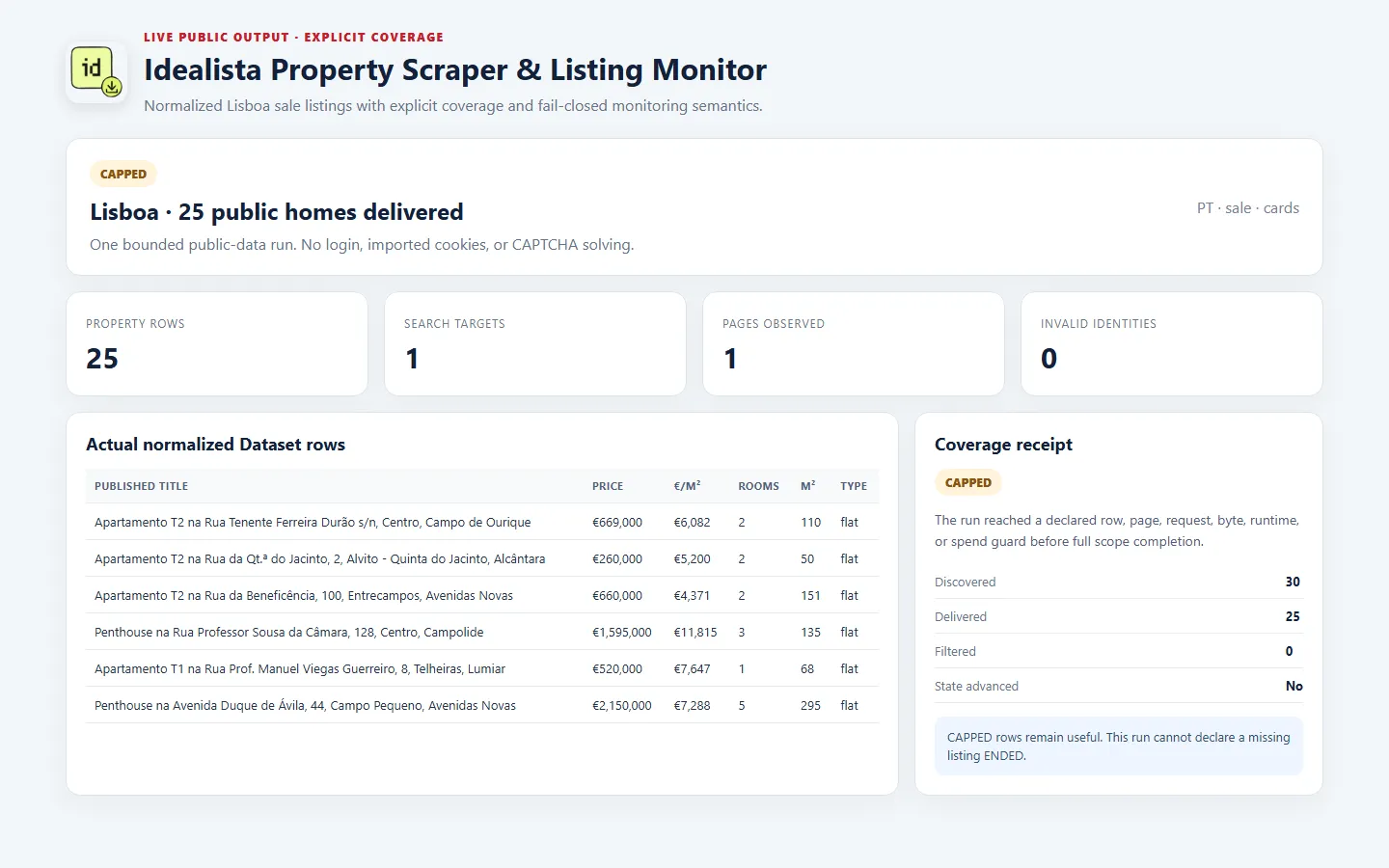
This example exports 25 homes for sale in Lisboa:
Use ES with Madrid, PT with Lisboa, or IT with Milano as simple starting points. You can also paste one or two matching public Idealista search URLs for other areas or source-backed filters.
Choose the right workflow
search_listings exports current properties immediately. Card mode uses fewer source requests and supports up to 114 rows. full_public_details opens each selected public property page and is limited to 12 rows.
track_listing_changes is cards-only. The first run creates a quiet baseline when the requested scope finishes completely. A repeat run with the same country, targets, operation, limits, sorting, and stateNamespace compares current facts against that baseline. Later complete runs can return NEW, UPDATED, or confirmed ENDED changes.
Output
Card rows can include stable ID, Idealista property code, canonical URL, sale/rent operation, requested homes category, price, currency, surface, deterministic price per m², rooms, floor, title, description, photos, amenities, and source placement.
Public detail rows can additionally include the published location or address, bathrooms, energy certificate, richer characteristics and media, agency or public contact data, and source timestamps when the page publishes them.
Every Dataset also includes a free coverage row. It explains targets, pages, discovered and delivered rows, rejected identities, caps, and whether the observation was safe for monitoring.
Input guide
countryselects the matching Spain, Portugal, or Italy site.locationcreates the public homes search for a common city or area.searchUrlsreplaces the generated location with one or two matching public search URLs.operationchooses sale or rent.detailLevelchooses cards or bounded public details.maxPropertieslimits returned rows. Reaching the limit can produce validCAPPEDoutput.stateNamespaceseparates independent monitors. Keep one namespace and scope sequential.maxBuyerChargeUsdstops before the maximum projected charge can be exceeded.
Pricing
Charges are event-based, so small successful exports cost less than large ones. Higher Apify plans receive lower unit prices automatically:
| Event | Free | Starter | Scale | Business |
|---|---|---|---|---|
listing_result | $0.00045 | $0.00045 | $0.00045 | $0.00045 |
source_target | $0.0045 | $0.0018 | $0.0009 | $0.0009 |
detailed_listing_result | $0.0037 | $0.0037 | $0.0037 | $0.0037 |
monitor_page | $0.0091 | $0.0091 | $0.0091 | $0.0091 |
change_event | $0.0005 | $0.0005 | $0.0005 | $0.0005 |
A cards export is one successful source_target plus one listing_result per delivered property. Detail mode uses detailed_listing_result instead of the card event. Monitoring charges only trustworthy complete pages and delivered changes.
Blocked and failed targets do not create paid property rows. The Apify run screen and maxBuyerChargeUsd remain the final charge controls.
Coverage and reliability
COMPLETE means every requested target finished inside the declared limits. EMPTY_CONFIRMED means the expected source shape positively confirmed zero rows. CAPPED means a row, page, byte, request, or runtime limit stopped full traversal; returned property rows remain useful, but removals cannot be evaluated.
PARTIAL, FILTERED, CAPPED, BLOCKED, and FAILED never advance absence state. ENDED requires two consecutive complete comparable absences. A missing observation is never treated as deletion.
No Idealista login is required. The Actor does not accept imported account cookies or tokens, does not access private content, and does not solve CAPTCHAs. A visible CAPTCHA stops the affected route.
API and automation
Run the Actor from Apify Console, API, schedules, webhooks, or integrations. For monitoring, reuse the exact same input and stateNamespace on each scheduled run. Read property and change rows from the Dataset, and use the coverage row or OUTPUT record before acting on removals.
A naturally occurring market change was not observed during the bounded validation period. The same parser, normalizer, stable identity, comparison, atomic delivery, and saved-state path is exercised with deterministic transition fixtures.
Support and FAQ
If a run is capped, raise the relevant limit only when you need broader observation; the existing rows are still valid. If a run is blocked or failed, retry later rather than interpreting it as an empty market. When asking for help, share the run ID, input, country, target URL, and coverage status, but never share private account cookies or tokens.


