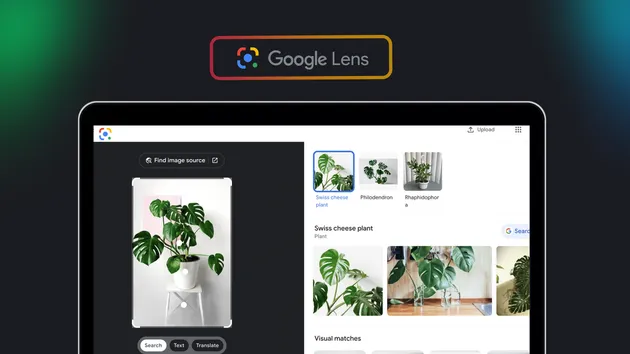
Google Lens Live Query Actor
Pricing
from $1.99 / 1,000 results
Google Lens Live Query Actor
Text-query visual search through Google Images with verified publisher image URLs, titles, descriptions and metadata. Does not support image uploads or reverse-image matching.
Pricing
from $1.99 / 1,000 results
Rating
0.0
(0)
Developer

ScrapeAI
Maintained by CommunityActor stats
0
Bookmarked
2
Total users
1
Monthly active users
10 days ago
Last modified
Categories
Features
Share
What does Google Lens Live Query Actor do?
This Actor's supported mode is text-query visual search. It sends a text query to live Google Images, then opens matching publisher pages to verify their image URL, title, description and other available metadata. It does not upload an image to Google Lens or perform reverse-image matching.
Every returned row explicitly records visualSearchMode: "text-query", reverseImageMatch: false and its actual Google Images/publisher source. The existing Actor name is retained for compatibility. Use the image URL and publisher page to inspect the source yourself.
Why use this Actor?
Use it to discover public image sources for a text topic, research visual references or collect linked publisher metadata. Apify provides API calls, scheduling, integrations, monitoring and dataset exports. Retrieval timestamps and discovery links make each record auditable.
How to use it
- Enter a visual text query such as
red apple. - Set
maxItemsandminItems; both default to 10. - Keep GOOGLE_SERP discovery enabled, or explicitly disable it for direct Google access.
- Inspect the image URLs and publisher context links in the output.
Input
query is text, not an uploaded image. hl and gl control Google search language and country bias. maxItems accepts 1–100 verified, distinct records; minItems requires a count and never exceeds the maximum.
requestTimeoutSecs defaults to 45 for Google requests. Publisher enrichment uses a shorter timeout and a small bounded batch. proxyConfiguration defaults to {"useApifyProxy":true,"groups":["GOOGLE_SERP"]}. Google discovery pages use the proxy; public publisher pages are fetched directly.
Output and data fields
| Field | Meaning |
|---|---|
| title | Relevant Google image-result title |
| description | Published description when available |
| url, details.contextLink | Verified publisher page |
| details.imageUrl | Publisher-declared image URL |
| details.thumbnailUrl | Live Google thumbnail or thumbnail data |
| details.publisherTitle, publisherName | Publisher page identity |
| details.publisherDescription | Source description |
| details.imageWidth, imageHeight, imageMime, imageAlt | Image metadata when provided |
| details.queryTitleMatch | All query terms matched the result title |
| details.publisherVerified | Publisher page was successfully retrieved |
| details.visualSearchMode, reverseImageMatch | Explicit mode and reverse-match capability |
| sourceUrl, sourceType, scrapedAt | Discovery source, method and retrieval time |
Google thumbnail dimensions and publisher image dimensions are distinct fields. Publisher pages and image URLs are deduplicated. Missing metadata remains absent. An inaccessible publisher or a page without a declared image is skipped rather than turned into a complete-looking placeholder.
You can download the dataset in various formats such as JSON, HTML, CSV, or Excel.
Pricing and cost estimation
The result price remains $0.00199 ($1.99 per 1,000), with the existing $0.00005 Actor Start event. Users pay Apify platform and proxy usage. The default ten-record search uses up to three Google results pages. Larger limits use up to ten. Extra candidate images are collected to allow for duplicates and unavailable publishers; only verified output rows count as results.
Tips and limitations
Use descriptive visual terms. Broader queries can return photographs, illustrations, product pages or articles, reflecting Google Images results. This mode is not image-upload recognition, visual similarity scoring or access to private Lens history. Publishers may deny requests or omit metadata, in which case the count can fall below the minimum and the run fails.
FAQ and support
The Actor uses public pages and does not solve CAPTCHAs. Images remain on their publishers' servers; review applicable licenses and source terms before reusing them. Run apify validate-schema and apify run locally, and deploy/test on Apify for production evidence. Local datasets do not synchronize automatically. Send the input and run URL through the Actor Issues tab for reproducible problems.