

AI Image Background Remover
Pricing
from $10.00 / 1,000 results
Go to Apify Store
AI Image Background Remover
Remove backgrounds from images instantly using AI. Export clean transparent PNGs for e-commerce, design, and marketing.
Pricing
from $10.00 / 1,000 results
Rating
0.0
(0)
Developer
Andrew
Maintained by CommunityActor stats
0
Bookmarked
7
Total users
3
Monthly active users
3 days ago
Last modified
Categories
Share
Remove backgrounds from any image instantly using AI - export clean, transparent PNGs ready for e-commerce, design, and marketing. No manual masking, no Photoshop required.
Before & After
| Before | After |
|---|---|
 |  |
 |  |
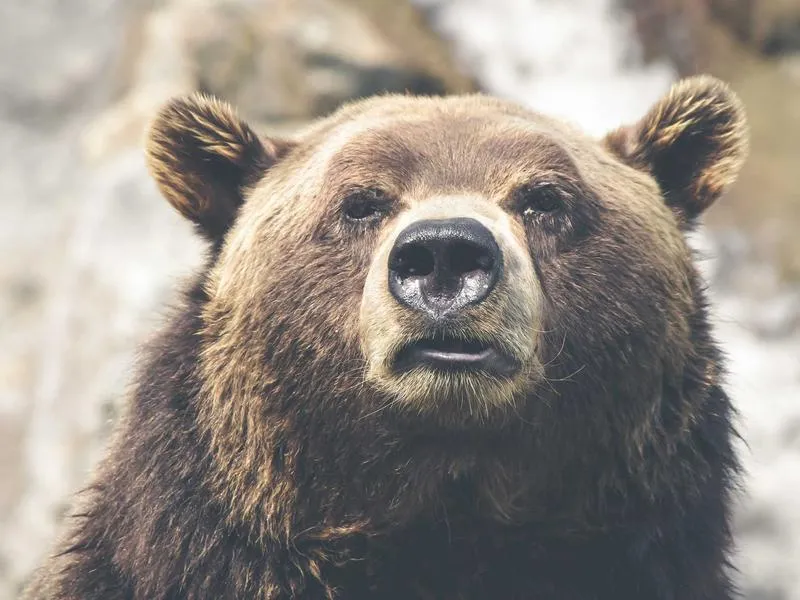 | 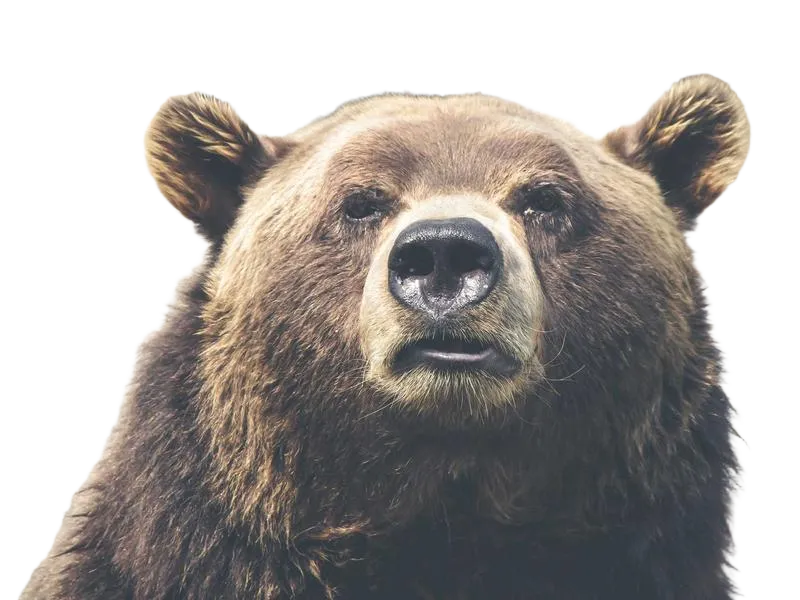 |
What you get
- Transparent PNG with the background cleanly removed
- Preserves fine details - hair strands, fur, product edges
- One output record per input image with a direct download URL
- Supports bulk processing - pass a list of URLs and get all results in one run
- Export to JSON or download images directly from the Apify console
Use cases
- E-commerce product photos - remove cluttered backgrounds for clean white or transparent product shots
- Marketing & advertising - isolate subjects to place on any background or overlay
- Lead generation for designers - bulk-process client photo libraries
- Social media content - cut out people or objects for composited posts
- Real estate & automotive - swap out backgrounds on property or vehicle images
How to use
- Paste one or more image URLs into the Images field (or upload files directly)
- Choose Output Format - PNG keeps transparency (recommended), WebP or JPEG for smaller file size
- Click Run - results appear in the Dataset tab when complete
- Download individual images from the Key-Value Store tab, or export the full dataset as JSON/CSV
Output format
Each dataset record:
The processed image is stored in the Key-Value Store and linked via outputImageUrl for direct download or use in downstream workflows.
Input options
| Field | Type | Description |
|---|---|---|
| Images | URL list | One or more http/https image URLs or base64 data URIs |
| Upload Images | File upload | Upload images directly from your computer |
| Output Format | Select | PNG (transparent), WebP, or JPEG - default: PNG |
Related AI image actors
Part of a complete AI image toolkit - explore the rest of the suite:
- AI Image Upscaler - Batch-upscale images to 4K or 8K
- AI Image Watermark Remover - Remove text and logo watermarks from images
- AI Image Captioner - Generate text descriptions for any image
- Image OCR Scraper - Extract text from images in 109 languages
- Photo Location Finder - Find where a photo was taken - no EXIF needed


