Benchmarky — Test Actors Before You Buy
Pricing
from $250.00 / 1,000 live benchmark of one actors
Benchmarky — Test Actors Before You Buy
Rank & live-test similar Apify actors on the same input. Compare success rate, speed, cost per result & data completeness.
Pricing
from $250.00 / 1,000 live benchmark of one actors
Rating
0.0
(0)
Developer

Skilak A
Maintained by CommunityActor stats
0
Bookmarked
2
Total users
1
Monthly active users
3 months ago
Last modified
Categories
Share
Benchmarky — Test Scrapers Before You Buy
Compare similar Apify actors before committing to one. Benchmarky ranks every candidate for a niche from public quality signals, and can then live-run the top contenders against the same input on your account — so you pick a scraper based on measured success rate, speed, cost per result and data completeness, not on marketing copy.
Why this exists
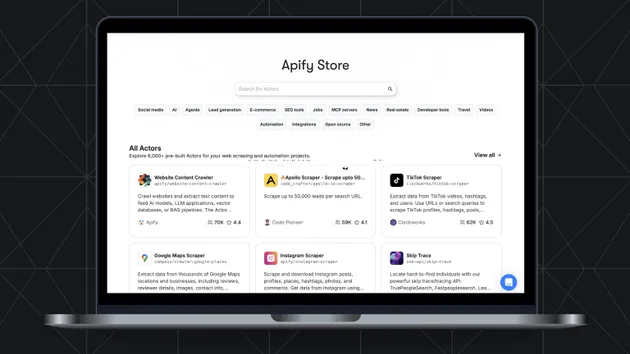
Search the Apify Store for "google maps scraper" and you get thousands of results — a dozen of them near-identical clones. Which one actually works? Which one is quietly deprecated, priced to make you go away, or succeeds on only 60% of its runs? The store won't tell you. This actor will.
- Scorecard mode (cheap, seconds): pulls public metadata for every candidate — review ratings, monthly users, 30-day run success rates, last-modified dates, normalized pricing — and outputs a ranked comparison table with red flags.
- Live Benchmark mode: actually runs the top N candidates head-to-head on the same test input, with hard budget and timeout caps, then compares what came back.
Quick start
1. Scorecard — rank the field (default)
Returns one ranked row per candidate plus a Markdown report (REPORT.md in the run's key-value store).
2. Live benchmark with per-actor input mappings
testInput is sent to every candidate; inputMappings overrides it per actor when schemas differ.
3. Benchmark with expected output fields
expectedFields defines what "complete data" means for you. Leave it empty and the benchmark auto-derives it from the fields most candidates return.
What it costs — full transparency
This actor's own fees (pay-per-event):
| Event | Price | Charged when |
|---|---|---|
actor-start | $0.05 | Once per run |
scorecard-actor | $0.02 | Per candidate scored |
benchmark-run | $0.25 | Per candidate live-tested |
llm-mapping | $0.00 | Reserved for auto-mapping (Phase 3) |
report-generated | $0.05 | Once, when REPORT.md is saved |
Typical scorecard of 10 candidates: $0.30. Benchmark of the top 3: $1.05.
⚠️ Live benchmark sub-runs additionally bill YOUR account at each candidate actor's normal price — that's the whole point: you're buying a real test. Every sub-run is hard-capped by perActorBudgetUsd (default $0.50), perActorTimeoutSecs (default 300s) and maxItemsPerRun (default 20). The report itemizes every cent: our fees and each sub-run's cost, separately.
If your run hits your Apify max-total-charge budget, the actor stops starting new work, flushes everything it has, and exits cleanly with partial results — never a crashed run.
Output
One dataset row per candidate:
Plus one {"rowType": "summary"} row with the winner, itemized costs and methodology, and a shareable Markdown report at key REPORT.md in the run's key-value store.
Neutrality — why you can trust the numbers
Vendors cannot pay us. Our only revenue is the per-event fee paid by you, the person running the comparison. Developers of scored actors can't pay to rank higher, suppress a result, or be excluded — and there are no affiliate links anywhere. Every actor is scored by the same published formula from the same public data, benchmark runs come from your account so they're indistinguishable from ordinary customer traffic, and every report carries its generation timestamp. When the top candidates are within single-run noise, the report says "too close to call" instead of manufacturing a winner. Full details: docs/METHODOLOGY.md.
Methodology — how the composite score works
Reliability weighs more than popularity, popularity more than price. All signals come from Apify's public API.
| Signal | Max points | How |
|---|---|---|
| Rating quality | 25 | Bayesian-averaged review rating (5-vote prior at 4.0 stars, so 3 five-star reviews don't beat 1,200 at 4.7) |
| Adoption | 20 | Log-scaled monthly active users, capped so giants don't drown challengers |
| Momentum | 10 | Log-scaled 30-day run count |
| Freshness | 15 | Last modified ≤30d: 15 · ≤90d: 10 · ≤180d: 5 · older: 0 |
| Health | 15 | Deprecated → score is 0 overall; under maintenance → 0 health points; otherwise scaled by public 30-day success rate |
| Price | 10 | Cohort-relative $ per 1,000 results (cheapest = 10) |
| Developer | 5 | Developer's most recent activity across the cohort |
Red flags: DEPRECATED, UNDER_MAINTENANCE, STALE_BUILD_180D, SUSPICIOUS_PRICING (event priced > $1), LOW_RATING_HIGH_USERS, LOW_SUCCESS_RATE_30D, REQUIRES_EXTERNAL_KEY, CLONE_FARM (same developer, 3+ near-identical listings), EMPTY_SUCCESS (benchmark "succeeded" with 0 items — the infinite-cost-per-item trap).
Benchmark ranking: success → field completeness → cost per item → speed.
Limitations
- Candidate discovery is only as good as store keyword search; pass explicit
actorIdsfor a precise cohort. - Actors requiring logins or external API keys are skipped by default (
skipActorsRequiringSecrets). - Benchmarks are point-in-time: a scraper that won today can break tomorrow. Re-run before big commitments.
- Until LLM auto-mapping ships, candidates whose input schema doesn't accept your
testInputneed an entry ininputMappings(schema mismatches are logged as warnings).
FAQ
What happens when a candidate's schema doesn't match my testInput?
With an inputMappings entry, that exact input is used. Without one, testInput is sent as-is and a schema-validation warning is logged; the run then succeeds or fails like any real run — which is itself signal.
What if I hit my budget cap mid-run? The actor stops launching new work, writes every result it already has, and finishes successfully with a "partial results" note in the report.
Is this allowed? Yes. Scorecard mode reads only public metadata from Apify's official API. Benchmark mode starts ordinary paid runs on your account, exactly as if you'd clicked "Start" yourself. Results are reported neutrally: facts, timestamps and methodology.
Do you run my token through third parties?
No. An optional userApiToken (needed only if the default run token can't start other actors) is stored encrypted by the platform and never logged, never pushed to the dataset, never included in the report.
Every REPORT.md links back here — if a benchmark report helped you pick a scraper, that's the loop working.