
App Store & Google Play Scraper: Reviews, Ratings & Charts
Pricing
from $0.30 / 1,000 reviews
App Store & Google Play Scraper: Reviews, Ratings & Charts
Scrape App Store and Google Play in one run: reviews with star, date, keyword and developer-reply filters, app details with rating histogram, search, top charts, developer apps and similar apps, in any country. No login or API key.
Pricing
from $0.30 / 1,000 reviews
Rating
0.0
(0)
Developer
Smoldesk Studios
Maintained by CommunityActor stats
0
Bookmarked
2
Total users
1
Monthly active users
7 days ago
Last modified
Categories
Features
Share
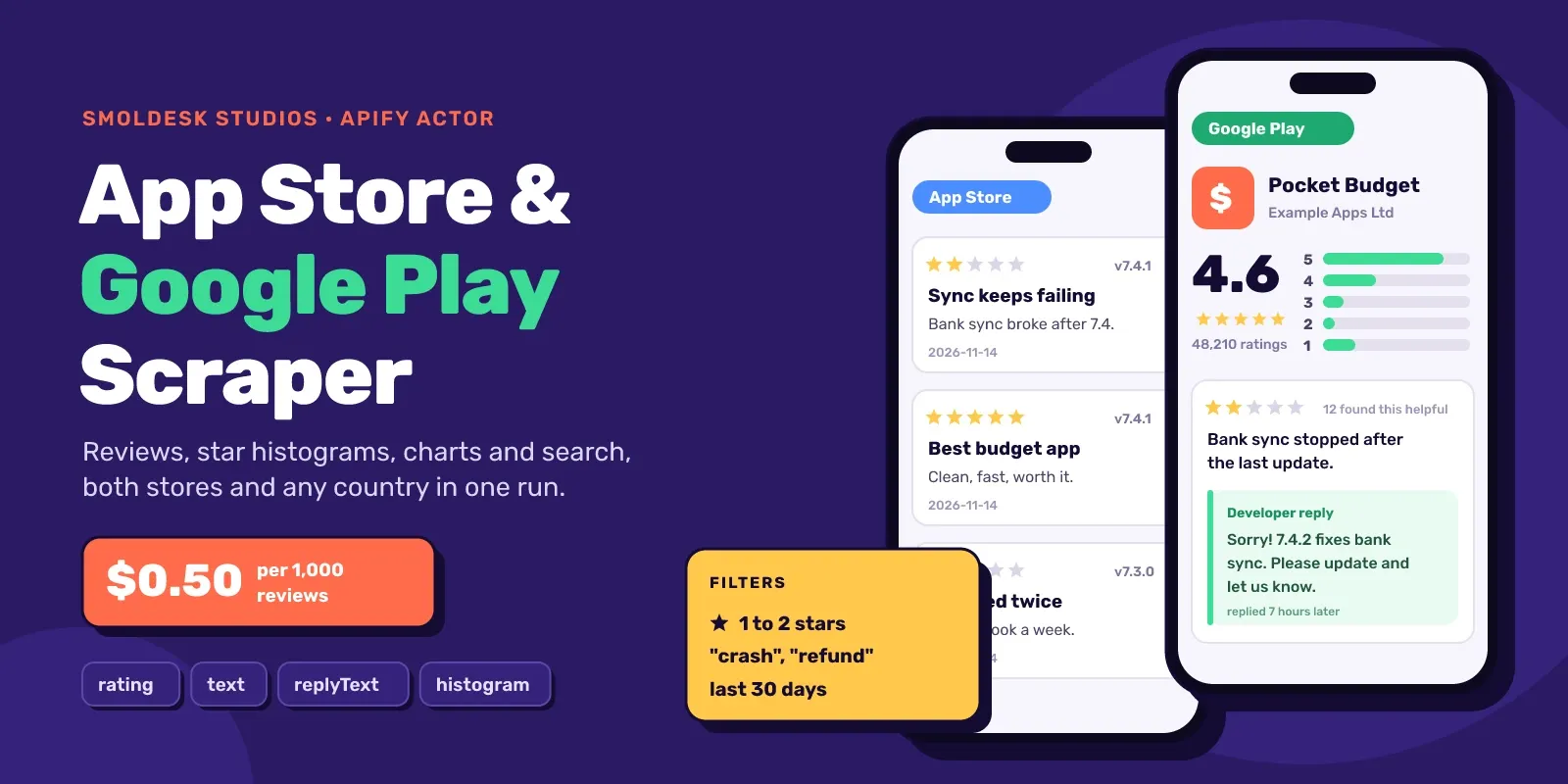
Scrape Apple App Store and Google Play in one run, without login or an API key. Paste app URLs, Apple ids or package names from either store in the same list and get user reviews (stars, title, text, date, app version, helpful votes and the developer's reply on Google Play), app details with the 1 to 5 star rating histogram, installs, price, version, release notes and privacy labels, plus keyword search, top charts (free, paid, grossing, by category), every app of a developer and similar apps, in any country.
Filter reviews before you pay for them: by stars (only 1 and 2 star complaints, for example), date range, keywords in the text, app version, or whether the developer replied. Schedule it with Only new reviews to get each app's new reviews every day, without duplicates.
Reviews cost $0.50 per 1,000. App details $1.50 per 1,000. Search, chart and list rows $0.70 per 1,000. No monthly fee.
What you get
Review (one row per review, both stores in the same format):
App Store reviews have the same fields, with a title, helpfulVotes / totalVotes and no reply (Apple's public review feed doesn't include replies).
App details (one row per app and country):
Google Play app rows also have installs, minInstalls, realInstalls, reviewCount, containsAds, inAppPriceRange, developerEmail, developerWebsite, privacyPolicyUrl, headerImage and video.
Search, chart and list rows (listType: search, chart, developer or similar):
What you can use it for
- Product and UX research: read every 1 and 2 star review that mentions "crash", "login" or "subscription", for your app or a competitor's.
- Review monitoring: a daily schedule with Only new reviews sends new reviews to Slack, Sheets or your helpdesk (via Apify integrations).
- Support quality: find reviews the developer never answered (
developerReply: withoutReply) and how fast replies come. - App store optimization (ASO): track keyword search ranks and top chart positions by country and category.
- Market and competitor research: all apps of a developer, similar apps, prices, installs and rating histograms side by side, iOS and Android.
- AI and sentiment analysis: feed review text into an LLM to group complaints and feature requests.
Why this scraper
| This Actor | Other app store Actors on the Store | |
|---|---|---|
| Both stores in one run, same output format | Yes | Mostly one Actor per store |
| Review filters: stars, date range, keywords, app version, developer reply | All of them, applied before you are charged | A few, varies by Actor |
| Star histogram (1 to 5) | Both stores | Some, often one store |
| Search, top charts, developer apps, similar apps | Both stores | Some |
| Several countries in one run | Yes | Some |
| Only new reviews between runs | Yes | Rare |
| Reviews per 1,000 | $0.50 ($0.30 on Business) | $0.10 to $1.15 |
| Start fee | $0.0005 | up to $0.0175 |
Competitor prices checked on the Apify Store in November 2026 (Free plan price). Store prices change, so check the Pricing tab of any Actor before you compare.
How to scrape App Store and Google Play reviews
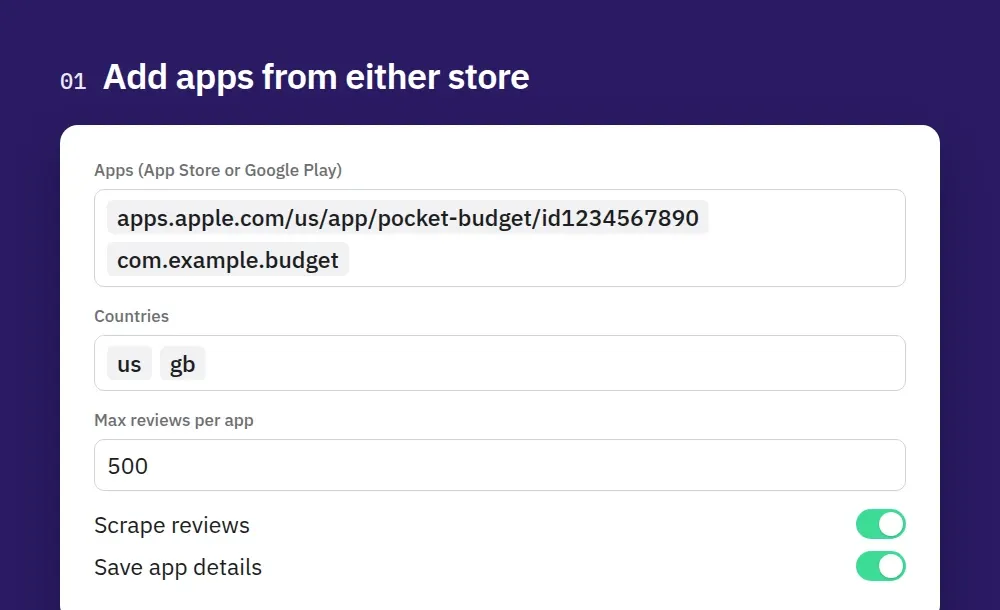
1. Add apps from either store. Paste App Store or Google Play links (or Apple ids like 389801252 and package names like com.spotify.music), one per line. Mixing both stores is fine. Add Countries like us, gb, de, set Max reviews per app, the order (newest or most relevant) and any filters. Reviews and app details are on by default.
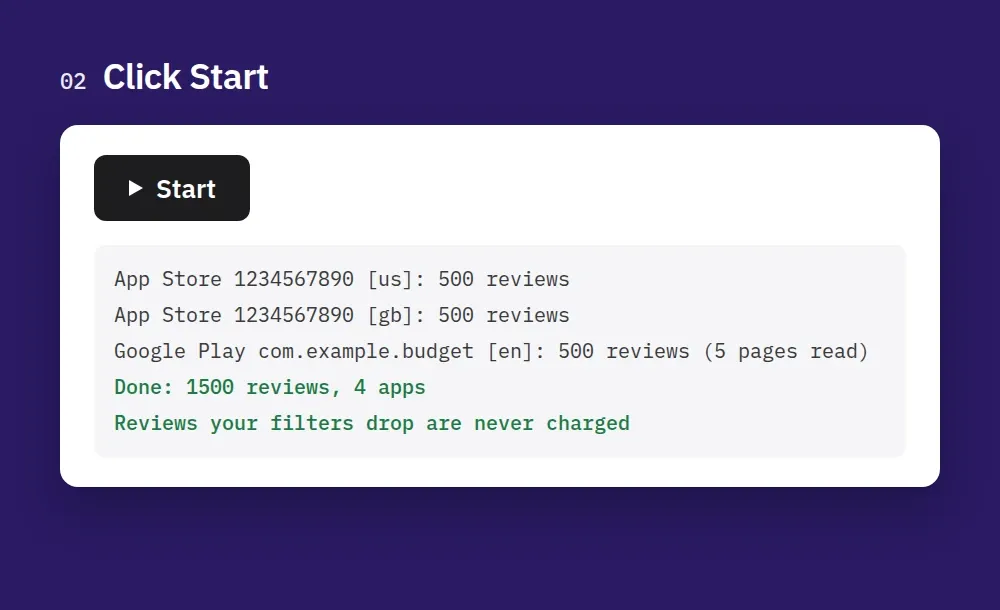
2. Click Start. 100 reviews take a few seconds; a few thousand, under a minute.
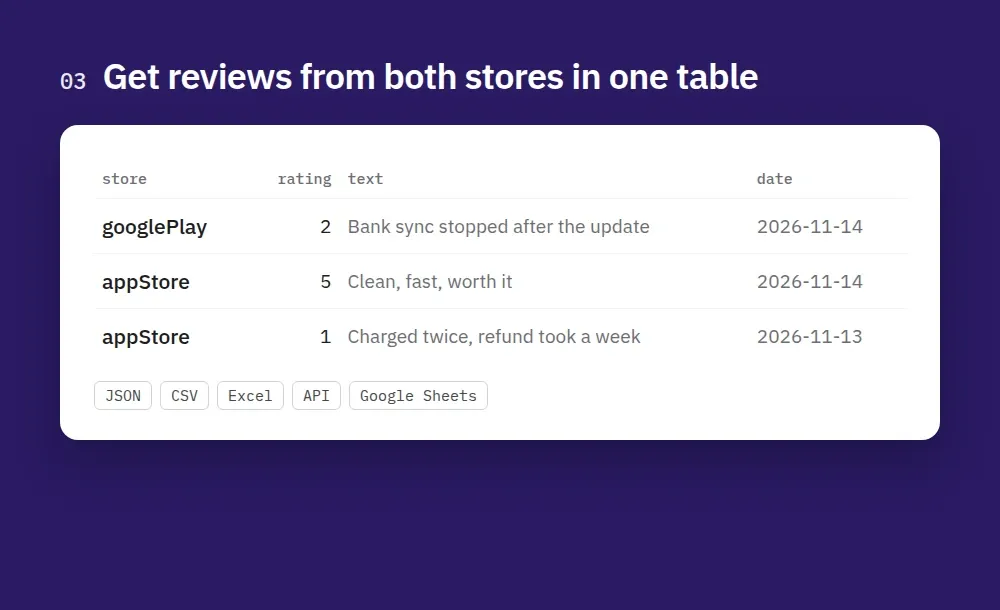
3. Get the data. Export as JSON, CSV or Excel, or read it through the API. The dataset has three views: Reviews, App details, and Search, charts & lists.
4. Go further (optional). Add Search terms, Top charts or Developers, and switch on Also scrape the apps found to get the reviews of every app in a search or chart. Schedule the Actor (daily, for example) with Only new reviews on to get each app's fresh reviews only.
Tips:
- App Store reviews are per country. Apple shares up to 500 recent reviews per app per country, so add more countries for more reviews (
us,gb,ca,au,in...). - Google Play reviews are per language, not per country. Set Language (
en,de,ja,pt-BR...) to pick which reviews you get. Google Play has many thousands of reviews per app; set Max reviews per app to 0 for all of them. - One star level only: set Min stars and Max stars to the same number. On Google Play that filter runs on Google's side, so it's fast even for huge apps.
Input
Leave the input empty to get a small sample (10 reviews each for two apps, plus their details).
Pricing
You pay per row saved, plus a tiny start fee. No monthly fee, and you are never charged for reviews your filters dropped.
| Event | Free & Starter | Scale | Business |
|---|---|---|---|
| Review | $0.50 / 1,000 | $0.40 | $0.30 |
| App details (one app, one country) | $1.50 / 1,000 | $1.20 | $1.00 |
| Search, chart, developer or similar-apps row | $0.70 / 1,000 | $0.55 | $0.40 |
| Run start | $0.0005 |
Set the maximum cost per run in the run options and the Actor stops there. Example: 10 apps × 500 reviews = 5,000 reviews = $2.50, plus 10 app details = $0.015.
Use with AI agents (Claude, ChatGPT, Cursor, MCP)
Add the Actor as a tool through the Apify MCP server: https://mcp.apify.com?actors=smoldesk/app-store-google-play-scraper. Then paste this into your agent's system prompt or tool notes, so it knows when to call it:
Questions an agent can answer with it:
- What are users complaining about in our app this month? Group the 1 and 2 star reviews by theme.
- Compare the rating histograms of the top 5 budgeting apps on iOS and Android.
- Which reviews mentioning "refund" did the developer never answer?
- What are the top grossing finance apps in the UK and Germany right now?
Want every Smoldesk scraper as agent tools in one connection? See the full list on our publisher page.
Use with AI (LangChain / LlamaIndex / CrewAI)
Each review has a plain text field (and a title on the App Store), ready for LLMs. With LangChain (pip install langchain-apify):
Already have a run? Use ApifyDatasetLoader(dataset_id="<run's dataset ID>", dataset_mapping_function=...). LlamaIndex: ApifyActor from llama-index-readers-apify. CrewAI: use the Apify MCP server above.
Limitations
This Actor reads the stores' public pages and feeds, the same ones a browser or the store apps use, without logging in:
- App Store: up to 500 reviews per app per country. That is all Apple's public review feed shares (10 pages of 50). More countries give you more reviews. App Store review rows have no developer reply.
- Google Play search shows about 30 apps per keyword (what the Play search page lists). Charts give up to 200 positions.
- Filters by text, date or version run on our side, so finding rare matches on huge apps reads many pages. Runs stay cheap because you pay only for matching reviews, but they take longer.
- Downloads and revenue are not public. Google Play shows install ranges (and
realInstalls); Apple shows neither.
FAQ
Is there an official App Store or Google Play reviews API? Only for your own apps (App Store Connect and the Google Play Developer API), and you need developer access. This Actor works for any public app, yours or a competitor's.
Do I need an Apple or Google account, API key or proxy? No. It runs from Apify's servers as is. If a store slows down one IP, the Actor switches to an Apify datacenter IP by itself.
How do I get only negative reviews? Set Max stars to 2 (or Min and Max to 1 for 1 star only).
How do I monitor new reviews every day? Create a daily schedule and turn on Only new reviews. Each run returns only reviews newer than the last ones you received, per app (and per country on the App Store).
Can I scrape reviews from other countries and languages? Yes. Add countries like de, jp, br (App Store) and set Language for Google Play.
Is it legal? It collects public app listings and reviews that anyone can read without logging in. Reviews contain user names and opinions: use them for analysis, and follow privacy laws (such as GDPR) and the stores' terms when you store or publish them.
Feedback
Found a bug or missing a field? Open an issue in the Issues tab. If the Actor saved you time, a short review on this page helps other people find it.
More Actors from Smoldesk Studios
- Google Trends Scraper: interest over time, by region and city, related queries and Trending now, no API key
- Google News Scraper: news by keyword, topic and country with real publisher URLs and full text
- Google Ads Transparency Scraper: every ad a competitor runs on Google Search, YouTube and Shopping, creatives, landing pages, countries, EU impressions and new-ad alerts
- YouTube Comments Scraper: comments and replies from any YouTube video, with likes and dates
- Shopify Store Analyzer: products, prices, apps and theme of any Shopify store
- Substack Scraper: newsletters, subscriber counts and posts
- All Smoldesk Studios Actors


