
YouTube Comments Scraper – Comments, Replies & Likes
Pricing
from $0.60 / 1,000 comments
YouTube Comments Scraper – Comments, Replies & Likes
Scrape YouTube comments and replies without an API key or quota: from video URLs, a channel's latest videos, playlists or keyword searches. Text, author, likes, reply count, pinned/hearted, date. Pay only for comments.
Pricing
from $0.60 / 1,000 comments
Rating
0.0
(0)
Developer

Smoldesk Studios
Maintained by CommunityActor stats
0
Bookmarked
2
Total users
1
Monthly active users
3 hours ago
Last modified
Categories
Security
Limited permissionsShare
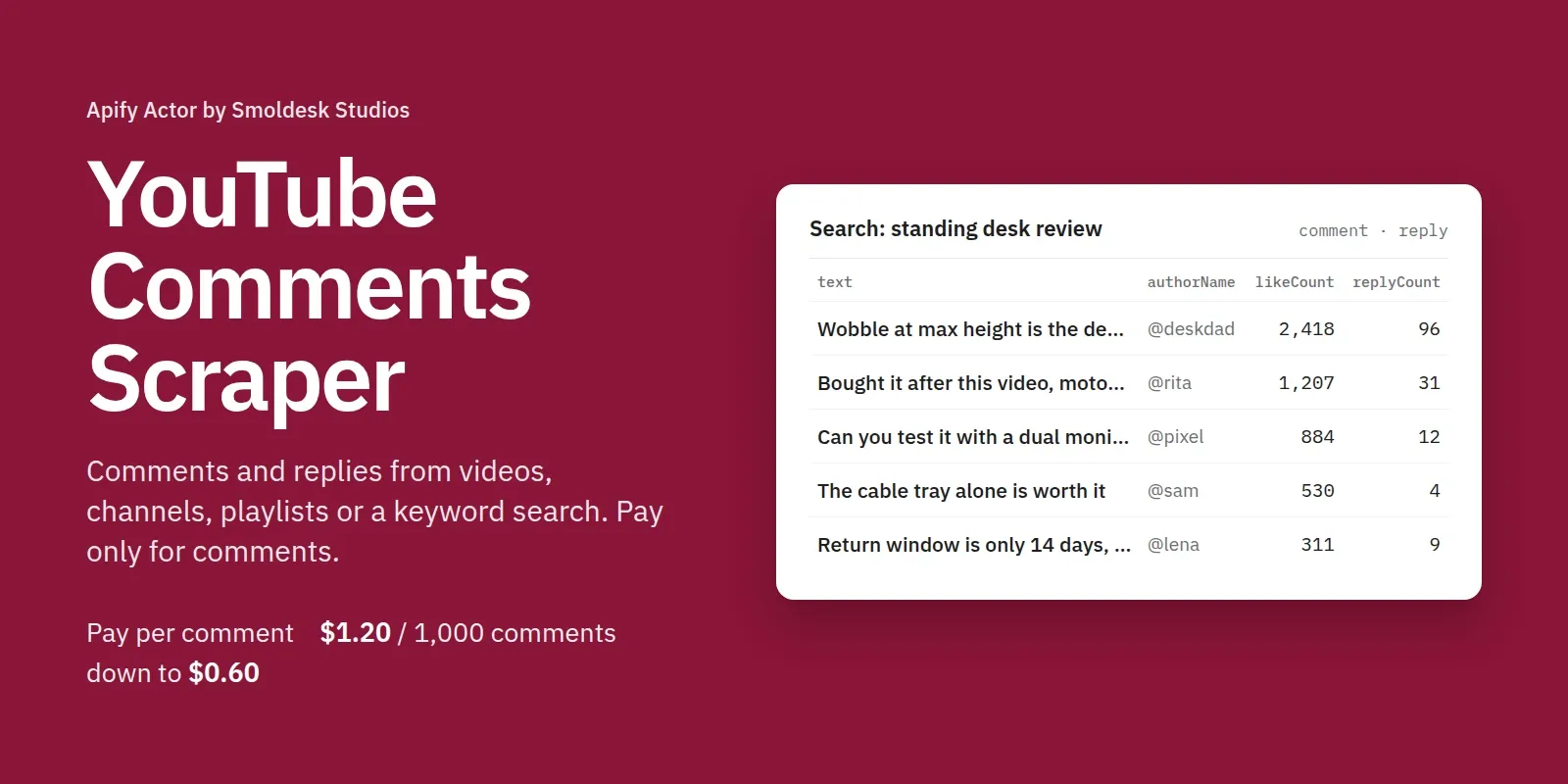
Scrape YouTube comments and replies without an API key or quota. Give it video or Shorts URLs, a channel (comments from its latest videos), a playlist, or a search term (comments from the top videos for a keyword). Every comment comes with the full text, author name and channel, like count, reply count, pinned / hearted / by-the-creator flags and a date.
You pay only for comments. Opening the videos to reach them is free, and the run stops cleanly at your maximum cost.
What you can use it for
- Sentiment and product feedback: pull the top or newest comments on product reviews, then score them with an LLM.
- Brand monitoring: search your brand name and collect what viewers say under the top videos, or schedule a run on a competitor's channel for comments on its new uploads.
- Audience research: find the questions viewers keep asking, which creators reply, and which comments the creator pins or hearts.
- Lead and community discovery: every comment links to its author's channel.
- Datasets for AI: clean plain-text comments, one record each, ready for RAG, classification or fine-tuning.
Ready-made examples you can run in one click: YouTube comments about a product or brand · Comments on a channel's new YouTube videos.
How to use it
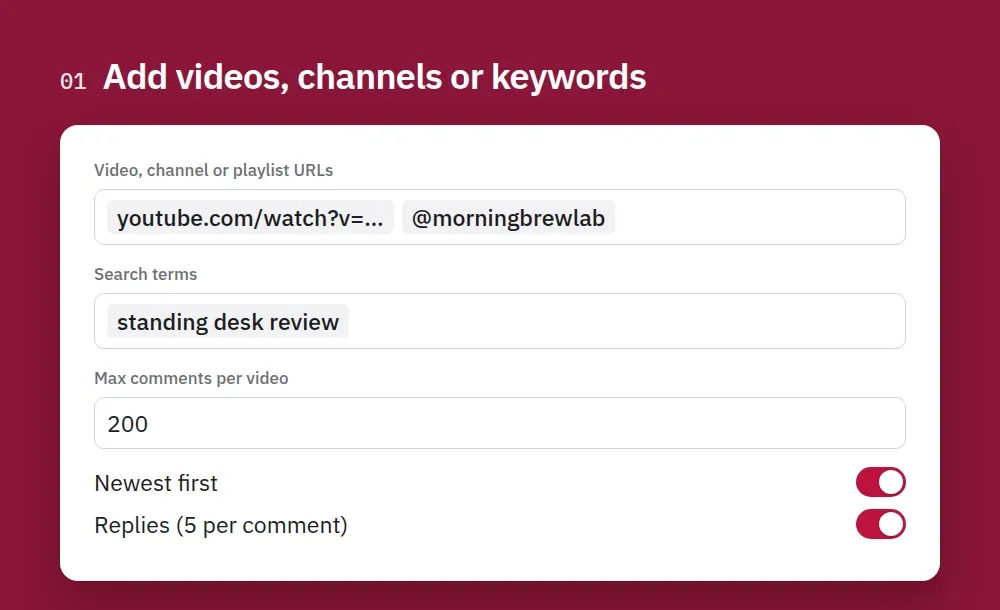
1. Add videos, channels or keywords. Paste video URLs or @handles, or type a keyword to read the top videos for it. Pick how many comments per video and whether you want replies.
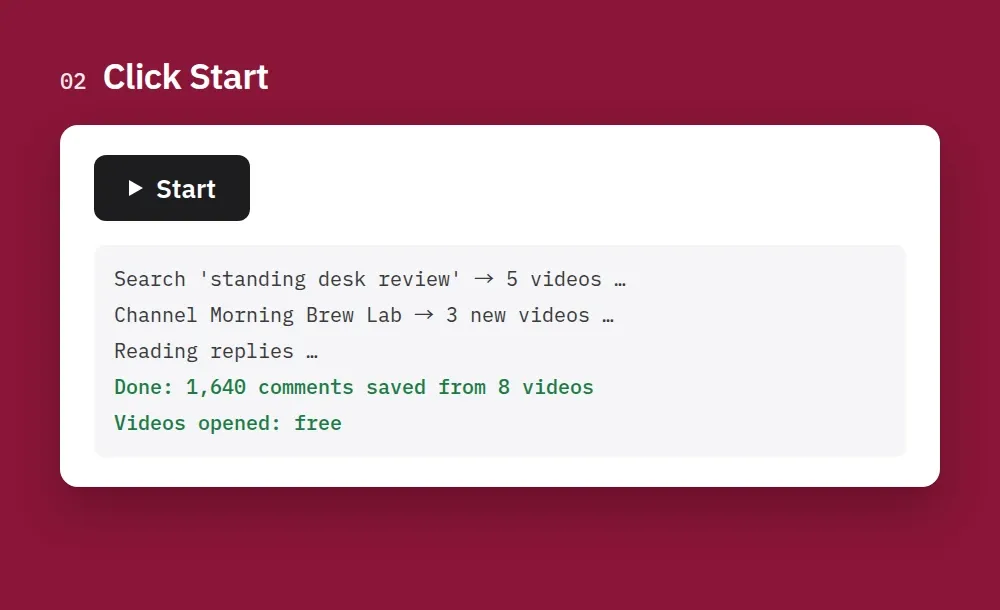
2. Click Start. Opening the videos is free; you only pay for the comments saved.
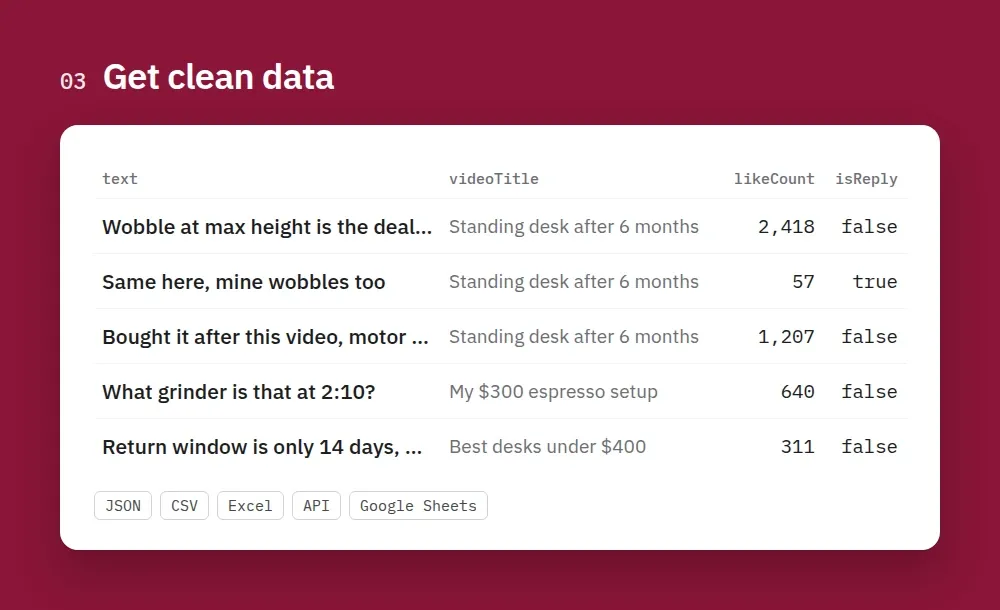
3. Get clean data. Every comment comes with text, author, likes, reply count and the video it belongs to. Export it as JSON, CSV or Excel, or read it through the API.
How to scrape YouTube comments
- Create a free Apify account and open this Actor.
- Add Video, channel or playlist URLs, one per line:
https://www.youtube.com/watch?v=…, Shorts URLs, video IDs,@mkbhd,/channel/UC…or playlist URLs. Over the API,["@mkbhd"]and[{"url": "https://…"}]both work. - Optional: add Search terms to get comments from the top videos for a keyword.
- Set Max comments per video, Comment order (top or newest first) and Max replies per comment.
- For channels, playlists and searches, set Videos per channel / playlist / search (how many of the latest or top videos to read) and, if you like, Only videos published after (
7 days,2025-01-31). - Click Start, then download the comments as JSON, CSV or Excel, or read them through the Apify API.
- Use Schedule to run it daily: a channel URL with Only videos published after = 1 day gives you the comments on each new upload.
Tips
- Replies are saved right after their parent comment, with
isReply: trueandparentId. sourceInputtells you which URL or search term each comment came from, so one run can cover many brands or channels.- Videos with comments turned off are skipped and cost nothing.
Output
| Field | Notes |
|---|---|
likeCount, replyCount | Rounded the way YouTube shows them ("106K" → 106000) |
publishedAtApprox | YouTube only shows "6 years ago", so this is an estimate (exact to the hour for recent comments). publishedTimeText is the original text |
authorIsChannelOwner | The comment was written by the video's creator |
isPinned, isHearted | Pinned by the creator / hearted by the creator |
isReply, parentId | Replies point to their parent comment |
sourceInput | The URL or search term you gave that led to this comment |
Input example
Pricing
Pay per comment. No monthly fee, and Apify's free plan credit covers your first runs. The price drops on bigger Apify plans:
| Your Apify plan | Per comment or reply | Per 1,000 |
|---|---|---|
| Free | $0.0012 | $1.20 |
| Starter | $0.001 | $1.00 |
| Scale | $0.0008 | $0.80 |
| Business | $0.0006 | $0.60 |
| Run start | $0.00005 | – |
Example on the Starter plan: 200 comments from each of 10 videos cost $2.00. Opening videos, channels and search pages is free, and videos with comments turned off cost nothing.
Use with AI agents (Claude, ChatGPT, Cursor, MCP)
Add the Actor as a tool through the Apify MCP server: https://mcp.apify.com?actors=smoldesk/youtube-comments-scraper. Then paste this into your agent's system prompt or tool notes:
Questions an agent can answer with it:
- What do viewers complain about under the top reviews of this product?
- Summarize the newest comments on this channel's last three videos.
- Which questions come up most often under this video?
Use with AI (LangChain / LlamaIndex / CrewAI)
With LangChain (pip install langchain-apify):
LlamaIndex: ApifyActor from llama-index-readers-apify. CrewAI: use the Apify MCP server above.
Limitations
- Comment dates are approximate: YouTube only shows "3 weeks ago" on public pages.
- Like and reply counts are rounded the way YouTube displays them.
- No live chat and no comments on videos where the creator turned comments off.
- Age-restricted and members-only videos show what a logged-out visitor sees.
FAQ
Do I need a YouTube API key? No. There is no daily quota and no Google Cloud project.
How many comments can I get per video? As many as YouTube shows a logged-out visitor, which for most videos is all of them. Set Max comments per video to what you need.
Do I pay for the videos it opens? No. Only saved comments and replies are charged.
Do I need a login, cookies or proxies? No. Residential proxies are never needed or used.
Is it legal to scrape YouTube comments? It reads public data that any logged-out visitor can see. Comments are personal data under GDPR and similar laws, so check your local rules for your use case. This Actor is not affiliated with YouTube or Google.
Feedback
Found a bug or missing a field? Open an issue in the Issues tab. If the Actor saved you time, a short review on this page helps other people find it.
More Actors from Smoldesk Studios
- Contact Details Scraper: emails, phone numbers, social profiles and contact forms from any list of websites, with email domains checked and junk removed, charged only when contacts are found
- Google Maps Scraper: places with phones, websites, ratings and hours from any search, plus emails and social profiles from each business website, lead filters and new-place monitoring
- YouTube Scraper: videos, Shorts, channels, playlists and comments from search or URLs, with exact views and likes, chapters and description links
- YouTube Channel Scraper: subscribers, exact total views, join date, country and social links of any channel, plus its latest videos
- Bilibili Scraper: videos, stats, danmaku, comments and creators from China's video site, no login
- Weibo Scraper: keyword and hashtag search, posts, comments, profiles and the hot-search board from China's biggest microblog, no login
- Toutiao Scraper: Toutiao (今日头条) news search with date ranges, reads and likes, comments and the hot board (热榜), no login
- WeChat Articles Scraper: WeChat Official Account (公众号) articles from keyword search, full text as Markdown, images, account IDs and publish dates, no login
- Google Trends Scraper: interest over time, by region and city, related queries and Trending now — no API key
- Google Ads Transparency Scraper: every ad a competitor runs on Google Search, YouTube and Shopping — creatives, landing pages, countries, EU impressions and new-ad alerts
- Telegram Channel Scraper: public channel posts, views, reactions and subscribers
- Substack Scraper: newsletters, subscriber counts and posts


