
Websiteless: Google Maps Leads Without a Website
Pricing
from $2.50 / 1,000 leads
Websiteless: Google Maps Leads Without a Website
Find local businesses on Google Maps with no website, only a Facebook page, a directory or booking link, or a broken or outdated site. Every lead is scored 0-100 with plain-English reasons to pitch, phone, rating and Google profile gaps. Chains skipped, only-new mode for scheduled runs.
Pricing
from $2.50 / 1,000 leads
Rating
0.0
(0)
Developer

Smoldesk Studios
Maintained by CommunityActor stats
0
Bookmarked
2
Total users
1
Monthly active users
12 hours ago
Last modified
Categories
Features
Share
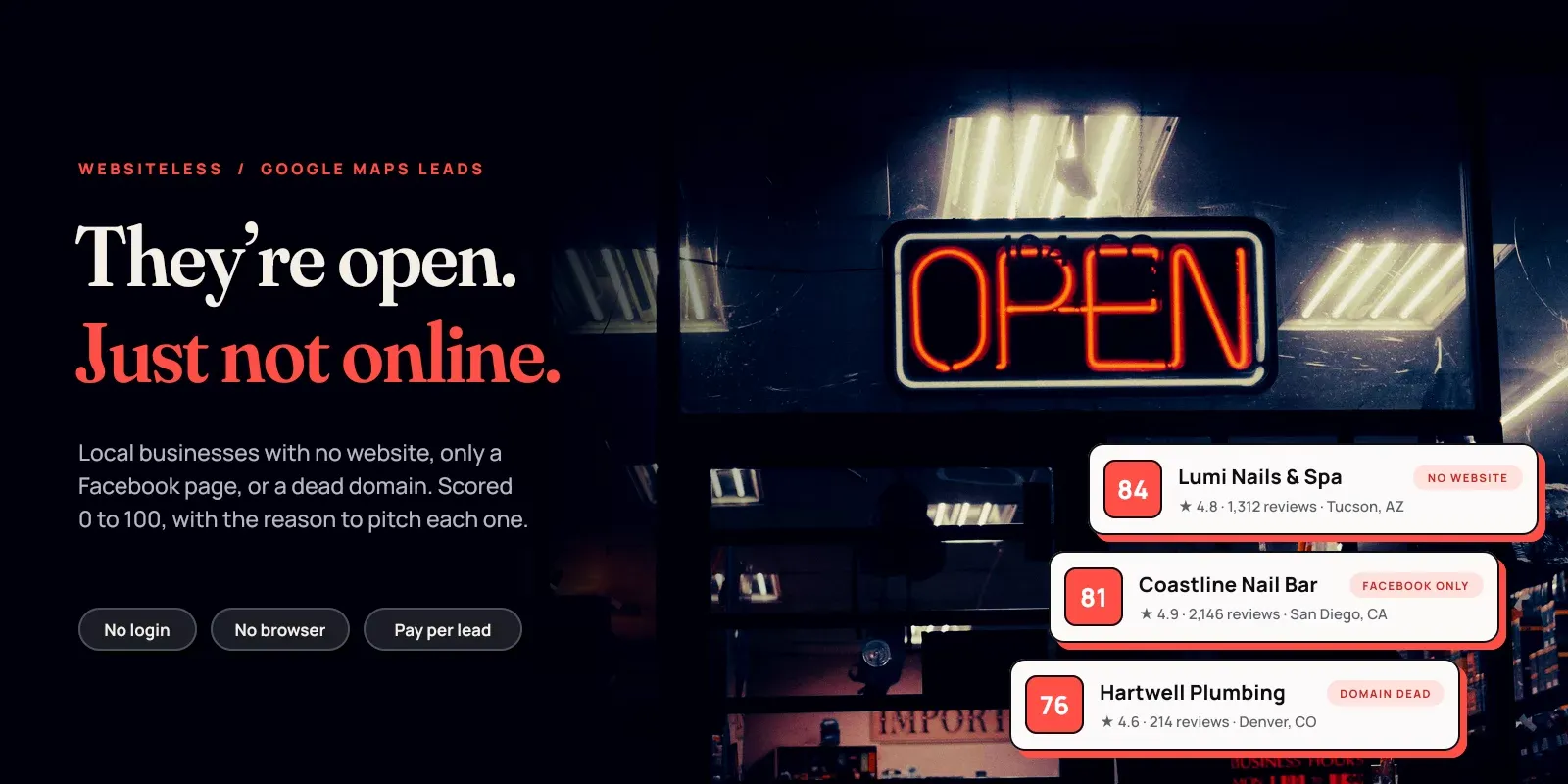
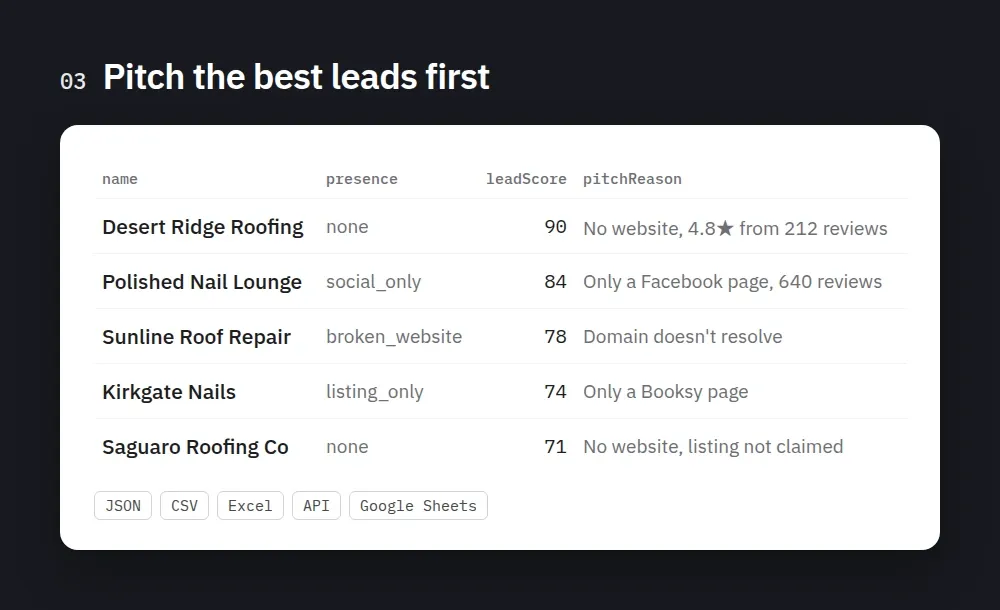
Find local businesses on Google Maps that need a website: no website at all, only a Facebook or Instagram page, only a Yelp, Booksy or DoorDash listing, a dead domain, expired certificate or parked page, or an outdated site (no HTTPS, not mobile-ready, old copyright). Every lead comes with a lead score from 0 to 100, plain-English reasons to pitch ("No website on the Google listing; 4.8★ from 212 reviews; Google listing not claimed by the owner"), phone, rating, review count, Google profile gaps, address and Maps link. Chains, duplicates and businesses with a working website are skipped for free. Built for web design agencies, SEO and marketing freelancers, and anyone selling to local businesses. No login, no API key, no browser.
What you get
One row per lead (example record, shortened):
A lead with a broken site looks like this (only the fields that change):
The dataset view Leads shows name, web presence, score, tier, reason, phone, email, links, website status, category, rating, reviews, address and Maps link. Turn on Compact output for small rows (handy for AI agents).
Lead types
Pick any mix in Which businesses count as leads. The first three are on by default.
presence | What it means | Good pitch |
|---|---|---|
none | No website on the Google listing | A first website |
social_only | The "website" is a Facebook, Instagram, TikTok or Linktree page | A real site they own |
listing_only | The "website" is a directory, booking or ordering page (Yelp, Booksy, Vagaro, DoorDash, Toast...), a Google Business placeholder, or a site shared by several businesses | A site that isn't rented from a platform |
broken_website | Own domain that doesn't resolve, refuses connections, answers 404 or 5xx, has an expired, self-signed or wrong-domain certificate, is parked, or is an empty "coming soon" page | A fix or a rebuild |
outdated_website | Own site that loads, but has no HTTPS, no mobile viewport, a footer copyright of 4+ years ago, or runs on a free builder subdomain | A redesign |
websiteStatus sums it up in one word for spreadsheets: null (no own site), dead, error, parked, placeholder or live.
We only call a site broken when a visitor would see it broken too. Timeouts, bot walls (HTTP 403, 429, 503) and incomplete certificate chains that browsers repair are treated as "couldn't check" and are never sent to you as leads.
How the lead score works
The score (0 to 100) is plain arithmetic, so you can trust and sort by it:
- Web presence: no website 45, social only 42, listing only 40, broken site 38, outdated site 25.
- Reviews: +20 for 100+, +15 for 30+, +10 for 10+, +5 for 3+. Busy businesses can pay for a website.
- Rating: +10 for 4.5+, +7 for 4.0+, +3 for 3.5+.
- Phone listed: +10. Email found: +5.
- Google profile gaps: +5 each (up to +10) for an unclaimed listing, no opening hours or fewer than 5 photos. Each one is a second thing you can offer (a Google Business Profile setup).
leadTier is HIGH at 75+, MEDIUM at 55+, else LOW. reasons lists every point in words; pitchReason is the first three, ready for a mail-merge field.
What you can use it for
- Web design agencies and freelancers: a list of busy local businesses with no real website, sorted by how likely they are to buy.
- SEO and Google Business Profile services: unclaimed listings, listings with no hours or photos, and businesses whose domain died.
- Marketing agencies (SMMA): businesses running only on a Facebook page or a booking app.
- Sales teams selling to SMBs: phone-ready lists by trade and city, with the reason to call.
- Weekly prospecting: schedule it with Only new leads and get fresh leads in each city every week.
Why this Actor
| This Actor | Other Actors on the Store | |
|---|---|---|
| 1,000 leads | $5.00 ($2.50 on Business) | The most-used one is $3.60 ($1.40 on Business), no-website leads only. Others range from $1 to $15 |
| Facebook-only, directory-only and Google-placeholder leads | Yes, each labeled | The most-used one doesn't separate them |
| Broken, parked and outdated websites | Yes, checked so a visitor would see it too | A few check them |
| Reasons to pitch and a 0 to 100 score | Yes, in words | Some give a score only |
| Chains, franchises and duplicate listings (same phone) | Skipped for free | |
| Emails from the business website | +$2.00 per 1,000, only when found | Some offer it |
Competitor prices checked on the Apify Store in November 2026 (Free plan price first). Store prices change, so check the Pricing tab of any Actor before you compare.
How to find businesses without a website
- Create a free Apify account and open this Actor.
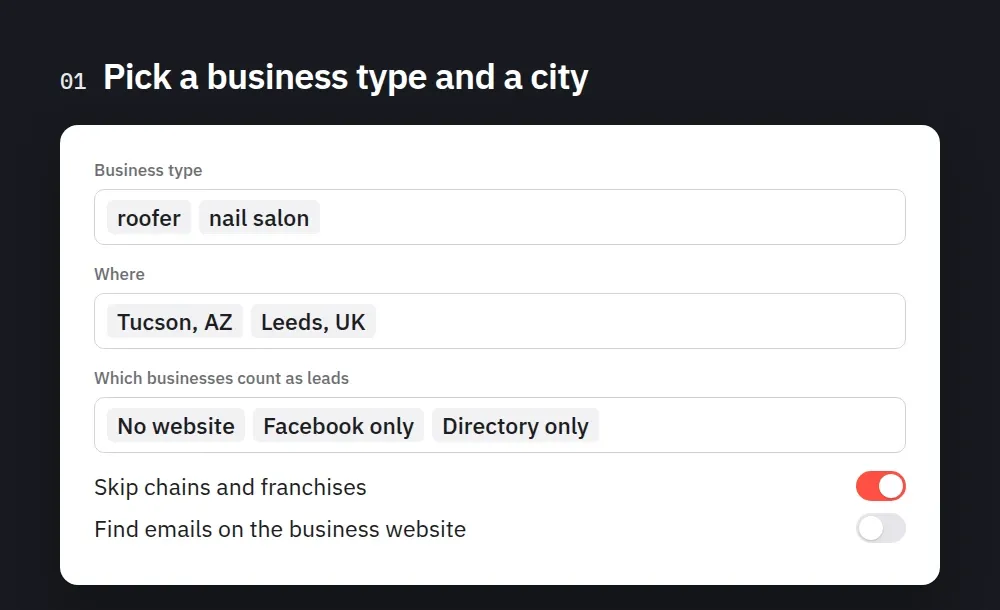
- In Business type, type trades the way you'd search on Google Maps (
roofer,nail salon,dentist). - In Where, add cities, neighborhoods or postcodes. Every business type is searched in every place.
- Pick Which businesses count as leads and set Max leads per search.
- Optional: filters (minimum rating, reviews, phone, category, minimum lead score) and Find emails on the business website.
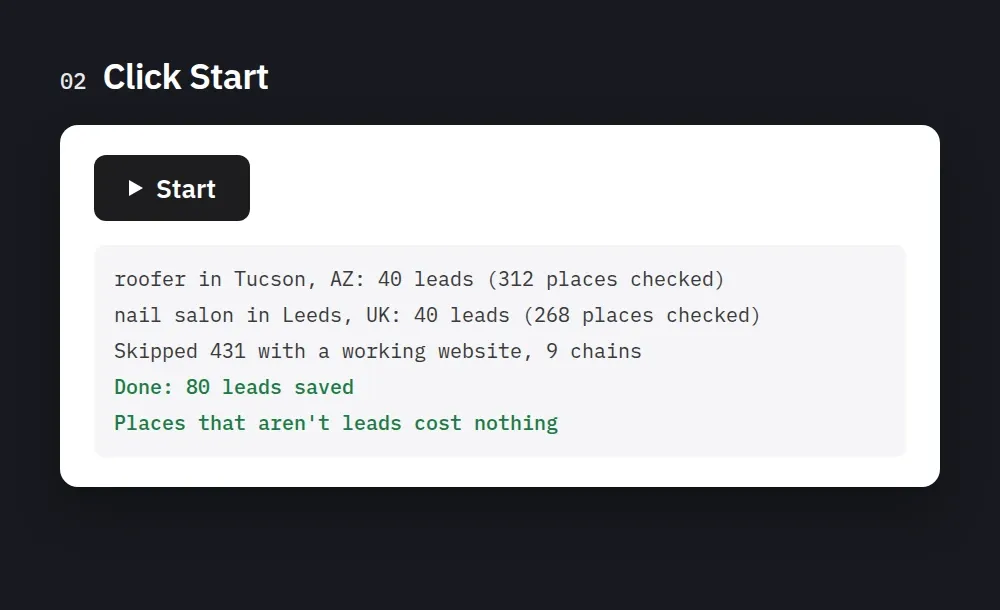
- Click Start. Download the leads as CSV, Excel or JSON, or read them through the API.
- For weekly leads, save the input as a task, switch on Only new leads and schedule it.
Tips:
- Trades and beauty find the most leads. Handymen, roofers, cleaners, nail salons and barbers often have no site; dentists and lawyers usually do.
- Search depth "Deep" keeps looking in 9 smaller areas when Google's ~120 places per search run out before your lead count is reached. Use "Deeper" for whole cities.
- Only leads are charged. Businesses with a working website, chains, duplicates and filtered-out places cost nothing.
- Add
minReviews(for example 20) to skip brand-new or inactive listings.
Input examples
Roofers and plumbers with no website, Facebook-only or directory-only, with a phone:
Every kind of lead, including broken and outdated sites, with emails, only strong leads:
Weekly new leads (save as a task and schedule it):
Pricing
Pay per lead, with a lower price on bigger Apify plans. Places that aren't leads are free.
| Event | Free plan | Starter | Scale | Business |
|---|---|---|---|---|
| Lead | $5.00 / 1,000 | $4.00 / 1,000 | $3.00 / 1,000 | $2.50 / 1,000 |
| Contact details found (only when the website gives an email or social profile) | $2.00 / 1,000 | $1.50 / 1,000 | $1.20 / 1,000 | $1.00 / 1,000 |
| Actor start | $0.0005 | $0.0005 | $0.0005 | $0.0005 |
Example on the Free plan: 100 leads = $0.50. How many places turn out to be leads depends on the trade and the city; you pay for the leads only.
Proxy and compute are included. Set Maximum cost per run in the run options and the Actor stops before going over it.
Use with AI agents (Claude, ChatGPT, Cursor, MCP)
Add the Actor as a tool through the Apify MCP server: https://mcp.apify.com?tools=smoldesk/websiteless-leads. In Claude Desktop, Claude Code, Cursor or VS Code, add this to your MCP config (you sign in to Apify in the browser on first use, or put your API token in a headers → Authorization: Bearer <APIFY_TOKEN> field instead):
Or let the Apify CLI write it for you: apify mcp install cursor --tools smoldesk/websiteless-leads (also claude-code, vscode, codex). Then paste this into your agent's system prompt or tool notes:
Things an agent can do with it:
- Find 30 roofers in Phoenix with no website and write a short cold email for each, using
pitchReason. - Which nail salons in Leeds only have a Facebook page? Sort them by review count.
- List barbers in Austin whose website domain has died.
Want every Smoldesk scraper as agent tools in one connection? See the full list on our publisher page.
Use with AI (LangChain / LlamaIndex / CrewAI)
With LangChain (pip install langchain-apify):
Already have a run? Use ApifyDatasetLoader(dataset_id="<run's dataset ID>", dataset_mapping_function=...). LlamaIndex: ApifyActor from llama-index-readers-apify. CrewAI: use the Apify MCP server above.
Limitations
- Some leads have no street address. Service-area businesses (plumbers, handymen, cleaners) hide it on Google: under 10% of leads in our roofer and nail salon tests, almost half for handymen. Coordinates and country are still there.
- Google's results change between runs, so the same search can give a few more or fewer leads each time.
- Emails need a website. Businesses with no website have no email to find; the email search runs only for broken or outdated sites that still load pages. Emails are not verified.
- Outdated is a hint, not a verdict. A 2021 copyright or a missing viewport tag is a reason to look, not proof the site is bad. That's why outdated sites are off by default and score lower.
- Chains are matched by name (a built-in list of well-known brands, plus any name seen at 3+ addresses in the run). A small local business that shares a name with a chain may be skipped; turn off Skip chains and franchises if that happens.
FAQ
How do I find businesses without a website on Google Maps? Type a trade and a city, click Start. The Actor reads each listing and keeps only those with no website, or with a "website" that is really a Facebook page, a directory or booking page, or (if you choose) a broken or outdated site.
Why is a business with a Facebook link counted as having no website? Because it doesn't have one it owns. A Facebook page, Linktree or Booksy page is the strongest sign a business still needs a real website. You can turn these leads off and keep only none.
Are the broken-website leads accurate? We only report what a normal visitor would also hit: the domain doesn't exist, the server refuses connections or answers 404/5xx, the certificate is expired, self-signed or for another domain, or the page is parked or empty. Sites that are just slow or block bots are left out.
Do I need a login, cookies or proxies? No. It uses no Google account. It runs from Apify's servers and switches to Apify datacenter proxy on its own if Google slows it down. Residential proxies are never used.
Is it legal? Business listings are public information shown without a login. You are responsible for how you use the data, especially for contacting people (GDPR, PECR, CAN-SPAM, CASL and similar rules). Don't use it to send spam. This Actor is not affiliated with Google.
Feedback
Found a bug or a wrong label? Open an issue in the Issues tab with the business name and city. If the Actor found you clients, a short review on this page helps other people find it.
More Actors from Smoldesk Studios
- Google Maps Scraper: every place for a search and city, with phone, website, rating, hours and optional emails and social profiles
- Contact Details Scraper: emails, phone numbers, social profiles and contact forms from any list of websites, charged only when contacts are found
- Shopify Store Analyzer: apps, contacts and products of any Shopify store
- Google Ads Transparency Scraper: every ad a competitor runs on Google Search, YouTube and Shopping, creatives, landing pages and new-ad alerts
- Google Trends Scraper: interest over time, by region and city, related queries and Trending now, no API key
- All Smoldesk Studios Actors


