

YouTube Channel Scraper – Subscribers, Videos & Links
Pricing
from $0.40 / 1,000 videos
YouTube Channel Scraper – Subscribers, Videos & Links
Scrape YouTube channels without an API key: subscribers, exact total views, video count, join date, country, about text and external links, plus the channel's latest videos, Shorts and streams with views, likes and dates.
Pricing
from $0.40 / 1,000 videos
Rating
0.0
(0)
Developer

Smoldesk Studios
Maintained by CommunityActor stats
0
Bookmarked
2
Total users
1
Monthly active users
3 hours ago
Last modified
Categories
Security
Limited permissionsShare
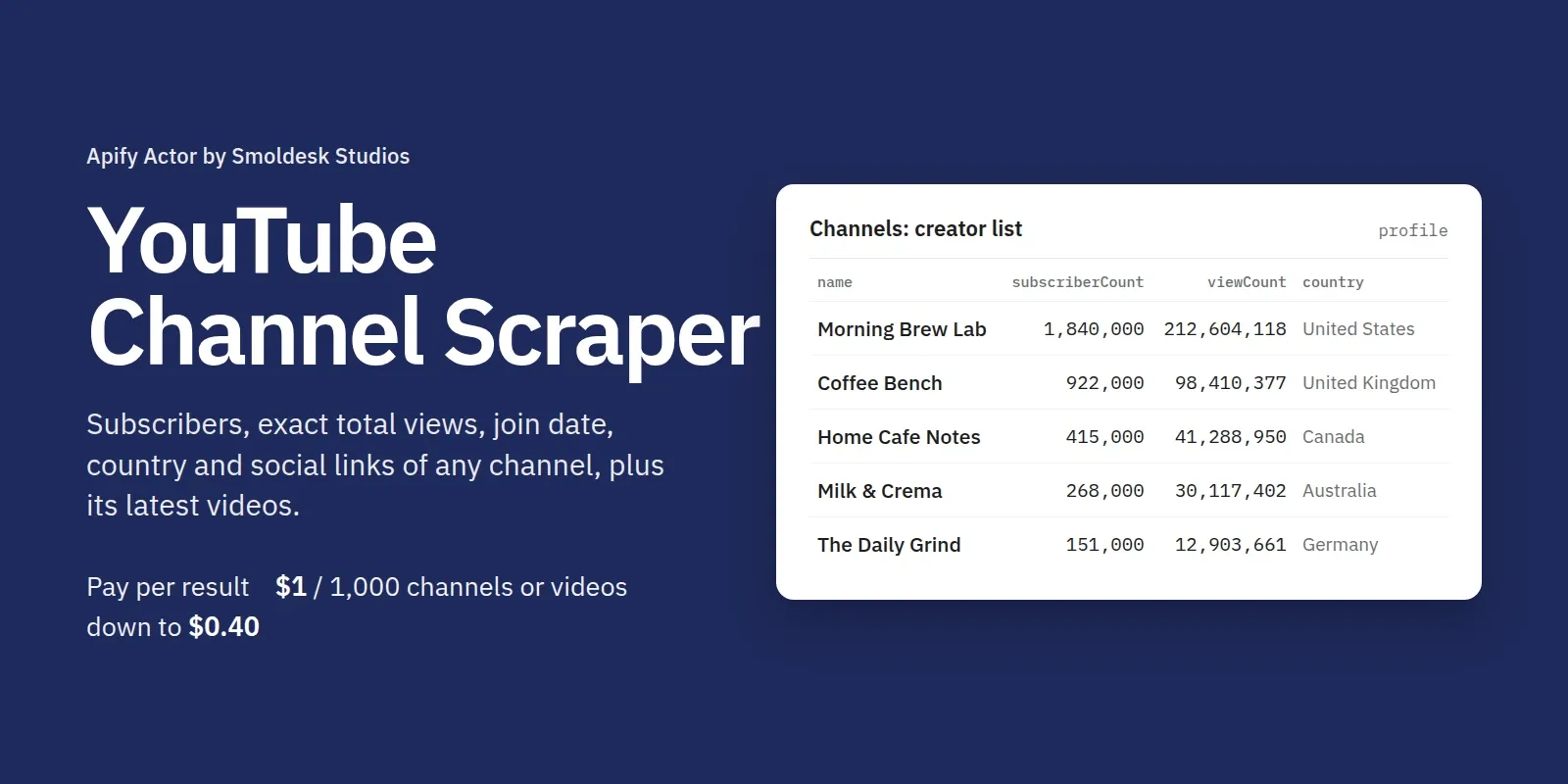
Scrape YouTube channels without an API key or quota. Paste channel URLs or @handles and get a channel profile for each one: subscribers, exact total views, video count, join date, country, description, keywords and the external links the creator lists (Instagram, TikTok, website, shop, Patreon, business email in the description…). Add the channel's latest videos, Shorts and live streams with exact views and likes, publish date, duration and comment count.
One flat record per channel and per video, the same fields every time, real numbers instead of "1.2M", and ISO dates.
What you can use it for
- Influencer research and outreach: compare subscribers, total views and posting activity across a list of creators, and collect their social links and contact info from the description.
- Competitor monitoring: schedule a run on competitor channels with Only videos published after = 7 days to get just their new uploads and how they perform.
- Creator databases and lead lists: turn a list of 1,000 handles into a clean table of profiles. Leave Channel tabs empty for profiles only (fast and cheap).
- Content strategy: see which of a channel's last 50 videos or Shorts did best, and how often it posts.
- Datasets for AI: clean descriptions and stats ready for LLMs, RAG or scoring models.
Ready-made examples you can run in one click: YouTube creator list: subscribers, views and links · Track competitors' new YouTube videos and Shorts.
How to use it
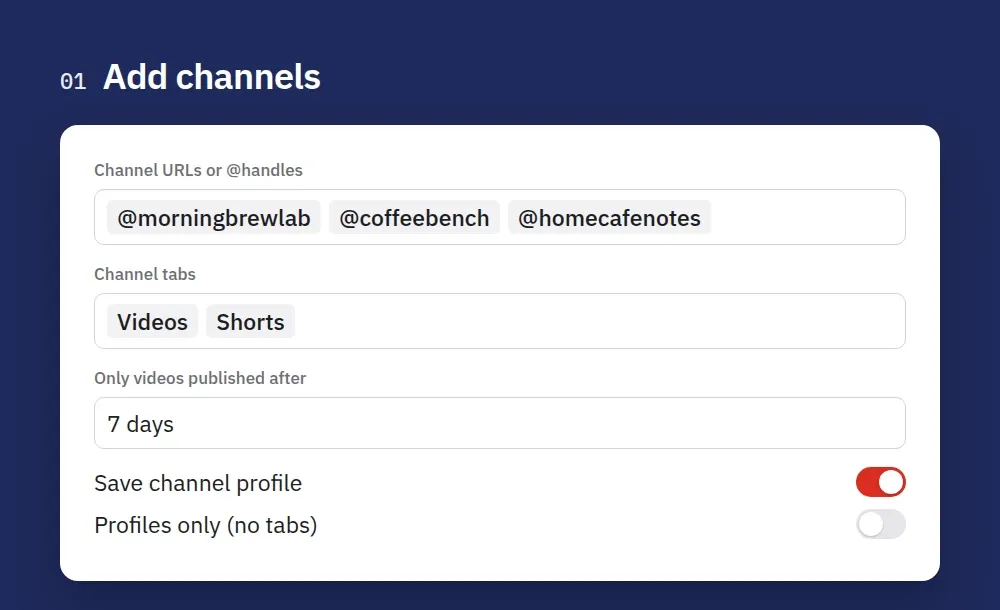
1. Add channels. Paste channel URLs or @handles, pick the tabs (Videos, Shorts, Live) or leave them empty for profiles only.
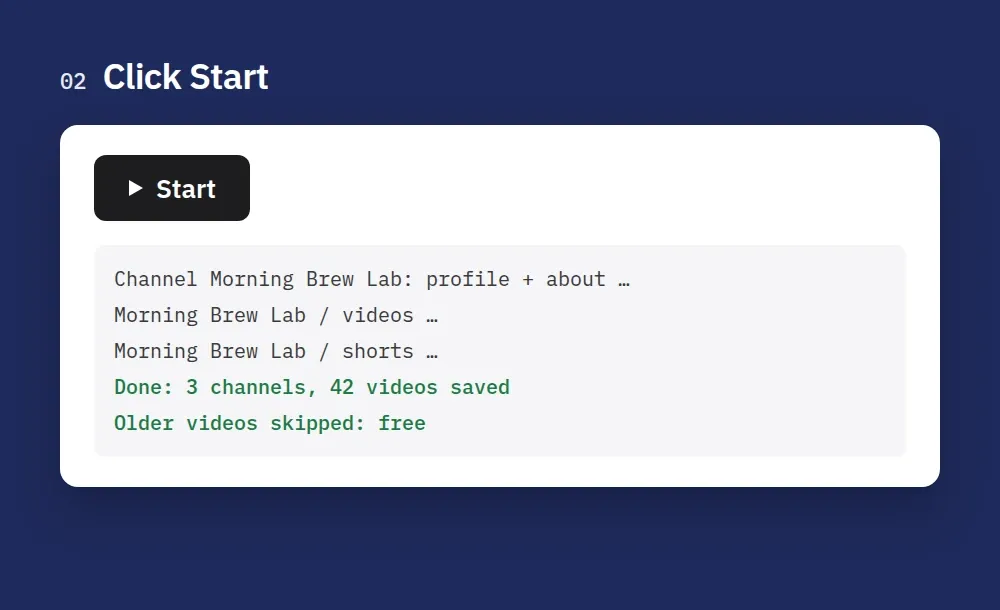
2. Click Start. Each channel's profile is saved first, then its newest videos until your limit or date filter.
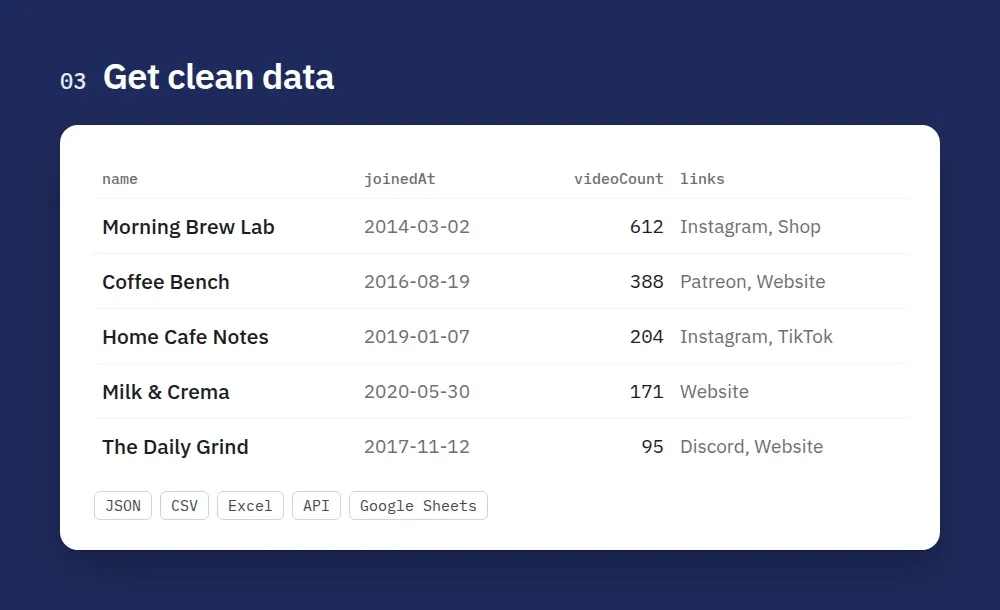
3. Get clean data. Profiles come with subscribers, exact total views, join date, country and links. Export them as JSON, CSV or Excel, or read them through the API.
How to scrape a YouTube channel
- Create a free Apify account and open this Actor.
- Add Channel URLs or @handles, one per line:
https://www.youtube.com/@mkbhd, just@mkbhd,/channel/UC…or/c/…URLs. Over the API,["@mkbhd"]and[{"url": "https://…"}]both work. - Choose Channel tabs: Videos, Shorts and/or Live. Leave them empty to get only the channel profiles. A URL ending in
/shortsor/streamsscrapes just that tab. - Set Max videos per tab (0 = the whole tab) and, for monitoring, Only videos published after (
7 days,2025-01-31). Paging stops at the first older video, so daily runs stay small. - Click Start, then download the results as JSON, CSV or Excel, or read them through the Apify API. The Channels and Videos tabs show each record type as a table.
- Use Schedule to run it daily or weekly.
Tips
- Filter the dataset by
type(channelorvideo) when you read it through the API. sourceInputon every video tells you which channel input it came from.- Need comments too? Use YouTube Comments Scraper with the same channel URLs.
Output: channel
| Field | Notes |
|---|---|
subscriberCount | Rounded the way YouTube shows it ("21.4M" → 21400000) |
viewCount | Exact total channel views |
links | The links on the channel's About page, with their titles |
rssUrl | The channel's public RSS feed of new uploads |
Output: video
| Field | Notes |
|---|---|
videoType | video, short or live (live streams, premieres and past streams) |
viewCount, likeCount | Exact numbers. viewCount is null while a stream is live |
commentCount | Rounded the way YouTube shows it ("4K" → 4000) |
durationSeconds | null for Shorts and live streams (YouTube shows their length only inside the player) |
sourcePosition | Position in the channel tab (1 = newest) |
Input example
Pricing
Pay per result. No monthly fee, and Apify's free plan credit covers your first runs. The price drops on bigger Apify plans:
| Your Apify plan | Per channel profile | Per video | Per 1,000 |
|---|---|---|---|
| Free | $0.001 | $0.001 | $1.00 |
| Starter | $0.0008 | $0.0008 | $0.80 |
| Scale | $0.0006 | $0.0006 | $0.60 |
| Business | $0.0004 | $0.0004 | $0.40 |
| Run start | $0.00005 | – |
Example on the Free plan: profiles of 1,000 channels (tabs empty) cost $1.00. The latest 50 videos of 20 channels plus their profiles cost $1.02. The date filter is free, and videos that can't be loaded (private, deleted) are not charged.
Use with AI agents (Claude, ChatGPT, Cursor, MCP)
Add the Actor as a tool through the Apify MCP server: https://mcp.apify.com?actors=smoldesk/youtube-channel-scraper. Then paste this into your agent's system prompt or tool notes:
Questions an agent can answer with it:
- Compare these 10 tech creators by subscribers and total views.
- Which of this channel's last 30 videos got the most views?
- Find the Instagram and business email of each creator on this list.
Use with AI (LangChain / LlamaIndex / CrewAI)
With LangChain (pip install langchain-apify):
LlamaIndex: ApifyActor from llama-index-readers-apify. CrewAI: use the Apify MCP server above.
Limitations
- No keyword search for channels. Give channel URLs or handles; to find videos by keyword use YouTube Scraper.
- Subscriber and comment counts are rounded the way YouTube displays them. View and like counts are exact.
- Shorts and live streams have no duration on public pages.
- No transcripts or video downloads, and no YouTube Analytics data (watch time, revenue).
FAQ
Do I need a YouTube API key? No. There is no daily quota and no Google Cloud project.
Can I get every video of a channel? Yes: set Max videos per tab to 0. Add the Shorts and Live tabs if you need those too.
Can I get only the profiles? Yes: leave Channel tabs empty. You pay only for the profiles.
Do I need a login, cookies or proxies? No. Residential proxies are never needed or used.
Is it legal to scrape YouTube channels? It reads public data that any logged-out visitor can see. Check YouTube's terms and your local rules (e.g. GDPR when you store creator contact details) for your use case. This Actor is not affiliated with YouTube or Google.
Feedback
Found a bug or missing a field? Open an issue in the Issues tab. If the Actor saved you time, a short review on this page helps other people find it.
More Actors from Smoldesk Studios
- Contact Details Scraper: emails, phone numbers, social profiles and contact forms from any list of websites, with email domains checked and junk removed, charged only when contacts are found
- Google Maps Scraper: places with phones, websites, ratings and hours from any search, plus emails and social profiles from each business website, lead filters and new-place monitoring
- YouTube Scraper: videos, Shorts, channels, playlists and comments from search or URLs, with exact views and likes, chapters and description links
- YouTube Comments Scraper: comments and replies from videos, channels, playlists or keyword searches, with likes, pinned/hearted flags and authors
- Bilibili Scraper: videos, stats, danmaku, comments and creators from China's video site, no login
- Google Trends Scraper: interest over time, by region and city, related queries and Trending now — no API key
- Google Ads Transparency Scraper: every ad a competitor runs on Google Search, YouTube and Shopping — creatives, landing pages, countries, EU impressions and new-ad alerts
- Weibo Scraper: keyword and hashtag search, posts, comments, profiles and the hot-search board from China's biggest microblog, no login
- Telegram Channel Scraper: public channel posts, views, reactions and subscribers
- Substack Scraper: newsletters, subscriber counts and posts
- Shopify Store Analyzer: apps, contacts and products of any Shopify store
- Career Site Jobs Scraper: live jobs from 12,000+ company career sites (Greenhouse, Lever, Workday, Ashby) with salary and seniority


