

YouTube Scraper: Videos, Shorts, Channels & Comments
Pricing
from $0.75 / 1,000 videos
YouTube Scraper: Videos, Shorts, Channels & Comments
Scrape YouTube without an API key: search results, channel videos, Shorts, live streams, playlists and comments. Exact views, likes, publish date, tags, chapters, subscribers. Clean, flat JSON/CSV.
Pricing
from $0.75 / 1,000 videos
Rating
0.0
(0)
Developer

Smoldesk Studios
Maintained by CommunityActor stats
0
Bookmarked
2
Total users
1
Monthly active users
13 days ago
Last modified
Categories
Features
Share
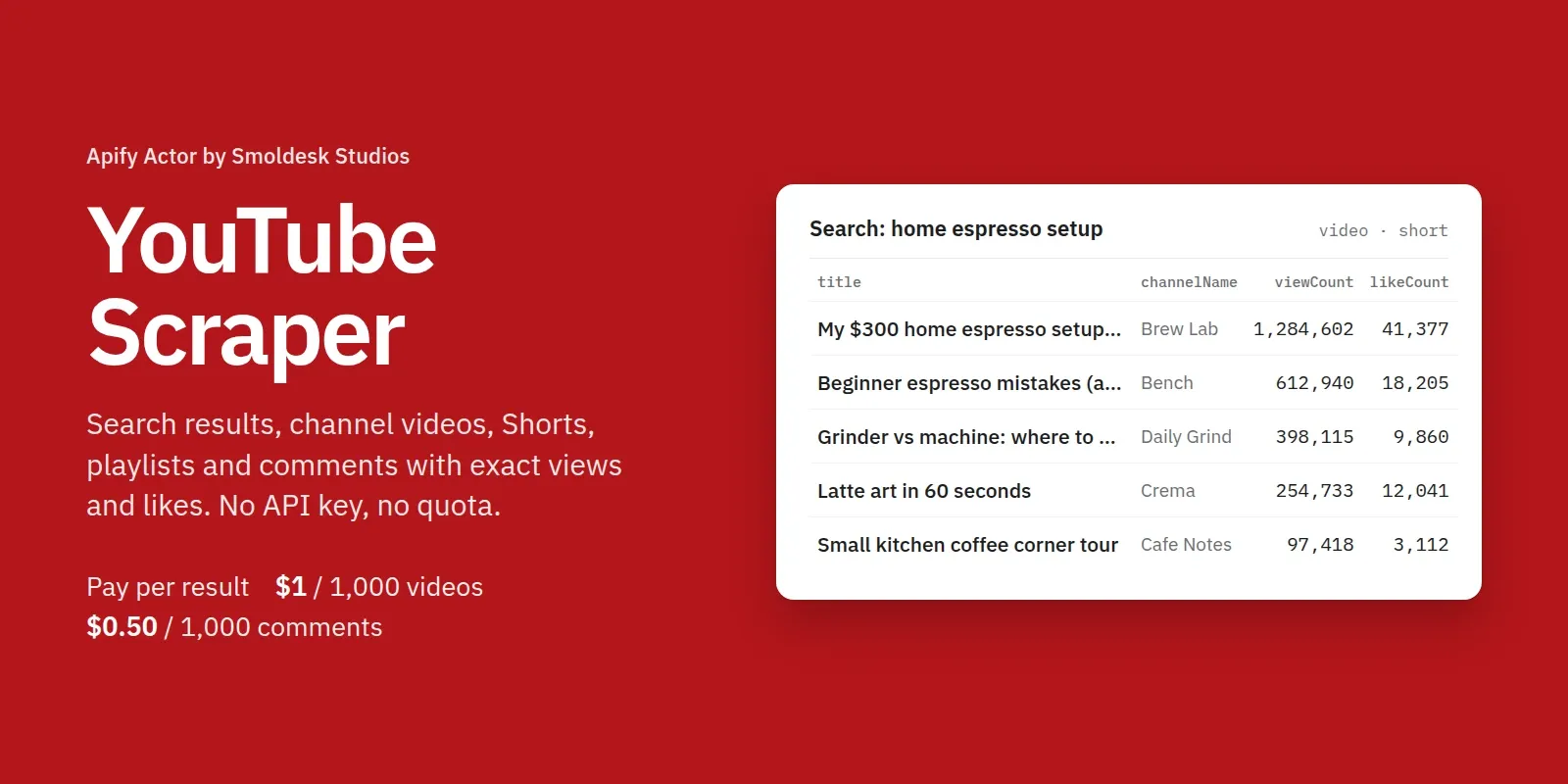
Scrape YouTube search results, channel videos, Shorts, live streams, playlists and comments without an API key or quota. Every video comes with exact view and like counts, publish date, duration, comment count, the full description with its links and hashtags, chapters, the Most replayed moments viewers rewatch, and the channel's name, handle and subscribers (plus, if you want, its total views, video count, join date and country on every row). Channel videos come newest first, most popular first or oldest first. Channel URLs also return a channel profile: exact total views, video count, join date, country and external links (Instagram, TikTok, shop, Patreon…). Add comments and replies with likes, author and pinned/hearted flags.
The output is built to be easy to use: one flat record per video, channel or comment, the same fields every time, real numbers instead of "1.2M", ISO dates, and a sourceInput + sourcePosition on each video so you know which search or channel it came from and where it ranked.
What you get
| Field | Notes |
|---|---|
videoType | video, short or live (live streams, premieres and past streams) |
liveStatus | live (streaming now), upcoming (scheduled), was_live (past stream) or null |
viewCount, likeCount | Exact numbers. viewCount is null while a stream is live (YouTube shows "watching now" instead) |
commentCount | Rounded the way YouTube shows it ("4K" → 4000). null when comments are off or for live chats |
channelSubscriberCount | Rounded the way YouTube shows it ("28M" → 28000000) |
durationSeconds | null for Shorts and live streams (YouTube doesn't show their length on public pages) |
mostReplayed | The moments YouTube marks "Most replayed" on the seek bar. null for Shorts, live streams and videos with too few views for the graph |
heatmap | The whole Most replayed graph: about 100 equal slices, intensity 0 to 1 (1 = most rewatched). Only with Add the full Most replayed graph on |
channelViewCount, channelVideoCount, channelJoinedAt, channelCountry | The uploader's channel stats. Only with Add channel stats to each video on, otherwise null |
sourceType / sourceInput / sourcePosition | search, channel, playlist or url; the search term or URL you gave; the rank in that list (1 = top result) |
What you can use it for
- Influencer and creator research: find channels by keyword, compare subscribers, views per video and posting frequency, collect their social links.
- Competitor and brand monitoring: schedule a run on competitor channels with Only videos published after = 7 days and get just the new uploads.
- Content and SEO research: see what ranks for a keyword, the titles, lengths, chapters and hashtags that win, and how views spread across the top 50.
- Find what hooks viewers:
mostReplayedshows the exact moments people rewatch, ready for clips, thumbnails and editing notes. - Study a channel's hits: set the channel order to Popular and get its most viewed videos first, or Oldest to see how it started.
- Comment and sentiment analysis: pull top or newest comments with replies for product feedback, audience questions or AI sentiment scoring.
- Sponsor and lead discovery:
descriptionLinkslists every link in a video description (sponsors, affiliate links, shops); channel profiles list the creator's own sites. - Datasets for AI: clean text fields (
description, commenttext) ready for LLMs, RAG and fine-tuning.
Why this scraper
| This Actor | Other Actors on the Store | |
|---|---|---|
| 1,000 videos with exact views, likes, dates and durations | $1.00 ($0.75 on Business) | The most-used one is $4.00 ($2.40 on Business), date filter extra |
| 1,000 comments | $0.50 | $0.25 to $4.00 in dedicated comment Actors |
| Date filter | Free | The most-used one charges $1.30 per 1,000 |
| API key or login | Never |
Competitor prices checked on the Apify Store in November 2026 (Free plan price first). Store prices change, so check the Pricing tab of any Actor before you compare.
How to scrape YouTube
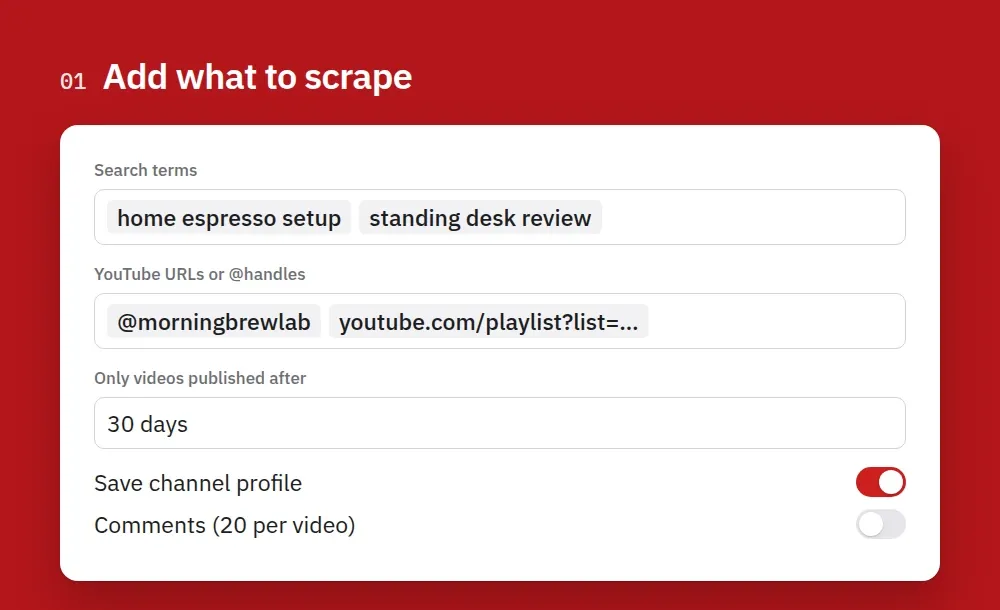
1. Add what to scrape. Type search terms, paste channel, playlist or video URLs, and set a date filter if you only want recent videos.
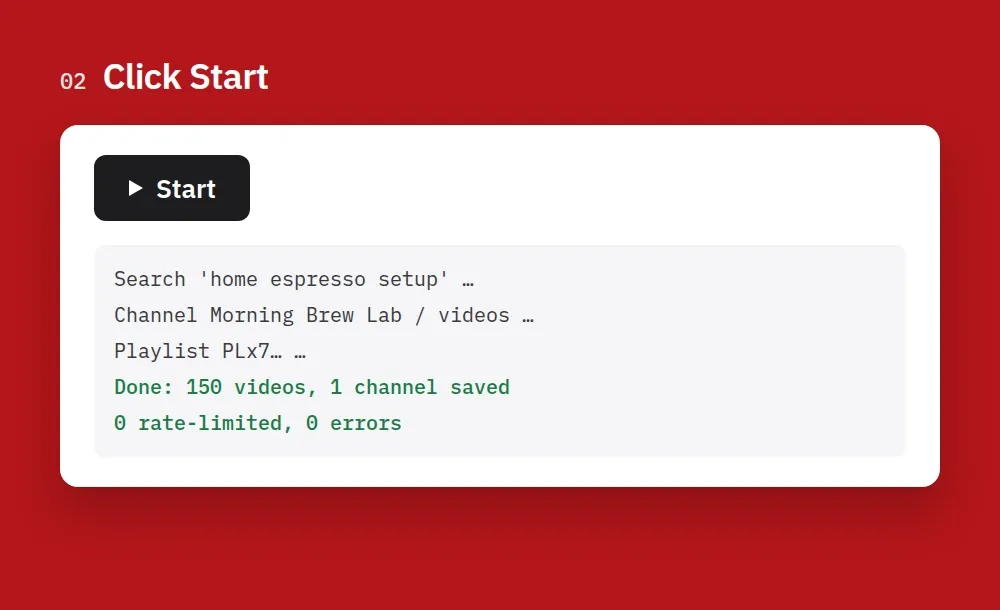
2. Click Start. 100 videos take about a minute. The log shows each search and channel as it goes.
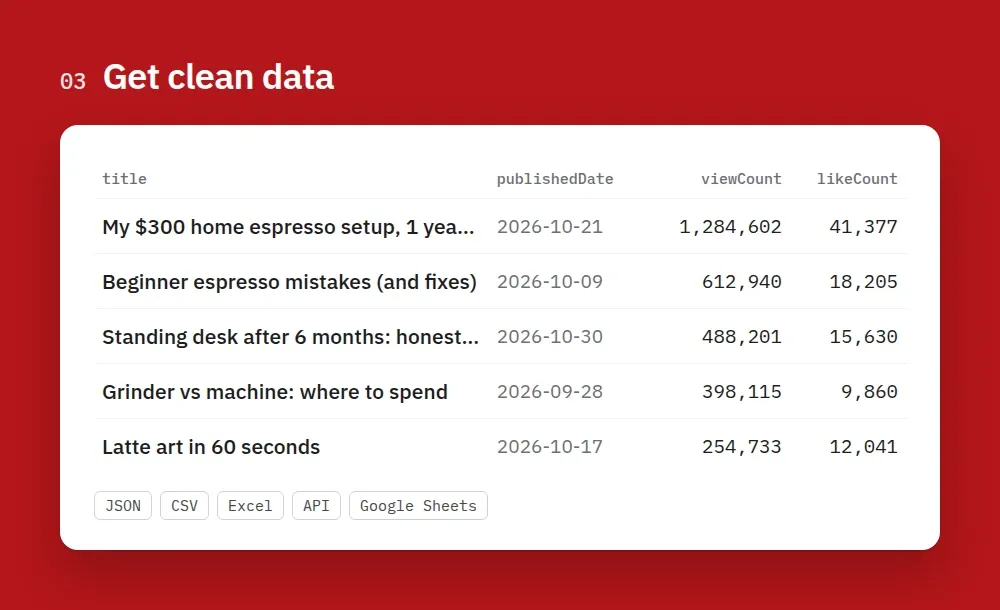
3. Get clean data. Every video comes with exact views and likes, publish date, duration and channel. Export it as JSON, CSV or Excel, or read it through the API.
Tips
- Each video is saved once per run, even when it shows up in two searches.
- The run's maximum cost stops it cleanly: video pages are only loaded while your budget still pays for them.
- For a channel's best videos, set Channel video order to
popular. With a date filter, keepnewest: it stops as soon as it reaches older videos. - Filter the dataset by
type(video,channel,comment) when you read it through the API.
Output reference
Input example
Pricing
Pay per result. No monthly fee, no start fee worth mentioning, and Apify's free plan credit covers your first runs.
| What | Free & Starter | Scale | Business |
|---|---|---|---|
| Video (or Short / stream) with all fields above | $1.00 / 1,000 | $0.90 | $0.75 |
| Comment or reply | $0.50 / 1,000 | $0.50 | $0.50 |
| Channel profile | $1.00 / 1,000 | $0.90 | $0.75 |
| Run start | $0.0005 | $0.0005 | $0.0005 |
Example: the latest 50 videos of 20 channels plus their profiles cost about $1.02. 100 videos with 20 comments each cost $1.10. The date filter is free. Channel stats on each video and the Most replayed graph cost nothing extra. Videos that can't be loaded (private, deleted) are not charged.
Use with AI agents (Claude, ChatGPT, Cursor, MCP)
Add the Actor as a tool through the Apify MCP server: https://mcp.apify.com?actors=smoldesk/youtube-scraper. Then paste this into your agent's system prompt or tool notes, so it knows when to call it:
Questions an agent can answer with it:
- What are the most-viewed espresso machine reviews posted this month?
- How often does this channel post, and which of its last 50 videos did best?
- Which moments of this video do viewers rewatch most?
- Summarize the top comments on this video.
Your agent can pay for its own runs. This Actor is approved for agentic payments on Apify, so an agent with a Skyfire token or an x402 wallet can call it and pay per result without an Apify account. Skyfire: use https://mcp.apify.com?payment=skyfire. x402: buy a prepaid Apify token with USDC. Setup: Apify agentic payments docs.
Want every Smoldesk scraper as agent tools in one connection? See the full list on our publisher page.
Use with AI (LangChain / LlamaIndex / CrewAI)
Descriptions and comments are plain text, so the dataset drops straight into an LLM or RAG pipeline. With LangChain (pip install langchain-apify):
Already have a run? Use ApifyDatasetLoader(dataset_id="<run's dataset ID>", dataset_mapping_function=...). LlamaIndex: ApifyActor from llama-index-readers-apify. CrewAI: use the Apify MCP server above.
Limitations
- No transcripts or video downloads. This Actor reads public video pages, not the media.
- Tags, category and the exact upload time are not included: YouTube only shows them to its video player, not on the public page.
- Shorts and live streams have no duration (
durationSeconds: null); YouTube shows their length only inside the player. - Comment counts and subscriber counts are rounded the way YouTube displays them. View and like counts are exact;
likeCountisnullwhen the uploader hides likes. - Collaboration videos (two creators) are listed under the channel that uploaded them.
- Age-restricted and members-only videos show what a logged-out visitor sees.
FAQ
Do I need a YouTube API key? No. There is no daily quota, and you don't need a Google Cloud project.
How is this different from the YouTube Data API? No quota (the official API allows about 100 searches a day), exact like counts, chapters, description links and channel social links in one run, and a CSV you can open straight away.
Can I scrape all videos of a channel? Yes: set Max videos to 0. Add the Shorts and Live tabs if you need those too.
Can I get a channel's most popular videos? Yes: set Channel video order to popular (most viewed first) or oldest. It works on the Videos, Shorts and Live tabs.
What is "Most replayed"? The graph above the YouTube seek bar that shows which parts people rewatch. mostReplayed gives the marked peaks; turn on the full graph for all 100 slices. YouTube only shows it once a video has enough views.
How do I get only new videos? Set Only videos published after to 7 days (or your schedule interval) and schedule the run.
Do I need a login, cookies or proxies? No. Residential proxies are never needed or used.
Is it legal to scrape YouTube? It reads public data that any logged-out visitor can see. Check YouTube's terms and your local rules (e.g. GDPR for personal data in comments) for your use case. This Actor is not affiliated with YouTube or Google.
Feedback
Found a bug or missing a field? Open an issue in the Issues tab. If the Actor saved you time, a short review on this page helps other people find it.
Code examples and a quick reference are also on GitHub: smoldesk/youtube-scraper.
More Actors from Smoldesk Studios
- YouTube Comments Scraper: comments and replies from videos, channels, playlists or keyword searches, with likes, pinned/hearted flags and authors
- YouTube Channel Scraper: subscribers, exact total views, join date, country and social links of any channel, plus its latest videos
- Bilibili Scraper: videos, stats, danmaku, comments and creators from China's video site, no login
- Google Trends Scraper: interest over time, by region and city, related queries and Trending now, no API key
- Telegram Channel Scraper: public channel posts, views, reactions and subscribers
- All Smoldesk Studios Actors


